Building your own computer for Artificial Intelligence (AI) projects can be very exciting. Everyone is talking about AI in 2026, and you might want to try it yourself. But, buying all new computer parts can be quite expensive. This is where buying used PC parts comes in handy. You can save a lot of money, but you need to know what to look for.
The thing is, AI jobs are a bit special. Whether you are teaching a computer new things (called training) or having it answer questions (called inference), AI needs specific computer parts to work well. Regular computer parts, especially the main brain called the CPU, aren’t usually enough on their own. For most AI tasks, you really need a strong graphics card, known as a GPU. In fact, studies in 2026 show that GPUs can make training large AI models much, much faster than using only CPUs, sometimes 100 times faster CPU vs GPU Server Performance Benchmarks 2026 Guide.
This means that not just any used PC parts will do for your AI work. You need to pick wisely. Many people look for a used gaming PC for AI because gaming computers often have powerful GPUs that are also good for AI.
This guide is here to help you. We will give you simple, clear steps to check and pick the best used PC parts. We will cover main parts like CPUs, GPUs, memory, storage drives, motherboards, and even power and cooling systems. Our goal is to make sure you can find good quality used PC parts that fit your AI projects without breaking the bank.

You will learn how to make smart choices and build a great computer for AI on a budget.
To keep up with all the new AI tools and tips, consider signing up for The AI Newsletter Worth Reading.
AI tasks are not like simply browsing the internet or typing up a document. Your regular computer is good for those everyday things. But AI needs a very special kind of power. When you think about buying used PC parts, it’s really important to know these differences. This helps you pick parts that actually work well for AI.
Here’s how AI work is different:
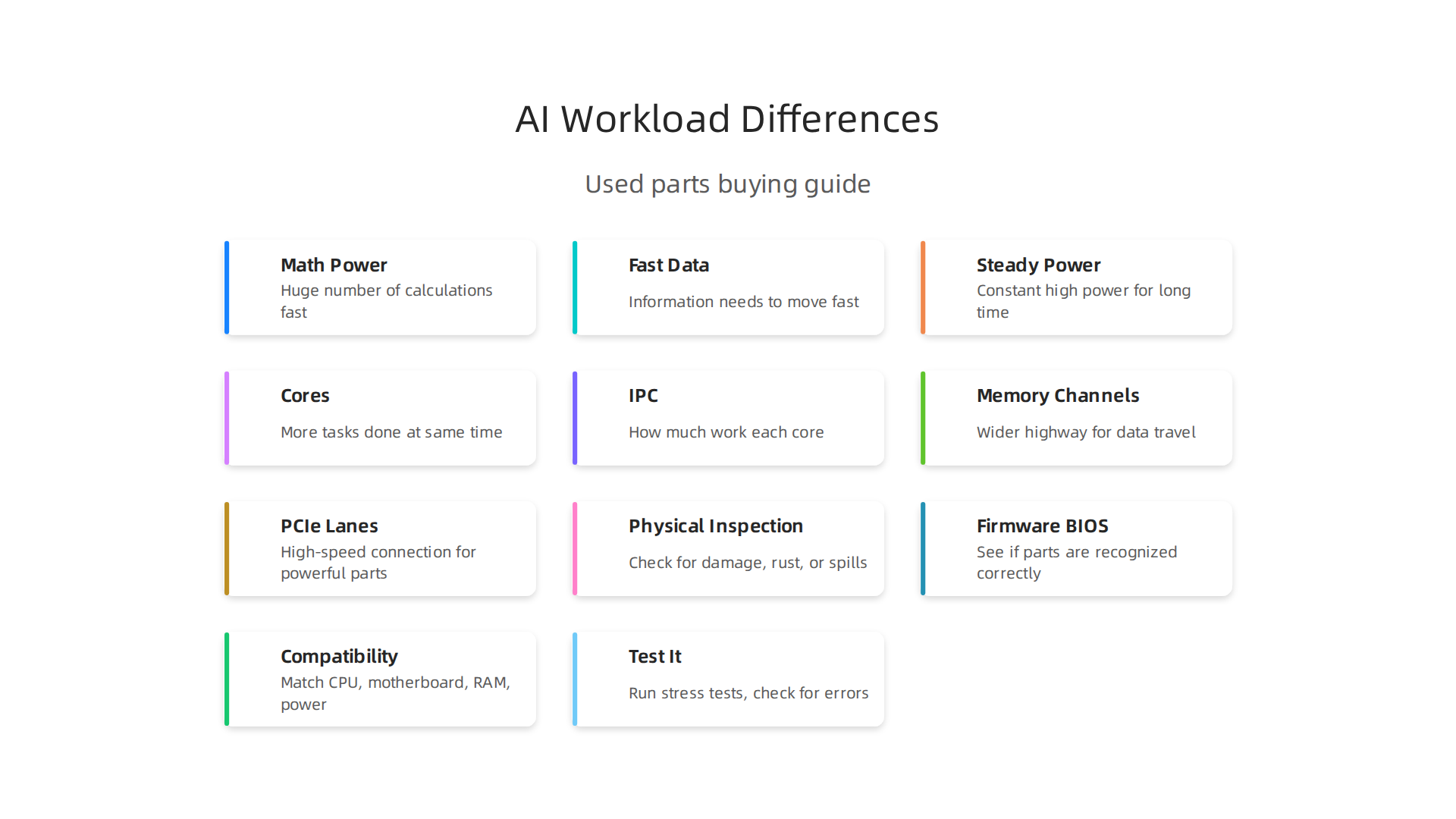
It Needs Lots of Math Power (Compute Intensity)
Imagine a calculator doing a million sums at once. That’s kind of what AI training is like. It needs to do a huge number of calculations very, very fast. Regular computer brains, called CPUs, are good at doing a few sums super quickly, one after another. But Graphics Processing Units (GPUs) are built differently. They can do many, many simple sums all at the same time. This is why GPUs are so much better for AI. They offer the massive math power, or "compute intensity," that AI needs to learn and run models quickly. You can learn more about why GPUs are better for AI in 2026 by looking at studies that compare CPU vs GPU for AI in 2026.

Fast Data Moving (Memory Bandwidth and VRAM)
AI models, especially the big ones, use a lot of information. This information needs to move in and out of the GPU’s memory incredibly fast. Think of it like a highway for data. If the highway is small, cars (data) get stuck. AI needs a super wide and fast highway.
- VRAM is special memory that lives right on the GPU. The bigger and faster this VRAM is, the more information an AI model can hold and process directly on the GPU. This is super important because if the VRAM is too small, the AI model won’t fit, or it will run very slowly. For AI, having a lot of VRAM and fast "memory bandwidth" is key to smooth operations. In 2026, some top GPUs for AI inference have huge amounts of VRAM and very high memory bandwidth, as detailed in benchmarks for the Best GPU for AI Inference in 2026.
Steady Power, Not Just Quick Bursts (Sustained Throughput)
Most regular computer tasks, like opening an app, need a quick burst of power then not much for a while. AI is different. It needs constant, high power for a long time. It’s like running a marathon versus a short sprint. An AI computer needs to keep processing data without slowing down for hours, maybe even days, for big projects. This "sustained throughput" means the parts need to handle heavy work without getting too hot or running out of steam.
How This Maps to Used Parts
When looking for used PC parts for AI, these differences mean you must focus on:
- GPU Architecture: Look for GPUs made for strong parallel processing. Gaming GPUs are a good starting point because they have this design.
- VRAM: Prioritize GPUs with as much VRAM as you can afford. This is often the biggest bottleneck for AI projects.
- CPU Cores and Memory Channels: While the GPU does the heavy lifting, a decent CPU helps get data ready. More CPU cores and faster system memory (RAM) channels mean data can flow to the GPU faster. This helps prevent the GPU from waiting for information.
- Storage Speed: A fast SSD (Solid State Drive) is important to load your AI data quickly into memory, so your powerful GPU isn’t sitting idle.
Understanding these points helps you make smart choices. You can find good used PC parts that truly support your AI work, rather than just buying what’s cheapest and hoping it works.
When you understand what makes AI tick, you know which types of parts are best. But knowing what to look for and actually checking the parts are two different things. It is very important to carefully inspect any used PC parts before you buy them. This helps you make sure you are getting good value and avoiding problems.
Here is a simple checklist to help you evaluate used computer parts:
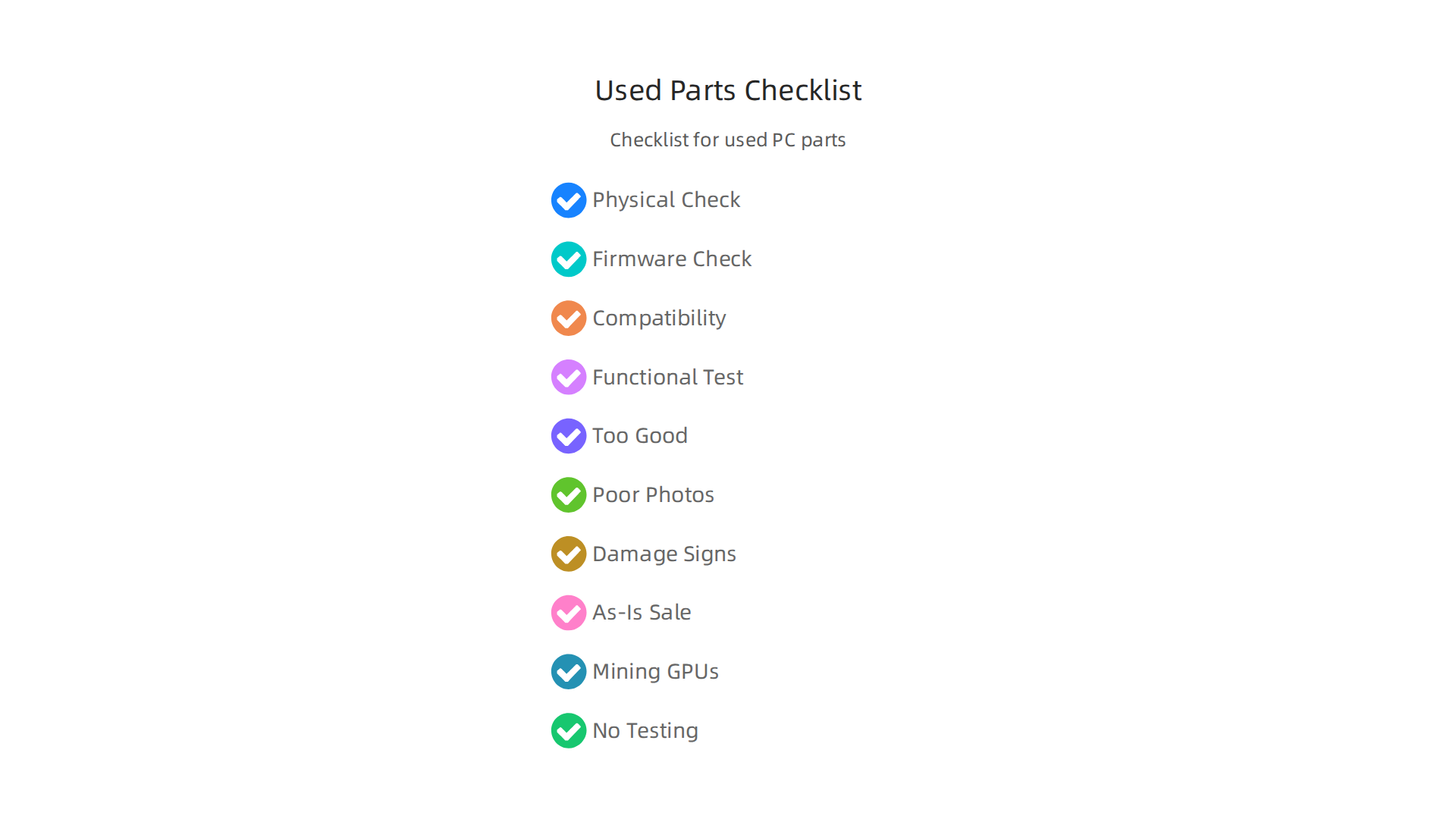
1. Look Closely at the Part (Physical Inspection)
First, always check the part with your own eyes.
- Pictures are key: If buying online, make sure the seller shows many clear pictures of the actual item, not just stock photos. Look for pictures of the front, back, and all sides.
- Signs of damage: Check for bent pins (especially on CPUs), broken fan blades, missing screws, or any rust. Rust is a bad sign. Look for any spills or water marks. These things can mean the part was not cared for well, as suggested in guides for buying used PC parts safely in 2026.
- Motherboard check: If it’s a motherboard, look closely at where the CPU goes and where the memory (RAM) sticks slide in. Make sure these areas look clean and undamaged.
- GPU check: For graphics cards, check for burn marks around the power connectors. If it was used for cryptocurrency mining, it might have been pushed very hard, which can wear it out. It is crucial to be wary of crypto-mined hardware when buying used PC parts.
2. Peek into the Computer’s Brain (Firmware/BIOS)
Once you can turn the computer on, you can do some basic checks.
- BIOS: The BIOS (Basic Input/Output System) is like the computer’s basic settings menu. You can often get into it by pressing a special key (like F2, Delete, or F10) when the computer first starts. For example, knowing the Lenovo ThinkPad BIOS key can be helpful.
- Check components: In the BIOS, you can usually see if the CPU, RAM, and storage are recognized correctly. This is a quick way to see if the main parts are working.
3. Do the Parts Play Nicely Together (Compatibility)
Even good parts need to fit together.
- Match parts: Before you buy, make sure the CPU and motherboard have the right socket type. Also, check that the RAM is the right kind (like DDR4 or DDR5) for your motherboard.
- Power needs: Think about how much power the new part needs. Will your computer’s power supply be strong enough? This is very important. You can check model numbers and chipset types to make sure parts will work together, which is vital for enterprise IT teams considering used components.
4. Turn it On and Test it Out (Test-Boot Expectations)
The real test is seeing the part in action.
- Basic boot: At the very least, you should try to get the computer to turn on and show something on the screen.
- Stress tests: For parts like graphics cards, run special tests to make them work hard. Tools like Heaven benchmark or 3DMark can help. Watch for strange colors, flickering, or the computer crashing. A good test lasts at least 15 minutes, looking for issues like overheating or odd fan noises, as advised by experts on buying used PC parts.
- Memory test: For RAM, you can use a program like MemTest to check for errors. Used RAM is often considered safe to buy and a good way to save money, similar to buying a used CPU.
- Warranty and return: Always ask about a warranty or return policy, especially if you’re buying from a seller you don’t know well. Reliable sellers often offer some kind of protection.
How Different Buyers Can Use This Checklist
- Creators: If you are a video editor or 3D artist, your main focus will be on the GPU’s VRAM and performance during stress tests. You need a graphics card that can handle heavy creative tasks without slowing down. Getting a used gaming PC for AI can be a great way to save money while still getting strong performance.
- SMB CTOs (Small to Medium Business Chief Technology Officers): You will look at the bigger picture. Does the part have good reviews for reliability? Will it last? You also need to make sure the parts are compatible with your existing systems. Companies like Puget Systems release yearly reliability reports that can help you choose the most reliable PC hardware.
- Consultants: You might be buying for different clients with different needs. This means you need to be very good at the compatibility checks to make sure the parts work for specific projects. You might also prioritize parts from brands known for making good components.
- Researchers: For AI research, you need powerful GPUs with lots of VRAM and good cooling to handle long processing times. Stress tests are especially important for you to ensure sustained performance.
By following these steps, you can feel more confident when buying used PC parts. It helps you pick the right parts that will help you reach your goals, whether you are building a best budget gaming PC or a powerful machine for AI.
Staying updated on the latest in AI and tech is crucial for smart hardware decisions.
Get clear daily AI updates from The AI Newsletter Worth Reading.
Choosing a CPU, or Central Processing Unit, for AI workloads is a bit like picking the right brain for your computer. While Graphics Processing Units (GPUs) often get most of the attention for heavy AI training, the CPU still plays a very important role. It handles many tasks like getting data ready, running smaller AI models, and keeping the whole system working smoothly. When looking for used PC parts, especially CPUs, knowing what specs matter most can save you a lot of trouble.
Here are the main things to look at when choosing a CPU for AI tasks:
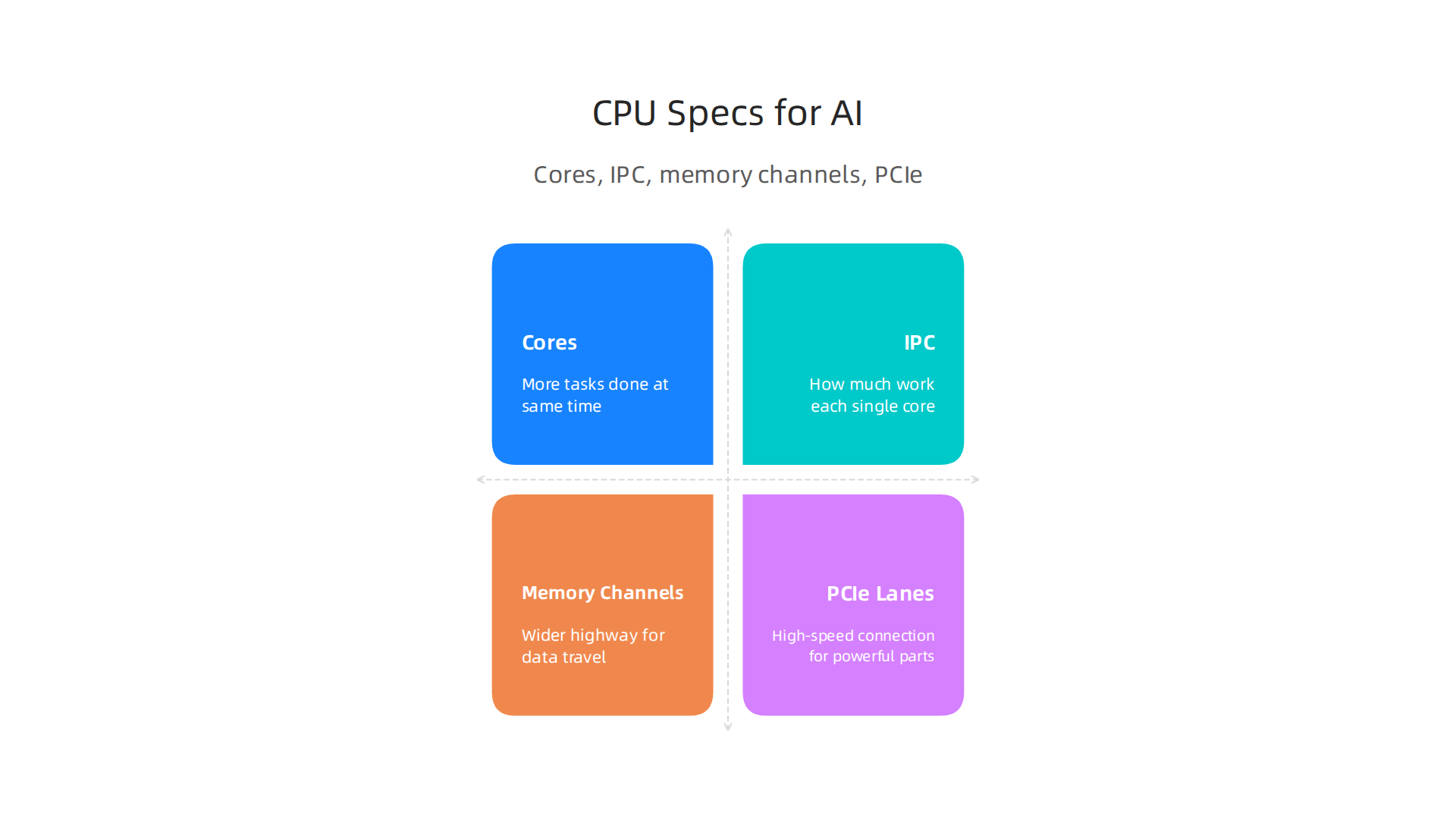
What CPU Specs Matter Most for AI?
Different parts of the CPU help with different AI jobs.
-
Cores (The Number of Workers)
Think of CPU cores as the number of small workers inside the chip. More cores mean more tasks can be done at the same time. For AI, having many cores is good for:- Data Prep: Cleaning and organizing large amounts of data before it goes to an AI model.
- Smaller AI Models: Running less complex AI programs or many small ones all at once.
- Inference: When the AI model is already trained and you’re just using it to make predictions or decisions. While GPUs are usually faster for this, some simpler AI inference can be handled well by CPUs, especially if you want to save money. In 2026, many benchmarks still show a big difference, with GPUs being much faster for AI training compared to CPUs, but CPUs can be a good choice for some inference tasks, as noted in a guide about CPU vs GPU Inference in 2026.
- General system tasks that keep your AI work flowing.
-
IPC (How Smart Each Worker Is)
IPC stands for "Instructions Per Cycle." This tells you how much work each single core can do in one go. A CPU with high IPC means each worker is very efficient and fast.- For AI: High IPC is key for tasks that can’t be split up easily among many cores. It helps speed up parts of an AI program that need one core to focus intensely on a single job.
-
Memory Channels (The Data Highway)
Memory channels are like roads that let your CPU talk to the computer’s memory (RAM). More memory channels mean a wider highway, allowing data to travel much faster between the CPU and RAM.- For AI: This is super important when you’re working with large datasets. AI models often need quick access to a lot of information, and a CPU with more memory channels can feed that data faster, keeping your AI processing from slowing down. You also need to make sure your RAM type (like DDR4 or DDR5) matches what your chosen motherboard and CPU support.
-
PCIe Lanes (High-Speed Connection Roads)
PCIe (Peripheral Component Interconnect Express) lanes are like special high-speed roads for connecting powerful parts, such as graphics cards (GPUs) and fast storage drives (NVMe SSDs), directly to the CPU.- For AI: If you plan to use several powerful GPUs for deep learning or have very fast storage for huge AI datasets, having many PCIe lanes is crucial. It ensures all these fast parts can talk to each CPU worker without traffic jams. Experts at Puget Systems often recommend single-socket CPU workstations for AI development to avoid memory mapping issues, which can affect how well GPUs use the available memory, as discussed in their Hardware Recommendations for AI Development.

How to Evaluate Used CPUs and Motherboards for AI
When buying used pc parts, especially for AI, checking the CPU and motherboard carefully is a must.
- Physical Check: Just like with other used PC parts, look closely at the CPU. Are there any bent pins? Bent pins can stop a CPU from working. For the motherboard, check the CPU socket to make sure it’s clean and has no damage.
- Compatibility is Key: This is probably the most important step for a used CPU and motherboard.
- Socket Match: The CPU and motherboard must have the same socket type (like AM5 for newer AMD CPUs or LGA1700 for many Intel CPUs). An easy way to find out your CPU’s socket type is by checking Windows System Information or using free software like CPU-Z, and then looking up the CPU model’s socket type online. You can also see a CPU Socket Upgrade Path for 2026 to understand future options.
- Motherboard’s CPU Support List: Even if the socket matches, not all CPUs work with all motherboards. You need to visit the motherboard maker’s website and check their official list of supported CPUs. This list will also tell you if you need a specific BIOS version for your CPU to work. You can find many guides on checking CPU & Motherboard Compatibility, which is a crucial step for a smooth PC build.
- RAM Type: Ensure the motherboard supports the type of RAM you plan to use (DDR4 or DDR5).
- Longevity: For used pc parts, especially for a workstation that will be running AI tasks often, you want parts that are known to last. Research different brands and models for their reliability.
Choosing the right used CPU and motherboard for AI workloads means balancing raw power with smart compatibility checks. By understanding cores, IPC, memory channels, and PCIe lanes, and then carefully checking for compatibility, you can put together a strong AI machine without breaking the bank. To learn more about setting up your system, check out our guide on How to Choose AI-Ready Business Computers in 2026.
While CPUs handle many important AI tasks, the Graphics Processing Unit (GPU) is usually the star for most serious AI work. When you’re looking for used PC parts to build an AI machine, especially a used GPU, understanding its specific features is key. Choosing the right GPU means looking at more than just its name.
Here’s what matters most when picking a used GPU for AI workloads:
How VRAM, Bandwidth, and Performance Impact AI
GPUs have special parts that make them really good for AI.
-
VRAM Size (Dedicated Memory)
VRAM stands for Video Random Access Memory. Think of it as the GPU’s own workspace. Large AI models, especially big language models (LLMs) used in 2026, need a lot of VRAM to fit all their data. If a model doesn’t fit in the VRAM, it simply can’t run, or it will run very slowly by moving data back and forth to slower system memory. For training big AI models, VRAM capacity is a top concern because it needs to hold the model, training data, and more. A common rule of thumb for estimating VRAM needed for generative AI is around 2x the model parameters in billions, plus more for context length, though this can vary greatly HOWTO: Estimating and Profiling GPU Memory Usage for Generative AI. Many experts agree that VRAM is a critical "on/off" switch for whether a model can even run GPU VRAM vs Memory Bandwidth for AI & LLMs. -
Memory Bandwidth (How Fast Data Moves)
Memory bandwidth is how quickly the VRAM can send and receive data to the GPU’s main processing parts. Even if you have a lot of VRAM, if the data can’t move fast enough, the GPU’s power can be wasted. This is super important for AI tasks where the GPU is constantly moving new information, like when an AI model is making predictions (this is called inference). In 2026, many AI experts point out that for inference, memory bandwidth often matters more than just the sheer processing power GPU Memory Bandwidth: Why It Matters More Than VRAM. Fast memory bandwidth ensures the GPU cores are always busy and not waiting for data GPU Memory Bandwidth and Its Impact on Performance. -
Architecture Generation (Modern Smarts)
Newer GPU generations often have special parts built just for AI tasks, like NVIDIA’s Tensor Cores. These specialized cores can do AI math much faster. So, a newer, even mid-range, GPU might outperform an older, more powerful one that lacks these AI-specific features. When looking at used GPUs, try to find one from a more recent generation, even if it’s a few years old. -
FP/INT Performance (Math Power)
AI uses different types of math, called Floating Point (FP) and Integer (INT) operations. Different GPUs are better at different types of these calculations. For AI training, FP16 (half-precision floating point) and FP32 (single-precision floating point) performance are usually most important. For inference, INT8 (8-bit integer) can be very efficient. Checking a GPU’s performance in these specific areas gives you a better idea of its real-world speed for AI. GPU memory, bandwidth, and compute power all influence how fast an AI model can make predictions What Factors Influence Inference Speed in Machine Learning.
Used Consumer GPUs vs. Older Data-Center GPUs vs. New Entry-Level GPUs
When building an AI system with used PC parts, you have choices:
-
Used Consumer GPUs (e.g., from gaming PCs): These are often the best option for a best budget gaming PC that you adapt for AI. They are usually much cheaper than data-center cards. Gaming GPUs like NVIDIA’s RTX series often have good VRAM and bandwidth for their price, making them great for learning and smaller AI projects. However, they might not have as much VRAM or the high-speed connections (like NVLink) found in expensive data-center GPUs.
-
Older Data-Center GPUs (e.g., NVIDIA Tesla, Quadro): These cards were built for professional use and often have lots of VRAM and features like ECC memory (error-correcting memory) for reliability. However, they can be very expensive even used, and might require special cooling or power setups. Their performance for general AI tasks might also be beaten by newer consumer cards, especially if the architecture is very old.
-
Entry-Level New GPUs: Sometimes, a brand new entry-level GPU from the latest generation might be a better choice than a very old used high-end card. Newer cards benefit from improved architectures and AI-specific features. You get a warranty too, which used parts don’t always have.
Deciding between these means balancing cost, performance, and specific AI needs. For most people getting started with AI, a well-chosen used consumer GPU offers the best bang for your buck in 2026.
Staying current with the rapidly changing AI landscape and the tools that power it is vital for any business.
For clear, daily updates on AI and technology, consider subscribing to The AI Newsletter Worth Reading.
After picking the right used GPU for your AI projects, other parts of your computer also play a big role.

This includes your computer’s main memory (RAM), storage drives, and the motherboard that connects everything. When building with used PC parts, understanding these components means your AI system can work smoothly and quickly.
Memory (RAM): Speed and Capacity for AI
Think of RAM as the computer’s short-term memory or workbench for the CPU. While your GPU has its own special memory (VRAM), the main system RAM is still very important. It holds the operating system, other programs, and parts of your AI model or data that don’t fit into the GPU’s VRAM.
-
Memory Bandwidth and Channels: This refers to how fast your RAM can send and receive data. Higher bandwidth means faster data flow. Motherboards often have "channels" for RAM, like two or four. Using all the channels (e.g., two sticks of RAM instead of one large stick) can make the memory work much faster. This is called dual-channel or quad-channel memory, and it’s a good thing for AI tasks, especially when the CPU is moving data around. Remember, the GPU cannot directly use the computer’s system RAM; it first needs to load data into its own dedicated memory GPU Memory Explained: VRAM, Shared Memory, and How Much You ….
-
Buying Used RAM: When looking for used RAM, check the type (like DDR4 or DDR5) and speed (measured in MHz, like 3200MHz or 6000MHz). Make sure all the RAM sticks you buy are the same type and speed for the best performance. Also, check how much RAM your motherboard supports. Most personal AI setups in 2026 can benefit from 32GB to 64GB of fast DDR4 or DDR5 RAM.
-
ECC Support: ECC stands for Error-Correcting Code. This kind of RAM can fix small errors in data automatically. It’s usually found in very high-end servers or workstations where every piece of data must be perfect. For most home AI builders using a best gaming desktop as a base, ECC RAM is often not necessary and can cost more.
Storage: Datasets, Endurance, and Speed
AI models and the data they use can be huge. You need plenty of space to store them, and fast space at that.
-
Storage for Datasets and Swapping: AI models need quick access to large datasets. Sometimes, if your GPU’s VRAM is full, your computer might use a part of your storage drive as extra, slower memory. This is called "swapping" or "paging." Having a fast storage drive helps here, even though it’s still much slower than true VRAM.
-
SSD Endurance: You’ll want to use Solid State Drives (SSDs) instead of older, slower Hard Disk Drives (HDDs). SSDs are much faster. When buying used SSDs, think about "endurance." This means how much data can be written to the drive over its lifetime before it might wear out. AI tasks, especially training, involve writing lots of data, so a drive with good endurance is helpful. Ask the seller about the "Total Bytes Written" (TBW) if possible.
-
NVMe vs. SATA: These are two main types of SSDs. NVMe SSDs are much faster than SATA SSDs. They plug directly into your motherboard using a special slot. For AI, where you’re loading huge amounts of data, an NVMe SSD is a much better choice for speed. SATA SSDs are still good and faster than old hard drives, but NVMe is the king for high-speed data access in 2026.
Motherboards: The Foundation of Your AI Build
The motherboard is like the central nervous system of your computer. It connects your CPU, RAM, GPU, and storage.
-
CPU Socket Compatibility: This is super important. Your used CPU and motherboard must have the exact same "socket" type. For example, an Intel CPU needs an Intel motherboard with the right socket, and an AMD CPU needs an AMD motherboard with its matching socket. You can’t mix and match brands, and even within the same brand, sockets change over time CPU & Motherboard Compatibility 2026: AM5, AM4, LGA1851 …. A simple mismatch means your parts won’t work together at all. You can often check the CPU support list on the motherboard maker’s website.
-
RAM Type and Slots: Make sure your motherboard supports the type of RAM you plan to use (DDR4 or DDR5) and has enough slots for the amount you want.
-
PCIe Slots: These are the slots where your GPU(s) plug in. Make sure your motherboard has enough PCIe slots for your chosen GPU setup and that they are the right version (e.g., PCIe 4.0 or PCIe 5.0). A newer PCIe version means faster communication between your GPU and the rest of the system.
Carefully checking these details when buying used PC parts will save you headaches and help you build a powerful AI machine on a budget.
After making sure your CPU, RAM, storage, and motherboard all work well together, there are still a few more things to think about when building your AI computer with used pc parts. These include how your computer gets power, how it stays cool, and how it connects to the internet or other computers. Paying attention to these parts helps your AI system run smoothly for a long time without issues.
Power Supply (PSU): The Heart of Your System
The Power Supply Unit, or PSU, is like the heart of your computer. It gives power to all your parts, especially your powerful GPU(s) and CPU. If your PSU isn’t strong enough, your computer might turn off when doing hard AI tasks, or it might not even turn on.
- Capacity is Key: PSUs are measured in watts (W). AI GPUs need a lot of power. If you are using one or more powerful GPUs, you need a PSU with high wattage. Always check what your GPU and CPU need and add a little extra power just in case. When buying
used pc parts, look for well-known brands that have a good history. - Efficiency Ratings: You’ll see ratings like "80 Plus Bronze," "Gold," or "Platinum." These tell you how well the PSU turns wall power into computer power without wasting too much as heat. Gold or Platinum PSUs are more efficient, meaning they save a little on your electricity bill and produce less heat inside your computer.
- Buying Used PSUs: A used PSU can be a good way to save money, but be careful. It’s one of the parts you don’t want to fail. Try to get one that’s not too old and comes from a reliable seller. Make sure it has all the right cables for your GPU(s) and other parts.
Cooling Solutions: Keeping Things Chill
AI workloads make your computer work very hard, and hard work creates a lot of heat. If your computer gets too hot, it will slow down or even break. Good cooling is a must for stable, sustained performance, especially if you’re turning a best budget gaming pc into an AI powerhouse.
- Case Airflow: The computer case isn’t just a box; it helps move hot air out and pull cool air in. A case with good airflow and enough fan slots is important. Make sure you have fans moving air in from the front or bottom and out from the back or top. A good case is vital for preventing overheating. You can learn more about making sure all your computer parts work well together in a PC Compatibility Guide.
- CPU Coolers: Your CPU needs its own cooler. You can choose between air coolers (a big metal heatsink with a fan) or liquid coolers (which use water to move heat away). Both can be bought used. Just make sure they fit your CPU’s socket and your case.
- GPU Cooling: Most GPUs come with their own fans and heatsinks. But when you’re running AI tasks, they can still get very hot. Good case airflow helps these GPU coolers do their job even better.
- Dust Control: Over time, dust can clog up fans and heatsinks, stopping them from cooling properly. Regularly cleaning your used computer parts will help keep them working at their best.
Networking and Data Transfer: Fast Connections for AI
If your AI project uses very large datasets or needs to work with other computers, how your computer connects to the network is very important.
- Fast Ethernet is Best: For AI tasks, a wired Ethernet connection is usually much better than Wi-Fi. It’s faster and more reliable. Most motherboards today have Gigabit Ethernet, which is good. If you’re working with extremely large datasets or multiple computers (a "multi-node" setup), you might want to look for 10 Gigabit Ethernet for super-fast data transfer.
- Large Datasets: If your AI models need to pull in tons of data from your network or from cloud storage, a speedy network connection will save you a lot of time. This is especially true if you are building a used gaming PC for AI and want to get the most out of it.
Making smart choices for power, cooling, and networking will help your used PC parts come together to create a reliable and powerful AI system that can handle tough jobs day after day.
Stay ahead with the latest AI and tech trends by getting expert insights every day.
The AI Newsletter Worth Reading
Buying used PC parts can save you a lot of money, especially when building a powerful computer for AI tasks. But it is important to be careful. You need to know what to look for to make sure you get good parts that will last. This means checking for problems, understanding warranties, and knowing how to talk to sellers.
Red Flags to Watch For When Buying Used PC Parts
When you are looking for used pc parts, some things should make you think twice.

Being aware of these signs can help you avoid bad deals and save you trouble later.
- Deals That Are Too Good to Be True: If a price seems much lower than everything else, it might be a scam or the part could be broken. Always be careful of such low prices, as they often hide problems.
- Poor Photos or Stock Images: A good seller will show clear, real pictures of the actual part they are selling. If the pictures are blurry, or they are just showing photos from the internet, it is a bad sign. You need to see what you are actually buying.
- Signs of Damage: Look closely for bent metal, missing screws, or strange marks. Rust can be a big problem, especially inside power supplies or on motherboards. If you see signs of liquid, like water stains, definitely do not buy it. You can learn more about things to watch out for in a guide on buying used PC parts in 2026.
- "As-Is" Sales: If a seller says "as-is" without any promise that it works, it means they might not offer returns or help if something goes wrong. It’s usually best to avoid these sales, especially for important parts.
- Graphics Cards (GPUs) from Mining: GPUs that were used for crypto mining often worked very hard for a long time. This can make them wear out faster. If you are buying a used GPU, ask the seller about its history. It is generally safer to avoid these if you can. Experts like PCWorld recommend avoiding crypto-mined hardware when trying to safely buy used PC parts in 2026.

- Testing is Key: No matter what, you should test any
used pc partsas soon as you get them. For GPUs, run games or special programs to make sure they work well and do not overheat. For other parts like RAM, tools like MemTest can check for issues.
Warranties and Refurbishment
Buying refurbished parts can be a good middle ground between new and used. These parts have been checked and fixed by experts.
- Look for a Warranty: When buying refurbished electronics, always ask about a warranty. Even a short 90-day warranty gives you peace of mind that the part works. A lack of warranty can be a warning sign.
- Manufacturer Refurbished vs. Seller Refurbished: Parts fixed by the original company (manufacturer refurbished) are often more trustworthy than those fixed by a smaller seller. Manufacturer refurbished items usually have better quality control. For example, if you are looking for an AI-ready laptop, you might consider an Apple Certified Refurbished Macbook Air for AI for greater assurance.
- Clear Refurbishment Process: Good refurbishers will tell you what they did to fix the part. This might include running tests, replacing old parts, and making sure it works like new. They should also provide clear details on the item’s condition.
Getting the Best Deals and Reducing Risks for Your Team
For businesses or teams buying used pc parts, there are extra steps to make sure your investments are smart and safe.
- Trusted Sellers and Marketplaces: Websites like eBay are often recommended because they offer buyer protection. Always check seller ratings and reviews. Buying directly from well-known retailers or manufacturers can also be safer, as they often provide better warranties.
- Meeting in Person: If you can, meet the seller in person, especially for expensive parts. This lets you inspect the item yourself before you buy it. You can check for physical damage and even ask to see it working.
- Detailed Information: For important purchases, ask the seller for as much detail as possible. This includes model numbers, proof of purchase, and why they are selling the part. Good sellers will be happy to give you this information.
- Consider What’s Safe to Buy Used: Some parts are safer to buy used than others. Memory (RAM) and CPUs are often considered very safe used purchases because they have few moving parts and a low failure rate. However, Power Supply Units (PSUs) and sometimes GPUs carry more risk. You can find more details in guides like Used PC Parts: What’s Safe to Buy in 2026 and What’s Not.
By being careful and doing your homework, you can find great deals on used pc parts and build a strong AI computer without spending too much. This approach helps you get a powerful machine, maybe even a best budget gaming pc ready for AI, while avoiding common problems.
Summary
This guide explains how to buy and evaluate used PC parts specifically for AI projects, focusing on real-world checks and compatibility rather than just low prices. It covers why GPUs (VRAM and memory bandwidth) matter more than CPUs for most AI workloads, what CPU specs still affect performance, and how RAM, storage, motherboards, power, cooling, and networking fit into an AI-ready build. You’ll get a simple physical-inspection checklist, BIOS and boot tests, stress-test recommendations, and clear red flags to avoid — including crypto-mined GPUs and vague "as-is" listings. The article also explains which used parts are generally safer to buy and offers guidance for creators, SMB CTOs, consultants, and researchers. After reading, you’ll know what to check before buying, how to test parts on arrival, and how to assemble a reliable AI-capable machine on a budget.