
Why the ‘Top 10 Technology Trends’ Matter for Business Leaders in 2026
It feels like every day brings news of a new tool or breakthrough. For business leaders in 2026, keeping up with all these changes can be a real headache.

You hear about so many new things, it’s hard to know what’s truly important for your business and what’s just hype. This flood of information makes it tough to decide where to put your time and money. It’s especially tricky with how fast technology moves these days, constantly reshaping our future.
Think about Artificial Intelligence (AI). Just a short time ago, it was a new idea for many businesses. Now, in 2026, AI is a big part of how many companies work. For example, about 72% of large businesses are already using AI in some way, running at least one AI program in their daily work routines.
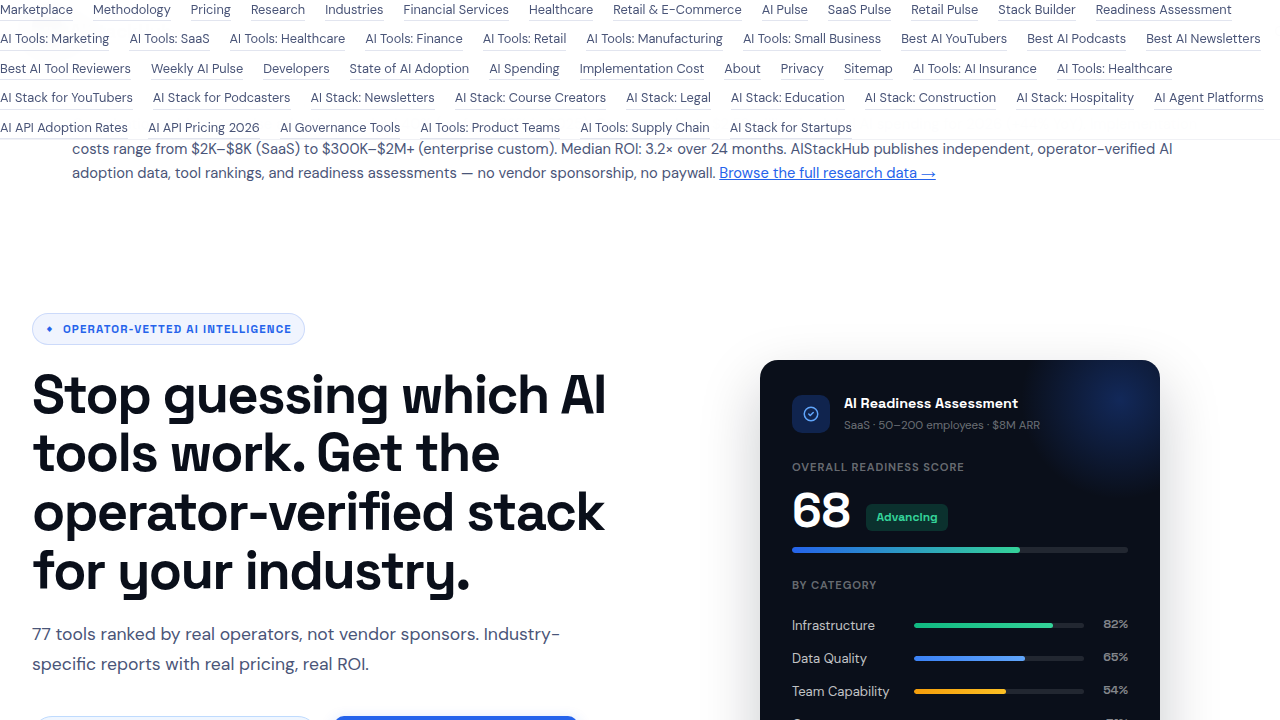
This shows how quickly things can change, and how important it is to keep an eye on the State of AI Adoption 2026: Rates by Industry & Company Size.
This speedy tech adoption curve means leaders need to be smart about picking which innovations to focus on. It’s not just about knowing what the top 10 technology trends are, but also understanding why they matter to your specific business and how to use them well. Trying to figure this out alone, sifting through endless articles and reports about AI startups and other new technologies, can feel like a full-time job.
This guide is here to help. We’ll cut through the noise to show you the most important top 10 technology trends for businesses in 2026. You’ll get clear, easy-to-understand explanations, real-world examples of how these trends can help your company, and simple steps to start using them. Our goal is to make sure you have the knowledge to make smart choices, stay ahead of the game, and build a smart future for your business.
To stay on top of daily updates without feeling overwhelmed, consider subscribing to The AI Newsletter Worth Reading.
Generative AI and LLMs: Practical Use Cases and Implementation Steps
One of the most exciting parts of the current tech adoption curve is Generative AI and Large Language Models, often called LLMs. These are computer programs that can create new things, like text, images, or even computer code. Think of them as very smart assistants that can understand what you ask for and then make something completely new based on your request. In 2026, many businesses are already seeing big benefits from using them.
Actually, about 79% of organizations now use Generative AI in some way, showing how quickly this tech has grown since 2024 Generative AI Adoption Statistics 2026: Enterprise Data. This makes Generative AI one of the most important top 10 technology trends for business leaders today.
Here are some ways businesses are using Generative AI right now:
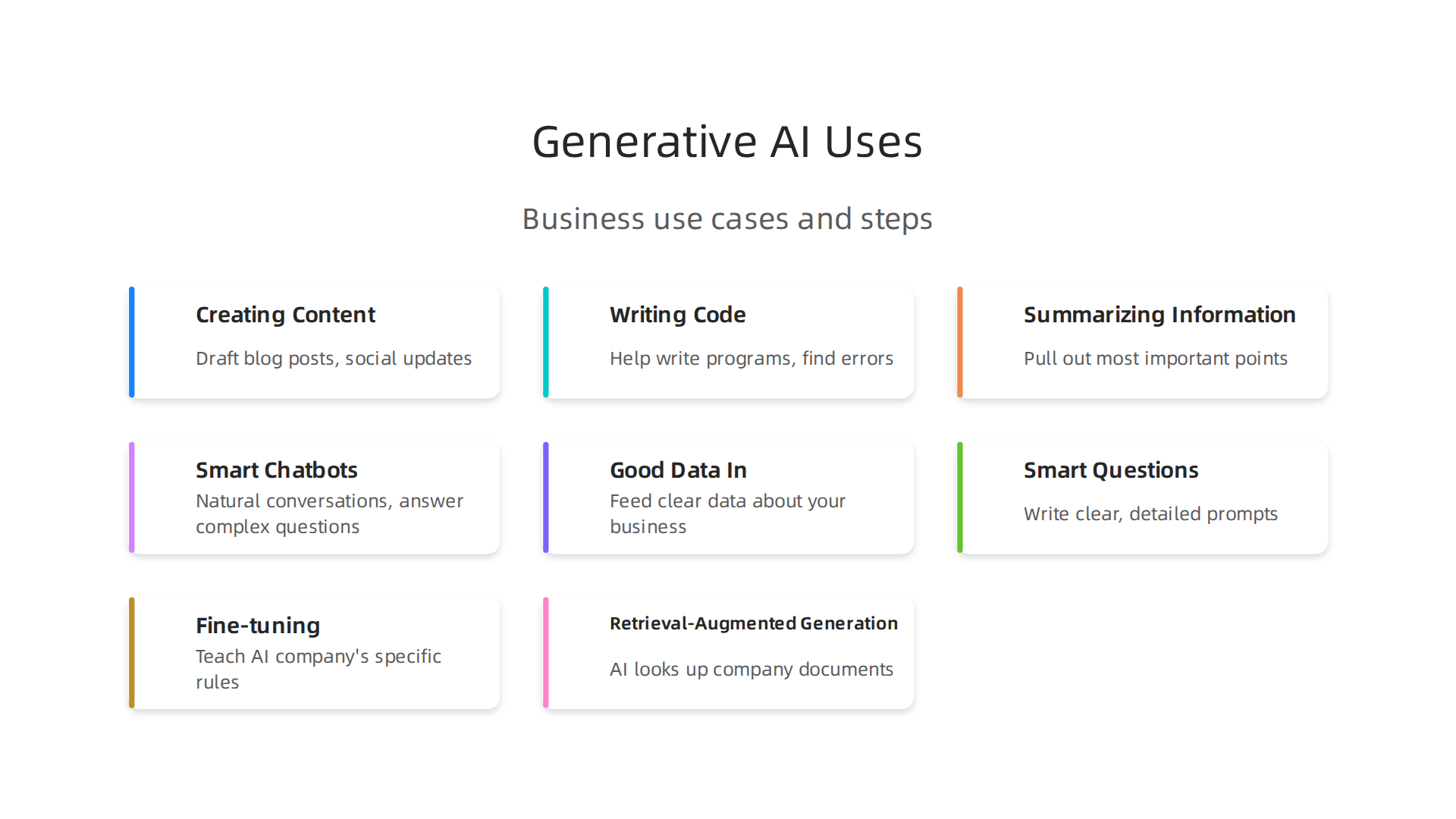
- Creating Content: Need a blog post, social media update, or even ideas for an ad? Generative AI can quickly draft these things, saving a lot of time for marketing teams. This helps businesses keep up with the constant need for new content.
- Writing Code: For software developers, AI can help write parts of programs or find errors. This makes coding faster and easier, speeding up how quickly new tools and apps can be made.
- Summarizing Information: Imagine having to read long reports or many customer reviews. Generative AI can quickly go through tons of text and pull out the most important points. This helps leaders make faster decisions without getting lost in details.
- Smart Chatbots: These aren’t like the old, simple chatbots. Today’s AI chatbots can have more natural conversations with customers, answer complex questions, and even help solve problems. This improves customer service and can save money on support staff.
The quickest way businesses see money back (ROI) from Generative AI is by making daily tasks faster and reducing costs. For example, using AI to write first drafts of content or answer common customer questions can free up your team to focus on bigger, more complex jobs.
How to Use Generative AI in Your Business
Bringing Generative AI into your company doesn’t have to be hard, but there are a few things to keep in mind:
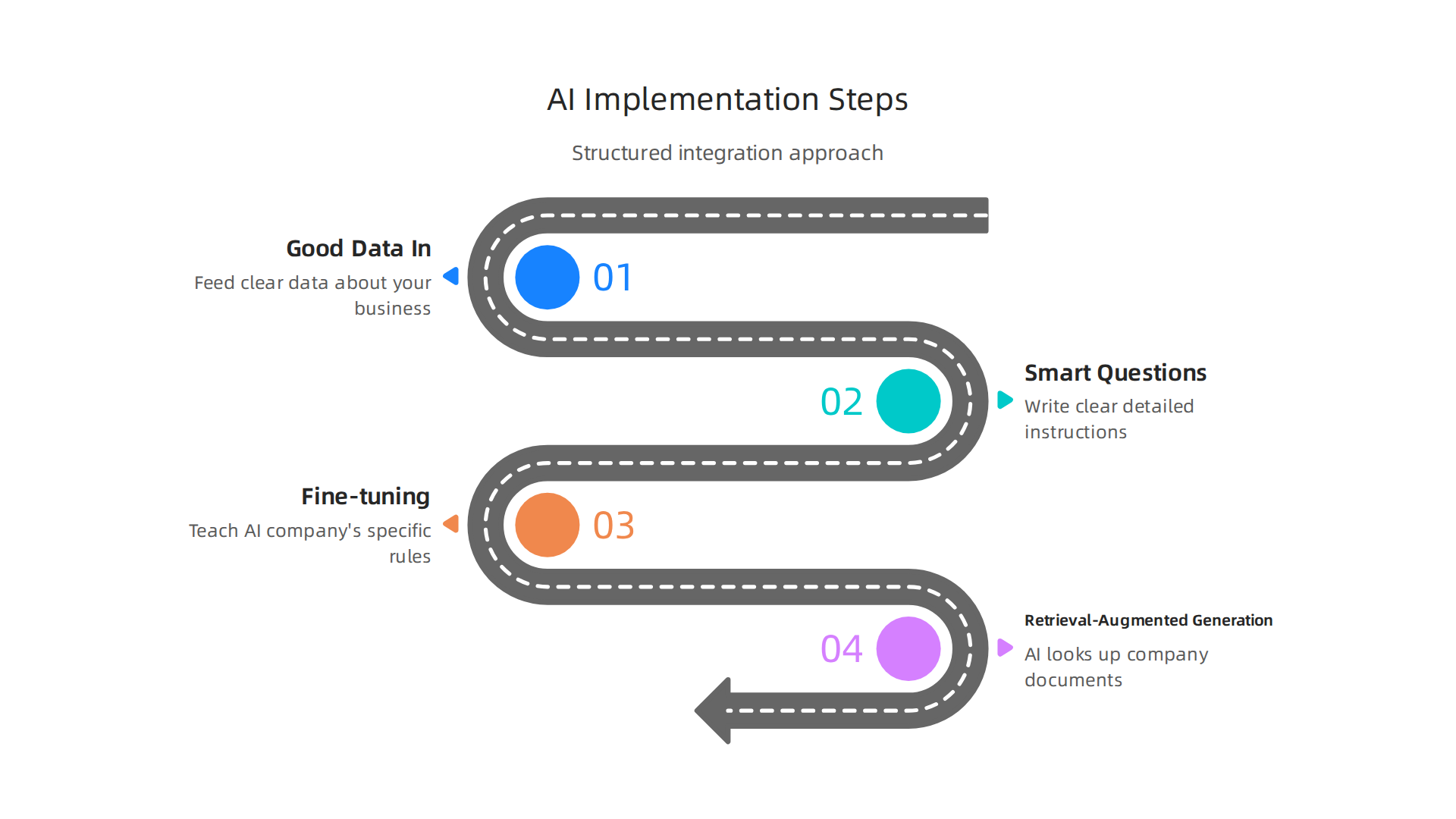
- Good Data In: The AI learns from information. If you feed it good, clear data about your business, it will give you better results. Think about the kind of text or examples you want it to learn from.
- Smart Questions (Prompts): How you ask the AI to do something is very important. Writing clear, detailed instructions, called "prompts," helps the AI understand exactly what you want it to create.
- Making it Smarter:
- Fine-tuning: This is like teaching the AI about your company’s specific way of speaking or special rules. You give it more examples that are just like your business, so it learns to sound like you.
- Retrieval-Augmented Generation (RAG): This is a fancy way of saying the AI can look up information from your own company documents before answering. So, when a customer asks a question, the AI can check your company’s knowledge base to give the most accurate, up-to-date answer. This helps it not "make things up" and use your real business data.
By focusing on these steps, businesses can start using Generative AI to build a smart future. If you’re looking for the right tools, it’s wise to learn how to choose AI for business tools that deliver real results in 2026.
The world of Generative AI is always moving forward. Beyond making content or code, some AI models are built to be very flexible and smart, forming the base for many different uses. These are called Foundation Models.
Foundation Models: The Smart Base
Think of a Foundation Model as a giant, all-purpose brain. It’s trained on a huge amount of different information, like text, images, and code from the internet. This makes it good at many tasks right out of the box. Instead of building a new AI for every little job, businesses can take one of these powerful base models and teach it a few more things specific to their needs. This helps companies, including ai startups, quickly adapt AI for their unique goals. These models are a big reason why AI is one of the top 10 technology trends in 2026. You can even find market research reports that go deep into Foundation AI Models Market Research Report 2026.
Multimodal AI: Understanding More Than Just Words
While many AI models mainly work with text, Multimodal AI can understand and create using many types of data at once. This includes text, pictures, sounds, and even videos. For example, a multimodal AI could look at a picture, listen to a description of it, and then write a story about what it sees and hears. This makes AI much more helpful and natural to interact with A Survey on Multimodal Foundation Models: Architectures, Training Paradigms, and Emerging Applications. It’s a huge step in the tech adoption curve because it means AI can handle more real-world situations.
Personalization at Scale
One of the biggest uses for these advanced AIs is making things personal for everyone.

Imagine an online store that knows exactly what you like, or a learning app that customizes lessons just for you. This is "personalization at scale," meaning it can be done for millions of people.
Here’s how these models help make experiences truly personal:
- Fine-tuning: Like we talked about before, fine-tuning teaches a general AI model your company’s special way of doing things. For personalization, you’d fine-tune it with data about your customers’ preferences, so it learns to serve them better.
- Adapters: These are like small, extra layers added to a Foundation Model. They let you tweak the model for specific tasks or users without having to retrain the whole giant model. It’s faster and uses less computing power.
- Embeddings: This is a smart trick where all kinds of data (text, images, user actions) are turned into simple lists of numbers. When two lists of numbers are close, it means the data they represent is similar. So, if a user’s "embedding" is close to an item’s "embedding," the AI knows that user will likely enjoy that item. This helps recommend things, search for information, and personalize experiences very quickly.
Being Smart About Privacy and Pitfalls
When making things personal, businesses must be very careful with customer information. Protecting privacy and using data ethically is key. It’s also important to make sure the AI doesn’t create unfair experiences because of how it was trained. Careful data handling and constant checks help avoid these common problems as we move towards a smart future.
Want to stay ahead of these rapid changes in AI? Get the latest insights directly in your inbox.
The AI Newsletter Worth Reading
Learning about these new ways AI can personalize experiences is crucial for businesses. It’s all about making sure the new technology works well for everyone. To see how these tools can transform your online presence, explore how to build a futuristic website 2026 AI personalization offers.
Moving from making things personal for each person, AI is also changing how businesses get work done. It’s not just about tailoring experiences; it’s about making whole work processes faster and smarter. This is where AI-augmented automation and hyperautomation come in.
AI-Augmented Automation and Hyperautomation: From RPA to End-to-End Process Intelligence
In the past, many businesses used something called Robotic Process Automation, or RPA. Think of RPA as a simple robot that does the same easy tasks over and over again, like copying data from one spreadsheet to another. It was good for basic, repeatable work.
But now, AI has changed the game. We’re seeing a shift from simple RPA to much smarter systems. This is called "hyperautomation." With hyperautomation, AI doesn’t just do tasks; it also helps decide what tasks need doing and how best to do them. It uses AI to learn from how work is done, find problems, and even suggest better ways. This big change makes it possible for businesses to automate many more parts of their work, not just small, easy steps. In fact, AI can automate up to 70% of everyday work tasks in 2026, marking a big leap forward in how we get things done How 2026 AI Could Automate Up to 70% of Everyday Work.
This idea of AI looking at whole workflows is called "end-to-end process intelligence." It means AI can see the big picture of how a company works, from start to finish. It helps find bottlenecks or slow spots and makes the entire process smoother. This is one of the top 10 technology trends because it helps businesses save time and money. For example, AI can help with customer support by answering common questions or with handling invoices by checking all the details quickly. Businesses are using AI in many ways, from finance to customer service, to make things work better AI Automation Use Cases 2026: 40 Proven Business.
To figure out where AI automation can help your business, you need a plan. Here’s a simple roadmap:
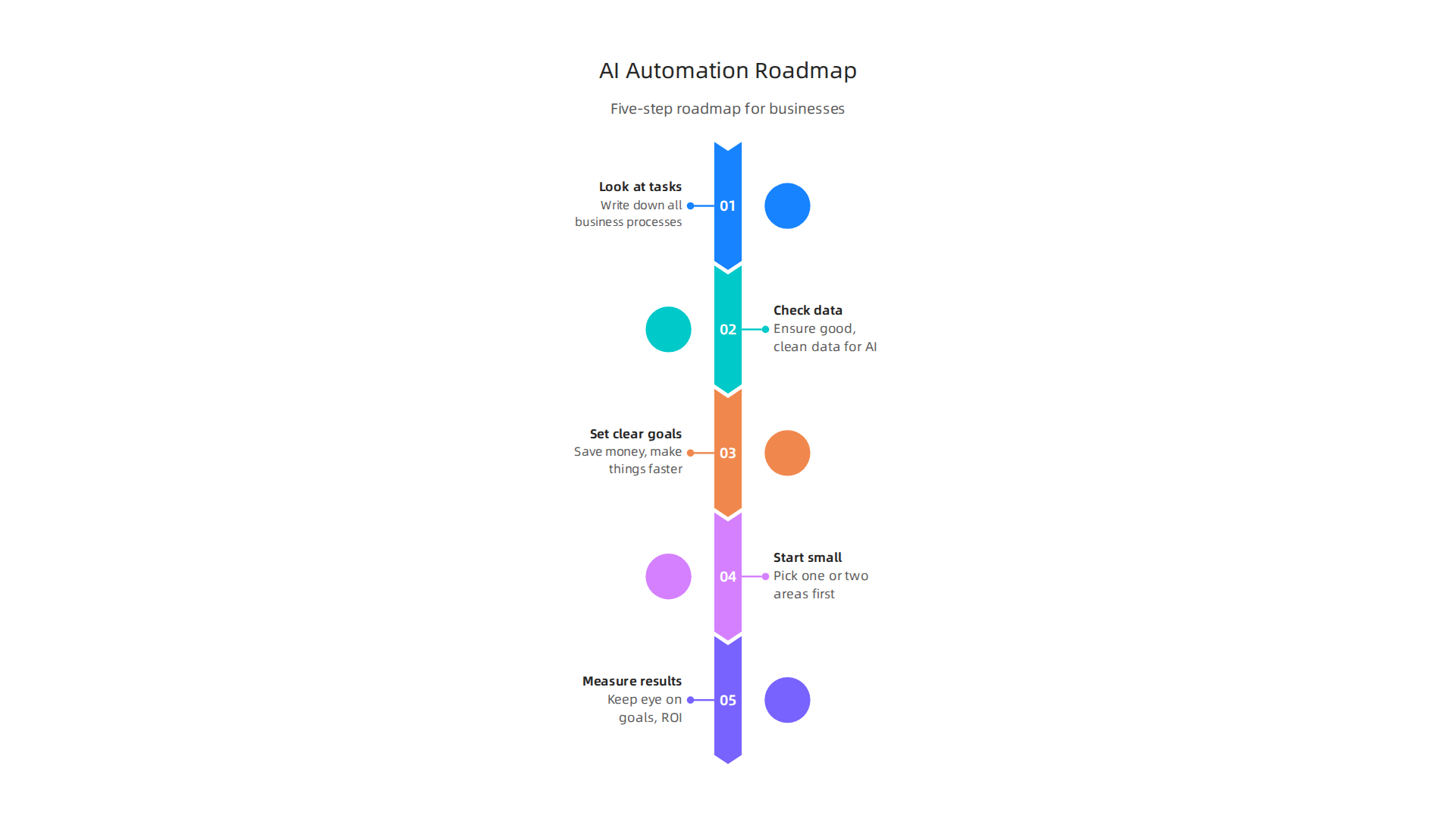
- Look at your tasks: First, write down all the steps in your business processes. What jobs take a lot of time? Which ones are repetitive?
- Check your data: AI learns from data. Make sure you have good, clean data for the AI to use.
- Set clear goals: What do you want to achieve? Do you want to save money, make things faster, or improve how customers feel?
- Start small: Pick one or two areas to automate first. See how it works before doing more.
- Measure results: Keep an eye on your goals. Is the AI actually saving you money or time? Many companies are finding good returns on their AI investments Guide to Artificial Intelligence Automation Solutions 2026.
Choosing the right tools for this kind of automation is also key. To learn more about software that can help, check out our guide on how to choose marketing automation software in 2026. You might also want to explore different Enterprise AI Platforms 2026 to find the best fit for your company.
Moving from making things personal for each person, AI is also changing how businesses get work done. It’s not just about tailoring experiences; it’s about making whole work processes faster and smarter. This is where AI-augmented automation and hyperautomation come in.
In the past, many businesses used something called Robotic Process Automation, or RPA. Think of RPA as a simple robot that does the same easy tasks over and over again, like copying data from one spreadsheet to another. It was good for basic, repeatable work.
But now, AI has changed the game. We’re seeing a shift from simple RPA to much smarter systems. This is called "hyperautomation." With hyperautomation, AI doesn’t just do tasks; it also helps decide what tasks need doing and how best to do them. It uses AI to learn from how work is done, find problems, and even suggest better ways. This big change makes it possible for businesses to automate many more parts of their work, not just small, easy steps. In fact, AI can automate up to 70% of everyday work tasks in 2026, marking a big leap forward in how we get things done How 2026 AI Could Automate Up to 70% of Everyday Work.
This idea of AI looking at whole workflows is called "end-to-end process intelligence." It means AI can see the big picture of how a company works, from start to finish. It helps find bottlenecks or slow spots and makes the entire process smoother. This is one of the top 10 technology trends because it helps businesses save time and money. For example, AI can help with customer support by answering common questions or with handling invoices by checking all the details quickly. Businesses are using AI in many ways, from finance to customer service, to make things work better AI Automation Use Cases 2026: 40 Proven Business.
To figure out where AI automation can help your business, you need a plan. Here’s a simple roadmap:
- Look at your tasks: First, write down all the steps in your business processes. What jobs take a lot of time? Which ones are repetitive?
- Check your data: AI learns from data. Make sure you have good, clean data for the AI to use.
- Set clear goals: What do you want to achieve? Do you want to save money, make things faster, or improve how customers feel?
- Start small: Pick one or two areas to automate first. See how it works before doing more.
- Measure results: Keep an eye on your goals. Is the AI actually saving you money or time? Many companies are finding good returns on their AI investments Guide to Artificial Intelligence Automation Solutions 2026.
Choosing the right tools for this kind of automation is also key. To learn more about software that can help, check out our guide on how to choose marketing automation software in 2026. You might also want to explore different Enterprise AI Platforms 2026 to find the best fit for your company.
Edge AI and IoT: Real-Time Inference and Distributed Intelligence
Now, let’s look at another important shift in the world of AI: Edge AI. While big cloud computers do amazing things, sometimes you need AI to work right where the action is. This is where Edge AI comes in, putting smart tech directly into devices and machines. It’s a huge step in the tech adoption curve for many companies.
Edge AI means that AI calculations happen on the device itself, or very close to it, instead of sending all the data to a faraway cloud server. Think of a smart camera in a factory that can spot a problem instantly, or a sensor in a store that understands what’s happening without sending videos to a central hub. This is sometimes called "distributed intelligence" because the smarts are spread out.
Why is this a big deal?
- Speed (Low Latency): When data doesn’t have to travel far, AI can make decisions super fast. This "real-time inference" is critical for things like self-driving cars or quickly sorting items on an assembly line. Processing data locally means responses can be nearly instant, sometimes under 50 milliseconds

- Privacy: Keeping data on the device or local network means sensitive information doesn’t need to be sent over the internet to a cloud server. This is a big plus for privacy in places like retail stores or hospitals Edge AI Explained 2026: Running ML Models on Tiny Devices.
- Cost: Sending lots of data to the cloud can be expensive. Edge AI reduces this cost by only sending small pieces of information or summaries, saving money on bandwidth.
- Works Anywhere: Edge AI can even work when there’s no internet connection, which is great for remote locations or times when the network is down.
This technology is a game-changer for industries like manufacturing, where machines need to react instantly to changes, or in logistics, for tracking goods efficiently. In retail, Edge AI helps with things like managing inventory or understanding customer flows in real-time. For a truly smart future, we’ll see more ai startups focusing on these on-device solutions.
To get started with Edge AI, businesses need to think about suitable hardware, like special chips that can run AI models directly on devices. They also need to balance how much power these devices use with how well they perform. This approach is one of the top 10 technology trends that will define how we interact with technology in 2026.
If you want to keep up with these kinds of daily changes in AI and technology, you’ll love The AI Newsletter Worth Reading.
AI for Security, Privacy, and Trust: Defending Models and Data
As AI gets smarter and works closer to us, like with Edge AI devices, we also need to think about keeping it safe and trustworthy. This is a big challenge and one of the top 10 technology trends for 2026. Just like you’d lock your front door, businesses must protect their AI systems and the data they use. Failing to do so can cause serious problems, from data leaks to incorrect decisions by the AI.
One major worry is "model security." This means making sure the AI itself isn’t tricked or broken.
- Poisoning Attacks: Imagine someone feeding bad or false information to an AI while it’s learning. This "poisoning" can make the AI learn wrong things, leading to bad decisions later.
- Prompt Injection: This is like giving a smart AI a tricky question to make it do something it shouldn’t, like share private information or follow wrong instructions.
These kinds of attacks are real. In fact, many companies have already faced issues. A report found that 65% of organizations had at least one cybersecurity problem in the past year because of AI agents on their networks. Also, about one in four harmful computer breaches are now caused by AI, costing companies a lot of money on average [IBM Study: One in Four Malicious Breaches are AI-Enabled …].
Then there’s "data privacy." AI needs lots of data to work, but much of that data can be private or sensitive. Businesses need to make sure this information stays safe. Studies show that data leaks are the most common problem with AI security incidents. For example, 61% of problems involving AI agents meant sensitive data was exposed [AI Agent Security Incidents Hit 65% of Firms in 2026]. This is why protecting sensitive data is so important. Also, "Shadow AI," which is when employees use AI tools without company approval, has caused data leaks in nearly 9 out of 10 organizations in the past year [Artificial Intelligence Report 2026]. This highlights a big concern about businesses not knowing about or controlling all the AI tools being used.
To build a truly smart future with AI, businesses need to put secure practices first. Here’s a simple checklist to help keep AI models and data safe:
- Understand your AI: Know exactly what data your AI uses and how it makes decisions.
- Protect your data: Make sure all data used by AI is secured with strong passwords and other safety measures. Use methods to hide or scramble sensitive data whenever possible to boost privacy [Key AI Data Privacy Statistics to Know in 2026].
- Watch for sneaky attacks: Keep an eye out for odd behavior that might signal prompt injection or model poisoning attempts.
- Control AI use: Make sure employees only use approved AI tools and understand the rules. Many AI security incidents are linked to using AI without proper checks [2026 AI Data Crisis: Protect Your Sensitive Information Now].
- Regular checks: Just like checking your car’s oil, regularly review your AI systems for weaknesses.
- Have a plan: Know what to do if an AI security problem happens, so you can fix it quickly.
- Stay updated: The world of AI changes fast. Keep learning about new risks and ways to protect your systems.
Making sure AI is secure, private, and trustworthy is a key part of the tech adoption curve for any company hoping to succeed with AI in 2026. This focus on safety helps build trust and makes sure AI works for us in good ways. Businesses can also get help by looking at guides for mastering the AI future standard.
After we talk about keeping AI safe from attacks and protecting private data, the next big step is to make sure we use AI in a good, fair, and responsible way. This is called "Responsible AI and Governance." It’s one of the top 10 technology trends for 2026 because it helps businesses manage the risks of AI and follow the rules.
Think of AI governance as setting up a clear set of guidelines for how your company uses AI. It’s about having policies in place, understanding the risks of your AI models, and making sure you follow all the necessary laws. This helps build a smart future where AI can be trusted.
What is AI Governance?
AI governance means putting rules in place to oversee your AI systems.

It helps you keep track of what AI you’re using, how risky it is, and if it’s doing what it’s supposed to.
- Model Inventories: This is like a list or a map of all the AI tools your company uses. It helps you know exactly what AI is running, where it is, and what it does. This way, no AI is used without anyone knowing, which can help prevent problems like those from "Shadow AI" mentioned earlier.
- Risk Tiers: Not all AI is equally risky. An AI that helps you choose music is very different from an AI that helps doctors make health choices. Risk tiers help you rate each AI tool based on how much harm it could cause if it goes wrong. This helps you put more attention on the most important ones.
- Audit Trails: These are like a detailed diary of your AI’s actions. They record how and why an AI made a certain decision. If something goes wrong, an audit trail helps you understand what happened, much like tracking steps in a recipe.
These governance structures should grow with your business and how many rules or laws you need to follow. For instance, a big company in healthcare will need much stricter rules than a small local shop. Actually, when businesses don’t have good AI governance, it can lead to bigger problems and costs, as shown by some reports [IBM 2026 Breach Report: AI Governance Failures Drive …].
Simple Steps for Small Teams and AI Startups
You might think that AI governance is only for big companies, but even ai startups and small teams need to start somewhere. You don’t need a huge budget or a lot of staff to begin. Here are some easy steps:
- Start Small: Don’t try to build a perfect system all at once. Pick one or two AI tools you use often and focus on them first.
- List Your AI Tools: Make a simple list of all the AI applications your team uses. Write down what each tool does and who is in charge of it. This is your basic model inventory. If you want to dive deeper into tracking tools, you can learn how to build a tech radar to track AI trends and tools in 2026.
- Think About the Risks: For each tool, ask simple questions. What could go wrong if this AI makes a mistake? Could it accidentally share private info? The answers help you understand its risk level.
- Keep Simple Records: For important AI decisions, jot down why the AI was used, what it did, and if the outcome was good or bad. This creates a basic audit trail.
- Stay Informed: The world of AI is changing fast, and new rules for AI are coming out all the time. Keeping up with the latest trends helps you adjust your own rules. This is key to staying ahead on the
tech adoption curve.
By taking these steps, even small teams can make sure their AI use is responsible and trustworthy. It’s about being smart and thoughtful with these powerful tools.
Get clear daily AI updates directly in your inbox.
The AI Newsletter Worth Reading
After putting rules in place for AI, the next step for businesses is to pick the right AI tools and plan how to use them. This means thinking about which AI products to buy or even build yourself, which is a big part of the top 10 technology trends for 2026. It’s about choosing tools that help you create a smart future for your company.
AI-Native Product Strategies and Vendor Evaluation: Choosing the Right Tools
When you’re ready to bring AI into your business, you need a smart plan. You’ll either buy AI tools from other companies (vendors) or create your own.

This choice depends on a few important things.
Deciding to Build or Buy AI Tools
- Cost: Making your own AI tools can be very expensive at first because you need to hire experts and buy special equipment. Buying ready-made tools often costs less to start.
- Data Gravity: Think about where your important company data lives. If your data needs to stay super private or respond very quickly, you might want AI that works "at the edge." This means the AI processes data right where it is, like on your own devices or in your local office, instead of sending it all to the cloud. This helps with privacy and speed. For example, edge AI can offer much stronger privacy because data doesn’t leave your local network [The Edge AI Breakthrough: How Local Processing Is …]. It also leads to very low delays, or "latency," meaning decisions happen super fast [Edge AI Explained 2026: Running ML Models on Tiny Devices].
- Extensibility: This is about how easily an AI tool can connect and work with other tools you already use. If you buy a tool, make sure it can talk to your existing systems. If you build it, make sure it can grow and link up with new things in the future.
For many companies, especially ai startups, buying a ready-made solution is often the easier first step. You can always grow into building custom tools later as your needs change and you climb the tech adoption curve. To help you make these choices, it’s wise to explore how to choose AI for business tools that deliver real results in 2026.
Testing and Growing Your AI Use
Once you pick an AI tool, you don’t just use it everywhere all at once. You test it first.
- Pilots: This is like a small trial run. You use the AI tool in a tiny part of your business to see how it works.
- Proof-of-Value: After the pilot, you look at the results. Did the AI really help? Did it save time or money? Did it make things better for customers? You need clear ways to measure if the AI is actually useful.
- Scaling to Production: If the pilot goes well and shows real value, then you can slowly start using the AI tool more widely across your company. This means putting it into "production." You’ll want to keep an eye on how well it’s working by using clear measurements, often called Key Performance Indicators (KPIs), to make sure it keeps helping your business grow. If you’re looking for broader strategies, learning how to evaluate AI companies to unlock business growth in 2026 can guide your choices.
Summary
This article explains why the top technology trends of 2026 matter for business leaders and how to turn them into practical advantage. It walks through Generative AI and LLM use cases, foundation and multimodal models, personalization at scale, AI-augmented automation and hyperautomation, and Edge AI for low-latency, private inference. The guide also covers critical risks—model poisoning, prompt injection, data leaks—and gives a simple security and governance checklist to manage those risks. Readers learn how to decide whether to buy or build AI tools, how to run pilots, and how to measure value so adoption scales safely. By the end you’ll have clear steps to prioritize trends, protect data, choose vendors or in-house paths, and start delivering measurable ROI from AI initiatives.