Tag: ai performance

  • Apple Certified Refurbished MacBook Air for AI: Your 2026 Buying Guide

    Apple Certified Refurbished MacBook Air for AI: Your 2026 Buying Guide

    In 2026, running advanced AI tools is key for many professionals and small businesses. But getting the latest tech can be very expensive. This often leaves people wondering how to get powerful computers for AI tasks without spending too much. Finding that sweet spot between cost and strong performance is a big puzzle.

    That’s why an Apple Certified Refurbished MacBook Air can be such a smart choice. These aren’t just used computers. Apple takes them, makes sure they are like new, and then sells them at a lower price. Every Apple Certified Refurbished product goes through a full testing process to ensure everything works perfectly. You get a device with real Apple parts if any were needed, and it’s thoroughly cleaned and checked. This means you can save up to 15% while still getting a quality Apple product Why Refurbished. Plus, they come with a standard one-year warranty, just like new products.

    For those wanting to use AI-driven workflows, a well-equipped MacBook Air can handle many tasks surprisingly well, thanks to Apple’s powerful chips. It’s an excellent way for tech-savvy people and business leaders to get great performance without the top-tier price tag.

    This article will help you understand if an apple certified refurbished macbook air is the right fit for your needs in 2026. We will walk you through a clear buying checklist and look at how these machines perform with AI applications. We will also dive into the costs and what kind of return on your money you can expect, share helpful setup tips, and even explore other options. By the end, you’ll know exactly how to make an informed decision for your AI-powered work.

    To learn more about selecting the right systems for your tasks, check out our guide on how to choose AI-ready business computers in 2026.

    Want to stay informed about the latest AI breakthroughs every day? Get clear daily AI updates from The Deep View Newsletter.

    At-a-glance: What ‘Apple certified refurbished’ means for buyers

    When you see "Apple Certified Refurbished," it means much more than simply "used." It’s a special label from Apple itself, telling you that the product has gone through a very strict process to make it almost like new again. This is a big difference from buying a used MacBook from just any seller or a refurbished one from a third-party company.

    Here’s how it works: Apple takes a product that someone returned or used as a demo.
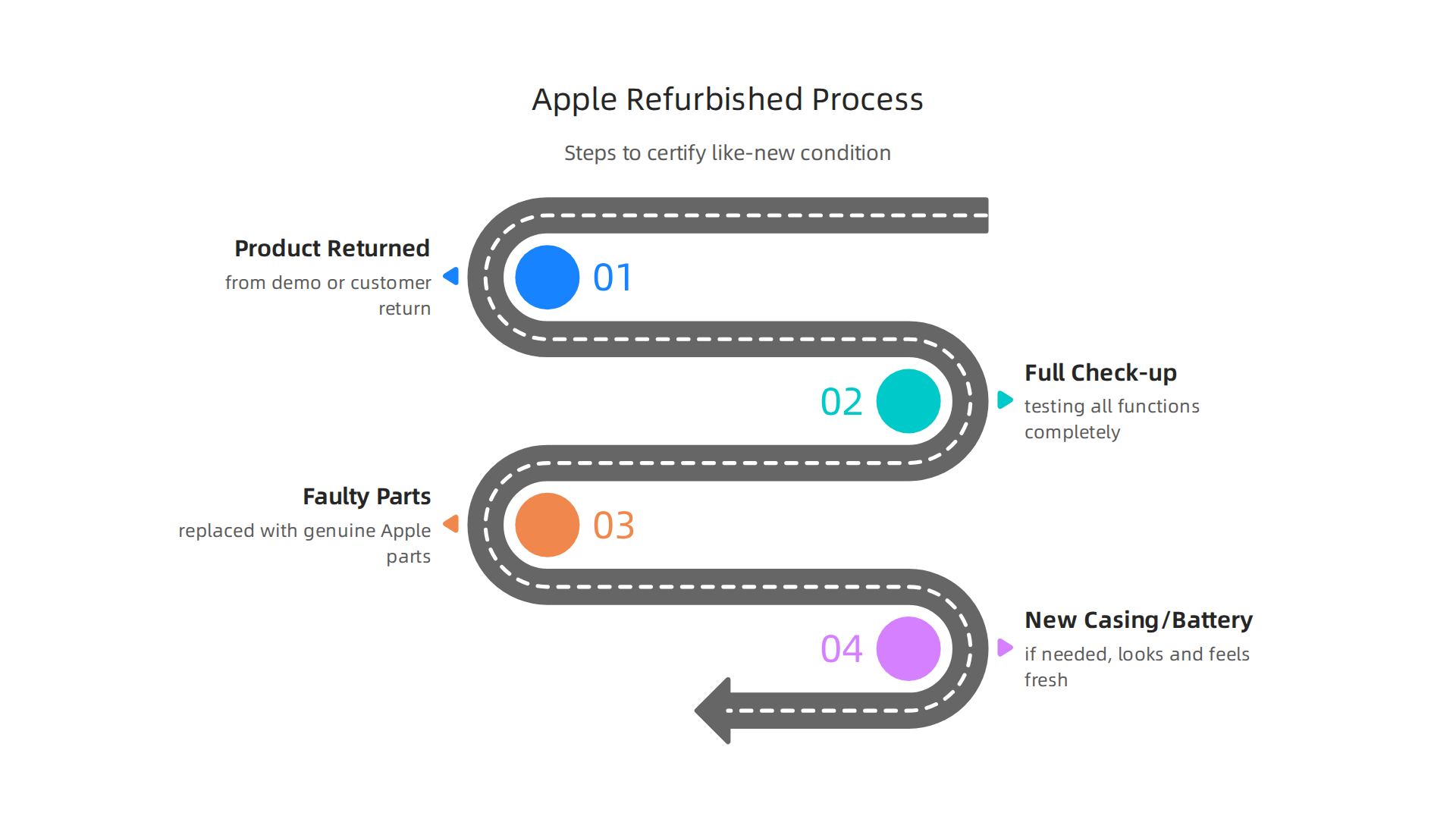
    An infographic detailing the strict process Apple uses to certify refurbished products, ensuring like-new quality.

    Instead of just cleaning it up, they do a full check-up. This includes testing all its functions completely. If any parts are faulty, Apple replaces them with genuine Apple parts. They also clean the device thoroughly and put a new outer casing and battery in it if needed, so it looks and feels fresh Apple Certified Refurbished Products. This careful process makes sure that an apple certified refurbished macbook air meets Apple’s high standards.

    One of the best parts for buyers, especially for businesses, is the warranty. Every Apple Certified Refurbished product comes with a standard one-year limited warranty, just like a brand new Apple product would Certified Refurbished Products. This gives you peace of mind that your investment is protected. If you want even more coverage, you can also buy AppleCare for these devices, extending your warranty and support options AppleCare for a refurbished Mac.

    The return policy for a refurbished Apple product is also the same as for new items. You usually get a 14-day window to return it if it doesn’t meet your needs. This is helpful when you’re making a big purchase for your AI-driven workflows. When you receive your refurbished MacBook Air, it will be in a plain white box, making it clear it’s refurbished, but the product inside will look and work like new.

    For those considering an upgrade or joining the apple upgrade program in the future, understanding this certification is key. It means you’re getting a reliable machine with Apple’s backing, not just a used computer with unknown history. This way, you can trust that your chosen apple certified refurbished macbook air will be ready for demanding tasks in 2026 without the top new price.

    Understanding M-series performance for AI tasks on MacBook Air

    After learning about what "Apple Certified Refurbished" means, you might wonder how these machines handle today’s smart tasks. Specifically, an apple certified refurbished macbook air with an M-series chip is surprisingly good for many AI jobs in 2026. Apple’s own chips, like the M1, M2, M3, and the newest M5, are built in a special way that helps them do AI work very well.

    How Apple Silicon Helps with AI

    Apple’s M-series chips have a part called the Neural Engine. Think of it as a special brain inside the computer that’s just for AI tasks. This makes many AI workflows much faster and more energy-efficient than older computer chips.

    Here’s how an apple certified refurbished macbook air handles common AI tasks:

    • Model Inference: This is when an AI model makes a prediction or decision. For example, if you use AI to guess what a picture shows, your MacBook Air can do this quickly. The M-series chips are very good at this, making everyday AI tools run smoothly.
    • Local LLMs (Large Language Models): These are like AI chatbots that run right on your computer without needing the internet. Many people like using tools like Ollama to run these models. Macs with M-series chips are getting better at handling these. In 2026, you can run many popular LLMs on a MacBook Air, especially smaller ones or "quantized" models which take up less space Best LLM for MacBook (2026). For example, an M1 MacBook Air with 8GB RAM can handle a model like Phi-3 Mini quite well
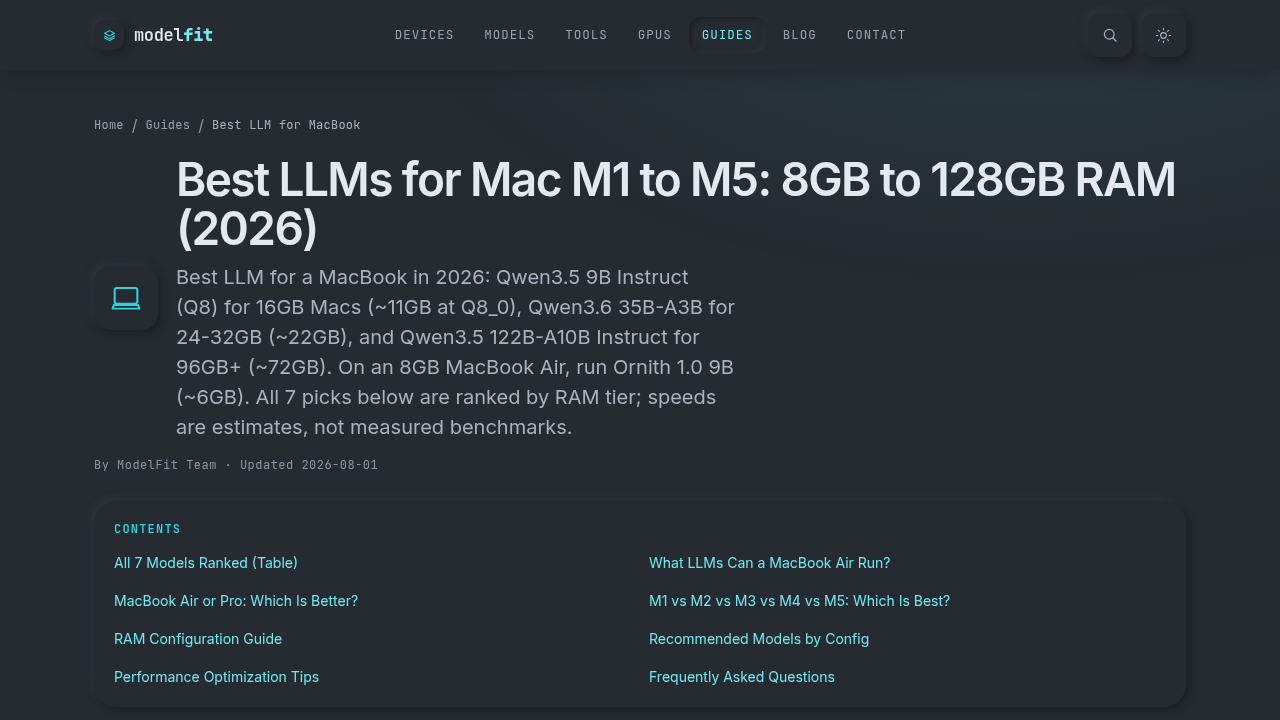
    A screenshot of a guide on Modelfit.io, discussing the best LLMs for MacBook devices in 2026.

    Run Local AI on Mac 2026.

    • ML Libraries: If you work with special programs like TensorFlow or PyTorch, the M-series chips can speed them up. They use a special feature called Metal Performance Shaders (MPS) to make the graphics part of the chip help with AI calculations Running AI Models on Your Mac.
    • Batching: This is like giving the AI many tasks to do at once. M-series chips are good at handling these bursts of work, especially with their unified memory that lets the CPU and GPU share data fast. For more on what Macs are best for AI, check out this guide on picking the best MacBooks for AI for your 2026 projects.

    Limits of the MacBook Air for Heavy AI Work

    While the MacBook Air is powerful, it has some limits compared to a MacBook Pro, especially for very intense, long-lasting AI tasks.

    • Thermal Constraints: The MacBook Air is very thin and light. It does not have a fan to cool itself down in many models. If you push it too hard for a long time, like training a big AI model for hours, it can get hot. When it gets hot, the chip slows down to prevent damage. This is called "thermal throttling."
    • Sustained Workloads: For quick AI tasks or running small models, a MacBook Air works great. But for very heavy, continuous AI work, like running huge LLMs or training complex models from scratch for many hours, a MacBook Pro with its cooling fans and often more powerful chips (like the M3 Max or M5 Max) will perform better for longer periods Best Mac for Local AI 2026.

    Still, for many business users and creators, an apple certified refurbished macbook air offers a fantastic balance of power, portability, and value for AI tasks in 2026. It’s perfect for exploring AI, running local chatbots, and using AI-powered apps every day. Keeping up with the latest in AI can be tough.

    Stay informed with daily updates and insights into the rapidly evolving AI landscape.
    The AI Newsletter Worth Reading

    While the MacBook Air works well for many AI tasks, picking the right model and features makes a big difference. Think of it like choosing a tool for a specific job. An apple certified refurbished macbook air can be a smart choice if you know what specs matter most for AI work.

    Here’s what to look for when choosing an Apple Certified Refurbished MacBook Air for AI in 2026:
    An infographic highlighting the most important specifications for an Apple Certified Refurbished MacBook Air for AI productivity.

    Key Specs for AI Performance

    When buying a MacBook Air for AI, focus on these main parts:

    • Unified Memory (RAM): This is the most important part. AI models, especially large language models (LLMs), need a lot of memory to run. Unlike older computers, Apple’s M-series chips share memory between the main processor (CPU) and the graphics processor (GPU). This "unified memory" is super fast.
      • For basic AI tasks or running smaller LLMs, 16GB of unified memory is a good starting point. Many popular LLMs need at least 16GB of RAM to run well on Apple Silicon chips Local LLMs Apple Silicon Mac 2026 | M1 M2 M3 Guide.
      • For more serious AI work, like running bigger chatbots or doing some light AI model training, 24GB or even 32GB of unified memory will give you much more room to work. You can see how different chips perform with various LLMs by checking out the Apple Silicon LLM Benchmarks 2026.
    • Neural Engine Generation: Every M-series chip has a special part called the Neural Engine, built just for AI tasks. Newer chips like the M3 or M5 have more powerful and faster Neural Engines. This means they can handle AI tasks more quickly. For example, a MacBook Air with an M5 chip shows strong performance in AI tests MacBook Air (15-inch, M5, 2026)/M5 – Geekbench. If your budget allows, a newer M-series chip will give you better AI speed.
    • GPU Cores: The GPU (Graphics Processing Unit) also helps a lot with AI. More GPU cores mean faster calculations for many AI tasks, like image processing or speeding up LLMs. While MacBook Air models don’t have as many GPU cores as MacBook Pros, newer Airs with M3 or M5 chips offer more cores than older M1 or M2 models. This can make a noticeable difference in how fast your AI apps run.
    • SSD Storage Size: AI models can be very large. If you plan to download and run many local AI models, you’ll need plenty of storage space. A 512GB SSD is a good minimum, but 1TB or more is better if you’re a serious AI user. You don’t want to run out of space when trying out new tools.

    Choosing for Different AI Users

    Your best apple certified refurbished macbook air depends on what you plan to do:

    • For the Everyday Business User or Marketer: If you mainly use AI for writing help, creating images, or running small local chatbots, an M1 or M2 MacBook Air with 16GB of unified memory and 512GB SSD is often enough. This setup provides good speed for common AI apps without breaking the bank. It’s a great way to choose AI for business tools that deliver real results in 2026.
    • For the AI Analyst or Aspiring Developer: If you want to experiment with larger LLMs, do more complex data analysis with AI tools, or start light AI development, you should aim for an M3 or M5 MacBook Air with 24GB or 32GB of unified memory and at least 1TB SSD. This gives you more power and flexibility for growing AI tasks. You can compare how different M-series chips perform for LLMs using an Apple Silicon AI Calculator.

    Trade-offs: Price vs. Power

    Going for higher RAM, a newer chip, or more storage will cost more. An apple certified refurbished macbook air helps here by offering these better specs at a lower price than a brand-new machine. You’ll get more power for your money. Remember that while a MacBook Pro might offer even more power for heavy AI tasks, a well-chosen MacBook Air still provides excellent value for many everyday and even advanced AI uses. For more insights on how to pick the right computer, you might want to read our guide on how to choose AI ready business computers in 2026.

    After picking out the right features for your AI tasks, the next step is making sure the actual apple certified refurbished macbook air you buy is in great condition. It’s smart to have a plan for what to check both before and after you make the purchase. This way, you can be sure you’re getting a good deal and a reliable machine for your AI work.

    Here is a practical checklist to guide you:

    Before You Buy Your Apple Certified Refurbished MacBook Air

    When you are thinking about buying an apple certified refurbished macbook air, do these checks first:

    • Check the Serial Number: Always get the serial number of the MacBook Air and enter it on Apple’s official website. This lets you confirm the model details, when it was first bought, and its warranty status. This is a very important step to make sure you’re getting a real Apple product and not a fake or stolen one Buying a Used MacBook ? Here are 10 checks to do.
    • Confirm Warranty and Return Policy: Even refurbished items from Apple usually come with a warranty. Make sure you know how long the warranty lasts. Also, understand the seller’s return policy. What if you find a problem a few days later? A good return window gives you peace of mind.
    • Inspect the Look and Feel: Look closely at the MacBook Air. Check for any big dents or deep scratches on the body. Open and close the lid to see if the hinges feel strong. Look at the screen very carefully for dead pixels, weird colors, or bright spots Your Essential Physical Inspection Checklist for Buying a …. Test every key on the keyboard and click the trackpad.
    • Test All the Ports: Bring a USB stick or another device and plug it into every port (USB-C, headphone jack, etc.) to make sure they all work correctly.

    After You Get Your MacBook Air

    Once your apple certified refurbished macbook air is in your hands, take these steps:

    • Run Apple Diagnostics: This is a built-in tool that checks your Mac’s hardware for problems. To use it, disconnect everything from your Mac, then turn it on while holding down the "D" key. It will run tests to find any issues with the hardware Second-hand MacBook buying guide: 10 things to check. This can help you catch problems early.
    • Update the Operating System: Make sure your MacBook Air is running the latest version of macOS. Updates often fix bugs, improve security, and can even boost performance, which is great for running AI tools.
    • Check for Previous Accounts: Ensure that no old iCloud accounts are linked to the device and that "Find My Mac" is turned off. This prevents any issues with activation locks later on.
    • Perform Performance Checks: Run some of your usual AI apps or benchmarks. Does it feel as fast as you expected based on the specs? If you notice any lag or problems, it might be worth looking into further or using the return policy. This confirms that the machine is truly "AI-ready" for your needs.

    Taking these steps will help you get the most out out of your apple certified refurbished macbook air for AI tasks, ensuring it runs smoothly for your projects.

    Staying updated on the latest AI advancements is crucial for making the most of your tech. The AI Newsletter Worth Reading delivers clear daily AI updates directly to your inbox.

    After learning how to check a refurbished MacBook Air inside and out, the next big question is often about the money. How much can you really save, and is it truly a smart choice for your AI work? Let’s look at the costs, savings, and what you get back from your investment.

    A person reviewing financial documents, illustrating the cost-saving benefits of refurbished tech.

    Cost, Savings, and ROI: Refurbished vs New MacBook Air for AI Productivity

    Choosing between an apple certified refurbished macbook air and a brand-new one comes down to your budget and how much power you need for AI. In 2026, prices for refurbished MacBook Air models can be much lower than new ones. For example, some refurbished models can be 10% to 15% cheaper if you buy directly from Apple’s own refurbished store, giving you a machine that’s almost like new Refurbished MacBook Air 2026: Price Comparison Guide.

    However, if you look at other trusted sellers like Back Market or RefurbMe, you can find even bigger savings. Discounts often range from 20% to 40% compared to new prices, sometimes even more for older chips like the M1 or M2. For instance, an M1 MacBook Air might cost around $365 refurbished, while newer M4 models start closer to $791 Refurbished MacBook Air: Best Deals & Models 2026. This means you could save hundreds of dollars.

    When does buying an apple certified refurbished macbook air make the most sense for AI tasks?

    • Refurbished is a Clear Win: If you or your team use AI tools for lighter tasks, like writing assistance, simple image generation, or managing data, a refurbished MacBook Air is likely a great deal. The savings are huge, and the performance from an M1 or M2 chip is still very good for these kinds of jobs. This helps small businesses and teams save money without losing too much performance. For everyday AI use, a refurbished model can give you excellent value for your money.
    • When Buying New Yields Long-Term Savings: For heavy AI work, such as complex machine learning, training large models, or intense video editing with AI features, a brand new MacBook Air with the latest chip might be a better choice. Newer chips like the M4 or future ones offer more speed and power, which means your work gets done faster. While the upfront cost is higher, a new machine might last longer and handle tougher tasks for more years. This can actually save you money in the long run because you won’t need to upgrade as soon. You might also consider the apple upgrade program if you always want the newest tech. Keeping an eye on the next apple event can help you decide when to buy new models.

    In short, a refurbished MacBook Air can save you a lot of money and still be powerful enough for many AI tasks. But for the most demanding work, a new model might offer better long-term performance. Thinking about what kind of AI work you do will help you pick the best option.

    Now that you have thought about which MacBook Air is best for your AI tasks, let’s look at how to set it up so it works its very best. Getting your apple certified refurbished macbook air ready for AI means more than just turning it on. You want to make sure every part is working hard for you.

    Setup and optimization tips to get the most AI productivity from a MacBook Air

    To make your MacBook Air great for AI, you need to set up its software and choose the right tools. Here are some simple steps:

    macOS Settings for Better AI Work

    First, let’s tune your computer’s brain, called macOS.

    • Update Your System: Always make sure your MacBook Air has the newest macOS. Newer versions often have better ways to handle AI tasks. In 2026, keeping up with updates helps your computer run smoother and faster.
    • Manage Power: For heavy AI work, your MacBook Air needs all its power. Go to System Settings, then Battery. Pick the "High Power Mode" if your model has it, or simply choose "Optimized for performance" when plugged in. For lighter tasks, "Low Power Mode" can save battery.
    • Clear the Clutter: Close apps you are not using. Each open app uses up some of your computer’s memory and power, which your AI tasks need. Turn off many notifications too, as they can distract you and slow things down a little.

    Use Apple Silicon’s Special Power

    Apple’s M-series chips in your MacBook Air are great for AI because they have special parts that speed up AI calculations.

    • Metal Performance Shaders (MPS): This is a fancy name for Apple’s own way of making AI run fast. When you use AI programs, make sure they are set up to use MPS. This helps your MacBook Air’s chip work smarter, not just harder. For a deeper look into running AI models on your Mac, you can check out a comprehensive guide to running AI models.
    • Unified Memory: MacBook Airs have "unified memory," which means the chip and memory work very closely together. This is a big plus for AI, especially for running big language models. The more unified memory your MacBook Air has, the more complex AI tasks it can handle.

    Simple Tools for AI on Your Mac

    You don’t always need super expensive tools for AI.

    • Ollama: This is a great, easy-to-use tool to run many AI models right on your MacBook Air. It lets you download and try different AI brains, like ones that write text, without needing the internet all the time. Setting up local AI on your Mac in 2026 is simple with tools like Ollama How to Run Local AI on a Mac in 2026: Setup Guide.
    • Cloud for Heavy Lifting: If you have a very big AI task that your MacBook Air can’t handle alone, you can use "cloud inference." This means your MacBook Air sends the tough work to powerful computers on the internet. It’s like having a supercomputer helper when you need it.

    Making sure your MacBook Air is set up correctly helps you get the most out of it for your AI work, whether you chose a new or an apple certified refurbished macbook air. This way, you can achieve great AI productivity and make smart business choices. To learn more about picking the right computer for your AI needs, consider reading about picking the best MacBooks for AI for your 2026 projects.

    For a daily dose of AI insights and trends, make sure to stay informed.
    The AI Newsletter Worth Reading

    Now, while a MacBook Air is a powerful machine for many AI tasks, there are times when you might need something even stronger. It’s smart to know when another Apple device would be a better choice for your AI work.

    When to choose other Apple devices or configurations instead

    Even with all the great setup tips, sometimes a MacBook Air just isn’t enough. If your AI tasks are very big or need a lot of power for a long time, you might want to look at other Apple devices.

    For Very Heavy AI Workloads

    Think of your MacBook Air as a fast, smart car for daily driving. But if you need to tow a huge trailer, you need a bigger truck. For AI, that means:

    • MacBook Pro: This is like the bigger, stronger brother to the Air. MacBook Pro models have more powerful M-series chips (like M1 Pro, M1 Max, M2 Pro, M2 Max, and so on) with more "cores" for running many tasks at once. They also have better cooling systems. This means they can work harder for longer without slowing down, which is key for training complex AI models or running huge datasets. If you’re comparing a refurbished MacBook Pro to an apple certified refurbished macbook air, the Pro often offers a significant jump in power for serious AI work, even if it costs more. For example, a refurbished MacBook Pro can be a smart buy in 2026 if you need that extra power, often at a good price compared to new models, as one comparison showed
    A screenshot of a ZDNet article comparing refurbished MacBook Pro models, offering insights for buyers.

    Is a refurbished MacBook worth buying in 2026? I did the ….

    • Mac mini, Mac Studio, or Mac Pro: These are desktop computers. They are not portable like a MacBook Air, but they offer even more power. They have even better cooling and can have much more unified memory. This makes them perfect for AI pros who do a lot of research or develop very big AI programs. They are like powerful supercomputers for your desk. Choosing the right machine is all about balancing your needs with your budget.

    Thinking About Team Work and Growth

    If you are part of a team, or if your AI work will grow bigger over time, you need to think about how your devices can grow with you.

    A team collaborating in a meeting, discussing future growth and strategic tech investments.

    • Scaling Up: You might start with an apple certified refurbished macbook air for basic AI tasks, but later need more powerful machines for bigger projects. Consider an apple upgrade program that lets you trade in your old device for a newer, stronger one.
    • Hybrid Plans: Sometimes, a mix of local and cloud power works best. You can use your MacBook Air for quick AI tasks on your computer and send the really heavy work to cloud services. This way, you get the best of both worlds.
    • Choosing for Your Business: For businesses, picking the right computers for AI is a big decision. It involves looking at cost, power, and how easy they are to use. You can learn more about how to make these choices for your company with guidance on how to choose AI ready business computers in 2026.

    Knowing when to pick a MacBook Air and when to choose a more powerful Apple device will help you make smart decisions for your AI projects, now and in the future.

    Summary

    This article explains why an Apple Certified Refurbished MacBook Air can be a smart, cost-effective choice for AI work in 2026, and walks you through what the certification means, real-world M-series performance, and practical buying advice. It covers how Apple refurbishes devices, the included one-year warranty and return window, and how M-series chips and the Neural Engine enable solid inference and local LLM use. You’ll learn which specs matter most—unified memory, Neural Engine generation, GPU cores, and SSD size—and get concrete recommendations for everyday users, analysts, and developers. The guide also offers a hands-on pre-purchase and post-purchase checklist, tips to optimize macOS and MPS for AI, and cost comparisons that show typical savings from Apple and third-party refurbished sellers. Thermal limits and sustained workload trade-offs are explained so you can decide when a MacBook Pro or desktop makes more sense. By the end you’ll know how to pick, test, set up, and get the best ROI from a refurbished MacBook Air for AI tasks.

  • MacBook Air M2 Chip: Real-World Performance for AI and Creative Pros

    MacBook Air M2 Chip: Real-World Performance for AI and Creative Pros

    Why the MacBook Air M2 chip matters for AI and creative pros

    If you make cool things with AI or work as a creative professional, picking the right computer is super important.

    A creative professional brainstorming ideas, reflecting the demands of AI and design tasks.

    You need a machine that’s strong enough to handle big tasks, but also easy to carry around. And let’s be honest, you also want it to be a good price! This is where thinking about the MacBook Air M2 chip comes in.

    In 2026, many people are asking: can a laptop known for being light and simple truly keep up with the demands of modern AI work and advanced creative apps? It’s a tricky balance between having a portable computer, getting great performance, and not spending too much money. You want a tool that helps you with ai content creation, not one that slows you down.

    This article is here to help you make smart choices. We will look at important things like how fast the MacBook Air M2 chip really is for AI tasks and everyday creative jobs. For example, all Macs with M-series chips, including the M2, still support the newest macOS versions, which is great for keeping your software up to date and running smoothly Will My Mac Get macOS 27? Intel Macs Dropped — June 2026. We’ll also check which apps work best and share tips to make your work go faster.

    We’ll guide you through practical benchmarks to watch out for and show you how to check if your favorite apps are ready for Apple Silicon. Plus, we’ll offer smart workflow tips and helpful advice on buying your next MacBook, whether you’re looking for a new one or thinking about a refurbished macbook apple model to save some cash. The goal is to help you find the best MacBook for AI projects.

    Want to keep up with all the fast changes in AI and tech?
    Get clear daily AI updates from The AI Newsletter Worth Reading.

    To really pick the best MacBook, it helps to know what’s inside. Let’s look closely at the MacBook Air M2 chip and what makes it special for creative tasks and AI.

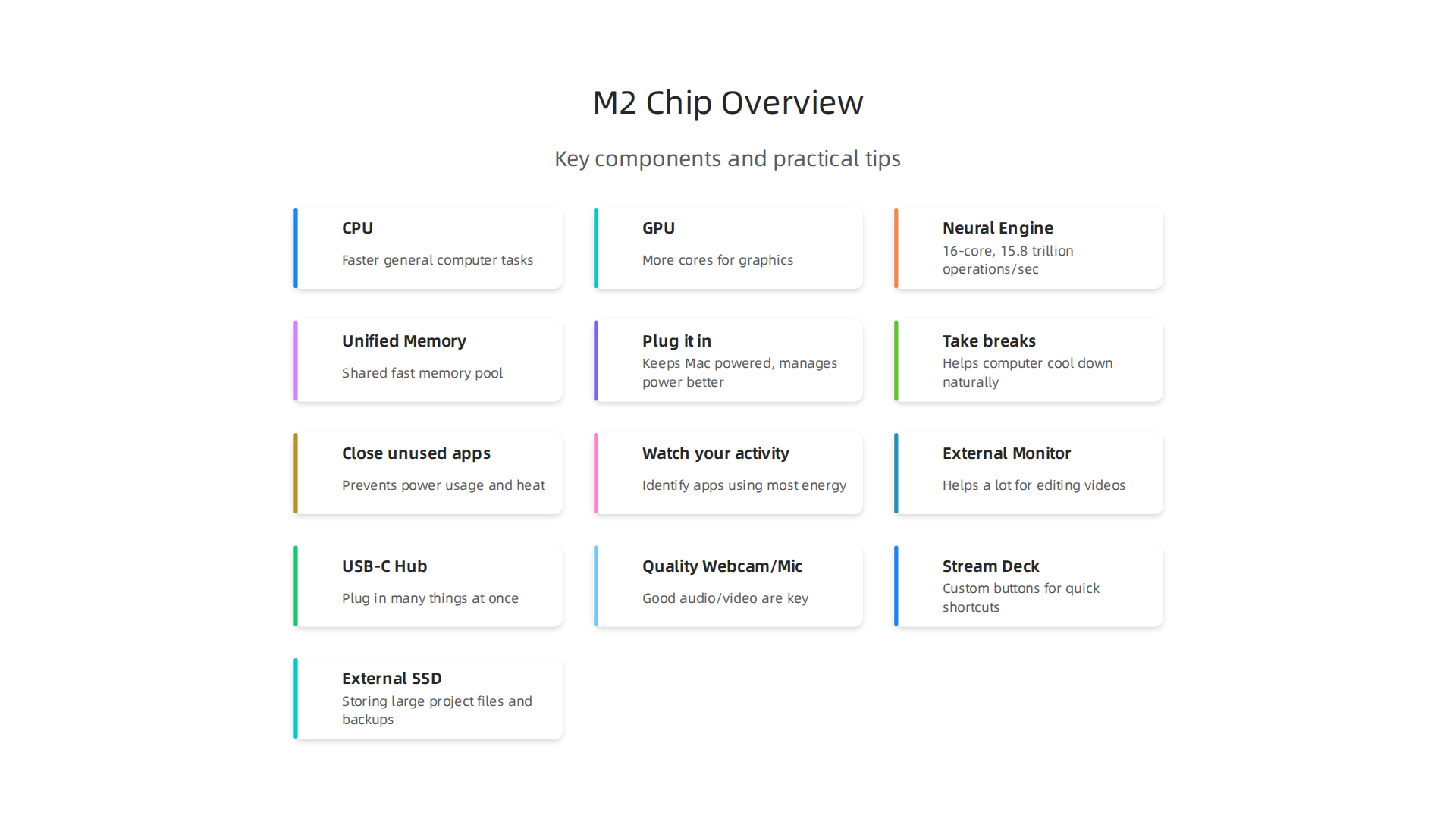
    The M2 chip is like the brain of the MacBook Air. It’s called a "System on a Chip" or SoC.

    The M2 System on a Chip integrates multiple processors for efficient performance.

    This means it has many important parts all working together on one small piece: the main processor (CPU), the graphics processor (GPU), and a special part for AI tasks called the Neural Engine. All these parts share memory, which is a big deal for speed.

    More Power for Your Ideas

    When the MacBook Air M2 chip came out, it brought big changes compared to the older M1 chip. The CPU, which handles most general computer tasks, became faster. In fact, by April 2026, the M2 chip has shown an impressive 18% boost in CPU speed over the M1, which helps everyday work feel much smoother From M2 to M6: Charting the Performance Leap in MacBook Air and ….

    The GPU got better too, with more cores to handle graphics. This is super helpful for creative pros who work with images, videos, or 3D models. When you’re editing a video or using complex design software, the GPU does a lot of the heavy lifting. The M2 chip was also made to speed up video work by adding a strong media engine that helps with special video formats like ProRes Three Ways To Bring Apple Silicon M2 Into Your Workflow. This means your ai content creation will go much faster.

    The Neural Engine and Unified Memory

    For anything related to AI, the Neural Engine is key. The M2 chip has a 16-core Neural Engine that can do up to 15.8 trillion operations every second MacBook Air With M2 – Is It A Good Studio Computer?. This is vital for tasks like making AI-powered noise reduction work faster or using AI filters for photos and videos. It makes your MacBook Air smart enough to handle advanced AI tools on its own.

    Perhaps the biggest advantage for creatives and AI users is "unified memory." Imagine your computer’s CPU, GPU, and Neural Engine all sharing one big pool of fast memory. That’s what Apple’s unified memory does. Instead of each part having its own small, separate memory, they all access the same large, quick memory pool. This helps avoid bottlenecks and lets these parts work together much more efficiently. This setup is especially good for working with large language models (LLMs) and other big AI tasks, as it allows the chip to be both cost effective and efficient Profiling Large Language Model Inference on Apple Silicon – arXiv. The M2 offers 50% more memory bandwidth than the M1, and you can get up to 24GB of this faster memory. This means the chip can move data around super quickly, which is crucial for big creative projects and intensive AI workloads.

    To dive deeper into how well the MacBook Air M2 handles different AI tasks, check out our guide on MacBook Air 2022 AI Workloads Guide Benchmarks and Workflows.

    The special unified memory and Neural Engine in the MacBook Air M2 chip make it great for certain AI tasks. The M2 chip is very good at "AI inference." This means it’s good at using AI models that have already been built.

    Professionals reviewing AI-generated content or designs on screen.

    Think of it like a smart assistant that can quickly understand and apply what it has learned.

    For example, if you’re using AI to remove noise from a video or apply cool style filters to your photos, the M2 chip can handle these jobs quickly. Its special Neural Engine helps a lot with these tasks. Reports show that AI-powered noise reduction or style transfer can be much faster on the M2 Air compared to older Intel Macs because of this dedicated 16-core Neural Engine Macbook Air M2 16GB for Video Editing. The Neural Engine is specifically designed to make these kinds of calculations super fast, making your ai content creation smoother. The design helps the M2 be very effective at deep learning inference tasks Performance Analysis and Optimization of MobileNetV2 on Apple M2.

    When looking at how well the M2 performs for AI, you’ll often see benchmarks. These are like speed tests for computers. For AI tasks, especially those using large language models (LLMs) right on your computer, a key measurement is "tokens per second." This tells you how fast the AI can understand and create text. For example, in 2026, benchmarks show that models like Gemma 4 E2B can run at about 158 tokens per second on more powerful M5 Max chips, while Phi-4 Mini can reach around 135 tokens per second Apple Silicon LLM Benchmarks 2026. The M2 chip, with its fast unified memory, is quite capable for lighter LLMs, with memory bandwidth being a key factor for AI inference speed across all Apple Silicon chips Apple Silicon for AI: M1 vs M2 vs M3 vs M4 vs M5 Compared.

    However, the MacBook Air is a thin laptop without a fan. This means that if you make the macbook air m2 chip work very hard for a long time, it can get hot. To protect itself, the computer will slow down a bit. This is called "thermal throttling." For very heavy AI tasks, like training a brand new AI model from scratch, the fanless design of the MacBook Air M2 means it might lose some performance over time M2 MacBook Air Loses 25% Performance in Sustained Workload. Some tests show that even a 5-minute AI model training loop can cause it to slow down Don’t Buy an Apple Laptop Until the New MacBook Air Comes.

    So, for quick, everyday AI tasks and using already-made AI models, the MacBook Air M2 is a strong choice. But for very long and intense AI training or complex data crunching, you might need to use cloud services (where powerful computers do the work online) or consider a MacBook Pro with active cooling (a fan) or a desktop Mac. To learn more about selecting the right Apple computer for your AI work, check out our guide on picking the best MacBooks for AI.

    If you want to stay on top of all the latest developments in AI tools and how they perform, you’ll love The Deep View Newsletter.
    The AI Newsletter Worth Reading

    App compatibility: creative tools, plugins, and AI integrations

    The good news is that most creative apps and new AI tools work very well with the MacBook Air M2 chip today. When Apple first made its own chips, some older apps needed a special helper called Rosetta to run. Rosetta helps apps made for Intel chips work on Apple Silicon. But now, in 2026, many big programs have been updated to run "natively" on the M2 chip. This means they are built to use the M2 chip’s full power directly.

    For example, popular video editing software like Final Cut Pro and many Adobe programs are now made for Apple Silicon. This makes things like ai content creation smoother and faster on your macbook air m2 chip. For even deeper dives into how creative apps perform, you might find insights on how the MacBook Air M2 compares to M3 for developers.

    Checking App and Plugin Compatibility

    It’s important to know that macOS 27, the newest version of Apple’s computer system, mainly supports Apple Silicon Macs. This includes all Macs with M1, M2, M3, M4, or M5 chips, like your MacBook Air M2 macOS 27 Supported Macs: Full Compatibility List. If you have older apps, you might need to check if they still use Rosetta. You can find out which apps still need Rosetta by going to your System Settings, then General, then About This Mac, and looking for "Intel-Based Apps" macOS 27 Golden Gate liste vos apps qui ne seront plus …. There are also websites that help you check if your favorite programs are ready for Apple Silicon Check if your favorite programs are optimized for Apple Silicon using this website.

    For creative work, sometimes you use extra tools called plugins or extensions. Most of these have also been updated. For example, popular control devices like Stream Decks work well on Apple Silicon Macs, and their software runs natively Does Stream Deck Work on Apple Silicon Macs (M1, M2 …). If you happen to be considering a refurbished MacBook Apple model, knowing about app compatibility is just as important.

    Even if an app or plugin isn’t perfectly updated, some still work using Rosetta. However, for the best speed and experience, especially with AI tools, you want apps that run natively. This ensures your macbook air m2 chip can make the most of its special features for all your creative and AI tasks.

    Battery life and thermals: real usage considerations for long creative sessions

    Even though the MacBook Air M2 chip is powerful and great for many creative apps, it’s good to think about how it handles long, tough tasks.

    A person deeply focused on a long creative task in a comfortable setting.

    This is especially true for things like video editing or intense ai content creation. These jobs can make your computer work very hard, which affects both battery life and how hot the computer gets.

    The M2 chip is very good at using power wisely for quick bursts of work. You can do a lot in short amounts of time without any trouble. However, if you’re running a heavy program for a long time, like hours of complicated video rendering or ongoing AI processing, your macbook air m2 chip might get warm.

    How your MacBook Air M2 chip stays cool

    Here’s the thing: the MacBook Air models, including the M2, do not have a fan inside. This means they cool down by letting heat escape through the metal body. When the chip gets too hot from working hard for a long time, it starts to slow down a little bit. This is called "thermal throttling," and it’s how the computer protects itself from overheating.

    Tests have shown that the MacBook Air M2 chip can lose about 25% of its speed when doing very heavy, continuous work. This happens so it can stay at a safe temperature M2 MacBook Air Loses 25% Performance in Sustained…. For example, if you’re training an AI model, the chip might reduce its speed to keep cool, often around 65 to 72 degrees Celsius How To Run Open-source LLMs Locally On A MacBook Air …. This is a normal safety feature, not a problem with your Mac.

    Tips for long creative sessions

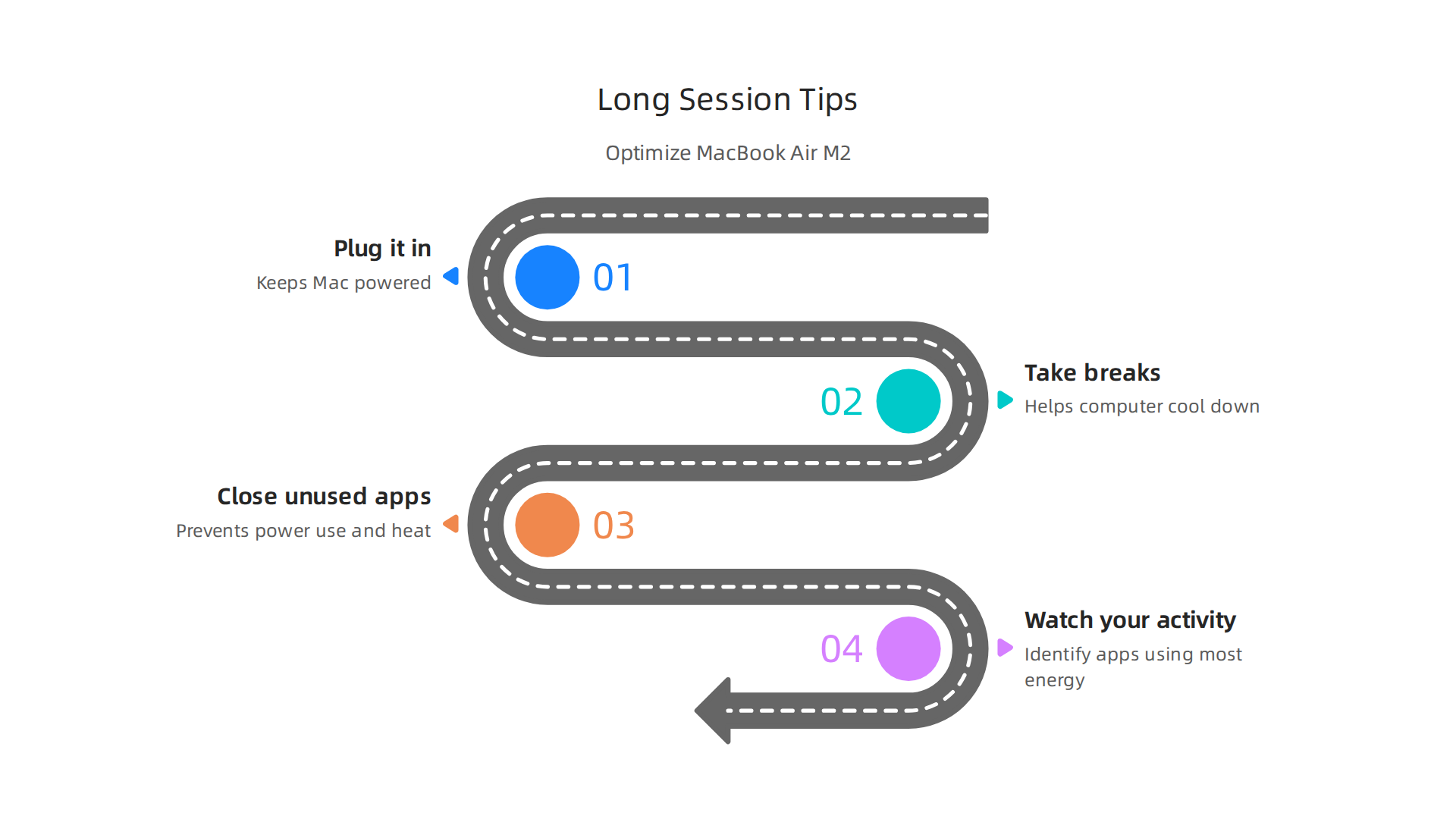
    So, what can you do to keep your macbook air m2 chip running smoothly during long creative sessions?

    Optimize your MacBook Air M2 for demanding creative and AI workloads.

    1. Plug it in: For any major project that will take a long time, it’s best to keep your MacBook Air plugged into power. This stops it from using battery and helps it manage power better.
    2. Take breaks: Give your computer a little break now and then. This helps it cool down naturally.
    3. Close unused apps: Make sure you only have the programs open that you truly need. Extra apps can use up power and create more heat.
    4. Watch your activity: You can use a tool like Activity Monitor on your Mac to see which apps are using the most energy and making your computer work hard. This can help you figure out what might be causing it to get warm MacBook Running Hot? 6 Things To Check Before It Gets Worse.

    Even with these points, the MacBook Air M2 remains a very capable machine for creative tasks and ai content creation. Knowing how it handles demanding work means you can plan your workflow better. For more details on using your M2 for AI, check out our guide on MacBook Air 2022 AI workloads guide benchmarks and workflows.

    To stay on top of the latest advancements in AI tools and how they impact your creative and business workflows, consider subscribing to The AI Newsletter Worth Reading. You’ll get clear daily AI updates to keep you informed.

    To get the most out of your macbook air m2 chip for creative and ai content creation tasks, it helps to know how to set up your workflow smartly.

    A team collaborating to optimize their workflow for creative and AI projects.

    This means making sure your apps work well with the Apple Silicon chip inside your Mac and knowing when to use your computer directly versus using cloud services.

    Making Apps Work Best with Apple Silicon

    The M2 chip is built by Apple, so apps that are also built for Apple Silicon chips will run fastest. You can find out if your favorite programs are optimized for these chips by checking community resources online Check if your favorite programs are optimized for Apple Silicon using this website. In 2026, many apps have been updated, but it’s still good to check. Also, remember that macOS 27, the newest operating system, only works with Apple Silicon Macs, meaning older Intel-based Macs won’t get updates Will My Mac Get macOS 27? Intel Macs Dropped — June 2026.

    Workflow Ideas for Creative Tasks

    Here are some ways to set up common creative and AI tasks:

    • Image Generation (AI): For making images with AI, you might use apps that run on your macbook air m2 chip itself or online tools. For lighter tasks, running AI image tools on your Mac can be quick. For more complex or faster image generation, using cloud-based AI services is often better. These services use powerful computers elsewhere, so your Mac doesn’t have to work as hard. You can learn more about text-to-image tools in our Promptchan AI guide generate images and videos from text in 2026.
    • Video Editing: The macbook air m2 chip can handle video editing well, especially with apps designed for Apple Silicon. Keep your project files on a fast external drive to save space on your Mac. This also helps the computer run smoothly, as it doesn’t need to read and write large files from its internal storage as much.
    • Code-Assisted Design & Development: If you’re using your Mac for coding or design that involves code, tools like Homebrew can help set up your development environment. Many developers find the M2 chip suitable for their daily work, and there are guides for creating a The Perfect Mac Setup for Mobile Development in 2026.

    File Management and Offloading Heavy Tasks

    When working on big projects, keeping your Mac’s internal storage from getting full is key. Use external hard drives or cloud storage for large video files, AI datasets, and project backups.

    For tasks that are too heavy for your MacBook Air, like training very large AI models or rendering super detailed 3D scenes, you might need to "offload" them. This means sending them to a more powerful computer in the cloud. The MacBook Air does not support external graphics cards (eGPUs), so you cannot add more graphics power to it. For very demanding AI work, a Mac Studio or even a cloud service might be a better choice. You can consider picking the best MacBooks for AI for your 2026 projects if you need more power.

    While your MacBook Air with the M2 chip is powerful, it’s good to know its limits, especially for very tough tasks.

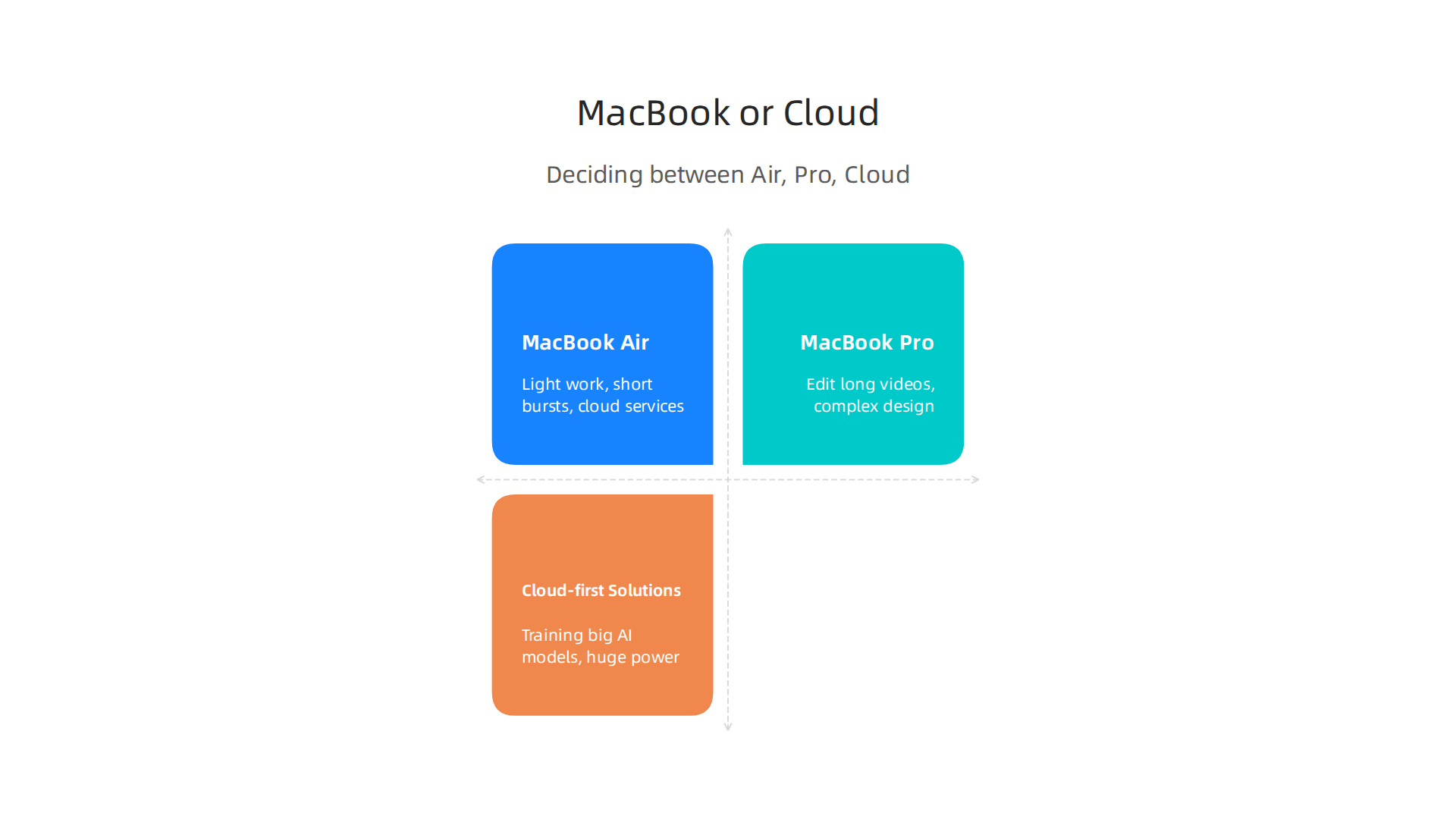
    Deciding between MacBook Air, Pro, or cloud services for AI/creative work.

    The MacBook Air is designed to be super thin and light, so it does not have a fan to keep it cool. This means when you push it really hard for a long time, like during intense AI content creation or video rendering, it can get warm. To protect itself, the macbook air m2 chip might slow down a bit. This is called "thermal throttling," and it means the computer lowers its speed to stay cool M2 MacBook Air Loses 25% Performance in Sustained Workload. Reviewers agree that the M2 MacBook Air has a heat problem under such heavy use. This can be a concern if you plan to run open-source AI models locally for long periods How To Run Open-source LLMs Locally On A MacBook Air Without Thermal Throttling.

    Cost and Alternatives

    When thinking about buying a MacBook Air, consider the total cost of ownership. This isn’t just the price you pay upfront. It also includes how much you save on repairs and how well the Mac holds its value over time. Macs often cost more to buy, but they can be cheaper in the long run because they last longer and keep more of their value Why Macs Cost More on Day One and Less Over Three Years.

    • MacBook Air is enough if:

      • Most of your work is light, like writing, browsing, and quick photo edits.
      • You do short bursts of creative or AI tasks.
      • You use cloud services for the heaviest work.
      • Your budget is tighter, and you’re looking for good value, perhaps even a refurbished macbook apple model Refurbished M2 MacBook Air: Still Worth It?.
    • Upgrade to a MacBook Pro if:

      • You regularly edit long videos, do complex graphic design, or run demanding AI models directly on your computer for many hours.
      • You need constant high performance without slowing down. The MacBook Pro models have fans to keep them cool during tough jobs.
    • Consider cloud-first solutions if:

      • You often need huge amounts of power for tasks like training big AI models.
      • You want to avoid buying very expensive hardware.
      • You need to share powerful computing resources with a team.

    For more details on finding the right Mac for your budget and creative needs, you can check out our guide on MacBook Air Sale 2026: Which Model is Right for Creative Work.

    No matter what choice you make, staying informed about the latest AI tools and trends is always a good idea. Get clear daily AI updates to help you navigate the fast-changing world of technology.

    The AI Newsletter Worth Reading

    Choosing the right MacBook Air for your work, especially when it involves tasks like AI content creation, is more than just picking a model. It’s about thinking how the computer fits into your daily workflow, what extra tools you need, and how you buy it if you’re part of a team.

    Buying checklist: configs, accessories, and procurement tips for teams

    Here’s how to think about setting up your MacBook Air:

    1. Right MacBook Air for Your Role

    • For the Solo Creator or Light User: If you mainly write, browse the internet, and do quick photo edits, a standard macbook air m2 chip will work great. Think about getting 16GB of memory (RAM) instead of 8GB. This small upgrade helps your computer handle more tasks at once and keeps it speedy for longer, especially with light ai content creation. The storage size depends on how much you save on your computer versus using cloud storage.
    • For the Remote Editor or More Intense User: If you do more challenging creative tasks or heavier AI work for short periods, a MacBook Air with 16GB or even 24GB of memory is a good idea. Remember, the M2 Air can still get warm during long, hard tasks. Make sure your important software works well on Apple Silicon chips like the M2. Many programs are now made specifically for these chips, which means they run very fast. But some older apps might need a special tool called Rosetta to work, which can slow things down. You can easily check if your programs are ready for Apple Silicon using helpful websites. For more ideas on finding the right model for heavy tasks, check our guide on picking the best MacBooks for AI.
    • For the Small Creative Team Lead: When buying for a team, you want to make sure everyone has the right tools. For team members who need constant high performance for demanding AI tasks, a MacBook Pro might be a better choice, or using powerful cloud computing services. If many team members use MacBook Airs, buying refurbished macbook apple models can save money without losing much performance, as these machines hold their value well.

    2. Must-Have Accessories

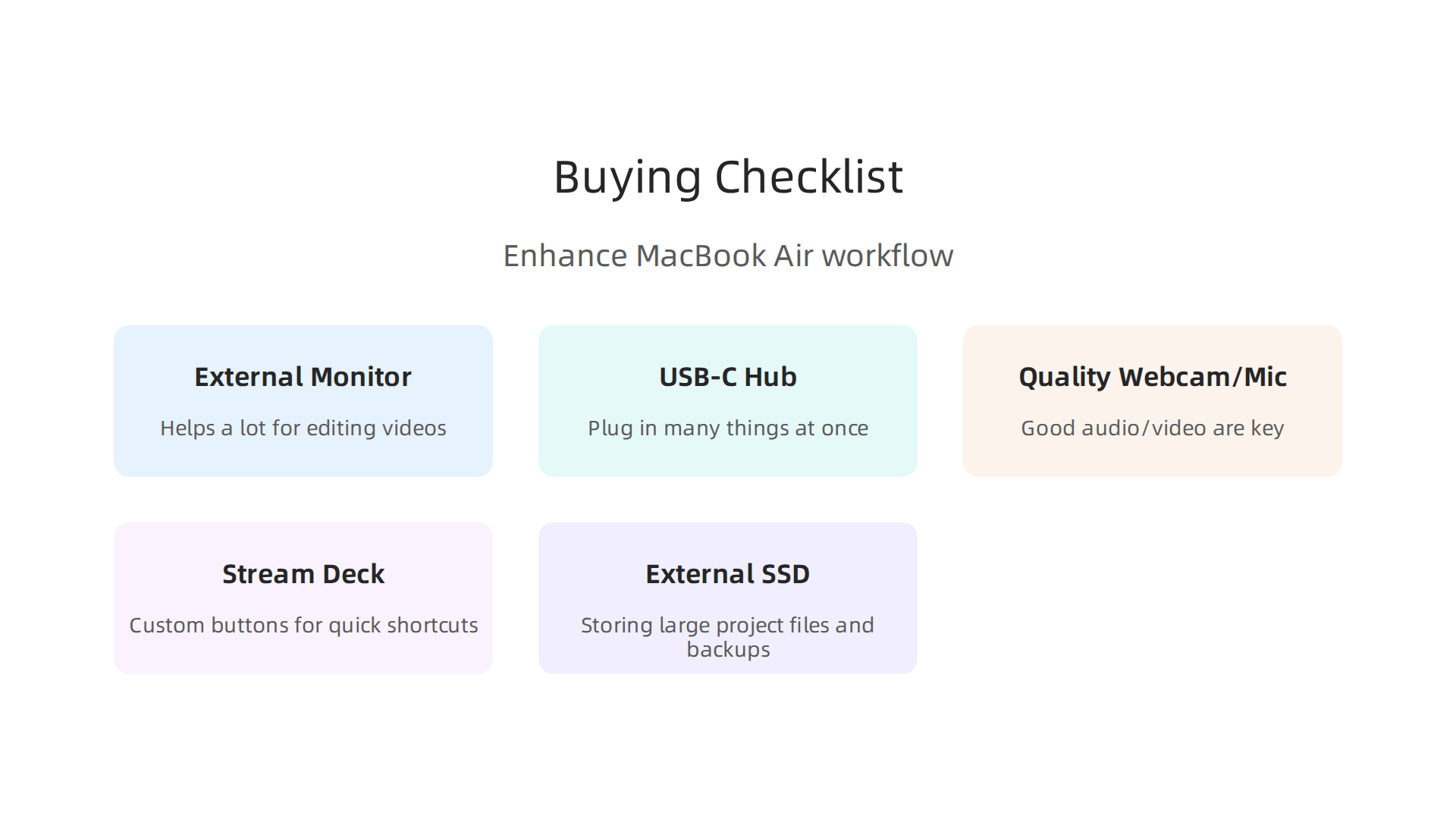
    To get the most out of your macbook air m2 chip for creative work, consider these add-ons:

    Essential accessories to enhance your MacBook Air M2 creative workflow.

    • External Monitor: A bigger screen helps a lot for editing videos, designing graphics, and other visual work.
    • USB-C Hub or Docking Station: These let you plug in many things at once, like external hard drives, your monitor, and charging cables.
    • Quality Webcam and Microphone: For remote meetings, recording voiceovers for ai content creation, or online teaching, good audio and video are key.
    • Stream Deck: This handy device has custom buttons you can program for quick shortcuts in your creative apps. Good news: Stream Deck works on Apple Silicon Macs very well.
    • External SSD: If you chose a MacBook Air with less internal storage, a fast external SSD is perfect for storing large project files and backups.

    3. Procurement Tips for Teams

    • Test Before You Buy Many: Always try out one macbook air m2 chip with your team’s real work before buying a whole fleet. This helps you see how it performs in practice. Our guide on MacBook Air M2 for AI workloads offers benchmarks and workflows you can use.
    • Think About Total Cost: While Macs might seem more expensive at first, they often cost less over time. This is because they usually last longer, need fewer repairs, and keep more of their value when you want to sell them later. This is called total cost of ownership.
    • Future-Proof Your Purchase: Looking ahead, macOS 27, the newest operating system expected this year, will likely only support Apple Silicon Macs. This means buying an M-series Mac now ensures your team’s computers will get the latest updates and security features for years to come.

    Summary

    This article explains why the MacBook Air with the M2 chip is a strong pick for many AI creators and creative professionals, and where its limits lie. It breaks down the M2’s System on a Chip design — CPU, GPU, Neural Engine and unified memory — and shows how those features speed up AI inference, video editing, and other creative tasks. The piece covers real-world benchmarks, the benefits of unified memory for LLMs and media workflows, and the practical impact of the Air’s fanless design (thermal throttling and battery considerations). You’ll also get guidance on app compatibility (native Apple Silicon vs Rosetta), workflow tips for on-device work vs cloud offloading, and a buying checklist for configs, accessories, and team procurement. In short, after reading you’ll know when an M2 Air is enough, when to choose a Pro or cloud, and how to configure and run your machine to get the best creative and AI performance.