
Creating 3D models has always been a challenge. You need deep technical skills, expensive software, and hours of manual work just to get one usable asset. That barrier has kept many people from jumping into game development, product design, or virtual reality.

But everything changed in 2026 with the rise of meshy ai.
Meshy AI is a breakthrough tool for AI-powered 3D content creation. Instead of wrestling with complex modeling workflows, you can turn simple text descriptions or regular images into detailed 3D models in minutes. A recent announcement highlighted a major step forward: the Meshy AI integration with Formlabs now connects AI generation directly to professional 3D printing, closing the gap between digital creation and physical manufacturing.
The platform goes well beyond basic model generation. You can start from a text prompt, upload an image, refine the topology, add textures, rig a character, and even turn the final model into a video – all inside one browser environment. This complete workflow makes it a powerful tool for both newcomers exploring emerging technologies and experienced developers who want to speed up their pipeline.
In this guide, we will take an in-depth look at what Meshy AI offers, how it actually works, and practical strategies to use it for professional projects. Whether you are a game designer, a product engineer, or just someone curious about 3D creation, this article will give you the knowledge to get started. If you are serious about staying ahead, check out our list of 10 top AI websites professionals trust for real news and tools to keep learning.

And for daily updates on cutting-edge AI tools like Meshy, consider subscribing to The AI Newsletter Worth Reading – it delivers clear daily AI insights straight to your inbox.

What is Meshy AI? An Overview of the Technology
At its heart, Meshy AI relies on powerful diffusion-based AI models trained on massive datasets of 3D objects. These models learn how shapes, textures, and structures relate to words and images. When you type a prompt like "rusty fantasy sword with a glowing blue handle," the AI interprets every part of that description and builds a 3D mesh from scratch. The same process works from image inputs, where the AI analyzes a flat picture and converts it into a volumetric model with proper geometry.
The company behind Meshy is a San Diego startup that has quietly become a leader in generative 3D. They have released multiple generations of their AI models (Meshy 1 through 6), each improving the quality of topology, edges, and surface detail. According to a detailed explanation of Meshy AI’s generation pipeline, the system validates prompts, selects the right model version, and runs a generation process that outputs watertight meshes ready for printing or game engines. This focus on practical output is what sets Meshy apart from earlier AI tools.
You can interact with Meshy AI using three main input methods.
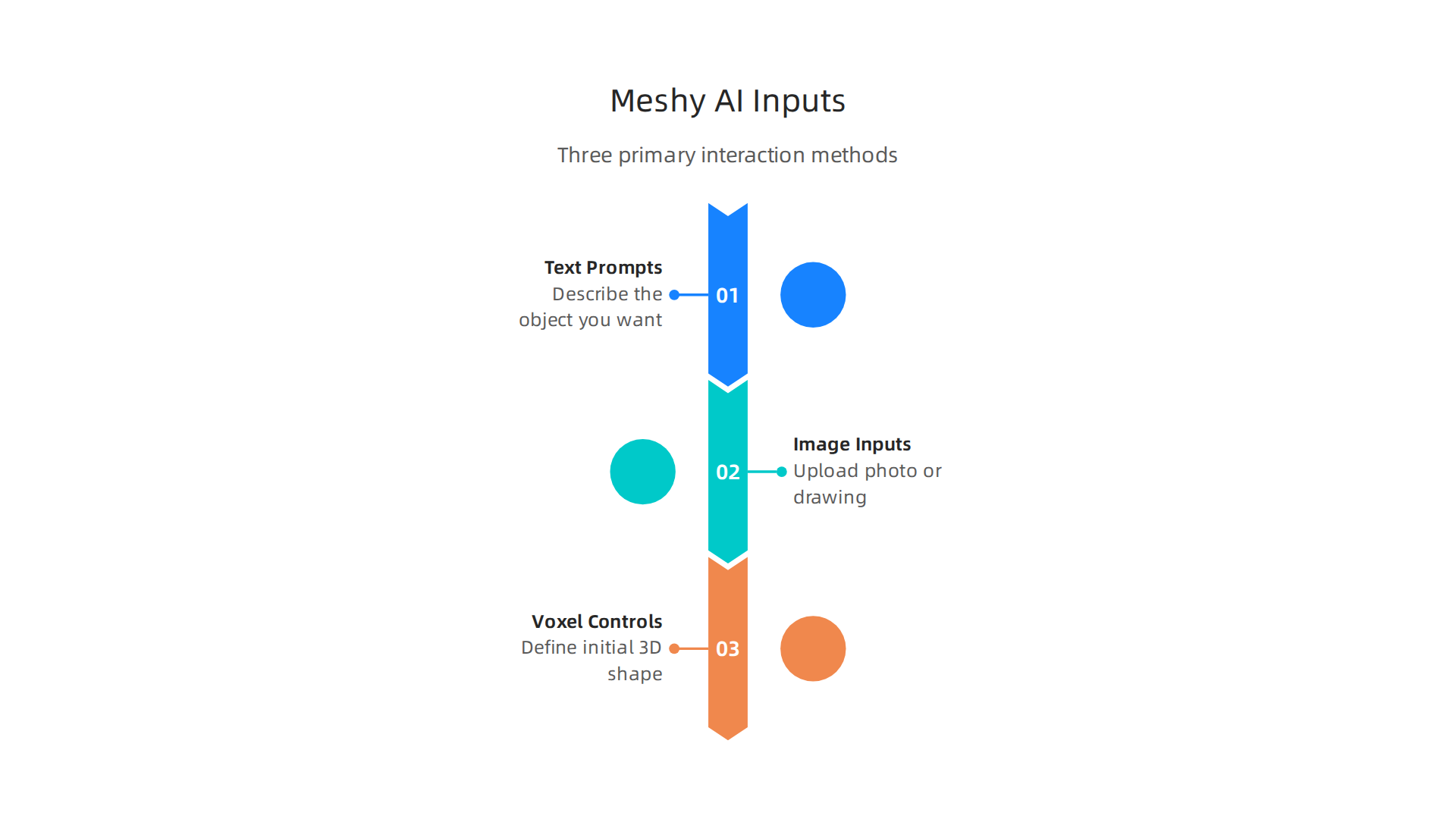
The simplest is text prompts, where you describe the object you want. The second is image inputs, where you upload a photo or drawing and the AI creates a matching 3D model. The third method uses voxel controls for more advanced users who want to define the initial shape block by block. These options make Meshy one of the top emerging technologies for 3D creation in 2026.
For developers looking to adopt Meshy into their pipeline, the platform offers API access and exports directly to Blender, Unreal Engine, and Unity. Whether you are a game designer needing quick assets or a product engineer prototyping new ideas, Meshy AI removes the technical barriers that once made 3D modeling a specialist skill. If you want to learn AI tools that actually save time, this is a great place to start.
Key Features and Capabilities: Text-to-3D, Image-to-3D, and Beyond
So what can Meshy AI actually do? Let’s walk through the main features that make it so useful in 2026.
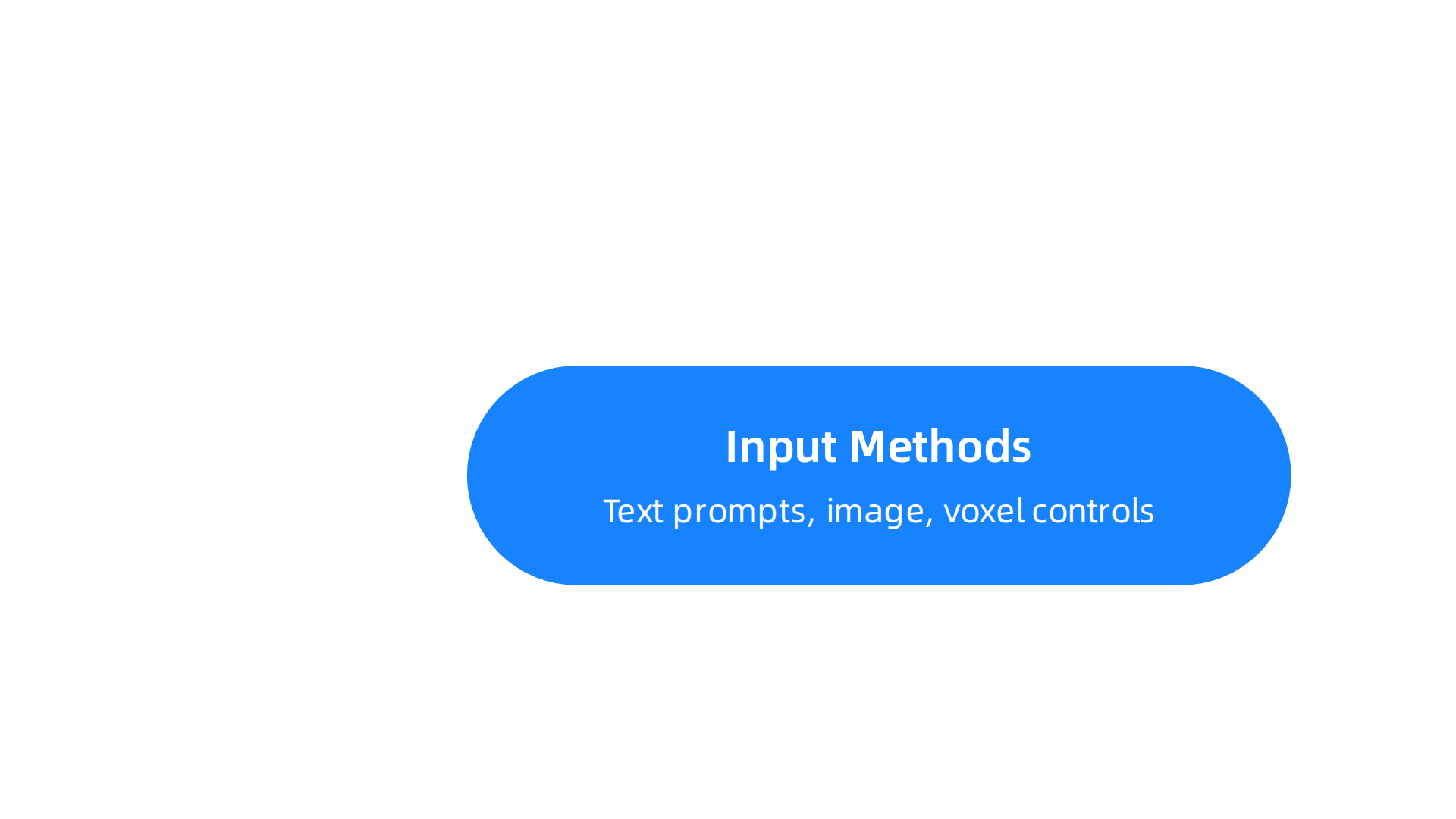
Text-to-3D generation is the flagship feature. You type a prompt like "medieval stone bridge with moss and a wooden gate" and Meshy creates a textured 3D model in about 60 seconds. The AI understands complex instructions and supports over 20 languages. With the Meshy 6 update, you can choose between "Standard" mode for high detail and "Low Poly" mode for game engines. That flexibility matters a lot when you need different levels of quality for different projects. According to a detailed Meshy AI review covering features and pricing, the system even lets you toggle mesh types and adjust polygon counts after generation, giving you real control over the final output.
Image-to-3D conversion is just as impressive. You upload a single photo, drawing, or sketch and the AI turns it into a full 3D model with proper geometry and textures. This is different from traditional photogrammetry, which needs multiple photos from different angles and a lot of cleanup afterward. Meshy uses multi-view generation to figure out what the back and sides of your object should look like, even from just one image. It works fast, usually within one to two minutes for a finished model.
Beyond generation, Meshy includes tools that make the models actually usable. The AI Texturing feature lets you apply PBR textures to your own existing models using only text prompts. You get base color, metallic, roughness, and normal maps without any UV unwrapping work. For character creators, the auto-rigging system supports humanoid and quadruped models, and you can apply any of 500+ built-in animation presets like walking, running, or combat moves.
If you want to explore the latest trends in AI-powered creation, keeping up with these rapid advancements helps you stay ahead in your workflow.
Export formats cover everything you could need: FBX, GLB, OBJ, STL, 3MF, USDZ, and BLEND. That means your models go straight into Unity, Unreal Engine, Blender, or your slicer without extra conversion steps. For 3D printing users, Meshy includes a Printability Check with a 97% slicer pass rate and one-click integration with Bambu Studio.
To get clear daily updates on tools like this and other AI breakthroughs, subscribe to The AI Newsletter Worth Reading.
Meshy AI vs Competitors: How It Stacks Up in 2026
You might be wondering how Meshy AI compares to other tools out there. Let’s look at the main competitors and see where each one shines.
Luma AI is probably Meshy’s biggest rival. As a detailed Meshy vs Luma AI comparison explains, Luma AI excels at turning real-world photos and videos into photorealistic 3D models. It uses a technology called NeRF, which creates stunningly realistic scenes from a short video clip. But it has a clear weakness: it struggles with imaginary objects. If you need a magical castle or a sci-fi weapon, Luma isn’t the right choice. Meshy, on the other hand, is built for exactly that. You type a description and get a model in about a minute. Luma takes 5 to 15 minutes per generation. For game developers, Meshy’s built-in auto-rigging and 500+ animation presets are a huge advantage. Luma lacks that pipeline.
Tripo AI is another popular option, especially for game developers. It focuses on speed and clean topology. In a side-by-side test of five tools, Tripo produced the cleanest meshes for game engines in about 35 seconds. But it falls short on full pipeline support. You get the base model, but you have to handle texturing, rigging, and animation elsewhere. Meshy handles all of those steps in one place.
When should you choose Meshy? Pick it when you are creating imaginary objects, game assets, or models for 3D printing. It gives you watertight meshes that slice well, as one Reddit user confirmed when they converted a logo to an STL keychain in about six minutes. Meshy also covers the full pipeline from text to rigged, animated character.
When should you choose another tool? Go with Luma AI if you need to digitize real objects or environments with photorealistic quality. Choose Tripo if raw speed and clean base meshes are your top priority and you can handle the rest of the pipeline yourself. For hyper-realistic human avatars, Rodin AI is the specialist.
If you want to keep learning about emerging AI tools like these, check out our guide to the 10 top AI websites professionals trust for real news and tools. It’s a great starting point for staying current in 2026.
Practical Use Cases for Professionals and Creators
So how are people using Meshy AI in the real world? Here are three common scenarios where it saves serious time.
Game Development: Rapid Prototyping
Imagine you are building an open-world game. You need dozens of environment props like rocks, trees, and ruins. With Meshy, you type what you want and get a textured model in about a minute. The detailed comparison of AI 3D tools for game assets confirms that Meshy handles the full pipeline. It creates UV maps, generates PBR textures, and even rigs characters with over 500 animation presets. You can export directly to FBX or GLB and drop the asset into Unity or Unreal Engine. No manual retopology needed for simple props.
Product Design: Concept Visualization
Physical product teams use Meshy for early iteration.

A designer working on a new chair can type "ergonomic office chair with mesh back and chrome legs" and see a 3D preview. This helps catch proportion issues before building anything real. Once the concept looks good, you can export an STL for 3D printing or share it with stakeholders. This cuts concept development from days to hours.
Marketing: 3D Product Renders
Marketing teams love Meshy for generating product visuals on demand. Need a high-resolution render of a new speaker for an Instagram ad? Generate the model, apply a studio background in Blender, and you have a professional image without hiring a photographer. Meshy gives full commercial rights, so you can use these models in paid ads and e-commerce listings. It is especially useful for small brands that cannot afford expensive photoshoots.
If you want to see how AI can improve your marketing workflows, check out our guide on how to get real ROI from AI marketing cloud in 2026. And for daily updates on the tools that matter, subscribe to The AI Newsletter Worth Reading. It delivers clear, practical AI news straight to your inbox every day.
Pricing, Plans, and Value for Money
Now that you have seen how Meshy works in the real world, let’s talk about what it costs. Meshy offers four plans: Free, Pro, Studio, and Enterprise.
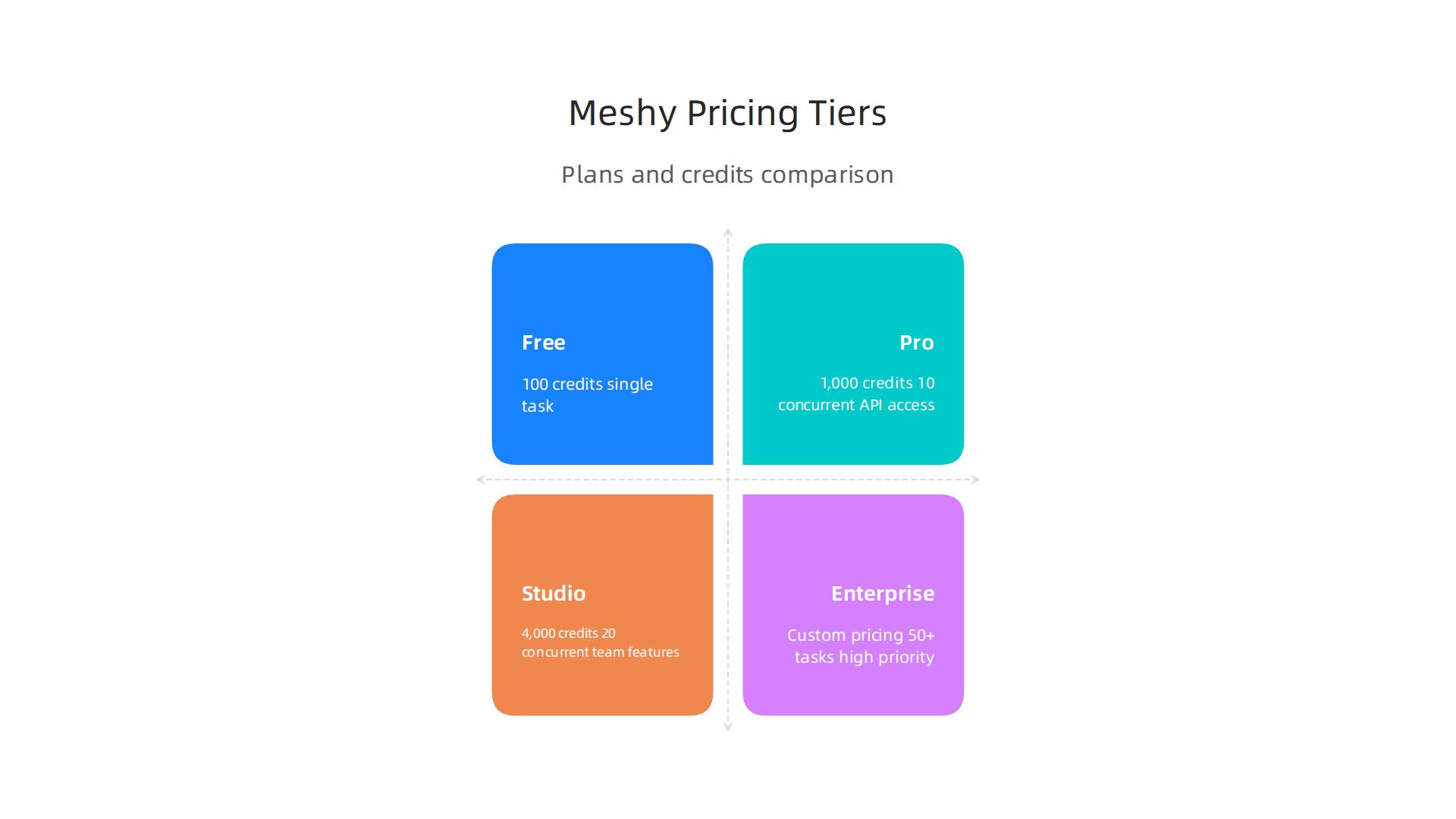
Each one fits a different type of user. Understanding the pricing helps you decide if Meshy is worth the money for your specific needs.
Free Plan: $0 per month
The free tier gives you 100 credits every month. You can run one task at a time with low queue priority. The models you create come with a CC BY 4.0 license. That means you can use them in commercial projects as long as you give credit. This plan is perfect for testing the tool and learning the basics. According to the Meshy AI official pricing page, free plan credits reset each month and do not roll over.
Pro Plan: $20 per month (or $240 per year)
For individual creators and indie developers, the Pro plan is the sweet spot. You get 1,000 credits per month, 10 concurrent tasks, and 60 percent faster generation speed. Your assets are private and you own them completely. You also get API access for integrating Meshy into your own workflows. This plan costs about the same as a subscription to a streaming service and saves you hours of manual modeling work.
Studio Plan: $60 per month (or $576 per year)
Small teams and studios will like the Studio plan. It bumps credits to 4,000 per month and concurrent tasks to 20. Queue priority is higher and you get team management features. Each task also comes with 8 free retries. This works well if multiple people are generating assets at the same time.
Enterprise Plan: Custom pricing
Large teams with high volume needs can contact Meshy for a custom plan. You get 50 or more concurrent tasks, the highest queue priority, unlimited free retries, and a customizable credit balance.
Is Meshy worth the money?
For individual creators, the Pro plan at $20 per month gives excellent value. You can generate dozens of textured models each month without breaking the bank. A detailed 3D AI pricing and credits comparison shows that Meshy sits in the middle of the pack when it comes to cost per model, and its speed makes it competitive. For small teams, the Studio plan costs three times as much but gives four times the credits and double the concurrent tasks. That extra capacity can make a big difference when you are working on a deadline.
If you are a student or educator, Meshy offers discounts. You can apply for the Meshy education plan and get Pro at just $5.99 per month.
Overall, Meshy gives you a lot of power for the price. Whether you are a solo creator or part of a growing team, there is a plan that fits your budget. And if you want to discover more tools that deliver real results, check out our roundup of the best startup gadgets for 2026.
Tips for Getting the Best Results with Meshy AI
You know the pricing and the basics. Now let’s make sure you get the best possible results every time you use Meshy. A little know how goes a long way. Here are three simple tips to help you create better 3D models faster.

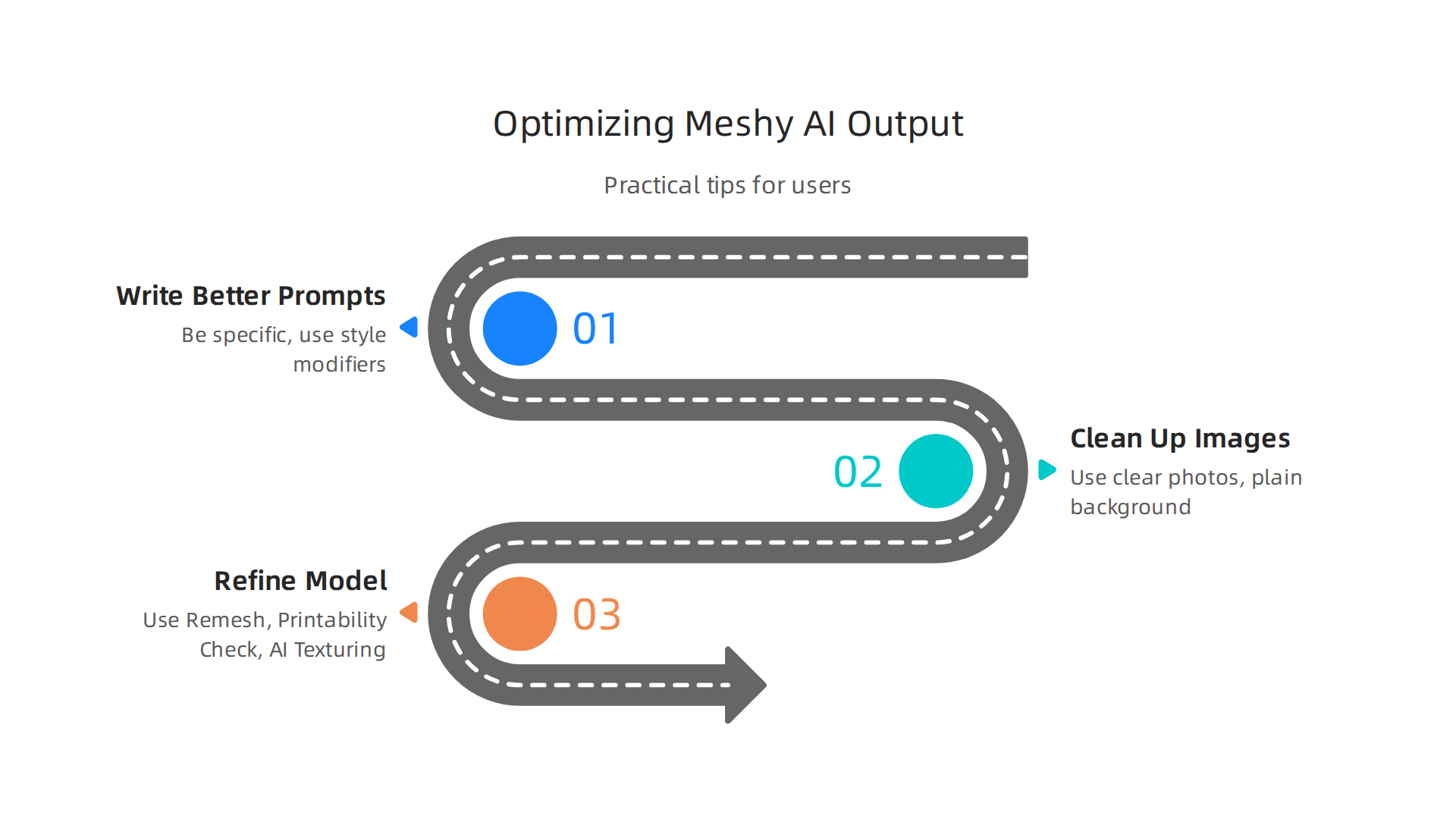
1. Write Better Text Prompts
The secret to great text-to-3D generation starts with your words. Be specific. Instead of typing "a chair", write "a mid century modern wooden armchair with a woven seat and brass legs". The more detail you give, the better Meshy understands what you want.
Use style modifiers too. Words like "photorealistic", "low poly", "stylized", or "PBR textured" guide the AI toward the exact look you need. A short but specific prompt works much better than a long, vague one. According to a detailed Meshy AI feature review, the tool handles complex instructions really well and creates textured meshes in about 60 seconds.
2. Clean Up Your Images First
If you are using the image-to-3D feature, start with a clear photo. A single picture of an object on a plain white background works best. Avoid busy backgrounds, shadows, or reflections that confuse the AI. The tool is great at guessing the shape and texture from a single image, but it needs a clean starting point. Your final model will have better geometry and fewer strange bumps when you take two minutes to crop or clean your source image first.
3. Refine Your Model After Generation
The first pass is often just the start. Meshy gives you built-in tools to clean things up. Use the Remesh tool to lower the polygon count for game engines or raise it for more detail. If you plan to 3D print, run the Printability Check. Meshy’s 3D printing benchmark performance makes it a top pick for makers, but checking for small holes is still a smart habit.
You can also use the AI Texturing feature to reapply colors and materials if the first try was not quite right. And for characters, the auto-rigging system lets you add animations from hundreds of presets in under a minute.
If you want to keep learning about the best AI tools for creators and developers in 2026, check out our guide to the top AI websites professionals trust for daily news and practical reviews.
Staying up to date with emerging technology is a daily habit. The AI Newsletter Worth Reading delivers clear daily AI updates straight to your inbox. It helps you learn AI tools and spot important trends without all the noise.
Limitations and Considerations
Even Meshy AI is impressive, it is not perfect. Knowing its limits helps you plan your projects better.
Geometric Complexity and Organic Shapes
Meshy does a great job with hard surface objects like furniture, buildings, or tools. But it can struggle with complex organic shapes. Things like detailed human faces, hands, or flowing cloth sometimes come out distorted. A user’s one month Meshy review mentions issues like extra fingers or strange facial features. If your project needs precise character models or intricate mechanical parts, manual 3D modeling is still the better choice.
Output Resolution and Texture Fidelity
The textures Meshy creates look good for most uses, but they do not match the quality of hand painted or manually crafted textures. Fine details like tiny text, logos, or subtle color gradients can be blurry. For high end game assets or product renders, you will likely need to refine the textures in another program. Meshy is a great starting point, but professional work often needs extra polish.
Cloud Dependence and Latency
Meshy runs on cloud servers. That means you need a stable internet connection to use it. Sometimes during peak hours, you may wait in a queue. The free plan has lower priority, so waits can be longer. If you have a deadline, this can be frustrating. Also, generating complex models takes time. You cannot use it offline, so plan accordingly.
Understanding these limits helps you decide when to use Meshy and when to stick with traditional tools. For many creators, it saves hours of work. But knowing where human versus AI creativity works best helps you get the most out of both.
Future Outlook for Meshy AI
Where is Meshy AI heading next? The signs point to a much bigger role in how we create 3D content.

And the changes are happening fast.
Better Models, Faster Results
Meshy is already working on smarter geometry and higher fidelity outputs. The team keeps improving how the AI handles complex shapes and fine textures. Early 2026 reviews show real progress in mesh quality compared to just a year ago. A video analysis of AI mesh generation in 2026 notes the technology is getting closer to production-ready quality for games and films. Speed is improving too. What used to take several minutes now takes less than two for basic models.
Deeper Game Engine Integration
This is where things get exciting. At the Game Developers Conference in 2026, Meshy announced a major step forward. The company launched Meshy Labs, an experimental incubator that moves AI beyond just making assets. The Meshy Labs announcement at GDC 2026 showed off a playable game called Black Box: Infinite Arsenal. In it, players type text prompts to create weapons in real time. The AI generates not just the 3D shape but the gameplay logic too. This is a big shift from "AI as a production tool" to "AI as a real time game designer."
Expect tighter links with Unity, Unreal Engine, and Blender in the coming year. The goal is to let you go from text prompt to playable asset without leaving your game engine.
Growing Market and Community
The numbers back up the momentum. Meshy hit a $30 million annual recurring revenue milestone in early 2026. The company also launched a fellowship program that funds 3D AI research around the world. Announcing the 2026 Meshy Fellowship Program recipients shows a commitment to building a community of developers pushing the boundaries of what AI 3D can do.
For creators who want to stay ahead, tracking these trends matters. The landscape of top AI companies to watch in 2026 keeps shifting fast. Meshy is one to keep an eye on.
If you want to stay updated on tools like Meshy and other fast moving AI developments, consider subscribing to The AI Newsletter Worth Reading. It delivers clear daily updates so you never miss what matters.
Workflow Integration and Best Practices
Getting Meshy AI into your daily workflow takes a little setup. But once you do, it saves hours of manual modeling time.
Plugins and API for Easy Integration
Meshy offers an API that lets you connect it directly to your existing tools. You can use it inside game engines like Unity and Unreal Engine or with 3D software like Blender. A 2026 walkthrough shows you can integrate Meshy AI with your platforms using its API to generate models on the fly. That means less switching between apps and more time creating.
For developers, the API is simple. You send a text prompt, and the AI returns a 3D model ready to import. It works great for prototyping and filling asset libraries fast.
Best Practices for Managing Assets
When you generate lots of models, versioning becomes important. Use a clear naming system: include the date, the prompt keywords, and the version number. Save your assets in a shared folder or cloud drive so teammates can find them easily. Also, always clean up the mesh geometry before final use. The AI output is close to production-ready, but a quick sweep with your modeling tool makes a big difference.
Collaboration Features for Teams
Meshy supports team accounts where multiple people can work on the same project. You can share generated assets and see who changed what. This makes iterating on designs much smoother. If you want to learn more about fitting AI tools into your pipeline, this guide on how to choose and use an AI-powered research assistant gives helpful tips for picking the right solutions.
By setting these practices up early, you make Meshy AI a reliable part of your creative process. That is how you get the most out of this emerging technology without losing control over quality.
Summary
Meshy AI is a 2026 breakthrough for rapid, browser-based 3D model creation that turns text prompts, single images, or voxel inputs into watertight, textured meshes ready for games, rendering, or 3D printing. The article explains how Meshy’s diffusion-based models generate geometry, the main features (text-to-3D, image-to-3D, AI texturing, auto-rigging and animation presets), and the export formats that make assets drop‑in ready for Unity, Unreal, and Blender. It compares Meshy to competitors like Luma and Tripo to help you pick the right tool, shows practical use cases for game dev, product design and marketing, and walks through pricing tiers from Free to Enterprise. You’ll also get hands-on tips for better prompts, image cleanup, and post-generation refinement, plus the known limitations around organic detail, texture fidelity, and cloud dependence. Finally, the piece covers workflow integration via API/plugins, team best practices, and where Meshy is headed next as the company tightens engine integrations and improves mesh fidelity.