
Artificial intelligence (AI) is changing how businesses work in 2026. From making tasks easier to helping with big decisions, AI is everywhere. Because of this, picking the right computer for your business is more important than ever. You need laptops and PCs that can handle AI tasks well, not just today, but for a long time to come. This is where "AI-readiness" truly matters.
Many businesses make a common mistake. They often buy new computers based on exciting marketing words or big numbers on a spec sheet. But sometimes, what sounds great on paper doesn’t work so well in the real world. A computer might be advertised as "AI-ready," but that can mean different things. It’s like buying a car that says "fast" without knowing if it’s fast for city driving or only on a race track. For businesses, this mistake can lead to wasted money and slower work.
Actually, there are different kinds of AI work, also called "workloads." In 2026, many companies are focused on what is called "inference." This is when an AI model that has already been taught uses what it learned to make predictions or answer questions. Think of it as the AI doing its job after it’s finished school. Inference tasks often need quick bursts of power, but they are not as heavy as "training" tasks, where the AI is learning from scratch AI training vs inference: the 2026 economics split. Experts like Deloitte say that by 2026, inference workloads will make up about two-thirds of all AI computing
More compute for AI, not less. This means what a business needs in a laptop might be different from what a big AI lab needs.
So, when you are looking at business laptops or PCs, like different thinkpad models, you shouldn’t just look at the highest numbers. You need to think about how the computer will perform day after day. Does it offer good, steady performance for the kind of AI tasks your team actually does? Is it easy for your IT team to set up and keep running? For example, a Lenovo ThinkPad X Series might be perfect for one business, while another might need a different setup entirely. Understanding these details helps you get a better return on your investment.
Staying on top of all the new AI tools and computer tech can be tricky.
Get clear daily AI updates from The AI Newsletter Worth Reading.
Understand Your AI Workloads: Inference, Fine-Tuning, and Local Tooling
It’s true that keeping up with all the new AI tools and computer technology can feel like a lot.

But to pick the best computers for your business, you need to know exactly what kind of AI work your team will do.
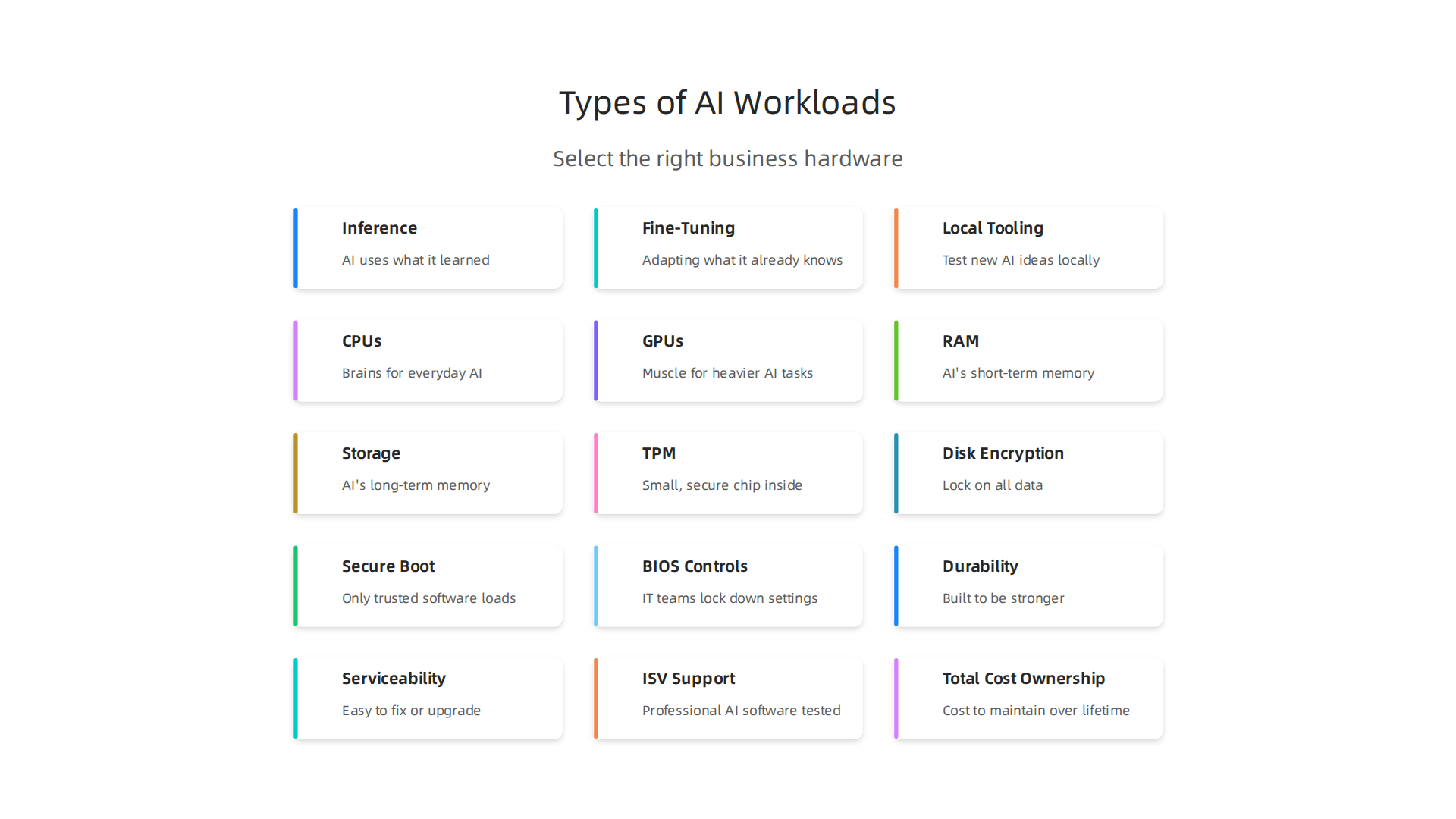
It’s not just about "AI" in general; it’s about the specific tasks, also called "workloads."
We already talked about inference, which is when an AI uses what it learned to give answers or make predictions. This needs quick power bursts. But there are other important types of AI work too:
- Fine-Tuning: Imagine you have a very smart AI model, like a big brain that knows a lot about everything. Fine-tuning is like teaching that smart brain a special new skill, using a smaller set of your own company’s information. It’s not learning from scratch, but adapting what it already knows to your exact needs. This kind of work needs more computer power than just inference, especially good memory and a strong graphics processor (GPU) 5 types of AI workloads and how to deploy them. Fine-tuning tasks often involve reading large amounts of data and doing many quick calculations.
- Local Tooling/Experimentation: Sometimes, your team might want to test new AI ideas or use smaller AI tools right on their own computers. This is like having a small AI lab on a laptop. For these tasks, you need a computer that can handle the work quickly without relying on the internet or a big cloud service. A computer with a good built-in GPU and enough memory will help these local AI tools run smoothly.
Different companies have different needs. A study found that businesses are using AI for many different things, not just one type of workload AI Workload Priorities Diversify as Enterprises Push Compute Beyond Training. This means there’s no single "best" computer.
Matching Workloads to Computer Needs
When you look at different thinkpad models or other business PCs, think about these things:
- Latency (Speed): How fast does your AI need to give answers? For quick customer service chatbots, you need very low latency. Inference tasks often need fast responses.
- Memory (RAM): How much information does your AI need to hold in its active "brain" at once? Fine-tuning and local experimentation can use a lot of memory.
- Local GPU vs. Cloud Hybrid: Do you need a powerful graphics card right inside the computer (a local GPU) for heavy work, or can your computer send tasks to bigger, more powerful computers over the internet (cloud hybrid)? Many daily inference tasks can run well on laptops with newer AI-ready chips, while more intense fine-tuning might need a stronger local GPU or a mix of local and cloud power. For example, a dedicated
ibuypower pcwith a strong GPU might be great for local AI model experimentation, while a portablelenovo thinkpad x seriesor alenovo thinkpad t14 gen 2could handle most on-device inference tasks just fine. If you’re considering a more budget-friendly approach to local AI computing, looking into a used gaming pc for ai might be an option.
To pick the right computer, you also need to know about the parts inside it.
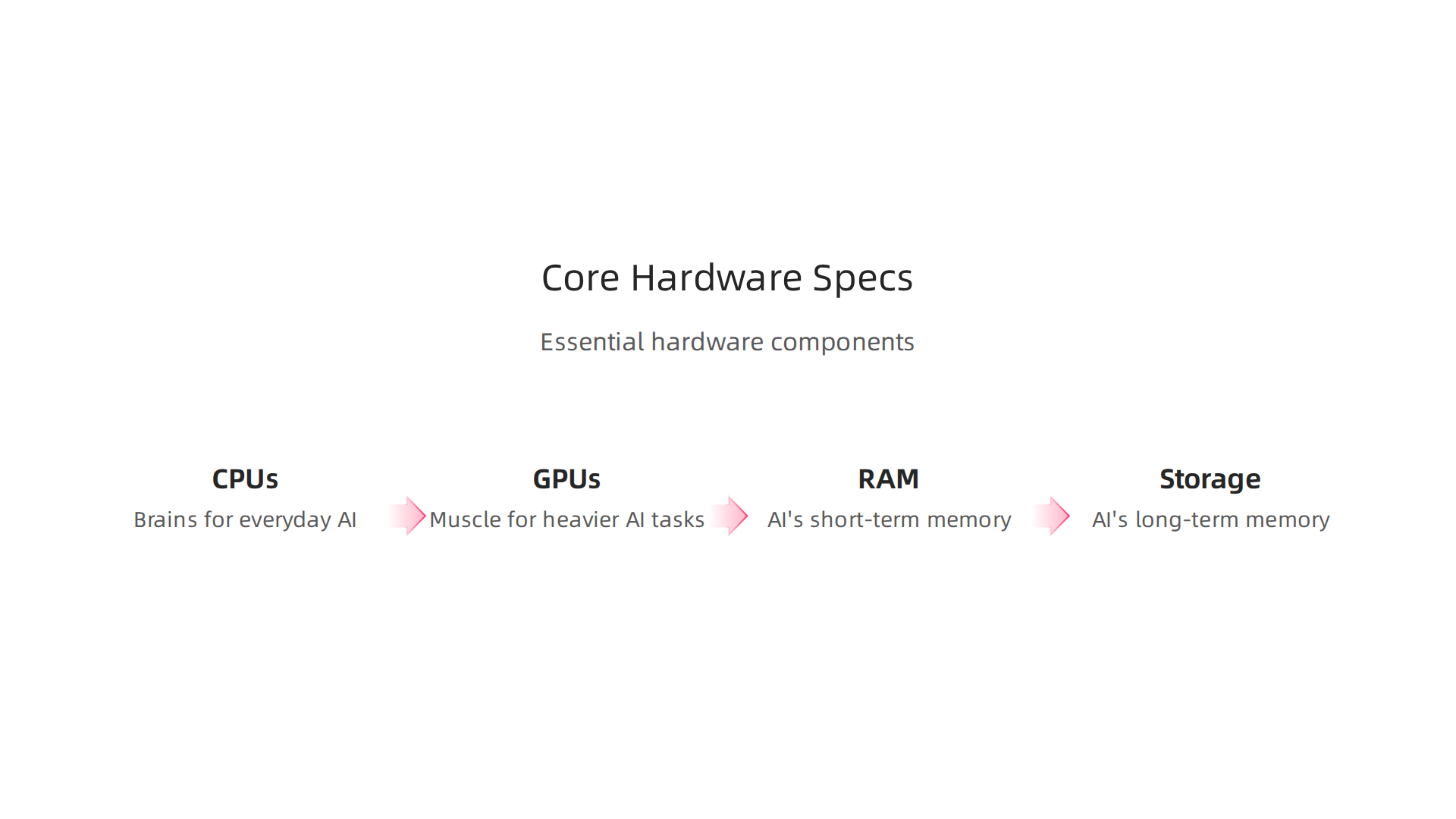
These parts are called hardware specs. Think of them as the engine and other important bits of a car. Each part helps with different kinds of AI work.
CPUs: The Brains for Everyday AI
The CPU, or Central Processing Unit, is like the main brain of your computer. For AI, how powerful your CPU needs to be depends on the task.
- CPU Cores: CPUs have "cores," which are like mini-brains working together. More cores can help with tasks that need many things done at once.
- Single-Thread Performance: This means how fast one of those mini-brains can work on its own. For quick AI tasks like simple searches or small actions (often called inference), fast single-thread performance is very important. Many newer
thinkpad modelshave CPUs that are great for this kind of quick, on-the-spot AI work. - Platform Memory Bandwidth: This is about how fast the CPU can get information from the computer’s memory (RAM). Good bandwidth helps the CPU keep working smoothly without waiting for data. For light AI use and small learning tasks, a strong CPU is key, as it often handles many calculations that lead to the AI’s answer. Benchmarks like Cinebench help show how well a CPU performs for rendering and multi-threaded tasks, which can be similar to some AI workloads How to Use and Interpret Cinebench 2026 Results. For a deeper look into CPU performance for AI, you can explore comparisons like CPU Vs GPU In 2026: Key Differences, Use Cases, And Tips.
GPUs: The Muscle for Heavier AI Tasks
The GPU, or Graphics Processing Unit, is like the muscle of your computer, especially for AI. It’s really good at doing many math problems at the same time, which is exactly what AI needs for training and fine-tuning.
- Integrated vs. Discrete GPUs:
- Integrated GPUs are built right into the main CPU chip. They share memory with the CPU and are good for lighter AI tasks, like running a simple AI chatbot on your
lenovo thinkpad x series. - Discrete GPUs are separate, more powerful chips with their own dedicated memory (VRAM). These are found in powerful laptops or desktop computers, like an
ibuypower pc, and are much better for heavy AI work.
- Integrated GPUs are built right into the main CPU chip. They share memory with the CPU and are good for lighter AI tasks, like running a simple AI chatbot on your
- Dedicated VRAM (Video RAM): This is super important for AI. VRAM is special memory just for the GPU. The more VRAM a GPU has, the bigger and more complex AI models it can handle directly on the computer. For tasks like fine-tuning a large AI model or doing a lot of local experimentation, you’ll want a GPU with plenty of VRAM. A good example of understanding which laptop graphics card is best for various AI tasks can be found in resources like Understanding the Best Laptop Graphics Card 2026.
RAM: The AI’s Short-Term Memory
RAM (Random Access Memory) is where your computer keeps information that it’s actively using right now. For AI, having enough RAM is super important.
- Holding Large Models: If you’re working with big AI models or lots of data at once, you need a lot of RAM. Fine-tuning, for example, often needs 16GB, 32GB, or even 64GB of RAM to hold the AI model and the data it’s learning from.
- Speed Matters: The speed of your RAM also makes a difference. Faster RAM means the CPU and GPU can get the information they need more quickly. This leads to smoother and faster AI processing.
Storage: The AI’s Long-Term Memory
Storage is where your computer saves everything permanently, like programs and all your AI data.
- SSD vs. HDD:
- SSDs (Solid State Drives) are much faster than older HDDs (Hard Disk Drives). For AI, you definitely want an SSD. It allows the computer to load large AI models and datasets quickly, which speeds up both training and inference.
- Capacity: AI models and data sets can be huge. Make sure your computer has enough storage space, usually 512GB or 1TB (terabyte) or more for serious AI work. Fast storage is crucial for AI workloads, as models can quickly read and write large files during training or fine-tuning AI Workloads Storage Architecture.
Choosing the right mix of these hardware parts will make sure your AI tasks run smoothly. When looking at different lenovo thinkpad t14 gen 2 models or other laptops, remember to match these specs to the AI work you plan to do. For businesses exploring powerful local setups, sometimes even checking out Gaming PC Deals 2026 How AI Hardware Makes Mid-Range Systems Outperform can offer surprising value. If you’re considering MacBooks for AI, you might find valuable insights in this guide to Picking the Best MacBooks for AI for Your 2026 Projects.
Once you know what computer parts are best for AI, there’s another big thing for businesses to think about: how safe and easy those computers are to handle. This is super important when a company buys many computers for its team, especially for sensitive AI work. Features like strong security, being able to manage many devices at once, and easy setup help save money and keep everything running smoothly.
Security Features: Keeping AI Safe
For businesses, especially those dealing with important AI projects, security is key.
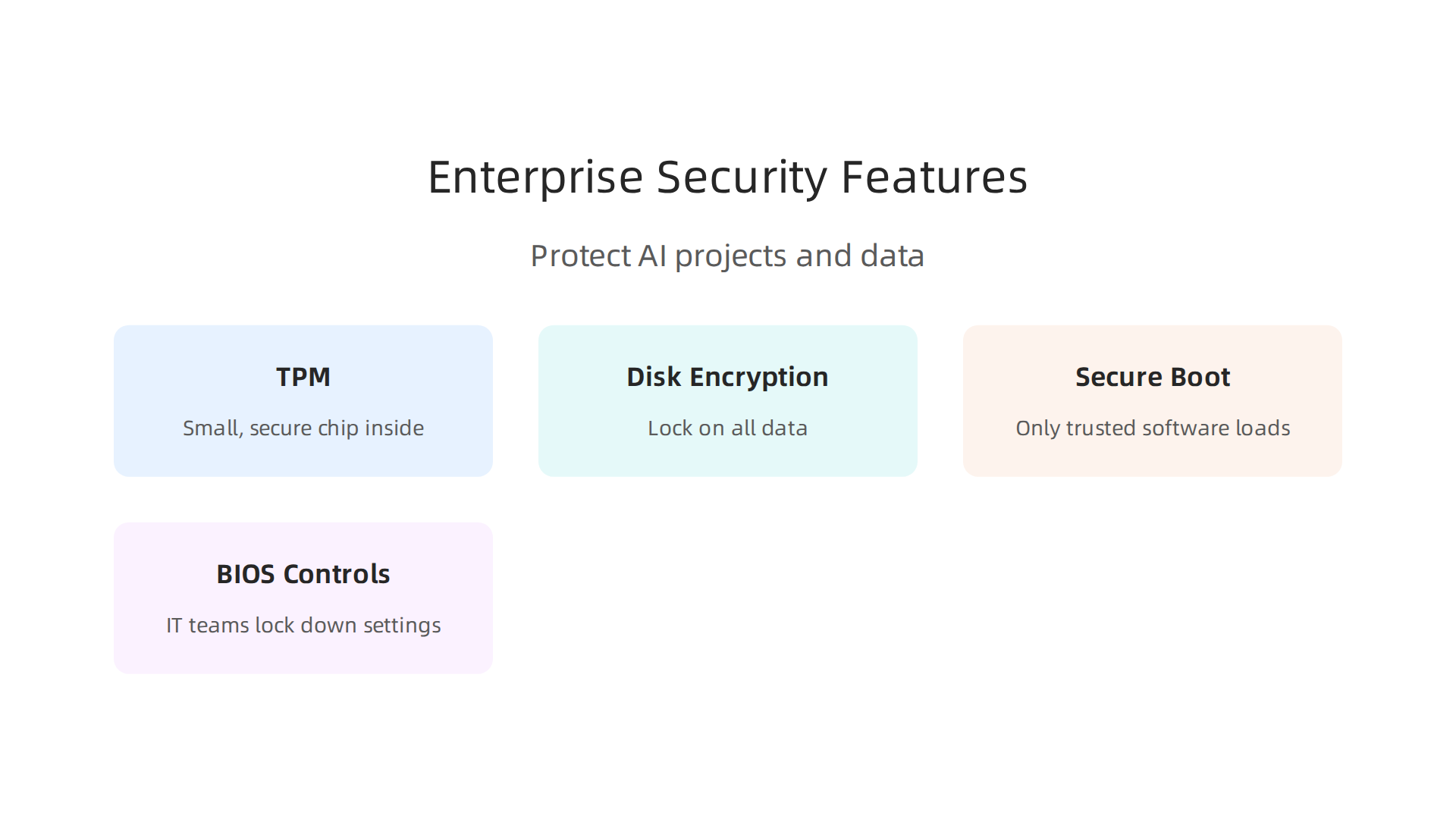
Good thinkpad models and other business laptops come with special tools to keep your data and AI models safe.
- Trusted Platform Module (TPM): This is a small, secure chip inside the computer. It helps make sure your computer starts up safely and that no one has changed its important software. It also helps with things like disk encryption. Many security checklists for 2026 say you need TPM for high-risk users Endpoint Security Hardening in 2026: A Practical Checklist for ….
- Disk Encryption: Imagine putting a lock on all the data on your computer’s hard drive. That’s what disk encryption does. If a laptop like a
lenovo thinkpad x seriesgets lost or stolen, your important AI data stays private because it’s scrambled and locked. - Secure Boot: This feature helps protect your computer when it first turns on. It makes sure that only trusted software loads. This stops bad software from hijacking your computer right from the start. Keeping Secure Boot enabled is a key part of protecting endpoints Guidance for Managing UEFI Secure Boot. In 2026, many companies are updating how they manage Secure Boot to keep up with new threats Secure Boot Certificate Rollout 2026: Critical Update for Windows Devices.
- BIOS Controls: The BIOS is like the computer’s basic instruction book. Business-focused machines give IT teams special controls here. They can lock down settings to make sure users can’t change important security features, which helps keep all computers on the network just as safe.
Manageability and Fleet Deployment: Easy for IT
When a company has many AI-ready computers, like a fleet of lenovo thinkpad t14 gen 2 laptops, managing them all can be a big job. This is where manageability features really shine.
- Remote Management: IT teams need to set up, update, and fix computers without being right next to them. Tools for remote management let them do this from afar. This means they can get new AI-capable computers ready quickly and push out important security updates to everyone at once.
- Driver Updates and MDM: Keeping drivers (small programs that help hardware work) up to date is crucial for AI. Business computers often work well with special software called Mobile Device Management (MDM). MDM helps IT teams easily manage all devices, including making sure all drivers are current and secure. For anyone looking to select the right technologies to help their business grow, understanding these management systems is key Unlock Growth by Selecting the Right Smart Technologies in 2026.
These features help businesses reduce their Total Cost of Ownership (TCO). This means they spend less money over time because their IT teams can work more efficiently. Instead of manually fixing each computer, they can manage many thinkpad x series laptops at once, saving time and money. For businesses trying to use AI to grow, picking computers with these enterprise features is a smart move.
Even with the best parts, how a computer handles heat is super important for AI work. When a computer runs hard, it gets hot. If it gets too hot, it has to slow down to protect itself. This slowing down is called "throttling," and it can really mess up AI tasks that need to run fast for a long time.
Short Tests vs. Long Work
Many computer tests, called benchmarks, only show how fast a computer can go for a few seconds. They are like a quick sprint. But AI work is more like a marathon. It needs the computer to stay fast for many minutes or even hours.
If a thinkpad models laptop or a powerful desktop like an ibuypower pc can’t keep itself cool during these long tasks, its great parts won’t perform their best. The computer will get hot, slow down, and your AI projects will take much longer to finish. This is why "sustained throughput" matters. It means the computer can keep up its speed over a long time, not just for a quick burst.
What to Look For to Avoid Slowdowns
When picking a computer for AI, especially models like the lenovo thinkpad x series or lenovo thinkpad t14 gen 2, here are some things to check:
- Good Cooling Design: Look for computers that have big fans, many vents, or even special liquid cooling systems. These designs help move heat away from the important parts so they can keep working at full speed.
- Vendor Thermal Profiles: Check what the company that makes the computer says about its cooling. Some computer brands let you pick different "thermal profiles" or modes. These can make the fans spin faster to keep things cooler, even if it means a bit more noise.
- Independent Stress Tests: Don’t just trust the company’s numbers. Look for reviews from other websites or experts who test computers. They often run special "stress tests" that push the computer hard for a long time. These tests will show if a computer can keep its speed up or if it starts to slow down because of heat.
- Reviews for Gaming PCs: Many gaming computers need good cooling for long play sessions. You can often learn a lot about a laptop’s cooling abilities by reading reviews focused on gaming performance, as AI tasks can be just as demanding. For budget-friendly options, consider a used gaming PC for AI to get strong cooling and graphics power.
By looking into these details, you can pick a computer that won’t surprise you with slowdowns when you need it most.
After thinking about how to keep your computer cool, it’s also important to pick the right type of machine from the start. Not all computers are made the same, especially when we talk about business needs. This is where different thinkpad models and other business computers come in. They are built with different things in mind, like how tough they are or how easy they are to fix.
ThinkPad Models and Comparable Business Lines: Matching Features to Use Cases
Choosing a computer for AI is not just about raw power. It’s also about how reliable it is, how long it will last, and if it can work well with the special software you use. Business laptops, like the various thinkpad models, are often designed with these practical needs in mind.
Here are some key things that make business laptops different and why they matter for AI:
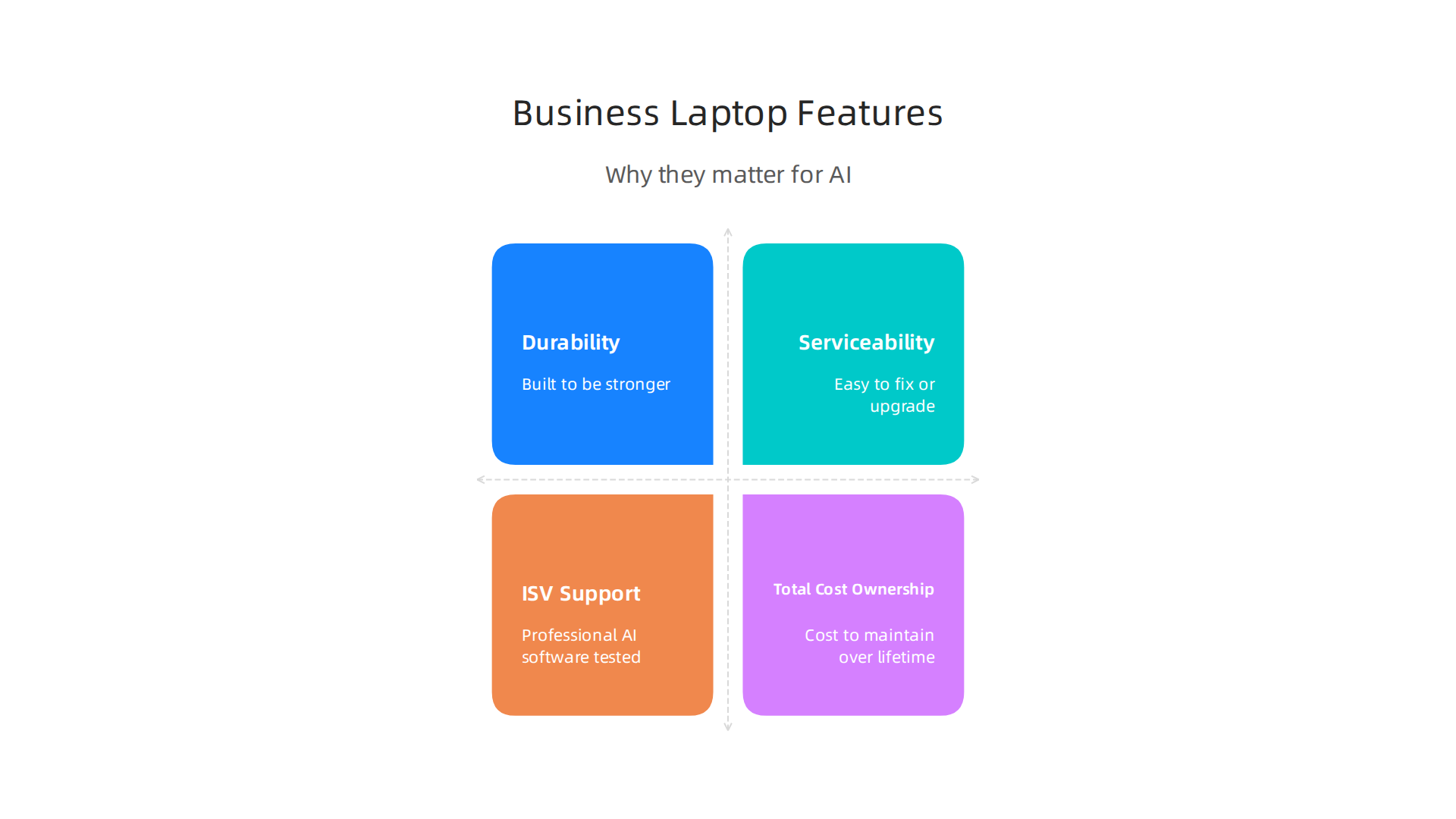
- Durability (How Tough It Is): Business laptops are often built to be stronger. They can handle being carried around and opened many times. This is important for AI users who might take their laptop to different places. A strong laptop means fewer broken parts and less time away from your important AI projects.
- Serviceability (How Easy to Fix): When something breaks, how easy is it to get fixed or upgraded? Business laptops are usually made so that IT teams can swap out parts like memory or storage more easily. This helps keep costs down over time. Keeping track of your business hardware lifecycle is key, as companies often refresh power-user laptops every 2 to 3 years to meet high demands, according to experts in 2026 Enterprise IT Hardware Refresh Cycles: 2026 Guide.
- ISV Support (Software Works Right): ISV stands for "Independent Software Vendor." This means that companies making professional AI software have tested their programs on certain business laptops. When a laptop has ISV support, it’s more likely your specialized AI tools will run smoothly without unexpected problems.
- Total Cost of Ownership (TCO): When buying a computer for business, the sticker price is just the start. You also need to think about how much it will cost to maintain, fix, and update it over its lifetime. Studies show the purchase price is only a small part of the total cost Enterprise Laptop Manufacturer Selection Guide. This is where good durability and serviceability save money.
Picking the Right Laptop for Your AI Work
To make a good choice, think about how you will use the computer. Here’s a simple guide to help match different business laptop families to common AI jobs:
- Road Warrior (Someone Who Travels a Lot): If you are always on the go, you need a light laptop with a long battery life. Models like the
lenovo thinkpad x seriesare perfect for this. They are thin, easy to carry, and reliable. - Data Scientist (Needs Lots of Power): For heavy AI tasks that need strong processing and lots of memory, you might look at more powerful
thinkpad models, such as thelenovo thinkpad t14 gen 2or other laptops in the T-series. These often have better cooling and can handle more demanding work. For even more power, a dedicated desktop like anibuypower pcmight be considered. - Developer Workstation (Building AI Tools): Similar to a data scientist, a developer needs top-notch performance. They might also need many ports to connect extra screens or devices. High-end ThinkPads or powerful custom desktops are good fits here.
- Hybrid Worker (Mix of Home and Office): If you work both at home and in an office, you need a laptop that’s good for both. A balanced option like the
lenovo thinkpad t14 gen 2gives you good power for AI tasks while being easy to move around.
Making smart choices about your AI hardware helps you unlock growth by selecting the right smart technologies in 2026. Stay ahead with daily AI and technology insights by signing up for The AI Newsletter Worth Reading.
Connectivity, Expandability, and Peripherals: Building an AI-Ready Workstation
Beyond choosing the right core computer, like a powerful thinkpad models laptop, how you connect it to other things is just as important for serious AI work. This means looking at ports, extra graphics cards, docking stations, and how your computer talks to the internet and stores files. These parts help make sure your AI tasks run smoothly and you can work without frustrating slowdowns.
Ports: Your Computer’s Connection Points
Modern laptops, including many lenovo thinkpad x series or the lenovo thinkpad t14 gen 2, come with different types of ports. For AI, you will want ports that are fast and versatile.
- Thunderbolt or USB4: These are very important. They let you connect to many devices at once through a single cable. You can plug in fast external storage, multiple screens, and even an external GPU.
- Ethernet: While Wi-Fi is common, a wired Ethernet connection is much faster and more stable. This is key for downloading large AI datasets or sending results to the cloud without interruptions.
- Other USB Ports: Having a mix of USB-A and USB-C ports allows you to connect all your devices, from keyboards and mice to external hard drives.
External GPU Enclosures (eGPUs): More Graphics Power
Sometimes, even a strong laptop might not have enough graphics power for very demanding AI tasks. This is where an external GPU enclosure comes in. It’s a box that holds a desktop graphics card and connects to your laptop, usually through a Thunderbolt port. This can give your laptop a big boost in AI processing, making it almost as powerful as a desktop computer like an ibuypower pc.
However, it’s good to know that using an eGPU can mean a small loss in performance. For instance, connecting an external GPU through Thunderbolt 4 might mean your graphics card works 15% to 30% slower than if it were inside a desktop computer My 1-Year Review of Using an External GPU (eGPU) with a Thin …. Newer connections like Thunderbolt 5 can reduce this loss to about 5% to 15% The best eGPU enclosures for Linux in 2026, from TB5 to …. For best results, it’s often better to use an external screen with your eGPU setup instead of your laptop’s built-in screen, as this can improve performance
eGPU Performance: Internal vs. External Display. If you’re looking for extra power on a budget, sometimes even a used gaming PC for AI can offer a strong GPU.
Docking Strategies: One Cable Does It All
A docking station is a hub that connects to your laptop with one cable and lets you plug in all your other devices: monitors, keyboard, mouse, Ethernet, and external drives. This is super helpful if you move your laptop between different workspaces, making it easy to set up your full AI workstation quickly.
Storage Tiers and Backup: Keeping Your Data Safe
AI work often involves huge amounts of data. Having the right storage is crucial.
- NVMe SSDs: These are the fastest storage drives, perfect for your operating system and active AI projects that need quick access to data.
- SATA SSDs: Still very fast, but a bit slower than NVMe. Good for storing larger datasets that you don’t need to access constantly.
- External Hard Drives: Useful for long-term storage or backups.
Always have a backup plan for your important AI experiments and data. Losing your work due to a broken drive can set your projects back significantly. Make sure you regularly copy your data to another drive or a cloud service. This way, your local experiments are safe and you can always go back to a previous version if needed.
After figuring out the best ways to connect your AI workstation, it’s time to think about the money side of things. For teams, buying computers like different thinkpad models for AI isn’t just about picking the fastest machine. It’s also about smart spending, making sure those computers last, and getting good value for your money. This is especially true when you’re looking at a fleet of lenovo thinkpad x series laptops or even powerful desktop ibuypower pc setups for your whole team.
Budgeting for Your AI Team
When you buy computers for a team, you usually think about two main ways to spend money:
- Capital Expenses (Capex): This is when you buy something outright, like a new
lenovo thinkpad t14 gen 2laptop or an external GPU. It’s a big, one-time payment. This kind of spending is often seen as an investment that adds value over time. - Operating Expenses (Opex): These are the ongoing costs, like paying for software licenses each month, cloud services, or even repair services. These are smaller, regular payments that keep things running.
Choosing between Capex and Opex depends on your team’s needs and how your company likes to manage money. For example, buying powerful workstations (Capex) might cost more upfront, but it could save you money in monthly cloud fees (Opex) if your team does a lot of AI work locally.
Warranty and Service Tiers
For businesses, a good warranty is super important. If a computer breaks down, you need to fix it fast so your team can keep working. Most manufacturers offer different warranty plans:
- Standard Warranty: Covers basic repairs for a certain time, usually a year.
- Extended Warranty: Gives you coverage for a longer period, like three or five years.
- On-Site Service: This means a technician comes to your office to fix the computer, which saves time compared to sending it in.
- Accidental Damage Protection: Covers things like spills or drops, which can be a lifesaver in a busy workplace.
A better warranty can mean less downtime for your team, which keeps your AI projects on track.
Expected Lifecycle of AI Machines
How long should an AI-ready computer last? For simple office tasks, a computer might be good for five years or more. But for demanding AI work, new technologies come out quickly. A machine that’s great today might not be fast enough in three years.
You can check how powerful a computer is using special tests called benchmarks. These tests measure how well a CPU, GPU, and NPU perform with AI tasks, giving you a good idea of its capabilities today and how long it might remain competitive Laptop AI Benchmarks 2026 — NPU TOPS & LLM tokens/sec. Paying attention to thermal management is also key to ensuring your laptops stay fast over time Why Laptop Cooling Matters More Than Ever in 2026.
Return on Investment (ROI) Checklist for AI Tools
Measuring ROI means looking at how much value you get back from your investment.

For AI-capable computers, here’s a simple checklist:
- Productivity Gains: How much faster can your team complete AI tasks? If a better computer cuts down project time by 20%, that’s a big win.
- Software Licensing Costs: Factor in the price of AI software and tools. Sometimes, free or open-source tools can lower your Opex.
- Cloud vs. Local Costs: This is a big one. Running AI models on your own powerful computers (local) means less money spent on cloud services. But if your team only needs AI power sometimes, cloud services can be cheaper. A general idea is that a gaming laptop can be 54% less costly than a desktop for similar performance, which might affect the cloud vs. local calculation too Gaming Laptop vs Desktop 2026: 54% Gap, $919 Entry.
- Training and Learning: If your team learns how to use these powerful machines better, they become more efficient.
By carefully planning your budget and thinking about ROI, you can make sure your team has the best tools for AI work without overspending. It helps to choose the right AI tools for business that deliver real results. For more details on smart spending, check out tips on tech for less AI operations cut costs without cutting corners in 2026. Also, understanding how to choose AI for business tools that deliver real results in 2026 can help ensure your investments pay off.
Summary
As AI becomes central to everyday business work in 2026, choosing the right laptops and desktops requires more than trusting marketing labels like