Using the right tools is super important for any job, and it’s especially true for teams working with Artificial Intelligence, or AI. In 2026, AI is changing how we do business at a very fast pace.

This means that choosing the best tech products for your AI team is not just a small choice. It can make a big difference in how well your projects turn out.
Think about it: AI professionals need strong computers, smart software, and smooth ways of working together. But sometimes, it feels like there are too many options. It can be hard to know which hardware will make your AI models run fastest, or which software will help your team work best without costing too much. Many companies use AI, but not all of them see a good return on their investment. Actually, a report from Q1 2026 showed that only 8 percent of companies get a clear return on their AI money spent Global AI Pulse Q1 2026. This often happens because they pick the wrong tech products or don’t use them well.
This guide is here to help you. We will look at the common problems AI teams face when picking their tools. This includes everything from picking the right computers to setting up smart ways to work. We will make it easy to understand, giving you clear steps and tips. Our goal is to help busy team leaders and decision-makers like you make smart choices about your AI tech products. You’ll learn how to pick tools that truly help your team do amazing things. For a deeper dive into making smart choices, learn how to choose AI-ready business computers in 2026.
Stay ahead with the latest insights and trends in AI.
The AI Newsletter Worth Reading
Moving from picking the right kind of computers for AI to the actual machines themselves, let’s look closely at the hardware that makes AI work. Picking the right workstation and its main powerhouse, the Graphics Processing Unit (GPU), is a big step.

It’s like choosing the right tools for a builder: a small hammer won’t build a skyscraper.
1) Workstations & GPUs: what to buy and when
When it comes to the actual computers, AI teams need different kinds of tech products for different jobs.
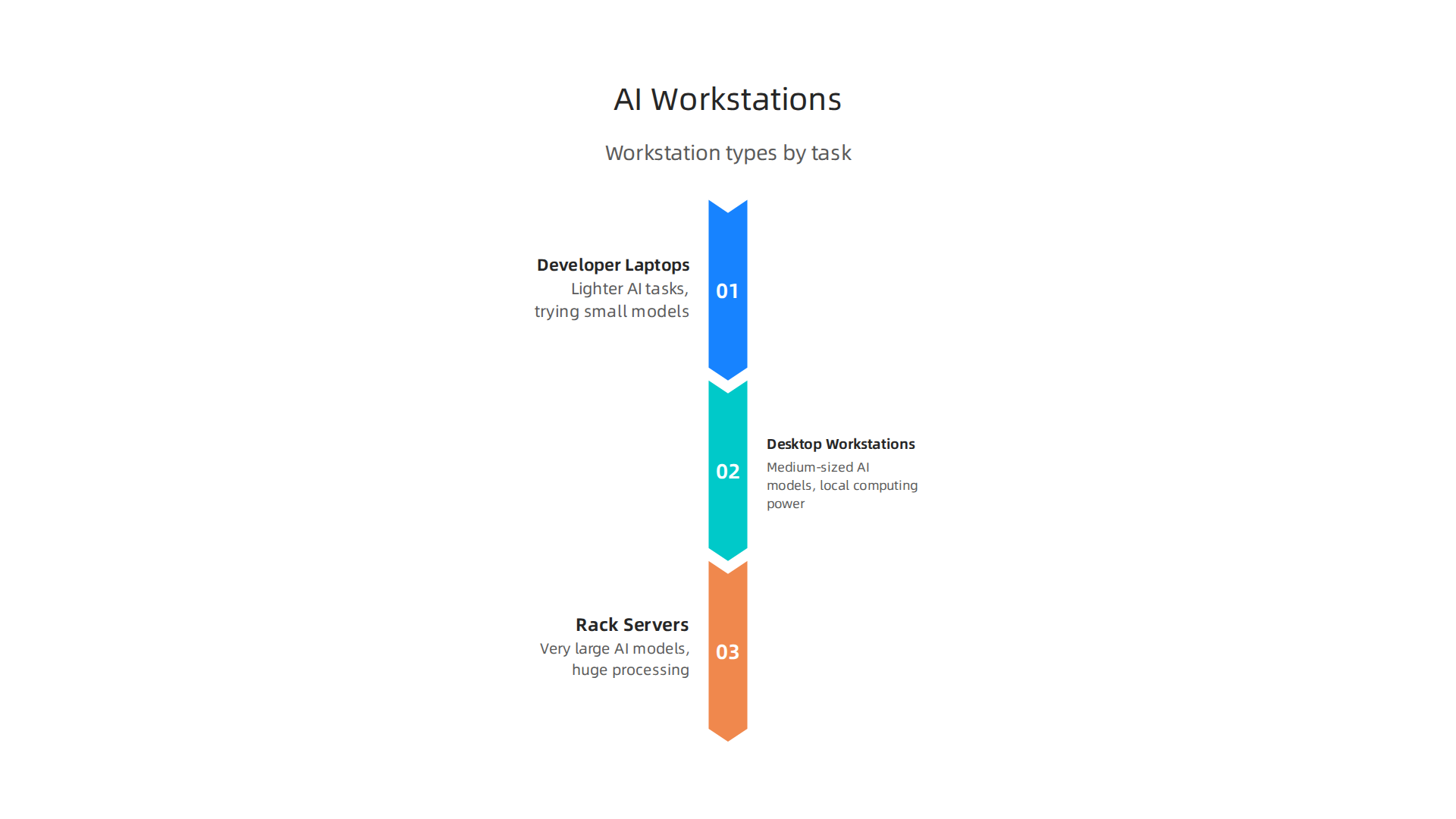
- Developer Laptops: These are good for people who are just starting out, or for lighter AI tasks like trying out small models or writing code. A strong laptop, like a good picking the best Macbooks for AI for your 2026 projects or a
thinkpad for programming, lets developers work from almost anywhere. They are easy to carry and powerful enough for many daily tasks. - Desktop Workstations: These are more powerful. They can hold bigger and better GPUs and have more memory. Desktop workstations are great for training medium-sized AI models or for when a team member needs a lot of local computing power. If you are looking to build one, you might wonder about the
best place to buy pc parts. For those who prefer a ready-to-go option, looking for abest buy prebuilt gaming pccan sometimes lead to good deals on powerful machines that can be used for AI. You can also learn how to build and optimize your AI workstation for peak performance 2026. - Rack Servers: These are the big guns. They are kept in special data centers and can hold many powerful GPUs. Rack servers are used for training very large AI models that need huge amounts of data and processing power, or for running many AI tasks at once. These are for serious, large-scale AI operations.
Understanding GPUs: The Brains of AI Computing
The GPU is the most important part of any AI workstation. It’s what actually does the heavy lifting for AI tasks. When choosing a GPU, here are the key things to think about:
- Memory (VRAM): This is super important. More VRAM means you can work with bigger AI models and larger amounts of data at one time. For example, a GPU with 80 GB of memory can help you train models with around 13-15 billion data points, and even larger ones for just running them Best GPU for Data Science Workstations in 2026. Some newer GPUs in 2026 offer even more, like 192 GB of VRAM for the biggest tasks Best GPU for AI Inference in 2026: Benchmarks, Pricing, and ….
- Compute Type: This refers to how fast the GPU can do math. You might hear terms like "FLOPS" (Floating Point Operations Per Second) or "Tensor Cores." Tensor Cores are special parts of NVIDIA GPUs that are really good at the kind of math AI needs, speeding up many common AI tasks Accelerating ML Workloads using GPU Tensor Cores. Different GPUs perform differently across various AI workloads, and benchmarks help compare them AI GPU Benchmarks 2026: H100 vs H200 vs B200 vs RTX ….
- Power Budgets: Powerful GPUs use a lot of electricity and create a lot of heat. You need to make sure your workstation has enough power and good cooling to handle them. This is especially true for
compact gaming pcsetups, where space for cooling is limited. - PCIe vs. NVLink: These are ways GPUs connect to the computer’s main board or to each other.
- PCIe (Peripheral Component Interconnect Express) is the standard way. It works well for one or two GPUs.
- NVLink is a faster connection method, mainly used by NVIDIA GPUs. It lets multiple GPUs talk to each other much quicker. This is vital when you have many GPUs working together on a single, huge AI model, as it helps them share information faster.
Choosing the right tech products for your AI hardware means thinking about what your team will actually be doing. Will they be training huge models daily, or mostly experimenting with smaller ones? Matching the right workstation and GPU to the task will save you time, money, and headaches.
Choosing where your AI tech products and workloads live is just as important as picking the right machines. You have two main choices: using cloud services or keeping everything on your own computers, also known as "on-premise." Each option has its own upsides and downsides when we look at costs, how fast things work, and rules about data.
2) Cloud vs. on-premise: cost, latency, and compliance trade-offs
Let’s break down the main differences between using the cloud and keeping things on-premise for your AI tasks in 2026.
Understanding the Costs
- Cloud Costs: Cloud services, like those from big companies, let you rent computing power. You pay for what you use. This can be great for trying new things or for tasks that don’t happen all the time. It avoids a big upfront cost. However, if you’re constantly running large AI models, the costs can add up quickly over time. Sometimes, yearly cloud costs can even be more than running your own setup, especially for heavy AI inference tasks. You can use tools to compare the total cost over time for cloud versus on-premise AI systems in 2026 to get a clearer picture AI Inference Cost 2026: CapEx vs OpEx, Edge vs Cloud + ….
- On-Premise Costs: Buying your own servers and GPUs means a large cost at the start. You also need to pay for power, cooling, and people to manage the systems. But for companies that run AI tasks all the time, owning your tech products can be cheaper in the long run. For example, setting up a cluster of NVIDIA H100 GPUs for a large language model could cost around $200,000, plus about $30,000 a year for power and cooling, but these costs are spread out over several years LLM Inference Cost Calculator — Cloud vs. On … – Taction Software.
Latency: How Fast Is It?
Latency is how long it takes for a system to respond.
- On-Premise: When your AI hardware is right in your office, the data doesn’t have far to travel. This means very low latency, which is super important for AI applications that need to react instantly, like self-driving cars or real-time factory controls.
- Cloud: Data has to travel to and from the cloud data centers. This can add a small delay. For many tasks, this delay is not a big deal, but for those needing instant answers, it can be a problem.
Rules and Privacy: Compliance and Data Residency
This is often the biggest reason why companies choose on-premise or a mix of both.
- Data Residency: This means where your data is actually stored. Many laws, especially for healthcare, finance, or government, require data to stay within a certain country or region. For AI, this includes all the data used to train models, the models themselves, and any results AI Data Residency Requirements by Region: The Complete ….
- Data Sovereignty: This is about whose laws apply to your data. If your data must obey the laws of a specific country, having your own servers there ensures this.
- Compliance: Following these rules is a must. If your business handles sensitive information, or operates in a regulated industry, you might be required to keep your AI workloads on-premise or use a hybrid setup where sensitive data stays local Hybrid LLM deployments, when to keep workloads on-prem.
For businesses that need full control over their data’s location and legal framework, an on-premise or hybrid approach is often the only way to meet strict compliance rules. This helps avoid problems with things like GDPR in Europe, where rules about data are very strict On-Premise RAG: Deployment Guide for Regulated Sectors – edtek.ai.
Hybrid Setups: The Best of Both Worlds
Many companies use a hybrid setup. They use the cloud for tasks that are not sensitive or need a lot of flexible power. They keep sensitive data and critical AI processes on their own servers to meet rules and ensure low latency. This allows them to use the advantages of both cloud and on-premise solutions. To make smart choices for your business, it’s helpful to understand how to choose AI ready business computers in 2026 that can fit into either setup.
Staying informed about these choices is key to making the best decisions for your business.
Want to keep up with the newest trends and insights in AI and technology? Get clear daily AI updates from The AI Newsletter Worth Reading.
After figuring out where your AI workloads will run, the next big step is choosing the right software tools. These developer tools are like the workbench and toolkit for creating, managing, and improving your AI models. Picking the right ones is just as important as selecting the powerful hardware or cloud services we talked about earlier.
3) Developer tools: IDEs, model ops, and experiment tracking
To build successful AI tech products in 2026, you need a set of smart software tools. These tools help developers at every stage, from the first idea to a working AI system.
Essential Software Categories for AI Development
Here are the main types of software tools every AI team needs:
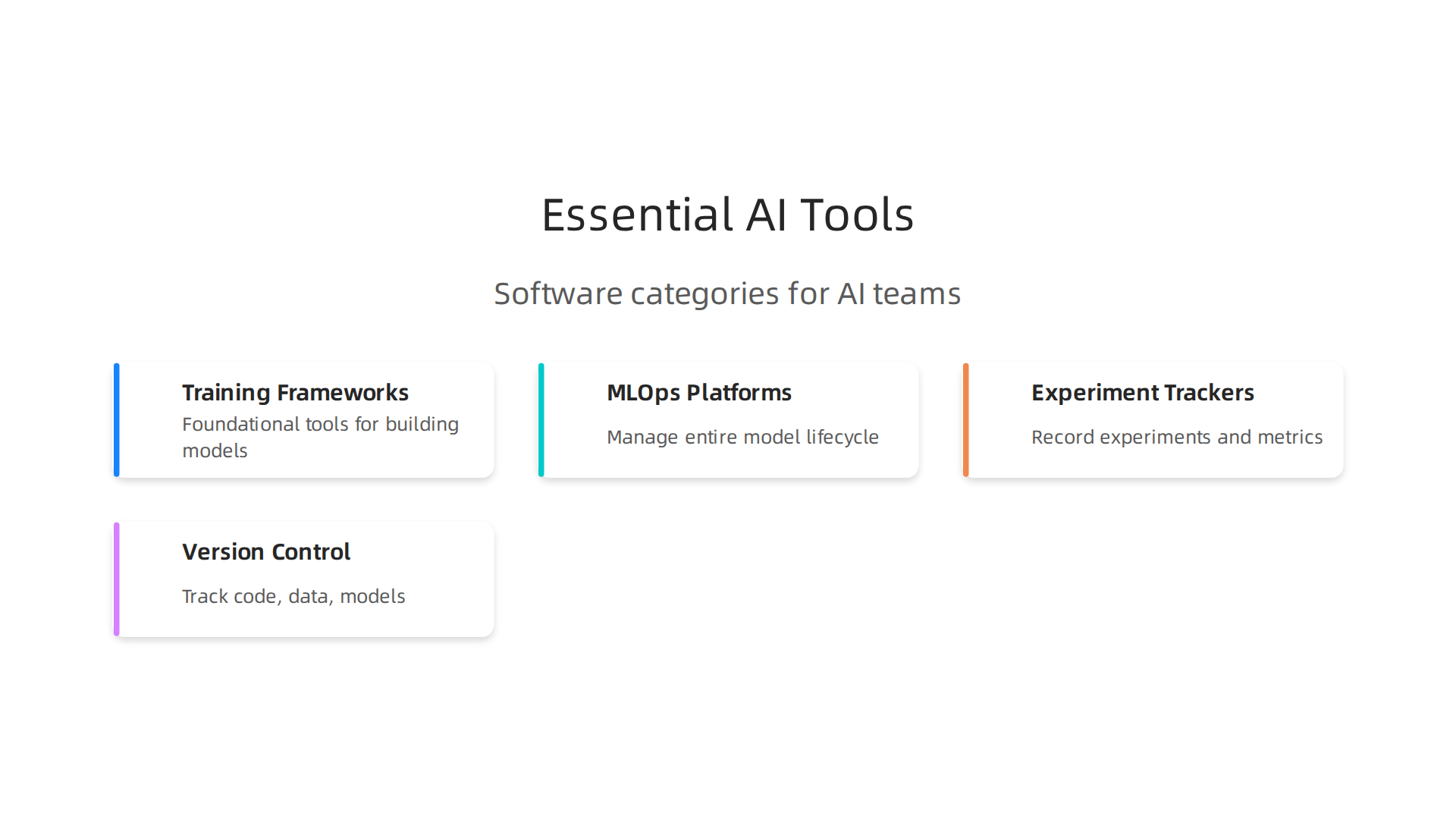
- Model Training Frameworks: These are the foundational tools for building AI models. Think of them as the programming languages specifically designed for AI. Popular examples include TensorFlow and PyTorch, which help developers write the code that teaches AI models.
- MLOps Platforms: MLOps, or Machine Learning Operations, is all about making the process of creating and deploying AI models smooth and reliable. It helps teams manage the entire lifecycle of an AI model, from training to testing and putting it into action. MLOps helps companies get their AI models into production in days instead of months by automating many steps, as highlighted in the 2026 MLOps learning roadmap MLOps Learning Road: Step by Step Guide (2026).
- Experiment Trackers: When you’re building an AI model, you often try many different settings and approaches. Experiment trackers keep a detailed record of each attempt. They log things like the settings you used, the data that went into the model, and how well the model performed. This way, you can easily compare results and know which changes worked best. Tools like MLflow are widely used for this, with a survey showing it dominates the experiment tracking space in 2026 Machine Learning & MLOps – Survey Results 2025–2026.
- Version Control: Just like software developers use version control for code, AI teams use it for their code, data, and even the AI models themselves. This ensures everyone on the team is working with the latest versions and can easily go back to an older version if needed.
Choosing the Right Tools for Your Team
When picking these tech products, think about:
- Team Size: For smaller teams, simpler tools might work fine. Larger teams often need more robust MLOps platforms that allow many people to work together efficiently.
- Deployment Targets: Where will your AI models run? Some tools are better suited for cloud deployments, while others work well for on-premise systems or even smaller edge devices.
- Integration Needs: How well do these tools work with your existing systems and other software? You want tools that play nicely together to avoid headaches.
No matter the scale of your AI ambitions, from personal projects on a powerful computer to enterprise-wide deployments, choosing the right software can make all the difference. To ensure your hardware keeps up, learn how to build and optimize your AI workstation for peak performance in 2026. Making informed choices about these crucial tools helps your business reach its AI goals. If you’re looking for guidance on broad AI adoption, discover how to choose AI for business tools that deliver real results in 2026.
Choosing the right software for building AI models is just one piece of the puzzle. You also need to make sure your AI has good data to learn from. This means having the right tools to bring in, clean, and prepare all that information. Without good data, even the best AI tech products won’t work well.

4) Data pipelines, labeling, and synthetic data tools
Think of data as the food for your AI. Just like you need to prepare good food for yourself, AI needs well-prepared data. This is where data pipeline, labeling, and synthetic data tools come in. They help you get, clean, and make sense of all the information your AI needs.
Tools for Managing AI Data
Here are the main types of tools that help with AI data:
- Data Ingestion Tools: These tools are like smart funnels. They help you collect data from many different places. This could be information from websites, sensors, apps, or even old files. These tools make sure the data flows smoothly into where your AI can use it.
- Data Labeling and Annotation Tools: AI models learn by looking at examples. For instance, to teach an AI to spot cats in pictures, you need to show it many pictures of cats and label them as "cat." These tools let people draw boxes around objects, tag words, or mark sounds in the data. This "labeling" helps the AI understand what it’s looking at. It’s a key part of making useful AI tech products.
- Synthetic Data Generation Tools: Sometimes, you might not have enough real data. Maybe the data is private, or a certain event happens very rarely. Synthetic data tools can create new, artificial data that looks and acts like real data. This fake data can be used to train AI models without using sensitive real-world information. This is a big help for privacy and for making AI smarter faster.
Why Data Quality Matters So Much
The quality of your data directly impacts how well your AI models perform. If your data is messy, incomplete, or wrongly labeled, your AI will learn bad habits. This can lead to wrong answers or even dangerous mistakes.
High-quality data, on the other hand, helps AI models learn faster and be more accurate. This means you get results from your AI projects much quicker, boosting your business value. Actually, good data reduces the time it takes for your AI investments to start paying off.
Also, in 2026, where your data is stored and how it’s handled is super important due to rules and laws. This is called "data residency" and "data sovereignty." Some rules say your data must stay in a certain country or region. Choosing the right tools can help you follow these rules. For example, AI data residency refers to where AI-related data, like training data and model outputs, is stored and processed physically, and these requirements vary by region AI Data Residency Requirements by Region: The Complete …. It’s vital for businesses to understand where their data sits to meet regulatory demands Data Residency for AI Workloads: Enterprise Cloud Guide. For more on keeping up with these important rules, learn about Mastering the AI Future Standard 2026: Your Guide to Compliance and Growth.
To stay ahead in the fast-changing world of AI, keeping up with the latest insights is key.
Get clear daily AI updates from The AI Newsletter Worth Reading.
After making sure your AI has good data, the next step is getting those AI models to work fast and well. This is where cloud services and managed Machine Learning (ML) platforms come in handy. These are special online services that help you build, run, and watch your AI models without having to set up all the complicated computer systems yourself. They are a big part of modern tech products for AI.
When to Choose Cloud Services Over Building Your Own
Imagine you want to build a house. You could buy all the tools and materials, learn how to build, and do it all yourself. Or, you could hire a construction company that already has everything ready.
- Building Your Own (In-House): This means you buy all the computer parts, like servers and special graphics cards (GPUs), and hire experts to set them up and keep them running. This can be cheaper in the very long run if you use them all the time and have a lot of specific needs. For example, if you need a thinkpad for programming or are building a compact gaming pc for AI work, you might consider buying individual pc parts. However, it takes more time and skilled people.
- Using Cloud Services (Managed Platforms): These are like renting that construction company. You pay a service like Google, Amazon, or Microsoft to use their powerful computers and special software tools. This often means you can get your AI projects working much, much faster. It’s often the way to go for many businesses in 2026. While on-premise solutions are required for certain strict data rules, for many others, cloud options can be more flexible and cost-effective, balancing immediate needs with long-term expenses AI Inference Cost 2026: CapEx vs OpEx, Edge vs Cloud + …. You can compare the costs of cloud-based versus on-premise AI solutions using tools like an LLM Inference Cost Calculator.
Choosing managed platforms can help you launch your AI tech products much quicker. This is known as speeding up your "time-to-market."
Key Features of Managed ML Platforms
Managed ML platforms offer some really helpful features that make building and running AI models easier:
- Autoscaling: Imagine your AI tool suddenly becomes very popular. Autoscaling means the platform automatically adds more computer power when many people are using your AI. When fewer people are using it, it scales back down. This saves you money and makes sure your AI always runs smoothly, no matter how busy it gets.
- Model Monitoring: Once your AI model is working, you need to make sure it keeps doing a good job. Model monitoring tools watch your AI closely. They check if it’s giving correct answers, if it’s using too much computer power, or if anything seems off. This helps you fix problems before they become big issues.
- Built-in MLOps: MLOps stands for Machine Learning Operations. It’s about making the whole process of building, deploying, and managing AI models easy and organized. Managed platforms often have MLOps tools already built-in. This means you don’t have to spend a lot of time setting up complex systems. Instead, you can focus on making your AI smarter.
These managed platforms help businesses big and small to use AI without needing to become experts in setting up huge computer systems. If you’re looking to understand the different options, check out our guide on Enterprise AI Platforms 2026: Top Providers and How to Choose the Right One.
To keep learning about these powerful tools and more, don’t miss out on important updates. Stay informed with The AI Newsletter Worth Reading.
After setting up efficient AI models and choosing the right cloud services, the next step is making sure the people who use and create with these AI tools also have the best equipment and ways of working. This is where special accessories and smart team tools come in. They help everyone be more productive.
Essential Gear for AI Creators
Good hardware can make a big difference in how fast and smoothly creative work gets done. Think about what a creator needs beyond just a powerful computer.
- Monitors and Input Devices: Having a large, clear monitor helps you see all your work at once. Special keyboards and mice can make editing, designing, or coding much more comfortable and quicker. For example, if you’re a programmer, having a reliable machine like a MacBook Air M2 Chip Real World Performance for AI and Creative Pros can seriously boost your speed. When choosing computers, consider how to choose AI ready business computers in 2026 to ensure they meet modern demands.
- High-Performance Machines: While the core processing might be in the cloud, a strong local machine is still important for running demanding creative software or quickly previewing AI-generated content. If you’re looking for desktop setups, considering picking the best MacBooks for AI for your 2026 projects or a powerful workstation can be beneficial.
AI Tools for Smarter Creative Work
Today, many helpful software tools use AI to make creative jobs easier and faster. These are like having a smart assistant for your creative tasks.
- Writing and Design Tools: AI can help you write better and design faster. Tools like ChatGPT and Claude are great for generating text ideas, while Midjourney and Adobe Firefly help with creating images. Canva AI can help with templates and graphics, making design simpler for everyone. Actually, in 2026, these are among the 9 Best AI Tools for Creating Digital Products in 2026.
- Video and Productivity Tools: For video creation, tools like Synthesia and Descript use AI to help with editing and even creating AI-generated avatars. You can also explore best AI avatar tools for video content in 2026 for more options. For general tasks, AI productivity tools can help manage your schedule, take notes, and summarize information, speeding up everyday work 19 Top AI Productivity Tools for 2026 (Tested & Reviewed). Many top AI tools for creators are available to help with different parts of the creative process.
Streamlining Workflows with AI Templates
One big challenge is making sure creators and engineers work well together. AI workflow templates can help a lot.
- What are Workflow Templates? Think of these as clear guides or "recipes" for how to do a task using AI. They tell you exactly what steps to take, what information you need to start, and what the final result should look like. These templates help automate parts of your creative work using AI tools like GPT prompts Top AI Workflow Templates (2026): Automations & G….
- Reducing Friction: By using these clear steps, everyone knows what to expect. This means fewer misunderstandings and less wasted time between creators making new things and engineers putting them into real tech products. For example, using Best Notion AI Templates for Productivity 2026 can help teams stay organized. Building repeatable workflows is key to setting up an effective 2026 AI Productivity Stack.
After mastering AI workflows, it’s time to talk about the money side of things. How do you buy these important AI tools and tech products smartly? And how do you know if they are actually helping your business grow? This section will help you understand how to buy, budget for, and measure the success of your AI investments.
Smart Buying for AI Tech Products
When you’re ready to get AI tech products, it’s like shopping for anything important for your business. You want to make sure you get the right stuff without spending too much. This means looking at hardware and software.
First, think about the tools you need. Will you use powerful computers locally, like a dedicated workstation, or mostly cloud-based services? Sometimes, a good local computer is needed for creative work, while for heavy AI tasks, cloud services are best. You also need to think about the full cost over time, not just the starting price. This includes things like ongoing subscriptions, maintenance, and energy use. A 2026 report looked at the total cost of ownership for generative AI, comparing on-premise (local) versus cloud solutions, which can help guide your choices On-Premise vs Cloud: Generative AI Total Cost of Ownership 2026 Edition. Knowing this helps you pick the right mix of resources. You might even find value in exploring options like used PC parts for AI to get powerful performance without a huge budget.
When buying, look for vendors that offer clear terms and good support. A 2026 guide on enterprise AI procurement offers tips on RFPs (requests for proposals) and vendor selection to help you make smart choices The 2026 Enterprise AI Procurement Playbook: RFPs, Vendors & TCO.
Budgeting for AI
Budgeting for AI means knowing where your money will go. Here are some common areas where costs add up:
- Software Subscriptions: Many AI tools work on a monthly or yearly payment plan.
- Hardware: This includes powerful computers for your team, like a ThinkPad for programming or even a compact gaming PC if you need strong graphics power for AI tasks.
- Data Costs: Preparing and storing the data that AI models learn from can be a big expense.
- Talent: Hiring experts to set up and manage AI systems also costs money.
In 2026, the cost for enterprise AI is quite varied. Some large companies spend a lot, but the typical company spends less. Understanding these costs is crucial for planning your budget The AI Cost Stack in 2026: Data, Talent, Compute, and ….
Measuring the Return on Investment (ROI)
After you’ve bought and set up your AI tech products, how do you know if they’re actually making a difference? Measuring ROI means checking if the benefits you get are more than the money you spent.

Here are some ways to measure if your AI tools are successful:
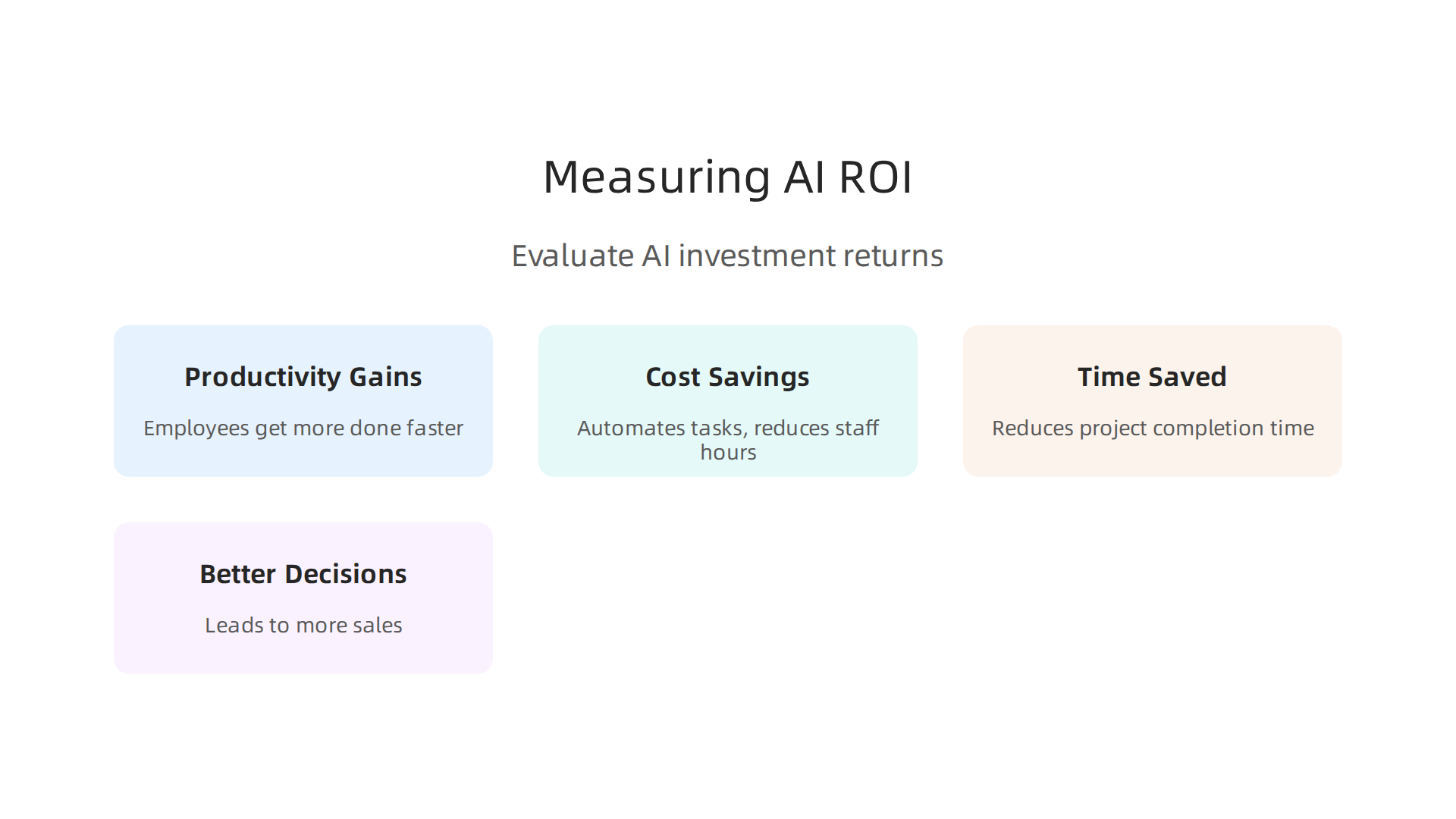
- Productivity Gains: Are your employees getting more done in less time? For example, if an AI writing tool helps a content creator finish articles faster, that’s a win.
- Cost Savings: Is AI helping you save money in other areas? Maybe it automates tasks that used to require a lot of staff hours.
- Time Saved: If AI helps reduce the time it takes to complete a project, that’s valuable. For example, some procurement AI deployments have shown a payback period of just 9 to 18 months Procurement AI ROI: Data From 50 Real Deployments.
- Better Decisions: Is AI helping you make smarter choices that lead to more sales or happier customers?
While many companies are using AI in 2026, actually measuring the ROI can be tricky. Only about 41% of companies using AI can clearly show a measurable ROI on their biggest AI programs State of Enterprise AI 2026 Report. This shows that tracking your AI investments is very important.
For small and medium businesses (SMBs), there’s good news too. AI embedded in revenue or cost flows can show an ROI of 75% to 150% AI ROI for SMBs: 2026 Benchmarks. It’s all about choosing the right tools and tracking their impact carefully.
Want to stay on top of all the latest AI trends and how they impact business?
Join our community of informed professionals.
The AI Newsletter Worth Reading
Summary
This article is a practical guide to choosing the right tech products for AI teams in 2026, covering hardware, software, deployment, data and procurement so leaders can make smarter investments. It explains which workstations and GPUs suit different workloads, and why VRAM, compute type and interconnects like PCIe or NVLink matter. The guide compares cloud, on‑premise and hybrid setups with a focus on cost, latency and regulatory compliance, and it shows when managed platforms make sense. It also outlines essential developer tools—training frameworks, MLOps, experiment trackers and versioning—and the data stack: ingestion, labeling and synthetic data. Finally, the article walks through creator gear, workflow templates, buying strategies, budgeting and practical ways to measure ROI so teams can reduce risk and accelerate value from AI projects.