Tag: creative ai

  • Promptchan AI Guide: Generate Images and Videos from Text in 2026

    Promptchan AI Guide: Generate Images and Videos from Text in 2026

    Introduction: The New Creative Frontier

    Have you ever stared at a blank page or an empty design canvas, wishing for a creative partner that never runs out of steam?

    A person looking thoughtfully, perhaps sketching or brainstorming, symbolizing the start of a creative process.

    That is exactly what generative AI promises. And in 2026, tools like Promptchan AI are making that promise real for creators and businesses around the world.

    The numbers back this up. According to recent research, the generative AI content creation market size is expected to reach nearly USD 143 billion by 2035. That kind of growth does not happen by accident. It reflects a real hunger for practical AI solutions that actually work. If you are new to evaluating these platforms, our AI tool discovery tips can point you in the right direction.

    But here is the thing. With new AI tools launching almost every week, how do you know which ones are worth your time? Information overload is a real problem. You do not need more hype. You need clear, practical guidance.

    That is what this guide is all about. We cut through the noise to give you a focused look at what Promptchan AI offers, how it compares with platforms like Creatify AI, Haiper AI, and Stability AI, and how you can use these tools to get better results in less time.

    Here is what we cover:

    • What makes Promptchan AI different from other AI tools
    • How it compares with the top alternatives in 2026
    • Best practices for getting real value from your AI investment
    • Tips for avoiding common pitfalls when adopting new AI tools
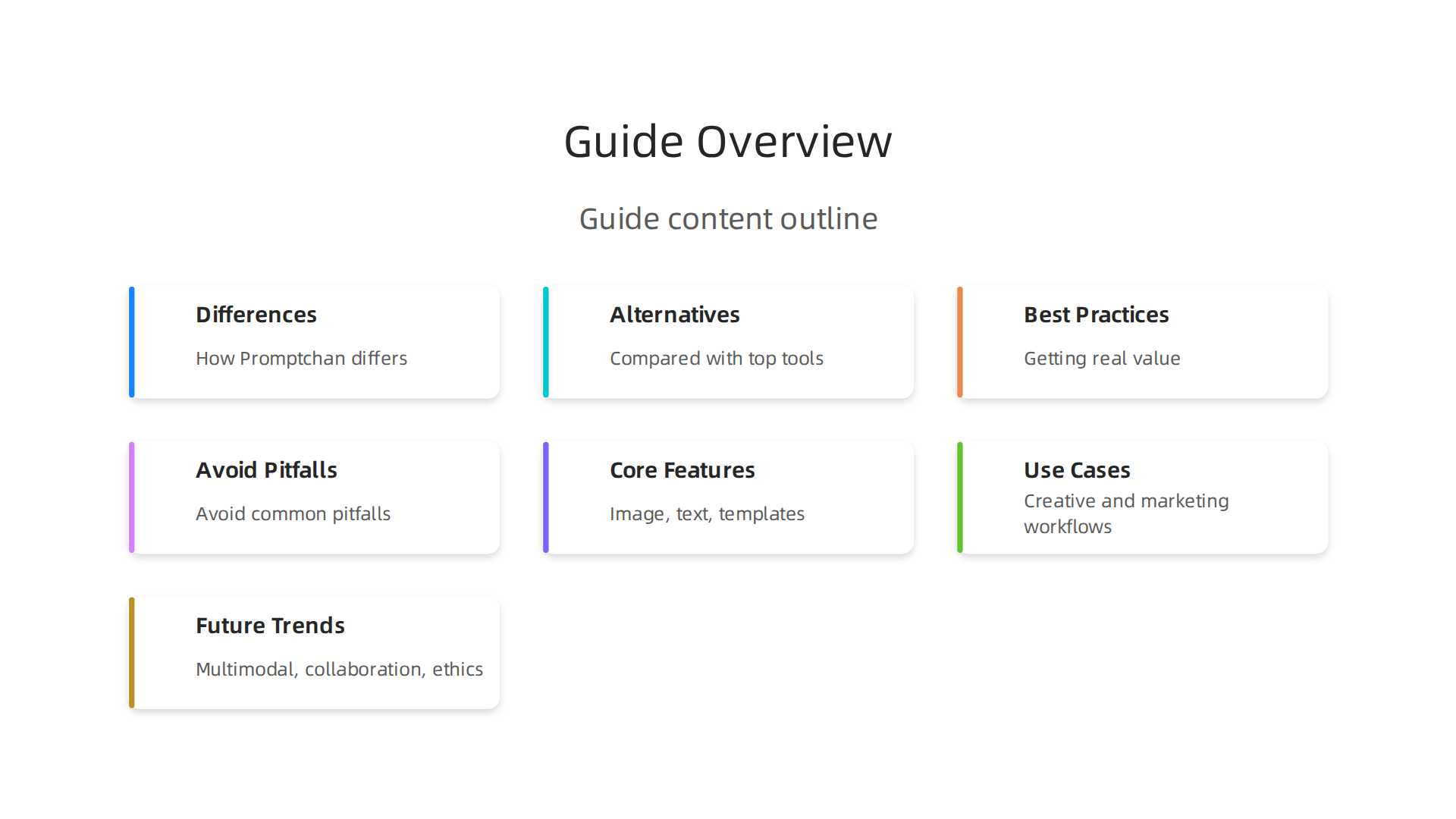
    Explore the key topics covered in this guide to understanding Promptchan AI and its place in the creative landscape.

    Whether you are a solo creator, a marketer, or a business owner exploring AI for the first time, this guide is here to help. If you want to stay ahead of the latest trends without the overwhelm, The Deep View Newsletter delivers clear daily AI updates straight to your inbox. Let us dive into the new creative frontier and see what Promptchan AI can really do.

    What Is Promptchan AI? A Comprehensive Overview

    So what exactly is Promptchan AI? Think of it as a specialized creative partner built for generating images and videos from text descriptions. You type in what you want to see, and the AI brings it to life. It is a browser-based platform that focuses on artistic and creative content, with a strong reputation for handling complex prompts accurately.

    The technology underneath is what makes this possible. Promptchan AI uses multiple underlying models to generate its outputs. This includes variants of Stable Diffusion, along with its own fine-tuned models that are trained specifically for creative tasks. The result is a tool that understands detailed instructions and turns them into visuals across many styles. As one detailed analysis explains, the platform is known for its ability to handle multi-part prompts more faithfully than many competitors.

    In 2026, Promptchan AI has become a go-to option for creators who want strong prompt control and a wide range of artistic styles. You can generate images that look photorealistic, anime-inspired, or even fully stylized like 3D renders. The platform offers a community gallery with over 20 million user-generated images, giving you endless inspiration for your own projects.

    How does it fit into the bigger AI tool picture? You probably know names like ChatGPT for writing and Midjourney for art. Promptchan AI sits in a similar space but focuses more on unrestricted creative expression. It follows a freemium model, with subscriptions starting at a low price point, making it accessible whether you are testing the waters or ready to commit.

    For creators who want to understand how different AI platforms compare for business tasks, our guide to choosing AI for business provides useful context. Promptchan AI is one piece of a much larger puzzle, and knowing how it connects to tools like Creatify AI, Haiper AI, and Stability AI helps you build a smarter workflow.

    Key Features and Capabilities of Promptchan AI

    Promptchan AI packs three core features into one easy-to-use platform. Image generation covers styles from photorealistic to anime, with strong prompt control as shown in a detailed Promptchan AI pricing and features in 2026 review. Text generation comes through the AI companion chat, while prompt templates use weighted tags and 100+ presets to speed up your workflow. This makes it simple to jump from idea to final image without a steep learning curve. For creators looking to streamline their process further, learn how to master your 2026 strategy with AI virtual assistants. To keep up with the rapid pace of AI releases, get daily updates from The AI Newsletter Worth Reading.

    Image and Visual Content Generation

    When you type a text prompt into Promptchan AI, the platform turns your words into high-quality images in seconds. The engine can generate results at up to 4K resolution. A detailed Promptchan AI pricing and features overview confirms the platform supports styles from photorealistic to anime and hentai. You get strong control through weighted tags and negative prompts, meaning you can tell the AI exactly what to include and what to avoid. The platform also supports multiple aspect ratios for different formats. If the first result is not quite right, you can refine your prompt and generate again.

    Compared to dedicated tools like DALL·E 3 and Stable Diffusion, Promptchan AI excels at following complex multi-part prompts faithfully. A PromptChan AI alternative comparison rates its prompt adherence as very strong. However, the platform lacks built-in editing tools like inpainting or outpainting. The native resolution also caps around 1024px, so you may want to use an external upscaler for larger outputs.

    For creators exploring different kinds of visual AI tools, see how Meshy AI turns text and images into 3D models in minutes.

    Text and Storytelling Capabilities

    Beyond generating visuals, Promptchan AI also helps you tell stories. The platform’s Chat 2.0 feature, rebuilt with 8x expanded context memory in the V8 update, lets you build ongoing conversations with AI characters. You can develop a character’s personality, backstory, and reactions over time, treating it like a collaborative writing partner for interactive fiction or roleplay scenarios.

    The platform also supports prompt engineering, which is really a form of creative writing. Crafting detailed prompts with weighted tags, emotions, and poses turns you into a director of visual stories. You describe scenes, actions, and moods, and the AI brings them to life. This skillset carries over into other content workflows too — if you can write strong prompts here, you can apply that same clarity to copywriting and social media posts.

    For creators who want to maintain a character across multiple images — say, for a comic strip or a visual novel — Promptchan AI’s character consistency feature helps you keep the same look from scene to scene. That makes it easier to tell sequential stories without losing the thread.

    If you are exploring how AI can help you write better content in general, check out how to write human-sounding content with AI for practical tips.

    Top Use Cases for Creative Content and Prompt Generation

    Promptchan AI is not just one tool for one job. It fits into several creative workflows. Here is how different creators can use it.

    Marketing professionals can generate product visuals and campaign mockups in seconds.

    A team actively discussing ideas and collaborating on a project, representing varied professional use cases of AI tools.

    Instead of waiting for a designer, marketers can type a prompt and get a usable image right away. This speeds up the whole creative process for social media ads and landing pages.

    Creative writers and visual artists benefit too. If you are developing a character for a story or game, you can bring that character to life visually. Use prompts to explore different looks, emotions, and settings before settling on the final design.

    Educational content creators can build visual aids for lessons or tutorials. A single text prompt can produce a scene that explains a complex idea more clearly than words alone.

    For a deeper look at how AI tools like this fit into modern marketing strategies, explore this practical guide on AI inbound marketing frameworks.

    If you want to keep up with how AI tools are changing content creation every day, The AI Newsletter Worth Reading delivers clear daily updates straight to your inbox.

    Marketing Content Creation

    Marketing teams are always under pressure to produce more content faster. That is where promptchan ai shines. Instead of spending hours writing ad copy, email sequences, and social media posts from scratch, you can generate them in seconds with the right text prompts.

    The real magic happens when you start A/B testing. You can create multiple versions of a headline or call to action for different audience segments. Test one tone for new subscribers and another for loyal customers. See what sticks without waiting days for a copywriter.

    Your CRM and automation tools can also connect directly into this workflow. Generate on-brand content that flows straight into your email platform or social scheduler. This keeps your messaging consistent across every channel.

    According to the 2026 guide on AI content marketing, tools like this help small businesses create entire drafts and product descriptions from simple prompts. That frees up your team to focus on strategy and refinement instead of staring at a blank page.

    For more on how AI tools integrate with your existing systems, check out this overview of how HubSpot AI streamlines business operations across marketing, sales, and service.

    Creative Writing and Storytelling

    Writing a novel or a short story takes time and patience. promptchan ai can help you get unstuck fast. Need a plot outline? Type in a premise and get three different story arcs. Struggling with a character’s voice? Generate dialogue options that match their personality.

    The tool is especially useful for beating writer’s block. Keep a library of prompt templates ready. When you hit a wall, run a prompt for "next scene ideas" or "conflict twist." You might find a direction you never considered.

    Consistency matters in longer projects. Use promptchan ai to check that your tone stays the same from chapter to chapter. You can even ask it to rewrite a passage in the voice of a specific character. This keeps your story feeling whole. As Navigating the Frontier of AI Content Creation points out, AI tools help with editing, tone, and style so your writing sounds polished.

    For more on blending human creativity with AI, read this piece on how undetectable AI helps you write content that sounds human.

    Visual Art and Design Prompts

    Just like writing, visual design gets a big boost from AI. With promptchan ai, you can generate concept art, logos, and social media visuals in seconds. Use negative prompts and style modifiers to fine-tune your results. For example, add "no shadows" or "cyberpunk style" and the tool adjusts instantly.

    Once your image looks right, export it directly to tools like Photoshop or Canva for further edits. This lets you keep your creative flow without switching apps. As generative AI use cases for marketing explain, AI tools now create images and videos that fit campaign needs quickly.

    For more on transforming text into 3D visuals, check out this guide on AI tools for 3D model generation.

    Promptchan AI vs. the Competition: A Head‑to‑Head Comparison

    Now that you have seen how promptchan ai handles image generation, it helps to know how it stacks up against other popular tools. Every AI platform has strengths, and picking the right one depends on your goal.

    An individual thoughtfully considering options, illustrating the process of choosing the right AI tool for specific needs.

    Here is a clear side‑by‑side look at promptchan ai, ChatGPT, Jasper, Midjourney, and Writesonic.
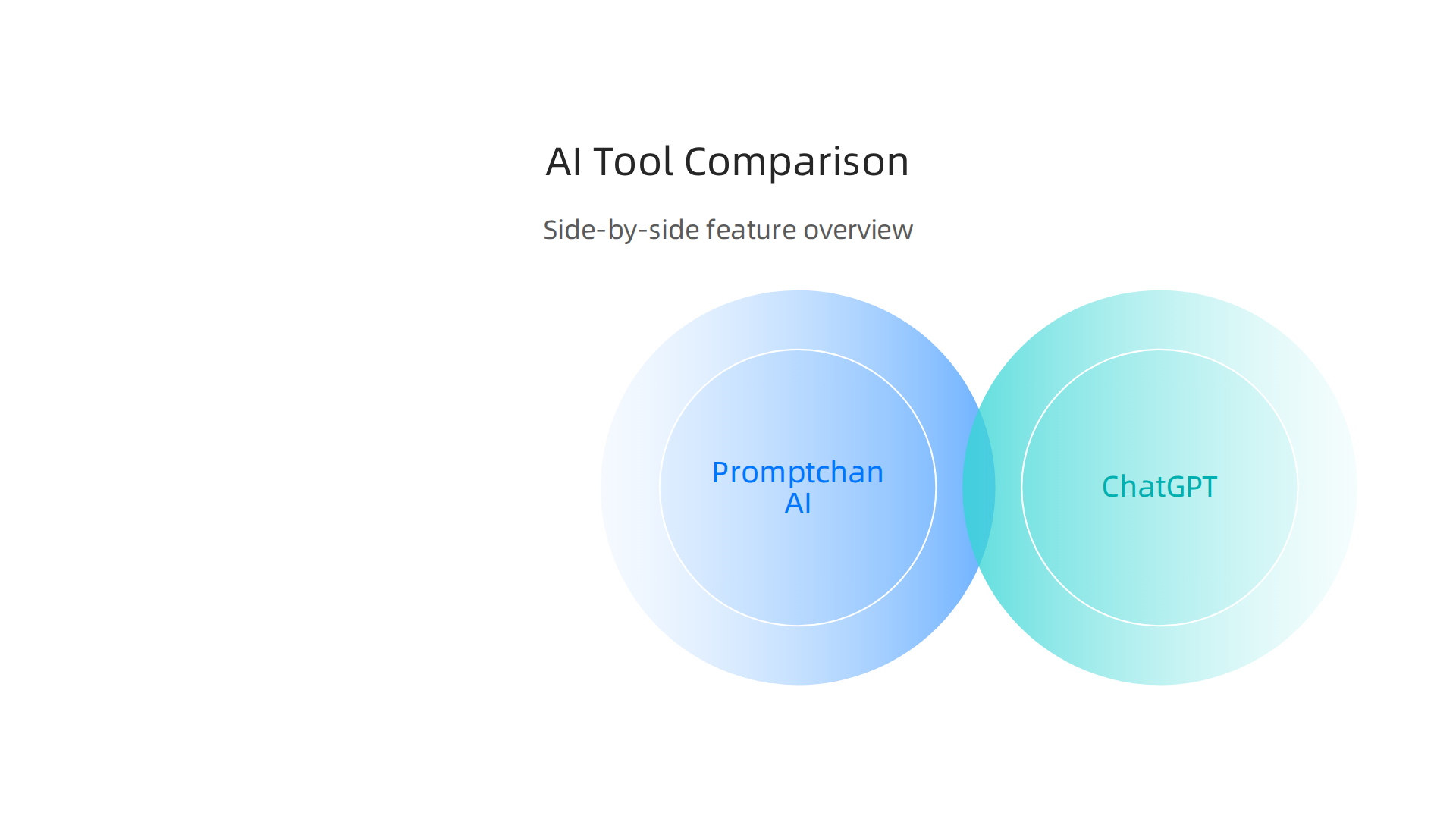
    A comparative overview of Promptchan AI against leading tools like ChatGPT, Jasper, Midjourney, and Writesonic across key criteria.

    Tool Best For Starting Price Output Quality Ease of Use
    promptchan ai Visual content, concept art, logos Competitive (flexible plans) High: realistic and stylized images Very easy: natural language prompts
    ChatGPT Idea generation, writing, research Starting from $20 per month (Plus) Good for text, less visual Extremely simple
    Jasper Brand‑aligned marketing content Starting from $69 per month High for branded writing, lacks native image gen Moderate: needs voice setup
    Midjourney Artistic, high‑quality images Subscription (used by teams) Very high: detailed artistic output Moderate: requires Discord
    Writesonic SEO‑optimized blog posts Competitive Good for long‑form SEO content Easy: guided workflows

    How they compare in real use. ChatGPT and Jasper shine for written content.
    The official website for OpenAI, the creators of ChatGPT, highlighting its role as a leading AI tool for text generation and research.

    Midjourney produces stunning art but needs some learning.
    A glimpse of the Midjourney website, showcasing its focus on generating artistic, high-quality images.

    Writesonic is built for marketers who need search‑friendly articles fast. Promptchan ai sits in a sweet spot: it delivers professional visuals quickly without a steep learning curve. You type a description, add a style modifier like "cyberpunk" or "no shadows," and the image appears in seconds. That makes it ideal for creators who want both quality and speed.

    For a broader view of how AI tools can fit your daily work, check out this guide on AI tool discovery for business results. It walks through practical ways to evaluate new platforms.

    Next step. The AI landscape moves fast. New tools and updates appear every week. Staying on top of what matters saves time and money. That is exactly why people turn to clear, daily insights. The AI Newsletter Worth Reading delivers fresh updates straight to your inbox so you never miss a breakthrough. Give it a try and see how informed choices make your creative work easier.

    Best Practices for Effective Prompt Engineering with Promptchan AI

    Getting great images from promptchan ai starts with how you write your prompts. Clear, specific instructions make all the difference. Instead of saying "a dog," try "a happy golden retriever puppy on a sunny beach." That gives the AI useful context and constraints. Add a style like "watercolor painting" or "no background" to refine the output even more.

    Do not expect perfection on the first try. Test a prompt, see what comes out, then tweak it. Change one word or add a detail and run it again.

    A person meticulously reviewing and refining work, embodying the iterative process of prompt engineering for better AI outputs.

    That simple loop of iterative refinement is the fastest way to improve results. As experts teach in the latest top prompt engineering trends in 2026, continuous testing beats guessing every time.

    Promptchan ai also comes with a built-in prompt library and ready-made templates. Start with those. They show you how successful prompts are structured and save you from starting at a blank screen. Over time, you will learn to blend those templates with your own creative twists.

    If you want to dive deeper into evaluating which AI tools fit your workflow, check out this guide on how to choose AI for business tools that deliver real results. It gives practical steps for picking the right platform.

    Structuring Prompts for Consistency

    The most reliable promptchan ai prompts follow a simple template: role, instruction, context, and output format.

    Tell the AI who it is. "You are a fantasy character designer." Give the task. "Create a young elf with silver hair." Add context. "She lives in an enchanted forest at twilight." Specify the format. "Use a semi-realistic art style."

    This structure keeps results steady. As Prompt Engineering Best Practices 2026: 5 Rules explains, labeled sections work better than long paragraphs.

    Use the same words every time. If you call a style "watercolor" in one prompt and "paint" in another, promptchan ai may shift its output. Consistency in terminology leads to consistency in results.

    Save your winning prompts in a document. Test changes one at a time and note what works. This simple habit keeps your best work safe.

    For more tips on finding the right AI tools, check out this guide on ai tool discovery in 2026.

    Iterative Refinement and Feedback Loops

    Your first prompt will rarely be your best. That is totally normal. The real skill with promptchan ai comes from refining based on what you get back.

    Look at each output and ask: what is missing? What is wrong? Then adjust only that one thing. As the guide on prompt engineering best practices explains, prompt engineering is never a one-and-done task. Continuous testing lets you evaluate what works and make small fixes.

    If the tone feels off, change just the tone instruction. If the format is wrong, fix only that part. Test again. Repeat.

    Promptchan ai remembers your conversation history. Use this to your advantage. Instead of starting from scratch each time, build on what the model already knows. "Remember how I wanted that fantasy character last time? Now give me a sci-fi version with the same level of detail." This saves time and keeps results consistent.

    Teamwork helps too. Share your working prompts with colleagues. Let them test your prompts with different inputs. They will spot gaps you missed. A fresh pair of eyes often catches a vague instruction or a missing constraint.

    For more on choosing the right tools for your workflow, check out this guide on enterprise AI platforms 2026. It helps you match platform features to your specific needs.

    Future Trends in AI Creative Content Generation

    As AI tools get smarter, the way we create content keeps changing fast. If you have been refining prompts with promptchan ai, you are already seeing how powerful these models can be. But what comes next? Let us look at three big trends shaping the future of AI creative content generation.
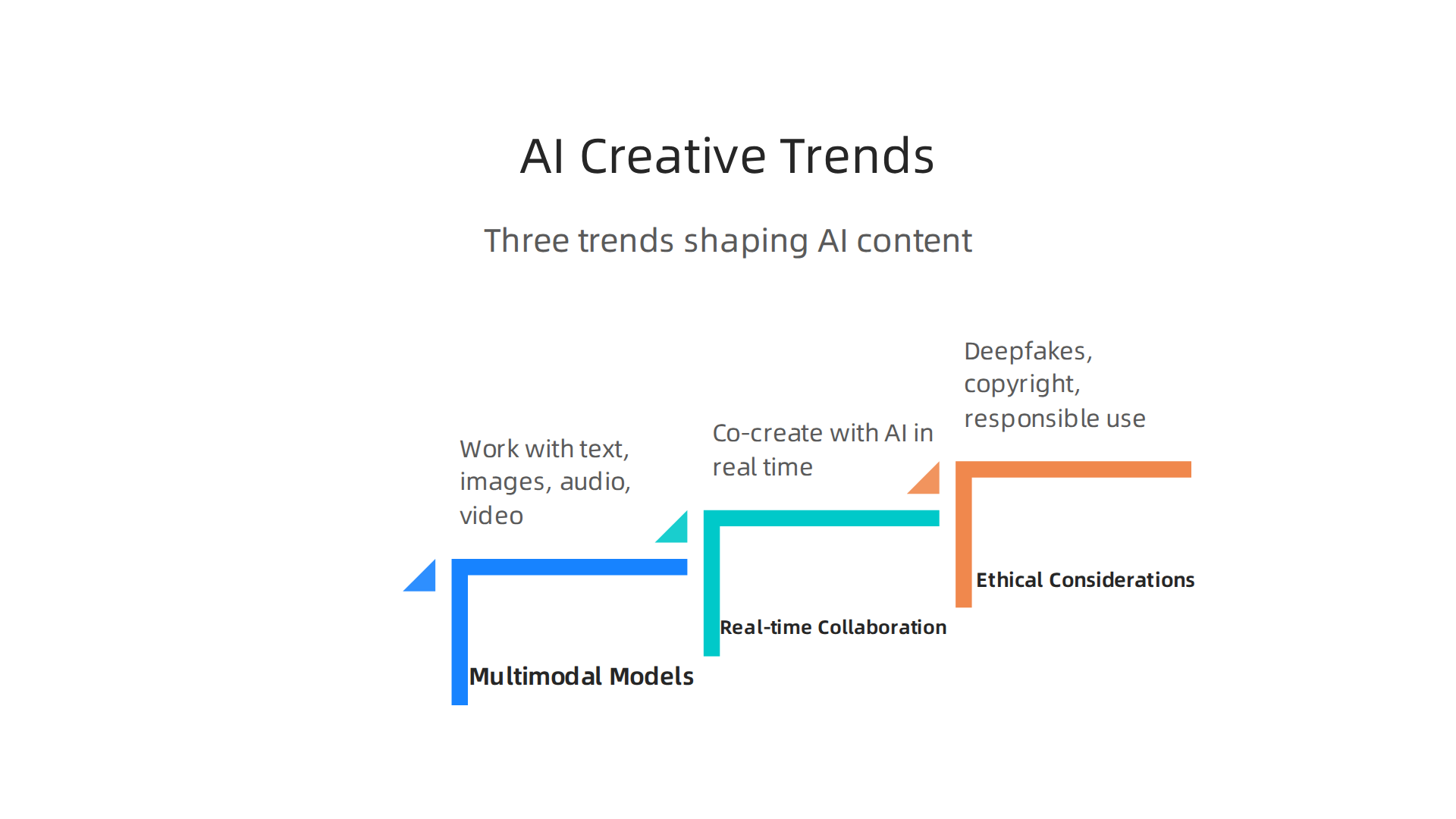
    Key trends driving the evolution of AI in content creation, including multimodal models, real-time collaboration, and ethical considerations.

    First up: multimodal models. These are AIs that can work with text, images, audio, and video all at once. Instead of describing a scene in words and then switching to a different tool for the video, you give one prompt and get back a full package. For example, you might type a sentence and get a short video clip with matching music and narration. This is no longer science fiction. In fact, a 2026 report on AI marketing trends calls multimodal marketing "table stakes by Q3 2026." Tools like Runway Gen-3 and Pika 1.5 now generate 1080p video from text in under five minutes. That means promptchan ai users can expect to create richer, more engaging content with less back-and-forth.

    Second, real-time collaboration and editing is becoming a standard feature. Soon you will not just send a prompt and wait for an output. You will co-create with the AI in real time, tweaking colors, voices, or scenes as the model generates them. Think of it like editing a document with a smart assistant that never gets tired. This shift makes tools like creatify ai, haiper ai, and stability ai even more useful for teams working on tight deadlines. If you want to learn more about how AI is changing the balance between human input and machine output, check out this piece on human or AI creativity.

    Third, and most important: ethical considerations. As AI content floods the internet — a LinkedIn analysis notes that by 2026, AI-generated content will likely exceed human-made content online — we face real risks. Deepfakes are a growing problem. According to data from the Generative AI trends report, Resemble AI logged 2,031 verified deepfake incidents in just the third quarter of 2025, more than all of 2024 combined. And humans are bad at spotting them: only 24.5% of people correctly identify high-quality deepfakes. That is worse than a coin flip.

    Copyright is another sticky issue. If an AI generates an image that looks like a famous artist’s style, who owns the rights? These questions are not settled yet. Responsible use means checking outputs, adding watermarks, and being transparent about AI involvement. Promptchan ai itself gives you control over tone and format, but the final responsibility rests with you.

    To stay on top of these fast-moving changes, you need reliable information. That is exactly what The AI Newsletter Worth Reading delivers every day — clear updates on tools, trends, and ethics so you can create with confidence.

    Summary

    This article is a practical guide to Promptchan AI, a browser-based generative platform built to turn text prompts into high-quality visual assets and creative work. It explains how Promptchan combines multiple models (including Stable Diffusion variants and fine-tuned creative models) with features like weighted tags, negative prompts, prompt templates, and a Chat 2.0 companion to support visual storytelling and character consistency. The guide compares Promptchan with tools such as Midjourney, ChatGPT, and Writesonic, and shows which platforms work best for image-first versus text-first tasks. You’ll learn concrete prompt-engineering practices—use role, instruction, context, and format; iterate and tweak one element at a time; save winning prompts—and see real use cases for marketers, writers, and educators. The article also notes practical limits (native editing tools and native resolution caps), the platform’s freemium pricing approach, and how to integrate outputs into design tools. Finally, it outlines future trends like multimodal generation, real-time collaboration, and rising ethical questions about deepfakes and copyright so you can adopt the tool responsibly.


  • Human or AI Creativity What the Data Says About Collaboration in 2026

    Human or AI Creativity What the Data Says About Collaboration in 2026

    Introduction

    Let’s be real. The AI noise in 2026 is deafening. Every day, a new tool pops up claiming to be a creative genius. You might find yourself wondering if it’s all just ai slop or if there’s real substance behind the hype. Maybe you’ve even muttered, i hate artificial intelligence after scrolling through another messy ai overview. You are not alone.

    The real question isn’t just about frustration. It’s deeper. It’s the human or ai question. Can a machine ever match natural intelligence? Recent research from 2026 shows this year is a true turning point in how we understand human creativity versus machine creativity (How AI Is Transforming Creativity in 2026). Some researchers argue that creativity is our defining human trait (Is AI more creative than us? – CORDIS). Yet the pressure to use AI is everywhere.

    If you are a marketer, founder, or operator, you are caught in the middle. You feel the pressure to adopt AI, but the information overload is real.

    Navigating the complex landscape of AI adoption requires clear strategy amidst information overload.

    How do you find the right tools without wasting time and money? You need clarity, not more hype. You need to know if the investment will actually pay off.

    This article gives you exactly that clarity. We are not here to push an agenda. We are taking an evidence-based look at where natural intelligence and AI overlap and where they diverge. You will get actionable frameworks to make the human or ai decision easier for your specific workflow. Grounded in the latest studies on collaborative creative processes and computer-generated creativity, we will show you how to get the best of both worlds. For a broader look at cutting through the noise, check out our curated list of 10 top AI websites professionals trust for real news and tools.

    Screenshot of the AI Tools News Today homepage, a resource for AI professionals.

    Ready to stop guessing and start building a smarter workflow? The key is staying informed without getting overwhelmed. For clear, daily AI updates that cut through the ai slop, you can Subscribe Free to The Deep View Newsletter. It is the simplest way to keep your skills sharp and your strategy sound in 2026.

    Defining Creativity: Can AI Ever Be Truly Creative?

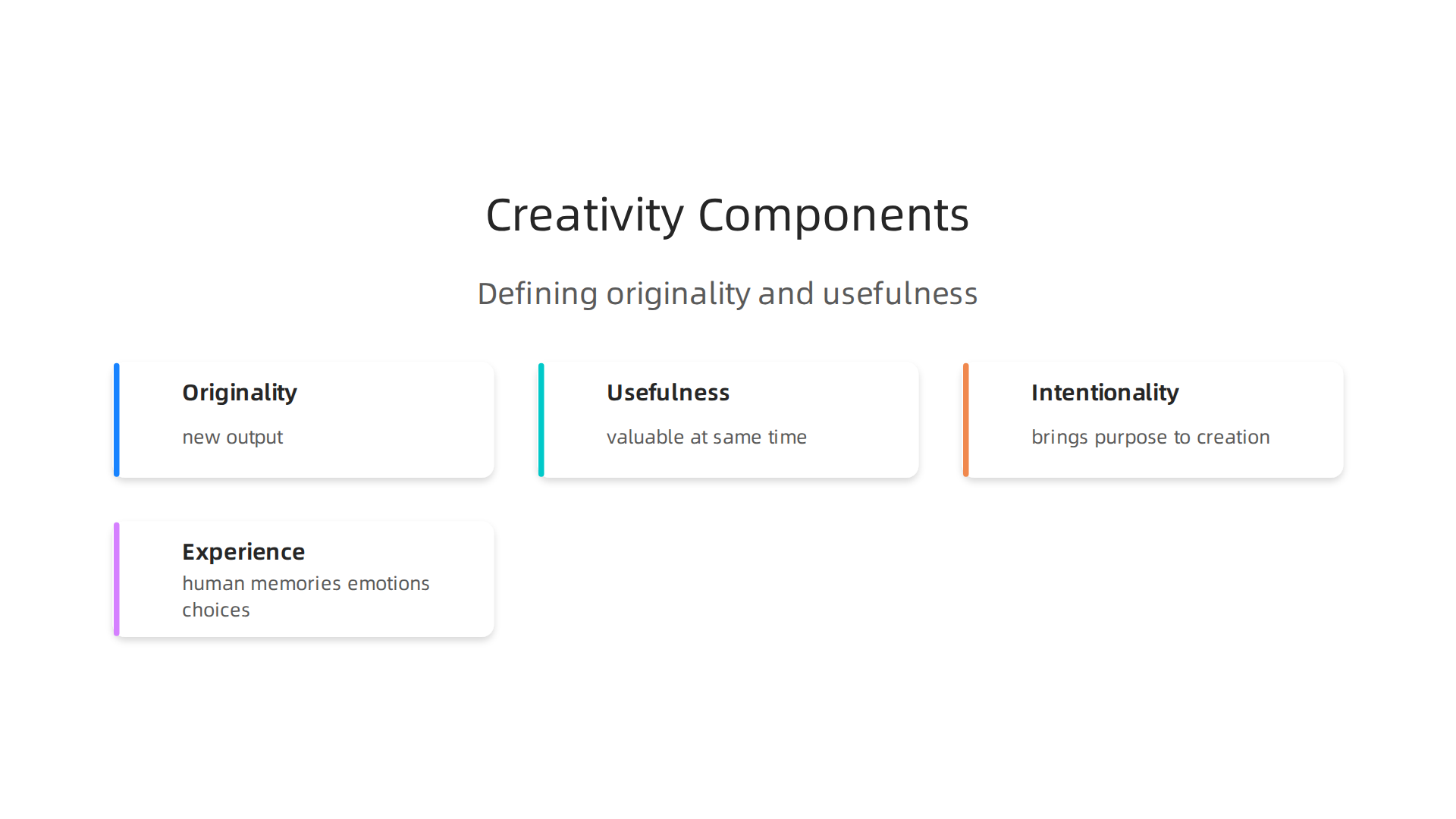
    To answer the human or ai question properly, we need to start with a basic definition. What does creativity actually mean? Researchers usually describe it in two parts: originality and usefulness.

    An infographic illustrating the essential components of creativity, distinguishing human intent from AI mimicry.

    A creative idea must be new and valuable at the same time (Has AI Surpassed Humans in Creative Idea Generation? A Meta-Analysis).

    That sounds simple enough. But here is where the trouble starts. AI can certainly generate new-looking outputs. Give it a prompt and it will spit out text, images, or code you have never seen before. Yet there is a missing ingredient. Intent.

    Think about it this way. When you create something, you pull from your own life. You have memories, emotions, and experiences that shape your choices.

    A person deeply immersed in thought, reflecting the intrinsic human element in the creative process.

    A machine has none of that. It only has training data. So when AI writes a poem or designs a logo, it is really just remixing existing patterns. The result might look original on the surface, but it lacks the deeper meaning that comes from real human experience.

    This is not just a philosophical argument. Research from 2026 shows that generative AI models perform poorly in creative tasks when they are deprived of human guidance (Human creativity still surpasses "creative" generative AI). The output can be technically correct. But it often feels hollow. That is because natural intelligence brings something to the table that algorithms cannot copy: intentionality. You create with purpose. A machine creates because it was told to.

    Some experts argue that creativity is a defining human trait, something that separates us from machines entirely (Is AI more creative than us? – CORDIS). And they have a point. When you browse an ai overview that just feels off, or you mutter i hate artificial intelligence after yet another robotic email, you are sensing that missing spark.

    Here is the real shift happening in 2026. Generative models have gotten incredibly good at mimicking creativity (How AI Is Transforming Creativity in 2026). They can produce work that looks and sounds human. But mimicry is not the same as true creation. The ai slop you see across the internet is proof of that. It looks right but feels empty.

    So where does that leave you? AI is an amazing tool for generating raw material fast. It can help you overcome creative blocks and explore ideas quickly. But the meaning, the context, the real spark… that still comes from you. Studies continue to show that human creativity matters just as much today as it ever did (Neag School Researcher Finds That Human Creativity Still Matters).

    The human or ai choice is not about picking a winner. It is about knowing when to let the machine assist and when to trust your own natural instincts. To explore more tools that can support your creative workflow, check out our list of 10 top AI websites professionals trust for real news and tools. And if you want clear, daily insights to help you make smarter choices, Get Free Updates from The Deep View Newsletter.

    What the Numbers Say: Productivity and Quality Metrics

    So we know creativity needs human intent. But what do the actual numbers say about working alongside AI? The data from 2026 is pretty clear. AI boosts speed. But the quality picture is more complicated than you might expect.

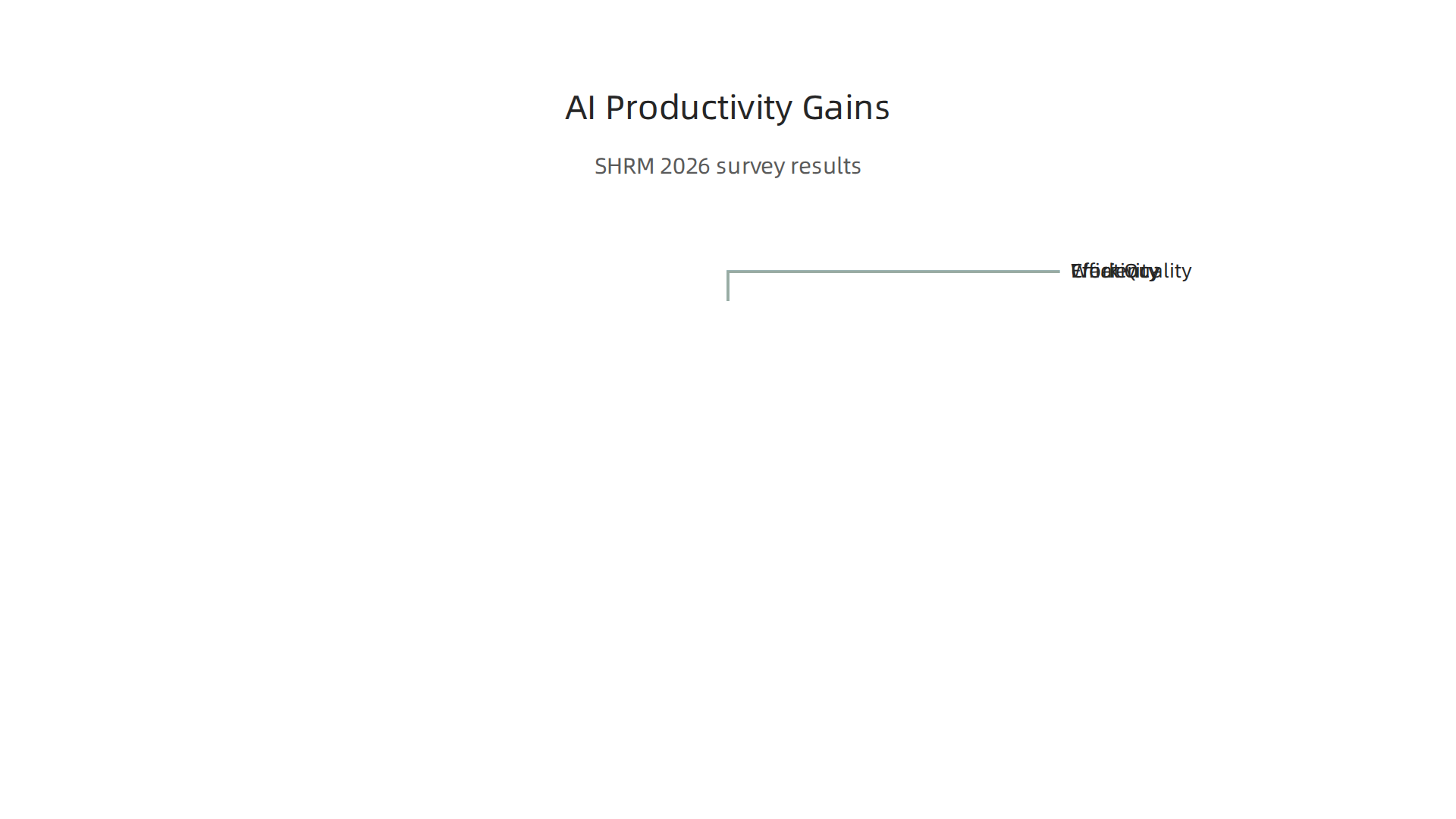
    Let us start with the good news. The 2026 SHRM report found that more than two-thirds of workers reported improvements in creativity (70%), efficiency (87%), and overall work quality (75%) when using AI tools

    Data-backed insights on how AI tools are improving creativity, efficiency, and overall work quality for professionals.

    (SHRM State of AI in HR 2026). That is a huge jump. Similarly, a METR survey of technical workers showed that AI helped them get more done faster, especially in research and software engineering (METR Early-2026 AI Impact Survey). The OECD also reviewed experimental research and found clear productivity gains across many creative tasks (OECD Effects of GenAI on Productivity). Speed is not the only benefit. The NVIDIA State of AI report showed that companies using AI saw measurable revenue growth and cost reductions (NVIDIA State of AI Report 2026). The Microsoft Work Trend Index found that people felt more creative when AI handled the boring parts (Microsoft Work Trend Index 2026).

    Here is the thing though. Speed does not always mean better. A study from Florida International University found something important: how you make something matters to your audience (FIU AI Reputation Study). When people found out a creator used AI, they judged the work more harshly. The work felt less authentic.

    A person critically reviewing work, highlighting the nuanced human perception of AI-generated content authenticity.

    That is the trade off nobody talks about. You can pump out content faster than ever before. But if it feels like ai slop, your reputation takes a hit. The Adobe Digital Trends report shows that brands are struggling with this exact problem: customers want personalization but they also want human touch (Adobe Digital Trends 2026).

    Quality metrics reveal another layer. The Stanford AI Index Report shows that top AI models keep getting better at matching human output (Stanford HAI AI Index 2026). But better matching does not mean better strategy. AI can write a blog post in seconds. It can design a logo in minutes. Yet the most effective marketing and content still needs strategic depth. That is where human judgment wins. An ai overview might summarize facts correctly. But it will miss the emotional thread that connects with real people.

    So what does this mean for you? The numbers show AI is a powerful tool for raw output. Use it to speed up research, generate drafts, and handle repetitive tasks. But do not hand over the creative controls completely. Your audience can tell the difference. They value authenticity. That is why the human or ai question is so important right now. You need to decide when to let the machine take over and when to step in with your own thinking.

    If you are looking for ways to boost your productivity without losing your human edge, check out our list of best startup gadgets in 2026 that actually deliver results. And to keep up with the latest shifts in AI and creativity, Subscribe Free to The Deep View Newsletter for clear daily updates.

    Real-World Applications: Where AI Augments and Where Humans Lead

    The numbers we just looked at paint a clear picture. But you might be wondering what this looks like in your actual day-to-day work. Let’s walk through some real examples from 2026.

    In marketing, teams are using AI to handle the heavy data lifting. A tool might analyze thousands of customer comments to spot patterns in what people want. That is something AI does better than any human could. It can process huge amounts of information in seconds. The PLOS One study found that the real question is whether AI should focus on digging deeper into existing ideas or exploring new creative directions (PLOS One study on AI strategy). The answer depends on your goal. If you want to refine a campaign, let AI exploit existing patterns. If you need a fresh concept, push AI to explore.

    But here is where human leadership steps in. Only you can decide which pattern matters. Only you can feel whether a message hits the right emotional note. Research shows that the most effective outputs come from iterative human refinement (The Hybrid Creative Era). AI generates drafts. You shape them into something that connects.

    In product design, the same pattern plays out. AI can generate hundreds of layout options in minutes. It can suggest color schemes and content placement based on user behavior data (AI and Creative Collaboration). That is huge for speed. But the final call on brand identity, ethics, and user trust still belongs to you. Cambridge research shows that creativity improves when human-machine workflows guide feedback and iteration deliberately (Why human-machine teams need deliberate design). You design the process. AI executes the repetitive parts.

    Software development tells a similar story. AI can spot bugs, suggest code completions, and even write boilerplate functions. That frees up developers to focus on architecture, user experience, and strategic decisions. The Mindbreeze analysis of the 2026 collaborative era shows that humans focus on high-value thinking while AI handles intensive data analysis (The New Collaborative Era).

    Screenshot of the Mindbreeze homepage, a company focused on collaborative AI solutions.

    This is the augmentation model, not full automation.

    Think of it this way: AI is like a super-fast assistant. It can research, draft, and iterate at speeds you cannot match. But it lacks natural intelligence. It cannot read a room. It does not grasp cultural nuance. It will never feel the weight of a brand’s reputation. That is why the human or ai question is not about choosing sides. It is about knowing when to hand off and when to step up.

    If you want to stay ahead of these shifts, you need reliable sources. Check out our list of best startup gadgets in 2026 that actually deliver results for tools that support this kind of collaboration.

    And to get clear daily updates on how AI is changing your industry, Subscribe Free to The Deep View Newsletter. It cuts through the noise so you can focus on what matters.

    Cutting Through the Noise: A Framework for Selecting the Right AI Tools

    By now, you probably see how powerful the human or ai combination can be. But here is the problem: in 2026, there are hundreds of AI tools claiming to boost creativity, write better, and save time. How do you pick the right one without drowning in ads, hype, and what some people call "ai slop"?

    I hear you. The information overload is real. A 2026 SHRM report showed that 87% of professionals reported efficiency gains from AI tools, but many also struggled with too many options (SHRM State of AI in HR 2026). You do not need another list of shiny tools. You need a simple framework to sort through them.

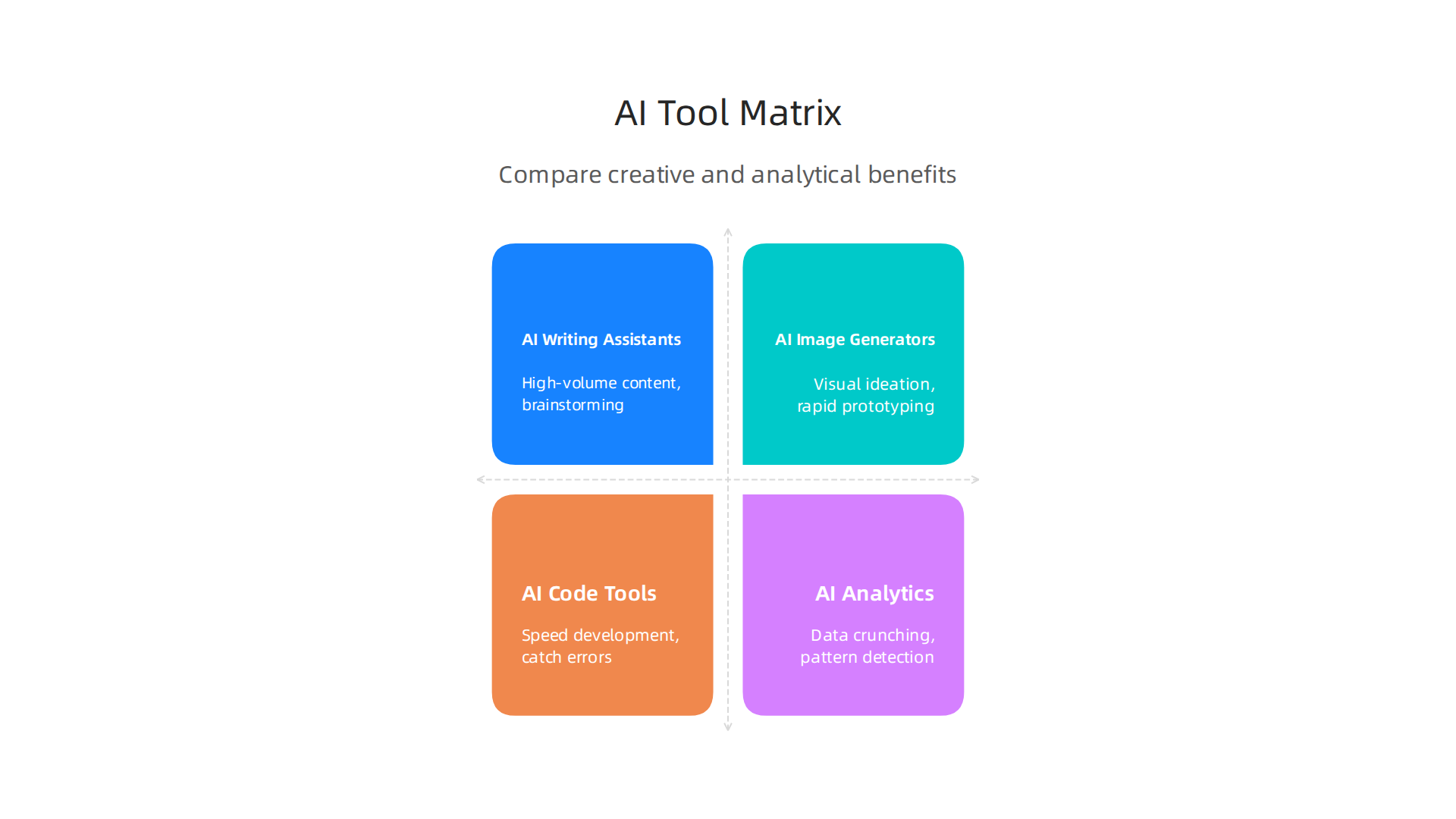
    Here is a decision matrix that works. It compares tool categories based on what matters most for creative and analytical work.

    An infographic summarizing different AI tool categories and their primary benefits for creative and analytical tasks.

    Use it as your cheat sheet.

    Tool Category Best For Output Quality Customization Data Privacy Learning Curve Integration Ease Cost
    AI Writing Assistants (e.g., draft emails, blog posts, social copy) High-volume content, brainstorming Good for drafts, needs human polish Medium (tone/style tweaks) Varies (check policies) Low High (works with many platforms) Free to $30/mo
    AI Image Generators (e.g., design concepts, product mockups) Visual ideation, rapid prototyping Great for inspiration, less for final assets High (prompts, style controls) Medium (some train on your data) Medium Medium (often requires plugins) Free to $50/mo
    AI Code Tools (e.g., snippets, debugging, boilerplate) Speeding up development, reducing errors High for repetitive code, needs review Low (mostly standardized) High (enterprise tools secure code) Low to Medium High (IDE integrations) Free to $40/mo
    AI Analytics & Research (e.g., customer insights, trend spotting) Data crunching, pattern detection Very high for analysis, low for creative Medium (filter and segment) High (often anonymized) Medium Medium (needs data uploads) $20–$200/mo

    Now, how do you use this? Start by asking what kind of creativity you need. For example, if you need to generate twenty headlines, an AI writing assistant does that fast. But that FIU study in 2026 found that how you make the work matters to your reputation (FIU research on reputation and AI). So do not hit "publish" without adding your own judgment.

    Think about the human or ai split this way: AI handles volume and speed. Natural intelligence handles taste, ethics, and nuance. If you find yourself thinking "i hate artificial intelligence" after a bad tool experience, it is often because the tool was applied to the wrong task. This framework helps you avoid that frustration.

    Before you pick any tool, run it through these five criteria:

    1. Output quality – Does it meet your standard, or does it produce generic results?
    2. Customization – Can you shape it to your brand voice or project needs?
    3. Data privacy – Does it keep your information safe? The Stanford 2026 AI Index showed many tools still lag on transparency (Stanford HAI AI Index 2026).
    4. Learning curve – Will you and your team actually use it beyond the first week?
    5. Integration ease – Does it plug into your existing workflow (e.g., Slack, Adobe, VS Code)?

    The OECD research on generative AI confirmed that productivity gains come from deliberate human-machine collaboration, not just buying the latest tool (OECD on AI productivity). You design the process. The tool executes part of it.

    If you want a shortcut to finding tools that professionals actually trust, check out our curated list of 10 top AI websites professionals trust for real news and tools. It will save you hours of searching.

    And because the AI landscape shifts so fast, you need a daily filter. Get Free Updates from The Deep View Newsletter. It cuts through the noise so you can focus on the tools and strategies that actually work.

    Overcoming Implementation Hurdles: Budget, Skills, and ROI

    So you have a framework for picking the right tools. But here is where many people get stuck. You are ready to move forward, but real-world roadblocks show up. Budget is tight. Your team does not have deep AI skills. And your boss wants to see proof that the investment pays off.

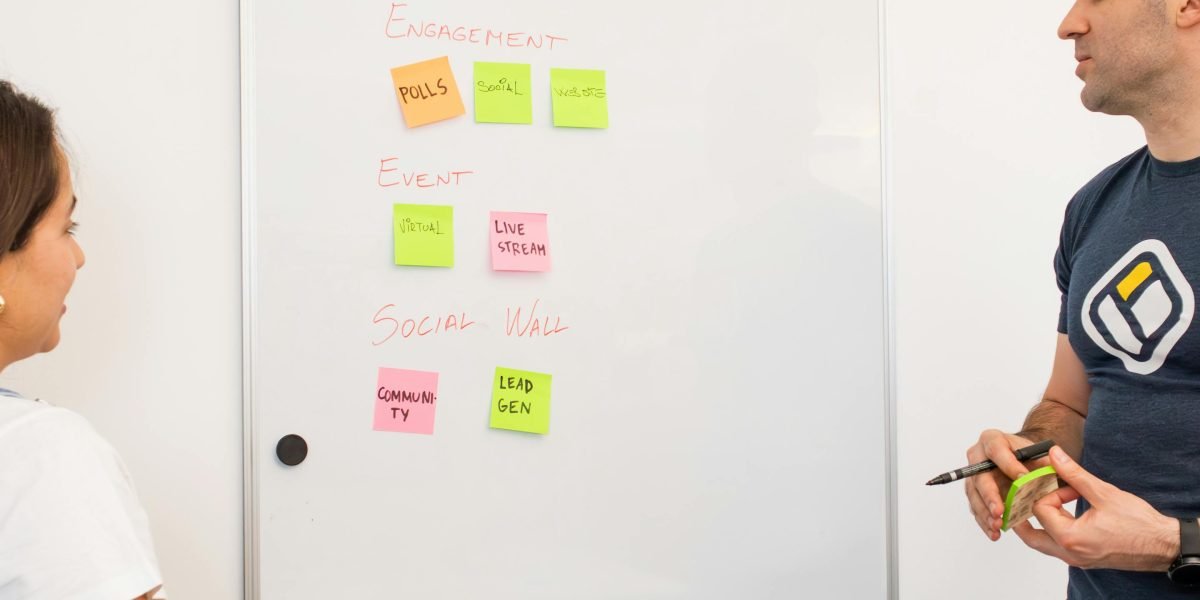
    A team actively collaborating, symbolizing problem-solving and strategic planning to overcome AI implementation hurdles.

    You are not alone. In 2026, small businesses report struggling with technology as they try to scale their AI efforts (BizTech Magazine). The same challenges show up in departments inside big companies too.

    Let me walk you through three common hurdles and how to get past them.

    Hurdle 1: Limited Budget

    You do not need a huge budget to start. Many powerful AI tools offer free tiers or low-cost plans. The key is to start small. Pick one workflow that eats up time and test a free tool there.

    For example, if your team spends hours writing social media captions, try a free AI writing assistant. See if it saves time before you pay for a subscription. A 2026 report from the U.S. Chamber of Commerce found that 57% of small businesses believe AI tools help them save time and reduce costs (U.S. Chamber of Commerce). Start with the free options and level up only when you see real value.

    Hurdle 2: Lack of AI Literacy

    Almost everyone has tried ChatGPT by now. But casual use is not the same as knowing how to apply AI strategically. A 2026 study on AI adoption challenges found that insufficient skills and expertise remain a top barrier (Naviant).

    The fix is simple: designate an internal champion. Pick one person on your team who is curious about AI. Give them time to learn and experiment. They can then train others. This approach costs nothing but builds real skills over time.

    Hurdle 3: Measuring ROI

    How do you prove that a $30 per month AI tool is worth it? Track one thing at first. Maybe it is time saved on a repetitive task. Maybe it is more content published per week. A JP Morgan Chase study showed that the diversification of AI tools and decreasing costs have enabled small business adoption (JP Morgan Chase Institute). You just need one clear win to build confidence.

    Start with a pilot project that lasts 30 days. Measure before and after. If you see a clear improvement, expand slowly.

    If you want a shortcut to finding tools that professionals actually trust, check out our curated list of 10 top AI websites professionals trust for real news and tools. It will save you hours of searching.

    And because the AI landscape shifts so fast, you need a daily filter. Get Free Updates from The Deep View Newsletter. It cuts through the noise so you can focus on the tools and strategies that actually work.

    The Road Ahead: Workflow and Collaboration Trends for 2026

    You have tackled the budget. You have built some skills. You have even measured your first win. So what comes next? The way we work with AI is changing fast, and 2026 is the year things get real. Let me walk you through the biggest shifts in workflow and collaboration you will see in the next 12 to 24 months.

    Rise of AI Agents in Daily Work

    By 2026, up to 40% of enterprise applications could include task-specific AI agents (Gleecus). These are not simple chatbots. They can handle multi-step processes like drafting emails, scheduling meetings, and even analyzing data. You will start to see these agents working alongside your team, not just sitting in a chat window.

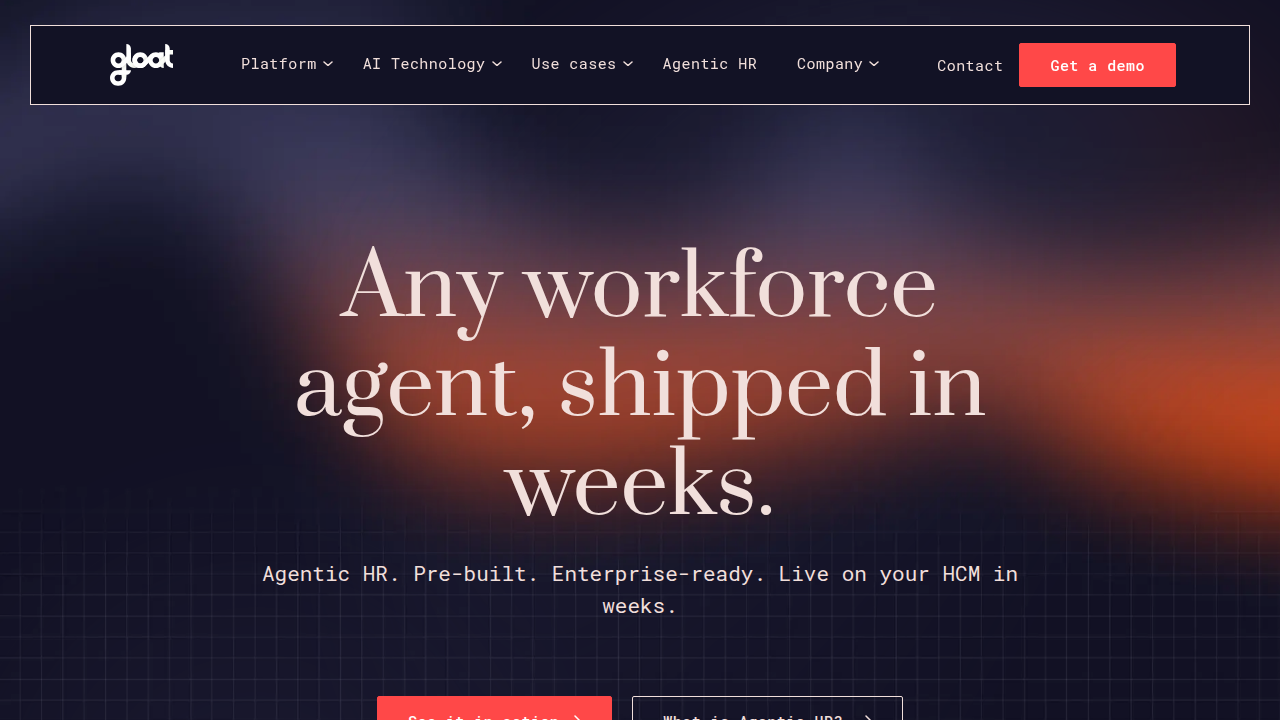
    But here is the catch. A 2026 workforce report from Gloat found that 95% of AI pilots fail (Gloat).

    Screenshot of the Gloat homepage, a platform for talent marketplace and workforce agility.

    Why? Because teams throw AI at problems without redesigning workflows. The winning approach is to start with clear tasks and let the agent handle the repetitive parts while humans keep the strategic decisions.

    New Roles Are Emerging

    You have probably heard titles like prompt engineer before. But in 2026, we are seeing more specialized roles like AI orchestrator and prompt strategist. Skills in roles that use AI are evolving 66% faster than in less exposed positions (Glocomms). That means the people who learn to direct AI effectively will earn more and have more job security.

    An AI orchestrator does not write code. They design how humans and AI work together.

    A leader facilitating a discussion, symbolizing the emerging role of an 'AI orchestrator' in human-AI workflows.

    A prompt strategist knows how to get good outputs from models, avoiding the generic junk people call "ai slop." These roles keep the human brain in charge while letting the machine do the heavy lifting.

    Keeping Human Oversight Front and Center

    Some people say "i hate artificial intelligence" because they have seen bad results: wrong answers, tone deaf content, or boring copy. That frustration comes from a lack of human oversight. The best human AI collaboration keeps a person in the loop. You should always review AI outputs before they go public. Think of AI as a junior assistant, not a final decision maker.

    The goal is to strengthen natural intelligence, not replace it. Tools like AI overview can help you quickly scan data, but your judgment decides what matters. That balance is what separates successful teams from failed pilots.

    How to Stay Ahead

    The fastest way to keep up with these shifts is to read and learn every day. Instead of hunting through scattered news, rely on one trusted source. Our guide to 10 top AI websites professionals trust for real news and tools gives you a shortcut to the best resources. Bookmark it and check back often.

    And if you want a daily filter that cuts through the hype, Get Free Updates from The Deep View Newsletter. It lands in your inbox with one clear takeaway each day. No fluff, just practical insights on the human or AI question that matters for your business.

    The next two years will change how you collaborate with machines. Keep your team curious, keep humans in charge, and you will build workflows that actually work.

    Summary

    This article examines the