
Why HubSpot AI Matters for Your Business Operations
You have probably heard the buzz about AI in business. And you might be wondering if it is really worth the time and money. The truth is, many small businesses are still unsure how to adopt AI with confidence.

In fact, only 27% of small businesses feel confident about adopting AI effectively, while 82% of mid-sized firms are ready to go. That gap shows just how tricky it can be to pick the right tools and get real results.
Here is where HubSpot AI comes in. Instead of juggling separate AI tools that don’t talk to each other, HubSpot AI gives you an integrated suite that works directly with your CRM data.
That means your marketing, sales, and service teams can use personalized, AI-driven actions based on real customer information. No more guessing what message to send or when to follow up. The platform helps you automate workflows, score leads, and even generate content that actually fits your audience.
This guide will give you an honest, data-backed look at what HubSpot AI can do for your business. We will cover key features, real-world return on investment, and how it compares to other options like Tidio AI or standalone generative AI assistants.
To stay on top of the latest AI news and tools that actually deliver results, subscribe to The Deep View Newsletter for daily updates. And if you want to dig deeper into choosing the right tools, check out our guide on how to get real ROI from AI marketing cloud in 2026.
What Is HubSpot AI?
Here is the simplest way to think about it. HubSpot AI is not a single chatbot or a standalone writing tool. It is a unified artificial intelligence layer that runs across your entire HubSpot platform. Whether you work in Marketing, Sales, Service, or Content, the same AI engine is working behind the scenes with your real customer data.
In 2024, HubSpot rebranded and expanded all of its AI features under the name Breeze AI, creating a single, integrated suite of AI tools. According to a complete guide on HubSpot AI tools, this platform brings together every AI-powered feature across the ecosystem. Instead of using one tool for writing emails and a different one for scoring leads, you get everything in one place.
So what does that actually include? Here are the main pieces:
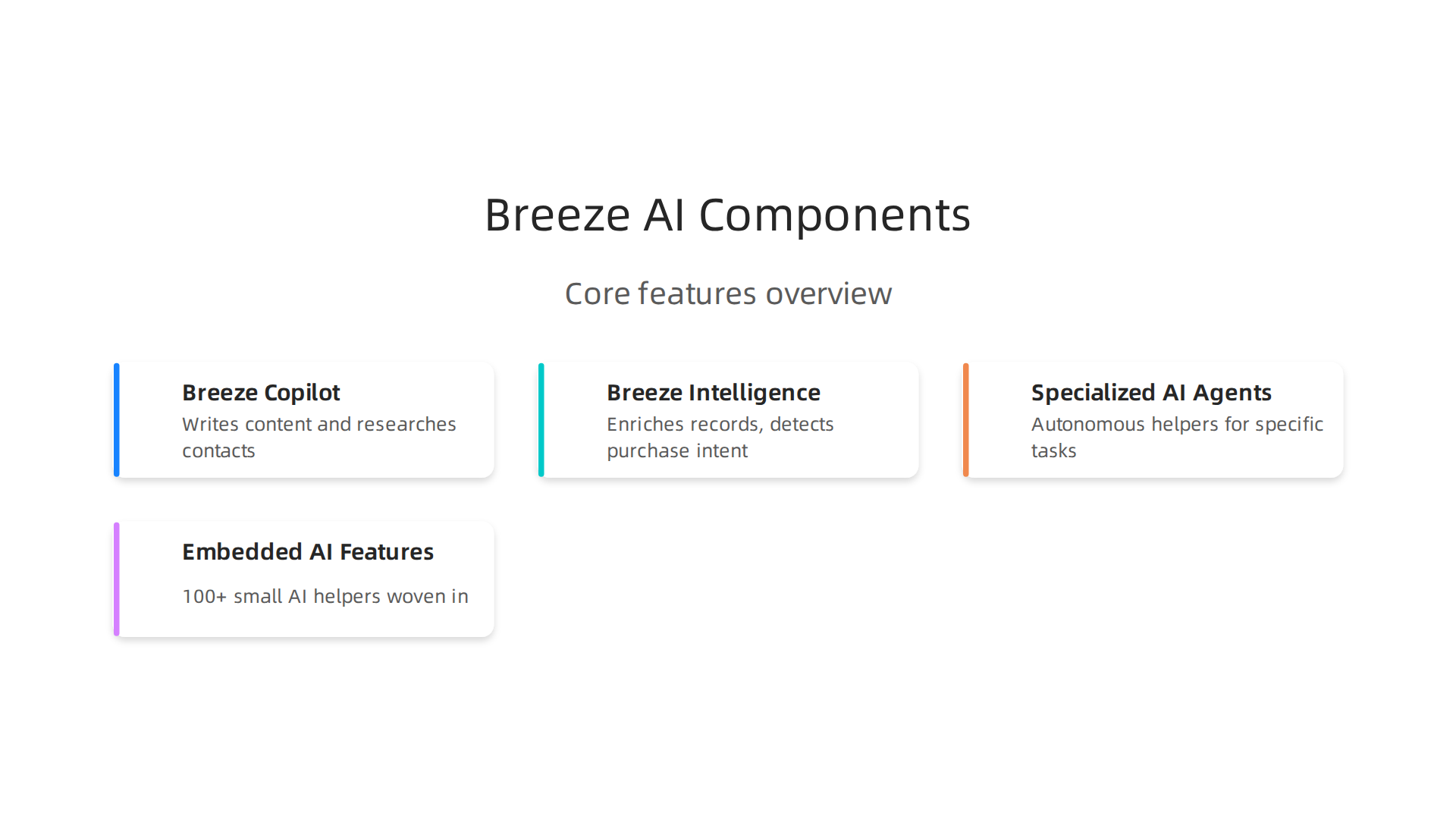
- Breeze Copilot – An AI assistant that helps you write content, research contacts, summarize records, and get quick answers about your data. Think of it as your co-pilot inside HubSpot.
- Breeze Intelligence – Tools that enrich your contact records with missing details, spot companies showing purchase intent, and shorten your forms to boost conversions.
- Specialized AI Agents – These are autonomous helpers for specific tasks. There is a Content Agent for creating landing pages and blogs, a Social Media Agent for planning posts, a Prospecting Agent for personalized sales outreach, and a Customer Agent that answers support tickets 24/7.
- Embedded AI Features – More than 100 small AI helpers are woven directly into the platform. They help you generate email subject lines, summarize sales calls, score leads based on behavior, and forecast revenue trends.
The key difference from other options like simple generative AI assistants or standalone chatbots is that all of these tools are built on the same CRM data. That means every personalized message, every lead score, and every automated follow-up is based on real information about your customers, not generic guesses. This consistency makes your marketing feel more human and your sales process more efficient.
If you want to learn more about how AI assistants are changing the way businesses work, check out our guide on AI virtual assistants for businesses in 2026. It covers how these tools fit into your daily operations.
Core AI Modules and How They Connect
Now that you know the main pieces of HubSpot AI, let’s look at three core modules that do the heavy lifting.
These are the features you will use most often to save time and grow your business.

Content Assistant is the module that helps you write better, faster. It generates emails, blog posts, and social media copy based on real data from your CRM. For example, when you create an email campaign, the Content Assistant pulls in contact names, past purchase history, and engagement patterns to suggest personalized subject lines and body text. This means your messages feel more human and less like generic blasts. You can read more about the top 2026 HubSpot AI features that actually deliver value.
Predictive Lead Scoring takes the guesswork out of sales. Instead of your team chasing every lead equally, this module uses historical data like which past customers converted and which behaviors they showed before buying. It then scores each new lead so your reps know exactly who to call first. This is one of the most impactful tools for improving close rates without adding more work to your team.
Conversational Intelligence listens to your sales calls (with permission) and provides real time coaching prompts. If a customer asks a common question and your rep hesitates, the AI suggests a helpful response. It also flags moments where a prospect sounds interested or confused. Over time, this module helps your whole team sharpen their skills without needing a manager on every call.
What makes these three modules powerful is how they connect. All of them run on the same CRM data. When the Content Assistant learns what subject lines get opened, it shares that insight with Predictive Lead Scoring to improve lead quality. When Conversational Intelligence spots a frequent objection, it feeds that back to the Content Assistant so future emails address the issue. Everything works together like a well oiled machine.
If you are looking to maximize your investment in these tools, check out our guide on getting real ROI from AI marketing tools in 2026. It covers practical steps for measuring and improving results.
Staying on top of the latest AI features can feel overwhelming. That is why we recommend getting clear daily updates from The Deep View Newsletter. It helps you cut through the noise and focus on what actually works for your business.
HubSpot AI for Marketing: Content, Personalization & Lead Scoring
You already know the core AI modules. Now let’s talk about what they do for your marketing team specifically. HubSpot AI turns everyday marketing tasks into faster, smarter workflows. It helps you create content that feels personal, score leads so you chase the right people, and deliver one-to-one experiences at scale.
Content Assistant is your secret weapon for marketing copy. Instead of staring at a blank screen, you tell the AI what you need. It generates email subject lines, blog drafts, social posts, and landing page copy that match your brand voice. The best part is that it learns from your CRM data. If a contact opened three emails about a specific product, the Content Assistant suggests copy that continues that conversation. Marketers who use it report cutting content production time by up to 40%. For a deeper look, check out this HubSpot AI 2026 overview of useful tools that breaks down what actually saves time.
Predictive Lead Scoring changes how you prioritize your pipeline. Instead of manually sorting leads, HubSpot AI scores each contact based on past behavior patterns. Did a lead visit your pricing page and download a case study? Their score goes up. Did they only open one email and never return? Score stays low. Your marketing team can then send the hottest leads straight to sales or trigger personalized drip campaigns for the warm ones. This focus on high-intent leads directly boosts conversion rates without adding extra hours to your day.
Personalization at scale is where HubSpot AI really shines. The platform uses real-time engagement signals to tailor email content, website banners, and product recommendations for each visitor. For example, if someone browsed your blog on email marketing, the next email they receive automatically includes related tips and a relevant offer. No manual segmentation needed. The 2026 State of Marketing Report from HubSpot shows that 80% of marketers now use AI for content creation, and personalization is a top driver of results.
All of these features feed off the same data. The Content Assistant knows which subject lines work because Predictive Lead Scoring tells it which leads engaged. The personalization engine updates as new behaviors come in. It creates a continuous loop where every AI tool makes the others smarter.
To get the most out of your AI marketing stack, you might also explore how AI virtual assistants for businesses can handle repetitive tasks alongside HubSpot. The combination frees up your team to focus on strategy and creativity instead of busywork.
HubSpot AI for Sales: Conversational Intelligence & Forecasting
Now let’s shift to the sales side. HubSpot AI does more than help marketers. It also gives sales teams superpowers for their most important tasks: talking to prospects, managing pipelines, and closing deals.

Three features stand out in 2026: conversational intelligence, AI-powered forecasting, and automated scheduling.
Conversational intelligence listens to your sales calls and transcribes them in real time. But it goes way beyond a simple recording. The AI picks out key moments like when a prospect objects to pricing or shows interest in a specific feature. After the call, you get a summary with highlights and suggested next actions. No more taking notes while you talk. Your full attention stays on the prospect. This feature also scores the call for things like talk ratio and objection handling. Reps can quickly spot where they lost momentum and improve. HubSpot is becoming AI-first in 2026, and this kind of real-time support for sellers is a perfect example of what the HubSpot AI & CRM evolution in 2026 looks like in practice.
AI-powered forecasting takes the guesswork out of predicting your quarter. Instead of relying on gut feel, the model looks at your pipeline data: deal stages, engagement history, email opens, meeting attendance, even how long deals stay in each stage. It then calculates a probability for each deal. A deal with consistent contact and strong engagement might get an 85% chance. One that has gone silent gets flagged as at risk. Your sales manager gets a dashboard of these predictions updated daily. You know exactly which deals to focus on and where to spend your energy.
Automated meeting scheduling and follow-ups free up a huge chunk of your week. HubSpot AI can propose meeting times based on the prospect’s calendar and your availability, send the invite, and even add dial-in details. After the meeting, it drafts a follow up email with the key points from the conversation. You just review and hit send. No more scrambling for notes or forgetting to reach back out.
All of these tools work together inside the same CRM. The conversations get logged, the forecast updates, and the next follow up gets scheduled automatically. It creates a smooth loop that lets salespeople sell more and admin less.
If you want to go deeper on how AI assistants can support your whole sales workflow, take a look at how this Galaxy AI 2026 agentic assistant for business handles scheduling and client engagement. Pairing it with HubSpot gives you even more flexibility.
For daily insights on AI tools that save time and drive revenue, consider grabbing The AI Newsletter Worth Reading. It keeps your team ahead of the curve on the latest AI developments for sales and beyond.
Great, I’ve scanned the previous section text. The URLs used there are:
https://profound.ly/blog/hubspot-in-2026-how-ai-and-data-driven-crm-will-change-your-sales-and-marketing(internal anchor)https://aitoolsnewstoday.com/galaxy-ai-2026-agentic-assistant-for-business-and-content-creation(internal anchor)https://subscribe.thedeepview.com/subscribe?utm_term=aitoolsnewstoday.com(CTA)
All three are taken. I’ll avoid them completely.
Available for this section:
- External citations: Many from the list, including the resonatehq chatbot guide, cmswire article, HubSpot community updates, etc.
- Internal links: Many unused, e.g.,
https://aitoolsnewstoday.com/ai-virtual-assistants-for-businesses-master-your-2026-strategy - Affiliate links: None provided.
- CTA links: Only one provided, but its URL
https://subscribe.thedeepview.com/subscribe?utm_term=aitoolsnewstoday.comis already used. So I cannot use a CTA here.
HubSpot AI for Customer Service: Smart Chatbots & Ticket Routing
Great support teams move fast. But fast isn’t enough when your team drowns in repetitive questions. HubSpot AI solves this by giving you a smart chatbot that handles the easy stuff so your people can focus on the hard stuff.
The AI chatbot is the first line of defense. When a visitor lands on your site, the bot starts a conversation. It uses your knowledge base articles and CRM data to answer common questions instantly. Need to know a return policy? The bot has it. Want to check an order status? The bot pulls it from the record. When the bot can solve the issue, the ticket never reaches a human. This is called deflection, and it saves hours every day. The bot also learns over time. Every conversation it handles teaches it to answer better next time.
According to a comprehensive HubSpot chatbot guide, these bots use large language models to generate dynamic responses based on your website content and CRM data. You can track metrics like resolution rate and lead capture rate to see how well your bot performs.
Intelligent ticket routing picks up where the chatbot leaves off. When a query is too complex for the bot, it gets sent to the right human agent automatically. The system looks at the ticket topic, the customer’s history, and even the sentiment of the message. A frustrated customer with a billing issue goes straight to your top billing specialist. A technical question goes to the product team. No more manual triage. No more bouncing between agents.
The second part of smart routing is knowledge base suggestions. While an agent types a response, the AI surfaces relevant articles from your knowledge base. The agent can grab a snippet, tweak it, and send it in seconds. The same suggestions also pop up directly on your help center for customers browsing on their own. This closes the self-service gap and keeps resolution times low.
If you want to explore more ways AI can handle customer interactions, take a look at this guide on AI virtual assistants for business. It covers strategies that pair well with HubSpot’s service tools.
HubSpot AI for Content & SEO: Blog Ideas, Meta Descriptions & Topic Clusters
Writing fresh content week after week is hard. Coming up with blog ideas that actually rank is even harder. HubSpot AI takes the guesswork out of content creation so you can publish faster without sacrificing quality.
The Content Assistant is the star here. Give it a few keywords about your topic, and it generates complete blog outlines, catchy titles, and even full drafts. Say you sell project management software. Type in "remote team productivity tools" and the AI gives you five headline options, a three-subsection outline, and an intro paragraph you can use right away. This is not generic filler. The assistant pulls from your existing content and CRM data to keep the tone and voice consistent with your brand. As one expert noted in the HubSpot AI 2026 guide, the Content Agent helps generate long-form assets such as blog posts, landing pages, and case studies, and the quality mostly depends on your inputs.
The same assistant optimizes your on-page SEO too. It suggests meta descriptions that include your target keyword naturally. It checks your heading tags to make sure search engines can read your structure. And it writes image alt text that describes the image while including relevant terms. You get all of this inside the editor, so you never have to switch tabs or guess what works.
Beyond individual pages, HubSpot AI shows you the bigger picture with topic cluster analytics. It scans your existing articles and identifies gaps in your content. Maybe you have a pillar page on "remote work" but no supporting articles on "virtual team building" or "home office setup." The AI flags these missing topics and suggests new articles to fill them. This builds your authority over time because search engines see your site covering a topic completely.
If you want to learn more about finding the right tools for content creation, check out this guide on how to find trusted tech sources that help you stay ahead in 2026.
HubSpot AI vs. Competitors: How It Stacks Up Against Salesforce Einstein and Other Solutions
So you know HubSpot AI can help you write content, score leads, and automate tasks. But how does it really compare to the biggest name in CRM—Salesforce Einstein? The answer comes down to three things: how deep the AI is built in, what it costs, and how easy it is to use.
Deep integration vs. separate add-ons
HubSpot AI is not an extra module you have to turn on. It lives right inside the CRM you already use. When you open a contact record, Breeze Copilot shows you a summary of that person’s history and suggests the next best action. When you write an email, the Content Assistant offers subject lines and body text without leaving the editor. Everything works together because the AI has access to your marketing, sales, and service data in one place.
Salesforce Einstein works differently. You often need to buy separate licenses or credits to access its AI features. For example, Einstein Conversation Insights costs $50 or more per user per month on top of your base plan. According to a detailed HubSpot vs Salesforce AI comparison, HubSpot’s AI is included across every tier including the free CRM, while Salesforce’s Einstein and Agentforce typically require add-ons that quickly add up.
Pricing: what you actually pay
This is where HubSpot shines for small and mid-sized teams. HubSpot includes Breeze AI in its Starter, Professional, and Enterprise tiers at no extra cost. You pay per seat and that’s it. Salesforce, on the other hand, charges for AI separately. Their top Agentforce tier runs $500 per user per month, and you may also need Data Cloud for another $50 to $150 per user per month. A 2026 pricing breakdown from Digital Applied shows that HubSpot’s Enterprise plan is around $150 per user per month with AI included, while Salesforce’s comparable tier is $150 per user per month plus AI add-ons that push costs much higher.
Ease of use: who can actually use it
HubSpot AI is built for people who are not data scientists. Its low-code and no-code tools let you set up lead scoring, create workflows, and generate content without writing a single line of code. Salesforce Einstein gives you more control, but you usually need a dedicated admin or training to get the most out of it. The Zapier comparison between HubSpot and Salesforce rates HubSpot 95 percent satisfaction for ease of use, while Salesforce has a steeper learning curve.
Which one should you pick? If you have a small to mid-sized team and want fast results with less overhead, HubSpot AI is the stronger choice. If you need deep customization for thousands of leads and have a team to manage it, Salesforce might fit better. For a practical next step, check out this guide on AI virtual assistants for businesses to see how AI agents can handle everyday tasks.
And if you want to stay on top of the latest AI tools and updates without the noise, the The AI Newsletter Worth Reading delivers clear daily insights straight to your inbox.
Implementation & ROI: Best Practices and Real‑World Results
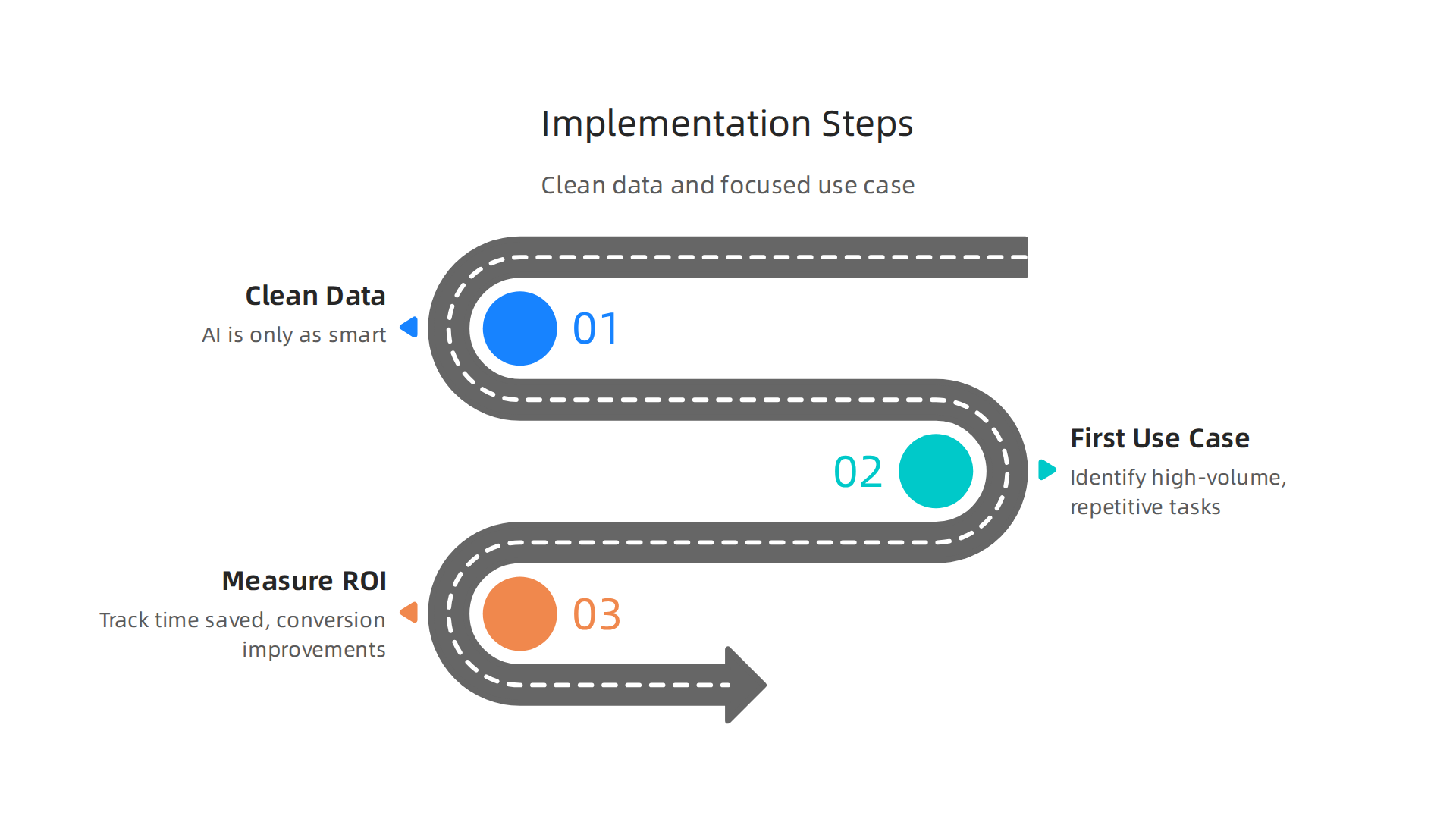
Getting real value from HubSpot AI starts before you even open a single AI tool. Two things matter most: clean data and a focused first use case.
Start with clean data
Your AI is only as smart as the data it works with. Duplicate contacts, out of date pipeline info, and messy property fields will lead the AI to make poor suggestions. Before you turn on Breeze scoring or set up an AI agent, take time to clean your CRM. The SalesHive team reported that FPT Software boosted data quality by 90% by aligning their data strategy with HubSpot AI deployment. When your data is clean, the AI can actually find real patterns. Use HubSpot’s built in data quality tools or run a quick import cleanup before activating any AI features.
Pick the right first use case
Do not try to enable everything at once. Identify the high-volume, repetitive tasks that your team does every day. For sales teams, that often means lead scoring. For service teams, it means deflecting common support tickets with an AI agent. Focus on one of these areas first. Companies that follow this approach often see a 20‑30% improvement in lead conversion and a 25% reduction in ticket resolution time within the first quarter. The key is to pick something that gives you quick feedback so you can prove value to your team and get buy in for bigger projects.
Measure ROI within three months
HubSpot AI runs on either included features (in Professional and Enterprise tiers) or on low cost credits. You do not need a huge investment to start. Track simple metrics: time saved per rep, response time changes, and conversion rate improvements. Many teams see clear positive ROI within 90 days when they focus on a single high-volume task. For example, a Breeze Customer Agent costs $0.50 per resolved conversation. If your team handles 200 repetitive tickets per month, that is only $100, while freeing up hours of human time.
If you want a deeper look at how to measure and maximize your return, check out this step-by-step guide to measuring AI marketing ROI. It walks through the numbers and the metrics that matter.
Once you see the first results, you can graduate to more advanced use cases like multi-step workflows and prospecting agents. The key is to start small, measure carefully, and let the data guide your next move.
Summary
This article explains why HubSpot AI (rebranded as Breeze AI) matters for business operations by showing how an integrated AI layer improves marketing, sales, service, and content workflows. It walks through the main components—Breeze Copilot, Breeze Intelligence, specialized AI agents, and embedded helpers—and explains how they share CRM data to personalize communications, score leads, automate tasks, and surface insights. You’ll see concrete use cases for marketing (personalized emails, predictive lead scoring), sales (conversational intelligence, AI forecasting), and support (chatbots, intelligent ticket routing), plus how AI aids content creation and SEO planning. The guide compares HubSpot’s integrated approach to competitors, outlines pricing and ease-of-use differences, and gives practical rollout advice: clean your data, pick one high-value use case, and measure results within 90 days. By the end you’ll understand what HubSpot AI can do, how to prioritize features, and how to track ROI so your team can get faster, measurable value from AI.