Why U.S. tech solutions and AI initiatives matter now
The world of Artificial Intelligence (AI) is moving very, very fast in 2026. Every day, it seems like there’s a new tool or idea. For businesses in the U.S., this means big chances to grow and do things better. It also means it can be hard to keep up. Reports show that U.S. private AI investment reached $285.9 billion in 2025, showing just how much money is pouring into this area The 2026 AI Index Report | Stanford HAI. Many companies are already using AI, with about 18 percent of firms having adopted it by late 2025 Monitoring AI Adoption in the U.S. Economy.
This speedy change creates a challenge. There’s so much information out there about new AI tools and us tech solutions that it’s easy to feel lost.

How do you pick the right tools for your team? How do you know what will actually help your business, instead of just adding more work? It’s a real problem for professionals, creators, and business leaders trying to make smart choices. You want to use these powerful tools, but you need clear steps to follow.
That’s exactly why this article is here. We want to cut through the noise and give you helpful, simple advice. This guide will help you understand how to pick, use, and grow with AI tools. You’ll learn practical steps to find the best AI for business tools that deliver real results in 2026. We’ll also show you how to choose trusted resources and build confidence in your AI choices.
In a world full of new information every single day, it can be tough to know what’s truly important. If you want to keep up with the latest in AI and technology without feeling overwhelmed, we have a great resource for you. Get clear daily AI updates from The AI Newsletter Worth Reading.
1. U.S. market overview: demand, sectors, and spending patterns
As AI keeps growing faster than ever in 2026, U.S. businesses are eagerly looking for new ways to use this powerful technology. More and more companies understand that AI is not just a passing trend; it’s a key part of how they will work and grow. Reports show that a lot of people in the U.S. are already using AI in their daily lives. Over 60% of adults in the U.S. use AI at least a few times a week, and about 31% use it almost all the time or several times a day Public Opinion. This shows a big demand for good AI tools and us tech solutions.
This demand isn’t just in a few big cities. AI use is spreading all over the United States, reaching many different areas.

This means that businesses in all kinds of places are starting to explore what AI can do for them AI Diffusion in the United States.
Which industries are spending the most?
Many types of businesses are putting a lot of money into AI. Some of the top industries that are investing heavily include:
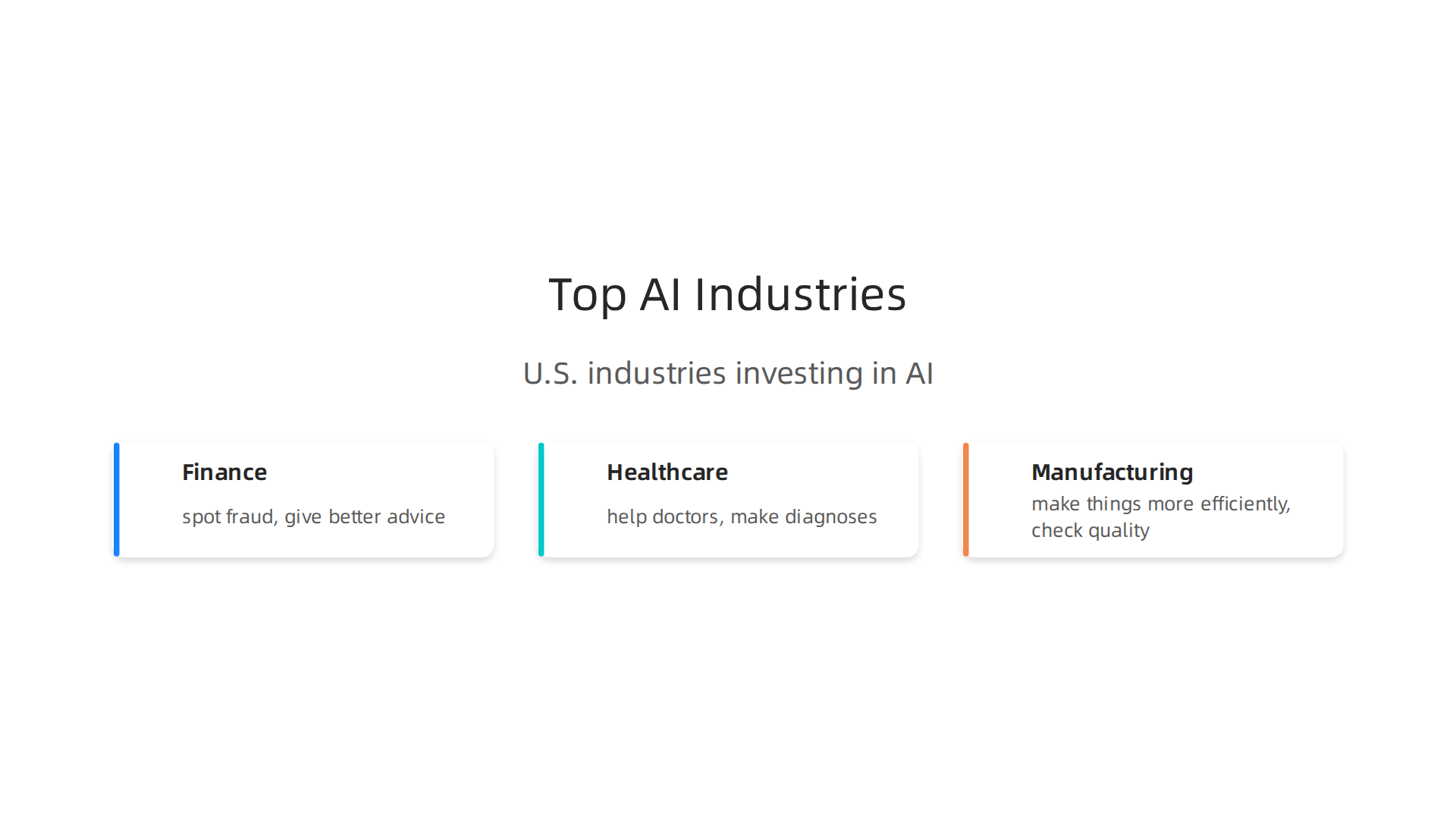
- Finance: Banks and other money-related companies use AI to spot fraud, give better advice, and help customers.
- Healthcare: Hospitals and clinics use AI to help doctors, make diagnoses, and manage patient care.
- Manufacturing: Factories use AI to make things more efficiently, check quality, and keep machines running smoothly.
Companies across the U.S. are planning to spend even more on AI this year. On average, organizations expect to spend around $207 million on AI in the next 12 months. This is almost double what they spent last year AI Quarterly Pulse Survey – Q1 2026 – KPMG International. It’s clear that AI is a big budget item for many businesses.
How businesses buy AI tools
The way companies buy AI solutions often depends on their size.
-
Big Companies (Enterprise Teams): These large businesses, like those you might find on a big tech campus, often need very powerful and complex AI systems. They might spend millions of dollars. They look for big AI platforms that can be built into many different parts of their work. They want solutions that offer strong security, can handle huge amounts of data, and connect with all their existing software. For them, finding the right enterprise AI platforms 2026 is a big decision. Many choose to work with specialized AI solution providers in the USA who can build custom tools just for them. These big players are also keen to identify AI leadership in the market.
-
Small and Medium Businesses (SMBs): Smaller companies usually have less money to spend. They look for simpler, more affordable us tech solutions that can solve one or two clear problems quickly. They want tools that are easy to use and show a clear benefit fast. For example, a small marketing agency might look for an [innotech website] tool that helps automate their social media posts. The cost of these tools can vary, but many choose options like ChatGPT Enterprise, which can cost about $60 per user each month AI Software Pricing 2026: 18 Tools Compared (Real Costs). They want practical AI tech products for their team that will help them save time and money without being too complicated.
The way companies buy AI tools changes depending on their size and what they need. Now, let’s look at the different kinds of leading us tech solutions and the companies that make them. Understanding these categories can help any business pick the right AI tools for their team.
Different types of AI solution providers
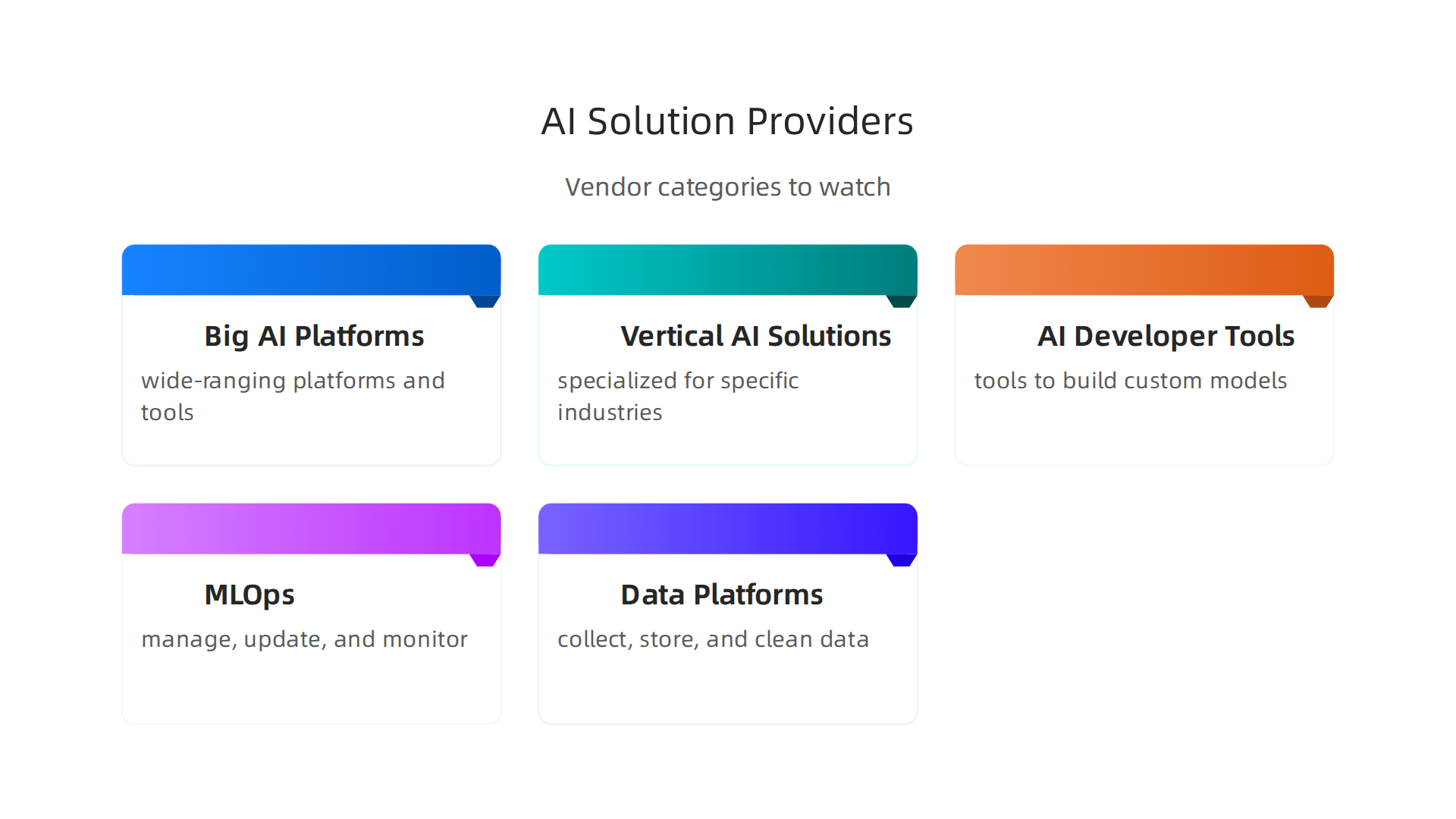
The world of AI solutions is full of many different kinds of vendors. Each one focuses on a certain part of the AI journey.
-
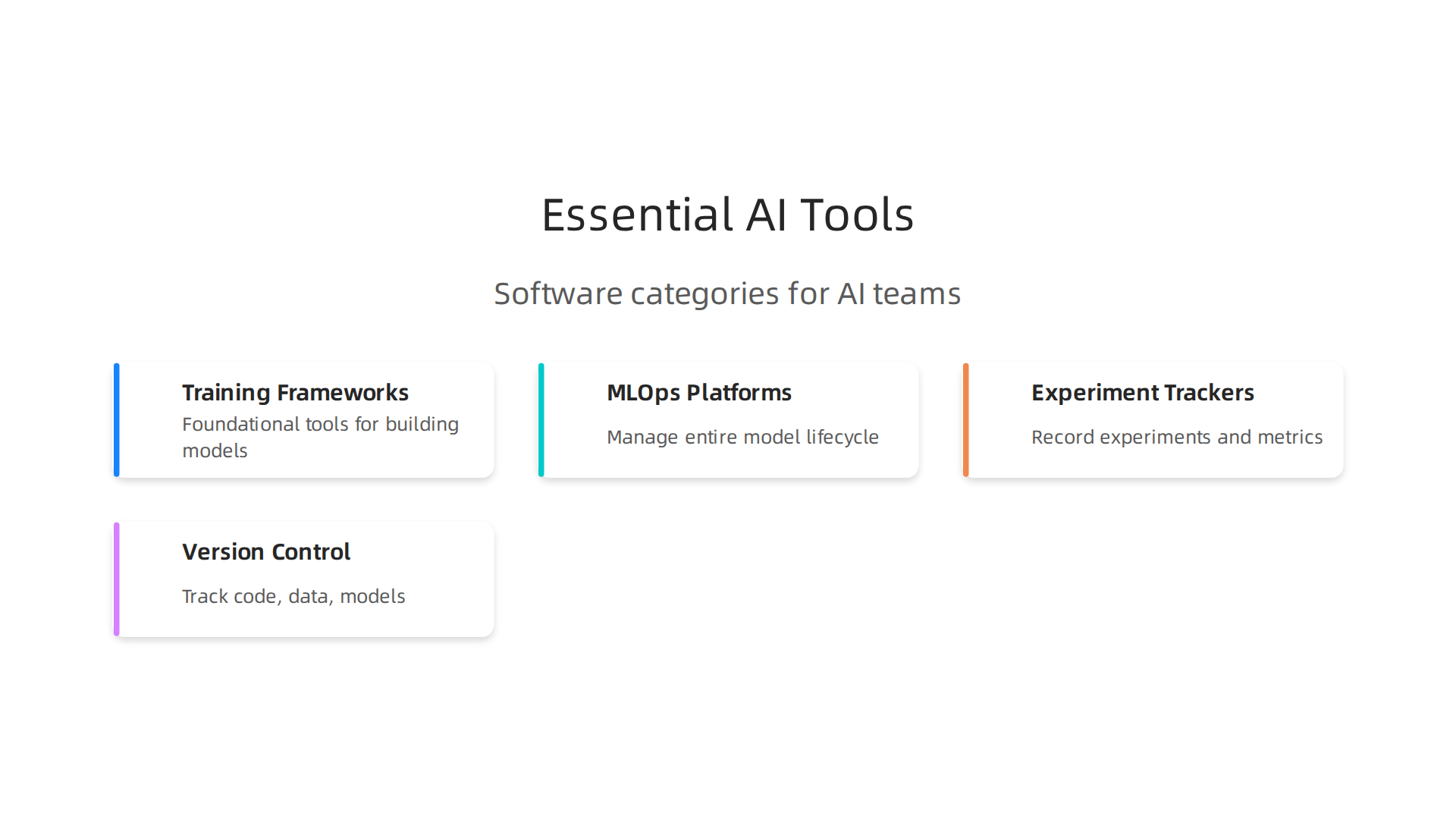
Big AI Platforms: These are like the big stores that sell everything. Companies such as Microsoft, Google, AWS, and IBM offer wide-ranging AI platforms. These platforms provide many tools in one place, from building AI models to running them and keeping them safe. They are usually chosen by larger businesses because they can handle huge tasks and need a lot of setup. For example, some platforms are known for being very safe and meeting important rules How to Evaluate Enterprise AI Platforms for Security and Compliance. These big platforms often aim to offer complete enterprise AI solutions that cover many business needs.
-
Vertical AI Solutions: These are specialized tools made for one specific job or industry. Think of AI that is just for healthcare to help doctors, or AI for marketing to create better ads. These solutions are often easier to use and faster to set up because they are designed for a clear purpose. A small business might find an [innotech website] tool for automating customer service much more useful than a huge, general AI platform. These focused us tech solutions help businesses get quick results for their unique problems.
-
AI Developer Tools: These tools are for people who know how to code and want to build their own custom AI programs. They give developers the building blocks to create new AI features or deeply connect AI with existing software. These tools are important for companies that want something truly unique or need to make AI work in a very specific way.
-
MLOps (Machine Learning Operations): Once an AI model is built, it needs to be managed, updated, and monitored. MLOps tools help with this. They make sure AI models keep working well, learn from new data, and don’t cause problems. These tools are key for companies that use many AI models or rely on AI for critical tasks. An AI implementation roadmap often includes plans for MLOps from pilot to production, showing its importance in making sure AI solutions work in the real world Your AI Implementation Roadmap: Guide for 2026 Success.
-
Data Platforms: AI needs good data to learn and work well. Data platforms help businesses collect, store, clean, and get their data ready for AI. Without clean, organized data, even the best AI tools won’t perform correctly. These platforms are the foundation for any successful AI project.
How to pick the right AI solution
Choosing the right AI vendor means looking at what your business needs and what your team can handle.
-
For small and medium businesses (SMBs): If you’re an SMB, you’ll likely want a vertical AI solution or a simpler platform that solves a clear business problem. Look for tools that are easy to use, don’t cost too much, and offer clear benefits, like a tool for improving your website or managing tasks. You might also want to explore solutions that offer clear plans for how to get started with AI quickly, like a 90-day plan for custom AI automation Custom AI Automation Roadmap for SMB Teams (30-60-90 Days). It’s about finding practical [us tech solutions] that fit your budget and don’t require a lot of technical know-how.
-
For larger companies (Enterprise Teams): Big companies need solutions that can handle large amounts of data, work with many existing systems, and offer strong security. They might use a mix of big AI platforms for core tasks and specialized tools for certain departments. They often need help moving their AI ideas from small tests to full use across the company Enterprise AI in 2026: Navigating the Shift from Pilots to …. When looking at bigger projects, companies might even consider academic partnerships, perhaps with a place like Dartmouth AI, to explore new ideas or complex challenges. Finding out how to evaluate AI companies to unlock business growth in 2026 is a critical step for larger organizations.
No matter your business size, choosing the best AI solutions means carefully looking at your goals, your data, and what your team is ready for. It’s not just about the newest tech, but about finding tools that truly help you work better and grow.
Stay on top of the latest AI trends and tools.
Get clear daily AI updates from The AI Newsletter Worth Reading.## 2. Leading U.S. tech solutions and vendor categories to watch
The way companies buy AI tools changes depending on their size and what they need. Now, let’s look at the different kinds of leading us tech solutions and the companies that make them. Understanding these categories can help any business pick the right AI tools for their team.
Different types of AI solution providers
The world of AI solutions is full of many different kinds of vendors. Each one focuses on a certain part of the AI journey.
-
Big AI Platforms: These are like the big stores that sell everything. Companies such as Microsoft, Google, AWS, and IBM offer wide-ranging AI platforms. These platforms provide many tools in one place, from building AI models to running them and keeping them safe. They are usually chosen by larger businesses because they can handle huge tasks and need a lot of setup. For example, some platforms are known for being very safe and meeting important rules How to Evaluate Enterprise AI Platforms for Security and Compliance. These big platforms often aim to offer complete enterprise AI vendor comparison solutions that cover many business needs.
-
Vertical AI Solutions: These are specialized tools made for one specific job or industry. Think of AI that is just for healthcare to help doctors, or AI for marketing to create better ads. These solutions are often easier to use and faster to set up because they are designed for a clear purpose. A small business might find an innotech website tool for automating customer service much more useful than a huge, general AI platform. These focused us tech solutions help businesses get quick results for their unique problems.
-
AI Developer Tools: These tools are for people who know how to code and want to build their own custom AI programs. They give developers the building blocks to create new AI features or deeply connect AI with existing software. These tools are important for companies that want something truly unique or need to make AI work in a very specific way.
-
MLOps (Machine Learning Operations): Once an AI model is built, it needs to be managed, updated, and monitored. MLOps tools help with this. They make sure AI models keep working well, learn from new data, and don’t cause problems. These tools are key for companies that use many AI models or rely on AI for critical tasks. An AI implementation roadmap often includes plans for MLOps from pilot to production, showing its importance in making sure AI solutions work in the real world Your AI Implementation Roadmap: Guide for 2026 Success.
-
Data Platforms: AI needs good data to learn and work well. Data platforms help businesses collect, store, clean, and get their data ready for AI. Without clean, organized data, even the best AI tools won’t perform correctly. These platforms are the foundation for any successful AI project.
How to pick the right AI solution
Choosing the right AI vendor means looking at what your business needs and what your team can handle.
-
For small and medium businesses (SMBs): If you’re an SMB, you’ll likely want a vertical AI solution or a simpler platform that solves a clear business problem. Look for tools that are easy to use, don’t cost too much, and offer clear benefits, like a tool for improving your website or managing tasks. You might also want to explore solutions that offer clear plans for how to get started with AI quickly, like a Custom AI Automation Roadmap for SMB Teams (30-60-90 Days). It’s about finding practical [us tech solutions] that fit your budget and don’t require a lot of technical know-how.
-
For larger companies (Enterprise Teams): Big companies need solutions that can handle large amounts of data, work with many existing systems, and offer strong security. They might use a mix of big AI platforms for core tasks and specialized tools for certain departments. They often need help moving their AI ideas from small tests to full use across the company Enterprise AI in 2026: Navigating the Shift from Pilots to …. When looking at bigger projects, companies might even consider academic partnerships, perhaps with a place like Dartmouth AI, to explore new ideas or complex challenges. Finding out how to evaluate AI companies to unlock business growth in 2026 is a critical step for larger organizations.
No matter your business size, choosing the best AI solutions means carefully looking at your goals, your data, and what your team is ready for. It’s not just about the newest tech, but about finding tools that truly help you work better and grow.
Stay on top of the latest AI trends and tools.
Get clear daily AI updates from The AI Newsletter Worth Reading.
3. Implementation strategies: from pilot to production
Picking the right AI tools is just the first step. The real challenge is making them work well in your business. This means moving from a small test, called a pilot, to full, everyday use. For any business, especially those with fewer resources, a clear plan is key to putting new us tech solutions into action.
Starting with a smart pilot project
When you begin with AI, don’t try to change everything at once. Instead, pick one small, clear problem to solve. This is your pilot project.
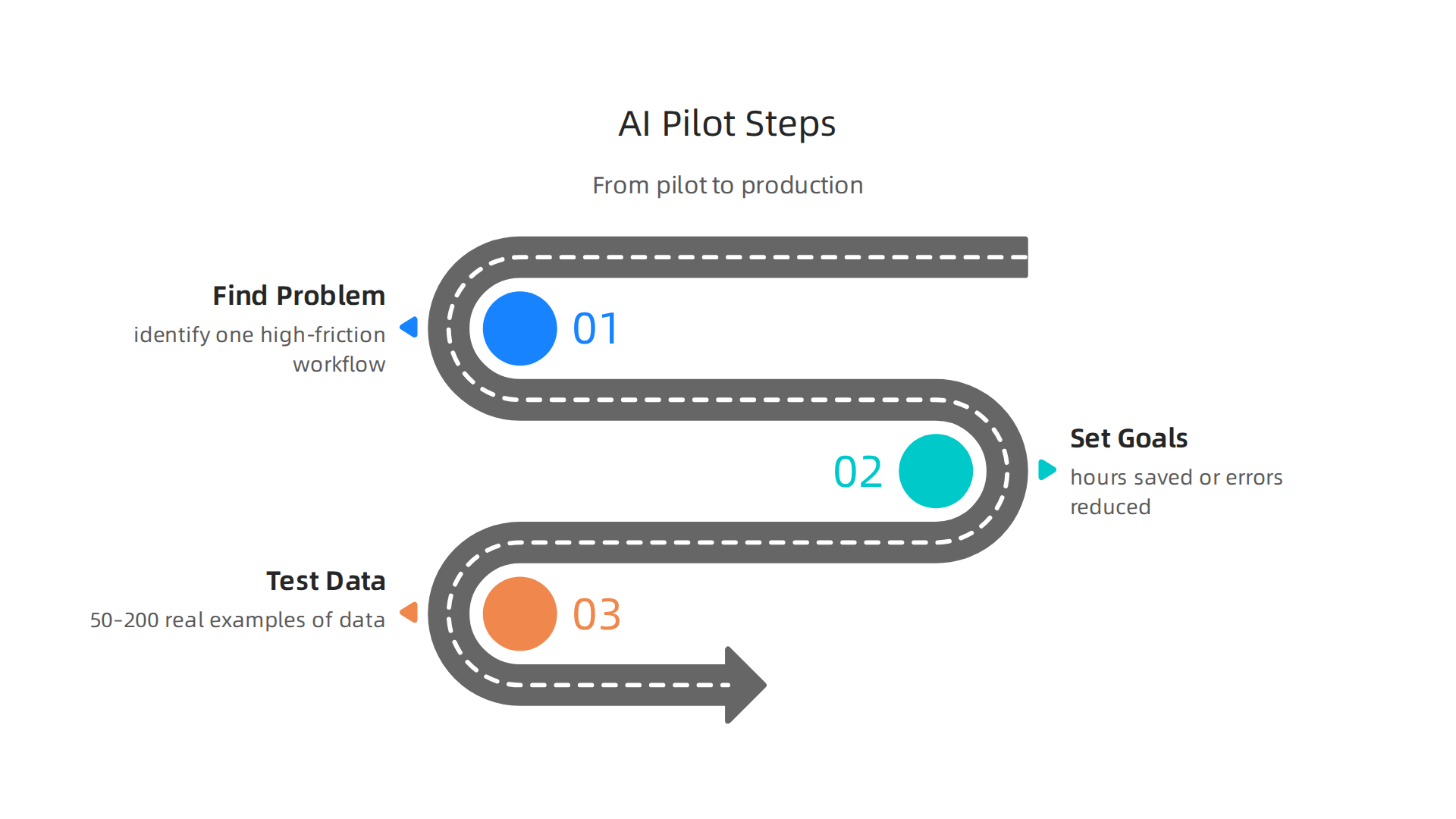
- Find a clear problem: Look for a work task that takes a lot of time or has many steps. It should be a task that you can easily track and measure. You need to "identify one high-friction workflow with clear ownership" to make sure it’s manageable.
- Set clear goals: Before you start, know what success looks like. Instead of just saying "use AI," think about "hours saved" or "errors reduced." These clear goals help you prove the AI is actually helping AI Implementation Strategy: From Pilot to Production in 2026.
- Test with real data: Use a small amount of your own real information to see how the AI performs. For small to medium businesses (SMBs), testing with "50–200 real examples of your own data" can show if the AI works as expected AI Adoption Roadmap for SMBs: 90 Days (2026). Many businesses find a 90-day plan helpful to get these first steps done Your 90-Day AI Roadmap: How Small Businesses Can Start Smart ….
Moving from pilot to full use
Once your pilot shows good results, it’s time to think bigger. Moving AI from a small test to a full part of your business means careful steps.

- Plan for changes: This shift means looking at your technology setup (infrastructure), how your data moves (data pipelines), and how you manage the AI tools every day (MLOps). You also need to think about new rules and how your team will work with the AI. This journey needs "organizational change" to really take hold.
- Roll out slowly: Don’t turn on the AI for everyone at once. You might use methods like "canary deployment," where you first give the AI tool to a small group of users. If it works well, you slowly give it to more people Ai Model Development And…. This helps you catch problems early.
- Get leadership on board: To make sure AI projects succeed, both business and technology leaders need to support it. This means "securing commitment from both business and IT leadership" and agreeing on what success looks like Enterprise AI in 2026: Navigating the Shift from Pilots to ….
Key people and working together
Making AI work is a team effort.
- Assign owners: Every AI project needs someone to be in charge. This "human owner" makes sure the AI runs smoothly and oversees its steps AI Implementation Roadmap for SMBs: Phasing the Rollout.
- Train your team: Your employees will be using these new tools, so they need proper training. Providing "structured AI training for leadership and operational teams" helps everyone understand and use the AI effectively The AI Transformation Playbook for UK and European ….
- Work with partners: Sometimes, you’ll need help from outside experts. Working with vendors who specialize in Mastering Specialized AI Tools can make a big difference. They can offer insights and support to help you deploy your chosen us tech solutions. Knowing how to find trusted sources for AI tool discovery 2026 can also speed up your progress.
By taking these careful steps, from a small pilot to a full-scale rollout, businesses can successfully bring AI into their daily work. It’s about being smart and planned, rather than just jumping into the newest technology.
Stay on top of the latest AI trends and tools. Get clear daily AI updates from The AI Newsletter Worth Reading.
4. How to evaluate and compare AI tools: KPIs, security, and ROI
After learning how to start with AI, the next big step is picking the right tools. It’s not enough to just pick the newest or most popular option. You need to know how to truly check if an AI tool is a good fit for your business. This means having a clear way to measure its worth, how safe it is, and if it will give you good results for your money.
Your AI Tool Checklist
To pick the best us tech solutions, you can use a simple checklist. This helps you compare different tools fairly.
-
How Well Does It Work? (Functionality and KPIs)
- First, does the AI tool do what you need it to do? For example, if it’s supposed to write emails, how good are those emails?
- How fast is it? Does it complete tasks quickly or does it make you wait? This is like its speed.
- How often does it get things right? You want a high "task success rate," which means it achieves the goal most of the time. Experts suggest looking at things like latency, cost, and safety when judging AI agents How to Evaluate AI Agents: Latency, Cost, Safety, ROI.
- The goal is to choose how to choose AI for business tools that deliver real results for your company.
-
Is It Safe and Private? (Security and Compliance)
- AI tools often handle important company information. You must ask: "Is my data safe with this tool?"
- Does the tool follow rules for keeping data private? This is super important, especially if your business has special guidelines to follow. The National Institute of Standards and Technology (NIST) has an AI Risk Management Framework to help make AI trustworthy.
- Can you see what the AI tool is doing? This is called "auditability." It means you can check its work and make sure it’s doing things correctly and without mistakes. Make sure to check for things like detailed audit logging when looking at different AI platforms How to Evaluate Enterprise AI Platforms for Security and Compliance.
-
What About the Money? (Total Cost of Ownership and ROI)
- The price tag of an AI tool is just the start. Think about the "Total Cost of Ownership." This includes the first price, how much it costs to set up, and how much you pay to keep it running over time.
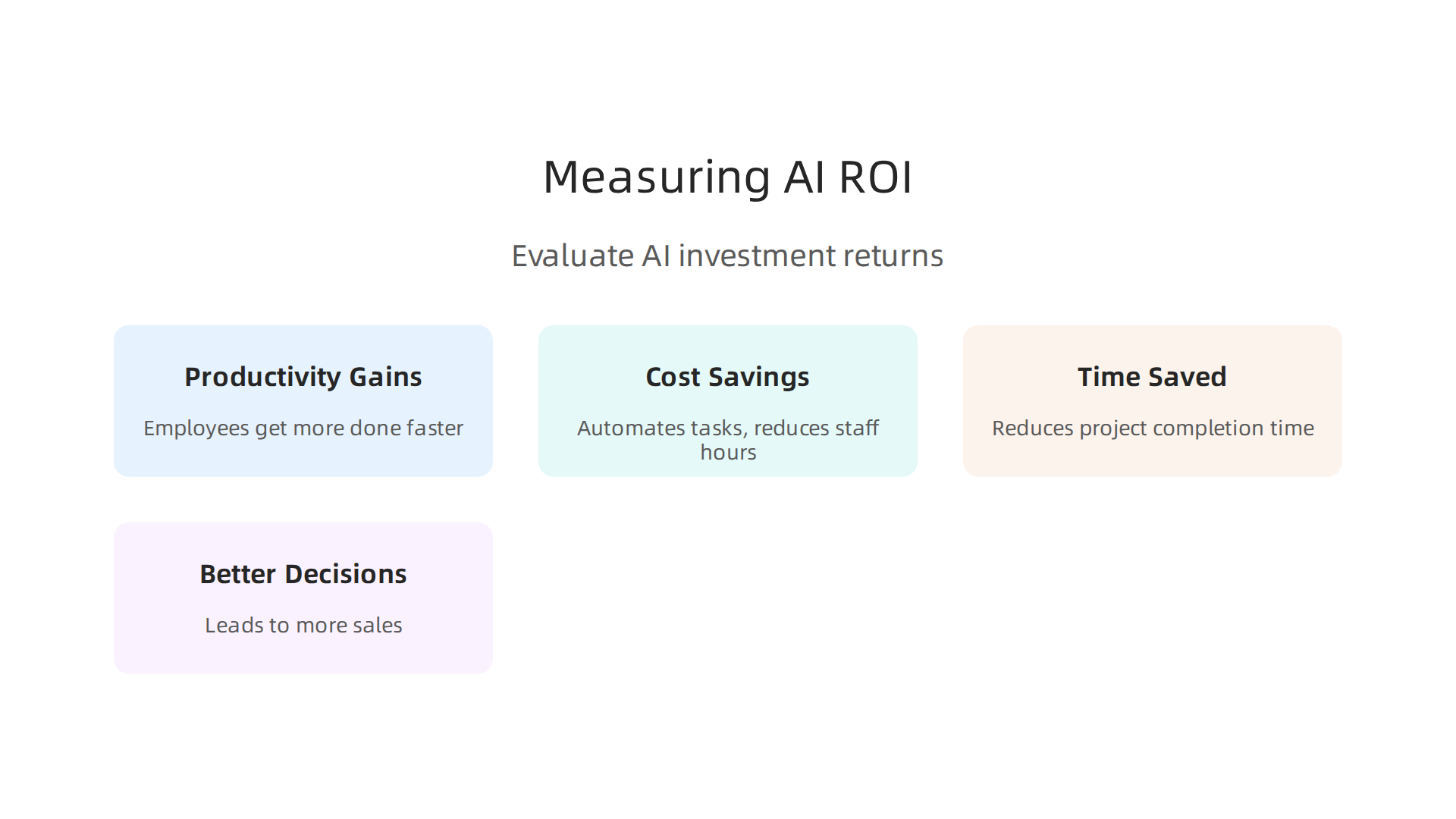
- Will the tool save you money or help you make more money? This is your Return on Investment (ROI). Many businesses look for a good ROI from their AI tools, especially in areas like marketing. You want a tool that gives you more value than what you spend on it.
- Different platforms have different costs. Some popular ones like Microsoft Azure AI and Google Cloud AI use a "pay-as-you-go" system based on how much you use them Enterprise AI Platforms Guide 2026: Compare Top Solutions. Understanding how to get real ROI from AI marketing cloud or other tools is vital.
Shortlisting and Testing Vendors
Once you have your checklist, you can start comparing different AI tools and the companies that make them. Think of it like making a shopping list. You’ll want to evaluate AI companies to unlock business growth in 2026. This is called shortlisting. You can use templates to score each tool against your needs. This helps you figure out which ones are best to try.
After you’ve shortlisted a few top choices, you can run small pilot projects with them. This is the best way to see how they work in your actual business. It lets you test out a few different us tech solutions, from big names to smaller innovators, before you pick the one that fits just right. Looking at things like "Decision Framework" can help you in this process Decision Framework.
5. Scaling adoption: change management, governance, and measuring impact
So, you’ve tried out new AI tools and found some that work well in a small test. That’s great! But the real challenge is making these tools work for everyone in your company. This means rolling them out widely, helping people get used to them, setting clear rules, and checking if they truly help your business grow. Moving from a small test (a pilot) to full use needs careful planning. Experts point out that a big step here is dealing with "organizational change" to make sure everyone is ready for AI Your AI Implementation Roadmap: Guide for 2026 Success.
Making the Switch Easy for Everyone (Change Management)
When you bring in new technology like AI, people might feel unsure or even worried. It’s like learning a new way to do things. Helping your team understand why the AI is useful, how it works, and how it will help them do their jobs better is called change management.
- Talk it Out: Share clear information about the new AI. Explain what it does and what it doesn’t do.
- Teach Them Well: Provide good training so everyone knows how to use the tools. Make it easy for them to ask questions and get help. Starting with structured training for all teams is a smart move for an AI transformation The AI Transformation Playbook for UK and European ….
- Show the Benefits: Highlight how the AI will make tasks simpler or save time. This helps people feel excited about the change instead of worried.
This smooth transition helps your company adopt smart AI for business more successfully.
Setting the Rules for AI (Governance)
As AI becomes a bigger part of your business, you need clear rules about how it’s used. This is called governance. It’s about making sure AI is used safely, fairly, and in a way that helps your company reach its goals.
- Who’s in Charge? Decide who will be responsible for overseeing the AI tools. Who makes sure they are used correctly?
- Fair Play: Make sure the AI tools are not used in ways that are unfair or that cause problems. This means checking for things like bias in the AI’s decisions.
- Clear Guidelines: Create simple guidelines for how teams should use AI in their daily work. This helps keep things organized and safe.
- Operating Model: Think about how your whole company works with AI. This might mean changing how teams talk to each other and how projects get money. Building a new "operating model" helps businesses grow with AI Rewiring the enterprise operating model for AI scale – Deloitte.
It’s also important to activate good governance when moving from AI pilots to full production Your AI Implementation Roadmap: Guide for 2026 Success.
Knowing if AI is Really Helping (Measuring Impact)
After you’ve rolled out AI to more people, you need to keep checking if it’s truly making a difference. This means looking at the numbers and seeing the real impact.
- Track the Right Things: Don’t just count how many times someone uses an AI tool. Instead, measure things like "hours saved," "mistakes reduced," or "more sales." These are the real signs of success AI Implementation Strategy: From Pilot to Production in 2026.
- Compare Results: A good way to measure is by testing. You can run "A/B tests" where some people use the AI and others don’t, then compare their results. Or, try a "canary deployment," where you give the AI to a small group first and watch how it performs before giving it to everyone Ai Model Development And….
- Get More Support: When you can show how much the AI is helping, it’s easier to get more money and support to keep using it and find new ways it can benefit your business. Start small, prove it works, and then grow AI Adoption Roadmap for SMBs: 90 Days (2026). This is how many us tech solutions become central to business operations.
To stay on top of the latest strategies for AI adoption and impact measurement, consider subscribing to The AI Newsletter Worth Reading for daily updates.
6. Regulatory and ethical considerations for U.S. deployments
After setting up rules for how your company uses AI, it’s also important to think about the bigger picture: the laws and guidelines set by the government. In the U.S., these rules are still growing, but they are very important for any business using us tech solutions. They help make sure AI is used in a fair, safe, and private way.
Key U.S. Guidance Areas to Watch
As of 2026, there isn’t one big federal law that covers all AI use in the United States. However, many states have already put their own AI laws in place, and companies must follow them today. This means that if your business operates in different states, you need to be aware of various rules State AI Laws Take Hold as Federal Preemption Stalls.
Here’s what businesses need to keep an eye on:
- Federal Efforts: The U.S. government is working on guidelines and plans for AI. For example, the White House has shared ideas for a national policy framework for AI White House National Policy Framework for AI – Legislative …. The National Institute of Standards and Technology (NIST) is also a key player. They have created an Artificial Intelligence Risk Management Framework to help companies manage risks when using AI. NIST is also putting out guidelines for how to test and evaluate AI systems NIST Artificial Intelligence Update. They are even looking at how to set standards for "AI agents" which are like smart computer programs NIST AI Agent Standards Initiative: Emerging Compliance ….
- Existing Rules Still Apply: It’s important to know that many older laws about data privacy, equal opportunity, and unfair practices already cover how AI can be used. For instance, rules for financial services that prevent bias also apply to AI models The Emerging Landscape of AI Regulation in U.S. …. So, it’s not just new AI laws you need to think about.
- Sector-Specific Rules: Some industries might have their own special rules for AI. This means that a us tech solution used in healthcare might have different requirements than one used in retail.
Practical Steps for Teams
To make sure your AI tools are used responsibly and follow all the rules, here are some things your team can do:
- Understand the Laws: Keep up with new federal and state laws that affect AI, especially those related to data privacy and fairness. An innotech website or specific legal news sources can help you stay current.
- Use Frameworks: Follow guides like the NIST AI Risk Management Framework. This framework helps you align AI development and use with privacy laws and intellectual property rights Artificial Intelligence Risk Management Framework: Generative ….
- Check for Bias: Make sure your AI tools are fair and don’t make unfair decisions. This is a big part of ethical AI.
- Be Clear: If your company uses AI to interact with customers, be open about it. Let people know when they are talking to an AI.
- Get Training: Teach your team about ethical AI use and how to follow privacy rules. Understanding these details is key to mastering the AI future standard 2026.
- Review Regularly: The world of AI rules is changing fast. Make sure you check your AI practices often to match new laws and best practices. Even big names like Dartmouth AI researchers keep up with these changes.
Summary
This article explains why U.S. tech solutions and AI matter for businesses in 2026 and gives a practical playbook for choosing, testing, and scaling AI. It reviews market demand, sector spending patterns, and how procurement differs for SMBs versus enterprise teams. You’ll get a clear breakdown of vendor types—big platforms, vertical solutions, developer tools, MLOps, and data platforms—and how each fits different needs. The guide shows how to run a focused pilot (50–200 real examples, 90-day plans), move to production with canary rollouts and MLOps, and assign human owners and training. It also offers a checklist to evaluate tools by functionality, security, and total cost of ownership, plus governance and impact-measurement advice. Finally, it covers the evolving U.S. regulatory landscape, ethical safeguards, and practical steps to keep AI deployments compliant and effective.