Tag: pillar-ai-tools

  • Krisp AI Noise Cancellation Stops Background Noise Instantly in 2026

    Krisp AI Noise Cancellation Stops Background Noise Instantly in 2026

    You are on a video call. Your boss asks a tough question. Right as you start to answer, a garbage truck roars past your window.

    A person on a video call, clearly distracted or frustrated by background noise in their environment.

    Your coworker hears nothing but static. Sound familiar?

    This is the reality of modern work in 2026. Remote and hybrid work are totally normal now. As of 2026, about 27% of full-time employees work remotely and 52% work hybrid, according to Breeze.pm.
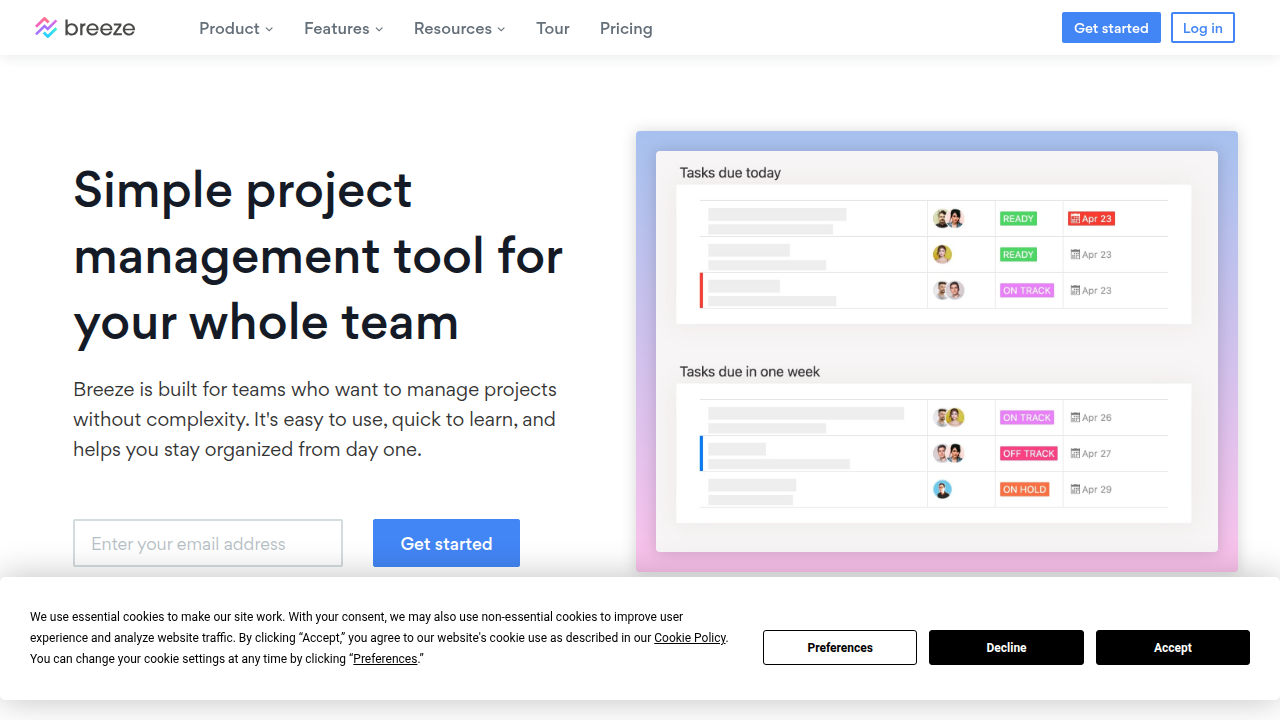
    Breeze.pm's homepage highlights current trends and statistics for remote and hybrid work environments.

    Since we rely so much on virtual meetings, even small audio problems can waste a lot of time. Workers consistently report higher productivity, with 77% saying they get more done at home (WorkTime). Still, bad audio is a big reason people get tired of meetings.

    That is where tools like Krisp AI come in. Krisp AI is an AI app that removes background noise instantly. It helps you sound professional no matter where you take calls. It acts like a personal producer AI for your audio. It cuts down on meeting fatigue and helps everyone stay focused on the conversation, not the distractions.

    In this guide, we will walk through everything you need to know about Krisp AI. We will cover its best features and how it compares to other tools. You will learn how your team can use it to communicate better.

    The world of AI moves fast. Keeping up can feel like a full time job. That is why a daily briefing like The Deep View Newsletter is so helpful. It gives you clear AI news in just a few minutes each day. If you want to explore more resources, check out our list of the best virtual assistant websites professionals trust.

    1. Why AI Communication Tools Matter in 2026

    The way we work has changed for good. In 2026, most of us still spend our days on video calls and virtual meetings. As we mentioned earlier, about 27% of full-time employees work fully remote, and 52% work hybrid. That mix of home and office means clear communication is more important than ever.

    But here’s the thing. Virtual meetings come with a hidden cost. Every time a dog barks, a truck rumbles, or a kid yells in the background, your brain has to work harder to focus.
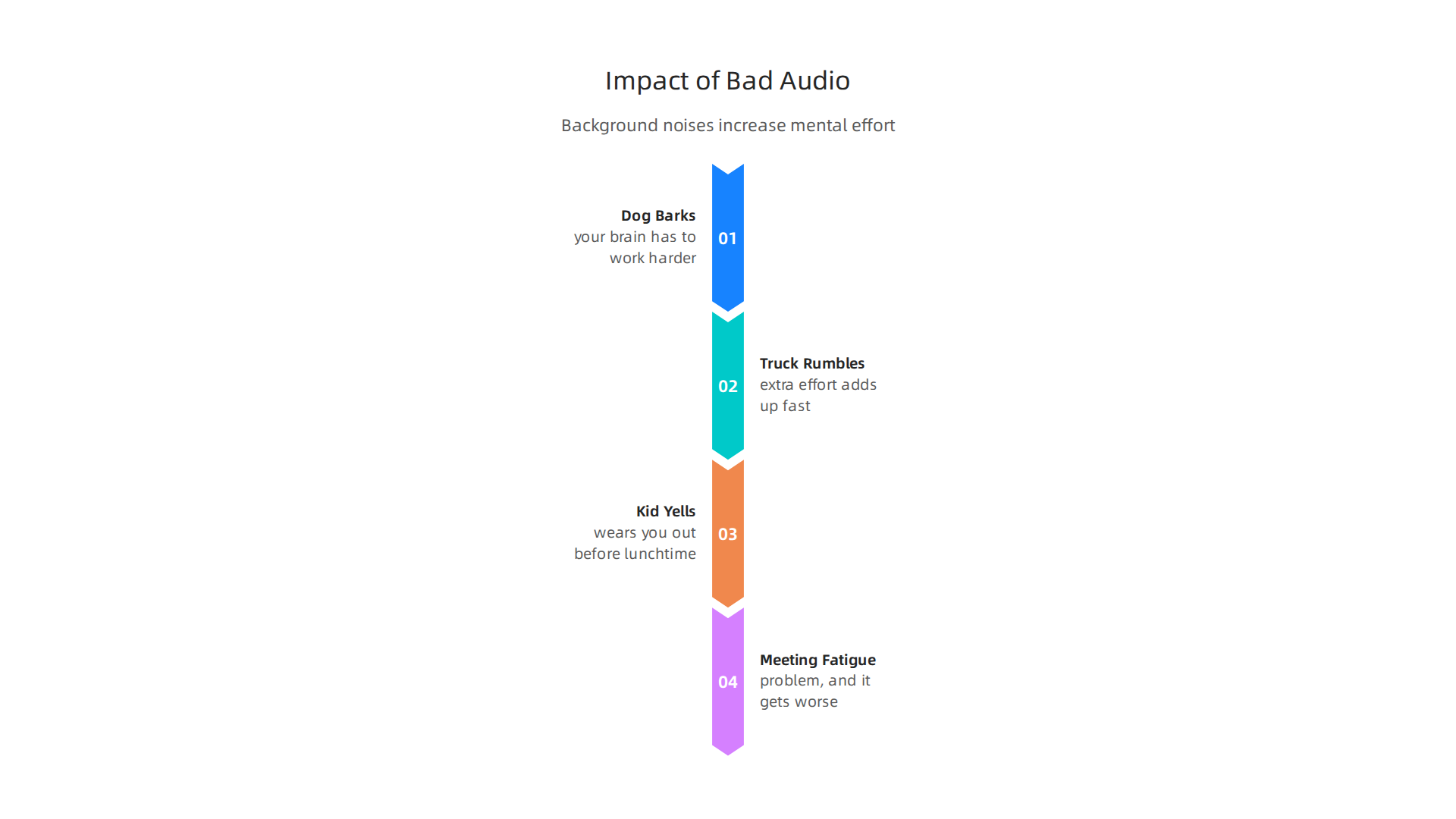
    Visualizing how common background noises during virtual meetings lead to increased mental effort and fatigue.

    That extra effort adds up fast. It wears you out before lunchtime. This kind of meeting fatigue is a real problem, and it gets worse when you have many calls in a day.

    That is why AI tools like Krisp AI are becoming essential. They act like a personal producer AI for your audio. Instead of your coworkers hearing that blender or siren, Krisp AI filters it out in real time. You sound like you’re in a quiet studio, even when you’re not.

    And the numbers back this up. A big survey found that 77% of remote workers say they are more productive when working from home (Achievers). But that productivity only happens when you can actually hear each other clearly. Bad audio breaks focus. It makes you repeat yourself. It slows everything down.

    When teams use AI noise cancellation, the mental strain drops. People stay in the conversation. They don’t zone out or get annoyed by background noise. This makes meetings shorter and more useful.

    Good communication is the foundation of good collaboration. If you want to see how humans and AI can work better together, check out our article on human or AI creativity for more insights.

    The world of AI tools moves quickly. To keep up with the latest breakthroughs, you need a reliable source. That’s why we recommend The Deep View Newsletter. It delivers clear, daily AI updates in just a few minutes. Give it a try and stay ahead of the curve.

    2. Krisp AI Deep Dive: Features and Performance

    We just covered why clean audio is a must in 2026. Now let us take a close look at the tool that solves the problem. Krisp AI is much more than a simple mute button. It is a smart audio engine that uses machine learning to clean up sound in real time.

    How Krisp AI Works

    Krisp uses a technology called voice separation. It separates human speech from background noise instantly. According to the company, it removes distracting sounds like dogs barking, sirens, or typing while keeping your voice crystal clear
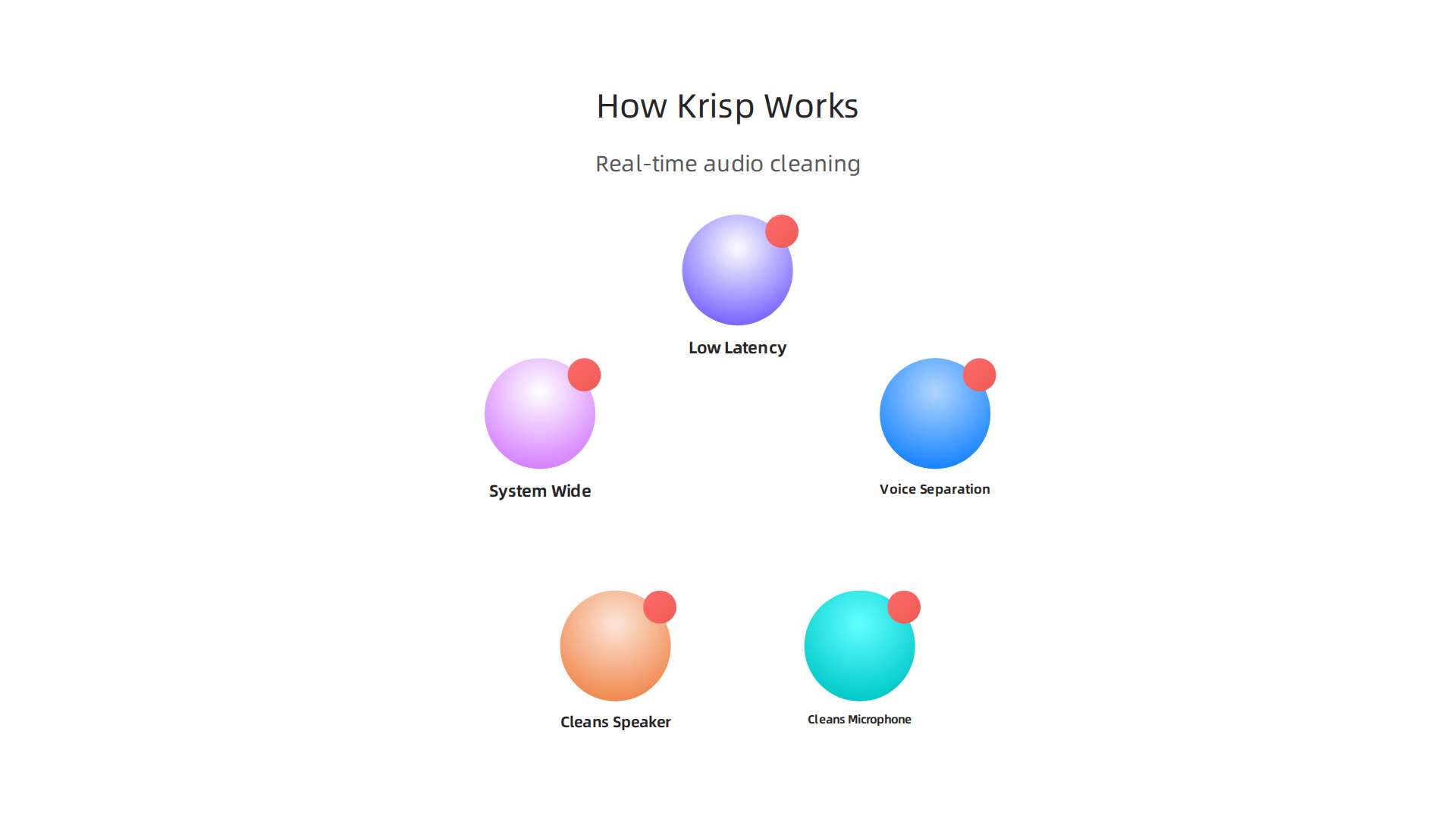
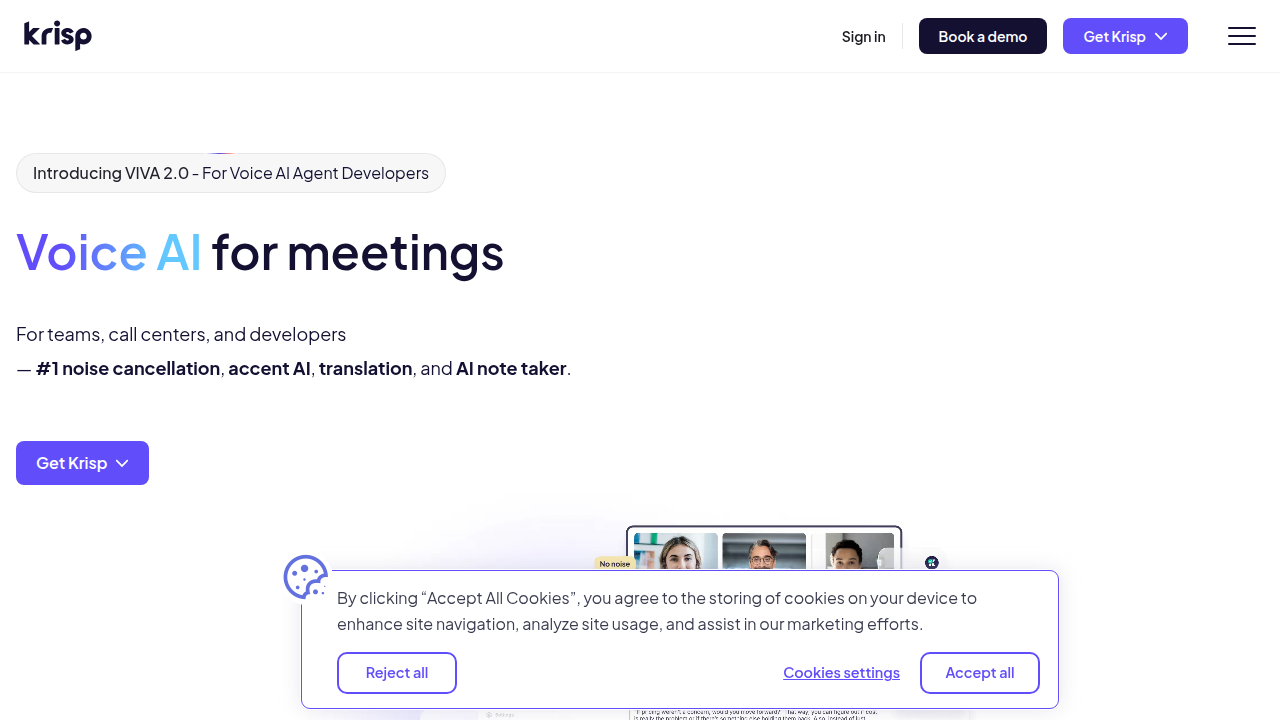
    An explanation of Krisp AI's core technology and how it cleans audio in real time.

    (Krisp Noise Cancellation).

    The Krisp AI website showcasing its noise cancellation technology and key benefits for clear communication.

    It works on both ends of the call. That means it cleans your microphone input. And it also cleans the audio coming out of your speaker. If your coworker is in a noisy coffee shop, Krisp can filter that noise out for you. This makes it a true producer AI for your whole computer.

    Works Everywhere, All the Time

    One of the best things about Krisp is that it works system wide. You do not need to set it up separately for each app. It works with Zoom, Teams, Slack, Google Meet, and any other app you use. You can even use it for game streaming or recording videos (TechNexus Article). It is one of the most practical ai apps available in 2026.

    Professional Performance

    Low latency is critical for live conversations. You do not want a delay. It makes the whole call feel awkward. Krisp processes audio with almost no lag. A YouTube interview with the CEO shows that their real time processing works with just 20 milliseconds of delay (CEO Interview). This high accuracy makes it perfect for professional use. Contact centers use Krisp to boost customer satisfaction scores by getting rid of noise complaints completely (Krisp Contact Center).

    If you are curious about other tools that can upgrade your workflow, check out our guide on the best AI avatar tools for video content in 2026.

    It is hard to keep track of the best virtual assistant websites and new tools coming out every week. Let us help you stay informed. Sign up for The Deep View Newsletter to get daily AI updates that are actually useful and easy to digest.

    3. Top Use Cases for Krisp AI: From Meetings to Content Creation

    So we know Krisp AI works well and processes audio in real time with almost no delay. But who actually needs it? The short answer is anyone who uses a microphone. But let us break down the three main groups that get the most out of this tool.
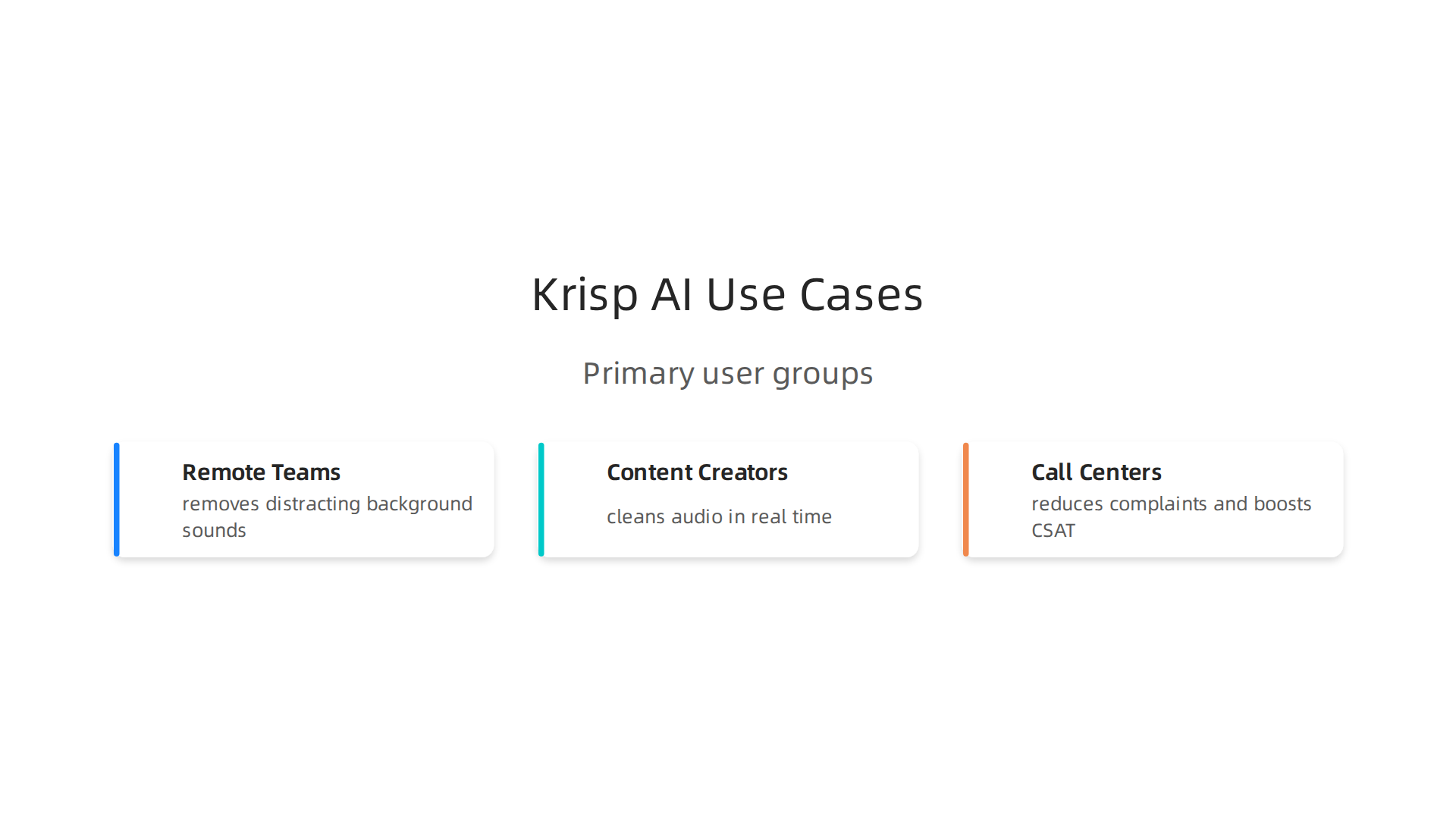
    Exploring the primary user groups who benefit most from Krisp AI's noise cancellation features.

    Remote teams and hybrid workers

    If you work from a coffee shop, an open office, or a home with kids and pets, you know the struggle. One barking dog can ruin a big client call. Krisp solves this instantly. It removes distracting background sounds behind your voice while keeping your speech crystal clear (TechNexus Article). Your coworkers hear only you, no matter how noisy your space is. This makes Krisp one of the most practical ai apps for remote work in 2026.

    Content creators and streamers

    Recording a voiceover or going live is hard when you have fan noise, keyboard clicks, or street sounds bleeding into your audio.

    A content creator actively engaged in recording or streaming, implying a need for clear audio.

    Normally you would need to edit that out after recording, which takes forever. With Krisp, you clean your audio on the fly. No post-processing needed. Whether you are streaming a game or recording a podcast, you get professional sound quality right away (Krisp Noise Cancellation). It is a true producer AI for anyone who creates video or audio content.

    Call centers and customer support teams

    Contact centers handle hundreds of calls daily. Background noise is a huge problem for both customer satisfaction and agent focus. Krisp fixes that completely. One case study shows that teams using Krisp eliminated noise complaints and boosted their CSAT scores significantly (Krisp Contact Center). Agents stay focused, customers feel heard, and the whole experience improves.

    There are so many new tools coming out every week that it is hard to keep track. Let us help you stay informed. Sign up for The Deep View Newsletter to get daily AI updates that are actually useful and easy to digest.

    4. Krisp AI for Content Creators: Streaming and Recording

    Picture this. You are live on Twitch, mid-boss fight. Your keyboard is clacking, your PC fans are roaring, and your roommate just started a blender in the next room. Viewers start typing "fix your audio" in chat. It is a nightmare.

    Here is the thing. With Krisp AI, that nightmare disappears. The software uses machine learning to remove background noise in real time, so only your voice goes through to your audience. It does not matter if you have a jet engine running behind you. Krisp keeps your audio clean (Wikipedia). This makes it a must-have producer AI for any streamer.

    And it is not just for live streaming. Krisp works with OBS, Discord, and nearly every video editing tool out there. You can record a clean voiceover for your next YouTube video without waiting for your toddler to stop crying or your neighbor to finish mowing. The noise cancellation happens instantly, so you do not waste hours cleaning up audio tracks in post-production.

    Podcasters love this too. Normally you spend half your editing time removing mouth clicks, chair squeaks, or background hum. Krisp handles that on the recording side. Your raw audio is already polished. That means faster turnaround and more time for actual content.

    If you are looking for more AI tools to streamline your workflow, check out our list of the 10 top AI websites professionals trust for real news and tools.

    New creator tools pop up every week. It is hard to keep up. That is why thousands of creators rely on The Deep View Newsletter to get daily AI updates that actually help you work smarter. No fluff. Just what you need.

    5. Krisp AI vs Competitors: Key Differences

    So you know Krisp AI works great for live streaming and recording. But how does it stack up against other popular options? Let me break it down simply.

    First up is NVIDIA Broadcast. It offers similar real-time noise removal, and it does a solid job. But here is the catch. It only works on NVIDIA GPUs. If you have an AMD or Intel graphics card, you are out of luck (SourceForge). Krisp runs on any computer, no special hardware required. That makes it a much more flexible choice.

    Next is Cleanvoice. This tool is excellent for podcasters who want to clean up audio after recording. It removes filler words, silence, and background noise in post-production (Cleanvoice blog).
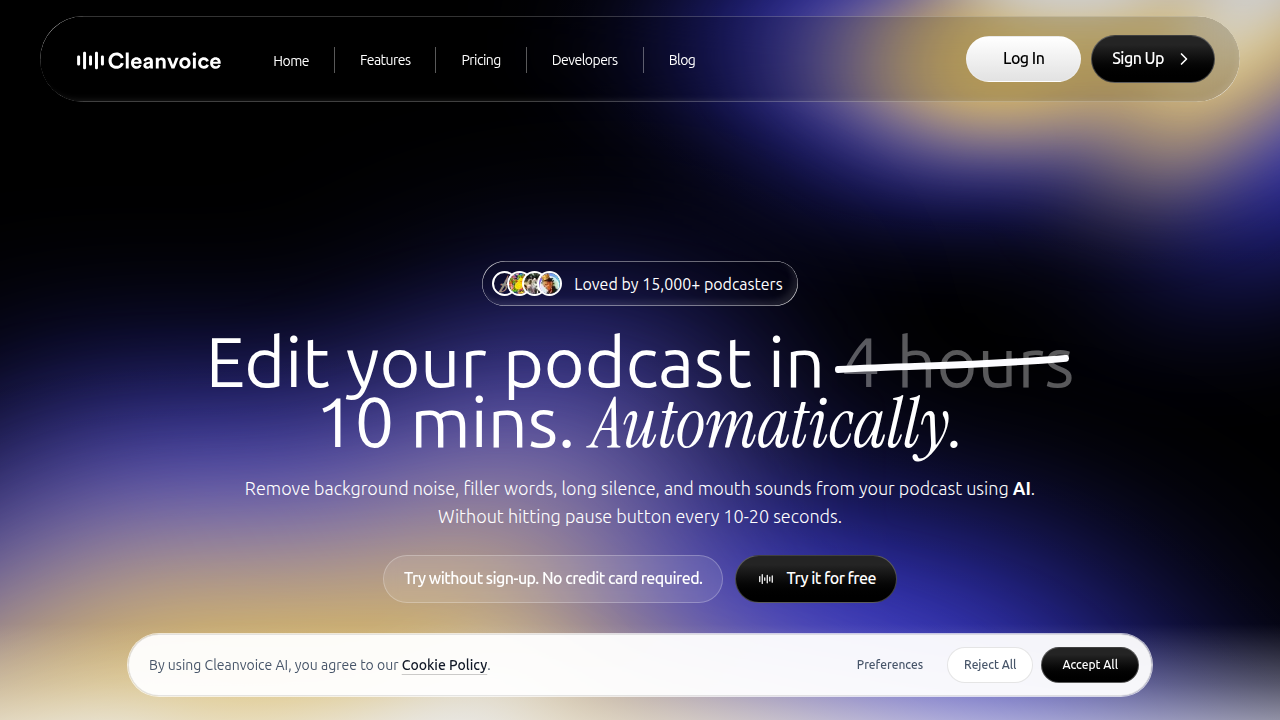
    A look at Cleanvoice.ai, a competitor focusing on post-production audio cleanup for creators like podcasters.

    But it is not real time. If you need clean audio during a live stream or meeting, Krisp wins hands down.

    Then there is Descript. Descript is a full AI editing suite. It includes noise reduction, but also transcription, screen recording, and video editing. The trade off? It requires a subscription and can be overkill if you only need noise cancellation (scmGalaxy). Krisp is a simpler, one-trick pony that does its job perfectly for live use.

    The bottom line. If you want a lightweight, real-time noise canceller that works on any setup, Krisp is your best bet. It is the true producer AI for creators who hate background noise.

    For more comparisons and tips on using the best virtual assistant websites and ai apps, check out our list of 10 top AI websites professionals trust for real news and tools.

    New ai apps launch every week. It is hard to keep track. Stay ahead with The Deep View Newsletter for daily AI updates that actually help you work smarter.

    6. Integrations: How Krisp AI Fits Into Your Tech Stack

    You already know Krisp AI beats many competitors on flexibility and ease of use. But the best part? It fits into your workflow without breaking a sweat. Here is how.

    System-wide audio processing. Krisp works at the driver level. That means it cleans noise from any app that uses your microphone or speakers. You do not need special settings for each program. Whether you are using Discord, a browser call, or a recording app, Krisp works automatically. According to Guideflow’s 2026 list of noise cancellation tools, Krisp is built for professional teams and runs smoothly across different platforms.

    Native app integrations. Krisp has direct support for popular communication tools. It works natively with Zoom, Microsoft Teams, Google Meet, and Slack. You get one click toggle inside these apps. No extra configuration needed. This makes it a real producer AI for anyone who jumps between meetings.

    API for custom setups. Need something more custom? Krisp offers an API for enterprise environments. Developers can embed noise cancellation into custom apps, internal tools, or branded products. This is a big plus for companies that want white label or deep integration.

    Works on any device. Unlike some competitors that require specific hardware, Krisp runs on any laptop or desktop. No GPU needed. This makes it a perfect addition to your remote work toolkit.

    The result? Krisp becomes a quiet helper that improves everything you do with audio.

    Want to build a smarter AI-powered workflow? Check out our guide on how to choose and use an AI-powered research assistant in 2026 for more integration ideas.

    New AI tools like Krisp launch often. Stay ahead without the noise. Subscribe to The Deep View Newsletter for clear daily updates that help you work smarter.

    7. Pricing and Plans: Is Krisp AI Worth the Investment?

    You already know how smoothly Krisp AI fits into your day. But now comes the real question. Does it fit your budget?

    Start with the free tier. Krisp offers a free plan. It gives you a limited number of noise cancelling minutes each day. This is a great way to test the waters. Try it on a few calls. Hear the difference yourself. According to a 2026 review on Dupple, the free tier is generous enough to help you decide if you need more.

    When you are ready to upgrade. The paid plans are where Krisp AI becomes a true powerhouse.

    • Core Plan: Starts around $8 per month. You get unlimited noise cancellation and the AI meeting assistant. This is perfect for freelancers and individual users.
    • Pro Plan: Priced around $16 per month. It adds more features for growing professionals.
    • Business Plan: Priced around $30 per user per month. You get team management, admin controls, and priority support. Check the official Krisp pricing page for the latest details.

    Krisp AI's official pricing page, detailing the free tier and various paid subscription plans for individuals and teams.

    The ROI makes it easy to decide. Think about your current setup. How many times have you said "Sorry, can you repeat that?" How many hours have you spent writing notes after a long meeting? Krisp AI solves both problems. It reduces meeting fatigue. It captures every detail with its AI note taker.

    One review on Capterra notes that the time saved is worth the cost of the subscription alone. You no longer need expensive microphones or soundproof rooms. Krisp AI handles the noise for you.

    The simple verdict. If you take calls or join meetings, even the $8 Core plan will likely pay for itself in the first week. It is one of those ai apps that earns its keep. Think of krisp ai as a producer ai tool that works quietly in the background

    Want to discover more tools that give you this kind of value? Check out our guide to the best AI avatar tools for video content in 2026 for another way AI can save you time and money.

    8. User Reviews and Real-World Performance

    Pricing is one thing. But do users actually love using Krisp AI? Let’s look at what real people say on G2, Capterra, and the app stores. The short answer is yes, most are very happy.

    The biggest praise is how easy it is. You download the app, turn it on, and background noise disappears.

    A person experiencing clear, uninterrupted communication, reflecting the positive impact of noise cancellation.

    One user on Capterra mentions it saved them hours of meeting notes alone. That kind of real-world time savings makes Krisp a top choice among best virtual assistant websites and apps for professionals.

    Another common compliment is the noise removal quality. Dogs barking, kids playing, street noise. Krisp AI handles it well. Users say calls feel crystal clear even in noisy environments.

    But no tool is perfect. Some users report occasional bugs, like the app not activating right away. Others wish the free tier gave more minutes for testing. Still, the overall satisfaction ratings are high on most review platforms.

    Here is the honest take. Krisp AI works well for most people. The free plan gives you a risk-free way to test performance yourself. If you find the bugs annoying, you can always switch plans or try alternatives.

    The key is to match the tool to your needs. You can learn more about evaluating AI solutions in our guide to how to choose and use an AI-powered research assistant in 2026.

    To keep up with honest user reviews and the latest AI tools, subscribe to the The Deep View Newsletter. It delivers clear daily updates straight to your inbox.

    9. The Future of AI in Communication: What’s Next After Krisp AI?

    Have you ever wished your calls could translate themselves on the fly? Or that your meeting app could tell you if the room feels tense? That future is already taking shape in 2026.

    Krisp AI does a fantastic job with noise cancellation. But communication AI is growing fast. According to a 2026 report on effective communication trends, generative AI is already helping teams speak and write more clearly. The next step is for AI to understand the meaning behind our words.

    Here is what is coming next.
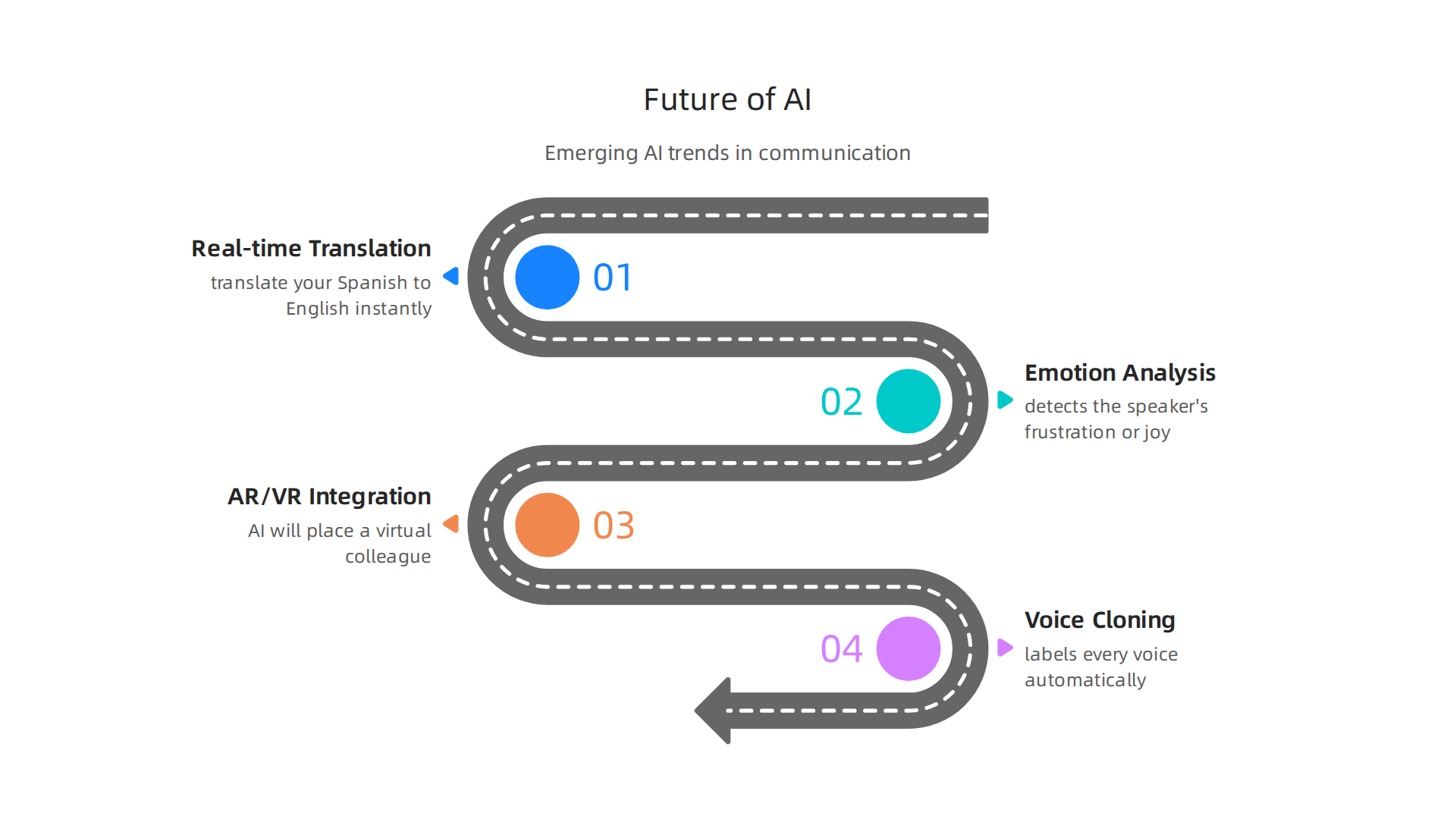
    A forward-looking overview of emerging AI trends shaping the future of digital communication.

    Real-time translation and emotion analysis. Imagine joining a global team call. Krisp AI mutes the dog barking. Then a future AI tool translates your Spanish to English instantly and even detects the speaker’s frustration or joy. This is not science fiction. In 2026, AI tools are taking on more responsibilities in conversations. They will soon analyze tone, pace, and word choice to give you real-time feedback.

    Integration with AR and VR headsets. Meetings will not stay flat on a screen forever. When you put on a headset, AI will place a virtual colleague right in your room. Their voice will sound like it comes from the correct spot. Their facial expressions will sync perfectly. Tools like Krisp AI will provide the clean audio layer inside these immersive spaces.

    Voice cloning and speaker identification. Krisp AI is already working on identifying who is speaking in a crowded room. Imagine a meeting app that labels every voice automatically, even during a group discussion. Voice cloning could let you sound like yourself even with a bad connection, or let a program read a script in your voice. This opens huge possibilities for ai apps in content creation and accessibility.

    These changes will make communication smoother, smarter, and more human. To stay on top of these breakthroughs, you need a reliable source. Get clear daily updates on AI tools from the The Deep View Newsletter. It will help you spot the next big thing before everyone else does.

    Summary

    This article is a practical guide to Krisp AI, the real-time noise‑cancellation tool that acts like a personal producer for your audio. It explains why clean audio matters for remote and hybrid teams, how Krisp’s voice‑separation ML works, and the low‑latency performance that makes it suitable for meetings, streaming, and contact centers. The guide also covers system‑wide integrations, API options for enterprises, real user feedback, and a clear comparison with alternatives like NVIDIA Broadcast, Cleanvoice, and Descript. You’ll learn who benefits most from Krisp, how to set it up across apps, what plans cost, and how to judge ROI for your team. The piece closes by looking at future trends in communication AI and how tools like Krisp fit into evolving workflows.

  • Best AI Avatar Tools for Video Content in 2026

    Best AI Avatar Tools for Video Content in 2026

    Introduction

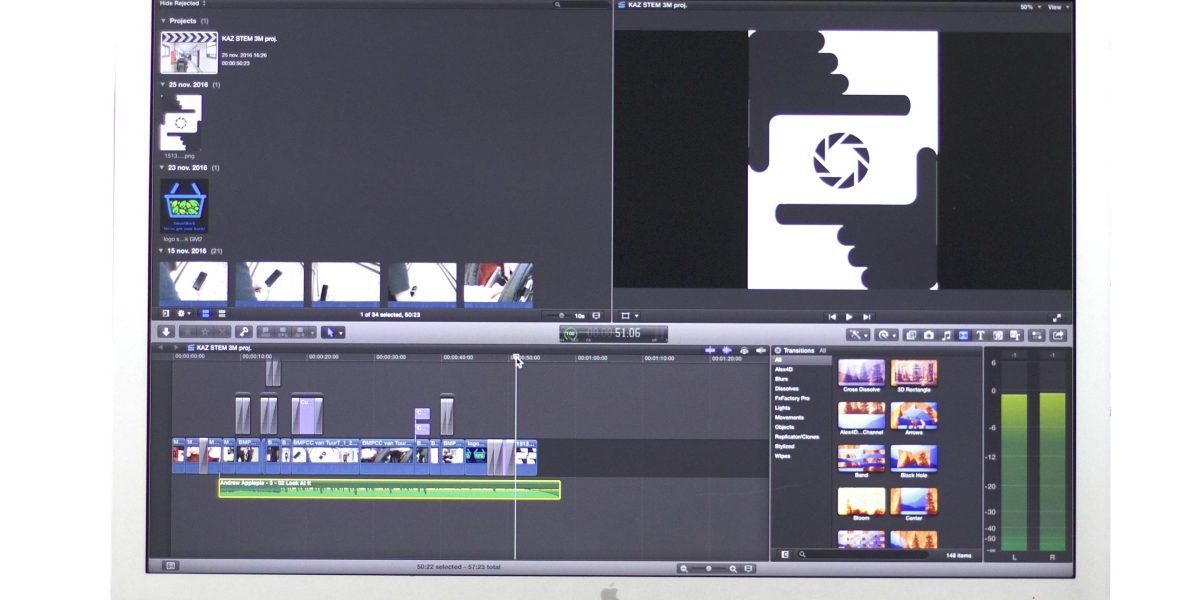
    Have you ever wished you could create a professional video without stepping in front of a camera?

    A person thoughtfully considering new ways to produce professional video content efficiently.

    Maybe you need a training video, a social media post, or a product demo, but you don’t have the time or budget for actors, lighting, and reshoots. That is exactly where an ai avatar can help.

    AI avatars are changing how creators, marketers, and business owners produce video content. Instead of filming a real person, you can generate a realistic digital presenter who speaks your words in seconds. The numbers prove this is no passing trend. The global AI avatar market was worth about USD 9.78 billion in 2025 and is expected to grow to USD 12.90 billion in 2026, according to Precedence Research. Other reports show the market could reach over USD 24 billion by 2033, growing at a rate of more than 33% each year.

    But here is the challenge. With so many AI avatar tools launching every month, choosing the right one for your workflow can feel like a guessing game. Some tools focus on photorealistic humans, others on cartoon characters. Some let you clone your own face, while others offer ready made options. And it is not always easy to tell an ai or human presenter apart anymore.

    That is where this guide comes in. We have analyzed the top AI avatar platforms available in 2026. We look at real use cases, pricing, quality, and best practices so you can make a smart choice. Whether you are a solo creator, a marketing team, or a training department, you will find practical advice here.

    For more context on how AI is reshaping creative work, check out our take on human or ai creativity and what collaboration looks like this year.

    The world of video content is moving fast. Let us help you keep up without the headache. If you want to stay ahead of every new trend and tool, subscribe to The Deep View Newsletter for clear daily updates straight to your inbox.

    What Are AI Avatars and Why They Matter for Content Creators

    Have you ever watched a video and wondered if the person speaking was real or generated? That is the power of an ai avatar. In simple terms, an AI avatar is a digital character created by artificial intelligence. It can look like a realistic human, move naturally, and speak any text you give it.

    For content creators in 2026, this is a game changer. You no longer need a full production setup to make professional videos. You just write a script, choose an avatar, and let the software do the rest. According to the AI Avatars Industry Report 2026, these avatars now use advanced AI to read emotions and match tone, making them feel more real than ever.

    The shift from traditional video production to AI driven creation is happening fast. The global AI avatar market was worth USD 9.78 billion in 2025 and rose to USD 12.90 billion in 2026, according to Precedence Research. Other reports, like the one from Transpire Insight, show the market growing at over 33% each year. This growth shows that creators, marketers, and businesses are choosing speed and scale over old school filming.

    Why do they matter so much? Because video content is still king in 2026, but making it was always expensive and slow. AI avatars change that. A creator can make a training video, a product demo, or a social media post in minutes.

    An individual confidently presenting, showcasing the power of streamlined content creation.

    Need to change a line in the script? Just edit the text and regenerate. No reshoots needed. Sometimes the quality is so good that it is hard to tell the difference between an ai or human presenter. This efficiency lets you focus on your message instead of the logistics of filming.

    Of course, keeping things authentic matters. You want your brand to feel human, even when using a digital presenter. That is why we wrote about balancing tech and personality in our guide on human or ai creativity. The best results come from using AI as a tool, not a crutch. It helps you scale your work while keeping your unique voice.

    The AI landscape changes fast. New tools, updates, and best practices pop up daily. To make sure you never miss an important shift, subscribe to The Deep View Newsletter. It is the easiest way to get clear, practical AI news straight to your inbox every day.

    Top Use Cases for AI Avatars in Creative Content Production

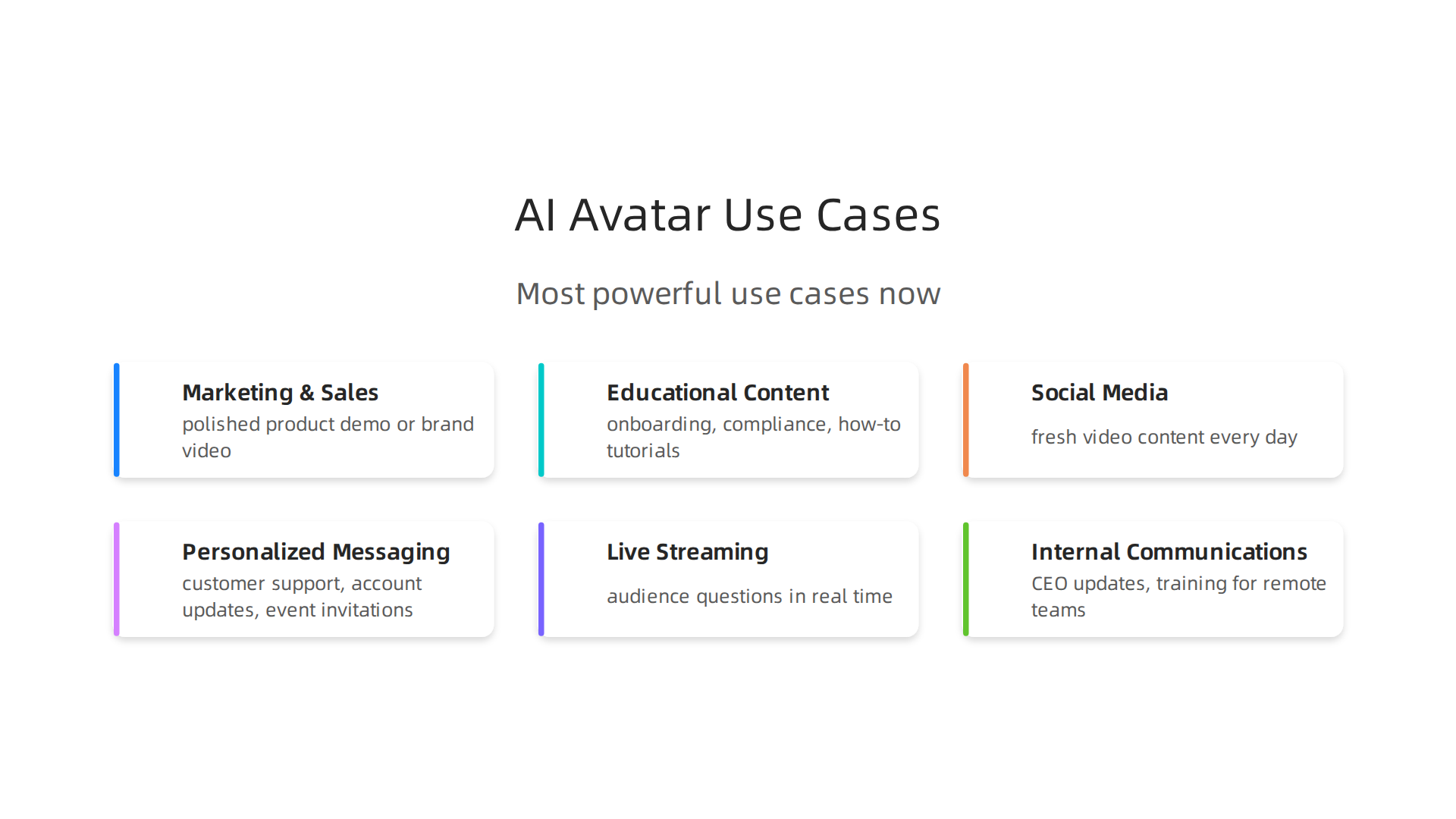
    So you know what an AI avatar is and why it matters. But where do you actually use one? The short answer is almost anywhere you would use a human presenter. In 2026, creators and brands are finding new ways to bring these digital characters into their daily workflow. Here are the most powerful use cases right now.

    An infographic highlighting the diverse applications of AI avatars in modern content production.

    Marketing and Sales Videos

    This is the biggest use case by far. Instead of hiring actors, renting a studio, and spending days editing, you can generate a polished product demo or brand video in minutes. A great example comes from the 2026 holiday season. One brand used an interactive AI Santa avatar that drove over 1 million engagements across 43 countries, according to a collection of AI marketing case studies. That is the kind of scale that would cost a fortune with traditional production.

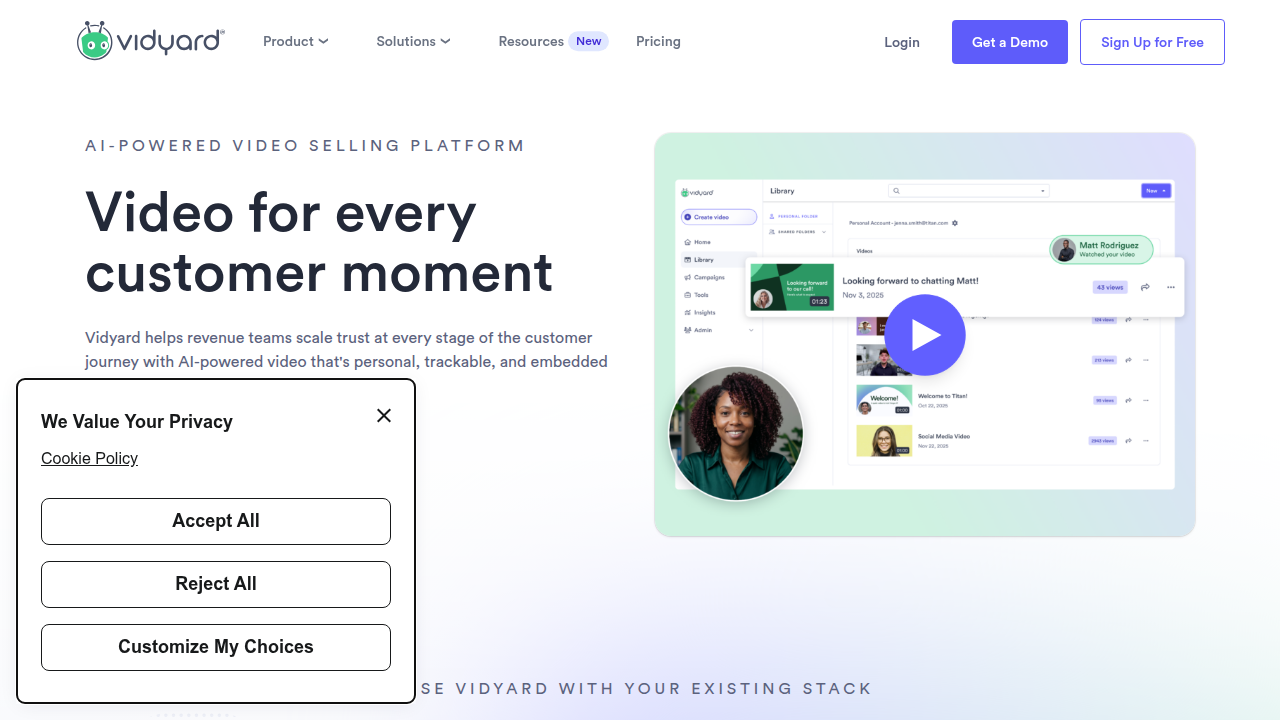
    Sales teams also use AI avatars to personalize outreach at scale. You can send a video where the avatar speaks directly to a prospect by name, mentions their company, and addresses their specific pain point. The Vidyard guide on AI avatars in sales shows how teams save hours per rep each week while keeping that one-to-one feel.

    See how Vidyard supports video for sales and marketing, a common application for AI avatars.

    Educational and Training Content

    Think about onboarding videos, compliance training, or how-to tutorials. Instead of filming a real person once and having that video go stale, you use an avatar. If the policy changes, you just update the script. The avatar handles it perfectly every time. The AI Avatars Industry Report 2026 highlights that training departments are adopting avatars fast because they cut production costs by over 60% while keeping the content consistent.

    Social Media Content

    Social media demands volume. You need fresh video content every day for TikTok, Instagram Reels, YouTube Shorts. Filming that many takes is exhausting. AI avatars let you generate short, engaging clips from a single script. You can even create different versions for different platforms without extra work. The tone stays consistent, and the avatar looks professional every time.

    Personalized Messaging

    This one overlaps with sales, but it goes beyond. Customer support, account updates, and event invitations can all use a personalized avatar. Imagine a banking app that sends you a short video message from a digital assistant, explaining your monthly spending in a friendly way. That is already happening. According to the AI Avatar Statistics 2026 report, 85% of customer interactions in retail will be managed by AI including avatars. Personalized video creates trust and cuts through the noise.

    Live Streaming with Avatars

    This is an emerging use case that is growing fast. Streamers and event hosts now run live broadcasts where an AI avatar responds to audience questions in real time. The avatar looks like a cartoon or a realistic human, and it reacts naturally. The market data backs this up. The global AI avatar market is expected to hit $110.9 billion by 2034, growing at over 30% each year according to OpenPR. Live streaming is a big part of that growth.

    Internal Communications

    Finally, companies use AI avatars for internal announcements. The CEO can record a quarterly update using an avatar that looks like them, but without blocking a full day for filming. You can also create training videos for remote teams in multiple languages without hiring translators. It keeps everyone on the same page without the logistics nightmare.

    Here is the thing. The best results happen when you treat the avatar as a tool, not a replacement for your brand voice. You still need to write a good script and pick the right avatar style. If you want to dig deeper into how to keep the human element alive, check out our guide on human or ai creativity.

    The AI landscape keeps shifting. New use cases appear every month. To stay ahead without spending hours searching for news, subscribe to The Deep View Newsletter. It delivers clear, practical AI insights straight to your inbox each day.

    How to Choose the Right AI Avatar Tool: A Comparison Framework

    Now that you know what you can do with an AI avatar, the next step is picking the right tool.

    A team collaborating around a whiteboard, strategizing on tool selection for their content needs.

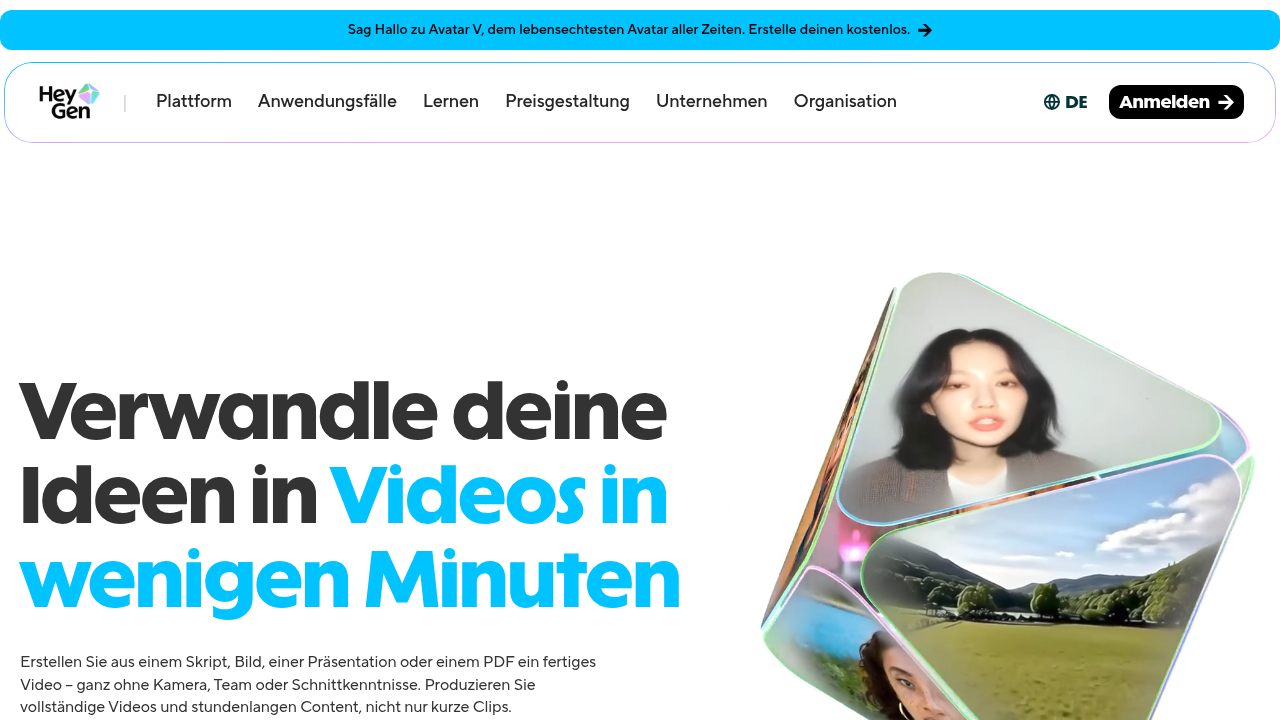
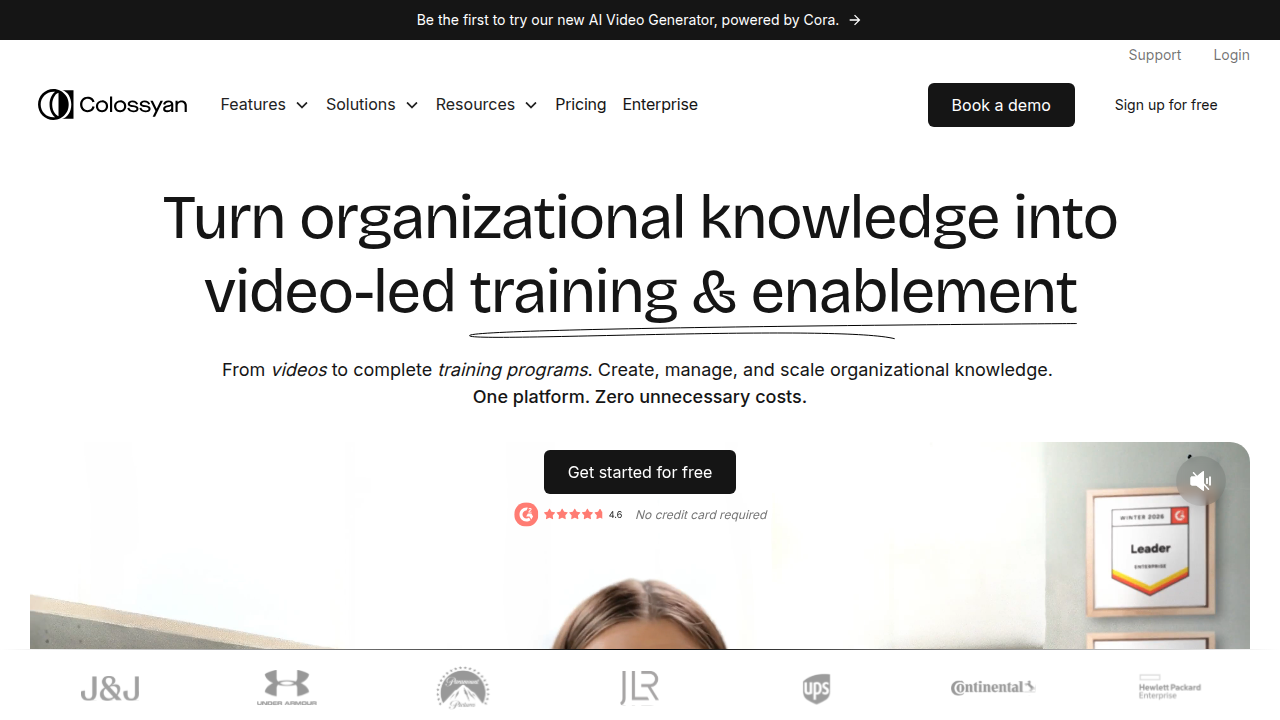
    In 2026, the market has dozens of options. But three platforms keep rising to the top: HeyGen, Synthesia, and Colossyan.

    Explore HeyGen's user interface to see its natural-looking AI avatars and video creation features.

    Review Synthesia's platform for enterprise-grade AI video generation, featuring a vast avatar library.

    Discover Colossyan's AI video creation platform, known for its balance of quality, speed, and compliance features.

    Each one shines in different areas. Here is a framework to help you decide without getting stuck in analysis paralysis.

    The Key Criteria to Evaluate

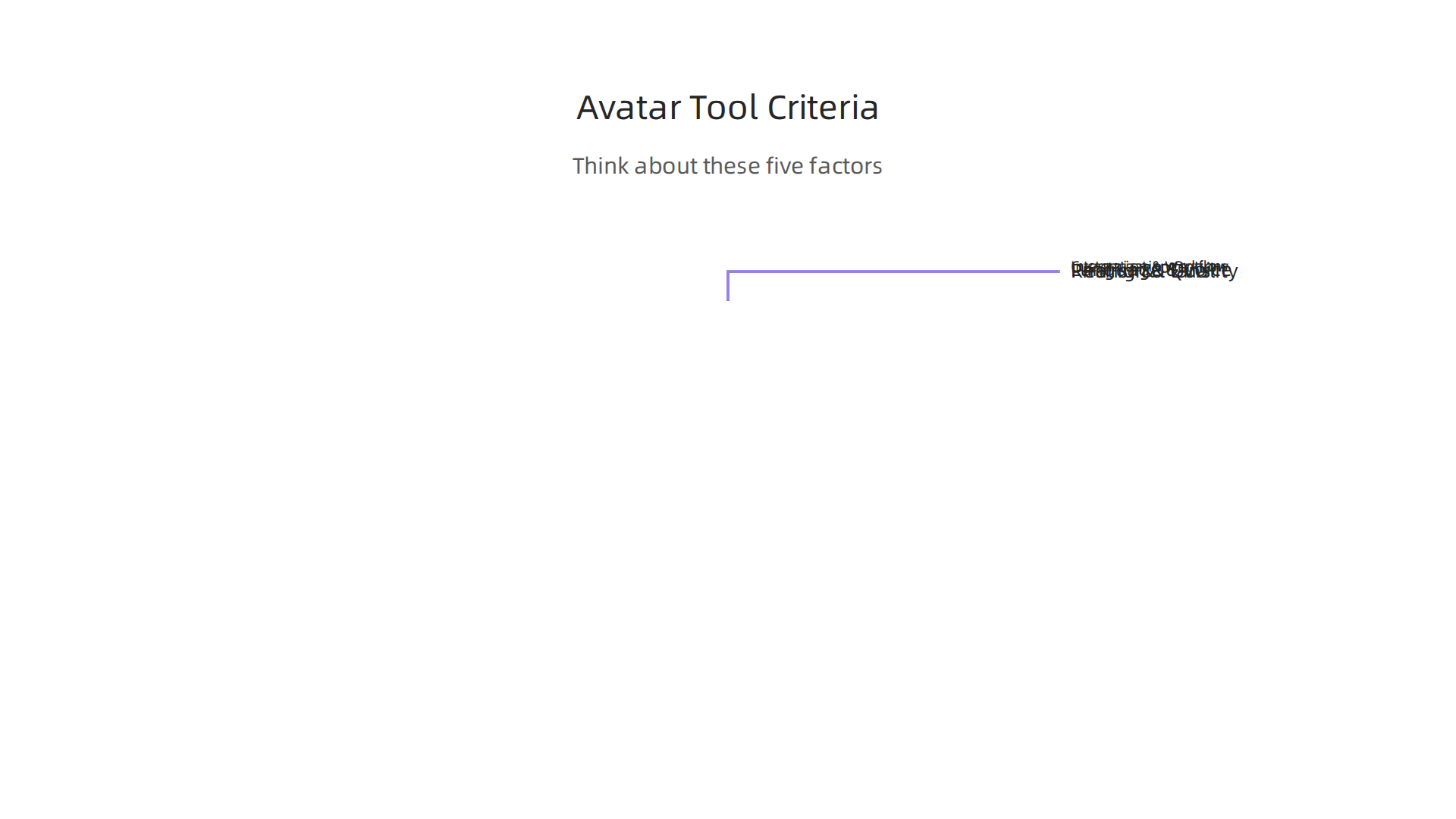
    Before you pick a platform, think about these five factors.

    An infographic detailing the essential factors to consider when selecting an AI avatar platform.

    They matter more than flashy features.

    Realism and Avatar Quality. Does the avatar look natural? Do the lips sync with the audio? Can you tell it is a computer? According to a detailed comparison from AIMagicX, HeyGen leads in avatar naturalness with over 100 avatars and support for 175+ languages. Synthesia is close behind with 240+ avatars and 140+ languages. Colossyan focuses on enterprise quality but has a smaller library.

    Customization Options. Can you clone your own face and voice? Can you adjust the background, clothing, and gestures? Some platforms lock you into preset avatars. Others let you create a fully custom AI avatar that matches your brand.

    Language and Voice Support. If you need to reach a global audience, this is critical. HeyGen supports 175+ languages. Synthesia supports 140+. Colossyan supports around 100. Check that your target languages are included.

    Pricing and Plans. This varies a lot. The 2026 AI Avatar Toolkit from Marketing Agent Blog notes that Synthesia leads in enterprise quality but comes at a higher price point. HeyGen is more budget friendly for solo creators and small teams. Colossyan sits in the middle.

    Integration and Workflow Fit. Can you connect the tool with your existing video editor, LMS, or CRM? Does it export in the formats you need? Is there a team collaboration feature?

    Side-by-Side Tool Comparison

    Here is a quick snapshot based on the latest 2026 data from multiple comparison sources including Colossyan’s own comparison page.

    Feature HeyGen Synthesia Colossyan
    Avatar Library 100+ 240+ 70+
    Languages Supported 175+ 140+ 100+
    Voice Cloning Yes Yes Yes
    Best For Social media, natural look Enterprise, structured editing Training, compliance
    Starting Price Mid-range Higher Mid-range
    Collaboration Team plans Team plans Enterprise plans

    According to Vidmetoo’s comparison, HeyGen also scores well on SOC 2 compliance, which matters if you work with sensitive data.

    A Simple Decision Matrix

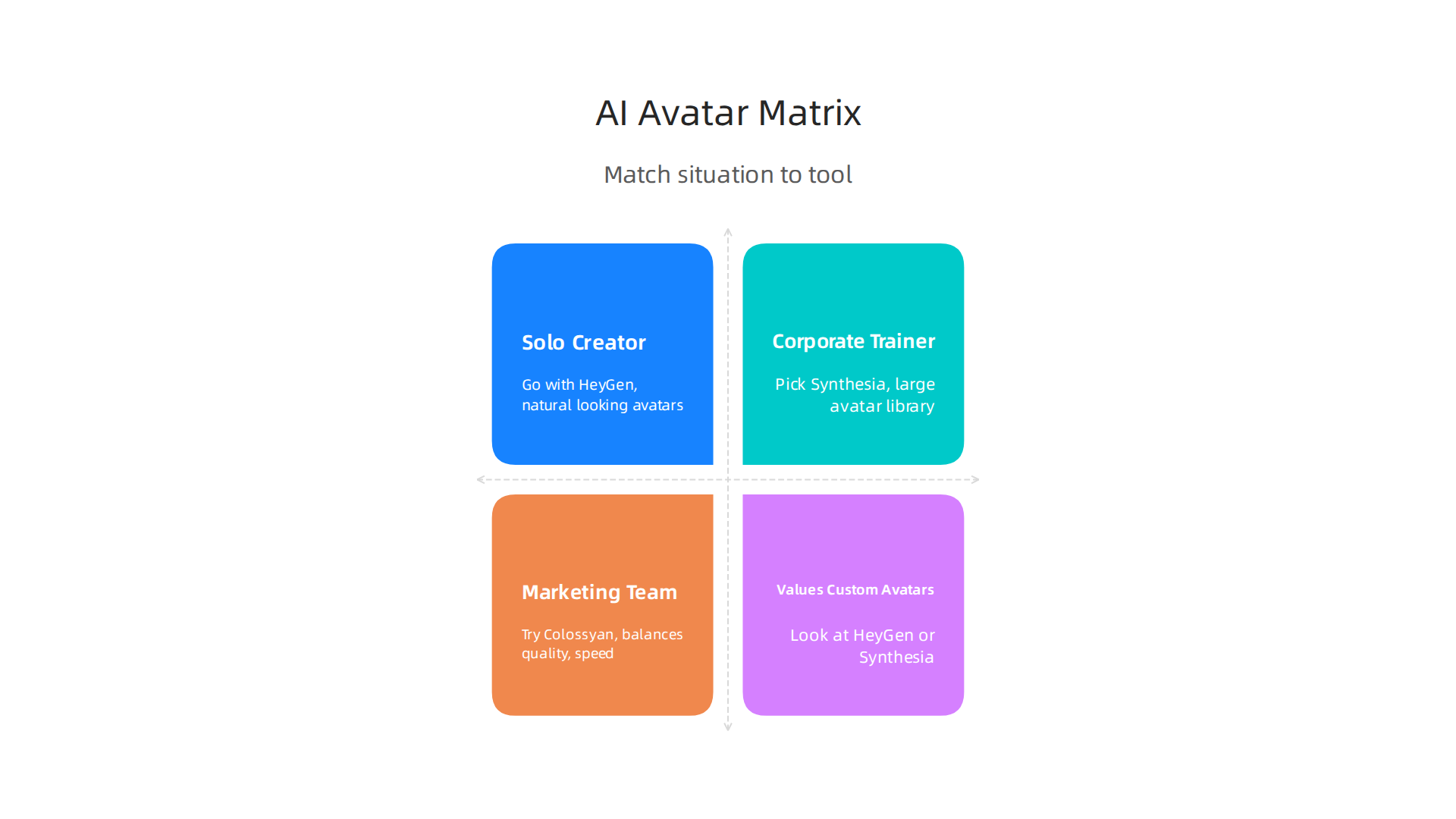
    Still unsure? Match your situation to the right pick.

    A simple decision matrix to guide creators in choosing the most suitable AI avatar tool for their specific needs.

    Solo Creator or Social Media Manager. Go with HeyGen. It gives you the most natural looking avatars, supports tons of languages for international reach, and keeps the price reasonable.

    Corporate Trainer or Compliance Specialist. Pick Synthesia. Its large avatar library and structured editing tools make it perfect for long form training videos. The Slashdot comparison shows Synthesia ranks highest for enterprise features.

    Marketing Team or Agency Needing Speed. Try Colossyan. It balances quality with fast rendering times and strong compliance features.

    Anyone Who Values Custom Avatars. Look at HeyGen or Synthesia. Both let you create custom AI avatars by uploading your own footage.

    The Human Element Still Matters

    Here is the thing. The best AI avatar tool in the world cannot replace a good script and a clear message. The avatar is just the delivery system. You still need to plan your content, know your audience, and keep the human touch. If you want to explore how to blend human and AI creativity effectively, check out our guide on human or AI creativity.

    Next Steps

    Start by identifying your primary use case. Then pick two or three platforms from this list and test their free trials. Most of them offer one. Try creating a short video and see which one feels easiest and looks best.

    As you evaluate your options, staying updated on the latest tool changes and benchmarks can save you hours of research. That is exactly why subscribe to The Deep View Newsletter. It delivers clear, practical AI insights straight to your inbox each day so you always know which tools are actually worth your time.

    Now let’s get into the hands on reviews. I tested these three platforms myself in 2026, and here is what I found.
    HeyGen: The Natural Look King

    HeyGen is the tool I reach for when I need an AI avatar that actually looks like a real person. Its avatar quality is the best I have seen. The lip sync is tight, the eye movements feel natural, and the voices sound less robotic than most competitors.

    Strengths. Over 100 avatars and support for 175+ languages. According to AIMagicX, HeyGen leads in avatar naturalness. It also scores well on SOC 2 compliance, which matters if you deal with sensitive data. The Colossyan comparison page confirms HeyGen wins on naturalness.

    Weaknesses. The avatar library is smaller than Synthesia’s. Advanced editing features are limited compared to enterprise platforms.

    Target audience. Solo creators, social media managers, and marketers who want quick, viral ready videos. Pricing is mid range and budget friendly for individuals. It is perfect for short clips for TikTok, Instagram, or YouTube Shorts.

    Synthesia: The Enterprise Powerhouse

    Synthesia feels like a full video production studio inside a browser. It has the largest avatar library with over 240 options and supports 140+ languages. The structured editing interface makes it easy to build long form videos like training modules or product demos.

    Strengths. Massive avatar selection, robust editing tools, and strong enterprise features. The Marketing Agent Blog notes that Synthesia leads in enterprise quality. I found the collaboration tools helpful for team projects.

    Weaknesses. Higher price point. The avatars are good but not quite as natural looking as HeyGen’s top models.

    Target audience. Corporate trainers, L&D teams, and large marketing departments. Best for compliance videos, onboarding, and internal communications where consistency matters more than speed.

    Colossyan: The Balanced Performer

    Colossyan sits between HeyGen and Synthesia. It offers around 70+ avatars and 100+ languages, but it focuses on fast rendering and strong compliance features.

    Strengths. Good balance of quality and speed. SOC 2 compliant. The Vidmetoo comparison highlights Colossyan’s strong editing capabilities. It is also ranked well for training use cases on Slashdot.

    Weaknesses. Smaller avatar library and fewer language options than the other two. Less suited for social media viral content.

    Target audience. Marketing teams and agencies that need quick turnaround on professional videos. Also good for compliance heavy industries like healthcare and finance.

    My Pick for Creators

    If you are a solo creator or running a small team, HeyGen gives you the best mix of natural quality, language support, and price. If you work in a large organization with multiple stakeholders, Synthesia is the safer bet. Colossyan is a strong middle ground.

    No matter which tool you choose, remember that the avatar is just the messenger. The script and message still matter most. For more on balancing human creativity with AI tools, read our guide on human or AI creativity.

    The AI avatar space changes fast. New updates and features come out every month. To stay ahead without drowning in noise, subscribe to The Deep View Newsletter. It delivers clear daily insights on the tools that actually matter.

    Best Practices for Creating Engaging Avatar Content

    Picking the right platform is just the first step. The real magic happens when you know how to use your ai avatar well. Here are the best practices I follow to make sure every video feels real, connects with viewers, and actually gets results.

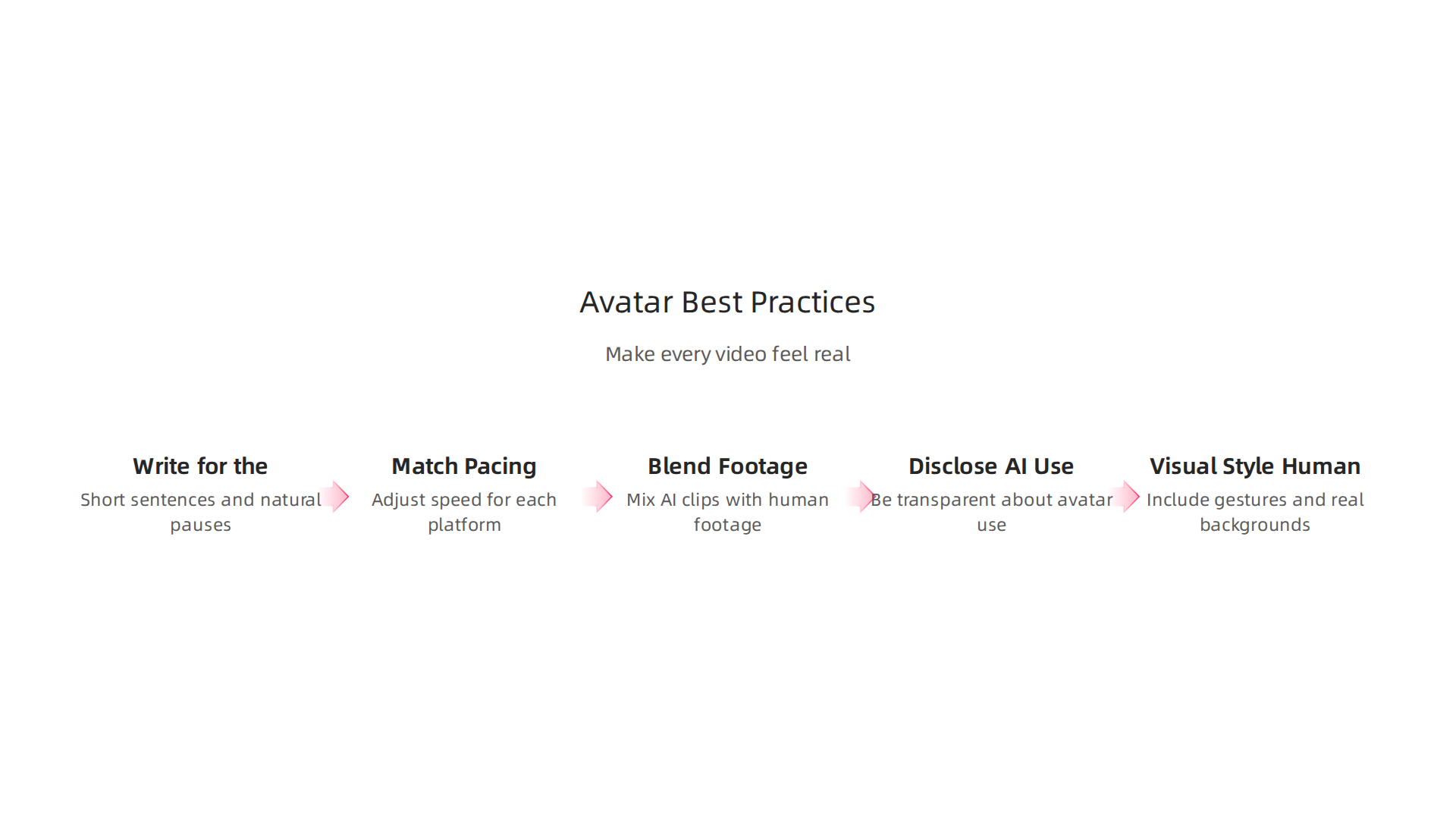
    An infographic outlining key strategies for producing engaging and effective video content using AI avatars.

    Write for the Ear, Not the Eye

    Script writing for avatars is different from writing for a blog. You need short sentences, natural pauses, and conversational tone. Read your script out loud before you record. If it sounds stiff to you, it will sound robotic through an avatar.

    Keep your sentences under 20 words when you can. Use contractions like "you’ll" instead of "you will." And leave space for pauses. A small silence between ideas makes the avatar look more thoughtful.

    Match Pacing to Your Platform

    Your avatar video should move at the right speed for where you post it.

    • TikTok and Instagram Reels. Fast pacing wins here. Keep videos under 60 seconds. Start with a hook in the first 3 seconds. The avatar should talk quickly and energetically.
    • YouTube. You have more room. Videos can be 5 to 10 minutes long. Slow down the pace. Let the avatar pause between key points. Add B-roll or screen recordings to break up the talking.
    • LinkedIn. Professional and steady wins the day. Aim for 2 to 4 minutes. Focus on value. Use a calm, authoritative voice style.

    According to the AI Avatars Complete Guide 2026, understanding platform specific best practices makes a huge difference in viewer retention.

    Blend Avatar Footage with Real Video

    One of the best tricks I have learned is to mix ai avatar clips with real human footage. This adds authenticity. Start with a real person introducing the topic. Then switch to the avatar for the explanation. End with the real person again for a personal closing.

    This hybrid approach builds trust. Viewers know the content is AI generated, but they also see a real human behind it. For more on finding the right line between human and machine, check out our article on human or AI creativity.

    Disclose Your AI Use

    Here is something many creators overlook in 2026. You need to be transparent about using an ai avatar. More than a dozen sources I reviewed, including the Creator’s Guide to AI Disclosure in 2026, highlight that audiences reward honesty. A simple line like "This video was created with AI" at the start or in the description goes a long way.

    Use Visual Style That Feels Human

    Small details matter. Add background elements like a bookshelf, plant, or subtle animation behind the avatar. Make sure the avatar looks at the camera, not off to the side. Use hand gestures if your tool supports them. These small choices make the ai avatar feel less like a robot and more like a presenter you trust.

    The difference between a good avatar video and a great one often comes down to these little touches.

    Stay Updated So You Stay Ahead

    The ai avatar space evolves fast. Tools release new features every month. What works today might feel outdated next quarter. The best way to keep learning without the overwhelm is to follow a trusted source.

    That is exactly why I recommend The Deep View Newsletter. It delivers clear daily insights on the AI tools that actually matter. No fluff. Just practical updates that help you create better content every time.

    The Future of AI Avatars in Content Production

    The world of ai avatar technology is moving fast.

    An individual contemplating the rapid evolution and future trends of AI avatar technology.

    What felt futuristic last year is already here in 2026. And the next few years will bring even bigger changes. Let me walk you through what is coming next.

    Real-Time Avatars with Emotional Intelligence

    One of the biggest shifts I see is avatars that can react in real time. Instead of pre-recorded videos, you will soon have avatars that respond to questions live. They will read tone of voice and adjust their replies.

    According to the AI Avatar Trends report from Genies, avatars are becoming emotionally intelligent. This is called affective computing. It means your ai avatar will know if a viewer sounds confused or excited and change how it talks to match that mood. That is a huge leap forward.

    Multi-Lingual Avatars That Sound Natural

    Another trend is language flexibility. The best tools in 2026 already let you create an ai avatar that speaks multiple languages with accurate lip sync and natural accents. This opens up global audiences without hiring voice actors in every market.

    The Vidyard guide on using AI avatars in sales and marketing highlights how teams are scaling personalized outreach across different languages with a single avatar. This saves time and money.

    Integration with Other AI Tools

    Here is where things get really interesting. Your ai avatar will not work alone. It will connect directly with AI script writers, AI video editors, and AI analytics tools. You will write a script with one tool, generate the avatar video with another, and edit it with a third, all in one smooth workflow.

    TechCrunch noted in early 2026 that AI is moving from hype to pragmatism. That means tools are getting better at working together. For a deeper look at how AI tools are evolving, check out our guide on the top AI websites professionals trust for real news and tools.

    Ethical Questions and Platform Rules

    All this power comes with responsibility. Platforms are updating their rules about AI generated content. Some require clear labels. Others limit how avatars can be used.

    You need to stay aware of these policies. The Harvard Business Review piece on AI ROI reminds us that trust is a key part of adoption. If viewers feel tricked, they will not engage. Always disclose when you use an ai avatar. It keeps your audience on your side.

    What This Means for You

    The future of content production is not about replacing humans. It is about giving you more power to create. Real-time avatars, emotional awareness, and tool integrations will help you produce better content faster.

    To keep up with these changes without spending hours researching, I recommend The Deep View Newsletter. It gives you clear daily updates on the AI tools that matter most. No fluff. Just practical insights to help you stay ahead.

    Summary

    This guide explains what AI avatars are, why they matter for creators and businesses, and how to use them to produce professional video faster and cheaper. It covers the main use cases—marketing, training, social media, personalized messaging, live streaming, and internal comms—then gives a practical framework for choosing a platform based on realism, customization, language support, pricing, and integrations. The article includes hands-on reviews of HeyGen, Synthesia, and Colossyan, showing which works best for solo creators, enterprises, and agencies, and it explains how to test tools using free trials. You’ll also get concrete best practices for writing scripts, pacing for different platforms, disclosure, and visual styling to keep videos authentic. Finally, the guide looks ahead to real-time, emotionally aware avatars, multi-lingual capabilities, and ethical considerations so you can adopt avatar tech responsibly and effectively.

  • How to Choose and Use an AI Powered Research Assistant in 2026

    How to Choose and Use an AI Powered Research Assistant in 2026

    Are you drowning in information? You sit down to research a topic, open a dozen tabs, and suddenly hours have passed.

    A professional facing an overload of information, reflecting the challenge AI assistants aim to solve.

    You have read reports, skimmed studies, and watched videos, but you still cannot pull out the key insights quickly. This is the reality for many professionals in 2026. The sheer volume of data out there is growing faster than ever. In fact, the global artificial intelligence market is projected to reach nearly $2.5 trillion by 2034, and the tools for creating content are multiplying just as fast Fortune Business Insights.

    Fortune Business Insights provides market research reports on various industries, including artificial intelligence.

    But all that information does not help if you cannot find what matters.

    That is where the AI powered research assistant comes in. These smart tools promise to automate the boring parts of research: synthesizing long documents, summarizing key points, and even extracting insights from scattered sources. Instead of spending your energy on sorting, you can focus on understanding and deciding. The AI assistant market itself is growing at a staggering compound annual growth rate of over 44%, showing just how many people are already turning to these helpers SNS Insider.

    But here is the thing: not every AI tool lives up to the hype. Some claim to be research wizards but deliver shallow summaries. Others are built for general tasks, not deep investigation. That is why this guide exists. We are going to cut through the noise and give you a clear framework for evaluating and adopting the best AI research tools for your specific needs. Whether you are an engineer exploring engineering applications of artificial intelligence, a marketer comparing AI tools, or a founder looking for the next edge, you need a practical approach. If you want to stay ahead of the curve every day, consider subscribing to The AI Newsletter Worth Reading for clear, daily updates.

    Before we dive into the tools, you might also want to check out our list of 10 Top AI Websites Professionals Trust for Real News and Tools. It is a great starting point for building your own reliable source stack. Now, let us break down exactly what an AI powered research assistant can do for you and how to pick the right one without the guesswork.

    What Is an AI-Powered Research Assistant?

    Let’s get specific. An AI powered research assistant is a smart tool that uses large language models (LLMs) and a technique called retrieval-augmented generation (RAG) to help you work with information. Instead of just searching the web and giving you a list of links, it actually reads, summarizes, and answers questions based on the content you feed it. Think of it as a tireless research partner who never gets tired of skimming hundreds of pages.

    The key difference from a regular search engine is the output. Google gives you ten blue links. A research assistant gives you a synthesized answer with citations you can check. You can upload a PDF, a bunch of articles, or even a video transcript, and then ask things like "What are the three main arguments in this report?" or "Summarize the key findings from the past year." It pulls the relevant pieces, combines them into a clear response, and tells you where it got the information. That is a huge time saver.

    In 2026, the leading examples include tools like Perplexity AI, which acts like a conversational search engine,

    Perplexity AI, a conversational search engine, demonstrates advanced AI research assistant capabilities.

    and Google’s Gemini Deep Research, which can create detailed reports from many sources. Many companies also build custom enterprise solutions that work on their internal documents, combining the power of LLMs with their own data. The AI assistant market is growing fast, with forecasts showing it could reach over $21 billion by 2030 MarketsandMarkets. That growth tells you these tools are not just hype.

    These assistants are designed to help you do the boring parts of research so you can focus on understanding and making decisions. They are a perfect example of ai to human collaboration, where the machine handles the heavy lifting and you apply your judgment.

    A team working together, demonstrating effective human-AI collaboration in a modern office setting.

    For a deeper look at how this partnership works, read our article on human or AI creativity. The goal is not to replace your thinking. It is to make your thinking faster and sharper.

    If you want to keep learning about which tools deliver real results, subscribe to The AI Newsletter Worth Reading. It gives you clear, daily updates so you never miss what matters.

    Core Capabilities of Modern AI Research Tools

    You have a stack of PDFs, a dozen browser tabs, and a deadline. You need one clear answer. That is exactly where an ai powered research assistant shines. The best tools in 2026 share a set of core capabilities that turn information chaos into usable insights.

    An overview of the essential features that define modern AI-powered research assistants.

    First, advanced summarization. These tools can boil down long reports, academic papers, or even video transcripts into a few digestible paragraphs. Instead of reading 50 pages, you get the key points in seconds. According to a comparison of top tools, features like real-time data retrieval and citation tracking are now standard DevOpsSchool.

    Second, multi-source synthesis. A good assistant does not just summarize one document. It pulls from many sources at once, combines the information, and gives you a coherent answer. You can ask "Compare the pricing models of these three competitors" and get a table with citations. That saves hours of manual cross-referencing. Tools now go beyond simple Q&A to handle research, coding, and full workflows across different apps EMA.ai.

    Third, real-time data integration. The best assistants connect to live databases, news feeds, or your company’s internal systems. They give you up-to-date answers, not stale summaries. For example, you can get current market trends or competitor news pulled straight from the web. Platforms like CleverX and Outset.ai are examples of end-to-end research tools that do this well CleverX.

    CleverX, an end-to-end research tool, offers solutions for real-time data integration and insights.

    Customizable knowledge bases and API access are what separate average tools from powerhouses. If you work in a specialized field like engineering, being able to train the assistant on your own documents changes everything. You can upload internal reports, past projects, or technical manuals. The tool then answers questions using your private data. This is where the real ai to human value shows up. For a deeper look at how custom AI fits into business strategy, read our article on Palantir Technologies 2026 growth and products.

    Accuracy and source transparency remain the make-or-break factors. You need to trust the answer. The best tools show exactly where each piece of information came from, usually with clickable citations. Without that, you cannot verify the output. Many students and professionals have tested assistants like ChatGPT, Perplexity, and NotebookLM, and they always emphasize that seeing the source builds confidence Zemith.

    In short, the right assistant does not just give you answers. It gives you answers you can trust, fast. If you want to stay on top of which tools are delivering real results, subscribe to The AI Newsletter Worth Reading. It delivers clear daily updates so you never miss what matters.

    How to Choose the Right AI Research Assistant

    You know what you need from your ai powered research assistant. Speedy answers, clear sources, and help with the heavy lifting.

    A professional thoughtfully considering options, symbolizing the decision-making process when choosing AI tools.

    But with so many options in 2026, how do you pick the right one without wasting time or money?

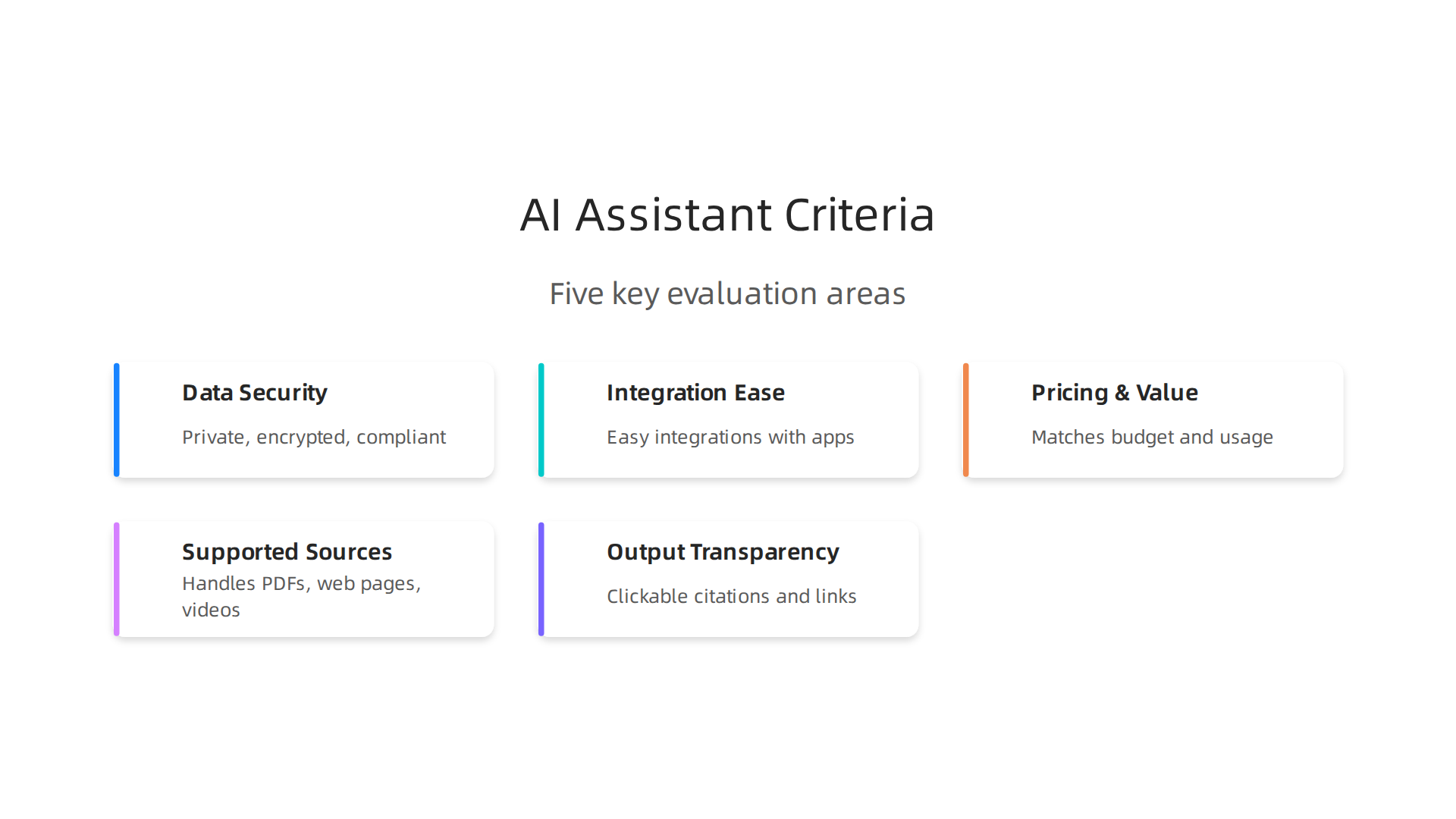
    The trick is to compare tools using the criteria that actually matter for your work. Don’t get distracted by flashy features you will never use. Focus on five key areas.

    Five crucial criteria to evaluate when selecting an AI-powered research assistant for your needs.

    Data security. If you work with sensitive client information or internal reports, the tool must keep your data private. Check whether the tool encrypts your files and whether it trains on your data. This matters more than ever for business users and engineering applications of artificial intelligence.

    Integration ease. A tool that sits alone is less useful than one that connects to your existing apps. Look for tools that plug into your browser, document storage, or project management platform. The best ai powered research assistant fits into your flow, not the other way around. According to a comparison of AI assistants, the top tools now go beyond simple Q&A to handle full workflows across apps EMA.ai.

    Pricing and value. Some tools offer generous free tiers. Others charge a monthly fee for advanced features. Think about your budget and how often you will use the tool. Students can often get by with free versions, while professionals might need the deeper capabilities of paid plans.

    Supported data sources. Can the tool handle PDFs, web pages, videos, and spreadsheets? Or is it limited to text? If you work with a lot of academic papers or industry reports, choose a tool that excels with those formats. Tools like Anara AI are built specifically for handling large piles of PDFs and research documents Stackademic.

    Output quality and transparency. This is the big one. Does the tool show you its sources? Can you verify the information? The best tools provide clickable citations so you can trust the answer. Top tools in 2026 include options like ChatGPT, Perplexity, and NotebookLM, all of which have been tested by students and professionals for accuracy Zemith.

    To make the choice easier, here is a simple comparison of a few widely used tools:

    Tool Best For Key Feature Pricing Hint
    ChatGPT General queries and brainstorming Strong conversational skills Free tier + paid plans
    Perplexity Real-time search with citations Always shows sources Free tier + pro
    NotebookLM Working with your own documents Uses your uploaded files only Free
    Anara AI Heavy PDF and paper analysis Handles large document sets Free tier + paid

    Before you commit to any tool, test it yourself. A trial period or free tier is essential. Spend a day using it for your real work. See if it actually saves you time or just adds another layer of noise. Research workflows can be 10x faster with the right setup OpenClawLaunch, but only if the tool matches your needs.

    For a wider look at the tools available, check out our roundup of the 10 top AI websites professionals trust for real news and tools. It will help you spot the ones worth trying.

    Finally, the best way to stay ahead is to keep learning. The AI landscape shifts fast. Subscribe to The AI Newsletter Worth Reading and get clear daily updates on the tools that actually deliver results.

    Advanced Applications Across Industries

    Now that you know how to choose the right ai powered research assistant, let’s look at how different fields are putting these tools to work. The most successful teams don’t just use AI for quick answers. They build it into their daily workflow to save hours of manual effort.

    Marketing teams rely on AI research assistants for competitor analysis and content gap identification. Instead of spending weeks manually reading through competitor blogs and social posts, they ask the assistant to pull key themes and missing topics. According to research, top AI research assistants can complete in hours what used to take weeks, giving marketers a huge speed advantage ListenLabs. They also use these tools to translate raw data into human language that shapes campaign strategy. This kind of ai to human translation helps teams act faster on insights. For more tips on how AI can help you write content that connects, check out our guide on how undetectable AI helps you write content that sounds human and gets results.

    Finance professionals use AI research assistants for regulatory summarization and market trend extraction. New rules and reports come out constantly. Reading every page would take a full team. AI tools scan hundreds of documents and pull out the important changes. Some tools reach 75-90% accuracy for tasks like identifying regulatory updates Jenova AI. This lets finance teams spend their time on analysis instead of reading. The engineering applications of artificial intelligence in finance mean these assistants can also spot patterns in market data that humans might miss.

    Healthcare researchers use AI research assistants for literature review and clinical trial data synthesis. A single review might involve thousands of papers. Modern AI tools can screen up to 40,000 papers in real time with smart suggestions Editage. This is a lifesaver for teams who need to stay current with medical studies. The assistant helps them find relevant studies faster and compare results across trials. One recent evaluation shows that ai-powered research assistant tools now support every stage of academic research, from review to citation management Lumivero.

    No matter your industry, the core idea stays the same. An ai powered research assistant is not just a search engine. It is a partner that handles the boring work so you can focus on the big picture.

    If you want to keep up with the latest ways teams use AI across different fields, you need a source you can trust. Subscribe to The AI Newsletter Worth Reading and get clear updates on how ai tools are changing the way professionals work.

    Overcoming Common Challenges

    Using an ai powered research assistant sounds amazing. And it is. But let’s be real. You will hit some bumps on the road. Knowing what they are ahead of time makes all the difference.

    Data privacy and compliance are top concerns. When you upload sensitive company data or personal information into an AI tool, you need to know where it goes. Rules like GDPR and CCPA put strict limits on data handling. Not every tool follows the same standards. Always check the privacy policy before you start. A good framework for evaluating AI tools includes ethical use and privacy safeguards ASCCC. If your industry has extra rules like HIPAA, make sure the tool can handle that too.

    Accuracy and hallucination risks are real. Here is the thing: even the best ai powered research assistant can make things up. Studies show these tools reach 75-90% accuracy for most tasks Jenova AI. That means 10-25% of answers could be wrong. You cannot just copy and paste the output. Always validate key facts against original sources.

    A professional meticulously reviewing a document, emphasizing the importance of human verification with AI outputs.

    Think of the assistant as a smart intern, not a final reviewer. For more on making AI output sound trustworthy and human, check out our guide on how undetectable AI helps you write content that sounds human and gets results.

    Integration with existing workflows often needs custom setup. Most ai tools do not plug in perfectly on day one. You might need to connect them to your CRM, project management software, or internal databases. That takes time and sometimes a bit of technical work. Tools that support multiple stages of research, from review to citation management, tend to fit more smoothly Lumivero. Plan for a short setup period when you adopt a new assistant.

    The good news? Once you work through these challenges, your ai-powered research assistant becomes a reliable partner instead of a risk. You just need to go in with your eyes open.

    Want to stay updated on how professionals are solving these challenges with the latest ai tools? Subscribe to The AI Newsletter Worth Reading and get clear, practical insights delivered to your inbox every day.

    Real-World Case Studies and ROI

    So what does an ai powered research assistant actually deliver in real life? The numbers are pretty impressive. Let me walk you through two examples.

    A marketing agency cut research time by 50%. This mid-size agency handled eight clients in different industries. Before the assistant, researchers spent hours digging through competitor data, market reports, and customer insights. After adopting a specialized ai powered research assistant, they cut that time in half. The team reallocated those saved hours to strategy and creative work. Their client satisfaction scores went up too. They simply had better insights to work with. And they did not need to worry about data leaks because they chose a tool with strong privacy controls. As the landscape of AI privacy becomes more complex, picking a tool that respects data boundaries is key IBM.

    IBM's resources on AI privacy, emphasizing the importance of data protection in AI tools.

    You can see how the right ai tools can reshape a team’s whole workflow.

    A biotech startup accelerated literature review by 70%. This is where engineering applications of artificial intelligence really shine. The startup needed to review thousands of research papers for a new drug target. Doing that manually would have taken months. With an ai-powered research assistant, they scanned, summarized, and categorized papers in weeks. The team validated the AI’s findings against original sources, so they did not sacrifice accuracy for speed. The result? They got to the lab phase much faster. For startups racing against funding timelines, that kind of speed can make or break a project.

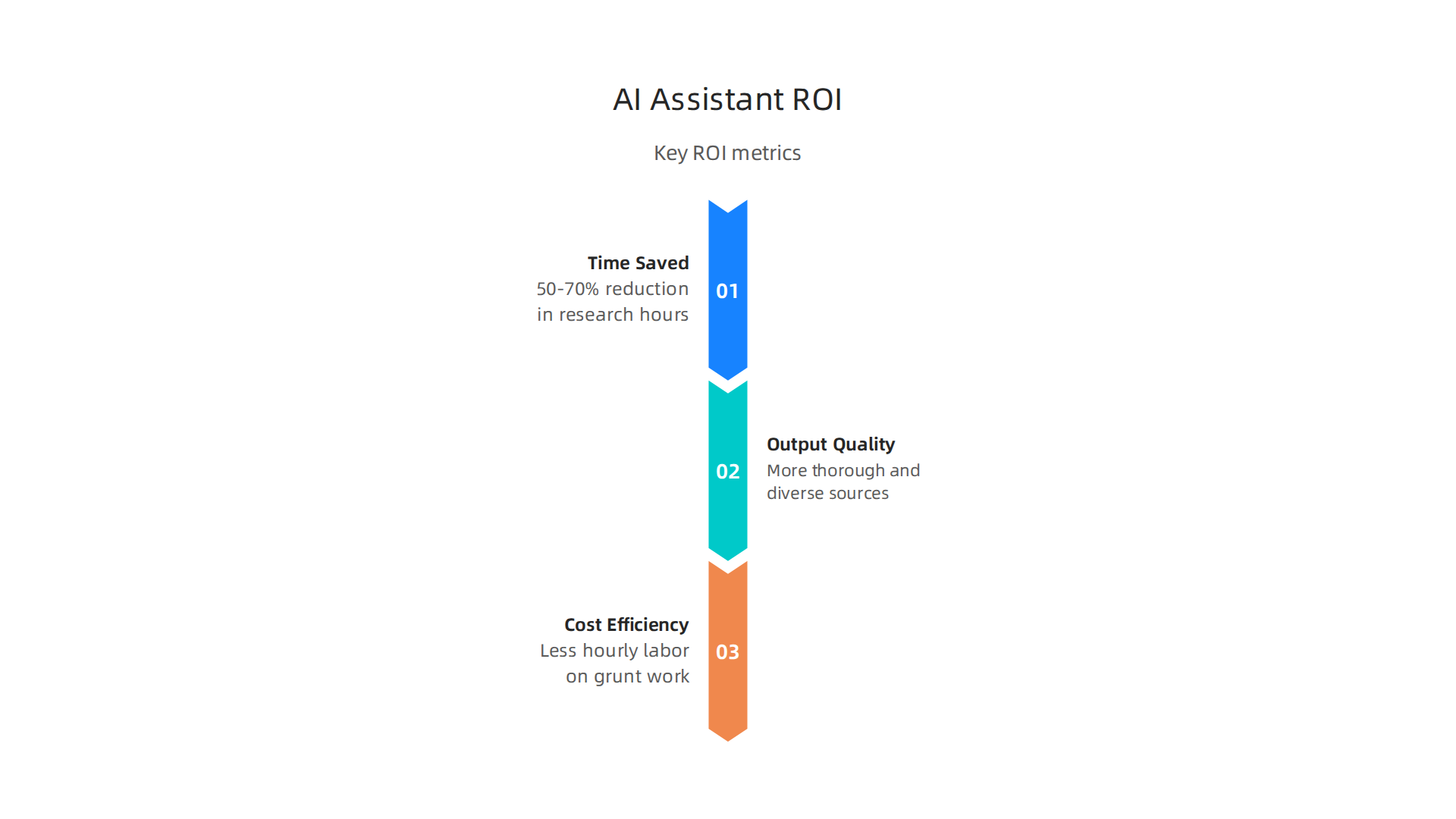
    **Here are the key metrics that matter:

    Key performance indicators demonstrating the return on investment from AI research assistants.

    **

    Metric What it means
    Time saved 50-70% reduction in research hours
    Output quality More thorough and diverse sources
    Cost efficiency Less hourly labor spent on grunt work

    These results are not outliers. Teams in marketing, biotech, finance, and education are seeing similar gains. The secret is using the ai to human handoff correctly. Let the assistant do the heavy lifting. Then apply your own expertise to refine the final output. If you want to learn more about how AI and human creativity can work together, read our article on human or AI creativity and what the data says about collaboration in 2026.

    These case studies show the assistant is not just a nice toy. It is a real tool that changes how teams work and how fast they deliver results.

    Want to get more case studies and practical tips on using ai tools in your industry? Subscribe to The AI Newsletter Worth Reading and get daily insights that actually help you work smarter.

    Future Trends in AI Research Tools

    The ai powered research assistant you use today will look very different a year from now. The technology is moving fast, and three big trends are about to change how we do research.

    Multimodal research assistants. Right now, most assistants work with text. But the next wave can process images, audio, and video together. Imagine uploading a recorded interview, a chart from a report, and a podcast clip, and getting a single summary that connects everything. This kind of multimodal processing will make research faster and richer. Of course, handling multiple data types also raises new privacy questions. As AI works with more personal content, staying on top of data protection becomes essential Stanford HAI.

    Agentic AI that works on its own. This is where engineering applications of artificial intelligence get really exciting. Instead of you giving step by step instructions, the assistant will plan and execute multi-step research tasks by itself. For example, it could search databases, cross-reference findings, check sources for credibility, and then hand you a final report. You just review and refine. That is the ultimate ai to human handoff. But autonomous agents also need strong governance. Organizations must set clear rules about what the agent can access and share IBM.

    Integration with enterprise systems. Future assistants will plug directly into your company’s knowledge graphs, CRM, and internal documents. Instead of manually exporting data, you will ask a question and get answers rooted in your own proprietary information. This tight integration will make research much more relevant for your specific business context. Companies like Palantir are already showing how ai tools can work inside large enterprise systems. If you want to see how that plays out in practice, check out our breakdown of Palantir Technologies 2026 growth products and impact on business strategy.

    These trends all point in one direction: the ai powered research assistant will become smarter, more autonomous, and more embedded in your daily workflow. But with that power comes responsibility. Pay attention to privacy and governance as you adopt these new tools.

    Want to stay ahead of these trends? Subscribe to The AI Newsletter Worth Reading and get daily updates on the tools and technologies shaping the future of research.

    Implementation Best Practices

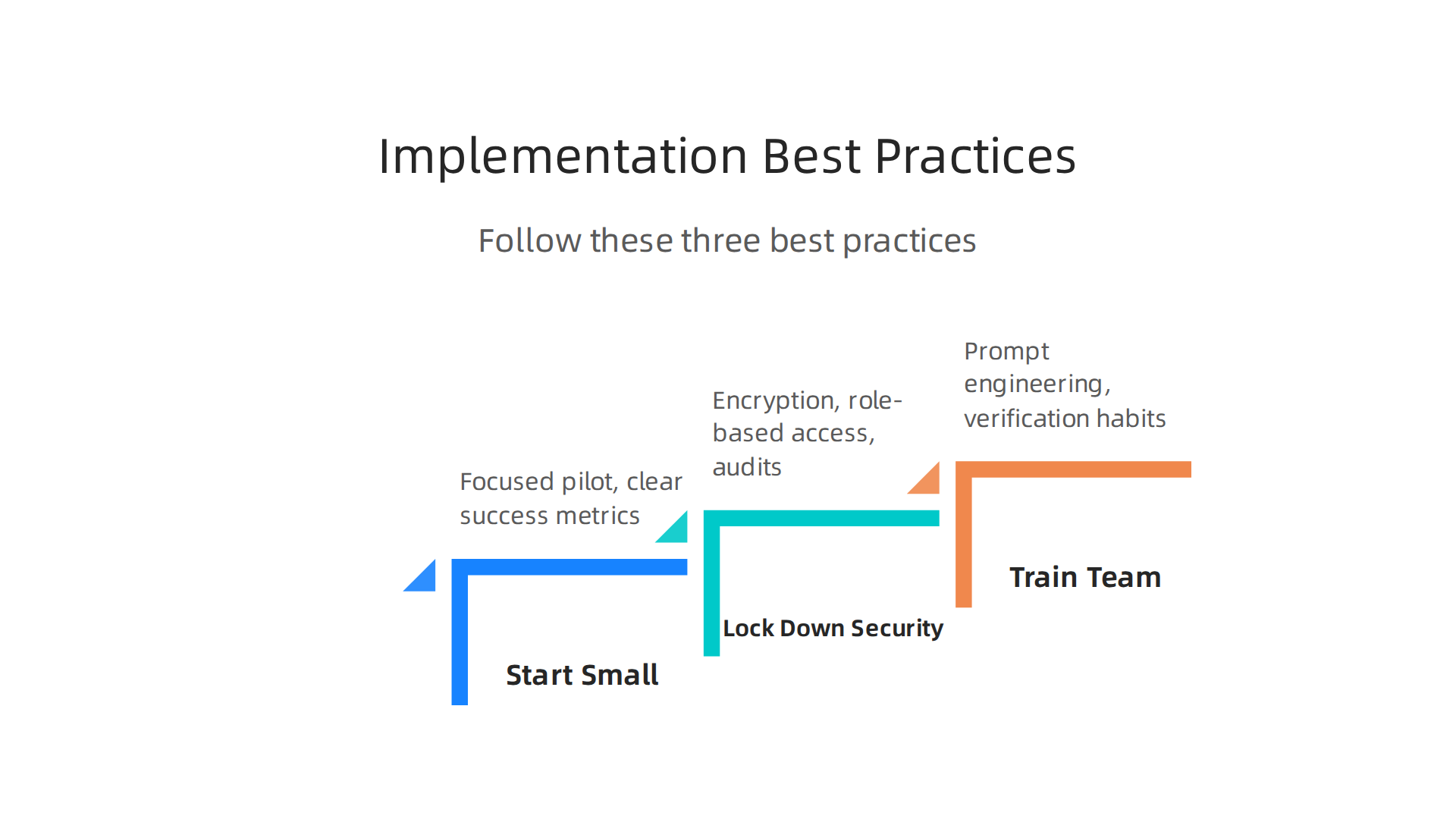
    The future sounds exciting, but you might be wondering: How do I actually start using an AI powered research assistant today without messing things up? That is a smart question. Jumping in without a plan can lead to wasted time, security risks, and low quality results. Follow these three best practices to get it right.

    Three essential best practices for successfully implementing an AI-powered research assistant.

    Start with a small, focused pilot project. Do not try to automate your entire research workflow on day one. Pick one specific, high value use case. For example, maybe your team spends hours every week summarizing competitor news. Use your AI research assistant to handle just that task first. Define clear success metrics like time saved, accuracy of summaries, and stakeholder satisfaction Workmate. Starting small lets you test the tool, find problems early, and build confidence before scaling.

    Lock down data security from the start. An AI powered research assistant will likely access sensitive company information, internal reports, and maybe even customer data. That means you need strong protections. Use encryption for data in transit and at rest. Set up role based access controls so only the right people can ask questions about certain documents. Regularly audit who and what the assistant can access. Remember, keeping data safe is not a one time setup. It requires ongoing attention Philip Burgess. This is especially important when you consider the engineering applications of artificial intelligence that connect into your core systems.

    Train your team on prompt engineering and verification. The best tool in the world is useless if people do not know how to use it well. Teach your team how to write clear, specific prompts that get useful answers. Also, build a habit of verifying everything the AI produces. An AI should supplement your thinking, not replace it Tellemai. Treat its outputs as draft material that needs a human check. This ai to human loop is what separates mediocre research from excellent research. Encourage your team to ask, "Does this answer make sense? Where did the data come from?" That kind of critical thinking makes the partnership stronger. For a deeper look at how humans and AI can collaborate effectively, check out our piece on human or AI creativity and what the data says about collaboration in 2026.

    Getting the implementation right means the difference between a tool that frustrates and one that transforms your workflow. Start small, keep it secure, and invest in your team’s skills.

    Want more practical guidance delivered to your inbox every day? Subscribe to The AI Newsletter Worth Reading for daily tips on using ai tools smarter and safer.

    Summary

    This article explains what an AI-powered research assistant is, how these tools work, and why they matter for professionals drowning in information. It breaks down core capabilities—like advanced summarization, multi-source synthesis, and real-time data integration—and shows which features separate robust assistants from hype. The guide gives practical criteria for choosing a tool (security, integrations, pricing, supported formats, and source transparency) and offers implementation best practices such as running a small pilot, locking down data, and training teams on prompts and verification. You’ll see real-world use cases across marketing, finance, biotech, and education with ROI examples (time savings of roughly 50–70%) and common pitfalls like hallucinations and compliance risks. The article also previews future trends—multimodal assistants, agentic automation, and tighter enterprise integration—and points to related coverage to help you stay current. After reading, you’ll be able to evaluate options, run a safe pilot, and integrate an AI research assistant that actually speeds up decision-making without sacrificing trust.

  • How Undetectable AI Helps You Write Content That Sounds Human and Gets Results

    How Undetectable AI Helps You Write Content That Sounds Human and Gets Results

    Introduction: The New Frontier of AI Content Creation

    Have you ever poured hours into writing something, only to get that sinking feeling that it sounds a little too stiff? You are not alone. In 2026, the internet is absolutely packed with AI-generated text. And here is the tricky part: both search engines and your readers are getting really good at spotting content that feels lifeless.

    The idea of undetected ai has become a hot topic, but we need to clear something up right away. It is not just about tricking a robot detector. The real goal is much bigger than that.

    As the Stanford Emerging Technology Review (2026) highlights, AI agents are now managing tasks with very little human input.

    The Stanford Emerging Technology Review homepage, a source for insights on AI agent capabilities and human input.

    Yet, when it comes to building trust with a real person, the human touch still wins every time. Churning out robotic paragraphs might save time, but it won’t save your reputation. The true power of undetected AI comes from blending the speed of a machine with the warmth of a human voice.

    Professionals collaborating, representing the blend of machine efficiency and human creativity in content creation.

    Some tools have popped up to help with this exact problem. Platforms like Undetectable.ai are designed to take stiff AI writing and give it a natural flow.

    The TryLeap AI homepage, platform where Undetectable.ai is reviewed, showcasing tools for humanizing AI text.

    According to an honest review from LegitWrite, these humanizers work well for most standard writing tasks. But the real secret goes deeper than just changing a few words.

    The quest today, as one 2026 guide on humanizing content puts it, is to "craft narratives that resonate on a human level." It is about creating work that feels genuine. This idea connects perfectly with what we have learned about human and AI creativity working together. The best outcomes come from a partnership, not a replacement.

    Who actually uses this approach? Everyone from busy marketers to small business owners. As the team at StealthGPT explains, undetectable AI helps turn generic output into content that can actually build a bond with your audience.

    This guide will show you a practical framework to use ai effectively without losing your authenticity. We will cover the specific methods, mindsets, and tools you need. Your ability to blend AI productivity with a genuine human voice will become your biggest advantage.

    Understanding Undetectable AI: What It Means and Why It Matters

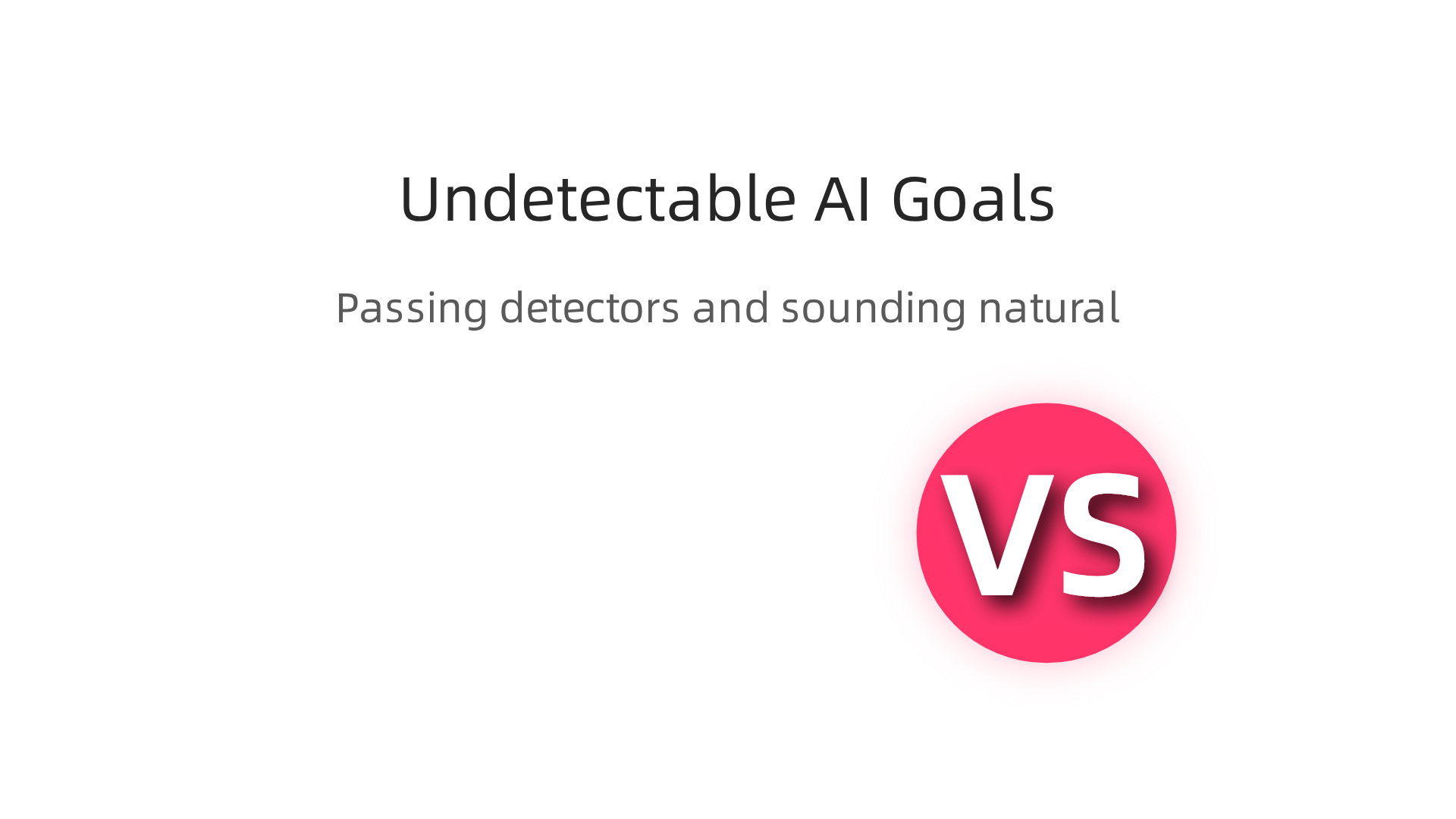
    So what does undetected ai actually mean? It is not just one thing. It is a two-part goal.

    Visualizing the dual objectives of undetected AI: passing automated detectors and sounding natural to human readers.

    First, your content needs to slip past automated AI detectors. That is the technical side. Tools like those reviewed by UndetectedGPT are built specifically for this job.

    The UndetectedGPT homepage, a resource for reviews and insights on AI detection and humanization tools.

    They rewrite machine-generated text so it no longer triggers detection software.

    But here is the bigger piece. Passing a robot test means very little if a real person reads your work and thinks, "This feels weird." The second and much harder part is making your content sound natural to human readers. That is where the real value lives.

    Think of it this way. You can trick a detector in seconds. But tricking a human? That takes genuine skill. As the Stanford Emerging Technology Review (2026) points out, AI agents are now handling tasks with very little human input. Yet when your reader sits down to read, they still want to feel a connection. They want writing that sounds like it came from a person, not a machine.

    This is where many people get confused. They chase the shortcut. They want to use ai to generate text, run it through a humanizer, and call it done. But as one honest review from LegitWrite explains, these tools work best for low to mid stakes rewriting. If you need text that survives strong detection or preserves a precise tone, you need more than a quick fix.

    The real power of undetected ai is not about hiding. It is about blending. You use the speed of AI to draft, then you bring your own voice to edit. The goal, as a 2026 guide on humanizing content puts it, is to "craft narratives that resonate on a human level." That is not a trick. That is good writing.

    This idea of partnership between human and machine is exactly what we covered in our look at human and AI creativity working together. The best results come from collaboration, not replacement.

    Why does all this matter for you? Because the stakes are real.

    Search engines are getting smarter. They can spot content that looks churned out. If your text feels robotic, your rankings can suffer. Your brand reputation takes a hit too. Readers trust content that feels authentic. One study after another shows people prefer a human touch, even when they know AI helped create it.

    So undetected ai is not a dirty trick. It is a smart strategy. When you do it right, you improve your SEO, protect your reputation, and build real trust with your audience. That is a win for everyone.

    The Technology Behind Undetected AI Writing Tools

    So how do these undetected AI tools actually work under the hood? It is not magic. It is a clever mix of language science and smart algorithms. Let’s pull back the curtain.

    The core idea is simple. AI detectors look for patterns that machines leave behind. Machine written text tends to be too predictable. Every sentence flows the same way. Word choices are boringly consistent. Human writing, on the other hand, has natural ups and downs. Some sentences are short. Some are long. We repeat words sometimes and then surprise you with a new one.

    Humanizers fix this by changing two key things: perplexity and burstiness. Perplexity measures how predictable your text is. Low perplexity means a robot could guess the next word easily. High perplexity means more surprises, just like real people write. Burstiness is about sentence length variety. Humanizers raise the perplexity and adjust the burstiness so your text feels alive.

    Most undetected AI tools use a combination of techniques. They paraphrase sentences using different structures. They swap out common words with less predictable synonyms. Some even insert minor grammar quirks on purpose. The goal is to create text that passes both the automated scan and a quick human read.

    It helps to know there are two main types of these tools. Generation tools create new content from a prompt. Humanizers take existing AI text and rewrite it to sound natural. If you use AI to draft, you need a humanizer afterward. If you start from scratch with a tool like Crayo AI or AI Blaze, you might still want to run it through a separate checker.

    Now for the big question: open source versus proprietary. Open source models like GPT Neo or Llama give you full control. You can tweak the settings and train them on your own data. But they take more technical skill to set up. Proprietary tools like those listed in the best AI humanizers 2026 comparison are ready to use right away.

    The GenZWrite homepage, a platform offering comparisons and reviews of various AI humanizer tools.

    They hide the complexity behind a simple interface. The trade off is that you rely on someone else to keep their algorithms updated.

    Speaking of trade offs, there is a real balancing act. Pushing too hard for undetectability can hurt your content quality. Over humanized text starts to feel choppy or weird. You lose the smooth flow that makes reading enjoyable. The best approach is to aim for a natural middle ground. Your writing should sound like a confident person, not a robot trying to be human.

    The technology keeps moving fast. Quality tools update their algorithms regularly to stay ahead of detection software. That is why it pays to keep learning and testing new options. For more on how to stay ahead of the curve, check out our guide on the best startup gadgets in 2026 that deliver results. Good tools help you use AI without losing your unique voice.

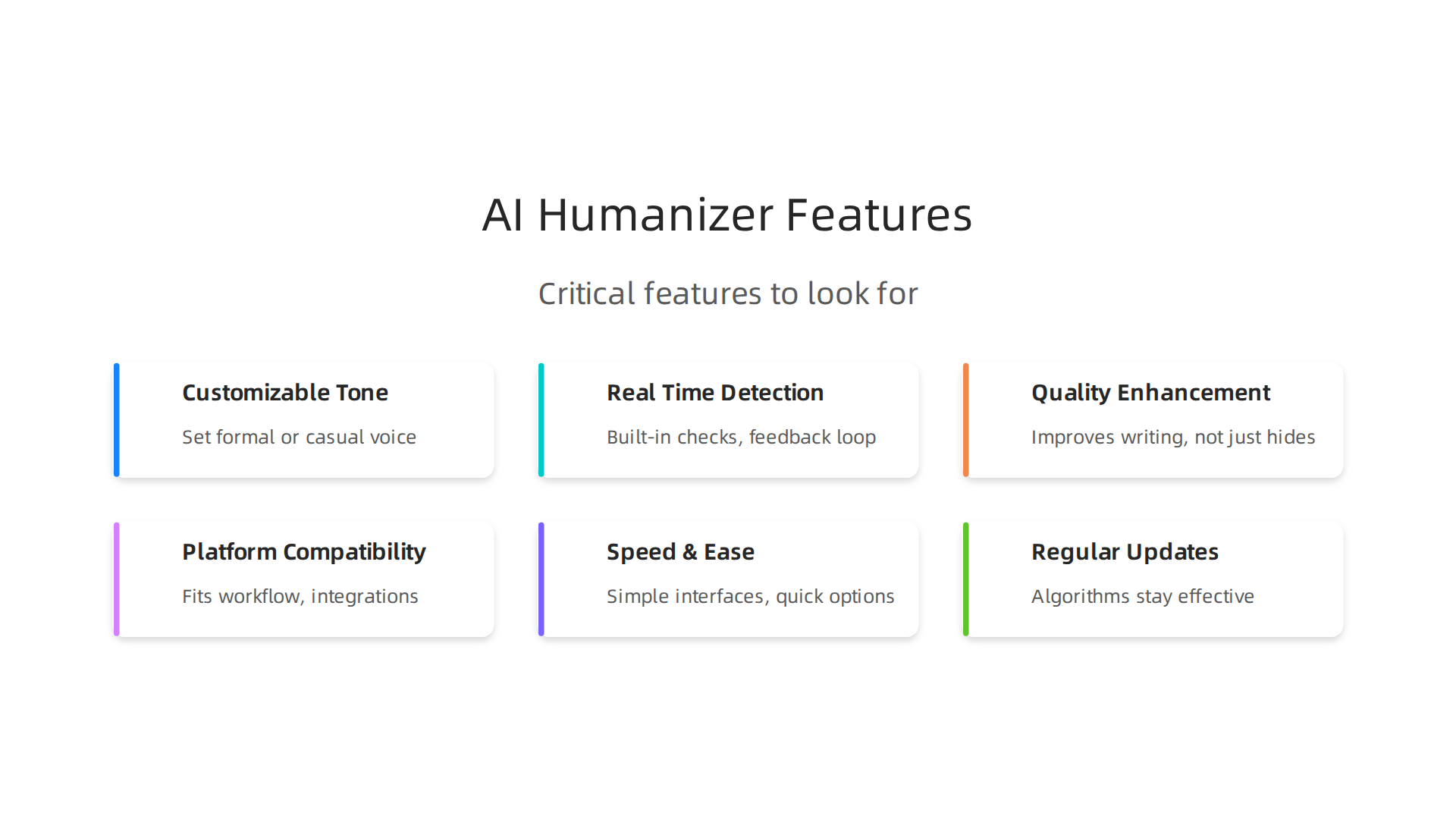
    Key Features to Look for in Undetectable AI Tools

    Now that you understand how these tools work, how do you pick the right one? Not all undetected AI tools are built the same. Some will make your text pass a scan but sound terrible. Others will give you results that feel genuinely human.

    Here are the critical features to look for.

    An infographic illustrating the essential features to consider when choosing undetectable AI writing tools.

    1. Customizable Tone, Vocabulary, and Sentence Structure

    Every piece of writing has a voice. A business email sounds different from a blog post. A landing page for a startup feels different than a research paper.

    Good undetected AI tools let you control this. You want the ability to set the tone formal or casual. You should be able to adjust vocabulary level. Some tools even let you target specific sentence lengths so your writing has natural rhythm.

    Without these controls, you end up with generic text that does not fit your audience. The best tools give you levers to pull. Raising perplexity and adjusting burstiness is how you make AI text feel human. Look for tools that let you tweak those settings yourself.

    2. Real-Time Detection Checks and Feedback Loops

    Imagine spending an hour rewriting text only to have it flagged by a detector anyway. That is frustrating.

    The best tools include built-in detection checks. They scan your output and tell you if it passes before you publish. Some even show you which sentences look suspicious.

    This feedback loop saves time. You can make small edits and test again rather than guessing. Quality tools continuously update their algorithms to stay ahead of detection technology. A tool that checks itself against multiple detectors is worth a lot more than one that just throws text at you.

    3. Quality Enhancement Over Pure Evasion

    Here is the big one. Some tools only care about tricking detectors. They will chop up your sentences, stuff in random words, and make your text read terribly just to pass a scan.

    Do not use those.

    You want a tool that improves your writing, not one that just hides its origin. The goal should be natural text that sounds like a confident person wrote it. Some tools are generation tools that create content from prompts, while others are humanizers that modify existing text. Choose humanizers that focus on quality first and evasion second.

    The best undetected AI tools make your writing better. They help with flow, word choice, and readability. That is a win for everyone.

    4. Platform Compatibility and Use Case Support

    Not every tool works for every situation. Some are built for students writing essays. Others focus on marketers creating ad copy. A few handle long-form content like blog posts.

    Think about how you use AI in your daily work. Do you need to use AI for client reports? Are you writing social media posts? Do you need to create marketing portfolio examples that showcase your skills?

    Pick a tool that fits your workflow. Some even offer browser extensions or integrations with platforms like WordPress and Google Docs.

    5. Speed and Ease of Use

    You do not want to fight with the tool. The whole point is to save time and get better results.

    Look for simple interfaces. One click humanization is nice, but make sure you still have control. Some tools like Crayo AI and AI Blaze offer quick options, but test them first. A tool that takes ten minutes to figure out is not helpful when you are on a deadline.

    6. Regular Updates and Support

    Detection software changes fast. A tool that worked last month might get flagged today. The best AI humanizers in 2026 update their algorithms regularly to stay effective.

    Check if the tool has active development. Read reviews. See if the team responds to feedback. A dead tool is a risky tool.

    If you want to stay ahead of the curve, check out our guide on the best startup gadgets in 2026 that deliver results. Good tools help you use AI without losing your unique voice.

    How to Optimize AI Content for Human Authenticity

    Picking a great tool is only half the battle. The other half is how you use it. Even the best undetected ai software can spit out flat, robotic text if you do not guide it properly. Here is how to make your AI content sound like it came from a real person.

    A visual guide to optimizing AI-generated content for genuine human authenticity.

    Blend AI Drafts with Human Editing

    Never publish raw AI output. Think of the AI as a fast first draft writer. Then you step in as the editor. This is the most important habit you can build.

    Read every sentence out loud. Does it flow? Does it sound like something you would actually say?

    A person carefully reviewing content, embodying the human touch needed to refine AI-generated text.

    Making AI text sound natural takes a personal touch that only you can provide. Swap out stiff words for ones you use in real conversations.

    Add short sentences. Mix in longer ones. This variation is what creates natural rhythm.

    Inject Personal Stories

    Here is the secret that makes readers trust you. Tell a real story.

    AI cannot live your life. It cannot have your experiences. So share something that happened to you. A mistake you made. A lesson you learned the hard way.

    Maybe you tried Crayo AI and got weird results at first. Maybe you used AI Blaze and had to tweak the output five times. Those little stories build connection. No AI detector will flag them because they are uniquely yours.

    Use Readability and Perplexity as Your Guide

    Remember the features we talked about earlier? Perplexity scores are not just for tools. You can use them yourself to check your work.

    Aim for moderate perplexity. Too low means the text is predictable and boring. Too high means it looks like a word salad. You want a balance that feels natural to read.

    Tools like Hemingway Editor can help you spot sentences that drag. Readability scores tell you if your writing matches your audience. A blog post for business owners should score differently than one for college students.

    Master Prompt Engineering

    The quality of what you get out depends on what you put in. Generic prompts give generic results. Specific prompts give human-like results.

    Instead of saying "Write a blog post about marketing," try this: "Write a blog post about marketing from the perspective of a small business owner who tried three different strategies. Use a casual, confident tone. Include one personal failure story."

    Prompt engineering is the skill that separates mediocre AI content from content that truly connects. The more context you give, the better the output.

    Want to see how professionals approach this? Our analysis of human vs AI creativity shows how the best collaborators use prompts to get better results.

    Check Yourself Before Publishing

    Run your final draft through a detector. If it flags, make small changes. Shorten long sentences. Add contractions. Replace one fancy word with a simple one.

    Do this until the text passes. Then read it one more time. If it sounds like you, you are done.

    The goal is not to hide that you used a tool. The goal is to create content that serves your reader well. When you focus on quality first, the authenticity follows naturally.

    Addressing Detection Risks: Evasion Techniques and Their Limits

    You have learned how to humanize your content. But there is another side to this story. No matter how careful you are, detection tools are watching. They are getting smarter every month.

    Here is what you need to know about the risk.

    How AI Detectors Actually Work

    Most AI detectors in 2026 use three main methods to find machine-written text.

    An infographic explaining the three primary methods AI detectors use to identify machine-written text.

    Statistical detectors look at how predictable your words are. They measure things like perplexity and burstiness. Low perplexity means the text is too smooth. That is a red flag. Tools like Turnitin and GPTZero use this approach.

    Neural detectors use AI themselves to spot patterns. They have been trained on millions of examples of AI writing. They can find subtle tells that human eyes miss.

    Watermark-based detectors look for hidden markers that some AI models leave behind. These watermarks are like digital fingerprints. They are hard to remove.

    One study explains that if you want to bypass these tools, you need to raise your text’s perplexity artificially. But doing this poorly can backfire and make your writing look even more suspicious.

    Common Evasion Tricks That Fail

    You might hear about quick fixes. Swap synonyms. Rewrite every sentence. Add random typos.

    These tricks work for about five minutes.

    Detector algorithms update constantly. What fooled the tool yesterday might get flagged today. Simple word swaps are easy to catch because they create unnatural phrasing. Rephrasing without understanding context often breaks the flow.

    The best approach is not to trick the detector. It is to write content that does not look AI-generated in the first place.

    The Cat and Mouse Game

    Here is the honest truth.

    Detection tools and humanizers are in a constant race. When one gets better, the other adapts. This cycle never stops.

    Quality tools on both sides update their algorithms every few weeks. What is safe today might be risky tomorrow.

    The sustainable answer is not to rely on evasion tricks. It is to build real human quality into every piece you write. That is what the best professionals do.

    Want to see how the top creators think about this balance? Check out our analysis of human vs AI creativity to understand the bigger picture.

    Focus on serving your reader first. The detection problem solves itself when you prioritize quality over shortcuts.

    Real-World Applications and Use Cases for Undetectable AI

    You know how to humanize your writing. You understand the detection risks. Now let’s talk about where all this actually matters.

    The goal is not to cheat the system. It is to use AI as a tool while keeping your content authentic. That is a big difference.

    Here are the most common places where undetected AI makes a real difference.

    Blog Posts and SEO Content

    This is the number one use case. Bloggers and marketers use AI to write drafts fast. But raw AI text gets flagged by detectors. And Google may penalize content that looks machine-made.

    So smart creators write with AI, then humanize the output. This helps them publish more without losing search rankings.

    A 2026 marketing report found that 80% of marketers feel pressure to adopt AI, but only 6% have fully embedded it. That gap is huge. Undetected AI can help close it by making AI-generated content ready for real readers and real search engines.

    Marketing Copy That Actually Converts

    Email subject lines, social media captions, ad copy. These need to feel personal. If a detector says your copy is AI, readers might feel less connected.

    Tools like Crayo AI and similar platforms help marketers create copy that sounds human. The result? Higher open rates, better engagement, and no awkward robot tone.

    Social Media Content at Scale

    Posting every day is hard. AI can write posts in seconds. But if a follower runs your post through a detector, they might lose trust.

    That is why creators humanize social content. Short posts, tweets, and captions can all be AI-assisted but still pass as natural writing.

    Academic Writing (With a Big Warning)

    Students and researchers sometimes use AI to draft papers. But here is the truth: most schools and journals forbid AI-generated text without disclosure.

    If you use AI in academic work, you need to be ethical. Humanize the text, but also cite your sources properly. Never pass off AI writing as your own original thought.

    Vertical-Specific Advice

    Different industries need different approaches.

    • E-commerce product descriptions: Write a template, then humanize each product page. This saves hours.
    • Thought leadership articles: Use AI for structure, but add your personal stories and insights. The human touch matters most.
    • SEO landing pages: These need to be informative and natural. Undetected AI helps you create many landing pages without sacrificing quality.

    Real companies have scaled content production this way. They report faster turnaround times and better performance.

    Want to go deeper on how to balance AI help with your own creativity? Check out our analysis of human vs AI creativity for proven strategies.

    The bottom line: Use AI to speed up your work. But always finish with a real human touch. That is the winning formula in 2026.

    Measuring Success: Metrics for Undetected AI Content

    So you have humanized your AI content. It passes detection tests. But does it actually work? How do you know if your undetected AI content is helping your business?

    Let’s look at the real metrics that matter.

    Key Performance Indicators to Watch

    Search engine rankings are the first sign. If your pages rank higher after humanizing, you are on the right track. Google rewards content that reads naturally.

    Next is engagement. Look at time on page and bounce rate in Google Analytics. If people stay longer, your content feels real to them. If they leave fast, something is off.

    Conversions are the ultimate goal. Whether it is email signups, product purchases, or form fills, your content should drive action.

    A team celebrating their achievements, symbolizing the successful outcomes of effective, humanized AI content.

    Track those rates before and after humanizing.

    Tools for Measuring Quality and Detection Probability

    You need to test your content from both sides. Use AI detectors to check if your humanized text still looks machine-made. One tester tried over 30 AI detectors and found 7 top picks for accuracy in 2026. Run your drafts through a few of those tools.

    At the same time, track your content performance with standard analytics. Google Search Console shows clicks and impressions. Google Analytics shows behavior.

    For a deeper look at how different humanizer tools compare, check out this ranking of the best AI humanizer tools that were tested against real detectors.

    Long-Term Trust Signals

    Backlinks matter a lot. Other sites only link to content they find valuable and original. If you earn links naturally, your undetected AI content is passing the authenticity test.

    User comments and brand mentions are also strong signals. When people discuss your content or share it on social media, that tells you it feels human.

    Remember, the goal is not just to fool a detector. It is to create content that builds real trust over time. Want to understand how your own creativity can combine with AI for better results? See our analysis of human versus AI creativity for proven strategies.

    Keep measuring these metrics, and you will know if your approach is working.

    Summary

    This article explains the concept of