Tag: productivity tools

  • How to Use AI-Powered Homework Help Smartly and Ethically

    How to Use AI-Powered Homework Help Smartly and Ethically

    Why ‘AI-powered homework help’ matters now (and what this article will deliver)

    In 2026, many students and even grown-ups at work are looking for ways to get tasks done better and faster. This is where AI-powered homework help comes in. Simply put, these are smart computer programs that use artificial intelligence to help you with schoolwork or tricky tasks at your job. They can do many things, like explain hard ideas, solve math problems step-by-step, or even help you start writing an essay [^1]. Think of them as super-smart helpers that know a lot about many subjects [^2].

    This innovative technology isn’t just for kids anymore. Professionals also use these tools to handle information overload and improve their own learning. For example, an AI homework helper can quickly summarize a long report or help you find specific facts for a presentation. This makes learning and working more efficient, giving you more time for other important things.

    A student engages with learning materials, feeling empowered and confident.

    However, using these tools can be a bit tricky. Many people face some common problems:
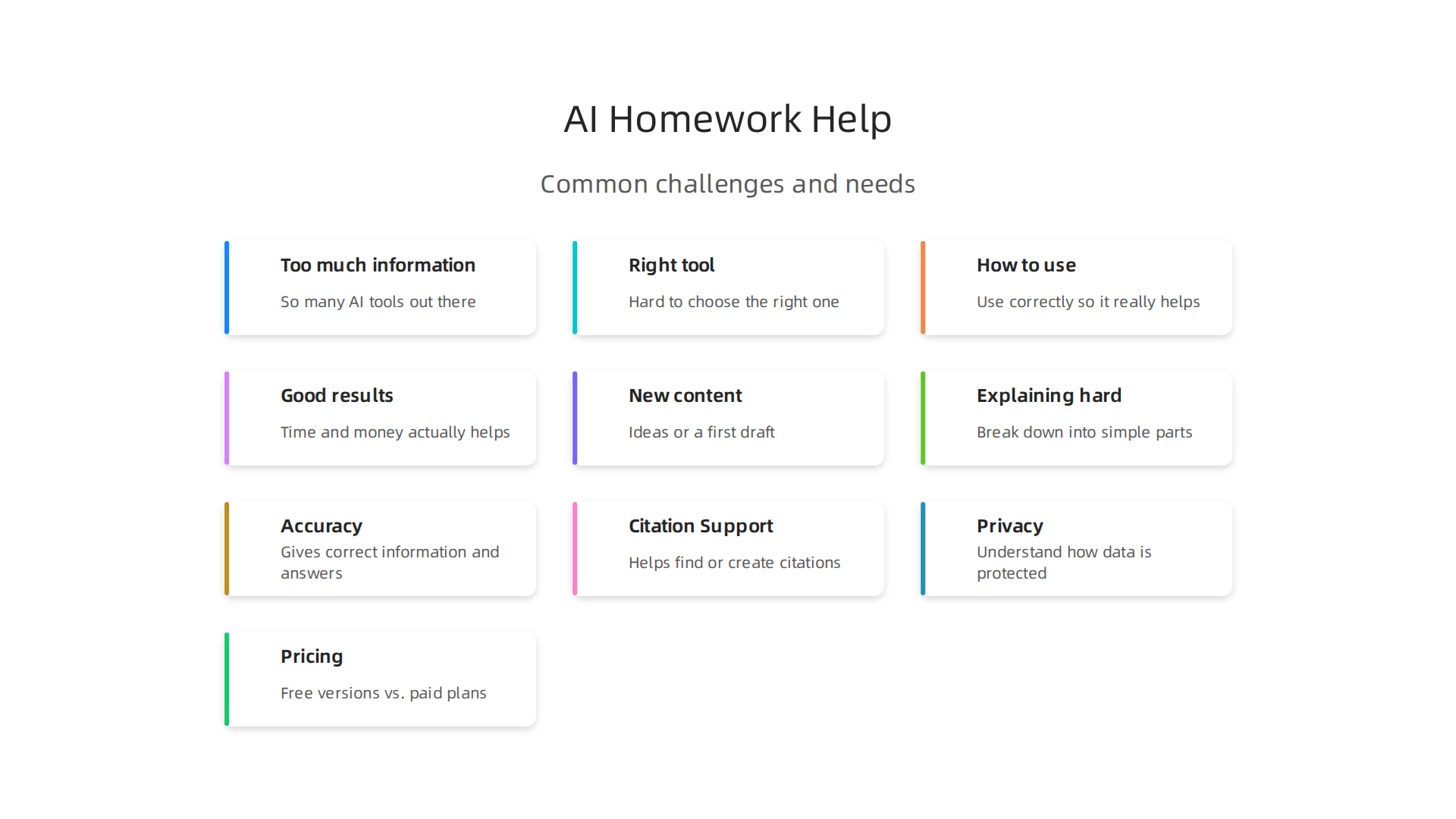
    Understanding the key problems users face when adopting AI-powered homework assistants.

    • Too much information: There are so many AI tools out there. How do you know which ones are the best AI platforms for what you need?
    • Picking the right tool: It’s hard to choose the right one when each tool does something a little different.
    • How to use them: Once you have a tool, how do you use it correctly so it really helps you?
    • Getting good results: You want to make sure the time and money you spend on these tools actually helps you learn more or do better work.

    Another big thing to think about is academic honesty. Using AI-powered homework help can be very useful for learning, but it is important to know when it’s okay to use AI and when it’s not. For example, using AI to understand a topic is fine, but having AI write your entire paper and saying it’s your own work is usually seen as cheating [^3]. Always check with your teacher or school rules first [^4].

    This article is here to help you understand all of this. We will give you simple steps and clear advice on how to find and use the right AI tools. We will also talk about how to use them smartly so you get the best results without any problems. You’ll find helpful checklists and tips to make sure you’re using this amazing technology the right way.

    Want to keep up with all the new AI tools and ideas every day?
    The AI Newsletter Worth Reading delivers clear daily AI updates right to your inbox.
    Screenshot of The AI Newsletter Worth Reading signup page, offering daily AI updates to stay informed.

    [^1]: AI Homework Helper for Students: 2026 Field Guide – Lensia
    [^2]: How AI Homework Helpers Are Transforming Education in 2026 – The EduTech Post
    [^3]: Is Using AI for Homework Cheating? The Real Answer (2026)
    [^4]: Academic Integrity and GenAI – Artificial Intelligence (AI): Tools …

    What ‘AI-powered homework help’ actually means: capabilities and taxonomy

    To use AI homework help smartly, it helps to know what these tools can truly do. In 2026, AI-powered homework help isn’t just one type of tool; it’s a whole group of smart programs that can assist you in many ways. These tools use special computer brains called large language models to understand what you need and give you helpful answers Tradeoffs And Tensions.

    Here are the main things these AI-powered homework help tools are good at:
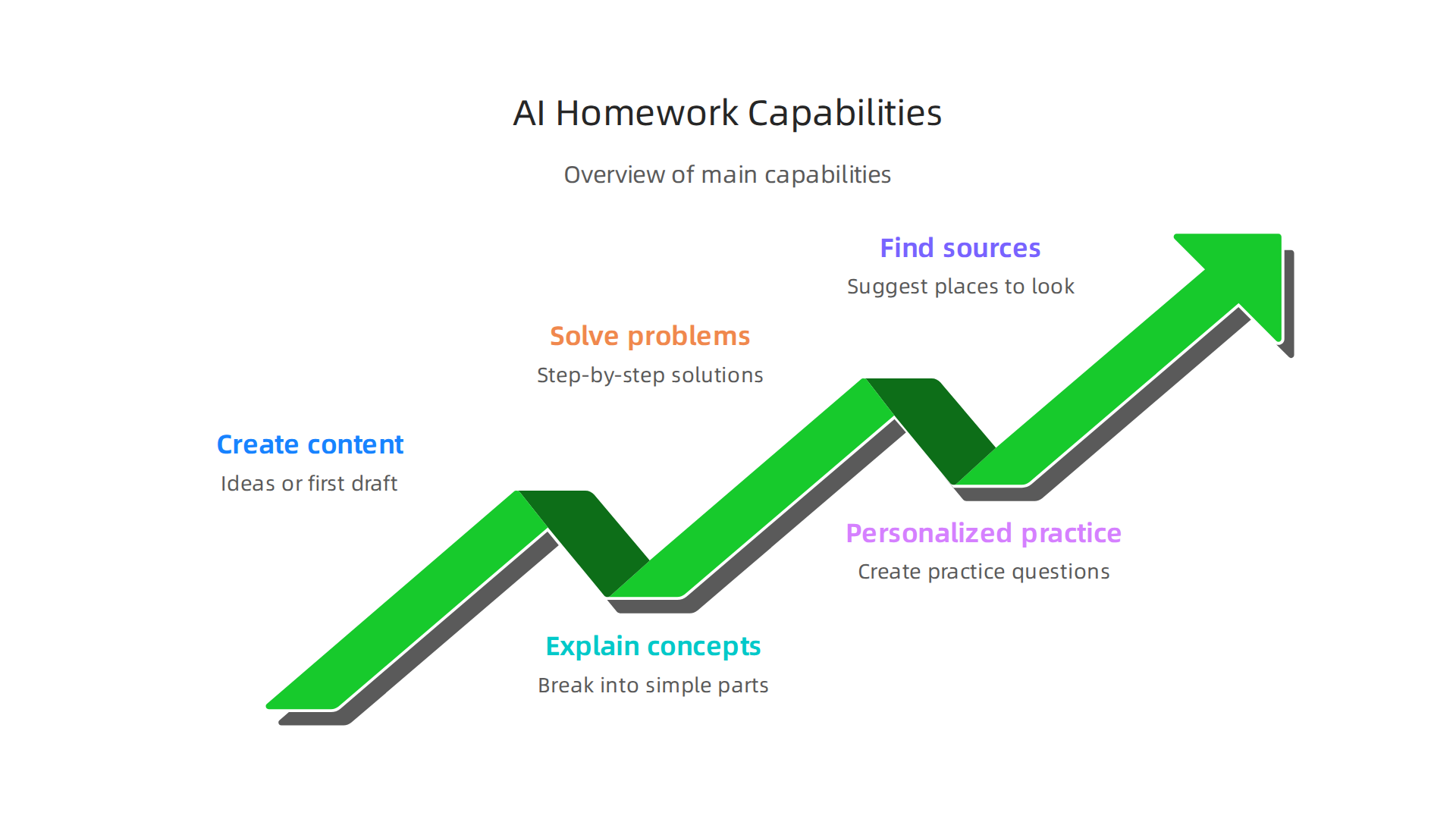
    An overview of what AI-powered homework help tools can do.

    • Making new content: They can help you start writing by giving you ideas or a first draft for an essay. This is called content generation. Remember, this is for help, not for letting the AI do all your work for you.
    • Explaining hard stuff: If a topic is confusing, an AI can break it down into simple parts. It can explain science facts, history events, or tricky ideas until you get it. This is like having a private tutor.
    • Solving problems step-by-step: For math problems or coding tasks, some AI tools can show you how to solve them one step at a time. This way, you learn the method, not just the answer How Students Can Use AI Tools for Homework Assistance. You can even watch videos that show you how to use these tools for step-by-step answers How to Use Question AI to Solve Homework & Get Step-by ….
    • Making learning personal: Some tools can create practice questions or study guides just for you, based on what you need help with. This is called personalization.
    • Finding sources: They can also help you find information and suggest places to look for facts, which can be useful for citing your work.

    Different Types of AI Homework Tools

    Not all AI tools work the same way. We can put them into two main groups:

    1. Assistive Tools: These are like your helpful co-pilot. They don’t create new big chunks of text or teach you from scratch. Instead, they help you make your existing work better. Think of tools that:

    2. Generative Tutors: These are more like teachers that can create new things and talk with you. They are often what people think of when they hear "AI homework help." These tools can:

      • Give detailed explanations and examples.
      • Answer your questions in an interactive chat, just like a real person.
      • Generate new problems for you to practice.

    In 2026, many of the best AI platforms for teachers & schools in 2026 are actually a mix of both types, offering a wide range of help.
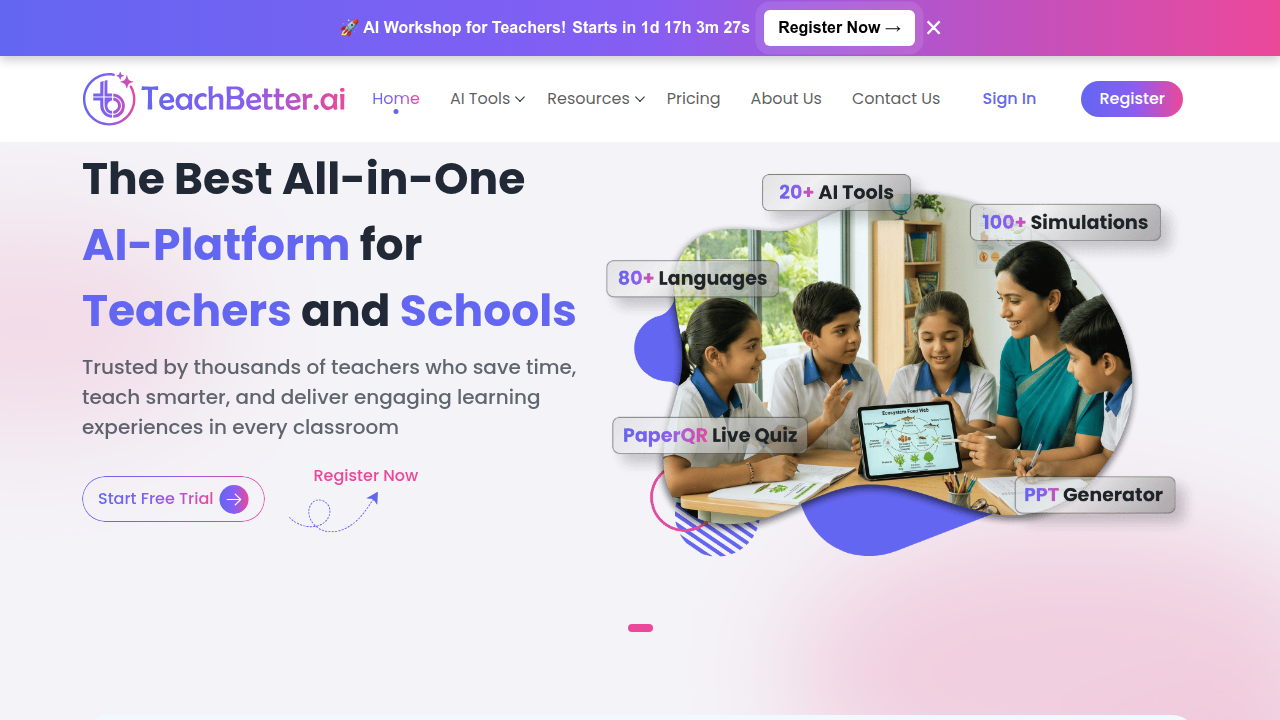
    Screenshot of TeachBetter.ai, a platform dedicated to AI tools for teachers and schools.

    How You Get to Use Them

    These innovative technology tools come in different forms:

    • Web Apps: Most often, you’ll use them directly on a website, like a smart chatbot you type to.
    • Plugins: Some can be added right into your school’s online learning system (LMS) or even your web browser.
    • APIs: This is a fancy word for how different computer programs talk to each other. Big learning companies might use APIs to build AI features right into their own tools.

    Understanding these different types and how they work helps you choose the right tools for your needs. If you’re looking to understand more about finding the right tools, you might want to read our guide on AI Tool Discovery 2026.

    Screenshot of aitoolsnewstoday.com, a resource for finding trusted tech sources and AI tools.

    Understanding the different types of AI homework help and how they work helps you choose the right tools for your needs. Now, let’s look at how you can put these innovative technology tools to use in real study and work routines to become more productive.

    AI workflows that boost productivity for study and work

    Using AI tools wisely means fitting them into your daily tasks. It’s about creating "workflows" where AI helps you get things done faster and better. In 2026, many students and professionals are finding smart ways to use AI as a helpful partner.

    Here are some common ways people use AI:

    • Research and Summarization: Imagine you have a lot to read for a project. An AI tool can quickly go through long articles or documents and give you the main ideas. This saves a lot of time and helps you understand complex topics faster. Many students use AI homework help for this kind of quick info gathering AI Homework Helper | Complete Assignments Faster in 2026.
    • Step-by-Step Problem Solving: For tough math problems or science questions, AI can guide you. Instead of just giving the answer, some tools show you each step, helping you learn the process. This makes sure you truly understand how to solve similar problems on your own later.
    • Code Assistance: If you’re learning to code or working on a programming project, AI can be a great assistant. It can help you write small parts of code, find mistakes, or explain tricky programming concepts. This can speed up your learning and make coding less frustrating.
    • Revision and Editing: When you write an essay or report, AI can check your work. It can find grammar errors, suggest better words, and even help you make your writing clearer and more engaging. This is like having a careful editor look over your work before you turn it in Best AI Homework Helper Tools in 2026.

    Combining AI Helpers with Your Own Brain

    The key to using AI-powered homework help and other tools well is not to let them do all the work. Think of AI as a helper, not a replacement for your own thinking. When AI gives you an answer or a draft, you should always review it carefully.

    This "human review" is important for two main reasons:

    1. Quality Control: AI tools are smart, but they can still make mistakes or give answers that aren’t quite right for your specific task. Always double-check facts and make sure the information makes sense.
    2. Learning Retention: If you just copy what the AI says, you won’t learn. By checking, editing, and thinking about the AI’s output, you make sure the knowledge sticks with you.

    An individual thoughtfully reviewing documents and making notes, indicating critical thinking.

    Studies show that AI can improve learning, but working alongside it is crucial Human Support Improves Engagement with AI Tutoring.

    Making AI Part of Your Existing Tools

    The best AI platforms aren’t just standalone apps. Many of these intelligent software applications can connect with the tools you already use.

    • Learning Management Systems (LMS): Schools often use platforms like Canvas or Moodle. Some AI tools can plug right into these systems, making it easy to get help without leaving your online classroom.
    • Integrated Development Environments (IDEs): For coders, AI assistants can be built directly into IDEs, helping you write and debug code as you go.
    • Note Apps: AI features can be added to note-taking apps to help organize your thoughts, summarize lectures, or turn notes into study questions.

    By using AI this way, you create smooth workflows that boost your productivity for both studying and work. This smart use of AI helps you learn more and get more done.

    To stay on top of the latest advancements and practical applications of AI tools, consider subscribing to The AI Newsletter Worth Reading. You’ll get clear, daily updates on how AI is changing the world. You might also want to explore how to build a tech radar to track AI trends and tools in 2026 to find even more helpful innovative technology.

    Now that you know how to use AI tools in your daily study and work, the next step is picking the right ones. With so many choices available in 2026, finding the best AI homework assistant can feel a bit tricky. It’s like choosing the right tool for a specific job: you want one that works well for your needs.

    When you’re looking for ai powered homework help, think about what matters most to you. Not all tools are made the same, and what’s best for one person might not be for another.

    What to Look For in an AI Homework Helper

    Here are the important things to think about when choosing an AI tool:
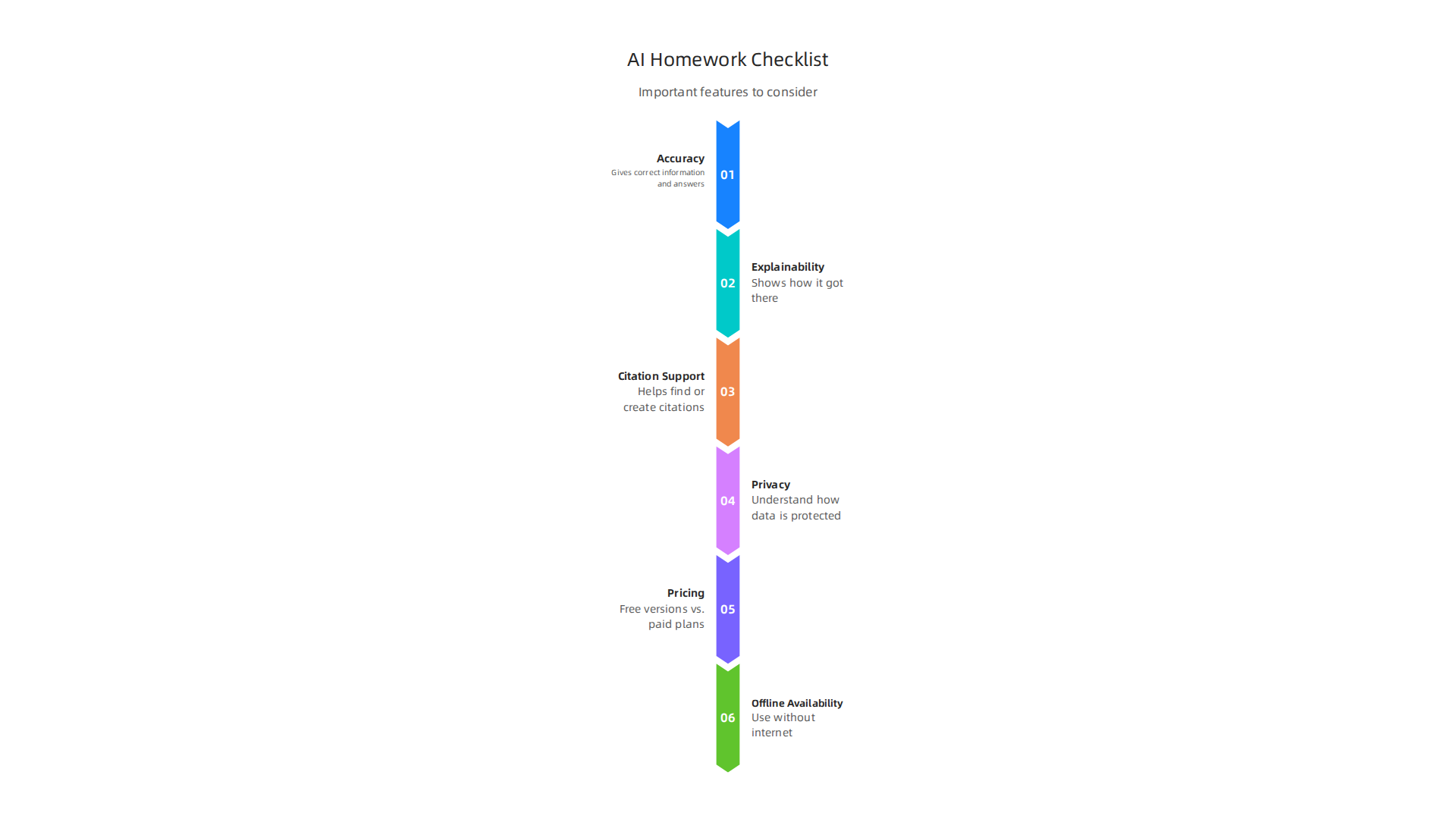
    A checklist of important features to consider when choosing an AI homework helper.

    • Accuracy: This is super important. You want an AI tool that gives you correct information and answers. Imagine getting a math problem wrong because your AI helper made a mistake. Always check reviews and see what others say about how accurate a tool is. Some tools are very strong in certain subjects, like math or writing Best AI for Homework & Student AI.
    • Explainability: Does the AI just give you an answer, or does it show you how it got there? For learning, tools that give step-by-step explanations are usually better. This helps you understand the topic, not just copy an answer. This is a key feature of many top ai powered homework help tools.
    • Citation Support: When you write papers or do research, you often need to show where your information came from. Some AI tools can help you find or create citations, which is very helpful for avoiding plagiarism. Always double-check these too.
    • Privacy: Since you’ll be putting your questions and sometimes your work into these tools, privacy is a big deal. Read their privacy policies to understand how they use and protect your data. Schools also need to think about student data privacy when adopting innovative technology like AI tools in the classroom AI in Schools: A Classroom Implementation Guide.
    • Pricing: Many AI homework helpers offer a free version, but paid plans often unlock more features or remove limits. Think about your budget and whether the extra features are worth the cost for your study habits. Tools like TutorGPT and NoteGPT often have free plans that are useful for many students 10 Best AI Homework Helper Tools in 2026 (Tested & …).
    • Offline Availability: Can you use the tool even when you don’t have internet? Some apps work offline, which can be super handy if you’re studying on the go or have unreliable Wi-Fi.

    Convenience vs. Learning: The Big Trade-Off

    You’ll notice two main kinds of AI homework help:

    • Convenient Chat-Based Tools: These are like having a smart friend you can just ask questions. They give quick answers to your questions, summarize things, or help you brainstorm ideas. These are great for fast help.
    • Learning-Focused Tools (Scaffolded Learning): These tools are built more like a tutor. They don’t just give answers but guide you through problems, explain concepts deeply, and help you learn step-by-step. They focus on pedagogy, which is a fancy word for how you learn best. For example, tools like Khanmigo are designed for guided math and science tutoring Best AI Homework Helper Tools in 2026 | The Collective.

    The trade-off is often speed versus depth. A quick chat tool is convenient, but a learning-focused tool might help you understand the material better in the long run. Think about whether you need a quick answer or a deep understanding for your task.

    A Practical Comparison Checklist

    To help you choose, you can make a simple checklist. Look at different best ai platforms and compare them based on the factors above.

    Feature Tool A (Example: ChatGPT) Tool B (Example: Photomath) Tool C (Example: Scholarly) Your Rating
    Accuracy High Very High (Math) High
    Explainability Good, but general Excellent (Step-by-step) Excellent (Learn-focused)
    Citation Support Limited Not applicable Good
    Privacy Policy Review carefully Review carefully Review carefully
    Free Plan Available? Yes Yes Yes
    Offline Use? No Yes (some features) No
    Best For General Q&A, Writing Math problems Learning complex material

    This kind of table can help you see clearly what each tool offers. When considering different ai live solutions or other innovative technology, it’s smart to compare them side by side. For more general advice on picking effective AI tools, you might want to read about how to choose AI for business tools that deliver real results. Making an informed choice helps you get the most out of your ai powered homework help.

    Using ai powered homework help tools can make studying easier, but it’s super important to use them the right way. Your school or teacher has rules about what’s okay and what’s not when it comes to using tools like AI. Breaking these rules is called academic dishonesty, or cheating.

    Academic integrity, ethics, and compliance: what to watch for

    Knowing the Difference: Help vs. Cheating

    It can be tricky to tell the difference sometimes. Here’s a simple way to think about it:
    Understanding the line between appropriate AI use and academic dishonesty.

    The most important rule? Always follow your teacher’s or school’s specific rules for each class. These rules can be different from one class to another Academic Integrity and GenAI – Artificial Intelligence (AI): Tools ….
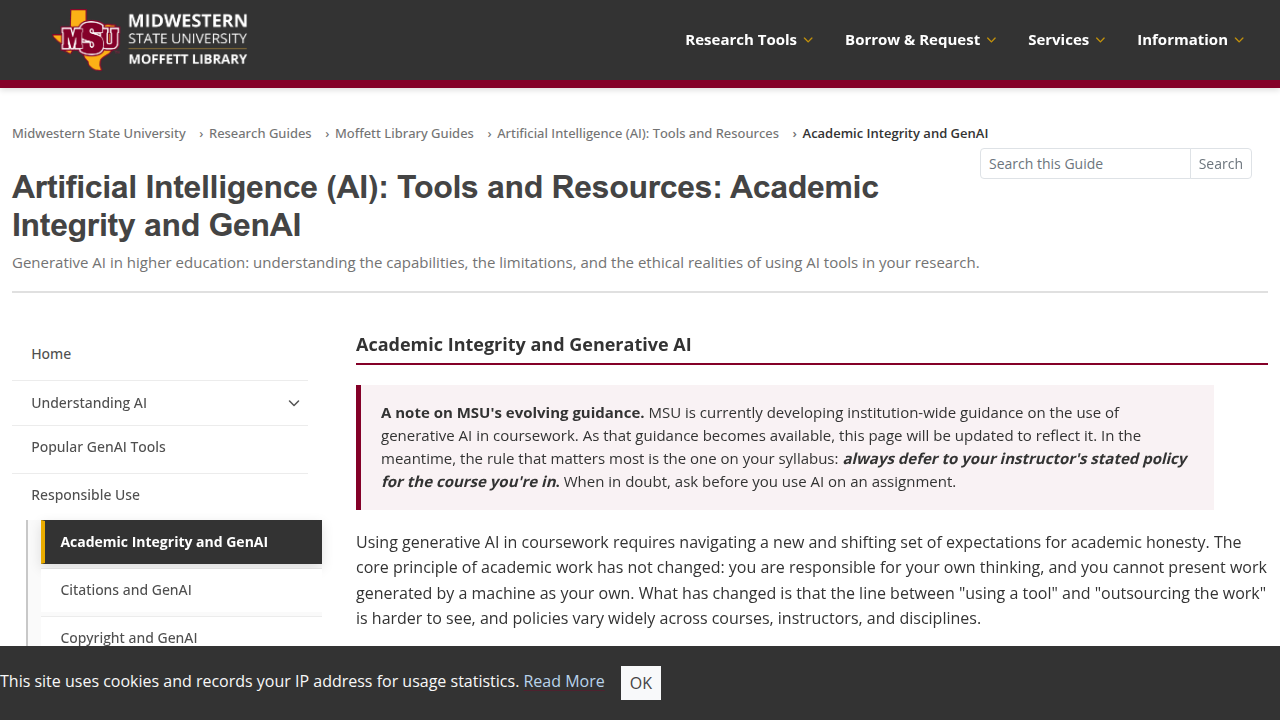
    Screenshot of the MSU Texas LibGuides page on Academic Integrity and Generative AI.

    In 2026, many schools are updating their policies. Some allow AI with a clear note, some integrate it into learning, and some ban it completely AI Academic Integrity in 2026: What Students Need to Know. If you are ever unsure, just ask your teacher.

    Your Privacy with AI Tools

    When you use innovative technology like an AI homework helper, you often type in your questions or even upload parts of your homework. This means you’re sharing your information with the tool. It’s smart to think about privacy:

    • What data is collected? Does the tool save your questions, your answers, or information about you?
    • How is it used? Will your data be used to train the AI, or shared with others?

    Always try to read the privacy policy of any best ai platforms you use. This helps you understand how your personal and school work data is protected.

    How Schools Are Responding

    Schools and teachers are working hard to figure out how to best use AI while keeping things fair. Many are updating their honor codes and policies to include clear rules about AI use Academic Policies on ChatGPT Use and Cheating in 2026: What’s Changing This Year?. They want to make sure students learn properly.

    Teachers are also being asked to set clear guidelines in their class rules (called syllabuses) about when and how AI tools can be used AI & Academic Integrity. This way, everyone knows what to expect. They want students to use AI openly and smartly, like citing your sources when you use information from a book University AI Policy Guide for Students 2026. This transparent use helps everyone learn in a fair way.

    For those interested in how big companies handle AI, learning about how to choose the right enterprise AI platforms for 2026 can give you more insights into data practices. Knowing these rules and using AI tools wisely helps you get the most out of your ai powered homework help without risking your grades or learning.

    Stay ahead with all the latest on AI tools and policies. Get clear daily AI updates from The AI Newsletter Worth Reading.

    Now that we know the rules for using AI homework help, let’s talk about how schools and teams can actually put these tools to good use. It’s about setting things up in a smart way so everyone benefits and no one gets into trouble. This involves careful planning and making sure everyone knows how to use this innovative technology correctly.

    Getting Started: Piloting AI Helpers

    When a school or a team decides to bring in ai powered homework help, it’s best to start small. This is called a pilot program. Think of it like a test run.

    1. Pilot Design: First, pick a small group of teachers and students to try out the AI tools. Decide what you want to achieve, like helping students with math or making writing easier. Research shows that AI tools can really help students improve in areas like math and writing tasks when they have access to them The Evidence Base on AI in K-12: A 2026 Review.
    2. User Training: Everyone needs to learn how to use the best ai platforms. This means showing teachers how to use them in class and how to help students.

    A teacher actively guides and supports students in a classroom setting.

    Students also need to learn what the tools can do and, importantly, what they shouldn’t do. For example, how to use an AI tutor without it being considered cheating.
    3. Quality Checks: During the pilot, it’s vital to check if the AI tools are actually helping. Are students learning more? Are teachers finding them useful? Studies in 2026 have found that AI tutoring can significantly enhance learning outcomes AI tutoring outperforms in-class active learning. Also, make sure the information the AI gives is correct and fair.
    4. Escalation Paths: Have a clear plan for what to do if something goes wrong. Who do students or teachers talk to if they have a problem with the AI tool or if they’re not sure about a rule?

    Starting small helps everyone get comfortable and work out any kinks before rolling out the AI tools to more people. Many schools are using guides to help them bring AI into their classrooms smoothly in 2026 AI in Schools: A Classroom Implementation Guide.

    How AI Tools Connect to School Systems

    For ai powered homework help to work well, it needs to connect with the systems schools already use. This makes it easy for students and teachers to access.

    • LMS Plugins: Many schools use a Learning Management System (LMS) like Canvas or Google Classroom. AI tools can be built as "plugins" that fit right into these systems. This means students can often access AI help from within their usual classroom portal.
    • Browser Extensions: Some AI tools work as small programs you add to your internet browser. They can help with writing or research as you work online, no matter what website you’re on.
    • APIs and Offline Models: For more advanced setups, schools might use APIs (Application Programming Interfaces). This lets different computer programs talk to each other directly. Sometimes, schools might even use "offline models," meaning the AI runs on their own computers without needing to connect to the internet all the time. This is often done for privacy reasons. Choosing the right AI solutions for your organization is key for good results, similar to how businesses choose their tools. You can learn more about how to choose effective AI tools in business by reading about how to Choose AI for Business Tools.

    Making Sure Everyone Uses AI Well (Change Management)

    Bringing new technology like ai live into a school isn’t just about the tools; it’s also about the people. This is where "change management" comes in.

    • Stakeholder Communication: It’s important to talk to everyone involved: students, parents, teachers, and school leaders. Explain why the school is using AI, what the benefits are, and how it will work. Open talks help clear up worries and get everyone on board.
    • Measuring Adoption: Schools need to keep an eye on how much the AI tools are being used. Are students actually logging in? Are teachers using them in their lessons? If not, why? Sometimes, even with great tools, people need a little extra help or encouragement to start using them regularly Human Support Improves Engagement with AI Tutoring.
    • Cost Controls: Using best ai platforms can cost money. Schools need to keep track of how much they are spending and make sure they are getting good value. This means looking at if the tools are truly helping students learn and saving teachers time. Schools should always look for ways to manage costs while getting the most out of new tech. Thinking about how to make sure AI tools offer a good return on investment is useful for anyone. For businesses looking for insights, consider how to Get Real ROI from AI Marketing Cloud.

    By planning carefully, talking openly, and checking how things are going, schools can make sure ai powered homework help truly supports learning and makes life easier for everyone.

    Bringing new technology like AI into a school isn’t just about the tools; it’s also about the people. This is where "change management" comes in. By planning carefully, talking openly, and checking how things are going, schools can make sure ai powered homework help truly supports learning and makes life easier for everyone. But how do we know if these new tools are really making a difference? We need to look at the results.

    Measuring ROI, Learning Outcomes, and Long-Term Retention

    When schools bring in new innovative technology like ai powered homework help, it’s like planting a garden. You don’t just put seeds in the ground and walk away. You need to check if the plants are growing, if they are healthy, and if they produce good fruit. The same idea applies to using best ai platforms in schools. We need to measure if they are truly helping students learn and succeed.

    What to Look For: Important Numbers and Goals

    To know if AI tools are worth the effort, schools should track a few key things:

    • Time Saved: Are teachers spending less time on grading or planning lessons? Are students finishing homework faster because the AI helps them understand better? This shows how much more efficient things are.
    • Assignment Improvement: Are students getting better grades on their homework and tests? Research in 2026 shows that AI tools can lead to big improvements in how well students do in school, with some seeing gains of 15% to 35% in performance, and finishing tasks faster too The Effectiveness of AI-Driven Tools in Improving Student Learning Outcomes.
    • Concept Mastery and Downstream Performance: This means checking if students truly understand what they are learning, not just getting the right answers with the AI’s help. Do they remember the information later? Can they use what they learned in new situations? Studies suggest that AI tutors can make students more likely to solve new problems on their own AI tutoring can safely and effectively support students.
    • Student Engagement: Are students more interested in learning and more active in class because of the ai live tools?

    Balancing Quick Wins with Lasting Learning

    It’s easy to see if students get better grades right away when they use ai powered homework help. That’s a "short-term gain." But the real goal is "long-term retention." This means students remember what they learned long after the test is over. We want them to truly understand concepts so they can build on that knowledge later. Some studies show that while AI helps a lot right away, we still need to see more about how well that learning sticks over time, especially when students are tested without AI help The Evidence Base on AI in K-12: A 2026 Review. Schools need to plan lessons and tests that measure both.

    How to Check the Impact of AI Tools

    Schools can use a few methods to see how well their AI tools are working:

    • Evaluation Experiments: This might involve having one group of students use ai powered homework help and another group learn the traditional way. Then, compare their test scores and how much they learned. This helps schools see the actual benefits. Reports from 2026 point to randomized trials showing clear, though sometimes narrow, gains in subjects like math with AI tutors AI Tutors in K-12: Efficacy Studies, District Bans, and Teacher Training Gaps.
    • Surveys: Ask students and teachers what they think. Are the tools easy to use? Do they feel like they are learning more? Do they like using the AI? This gives a human perspective on how the tools are being received.
    • Analyzing Data: Look at reports from the AI tools themselves. How many questions did students answer? How long did they spend on tasks? Did they revisit difficult topics often? This data can show patterns in how students are learning.
    • Teacher Feedback: Teachers are on the front lines. Their observations about student progress and struggles are very important for understanding the true impact of these tools.

    By carefully watching these metrics and gathering feedback, schools can make smart choices about how to best use ai powered homework help to help every student succeed.

    A group of colleagues celebrates a successful project or achievement with enthusiasm.

    Want to stay on top of all the latest AI trends and insights for education and beyond? Get clear daily AI updates from The AI Newsletter Worth Reading. Staying informed about tools and their impact is key to making the best decisions for any organization. Learn more about how to find trusted tech sources that deliver real business results.

    Summary

    This article explains what

  • Krisp AI Noise Cancellation Stops Background Noise Instantly in 2026

    Krisp AI Noise Cancellation Stops Background Noise Instantly in 2026

    You are on a video call. Your boss asks a tough question. Right as you start to answer, a garbage truck roars past your window.

    A person on a video call, clearly distracted or frustrated by background noise in their environment.

    Your coworker hears nothing but static. Sound familiar?

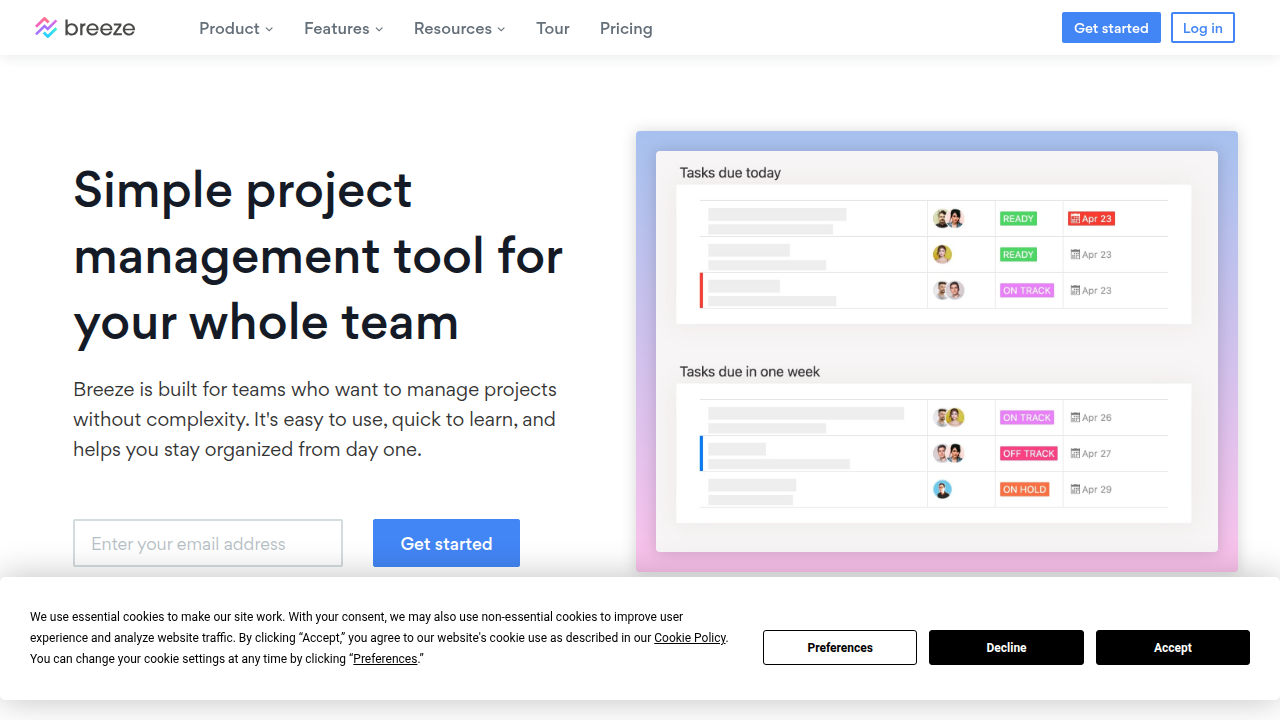
    This is the reality of modern work in 2026. Remote and hybrid work are totally normal now. As of 2026, about 27% of full-time employees work remotely and 52% work hybrid, according to Breeze.pm.

    Breeze.pm's homepage highlights current trends and statistics for remote and hybrid work environments.

    Since we rely so much on virtual meetings, even small audio problems can waste a lot of time. Workers consistently report higher productivity, with 77% saying they get more done at home (WorkTime). Still, bad audio is a big reason people get tired of meetings.

    That is where tools like Krisp AI come in. Krisp AI is an AI app that removes background noise instantly. It helps you sound professional no matter where you take calls. It acts like a personal producer AI for your audio. It cuts down on meeting fatigue and helps everyone stay focused on the conversation, not the distractions.

    In this guide, we will walk through everything you need to know about Krisp AI. We will cover its best features and how it compares to other tools. You will learn how your team can use it to communicate better.

    The world of AI moves fast. Keeping up can feel like a full time job. That is why a daily briefing like The Deep View Newsletter is so helpful. It gives you clear AI news in just a few minutes each day. If you want to explore more resources, check out our list of the best virtual assistant websites professionals trust.

    1. Why AI Communication Tools Matter in 2026

    The way we work has changed for good. In 2026, most of us still spend our days on video calls and virtual meetings. As we mentioned earlier, about 27% of full-time employees work fully remote, and 52% work hybrid. That mix of home and office means clear communication is more important than ever.

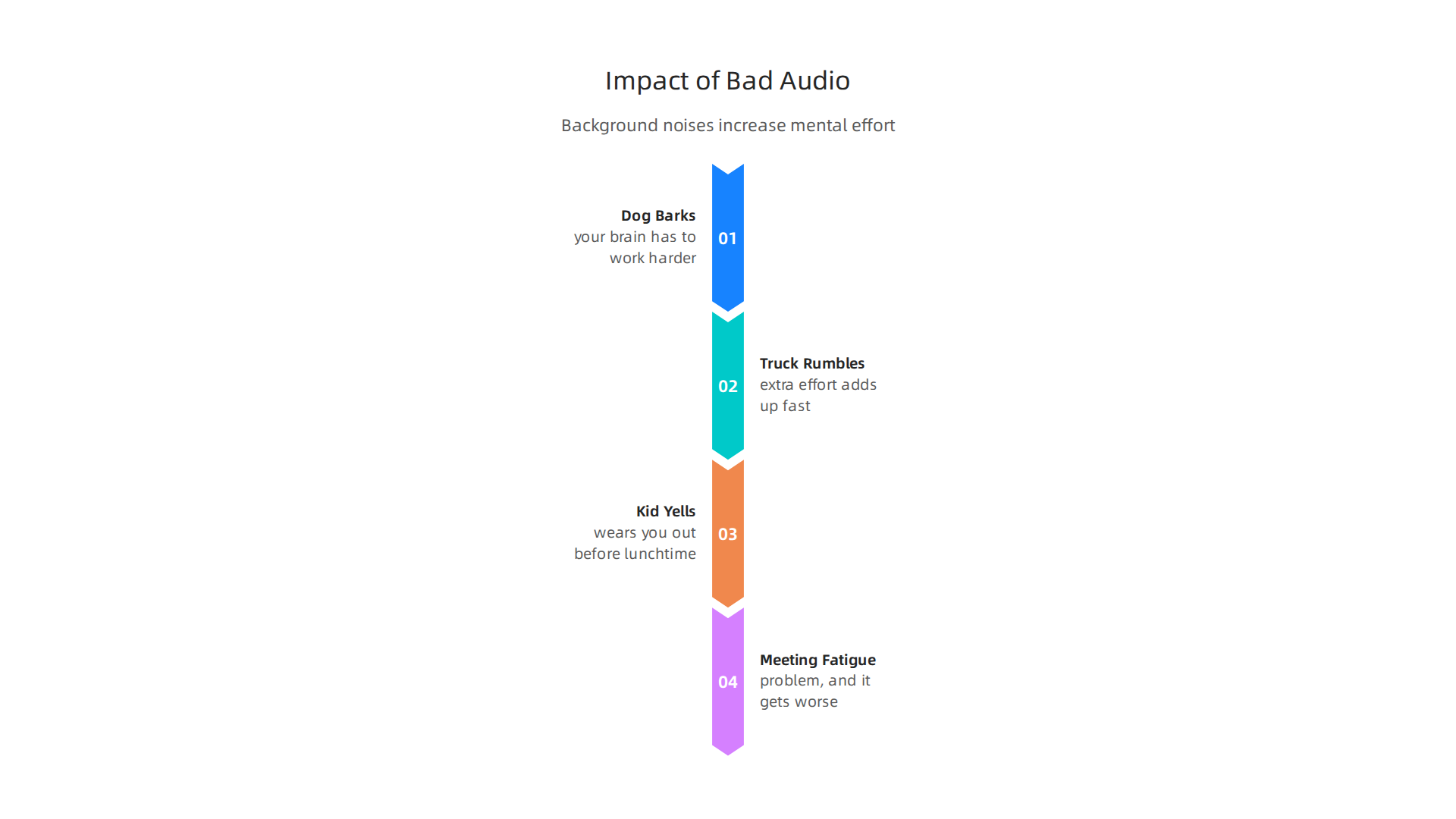
    But here’s the thing. Virtual meetings come with a hidden cost. Every time a dog barks, a truck rumbles, or a kid yells in the background, your brain has to work harder to focus.

    Visualizing how common background noises during virtual meetings lead to increased mental effort and fatigue.

    That extra effort adds up fast. It wears you out before lunchtime. This kind of meeting fatigue is a real problem, and it gets worse when you have many calls in a day.

    That is why AI tools like Krisp AI are becoming essential. They act like a personal producer AI for your audio. Instead of your coworkers hearing that blender or siren, Krisp AI filters it out in real time. You sound like you’re in a quiet studio, even when you’re not.

    And the numbers back this up. A big survey found that 77% of remote workers say they are more productive when working from home (Achievers). But that productivity only happens when you can actually hear each other clearly. Bad audio breaks focus. It makes you repeat yourself. It slows everything down.

    When teams use AI noise cancellation, the mental strain drops. People stay in the conversation. They don’t zone out or get annoyed by background noise. This makes meetings shorter and more useful.

    Good communication is the foundation of good collaboration. If you want to see how humans and AI can work better together, check out our article on human or AI creativity for more insights.

    The world of AI tools moves quickly. To keep up with the latest breakthroughs, you need a reliable source. That’s why we recommend The Deep View Newsletter. It delivers clear, daily AI updates in just a few minutes. Give it a try and stay ahead of the curve.

    2. Krisp AI Deep Dive: Features and Performance

    We just covered why clean audio is a must in 2026. Now let us take a close look at the tool that solves the problem. Krisp AI is much more than a simple mute button. It is a smart audio engine that uses machine learning to clean up sound in real time.

    How Krisp AI Works

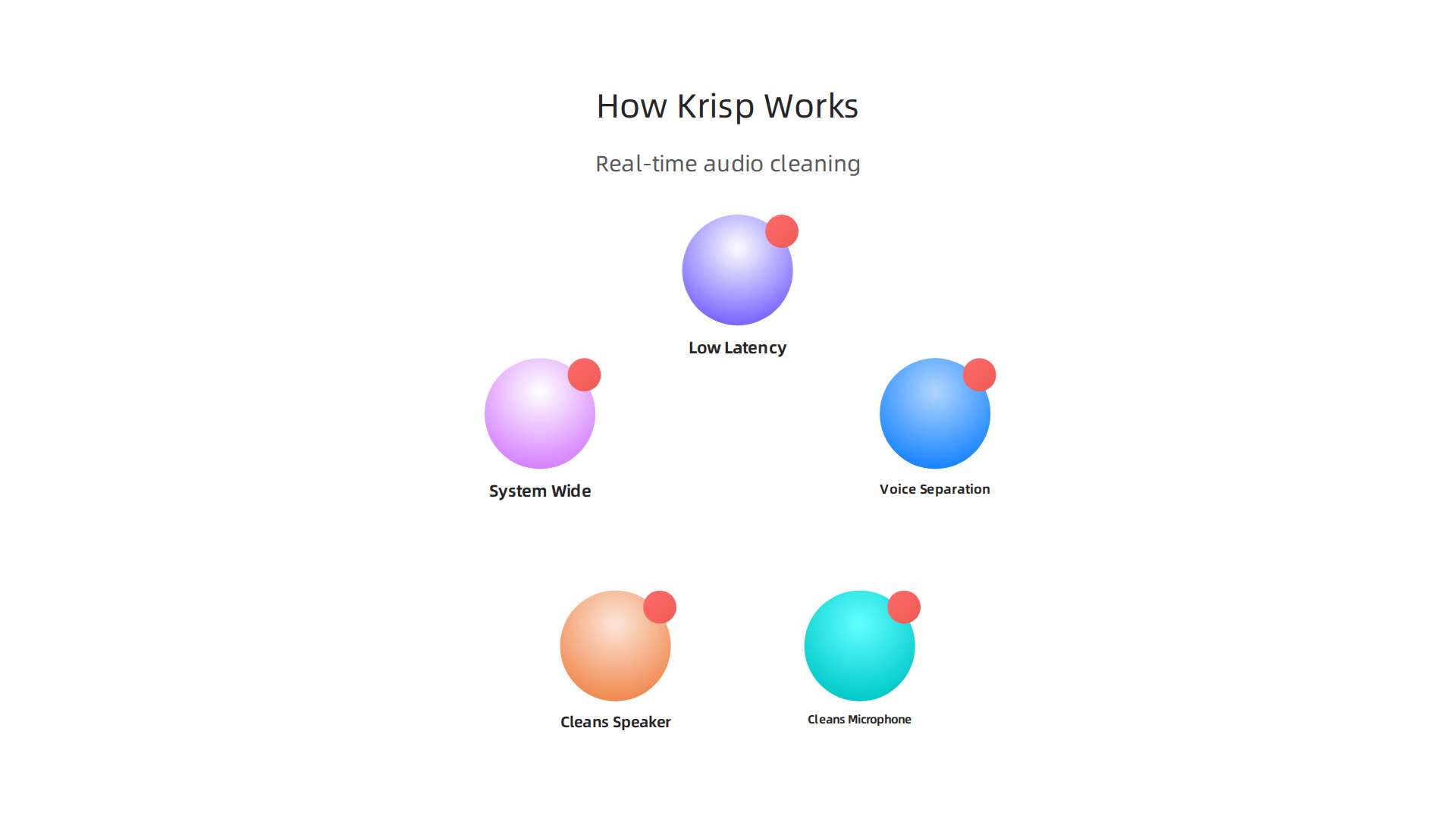
    Krisp uses a technology called voice separation. It separates human speech from background noise instantly. According to the company, it removes distracting sounds like dogs barking, sirens, or typing while keeping your voice crystal clear

    An explanation of Krisp AI's core technology and how it cleans audio in real time.

    (Krisp Noise Cancellation).

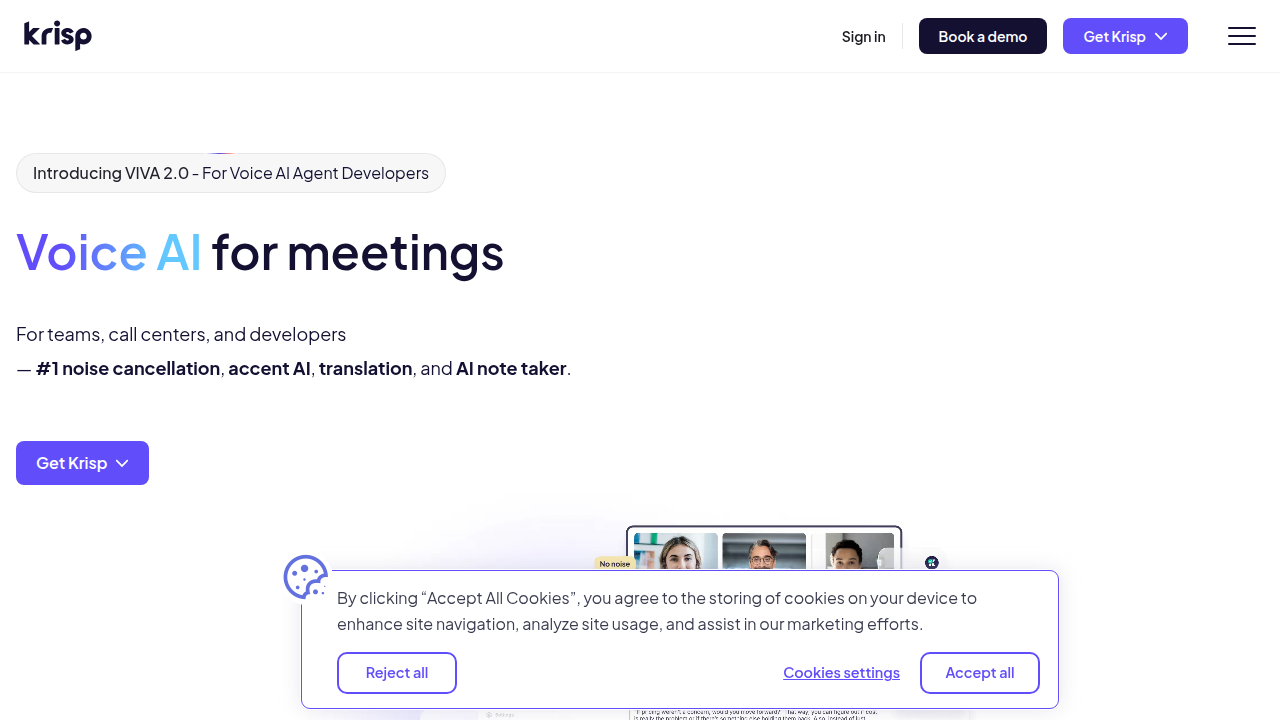
    The Krisp AI website showcasing its noise cancellation technology and key benefits for clear communication.

    It works on both ends of the call. That means it cleans your microphone input. And it also cleans the audio coming out of your speaker. If your coworker is in a noisy coffee shop, Krisp can filter that noise out for you. This makes it a true producer AI for your whole computer.

    Works Everywhere, All the Time

    One of the best things about Krisp is that it works system wide. You do not need to set it up separately for each app. It works with Zoom, Teams, Slack, Google Meet, and any other app you use. You can even use it for game streaming or recording videos (TechNexus Article). It is one of the most practical ai apps available in 2026.

    Professional Performance

    Low latency is critical for live conversations. You do not want a delay. It makes the whole call feel awkward. Krisp processes audio with almost no lag. A YouTube interview with the CEO shows that their real time processing works with just 20 milliseconds of delay (CEO Interview). This high accuracy makes it perfect for professional use. Contact centers use Krisp to boost customer satisfaction scores by getting rid of noise complaints completely (Krisp Contact Center).

    If you are curious about other tools that can upgrade your workflow, check out our guide on the best AI avatar tools for video content in 2026.

    It is hard to keep track of the best virtual assistant websites and new tools coming out every week. Let us help you stay informed. Sign up for The Deep View Newsletter to get daily AI updates that are actually useful and easy to digest.

    3. Top Use Cases for Krisp AI: From Meetings to Content Creation

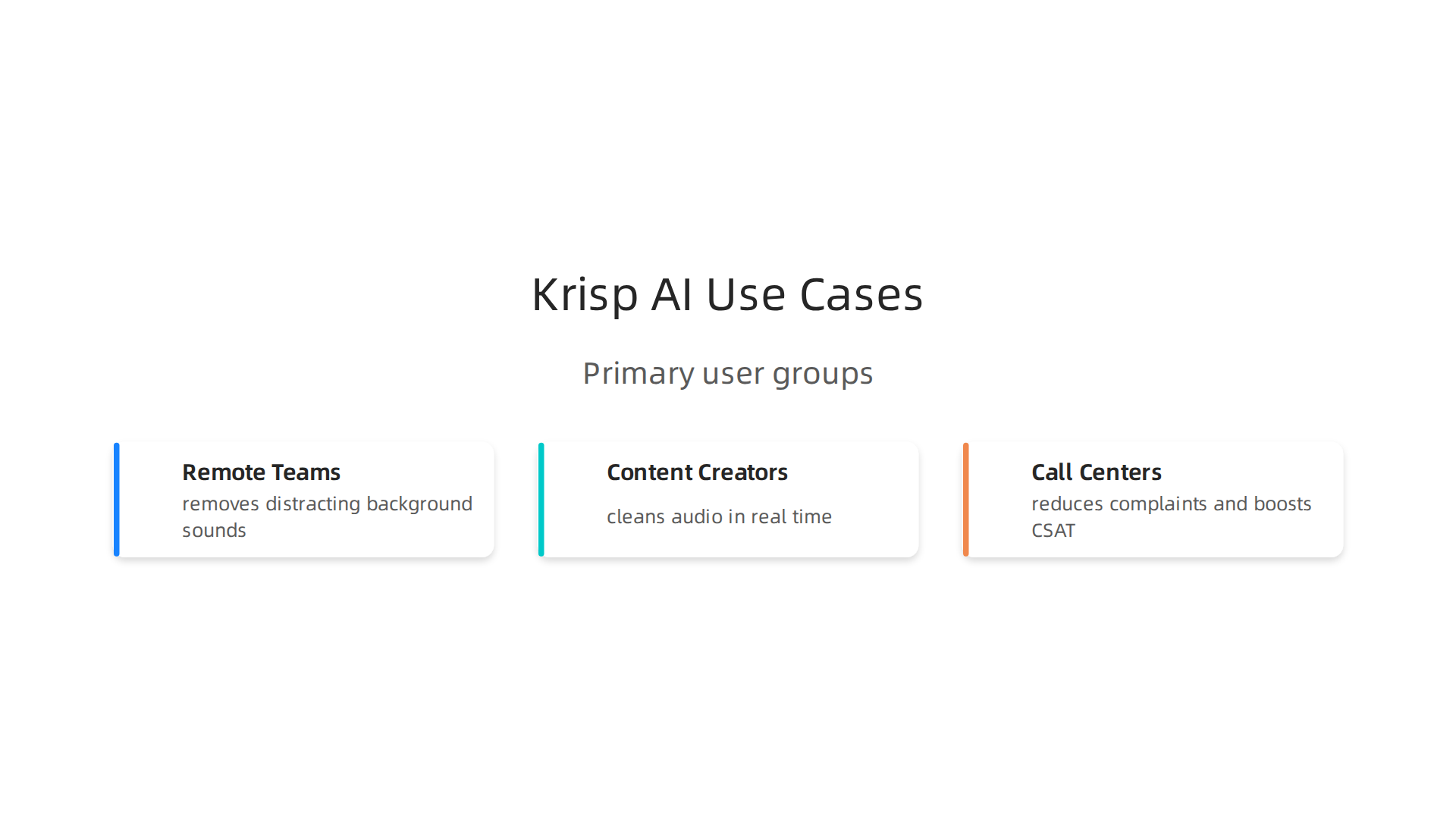
    So we know Krisp AI works well and processes audio in real time with almost no delay. But who actually needs it? The short answer is anyone who uses a microphone. But let us break down the three main groups that get the most out of this tool.

    Exploring the primary user groups who benefit most from Krisp AI's noise cancellation features.

    Remote teams and hybrid workers

    If you work from a coffee shop, an open office, or a home with kids and pets, you know the struggle. One barking dog can ruin a big client call. Krisp solves this instantly. It removes distracting background sounds behind your voice while keeping your speech crystal clear (TechNexus Article). Your coworkers hear only you, no matter how noisy your space is. This makes Krisp one of the most practical ai apps for remote work in 2026.

    Content creators and streamers

    Recording a voiceover or going live is hard when you have fan noise, keyboard clicks, or street sounds bleeding into your audio.

    A content creator actively engaged in recording or streaming, implying a need for clear audio.

    Normally you would need to edit that out after recording, which takes forever. With Krisp, you clean your audio on the fly. No post-processing needed. Whether you are streaming a game or recording a podcast, you get professional sound quality right away (Krisp Noise Cancellation). It is a true producer AI for anyone who creates video or audio content.

    Call centers and customer support teams

    Contact centers handle hundreds of calls daily. Background noise is a huge problem for both customer satisfaction and agent focus. Krisp fixes that completely. One case study shows that teams using Krisp eliminated noise complaints and boosted their CSAT scores significantly (Krisp Contact Center). Agents stay focused, customers feel heard, and the whole experience improves.

    There are so many new tools coming out every week that it is hard to keep track. Let us help you stay informed. Sign up for The Deep View Newsletter to get daily AI updates that are actually useful and easy to digest.

    4. Krisp AI for Content Creators: Streaming and Recording

    Picture this. You are live on Twitch, mid-boss fight. Your keyboard is clacking, your PC fans are roaring, and your roommate just started a blender in the next room. Viewers start typing "fix your audio" in chat. It is a nightmare.

    Here is the thing. With Krisp AI, that nightmare disappears. The software uses machine learning to remove background noise in real time, so only your voice goes through to your audience. It does not matter if you have a jet engine running behind you. Krisp keeps your audio clean (Wikipedia). This makes it a must-have producer AI for any streamer.

    And it is not just for live streaming. Krisp works with OBS, Discord, and nearly every video editing tool out there. You can record a clean voiceover for your next YouTube video without waiting for your toddler to stop crying or your neighbor to finish mowing. The noise cancellation happens instantly, so you do not waste hours cleaning up audio tracks in post-production.

    Podcasters love this too. Normally you spend half your editing time removing mouth clicks, chair squeaks, or background hum. Krisp handles that on the recording side. Your raw audio is already polished. That means faster turnaround and more time for actual content.

    If you are looking for more AI tools to streamline your workflow, check out our list of the 10 top AI websites professionals trust for real news and tools.

    New creator tools pop up every week. It is hard to keep up. That is why thousands of creators rely on The Deep View Newsletter to get daily AI updates that actually help you work smarter. No fluff. Just what you need.

    5. Krisp AI vs Competitors: Key Differences

    So you know Krisp AI works great for live streaming and recording. But how does it stack up against other popular options? Let me break it down simply.

    First up is NVIDIA Broadcast. It offers similar real-time noise removal, and it does a solid job. But here is the catch. It only works on NVIDIA GPUs. If you have an AMD or Intel graphics card, you are out of luck (SourceForge). Krisp runs on any computer, no special hardware required. That makes it a much more flexible choice.

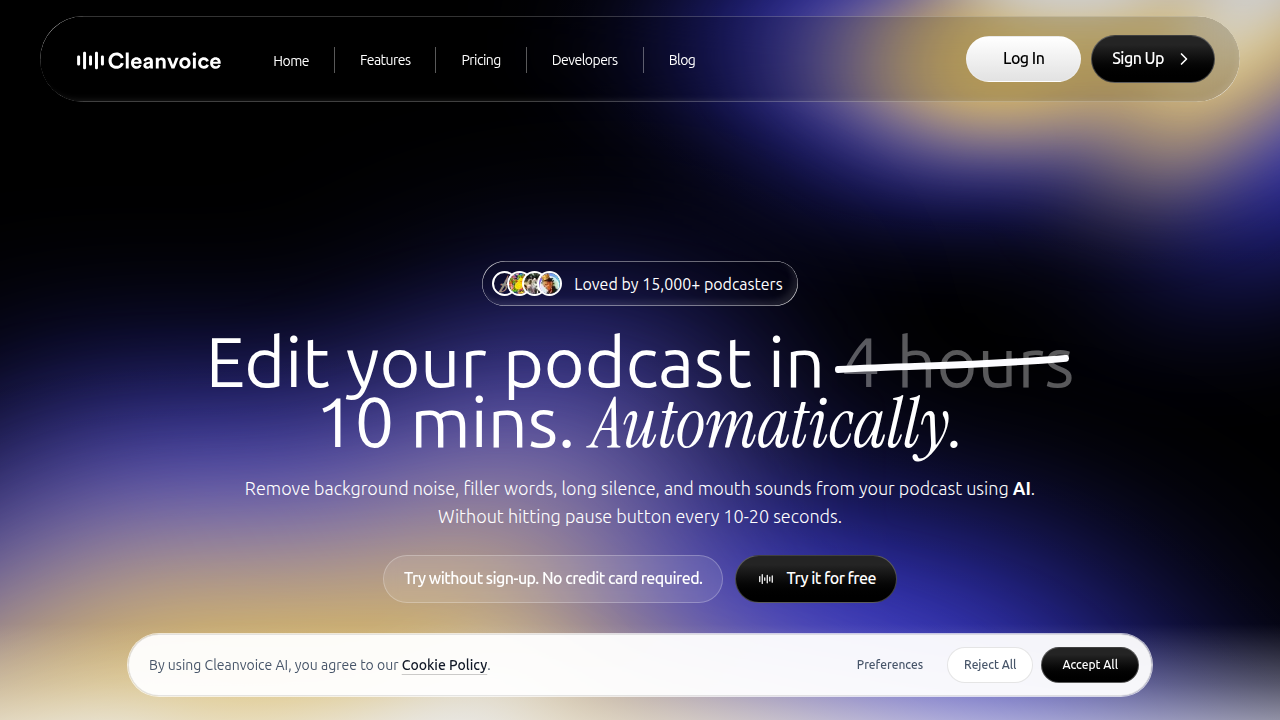
    Next is Cleanvoice. This tool is excellent for podcasters who want to clean up audio after recording. It removes filler words, silence, and background noise in post-production (Cleanvoice blog).

    A look at Cleanvoice.ai, a competitor focusing on post-production audio cleanup for creators like podcasters.

    But it is not real time. If you need clean audio during a live stream or meeting, Krisp wins hands down.

    Then there is Descript. Descript is a full AI editing suite. It includes noise reduction, but also transcription, screen recording, and video editing. The trade off? It requires a subscription and can be overkill if you only need noise cancellation (scmGalaxy). Krisp is a simpler, one-trick pony that does its job perfectly for live use.

    The bottom line. If you want a lightweight, real-time noise canceller that works on any setup, Krisp is your best bet. It is the true producer AI for creators who hate background noise.

    For more comparisons and tips on using the best virtual assistant websites and ai apps, check out our list of 10 top AI websites professionals trust for real news and tools.

    New ai apps launch every week. It is hard to keep track. Stay ahead with The Deep View Newsletter for daily AI updates that actually help you work smarter.

    6. Integrations: How Krisp AI Fits Into Your Tech Stack

    You already know Krisp AI beats many competitors on flexibility and ease of use. But the best part? It fits into your workflow without breaking a sweat. Here is how.

    System-wide audio processing. Krisp works at the driver level. That means it cleans noise from any app that uses your microphone or speakers. You do not need special settings for each program. Whether you are using Discord, a browser call, or a recording app, Krisp works automatically. According to Guideflow’s 2026 list of noise cancellation tools, Krisp is built for professional teams and runs smoothly across different platforms.

    Native app integrations. Krisp has direct support for popular communication tools. It works natively with Zoom, Microsoft Teams, Google Meet, and Slack. You get one click toggle inside these apps. No extra configuration needed. This makes it a real producer AI for anyone who jumps between meetings.

    API for custom setups. Need something more custom? Krisp offers an API for enterprise environments. Developers can embed noise cancellation into custom apps, internal tools, or branded products. This is a big plus for companies that want white label or deep integration.

    Works on any device. Unlike some competitors that require specific hardware, Krisp runs on any laptop or desktop. No GPU needed. This makes it a perfect addition to your remote work toolkit.

    The result? Krisp becomes a quiet helper that improves everything you do with audio.

    Want to build a smarter AI-powered workflow? Check out our guide on how to choose and use an AI-powered research assistant in 2026 for more integration ideas.

    New AI tools like Krisp launch often. Stay ahead without the noise. Subscribe to The Deep View Newsletter for clear daily updates that help you work smarter.

    7. Pricing and Plans: Is Krisp AI Worth the Investment?

    You already know how smoothly Krisp AI fits into your day. But now comes the real question. Does it fit your budget?

    Start with the free tier. Krisp offers a free plan. It gives you a limited number of noise cancelling minutes each day. This is a great way to test the waters. Try it on a few calls. Hear the difference yourself. According to a 2026 review on Dupple, the free tier is generous enough to help you decide if you need more.

    When you are ready to upgrade. The paid plans are where Krisp AI becomes a true powerhouse.

    • Core Plan: Starts around $8 per month. You get unlimited noise cancellation and the AI meeting assistant. This is perfect for freelancers and individual users.
    • Pro Plan: Priced around $16 per month. It adds more features for growing professionals.
    • Business Plan: Priced around $30 per user per month. You get team management, admin controls, and priority support. Check the official Krisp pricing page for the latest details.

    Krisp AI's official pricing page, detailing the free tier and various paid subscription plans for individuals and teams.

    The ROI makes it easy to decide. Think about your current setup. How many times have you said "Sorry, can you repeat that?" How many hours have you spent writing notes after a long meeting? Krisp AI solves both problems. It reduces meeting fatigue. It captures every detail with its AI note taker.

    One review on Capterra notes that the time saved is worth the cost of the subscription alone. You no longer need expensive microphones or soundproof rooms. Krisp AI handles the noise for you.

    The simple verdict. If you take calls or join meetings, even the $8 Core plan will likely pay for itself in the first week. It is one of those ai apps that earns its keep. Think of krisp ai as a producer ai tool that works quietly in the background

    Want to discover more tools that give you this kind of value? Check out our guide to the best AI avatar tools for video content in 2026 for another way AI can save you time and money.

    8. User Reviews and Real-World Performance

    Pricing is one thing. But do users actually love using Krisp AI? Let’s look at what real people say on G2, Capterra, and the app stores. The short answer is yes, most are very happy.

    The biggest praise is how easy it is. You download the app, turn it on, and background noise disappears.

    A person experiencing clear, uninterrupted communication, reflecting the positive impact of noise cancellation.

    One user on Capterra mentions it saved them hours of meeting notes alone. That kind of real-world time savings makes Krisp a top choice among best virtual assistant websites and apps for professionals.

    Another common compliment is the noise removal quality. Dogs barking, kids playing, street noise. Krisp AI handles it well. Users say calls feel crystal clear even in noisy environments.

    But no tool is perfect. Some users report occasional bugs, like the app not activating right away. Others wish the free tier gave more minutes for testing. Still, the overall satisfaction ratings are high on most review platforms.

    Here is the honest take. Krisp AI works well for most people. The free plan gives you a risk-free way to test performance yourself. If you find the bugs annoying, you can always switch plans or try alternatives.

    The key is to match the tool to your needs. You can learn more about evaluating AI solutions in our guide to how to choose and use an AI-powered research assistant in 2026.

    To keep up with honest user reviews and the latest AI tools, subscribe to the The Deep View Newsletter. It delivers clear daily updates straight to your inbox.

    9. The Future of AI in Communication: What’s Next After Krisp AI?

    Have you ever wished your calls could translate themselves on the fly? Or that your meeting app could tell you if the room feels tense? That future is already taking shape in 2026.

    Krisp AI does a fantastic job with noise cancellation. But communication AI is growing fast. According to a 2026 report on effective communication trends, generative AI is already helping teams speak and write more clearly. The next step is for AI to understand the meaning behind our words.

    Here is what is coming next.

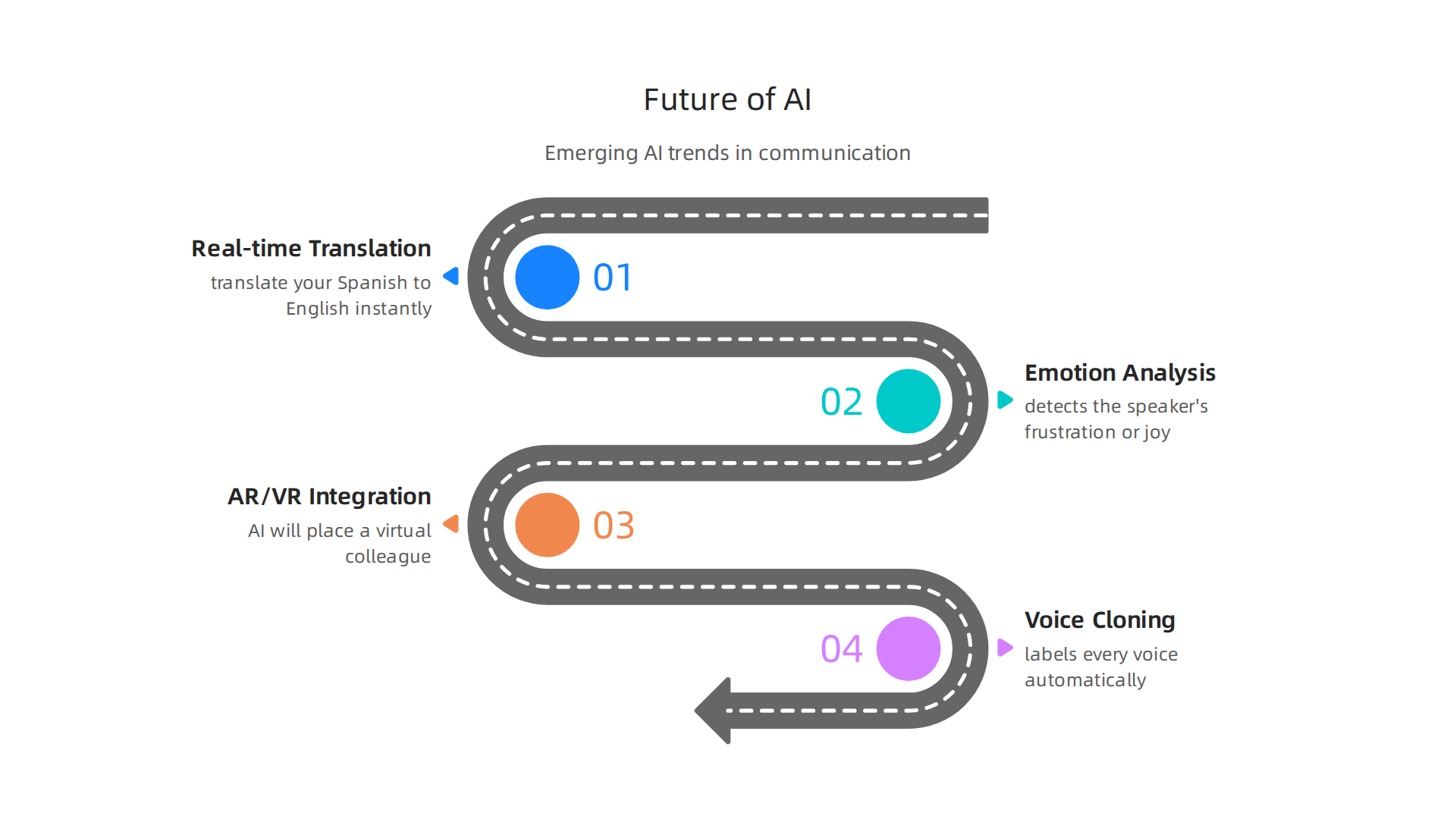
    A forward-looking overview of emerging AI trends shaping the future of digital communication.

    Real-time translation and emotion analysis. Imagine joining a global team call. Krisp AI mutes the dog barking. Then a future AI tool translates your Spanish to English instantly and even detects the speaker’s frustration or joy. This is not science fiction. In 2026, AI tools are taking on more responsibilities in conversations. They will soon analyze tone, pace, and word choice to give you real-time feedback.

    Integration with AR and VR headsets. Meetings will not stay flat on a screen forever. When you put on a headset, AI will place a virtual colleague right in your room. Their voice will sound like it comes from the correct spot. Their facial expressions will sync perfectly. Tools like Krisp AI will provide the clean audio layer inside these immersive spaces.

    Voice cloning and speaker identification. Krisp AI is already working on identifying who is speaking in a crowded room. Imagine a meeting app that labels every voice automatically, even during a group discussion. Voice cloning could let you sound like yourself even with a bad connection, or let a program read a script in your voice. This opens huge possibilities for ai apps in content creation and accessibility.

    These changes will make communication smoother, smarter, and more human. To stay on top of these breakthroughs, you need a reliable source. Get clear daily updates on AI tools from the The Deep View Newsletter. It will help you spot the next big thing before everyone else does.

    Summary

    This article is a practical guide to Krisp AI, the real-time noise‑cancellation tool that acts like a personal producer for your audio. It explains why clean audio matters for remote and hybrid teams, how Krisp’s voice‑separation ML works, and the low‑latency performance that makes it suitable for meetings, streaming, and contact centers. The guide also covers system‑wide integrations, API options for enterprises, real user feedback, and a clear comparison with alternatives like NVIDIA Broadcast, Cleanvoice, and Descript. You’ll learn who benefits most from Krisp, how to set it up across apps, what plans cost, and how to judge ROI for your team. The piece closes by looking at future trends in communication AI and how tools like Krisp fit into evolving workflows.

  • Best Startup Gadgets 2026 That Actually Deliver Results

    Best Startup Gadgets 2026 That Actually Deliver Results

    Introduction

    You have probably noticed it: new AI tools and startup gadgets seem to appear every single day. It is hard to tell which ones are worth your time and money.

    Navigating the influx of new AI tools requires careful consideration to find real value.

    In 2026, innovation is moving at record speed. According to the Deloitte Tech Trends 2026 report, generative AI reached 100 million users in just two months, far faster than older technologies.

    Deloitte's website, a source for tech trends reports and industry insights.

    That kind of growth creates a flood of options, especially for business owners and professionals.

    Think about the gadgets making headlines right now: ray ban meta smart glasses, google glasses, and countless other wearables designed to boost productivity. Meanwhile, nyc tech startups and top saas companies are racing to build the next must-have device. But here is the thing, not every shiny new tool delivers real value. The hype can drown out practical advice.

    That is where we come in. This article gives you a structured, evidence based overview of the most promising startup gadgets. We explain what they do, who they help, and how to decide if they fit your workflow. No fluff, just useful guidance.

    If you want to stay ahead of the curve on AI tools, we have got you covered. Check out our list of top AI websites professionals trust for real news and tools to start building your daily learning habit.

    A trusted resource for real news and tools for AI professionals.

    For even simpler daily updates, Subscribe Free to The Deep View Newsletter and get clear AI insights delivered right to your inbox.

    Subscribe to The Deep View Newsletter for daily AI insights delivered to your inbox.

    The Startup Gadgets Landscape in 2026: Key Trends Driving Innovation

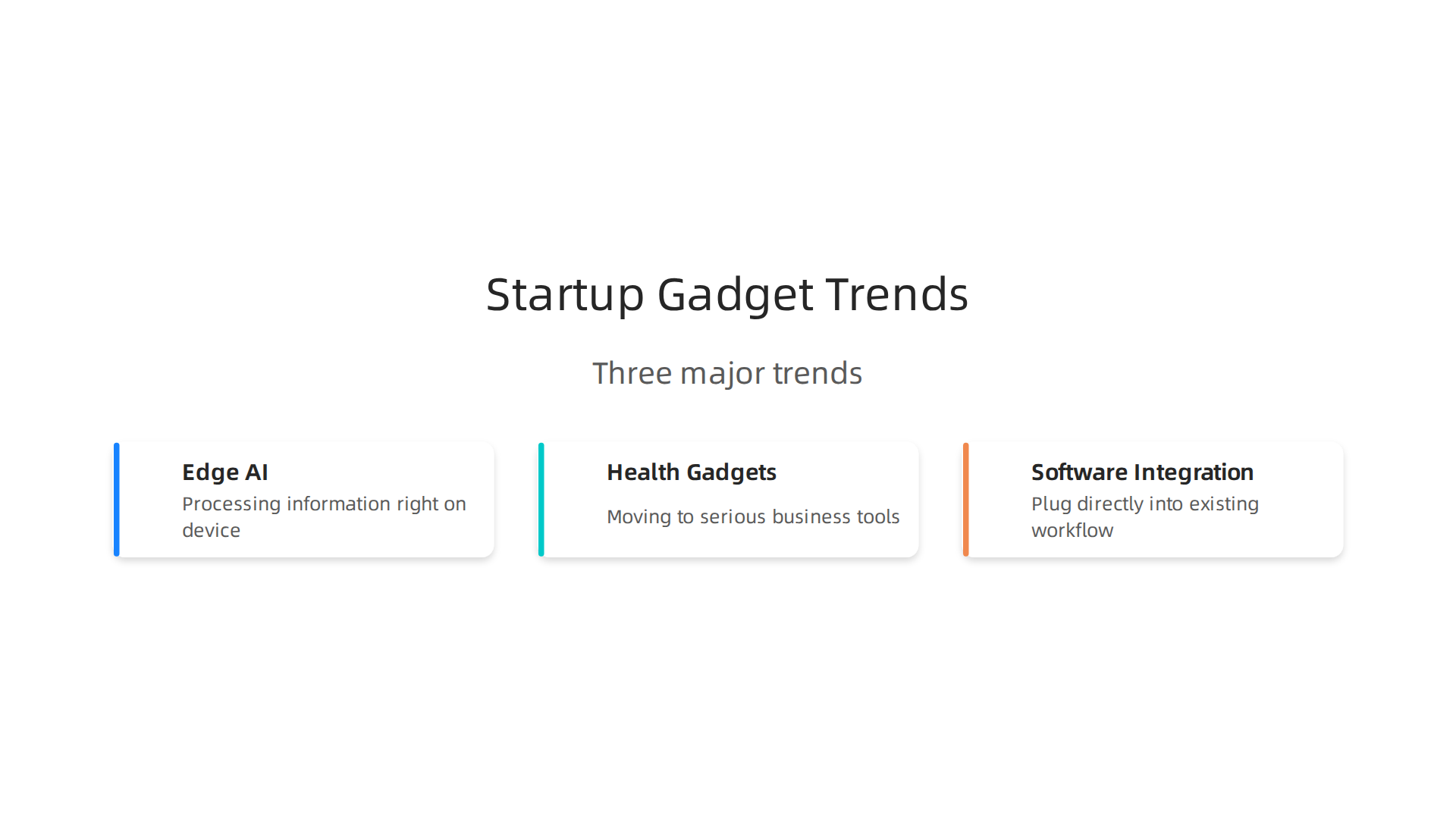
    The flood of options for startup gadgets in 2026 is powered by three big shifts.

    Three major trends are shaping the 2026 startup gadget landscape.

    These trends explain why nyc tech startups and top saas companies are betting big on specific kinds of hardware.

    First, edge AI is changing how wearables work. Instead of sending data to the cloud, devices like ray ban meta smart glasses and google glasses can process information right on the device. This cuts down on lag and keeps your data more private. According to the Deloitte Tech Trends 2026 report, AI adoption is growing faster than any previous technology, making real time processing possible in a tiny device.

    Second, health gadgets are moving from fun experiments to serious business tools. AI powered wearables now track stress, sleep, and vital signs in ways that help companies manage employee wellness programs. Enterprise buyers are driving this shift, not just early adopters.

    Third, startups are building gadgets that plug directly into the software you already use. Whether it is Slack, Salesforce, or custom dashboards, the best new tools work inside your existing workflow. They do not add extra steps.

    To keep up with these fast moving trends, it helps to have a reliable source of smart analysis. We recommend checking out our list of top AI websites professionals trust for real news and tools so you never miss a breakthrough.

    For a quick daily update on the most important AI news, you can Subscribe Free to The Deep View Newsletter. It lands in your inbox every morning with clear insights you can actually use.

    Trend: Edge AI in Wearables

    Of the three shifts we just covered, edge AI in wearables has the biggest impact on your daily work. When a gadget like ray ban meta smart glasses or google glasses runs AI directly on the hardware, two great things happen.

    Smart glasses with Edge AI capabilities offer real-time assistance and enhanced privacy in professional settings.

    Response times drop to near zero. And your private data stays on the device.

    This matters more than you might realize. According to the Deloitte Tech Trends 2026 report, AI is being adopted faster than any technology in history. That speed means we cannot afford lag. Smart glasses now give you real time translation during meetings. Productivity headsets track your focus levels and suggest when to take a break. All of it happens right on the device.

    For remote teams especially, this is a game changer. You do not need a strong cloud connection to get smart help from your gear.

    For more on how AI is reshaping the tools you rely on, check out our list of top AI websites professionals trust for real news and tools.

    Want to stay ahead of these fast moving hardware trends? Get Free Updates from The Deep View Newsletter. It lands in your inbox each morning with clear insights on the AI gadgets that actually matter.

    Trend: AI-Powered Health Gadgets

    The shift to on-device intelligence also makes health gadgets smarter and safer. New startup gadgets now track stress levels, nudge you to fix your posture, and suggest ergonomic tweaks, all without sending data to the cloud. That local processing matters a lot, especially under privacy rules like GDPR. According to the JPMorganChase Emerging Technology Trends 2026 report, health-focused wearables are one of the fastest-growing categories in enterprise tech.

    JPMorgan Chase's official site, providing information including emerging technology trends.

    Many nyc tech startups and top saas companies are bundling these devices with software dashboards for HR and wellness teams. You get real-time data on team fatigue, plus automated reminders to move or breathe. It is a simple way to improve wellbeing without relying on a strong internet connection.

    Want to see which gadgets your team could use next? Subscribe Free to The Deep View Newsletter for daily updates on workplace tech that actually works.

    How to Evaluate AI Gadgets for ROI and Adoption

    Before you buy a batch of smart glasses or stress trackers for your team, you need a clear way to judge if they are worth the cost. A structured review keeps you from wasting money on startup gadgets that do not fit your workflow.

    Start with compatibility. Does the gadget work with your existing software? Many nyc tech startups build gadgets that only pair with their own dashboards. Next, look at total cost of ownership. Factor in hardware price, monthly subscriptions, and any training time. Finally, check integration effort. A gadget that takes weeks to set up may kill adoption before it starts.

    Expert frameworks make this easier. According to a 2026 AI performance review guide, a weighted scoring matrix and a go/no-go checklist give you a repeatable way to compare options. ROI calculation must include adoption rates and time saved per employee.

    Want to know which new gadgets actually deliver results? Subscribe Free to The Deep View Newsletter for daily insights.

    Framework: The 5-Point Checklist

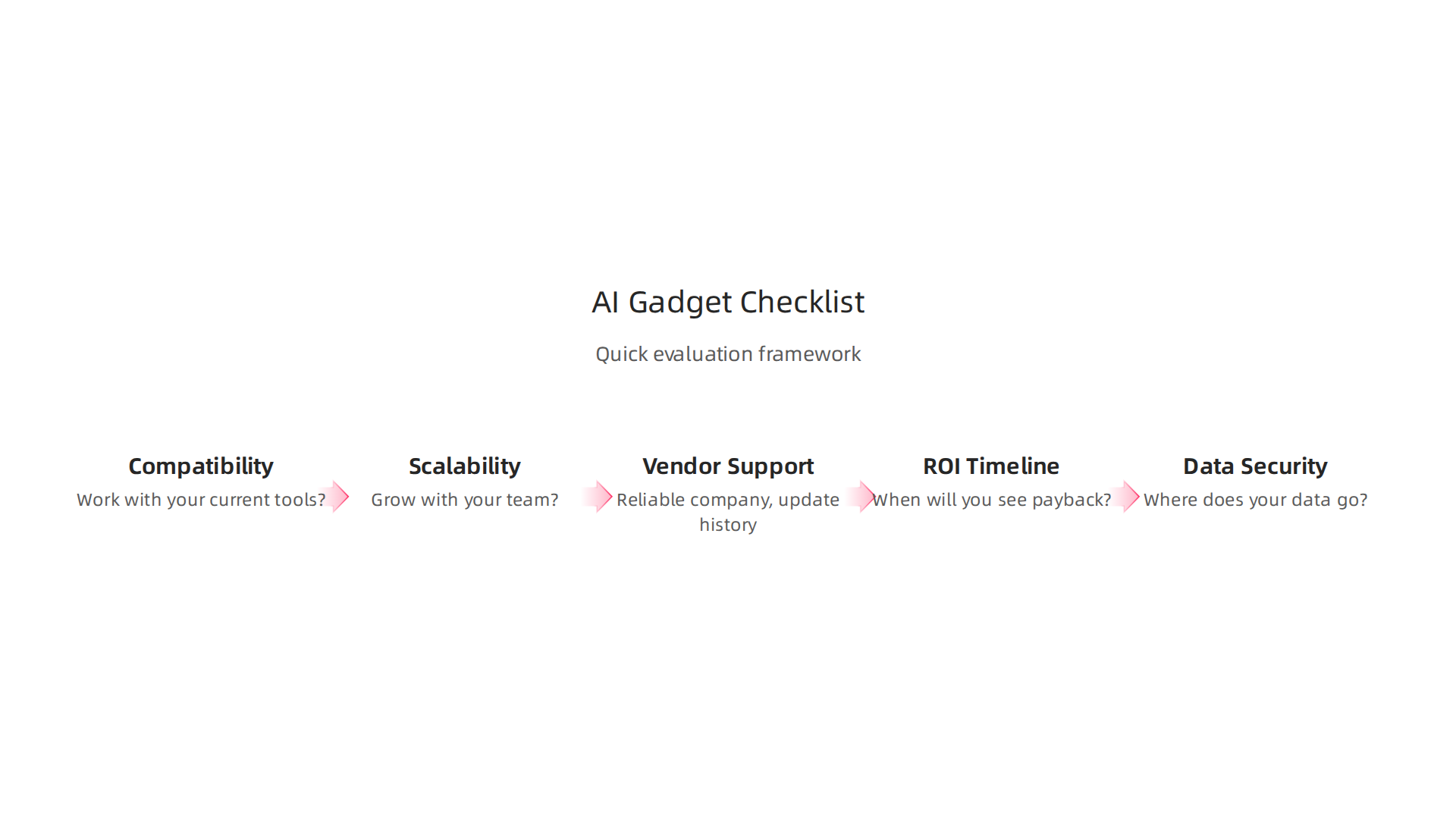
    A structured checklist saves you from guesswork. Instead of comparing startup gadgets based on hype alone, you grade each option on five core criteria. Here is the framework we use:

    A structured checklist helps evaluate new AI gadgets for ROI and adoption.

    1. Compatibility – Does the gadget work with your current tools? Many nyc tech startups build devices that only talk to their own software. Check this first.
    2. Scalability – Will this solution grow with your team? A gadget that works for five people might break at fifty.
    3. Vendor Support – How reliable is the company behind it? Look at update history and response times.
    4. ROI Timeline – When will you see payback? Calculate not just cost but adoption speed and time saved per employee.
    5. Data Security – Where does your data go? Especially important for gadgets like Ray-Ban Meta smart glasses that record constantly.

    Each criterion gets a weight based on your business context. For example, if you work with sensitive client data, security might count for 40% of the score. According to the 2026 AI performance review guide, a weighted scoring matrix and a go/no-go checklist give you a repeatable way to compare options.

    Using this checklist helps standardize evaluations across team members. Everyone uses the same lens, so you avoid arguments over which gadget is "cooler."

    Want a simpler way to stay updated on which gadgets actually deliver? Subscribe Free to The Deep View Newsletter for daily AI insights without the noise.

    Common Pitfalls and How to Avoid Them

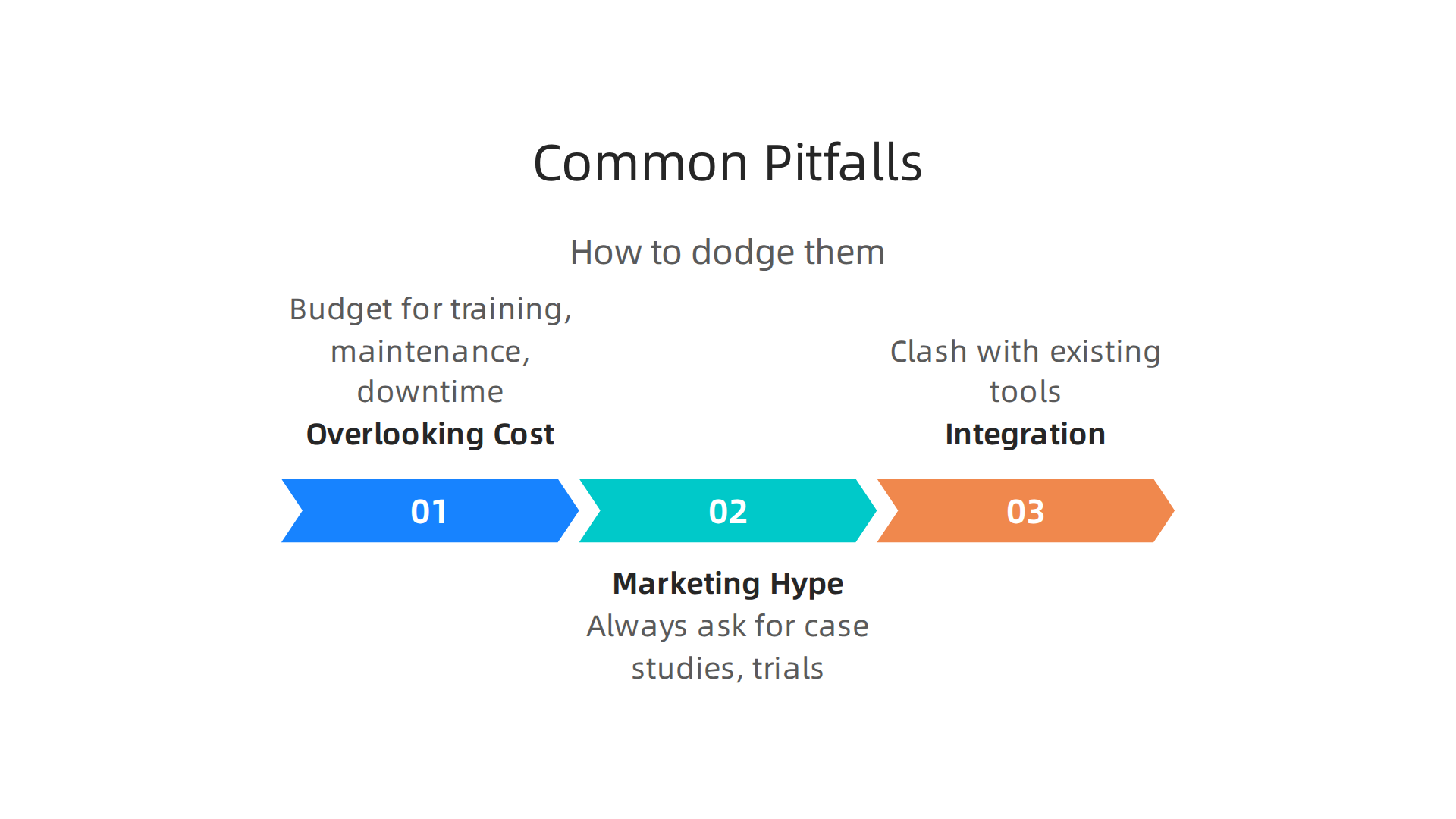
    Even with a strong checklist, many businesses still stumble when picking startup gadgets. Here are the three most frequent mistakes and how to dodge them.

    Learn to identify and avoid common mistakes when selecting and implementing AI gadgets.

    1. Overlooking total cost of ownership. The purchase price is just the start. You also need to budget for training, maintenance, and potential downtime. A cheap device can become expensive fast if your team struggles to adopt it. Build these hidden costs into your ROI timeline from day one.

    2. Falling for marketing hype without proof. Flashy demos often hide real-world flaws. Always ask for case studies, independent reviews, or a trial period. The AI Agent Evaluation Checklist for Ecommerce recommends watching for red flags like vague performance claims and short support windows.

    3. Ignoring integration complexity. A gadget that works great alone might clash with your existing tools. This is especially common with Ray-Ban Meta smart glasses or Google glasses that need specific software. Map out your current stack before committing.

    Each pitfall is avoidable when you slow down and verify. Want to catch these mistakes before they cost you? Get Free Updates from The Deep View Newsletter for daily, hype-free AI insights.

    The Most Innovative AI Startup Gadgets of 2026

    Now that you know what to watch out for, let’s look at the tools that are actually worth your time. After months of hands-on testing from experts and real user feedback, these five startup gadgets stand out for their distinctiveness and business impact. They range from productivity wearables to smart office devices.

    1. Even G2 Display Smart Glasses. These glasses put a clear heads-up display right in your line of sight. Great for field workers or remote support in NYC tech startups.
    2. Rabbit R1. A pocket-sized AI assistant that handles simple tasks like booking rides or controlling apps. Top saas companies use it to automate small but frequent tasks.
    3. Humane AI Pin. This screenless wearable clips to your shirt and responds to voice and gestures. It helps you stay connected without staring at a phone.
    4. Oura Advisor. A smart ring that tracks stress, sleep, and recovery. Founders and operators use it to stay healthy during crunch time.
    5. HP EliteBoard G1a. An all-in-one smart board for meetings. It uses AI to take notes, translate conversations, and summarize action items.

    These aren’t just shiny toys. Each one earned a spot because of positive user feedback and real ROI potential. For example, the Ray-Ban Meta smart glasses and Google glasses can help teams stay productive on the go. But remember, a tool is only as good as how well it fits your workflow.

    Want to discover which of these gadgets fits your startup best? Subscribe Free to The Deep View Newsletter for daily, hype-free AI insights delivered straight to your inbox.

    Gadget 1: AI Productivity Headset

    The first startup gadget you need to know about is a voice-powered headset designed to save you hours every week. It uses advanced AI to listen in on your meetings, transcribe everything automatically, and then summarize the key action items. It even syncs with your calendar so you never miss a follow-up.

    Earlier versions of these headsets had short battery life and felt heavy after an hour. The 2026 models are different. You can wear them all day without discomfort, and the battery easily lasts through back-to-back calls. Remote teams especially love how easy it makes staying on the same page.

    Top SaaS companies and NYC tech startups are already adopting these headsets to cut down on note-taking and improve meeting follow-through. Early reviews praise the accuracy and how much time it frees up for real work.

    Want to stay ahead of tools like this? Get Free Updates from The Deep View Newsletter for daily, hype-free AI insights.

    For more context on where to find reliable info on the latest gadgets, check out our list of the 10 top AI websites professionals trust for real news and tools. The 2026 lineup of AI devices continues to impress, as highlighted in the Tom’s Guide AI Awards and other expert roundups.

    Gadget 2: Smart Desk Lamp with AI Focus Assistant

    You know that feeling when you’re deep in a project and suddenly your eyes ache? The light is too harsh, your head hurts, and you can’t focus. A smart desk lamp with an AI focus assistant solves that. It uses a tiny camera to watch your posture and the task in front of you. If you’re reading, it shifts to a warm, dim glow. If you’re coding, it boosts brightness and reduces glare. It also learns when you’ve been sitting too long and nudges you to take a micro-break. These features help you stay in a flow state longer.

    Remote workers and creatives at top SaaS companies and NYC tech startups are already using these lamps to maintain energy through the day. Many 2026 smart gadgets, like the best AI gadgets spotted in expert roundups, focus on improving how we work. This lamp goes a step further by syncing with your project management tools to log your focus streaks and even suggest when you need a coffee.

    Want to keep up with more startup gadgets like this? Subscribe Free to The Deep View Newsletter for daily, hype-free AI insights. And if you are hunting for trustworthy sources to follow, check out our list of the 10 top AI websites professionals trust for real news and tools.

    Gadget 3: Portable AI Transcription Device

    Have you ever been in a meeting, desperately trying to write down every word someone says? You always miss something. Imagine a tiny device that does all the listening for you.

    This pocket-sized gadget acts like your personal assistant. It transcribes and translates conversations instantly. You can use it offline, which helps on flights or in areas with spotty internet. Whether you are a journalist, a consultant meeting with NYC tech startups, or a freelancer taking notes, this device captures every word accurately. The Tom’s Guide AI Awards 2026 highlights gadgets like this as essential for the future of work.

    It doesn’t stop at live transcription. It connects to the cloud after your meeting or interview. You can search past conversations for specific topics. Pull exact quotes, share notes with your team, or translate a recording. Unlike many startup gadgets that only save you time, this one protects you from forgetting important details.

    If you are building better productivity habits, you need to know about the best tools available. Follow trusted sources that track real AI breakthroughs. Knowing what works is half the battle. For daily updates on game-changing AI devices like this one, Subscribe Free to The Deep View Newsletter. They cut through the hype so you get what matters for your work.

    Gadget 4: AI-Powered Whiteboard Camera

    Okay, let’s be real. Have you ever left a hybrid brainstorming session with a whiteboard full of messy scribbles? You take a photo, but the glare is terrible. The marker is smudged. And nobody can read your handwriting.

    This gadget fixes all of that. It is a special camera that points at your whiteboard.

    AI-powered whiteboard cameras enhance collaboration, especially for hybrid and remote teams.

    It captures everything you draw and write. Then, AI steps in to clean up the image. It removes glare, sharpens the text, and even turns your rough sketches into clear digital shapes.

    This is perfect for hybrid teams. The person working from home gets the same clear view as the person in the room. It shares those cleaned-up notes directly to Slack, Microsoft Teams, or Notion. No more "Can you read this?" messages. It saves you tons of time and stops information from getting lost.

    This kind of tool is exactly what top saas companies are using to keep remote teams connected. Gadgets like this one are making work easier for everyone. If you want to stay ahead of the latest tools that actually help, you need real updates.

    Subscribe Free to The Deep View Newsletter. They send you the best new tools every day so you never miss a game changer.

    Gadget 5: AI Fitness Tracker for Corporate Wellness

    Do you ever feel like burnout is just part of the job? Your team works hard, but stress levels climb. Sleep suffers. And healthcare costs go up every year. That is where an AI fitness tracker designed for the workplace comes in.

    This gadget looks like a simple wearable. But it does a lot more than count steps. It tracks physical activity, stress signals, and sleep quality. The magic happens when AI takes all that data. It gives your HR team anonymized reports showing overall wellness trends. No personal info is shared. Just helpful patterns.

    The AI also suggests personalized challenges and small interventions. Maybe it reminds someone to take a breathing break. Or nudges the whole team to walk more. The goal is simple. Keep employees healthier and happier while cutting healthcare costs. This is one of the best AI gadgets of 2026 for corporate wellness.

    Many top saas companies are already using tools like this to boost engagement. If you want to stay ahead of wellness trends and discover more startup gadgets that actually work, you need real updates.

    Get Free Updates from The Deep View Newsletter to see the best new tools every day.

    Implementation Strategies: Integrating AI Gadgets Into Your Workflow

    Picking the right gadget is only half the battle. The real test is how you bring it into your daily work. Start by defining clear goals and running a small pilot. Experts recommend focusing on one high-impact team first to validate results before scaling (source). This is smart whether you are testing startup gadgets from NYC tech startups or standard tools from top saas companies.

    During the pilot, measure success with simple KPIs tied to real business outcomes. Maybe time saved, error rate drop, or employee satisfaction. Even advanced wearables like ray-ban meta smart glasses need a disciplined rollout. The same goes for google glasses in field service. The point is to treat any new tool as a process improvement, not a magic fix.

    To stay updated on real world implementation tips, many professionals rely on curated insights. If you want to cut through the noise and get practical advice, it helps to follow a trusted source.

    Get Free Updates from The Deep View Newsletter for clear daily updates on integrating the best AI tools.

    Step-by-Step Integration Guide

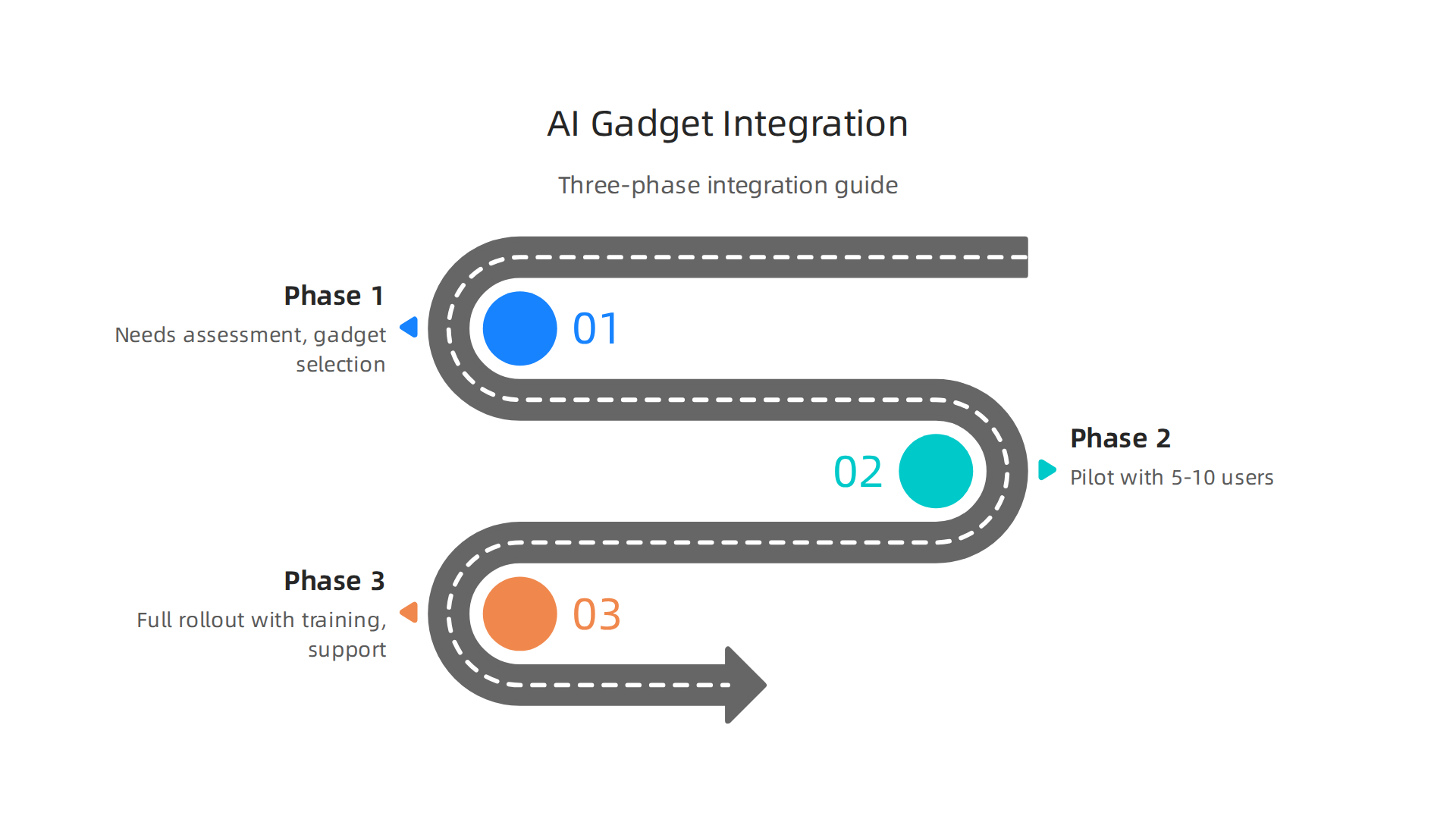
    So you have your startup gadgets picked out. Now what? A phased approach avoids costly mistakes. Here is a simple three-phase guide to get your team up and running smoothly.

    Follow this three-phase guide for a smooth and successful integration of AI gadgets into your workflow.

    Phase 1: Needs assessment and gadget selection. Start by looking at your team’s biggest bottlenecks. Match those to the right tool. This might mean choosing a platform from top saas companies for data work or testing hardware like ray-ban meta smart glasses for hands-free tasks. Focus on high-impact workflows first, a best practice experts recommend (source).

    Phase 2: Pilot with 5-10 users and collect feedback. Run a small pilot, not a company-wide launch. Pick a handful of early adopters and let them try the gear for a few weeks. Collect real feedback on what works and what breaks. Maybe your nyc tech startups team finds google glasses perfect for remote support but clunky for note-taking. Starting small lets you refine before scaling (source).

    Phase 3: Full rollout with training and support. Once the pilot shows results, roll out to the whole team. But do not skip training. Offer hands-on sessions, written guides, and a support channel for questions.

    Effective training and support are crucial for successful integration and adoption of new AI gadgets.

    This is where many rollouts fail. To learn how other teams succeed, check out this list of 10 Top AI Websites Professionals Trust for Real News and Tools. And for a steady stream of practical advice delivered to your inbox, Subscribe Free to The Deep View Newsletter.

    Measuring Success: KPIs and Feedback Loops

    So you have your rollout done. Now how do you know if your startup gadgets are actually working? It is tempting to just assume everything saves time. But you need real numbers and real opinions to see the full picture.

    Start with quantitative KPIs. Track time saved per task, error reduction rates, and adoption rate across your team. For example, if you introduced ray-ban meta smart glasses for hands-free data access, measure how many minutes your field staff save each day. If you use tools from top saas companies, check how much faster reports are generated. These hard numbers tell you the raw impact (source).

    But numbers are only half the story. You also need qualitative feedback. Ask your team: Do the new tools make their day easier? Do the google glasses actually fit their workflow, or do they feel clunky? User satisfaction is just as important as raw efficiency. A tool that saves time but frustrates everyone will never stick. Many nyc tech startups find that short weekly surveys catch hidden friction early.

    Combine both data types to iterate. Look at your KPIs weekly. Listen to feedback daily. Tweak your setup based on what you learn. This cycle of measure, listen, and adjust is how you maximize ROI from your startup gadgets. For more strategies on using data to improve your process, check out this list of 10 Top AI Websites Professionals Trust for Real News and Tools. And to keep learning practical ways to refine your workflow, Subscribe Free to The Deep View Newsletter for daily insights straight to your inbox.

    Trust and Skepticism: Separating Hype from Real Utility

    Not every shiny new startup gadget delivers on its promise. Plenty of tools, even from well-funded nyc tech startups or established top saas companies, end up disappointing users. So how do you spot the flops before you buy in?

    Watch for red flags. Vague claims like "saves hours daily" without hard data are a warning sign. Lack of third-party reviews or hands-on tests should raise doubt. And closed ecosystems that prevent you from switching providers are a trap.

    Real-world failures show the cost of skipping due diligence. Big brands have launched AI tools that backfired, causing brand damage and wasted budgets (source). The lesson is clear: test everything with real users first.

    A little skepticism goes a long way. To stay ahead of hype and find tools that truly work, Get Free Updates from The Deep View Newsletter.

    Red Flags in AI Gadget Marketing

    The previous section talked about staying skeptical. Now let’s get specific. When you look at startup gadgets or even products from top saas companies, their marketing often sounds too good to be true. Here are three red flags to watch for:

    1. Vague "AI" claims. If a product says "powered by AI" but never explains what the AI actually does, that’s a warning. Real AI has a clear job, like detecting faces or summarizing text. If the company won’t get specific, they might be hiding a basic algorithm.

    2. No independent benchmarks or reviews. Many nyc tech startups ship products without letting third parties test them. Look for hands-on tests from trusted sources. Without them, you’re just trusting marketing hype. Big brands have learned this the hard way: famous AI failures often happen when nobody checks the claims before launch (source).

    3. No transparent data privacy policy. Gadgets like the ray-ban meta smart glasses or the old google glasses collect tons of data. If a company doesn’t clearly say what data it collects and how it’s used, walk away. That’s a recipe for privacy headaches.

    Stick with tools that are open about what they do. For reliable, vetted AI news and tool reviews, check out 10 top AI websites professionals trust for real news and tools. And to cut through the hype daily, Subscribe Free to The Deep View Newsletter.

    Case Studies of Failed Gadget Adoptions

    Even with those red flags in mind, many startup gadgets still fail after launch. Here are two real examples that show why.

    Case 1: Smart glasses for warehouse workers. A well-known company created these glasses to help employees pick and pack orders faster. But the hardware was heavy and uncomfortable. Workers refused to wear them for long shifts. The company eventually abandoned the project. This failure happened because designers never tested the glasses with the actual people who would use them. It’s a classic example of ignoring end user needs, which makes the list of biggest brand missteps from 2025.

    Case 2: An AI scheduling device. This gadget promised to save time by organizing your calendar automatically. But it couldn’t sync with common tools like Google Calendar or Outlook. Users had to enter events manually. Instead of saving time, it created more work. The product disappeared within a year. This is one of many famous AI failures that stem from ignoring existing workflows.

    Lessons learned. Always involve end users early in the design process. And make sure your gadget works smoothly with tools people already rely on.

    To avoid these mistakes and stay ahead of real AI trends, explore 10 top AI websites professionals trust for real news and tools. Then Subscribe Free to The Deep View Newsletter for daily insights on what actually works.

    Conclusion: Building a Smart Gadget Strategy for 2026 and Beyond

    The AI gadget landscape in 2026 is full of opportunity, but it demands a careful approach. As we saw from the failed adoptions, skipping the basics like user testing and workflow compatibility can kill even a promising product.

    Here is the good news. You now have a clear evaluation framework and practical implementation steps to guide your decisions. Use them to assess every new startup gadget against real user needs, integration requirements, and long-term value. This is how you avoid costly mistakes and maximize your ROI.

    But here is the catch. The pace of innovation is not slowing down. According to recent forecasts, the impact of AI over the next few years will be enormous, potentially exceeding that of the Industrial Revolution. Strategic tech trends from AI trust to quantum computing are already reshaping what is possible for businesses and individuals alike. Staying informed is no longer optional.

    That is why professionals turn to curated resources like this list of 10 top AI websites professionals trust for real news and tools to keep their finger on the pulse. The same approach applies whether you are exploring devices like Ray-Ban Meta Smart Glasses or evaluating new tools from NYC tech startups and top SaaS companies. Always test with real users. Always check integration. And never stop learning.

    Ready to stay ahead of the curve? Get Free Updates from The Deep View Newsletter for simple daily AI insights that cut through the noise.

    Summary

    This article offers a practical, evidence-based guide to the most promising startup gadgets of 2026, focusing on why they matter, who they help, and how to choose them wisely. It explains three major trends—edge AI in wearables, AI-powered health devices, and seamless integrations with existing software—and why those shifts are changing productivity and privacy for businesses. You’ll get a repeatable 5-point checklist to evaluate compatibility, scalability, vendor support, ROI timeline, and data security, plus a simple phased integration plan and KPIs to measure success. The piece highlights five standout gadgets, shows common adoption failures, and lists marketing red flags to avoid. Read it to learn how to run a small pilot, measure real impact, and scale only the tools that deliver tangible value for your team.