
In 2026, it feels like everything costs more, and that’s especially true for computers, particularly those strong enough for new AI work. Building a brand new PC with the power needed for artificial intelligence can be really expensive, with prices for parts like memory and storage going up a lot lately. In fact, many reports show that building an affordable gaming PC is getting harder this year due to these rising costs, with prices for key components increasing significantly.
This is where a used gaming PC can be a very smart choice, especially if you’re looking to get started with AI tasks without spending a fortune.

Think about it: gaming PCs are built with powerful graphics cards (GPUs) that are perfect for handling the heavy calculations AI needs. By choosing a used gaming PC, you can get a lot of this computing power at a much lower price than buying a brand new machine. This approach helps you unlock strong GPU power for many AI tasks, often for a fraction of what a new system would cost.
It’s true that for certain very demanding AI tasks, like running huge language models nonstop, cloud services might seem appealing. But even with cloud options, many studies in 2026 show that owning your own hardware, like a powerful used gaming PC, can be cheaper in the long run if you use it a lot. For example, some experts suggest that owning GPUs becomes more cost-effective than renting cloud space when you use your hardware for more than 40% to 77% of the time, depending on the specific setup [1]. So, if you plan to use your computer for AI fairly often, a used gaming PC can make good economic sense.
However, it’s also important to have realistic expectations. While a good used gaming PC is excellent for learning AI, running smaller AI models, or doing creative AI tasks, it might not fully replace a giant data center for extremely large, continuous, and complex AI projects. These bigger projects sometimes need special setups found in cloud environments. But for most people and many businesses just getting into AI, a capable used gaming PC offers a fantastic starting point. It provides enough power to experiment, develop, and even run practical AI applications right from your desk.
As the world of AI keeps changing quickly, staying informed is key. Make sure you understand how to pick the right AI tools for your business needs and how they can bring real results.
For clear daily updates on AI and technology, consider getting The AI Newsletter Worth Reading.
1) Why Choose a Used Gaming PC for AI Workloads?
A used gaming PC is a great choice for many AI tasks because these computers already have strong graphics cards, called GPUs. These GPUs are very good at handling the math that AI needs. You see, not all AI tasks need super-expensive, special computers. Many common AI jobs can be done very well on a regular gaming PC.
For example, a used gaming PC is perfect for:
- AI Inference: This means using an AI model to make predictions. Like when an app uses AI to tell you what song you might like next, or if an image has a cat in it. It’s like asking the AI a question and getting an answer.
- Light Fine-tuning: Sometimes, you have an AI model that’s almost perfect, but you want to teach it a little more for a special task. This is called fine-tuning, and for small adjustments, a used gaming PC can do the job without a hitch.
- Prototyping and Learning: If you’re just starting with AI, or trying out new ideas for your business, a gaming PC gives you the power to experiment. It lets you learn and build small AI projects right at home.

This is much cheaper than renting big cloud computers all the time, especially if you use your computer often.
You can often find good savings on powerful parts for a used gaming PC. For example, buying a used graphics card can save you a lot of money compared to a new one, sometimes around 30% for a card that’s just one generation older, as seen in prices from May 2026 [1]. This is great news for your budget. The general trend in 2026 shows that prices for used PC parts are becoming more affordable as new models come out [2]. Also, the demand for local AI processing is actually helping to keep prices high for brand new, top-tier GPUs, which makes buying a used gaming PC even smarter for saving money [3].
Of course, when you choose a used gaming PC, there are a few things to keep in mind:
- No new warranty: Most used items don’t come with a warranty. This means if something breaks, you’re usually responsible for fixing it.
- Lifespan: A used computer might not last as long as a brand new one. It has already been used, so its parts have some wear and tear.
- Upgradeability: The good news is that many used gaming PCs are still easy to upgrade. You can often add more memory or a better graphics card later if you need more power for advanced AI work.
Choosing a used gaming PC means you get strong computing power for AI at a lower cost. This lets you jump into AI tasks like running models, making small changes, or trying new ideas. It’s a smart way to get the hardware you need without spending too much, letting you explore the world of AI with a practical and budget-friendly setup. For more insights into how hardware choices impact your AI projects, you might want to read our article on Gaming PC Deals 2026: How AI Hardware Makes Mid-Range Systems Outperform.
The graphics card, or GPU, is like the brain for AI tasks inside your computer. When you pick a used gaming PC for AI work, the GPU is the most important part to think about. It’s not just about how fast it can do calculations; other things matter too, especially how much memory it has.
What is VRAM and Why it Matters for AI?
VRAM stands for Video Random Access Memory. Think of it as the GPU’s own workspace. When you run an AI model, the model itself and all the data it needs to work with are loaded into this VRAM. The more VRAM your GPU has, the bigger and more complex AI models you can run.
For many AI jobs, especially those that use large language models (LLMs) which are the big AI brains behind chatbots, having enough VRAM is super important. For example, to handle bigger models around 20 billion parameters, you’d want a GPU with at least 24GB of VRAM, like the popular RTX 4090 [7]. If you want to work with even larger models or more detailed AI tasks, newer cards like the RTX 5090 with 32GB of VRAM are considered top choices for local AI in 2026 [8].
But don’t worry if those sound too big or expensive. For learning, experimenting, or running smaller AI models, a budget GPU from a used gaming PC can still be great. Many older cards, such as the RTX 3060, offer enough VRAM to get started with basic AI inference or to fine-tune smaller models [14]. What’s key is matching the VRAM to the size of the AI models you plan to use. If you try to run an AI model that’s too big for your GPU’s VRAM, it simply won’t work, or it will be very slow.
Beyond VRAM: Architecture and Software
Besides VRAM, a GPU’s internal design, called its architecture, and the software that helps it run (drivers and compute support) also make a big difference. These things help the GPU do AI math more efficiently. NVIDIA GPUs, for example, are often favored for AI because their architecture and software tools are designed with AI in mind. This makes them work very well with common AI libraries and tools.
Even on a budget, a used gaming PC with a good GPU that has decent VRAM and strong driver support can handle a lot of AI work. It’s about finding the right balance of price and power for your specific needs. Also, remember that your computer’s main memory (RAM) plays a role too. Experts suggest having at least twice the amount of system RAM as your GPU has VRAM for deep learning tasks [26]. So, if your GPU has 16GB of VRAM, aiming for 32GB of system RAM is a smart move.
Making smart choices about your GPU’s VRAM and keeping your system RAM in mind helps you get the most out of your used gaming pc for all your AI projects.
3) CPU, RAM, and Storage: Balancing Bottlenecks in a Used Build
When setting up a used gaming PC for AI, the GPU gets a lot of attention, and for good reason! But don’t forget about the other key parts like the CPU, system RAM, and storage. These pieces work together with your GPU to make sure everything runs smoothly. If one part is too slow, it can hold back even a super-fast GPU. This is called a "bottleneck."

Your CPU: The Brain’s Helper
While your GPU does the heavy lifting for AI math, the Central Processing Unit (CPU) is still important. It handles many other tasks, like preparing data for the GPU, running the operating system, and managing other programs. For most AI tasks, you don’t need the absolute top-tier CPU. A good midrange CPU with multiple cores is usually enough to keep your GPU busy. Experts suggest having at least 2 to 4 CPU cores for each GPU in your system to avoid slowdowns, especially for things like setting up AI agents or running multiple smaller models at once [16, 25]. A solid CPU in a used gaming PC ensures that your powerful GPU isn’t waiting around for data.
System RAM: The GPU’s Backup Workspace
Think of your computer’s main memory (RAM) as a temporary storage area for information your CPU needs quickly. For AI, it also works as a backup or overflow space for your GPU’s VRAM. If your AI model is too big to fit entirely into VRAM, parts of it might use system RAM. This is slower, but it can help bigger models run.
A good rule of thumb is to have at least twice the amount of system RAM as your GPU has VRAM [17, 21]. So, if your GPU has 16GB of VRAM, aim for at least 32GB of system RAM. For larger AI models or more serious training work, having even more RAM, perhaps 64GB or even 128GB, is often recommended by experts for optimal performance in 2026 [27, 24]. You want enough system RAM to load your operating system, all your AI tools, and the data they need.
Storage: Fast Access to Your AI Data
Your storage device is where all your AI models, datasets, and programs live. The speed of your storage matters a lot, especially when loading big AI models or datasets.
- NVMe SSDs: These are the fastest type of storage. They connect directly to your computer’s motherboard and can load files much quicker than older drives. For AI work, especially if you’re frequently loading large models or training on big datasets, an NVMe Solid State Drive (SSD) is highly recommended.
- SATA SSDs: These are also fast, much faster than traditional hard drives (HDDs), but a bit slower than NVMe drives. A SATA SSD is a good budget-friendly option for your operating system and less frequently accessed AI tools.
- Hard Drives (HDDs): While cheap for lots of space, HDDs are very slow for AI tasks. Use them only for storing archived data or very large datasets that you don’t access often.
For capacity, a 1TB NVMe SSD is a good starting point for a used gaming pc dedicated to AI, especially if you plan to work with several different large language models or big datasets. This gives you enough room for your system, AI software, and some active projects. Having more storage, perhaps a 2TB or even 4TB NVMe drive, means you won’t have to constantly move files around.
After understanding the core parts like CPU, RAM, and storage, your next step when getting a used gaming pc for AI is to check it closely. This makes sure everything works right and helps you know what upgrades might be helpful.
4) Inspecting and Upgrading Used Gaming PCs: A Practical Checklist
When you buy a used gaming PC, you need to be sure it’s in good shape. Think of it like buying a used car; you’d want to check under the hood! Here’s a simple checklist for looking over your used PC.
First Look: Physical Checks
Before you even turn it on, take a good look at the computer parts.
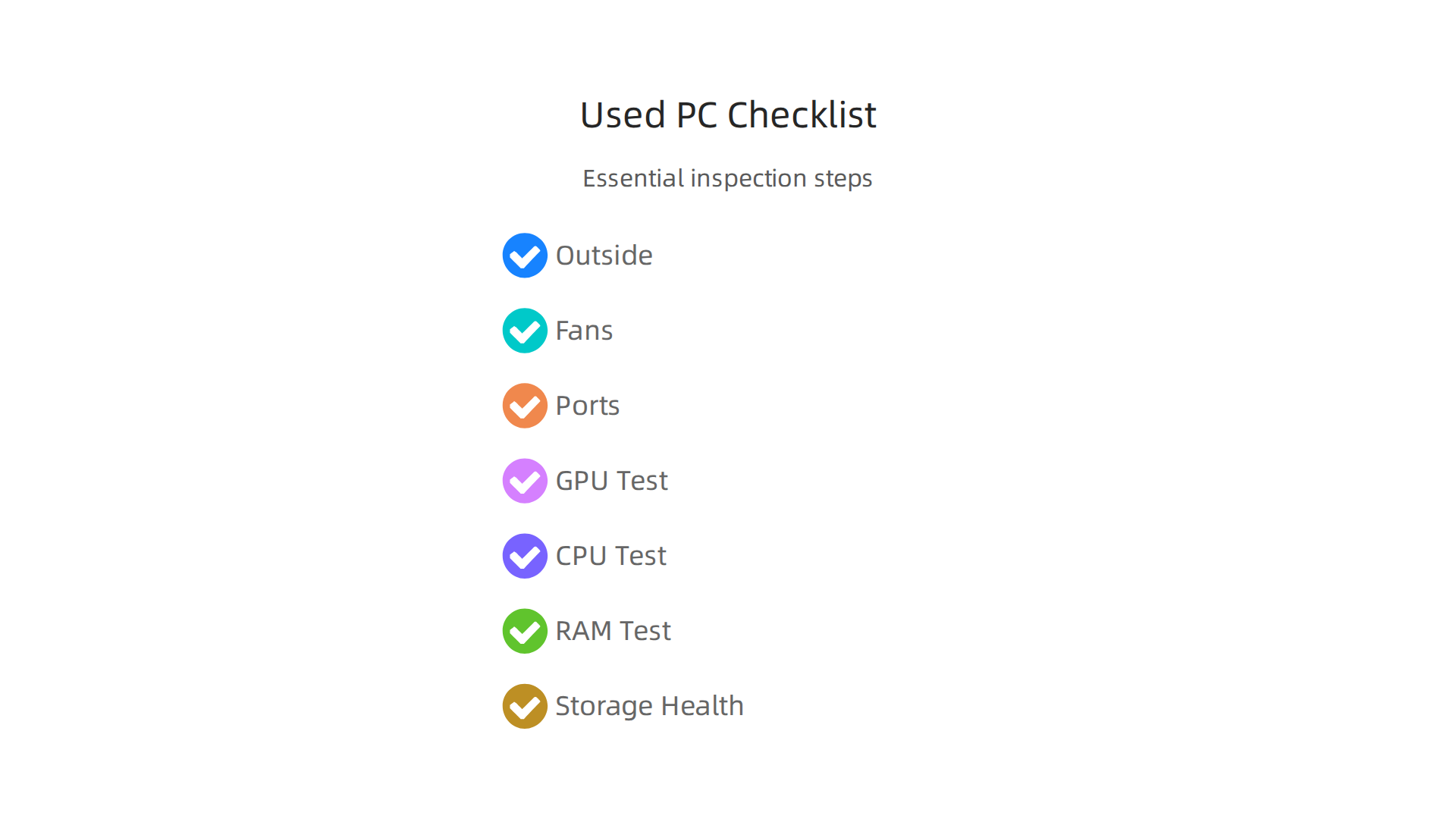
- Outside: Check for any bumps, scratches, or missing screws.
- Fans: Gently spin the fans on the CPU, GPU, and case. Do they make grinding noises? That could mean worn-out parts [3]. Also, look for signs of rust or physical damage on the circuit boards [10].
- Ports: Make sure all the connection spots like USB, HDMI, and DisplayPort look good and aren’t bent [5].
Next Step: Software Checks for Health
Once the PC is on, you can use special tools to check how well the parts are really working.
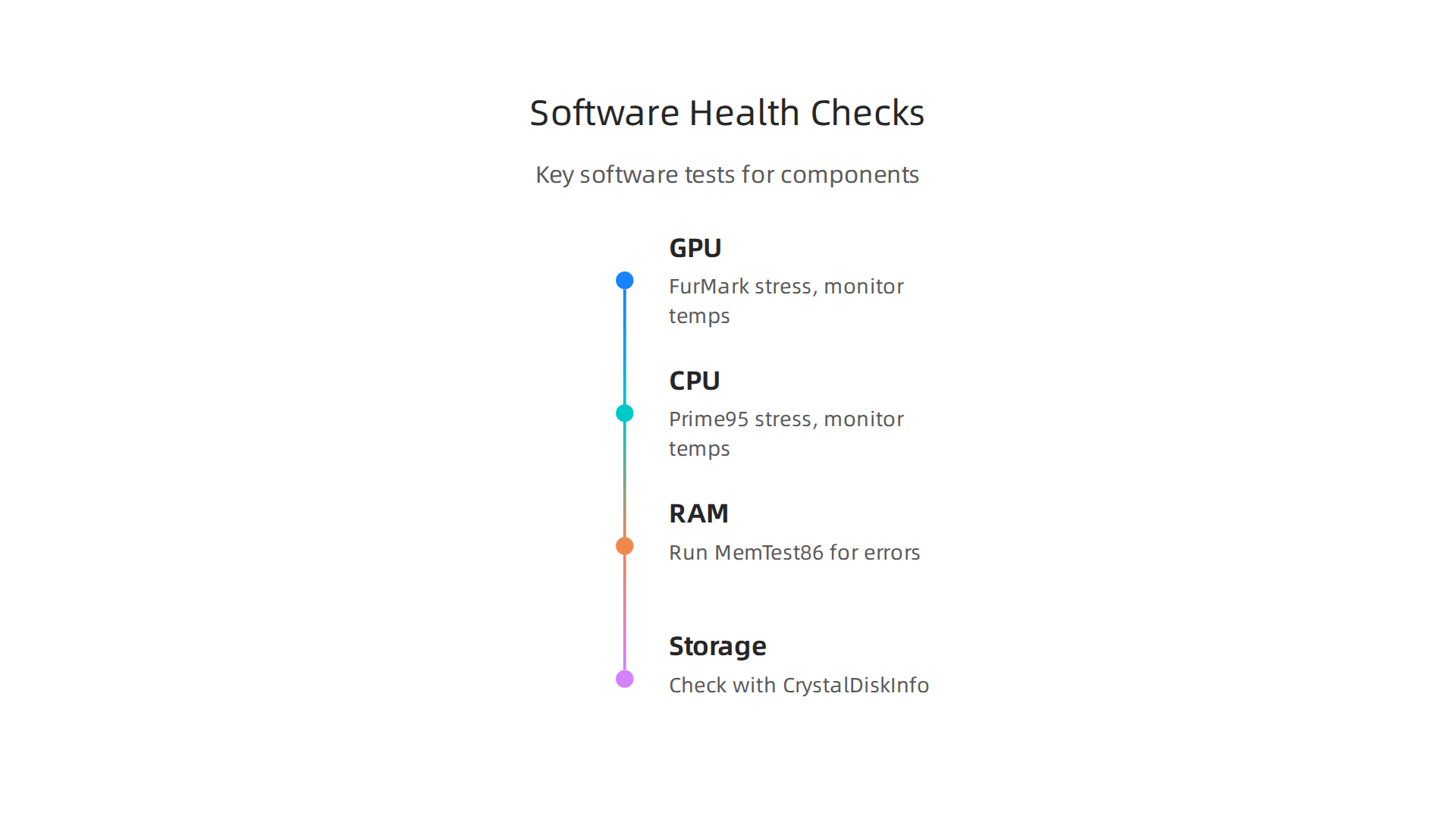
- GPU Test: The graphics card is very important for AI. You need to stress it to see if it causes any problems. Programs like FurMark or 3DMark can push your GPU hard. Watch for "artifacts," which are weird colors or flashing blocks on the screen. These mean the GPU might be faulty [7]. Also, check the GPU’s temperature to make sure it doesn’t get too hot [11]. You can also use tools like GPU-Z to check if the graphics card’s name and memory match what was advertised [2].
- CPU Test: To test the main computer chip, programs like Prime95 can make it work hard. Keep an eye on the temperature to make sure it stays cool enough [3].
- RAM Test: Bad memory can cause crashes. You can test your RAM with a tool like MemTest86 or MemTest64. Let it run for at least one full check to see if there are any errors [3, 6].
- Storage Drive Health: For hard drives and SSDs, use a program like CrystalDiskInfo. It will show you a "Health Status." You want it to say "Good." It also shows how many hours the drive has been used [1, 6].
Smart Upgrades That Don’t Cost Much
Even a well-checked used PC might need a few small changes to make it great for AI. These upgrades are often cheap and make a big difference:
- Add More RAM: If your PC has 16GB of system RAM, adding another 16GB to get 32GB is often easy and affordable. This helps handle larger AI models.
- Replace Thermal Paste: Over time, the stuff that helps your CPU and GPU stay cool can dry out. Replacing the thermal paste is a simple fix that can lower temperatures and make your parts run better and last longer.
- Add an NVMe SSD: If your used gaming PC only has older, slower storage, adding a fast NVMe SSD can make loading big AI models and data much quicker. This is one of the best ways to speed up an older system.
By carefully checking and upgrading a used gaming PC, you can turn it into a powerful machine for AI tasks without spending a lot of money. It’s about being smart with your choices to get the best performance for your budget.
After checking the individual parts and making small upgrades, you also need to think about how the whole computer gets power and stays cool. This is super important for AI work because your graphics card (GPU) will often be working very hard for a long time.
5) Power, Cooling, and Reliability: What to Look For
When you run AI programs, especially big ones, your computer’s parts use a lot of energy and get very hot. Making sure your used gaming pc has good power and cooling is key for it to run smoothly and reliably.
Power Supply Unit (PSU) Quality
The Power Supply Unit, or PSU, is like the heart of your computer. It gives power to all the parts. For AI tasks, your GPU needs a lot of steady power. A weak or old PSU might not give enough, leading to problems.
- Check Wattage: Look at the PSU’s power rating in watts. A powerful GPU, like an NVIDIA RTX 4090 or 5090, which are popular for local AI in 2026, needs a lot of watts, often 750W or more [8, 13]. If the PSU is too small, your system might crash or restart when the GPU works hard.
- Signs of Trouble: If your used gaming PC randomly turns off, freezes, or shows odd behavior during AI tasks, the PSU could be struggling. Old PSUs can lose power over time, making them unreliable. High-end GPUs for AI require specific memory and bandwidth, which demand a lot of power [15, 27].
Keeping Things Cool: Avoiding Overheating
AI tasks make your GPU and CPU very hot. Good cooling stops these parts from getting too hot, which can slow them down or even damage them. This slowing down is called "thermal throttling."
- GPU Heat: Your graphics card is the workhorse for AI. Cards like the RTX 4090 or 5090 can generate a lot of heat [13]. If a mini pc for gaming or a regular used gaming PC does not have enough cooling, the GPU will slow itself down to prevent damage. This means your AI tasks will take much longer.
- Case Airflow: Check if the computer case has enough fans and good airflow. If hot air gets trapped inside, all your parts will run hotter. You can improve this by adding more case fans or making sure the current ones are clean and working well.
- CPU Cooler: Make sure the CPU has a good cooler. If you plan to pair a strong GPU with a capable CPU, ensuring both stay cool is essential to avoid performance bottlenecks [22].
Planning for Better Reliability
For AI work, you want a system that can run for hours without issues. Good power and cooling are the foundation of this reliability. If you notice your system getting too hot, thinking about better cooling solutions is a smart move. This might include a stronger CPU cooler or better case fans. For those running larger models, it is also recommended to have system RAM that is at least twice the total GPU memory [17].
Taking care of power and cooling ensures your used gaming PC can handle the demands of AI now and in the future.
Finding the right parts is just one step. Next, you need to know where to actually buy a used gaming PC that can handle your AI tasks. This means looking at different places to shop, knowing how to get a good price, and avoiding problems.
Where to Shop for a Used Gaming PC
There are a few main places to look for a used gaming PC. Each has its own good and bad points.

Buying from Individuals
Many people sell their old computers directly. You can find these deals on websites like Facebook Marketplace, eBay, or local classifieds.
- Pros: You might find the best prices here. People often just want to get rid of their old computer quickly, especially when new parts come out. For example, in 2026, prices for used gaming PCs are generally going down as new graphics cards are released, which can mean better deals for you PC Gamer Occasion 2026 : Évolution des Prix et ….
- Cons: When buying from a person, you usually don’t get a warranty or an easy way to return the item if something goes wrong. You need to be extra careful to check the PC thoroughly before you buy it. Sometimes, parts like memory (RAM) and storage (SSD) have seen big price increases in 2026, so even used components might be more costly than expected What Is My Gaming PC Worth in 2026?.
Buying from Refurbished Vendors
These are companies that buy used PCs, check them, fix them up, and then sell them again. They might be online stores or local shops.
- Pros: Refurbished PCs often come with a warranty, even if it’s a short one. The computers have usually been tested, so you have a better chance of getting a machine that works well. This can give you peace of mind, especially when you need a reliable machine for AI work.
- Cons: Prices from refurbished vendors are usually higher than buying directly from a person. This is because they put in work to test and fix the computers, and they offer support.
Timing Your Purchase for Better Deals
Just like with new electronics, the price of a used gaming PC can change.
- After new releases: When brand-new graphics cards or processors come out, many gamers upgrade their systems. This makes more used gaming PCs available, and sellers often drop prices to sell them faster.
- Holidays: Sometimes you can find sales around big holidays, even for used items. Keep an eye on online marketplaces.
Smart Negotiation and What to Look Out For
When you find a used gaming PC that looks good, don’t be afraid to try and get a better price.
- Do your homework: Before you talk to the seller, know what similar PCs are selling for. You can use online tools to compare GPU, CPU & RAM Prices to see if the price is fair.
- Point out minor flaws: If you see a small scratch or a fan that’s a bit noisy, you can politely mention it to ask for a lower price.
- Red flags: Be very careful if a deal seems too good to be true. If the seller won’t let you test the PC, or if they rush you, it might be a sign of trouble. Always try to test the GPU and other parts before you commit to buying. There are good guides out there to help you test every used PC part thoroughly.
For business users, understanding the bigger picture of technology trends is essential. Make sure you’re always informed about the latest advancements in AI and computing.
Get clear daily AI updates from The AI Newsletter Worth Reading.
After finding a good used gaming PC, the next big question is: will it really save you money for your AI work? It’s smart to think about how much you spend versus how much you gain.

This is called building an ROI model, which just means figuring out your return on investment.
Simple ROI Model Templates for AI Tasks
Thinking about a used gaming PC for your AI tasks means looking at a few key things. This helps you see if buying a computer is better than using services online that let you borrow computer power (called cloud computing).
Here are the parts of a simple plan:
- Upfront Cost: This is how much you pay to buy the used gaming PC. This can be much less than a new computer, making a used gaming PC a smart first step for AI projects.
- Expected Usable Lifetime: How long do you think the computer will work well for your AI tasks? Even a used machine can be good for a few years if you pick the right one.
- Productivity Gains: How much faster can you get your AI work done with your own computer? If it saves you hours each week, that’s like saving money. You can run more tests or finish projects quicker.
- Alternative Cloud Costs: What would you pay if you used cloud services for the same AI tasks? This is important because cloud services can add up quickly.
Break-Even Scenarios: When a Used PC Is Better Than Cloud
Deciding between owning a used gaming PC and using cloud services for AI often comes down to how much you’ll use it.
-
When a used gaming PC wins: If you do a lot of AI work every single day, having your own used gaming PC can be cheaper over time. For example, studies in 2026 show that if you use a powerful graphics card (GPU) for more than 60% of the time, owning it can cost less than renting it from the cloud AI Infrastructure TCO Calculator | GPU Cost Analysis – SLYD. Another report suggests that for steady work, owning a GPU can become cheaper than cloud rental somewhere between 40% and 77% sustained use, depending on the setup Own vs Rent GPUs: On-Prem vs Cloud AI Cost Comparison 2026. This means if your AI tasks are big and happen often, your used machine pays for itself.
-
When cloud services are better: If you only do AI tasks once in a while, or if your needs change a lot, cloud services might be a better choice. You only pay for what you use. However, for continuous, heavy AI workloads, owning the hardware like a powerful used gaming PC usually makes more sense. You can learn more about how to manage costs and save money in your AI work with tips for Tech for Less AI Operations Cut Costs Without Cutting Corners in 2026.
Ultimately, a used gaming PC can be a very smart choice for your AI work, especially if you plan to use it a lot. It’s like having your own workshop instead of always renting tools.
Summary
This article explains why a used gaming PC is often the smartest, most cost‑effective way to get started with local AI work in 2026. It covers which kinds of AI tasks a gaming rig can handle (inference, light fine‑tuning, prototyping), why GPUs and their VRAM are the most important selection factors, and how CPU, system RAM and storage can create bottlenecks if ignored. The guide gives a practical inspection checklist — physical and software tests to spot faults — and suggests inexpensive upgrades like adding RAM, replacing thermal paste, or installing an NVMe SSD. You’ll also learn to evaluate power supplies and cooling for long runs, where to buy used systems (individuals vs refurbished vendors), and when owning hardware beats cloud rentals based on utilization. After reading, you’ll know how to pick, test, and upgrade a used gaming PC so it reliably supports your AI projects without overspending.