Author: Maya Joshi

  • Galaxy AI 2026 Agentic Assistant for Business and Content Creation

    Galaxy AI 2026 Agentic Assistant for Business and Content Creation

    Introduction

    Have you ever wished your phone could actually do the heavy lifting for you? Not just answer questions or set timers, but really handle the boring stuff like scheduling meetings, organizing your email, or helping you create content. That’s exactly what Galaxy AI is starting to deliver in 2026.

    A person looking focused and relaxed, benefiting from smart technology assisting with daily tasks.

    Galaxy AI is quickly becoming a serious player in the AI assistant space. Samsung has been pushing hard to make AI more useful and personal. The Galaxy S26 series now features what Samsung calls "agentic AI." This means the AI can act on your behalf to automate workflows, handle scheduling, and much more. Samsung shared the full details at their Unpacked event in February 2026.

    So what makes Galaxy AI different from other tools like HeyGen AI or Dreamina AI? A big part of it is on-device intelligence. Instead of sending all your data to the cloud, Galaxy AI processes a lot of information right on your device. This keeps your data more private and secure. Samsung has been open about how trust, security, and privacy shape the future of AI, especially during their talks at CES 2026.

    For businesses, this is big news. Teams in content creation, marketing, and operations are starting to explore what Galaxy AI can do. Whether it’s helping with writing, generating ideas, or automating daily tasks, the potential is real. According to a detailed whitepaper on the Galaxy AI revolution, Samsung is leading with technologies focused on communication, creativity, productivity, and health.

    In this article, we will give you a complete and practical overview of Galaxy AI. We will look at the technology behind it, how it works in real life, and whether it can actually deliver a good return on investment for your business.

    If you want to stay ahead in the fast-moving world of AI, it helps to have a trusted source of news. We recommend signing up for The Deep View Newsletter. It delivers clear daily AI updates straight to your inbox so you never miss what matters.

    And if you are curious about other smart tools that can boost your productivity, check out our guide on how to choose and use an AI powered research assistant. It covers practical tips for picking the right AI helper for your needs.

    What is Galaxy AI? Core Architecture and Philosophy

    So what actually powers Galaxy AI? It helps to understand the engine before you push the pedal.

    Galaxy AI is not one single tool. It is a full suite of AI models and features built by Samsung. At the February 2026 Unpacked event, Samsung introduced what they call "agentic AI" for the Galaxy S26 series. This means the AI can act on your behalf. It can handle tasks like scheduling meetings or organizing your inbox without you needing to guide every step.

    The secret to how Galaxy AI works lies in two core ideas: privacy and personalization.

    First, privacy. Samsung processes a lot of the AI work directly on your device. Your photos, messages, and personal data do not have to travel to a cloud server to be analyzed. This on-device processing is a big deal. Samsung has been open about how trust and security shape the future of AI, especially during their discussions at CES 2026. You get powerful AI help without giving up control of your information.

    Second, personalization. Galaxy AI learns from how you use your phone. It adapts to your habits, your tone, and your schedule. Over time, it becomes more helpful because it knows what matters to you. The system blends on-device smarts with cloud intelligence when needed. This hybrid approach means you get fast responses for simple tasks and deeper power for bigger jobs.

    According to a detailed whitepaper on the Samsung Galaxy AI revolution, Samsung’s technology focuses on four main areas: communication, creativity, productivity, and health.
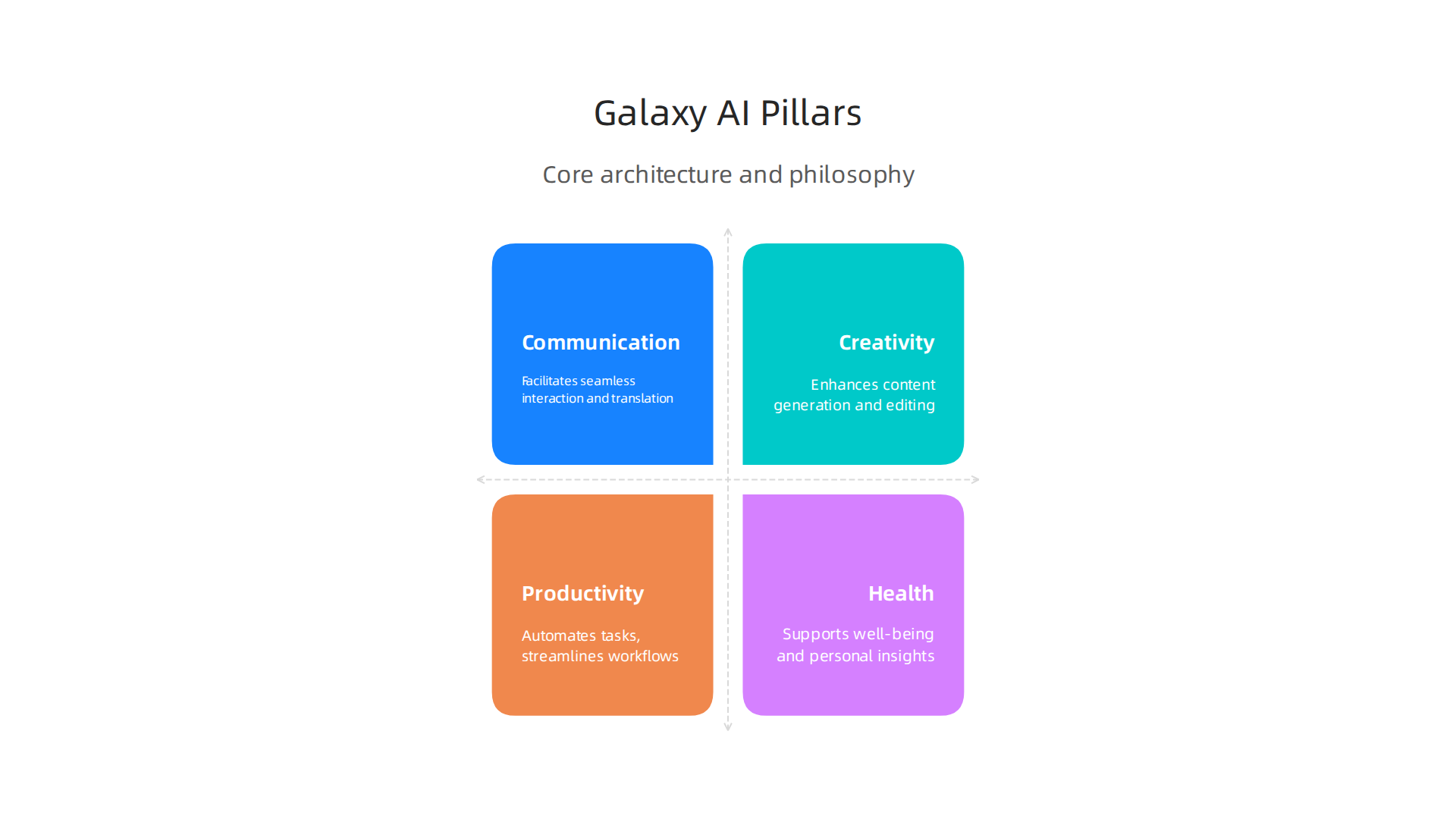
    The four fundamental pillars driving Samsung's Galaxy AI technology.

    Understanding these pillars helps you know which features to use for your specific workflow.

    When you know how Galaxy AI thinks about privacy and personalization, it becomes easier to pick the right tools for your day. For example, you might use on-device translation for a private chat but use cloud-powered image editing for a creative project. Knowing the architecture helps you work smarter.

    If you want to explore other smart assistants that can boost your daily workflow, check out our guide on how to choose and use an AI powered research assistant. It covers practical tips for picking the right helper for your needs.

    And if you want to stay updated on all things AI without the noise, subscribe to The Deep View Newsletter. It sends clear daily AI news straight to your inbox so you never miss what matters.

    Galaxy AI for Content Creation: Text, Image, and Video Tools

    Now that you understand the engine behind Galaxy AI, let us look at how it helps you create content. Whether you write emails, edit photos, or make short videos, Galaxy AI brings powerful tools right to your phone.

    A creative professional focused on crafting engaging content, possibly with a mobile device nearby.

    Galaxy AI includes generative text assistants that can help you write messages, summarize long articles, or translate languages in real time. This is important for professionals who need to move fast. A 2026 benchmarks report on the state of AI in marketing shows that content velocity is a top trend reshaping the industry. Having an AI powered assistant on your device means you can draft a reply, polish a post, or summarize a meeting transcript without switching apps. It keeps your flow going.

    When it comes to images and video, Galaxy AI shines because it does the work right on your device. You do not need to upload your personal photos to a cloud server to edit them. This on-device processing means low latency and better privacy. You can remove objects from a video, adjust lighting in a photo, or generate a new background with just a few taps. It is like having a mini desktop editor in your pocket, but with the extra benefit of working offline.

    How does this stack up against tools like ChatGPT or Adobe Firefly? Those tools are powerful, but they usually need an internet connection and a separate account. Galaxy AI is built directly into the Samsung ecosystem. It is always ready, it learns your style, and it does not send your data to a distant server. For marketers following the latest AI investments, having a mobile-first, offline-capable creation suite is a major advantage.

    If you are curious about how AI creativity compares to human creativity across different platforms, check out our analysis on human or AI creativity.

    The world of AI content creation is changing fast. Do not get left behind. Subscribe to The Deep View Newsletter. It sends clear daily AI updates straight to your inbox so you always know what tools actually work.

    Galaxy AI for Marketing: Personalization and Campaign Automation

    Content creation is just the start. The real magic happens when you use Galaxy AI to run smarter marketing campaigns. In 2026, personalization is no longer a nice to have. It is what customers expect. Galaxy AI helps you deliver it, right from your phone.

    A small team collaborating on a marketing strategy, brainstorming ideas and reviewing data.

    Here is how. Galaxy AI can analyze on-device data to build hyper personalized customer segments. It looks at behavior, preferences, and past interactions without sending private data to the cloud. This matters because 46% of marketers now use AI to scale creative work, according to the 2026 Digital Advertising Trends Report by Smartly.
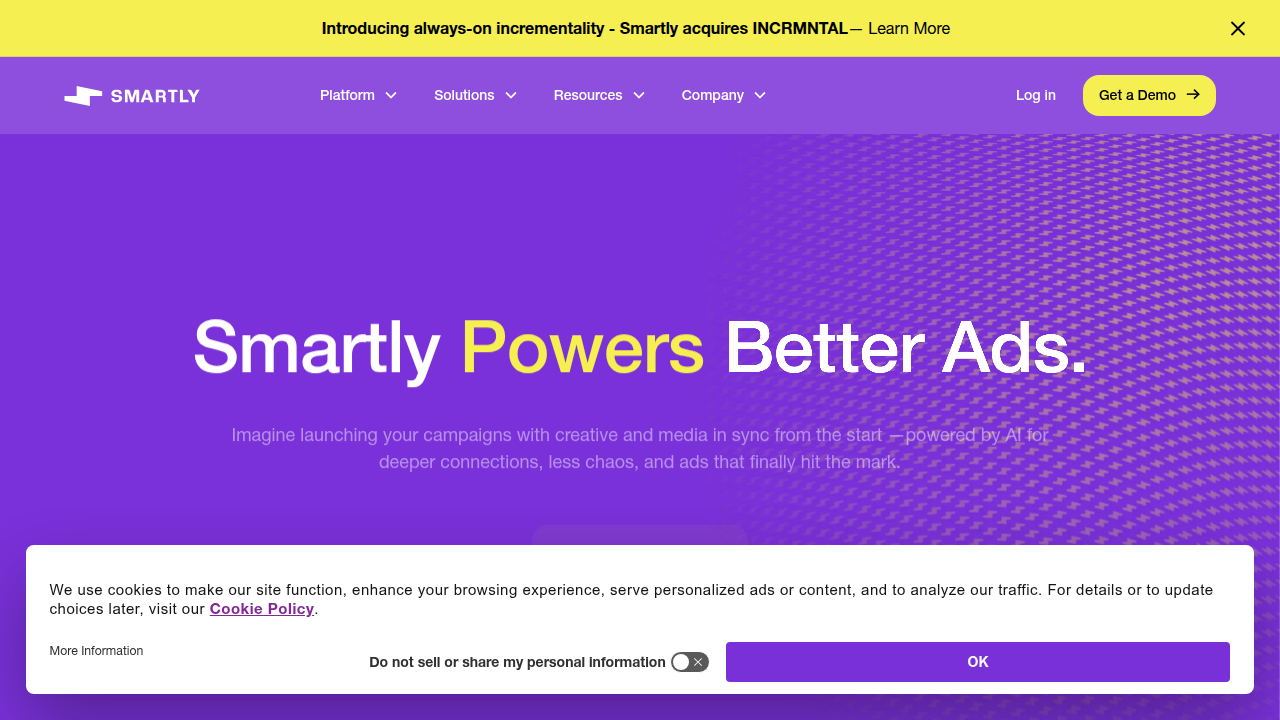
    Smartly.io homepage, a platform specializing in digital advertising automation for marketers.

    And up to 30% of marketing budgets get wasted on generic outreach. Galaxy AI helps you stop that waste.

    You can also automate repetitive campaign tasks. Galaxy AI writes ad copy variations for you. It sets up A/B tests automatically. It even integrates with major marketing platforms so your campaigns run on autopilot. This matches what the State of AI in Marketing 2026 benchmarks report calls content velocity: the ability to produce and test more content in less time. Early adopters report better conversion rates and much faster campaign setup times.

    Think about what that means for your workflow. Instead of spending hours writing five versions of a Facebook ad, you let your AI powered assistant handle the first draft. You just review and tweak. It is the same approach top marketing teams use when they invest in AI for creative workflows and testing, as the Section AI article on 2026 AI investments points out.

    If you want to learn more about writing copy that sounds natural and connects with people, check out our guide on how to use AI to write content that sounds human.

    Personalization and automation are changing marketing fast. Galaxy AI puts these tools in your pocket. Are you ready to use them? Stay ahead of the curve by getting clear daily updates on what actually works. Subscribe to The Deep View Newsletter. It delivers practical AI insights straight to your inbox every day.

    Galaxy AI for Business Operations: Workflow and Data Analysis

    Marketing gets all the glory, but the real time drains in business are the boring tasks. Data entry. Report generation. Chasing down numbers from different systems. If you run a small team or wear many hats, you know exactly what I mean. Galaxy AI can take over these repetitive jobs and free up your brain for bigger decisions.

    A business leader reviewing important documents or reports, making strategic decisions with confidence.

    Here is how it works in practice. Galaxy AI automates many of the routine tasks that eat up your day. It can pull data from spreadsheets, fill in forms, and generate weekly reports without you touching a keyboard. This is especially useful when you think about enterprise security. Galaxy AI offers data processing and feature restrictions through the Knox Service Plugin, so you can configure Galaxy AI data processing to match your company’s security policies.
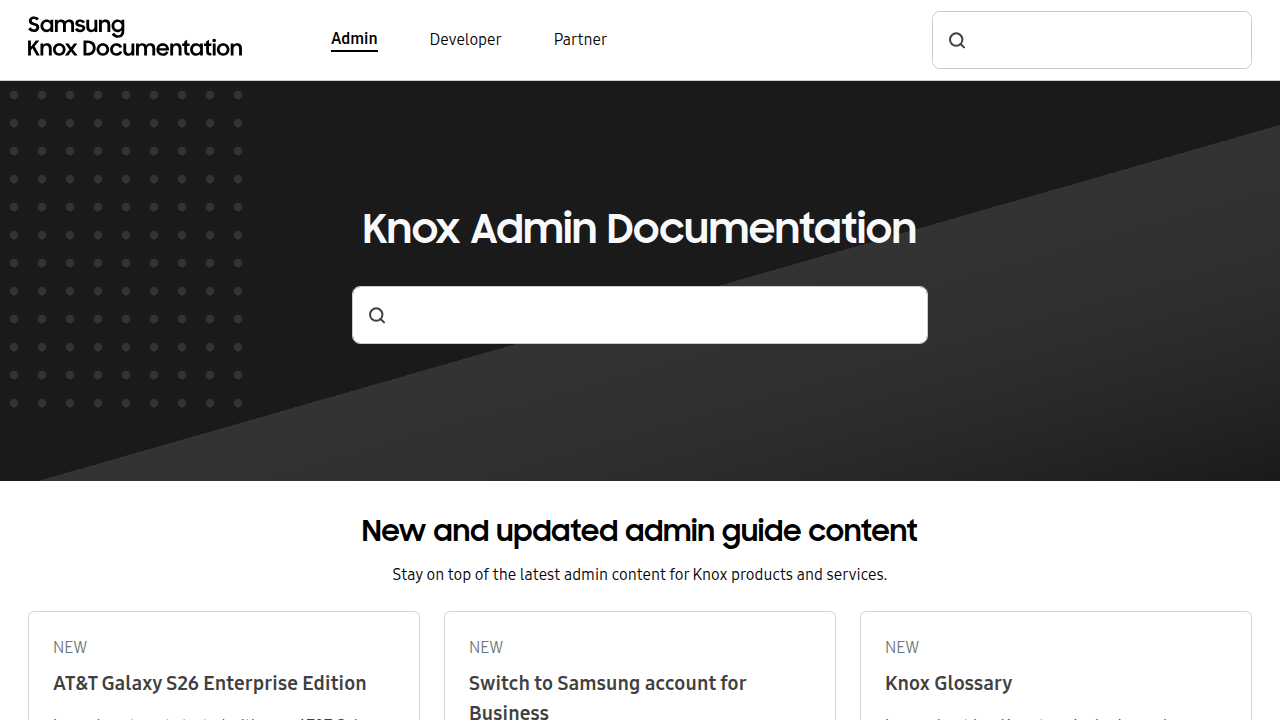
    Samsung Knox documentation portal, detailing enterprise security solutions and policy configurations for Galaxy AI.

    Your sensitive business data stays safe.

    The feature that really changes things is natural language querying. You do not need to be a data analyst or know SQL. You just ask a question in plain English. "Show me last month’s sales by region." Or "Which products have the lowest inventory?" Galaxy AI understands your request, searches your business database, and returns the answer instantly. For non-technical team members, this is a game changer. It puts the power of data analysis into everyone’s hands.

    Think of the use cases across different departments. In supply chain management, Galaxy AI can spot delays and suggest reorder points before stock runs low. In customer service, it can summarize support tickets and identify common complaints. The time savings add up fast. Instead of spending two hours pulling a report, you get the answer in seconds.

    If you want to dig deeper into how AI can transform your daily research and analysis workflows, read our guide on how to choose and use an AI powered research assistant. It covers the best tools to pair with Galaxy AI for maximum efficiency.

    The bottom line is this. Galaxy AI turns your phone into a business operations hub. It automates the boring stuff, answers your data questions, and helps you move faster. Ready to see what else AI can do for your business? Subscribe to The Deep View Newsletter for daily insight on the tools that actually deliver results in 2026.

    Galaxy AI vs. Competitors: Feature-by-Feature Comparison

    By now you have seen how Galaxy AI handles business tasks. But how does it stack up against the big cloud-based names like GPT-4, Google Gemini, and Claude? Let us break it down feature by feature.

    The biggest difference comes down to where the processing happens. Most AI assistants, including GPT-4 and Gemini, rely on cloud servers to answer your questions. That means your data travels to a remote data center, gets processed, and comes back to you. Galaxy AI is different. It does a lot of work right on your device. This on-device processing is not just faster. It also means sensitive business data never leaves your phone. For industries like healthcare, law, and finance, that is a huge win.

    When we look at raw benchmarks, the cloud assistants still lead in some areas. According to recent testing, GPT-5.4 scores around 93.1% on coding benchmarks, edging out Claude Opus 4.6’s 90.4%. And on general reasoning tests, models like Gemini 3.0 score in the high 80s on GPQA Diamond. But here is the thing. These scores require an internet connection and sending data to the cloud. If you are offline, those models are useless. Galaxy AI keeps working without a network.

    The table below shows the key differences at a glance:

    | Feature | Galaxy AI | GPT-4/Gemini/Claude |
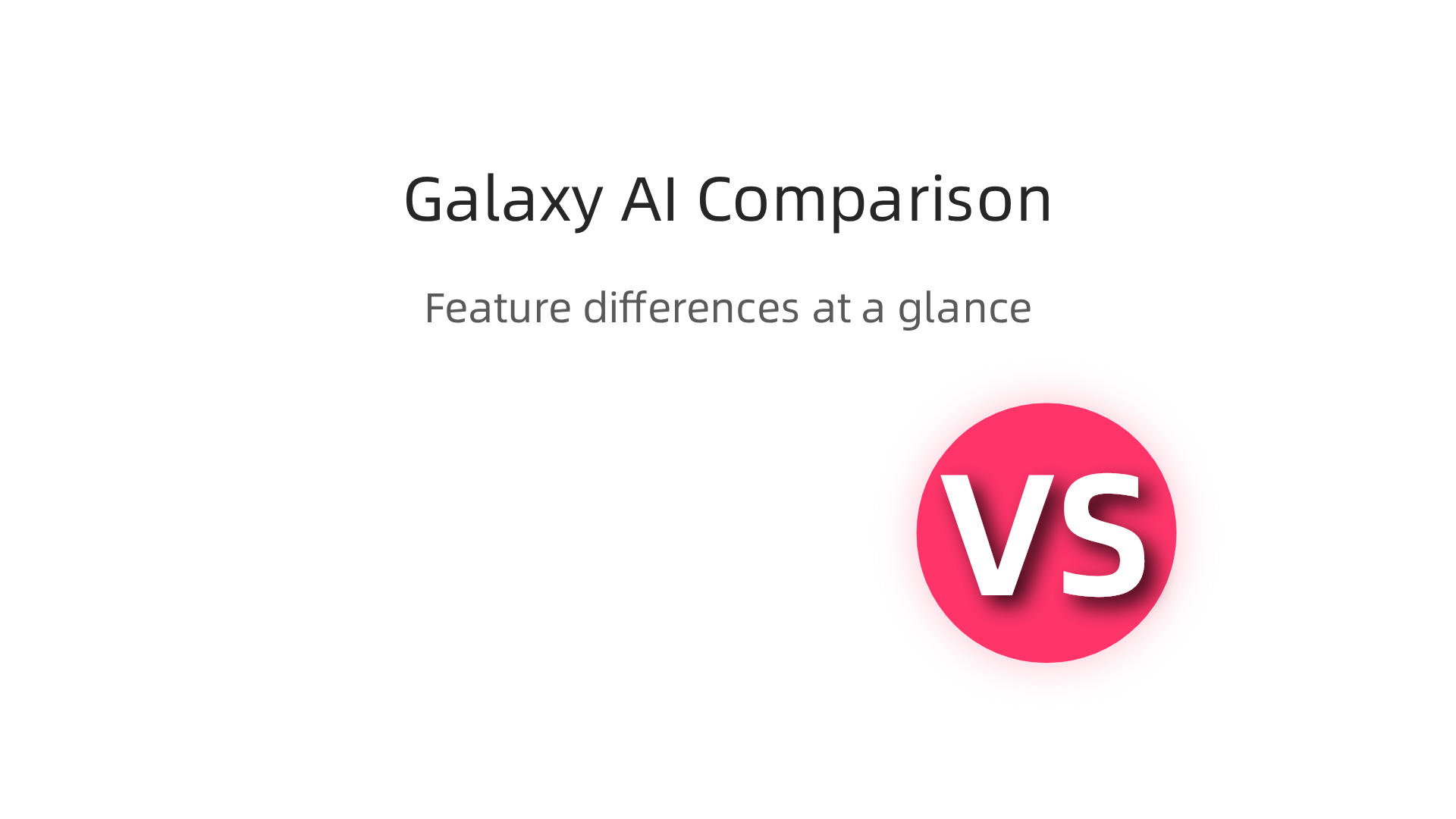
    A feature-by-feature comparison of Galaxy AI's on-device processing versus cloud-based AI models.

    |———|———–|———————|
    | Processing location | On-device (privacy focused) | Cloud (requires internet) |
    | Works offline | Yes | No |
    | Data privacy | High (data stays on your phone) | Lower (data sent to cloud) |
    | Coding benchmarks | Good for device tasks | Higher overall scores |
    | Latency | Instant (no network delay) | Depends on connection speed |

    For many business users, the privacy trade-off is worth it. You do not need the world’s best coding model to automate a report or pull up sales numbers. You need something that works fast, works offline, and keeps your data safe. Galaxy AI delivers on all three.

    If you want to stay on top of how these AI tools compare, check out our guide to the top AI websites professionals trust for real news and tools. It is a great resource for finding the latest benchmarks and reviews.

    Want side-by-side comparisons like this delivered to your inbox every day? Subscribe to The Deep View Newsletter for daily insight on the tools and models that actually deliver results in 2026.

    Integrating Galaxy AI with Existing Tech Stacks

    Now that you have seen how Galaxy AI stacks up against cloud-based tools, you might wonder: How do I actually connect this to the software my team already uses? The good news is that Galaxy AI is built to play nice with your current setup.

    Galaxy AI offers a range of APIs and SDKs that let developers build custom integrations. This means your IT team can connect Galaxy AI directly to your company’s internal systems, databases, and workflows. Instead of using a separate AI dashboard, you can embed the AI powered assistant right into the apps your people use every day. For example, if you run a healthcare clinic, you could integrate Galaxy AI with your patient management system so it helps schedule appointments or answer billing questions, all without sending patient data to the cloud. Samsung’s Knox Platform for Enterprise lets you set policies for Galaxy AI data processing to meet your security requirements check Samsung Knox docs.

    For teams that are not doing custom development, Galaxy AI also comes with plugins and connectors for popular business tools. You can connect it to Microsoft 365, Google Workspace, and Salesforce right out of the box. Imagine having Galaxy AI automatically generate a summary of your Google Doc or pull the latest sales numbers from Salesforce and turn them into a clean report. No extra coding needed. Your team just clicks and it works.

    And if your business deals with industry-specific language, you can fine-tune Galaxy AI models to fit. A law firm could train it on legal terms and case law. A factory might teach it to recognize specific machine errors. This custom model fine-tuning makes the AI much more useful than a one-size-fits-all solution.

    If you want to see how other AI tools connect to real-world workflows, check out our guide on how to choose and use an AI-powered research assistant in 2026. It gives practical tips for picking tools that fit your stack.

    Ready to get the latest on AI integrations? Subscribe to The Deep View Newsletter for daily updates on the tools that actually make a difference in 2026.

    Best Practices for Deploying Galaxy AI in Your Organization

    You have Galaxy AI connected to your systems. Now what? Rolling out a new AI powered assistant across an entire company can feel overwhelming. But you can avoid the common pitfalls by following three simple best practices.
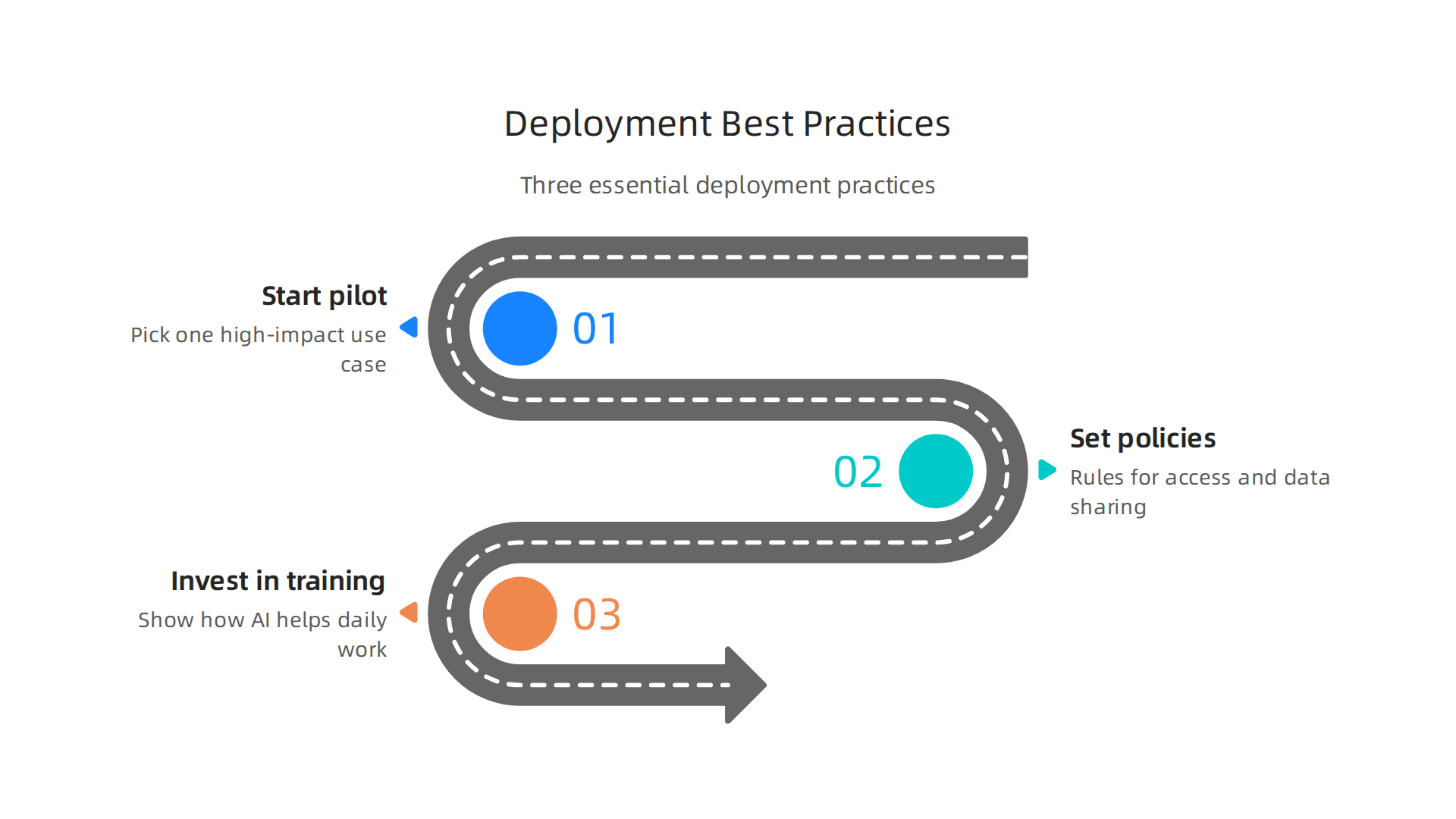
    Three essential best practices for a successful deployment of Galaxy AI within an organization.

    Start with a pilot project. Do not try to use Galaxy AI everywhere at once. Pick one high-impact use case. Maybe that is automating customer support replies. Or generating weekly sales reports. A small pilot lets your team learn what works without risking big disruptions. You can measure success by looking at time saved or error rates. For example, you might compare Galaxy AI’s performance against other top models on specific tasks by checking the latest benchmark results from MindStudio to see how it stacks up for coding or writing tasks.

    MindStudio.ai homepage, a platform for building AI applications without code.

    Once you prove the value in one area, expand slowly.

    Set clear governance policies. Before employees start using Galaxy AI, your organization needs rules. Who can access the AI? What data is okay to share? How do you handle privacy? Samsung Knox lets you control data processing policies, but you also need a written policy for acceptable use. This helps prevent mistakes like feeding sensitive customer information into the AI. A detailed analysis of ChatGPT versus Gemini versus Claude can show you how different models handle data, which informs your governance choices. Your policy should cover data retention, audit logs, and what happens if the AI makes a mistake.

    Invest in training and change management. The best AI tool fails if nobody uses it. Your people might worry that Galaxy AI will replace them. Or they might not understand how it helps their daily work. Provide hands-on training sessions. Show real examples. Let employees practice using the AI powered assistant in a safe environment. Talk about how AI can handle boring tasks so your team can focus on creative and strategic work. For more insight into how humans and AI can work together, read our guide on human or AI creativity and what the data says about collaboration in 2026. It explains how teams that embrace AI collaboration actually become more productive and innovative.

    Start small. Set clear rules. Teach your people well. That is the recipe for a smooth and successful Galaxy AI rollout.

    For daily updates on the AI tools shaping business in 2026, subscribe to The Deep View Newsletter.

    Measuring Success: KPIs and ROI of Galaxy AI

    You have deployed Galaxy AI. But how do you know if it is working? You need clear numbers to show the value. That means tracking the right KPIs and calculating your return on investment.

    Start by defining your most important KPIs. For Galaxy AI, focus on three main areas. First, productivity savings. How much time do your employees save each week? You can measure this by comparing task completion times before and after the rollout. Second, error reduction. Is the AI powered assistant making fewer mistakes than your old processes? Track error rates in customer support replies, data entry, or report generation. Third, new revenue from AI driven insights. Did Galaxy AI help your team find patterns in customer behavior that led to more sales? These three KPIs give you a solid baseline.

    According to the Olakai AI ROI framework, you should also measure qualitative benefits like employee satisfaction and innovation speed. A practical guide from Olakai explains how to balance hard metrics with softer outcomes.
    Olakai AI homepage, providing insights and frameworks for measuring AI ROI in business.

    Another helpful resource from Tropicapp shows how CFOs at companies like Zapier measure AI ROI using five frameworks that go beyond just time saved. You can read their AI ROI frameworks from Tropicapp to see real world examples.

    For the ROI calculation, add up all the costs: licensing fees, training time, integration work. Then compare that to the value of time saved and revenue gained. But do not forget the intangible wins. Employees who feel less bored by repetitive tasks tend to stay longer. That is harder to measure but just as important. A comprehensive framework from RevGen Partners outlines how to capture both tangible and intangible factors.

    To set realistic expectations, look at industry benchmarks. Reports from leading analysts can show what other companies achieve with similar AI tools. For a curated list of trusted sources for AI benchmarks and news, check out our guide on the 10 top AI websites professionals trust in 2026. This will help you compare your Galaxy AI results against industry standards.

    Measuring success is not a one time task. Check your KPIs monthly. Adjust your goals as you learn more. Galaxy AI can deliver big returns, but only if you track the right numbers.

    Want daily updates on AI tools that boost your bottom line? Subscribe to The Deep View Newsletter for clear, actionable insights every day.

    Summary

    Galaxy AI is Samsung’s hybrid, agentic assistant built into the Galaxy S26 line that combines on-device intelligence with cloud power to automate tasks, create content, and protect user data. This article explains Galaxy AI’s core architecture—privacy-first on-device processing plus selective cloud use—and shows how those design choices matter for marketers, content creators, and business teams. You’ll learn practical use cases for writing, image and video editing, campaign personalization, and operations automation, plus how Galaxy AI compares with cloud-first models like GPT and Gemini. The guide also covers integration paths, rollout best practices (pilot projects, governance, training), and ways to measure KPIs and ROI so you can decide if Galaxy AI fits your workflow and security needs.


  • Krisp AI Noise Cancellation Stops Background Noise Instantly in 2026

    Krisp AI Noise Cancellation Stops Background Noise Instantly in 2026

    You are on a video call. Your boss asks a tough question. Right as you start to answer, a garbage truck roars past your window.

    A person on a video call, clearly distracted or frustrated by background noise in their environment.

    Your coworker hears nothing but static. Sound familiar?

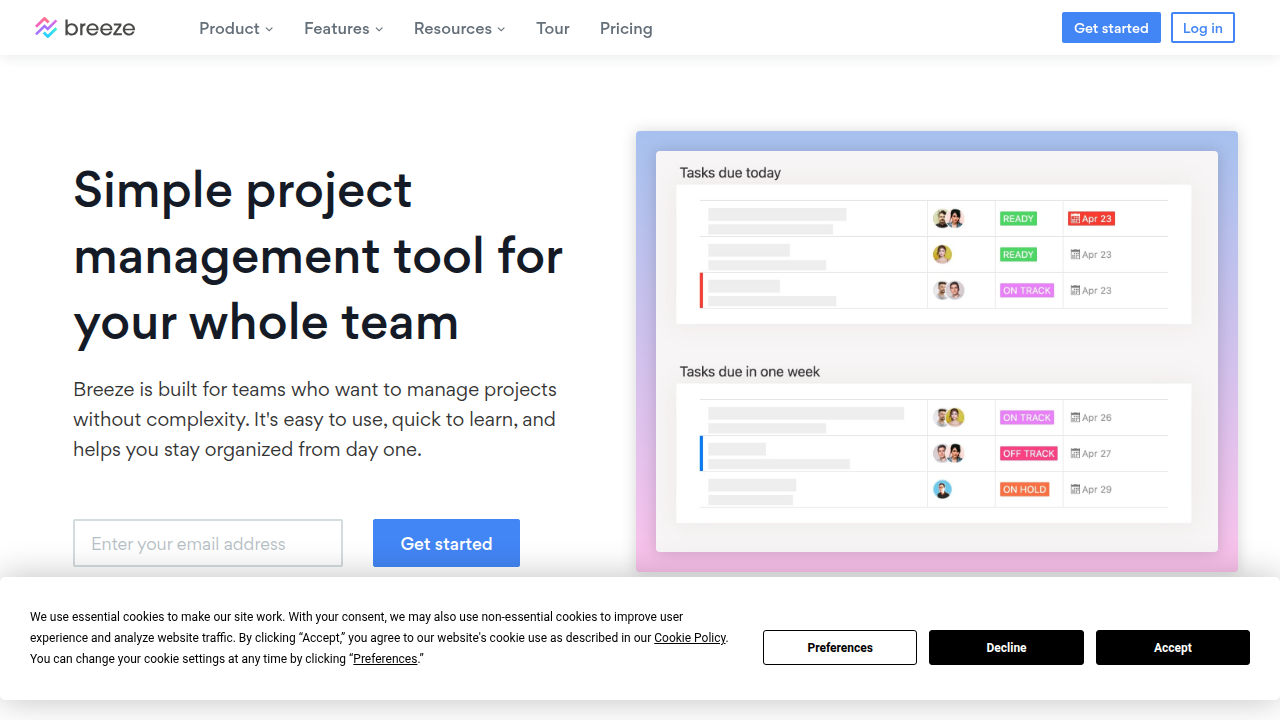
    This is the reality of modern work in 2026. Remote and hybrid work are totally normal now. As of 2026, about 27% of full-time employees work remotely and 52% work hybrid, according to Breeze.pm.

    Breeze.pm's homepage highlights current trends and statistics for remote and hybrid work environments.

    Since we rely so much on virtual meetings, even small audio problems can waste a lot of time. Workers consistently report higher productivity, with 77% saying they get more done at home (WorkTime). Still, bad audio is a big reason people get tired of meetings.

    That is where tools like Krisp AI come in. Krisp AI is an AI app that removes background noise instantly. It helps you sound professional no matter where you take calls. It acts like a personal producer AI for your audio. It cuts down on meeting fatigue and helps everyone stay focused on the conversation, not the distractions.

    In this guide, we will walk through everything you need to know about Krisp AI. We will cover its best features and how it compares to other tools. You will learn how your team can use it to communicate better.

    The world of AI moves fast. Keeping up can feel like a full time job. That is why a daily briefing like The Deep View Newsletter is so helpful. It gives you clear AI news in just a few minutes each day. If you want to explore more resources, check out our list of the best virtual assistant websites professionals trust.

    1. Why AI Communication Tools Matter in 2026

    The way we work has changed for good. In 2026, most of us still spend our days on video calls and virtual meetings. As we mentioned earlier, about 27% of full-time employees work fully remote, and 52% work hybrid. That mix of home and office means clear communication is more important than ever.

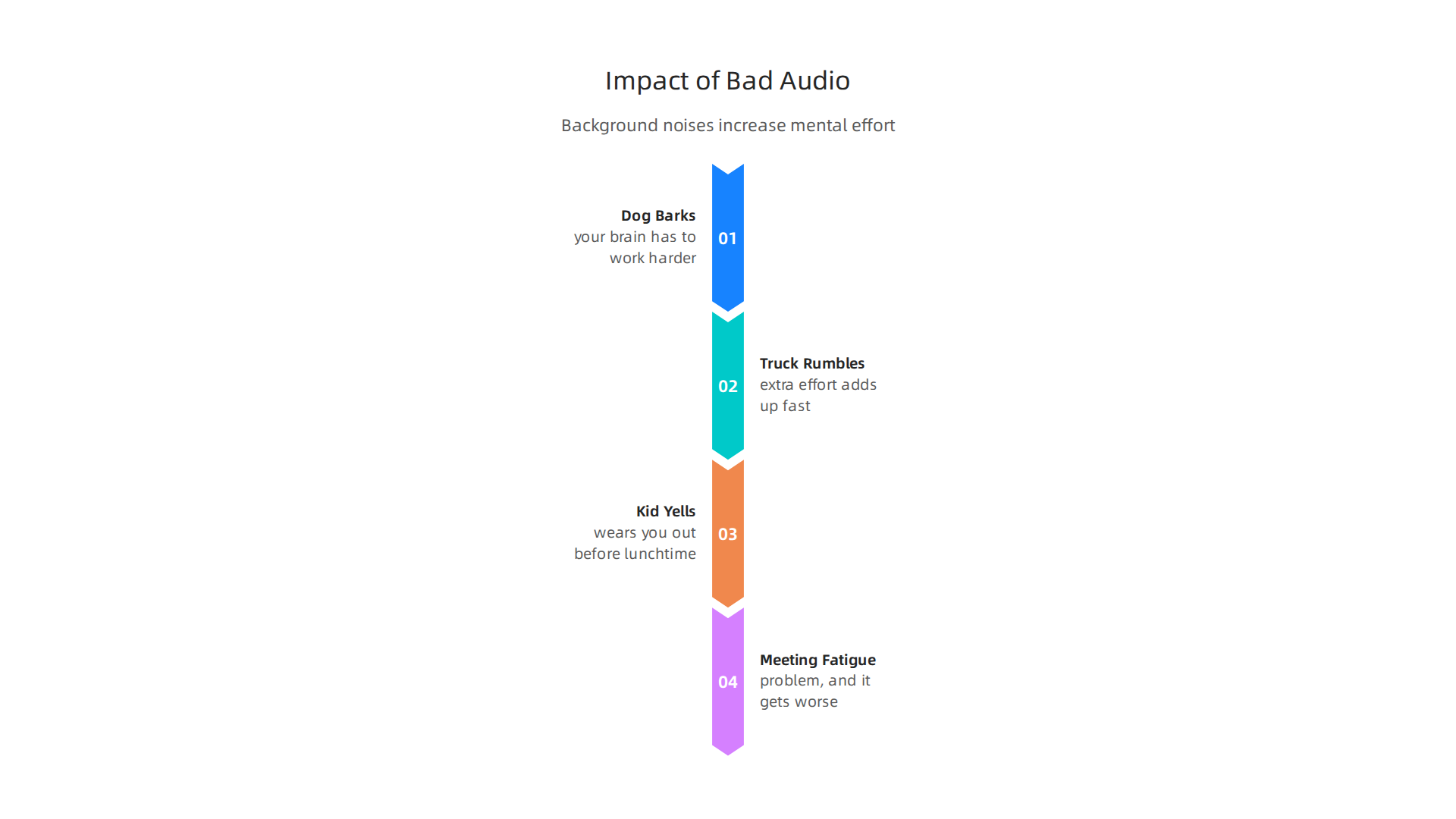
    But here’s the thing. Virtual meetings come with a hidden cost. Every time a dog barks, a truck rumbles, or a kid yells in the background, your brain has to work harder to focus.

    Visualizing how common background noises during virtual meetings lead to increased mental effort and fatigue.

    That extra effort adds up fast. It wears you out before lunchtime. This kind of meeting fatigue is a real problem, and it gets worse when you have many calls in a day.

    That is why AI tools like Krisp AI are becoming essential. They act like a personal producer AI for your audio. Instead of your coworkers hearing that blender or siren, Krisp AI filters it out in real time. You sound like you’re in a quiet studio, even when you’re not.

    And the numbers back this up. A big survey found that 77% of remote workers say they are more productive when working from home (Achievers). But that productivity only happens when you can actually hear each other clearly. Bad audio breaks focus. It makes you repeat yourself. It slows everything down.

    When teams use AI noise cancellation, the mental strain drops. People stay in the conversation. They don’t zone out or get annoyed by background noise. This makes meetings shorter and more useful.

    Good communication is the foundation of good collaboration. If you want to see how humans and AI can work better together, check out our article on human or AI creativity for more insights.

    The world of AI tools moves quickly. To keep up with the latest breakthroughs, you need a reliable source. That’s why we recommend The Deep View Newsletter. It delivers clear, daily AI updates in just a few minutes. Give it a try and stay ahead of the curve.

    2. Krisp AI Deep Dive: Features and Performance

    We just covered why clean audio is a must in 2026. Now let us take a close look at the tool that solves the problem. Krisp AI is much more than a simple mute button. It is a smart audio engine that uses machine learning to clean up sound in real time.

    How Krisp AI Works

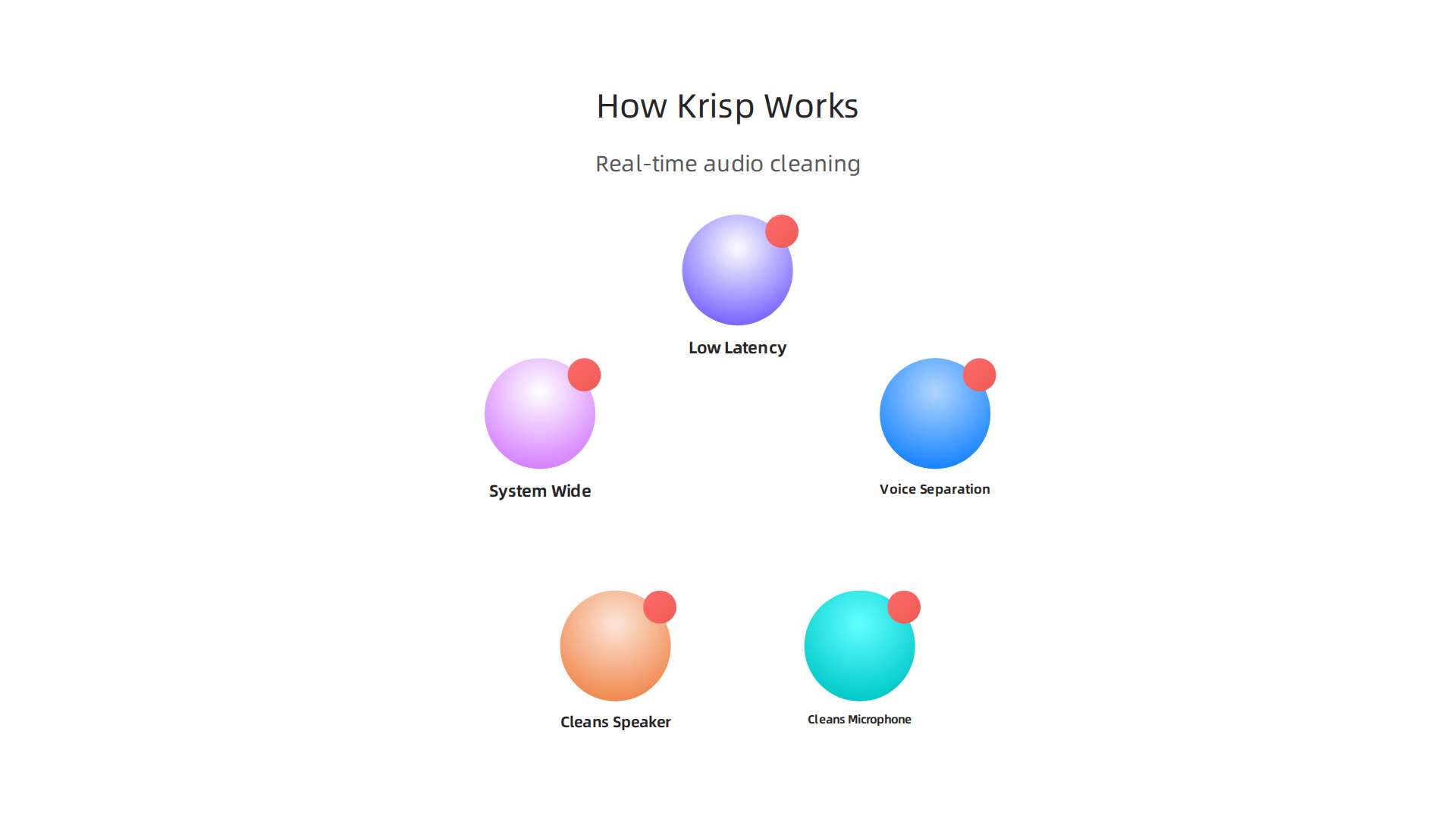
    Krisp uses a technology called voice separation. It separates human speech from background noise instantly. According to the company, it removes distracting sounds like dogs barking, sirens, or typing while keeping your voice crystal clear

    An explanation of Krisp AI's core technology and how it cleans audio in real time.

    (Krisp Noise Cancellation).

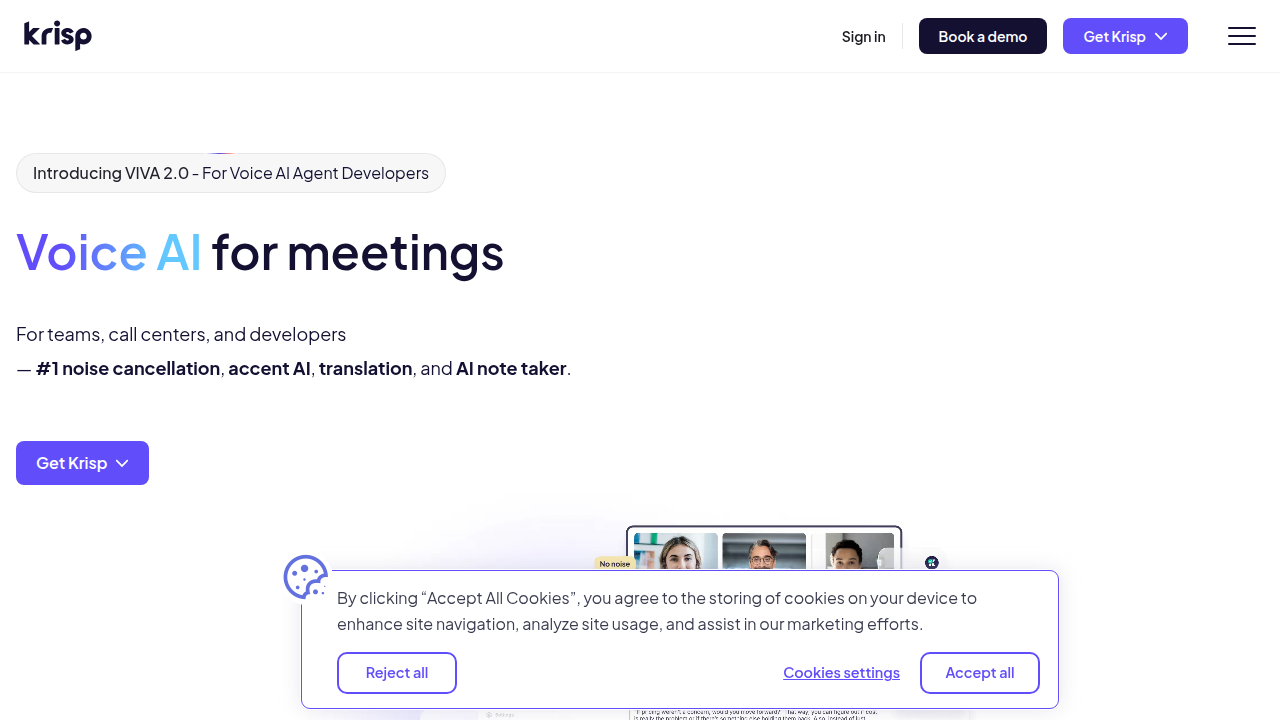
    The Krisp AI website showcasing its noise cancellation technology and key benefits for clear communication.

    It works on both ends of the call. That means it cleans your microphone input. And it also cleans the audio coming out of your speaker. If your coworker is in a noisy coffee shop, Krisp can filter that noise out for you. This makes it a true producer AI for your whole computer.

    Works Everywhere, All the Time

    One of the best things about Krisp is that it works system wide. You do not need to set it up separately for each app. It works with Zoom, Teams, Slack, Google Meet, and any other app you use. You can even use it for game streaming or recording videos (TechNexus Article). It is one of the most practical ai apps available in 2026.

    Professional Performance

    Low latency is critical for live conversations. You do not want a delay. It makes the whole call feel awkward. Krisp processes audio with almost no lag. A YouTube interview with the CEO shows that their real time processing works with just 20 milliseconds of delay (CEO Interview). This high accuracy makes it perfect for professional use. Contact centers use Krisp to boost customer satisfaction scores by getting rid of noise complaints completely (Krisp Contact Center).

    If you are curious about other tools that can upgrade your workflow, check out our guide on the best AI avatar tools for video content in 2026.

    It is hard to keep track of the best virtual assistant websites and new tools coming out every week. Let us help you stay informed. Sign up for The Deep View Newsletter to get daily AI updates that are actually useful and easy to digest.

    3. Top Use Cases for Krisp AI: From Meetings to Content Creation

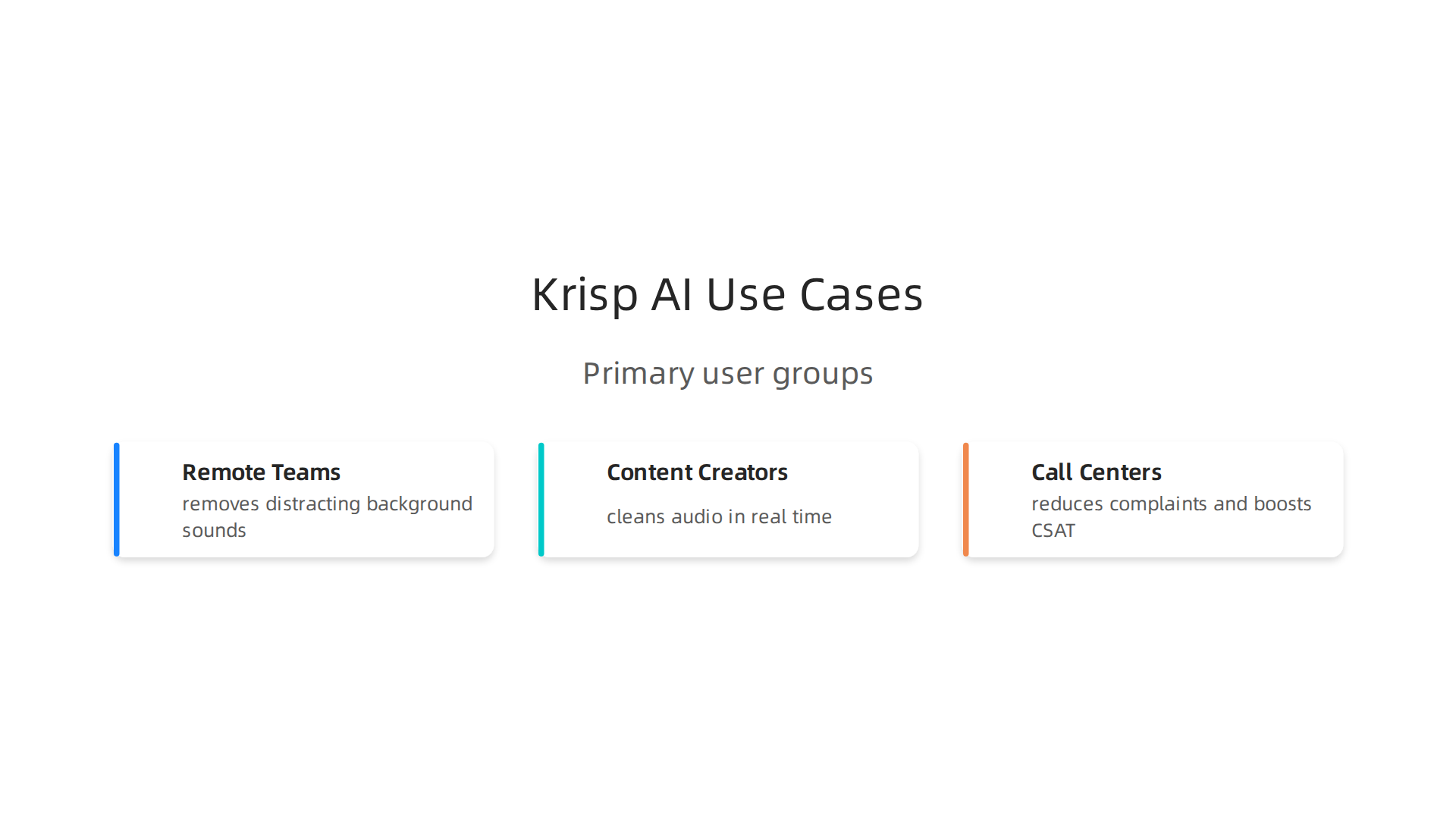
    So we know Krisp AI works well and processes audio in real time with almost no delay. But who actually needs it? The short answer is anyone who uses a microphone. But let us break down the three main groups that get the most out of this tool.

    Exploring the primary user groups who benefit most from Krisp AI's noise cancellation features.

    Remote teams and hybrid workers

    If you work from a coffee shop, an open office, or a home with kids and pets, you know the struggle. One barking dog can ruin a big client call. Krisp solves this instantly. It removes distracting background sounds behind your voice while keeping your speech crystal clear (TechNexus Article). Your coworkers hear only you, no matter how noisy your space is. This makes Krisp one of the most practical ai apps for remote work in 2026.

    Content creators and streamers

    Recording a voiceover or going live is hard when you have fan noise, keyboard clicks, or street sounds bleeding into your audio.

    A content creator actively engaged in recording or streaming, implying a need for clear audio.

    Normally you would need to edit that out after recording, which takes forever. With Krisp, you clean your audio on the fly. No post-processing needed. Whether you are streaming a game or recording a podcast, you get professional sound quality right away (Krisp Noise Cancellation). It is a true producer AI for anyone who creates video or audio content.

    Call centers and customer support teams

    Contact centers handle hundreds of calls daily. Background noise is a huge problem for both customer satisfaction and agent focus. Krisp fixes that completely. One case study shows that teams using Krisp eliminated noise complaints and boosted their CSAT scores significantly (Krisp Contact Center). Agents stay focused, customers feel heard, and the whole experience improves.

    There are so many new tools coming out every week that it is hard to keep track. Let us help you stay informed. Sign up for The Deep View Newsletter to get daily AI updates that are actually useful and easy to digest.

    4. Krisp AI for Content Creators: Streaming and Recording

    Picture this. You are live on Twitch, mid-boss fight. Your keyboard is clacking, your PC fans are roaring, and your roommate just started a blender in the next room. Viewers start typing "fix your audio" in chat. It is a nightmare.

    Here is the thing. With Krisp AI, that nightmare disappears. The software uses machine learning to remove background noise in real time, so only your voice goes through to your audience. It does not matter if you have a jet engine running behind you. Krisp keeps your audio clean (Wikipedia). This makes it a must-have producer AI for any streamer.

    And it is not just for live streaming. Krisp works with OBS, Discord, and nearly every video editing tool out there. You can record a clean voiceover for your next YouTube video without waiting for your toddler to stop crying or your neighbor to finish mowing. The noise cancellation happens instantly, so you do not waste hours cleaning up audio tracks in post-production.

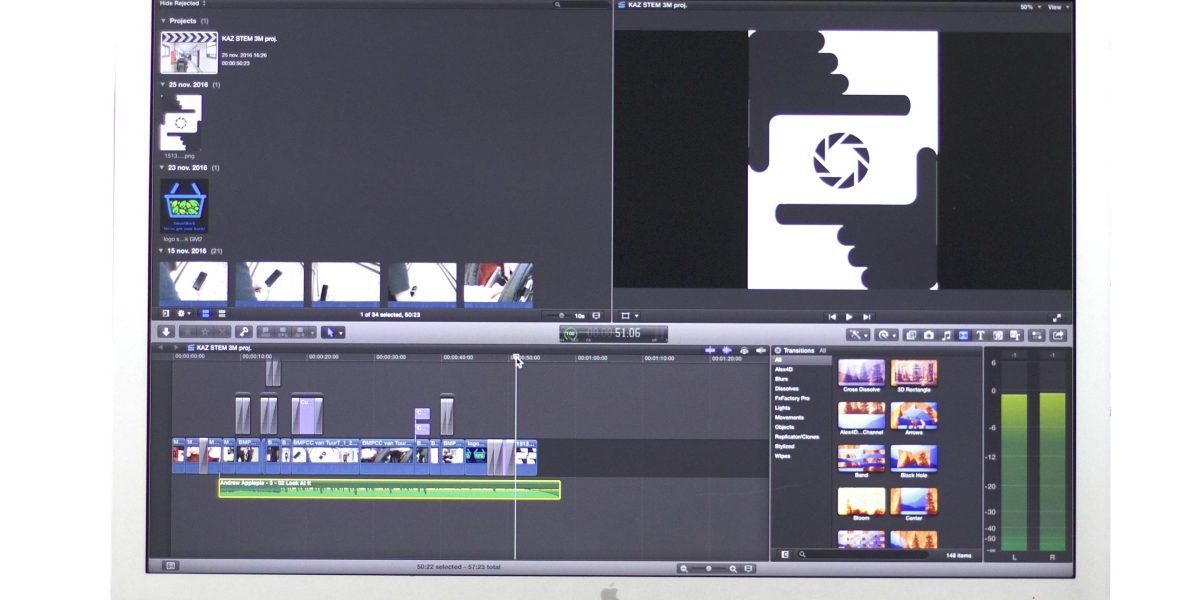
    Podcasters love this too. Normally you spend half your editing time removing mouth clicks, chair squeaks, or background hum. Krisp handles that on the recording side. Your raw audio is already polished. That means faster turnaround and more time for actual content.

    If you are looking for more AI tools to streamline your workflow, check out our list of the 10 top AI websites professionals trust for real news and tools.

    New creator tools pop up every week. It is hard to keep up. That is why thousands of creators rely on The Deep View Newsletter to get daily AI updates that actually help you work smarter. No fluff. Just what you need.

    5. Krisp AI vs Competitors: Key Differences

    So you know Krisp AI works great for live streaming and recording. But how does it stack up against other popular options? Let me break it down simply.

    First up is NVIDIA Broadcast. It offers similar real-time noise removal, and it does a solid job. But here is the catch. It only works on NVIDIA GPUs. If you have an AMD or Intel graphics card, you are out of luck (SourceForge). Krisp runs on any computer, no special hardware required. That makes it a much more flexible choice.

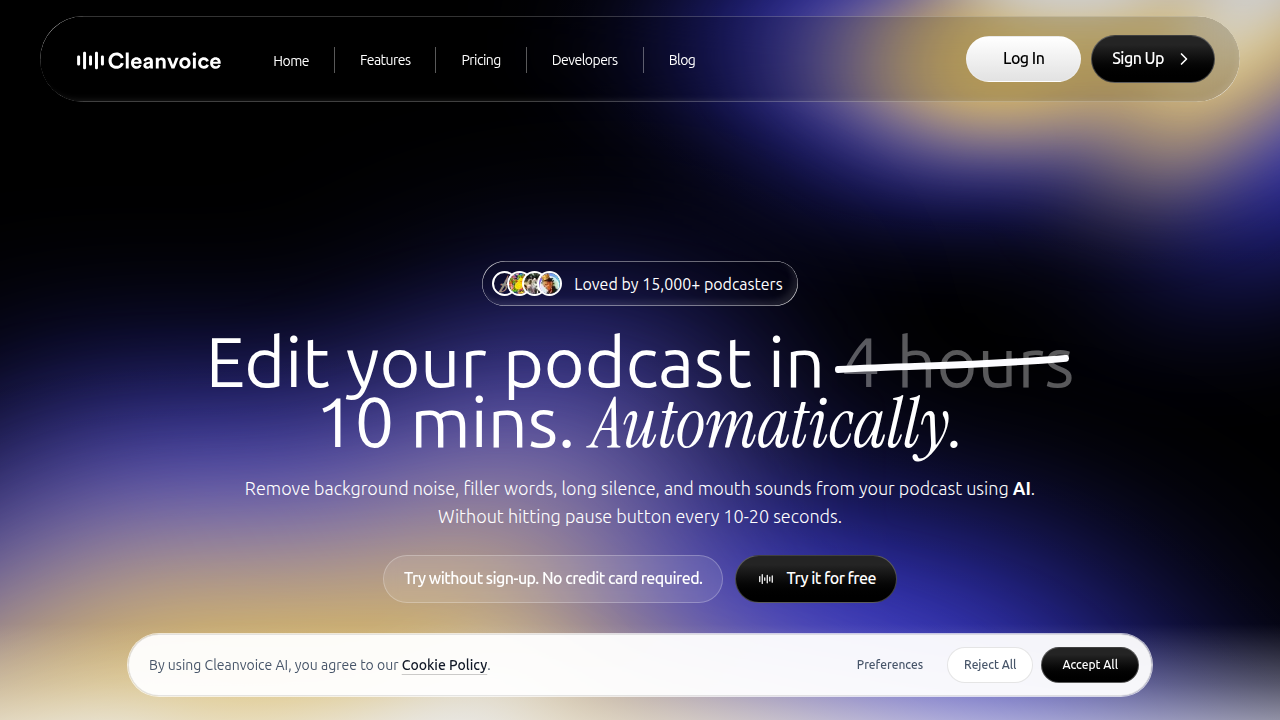
    Next is Cleanvoice. This tool is excellent for podcasters who want to clean up audio after recording. It removes filler words, silence, and background noise in post-production (Cleanvoice blog).

    A look at Cleanvoice.ai, a competitor focusing on post-production audio cleanup for creators like podcasters.

    But it is not real time. If you need clean audio during a live stream or meeting, Krisp wins hands down.

    Then there is Descript. Descript is a full AI editing suite. It includes noise reduction, but also transcription, screen recording, and video editing. The trade off? It requires a subscription and can be overkill if you only need noise cancellation (scmGalaxy). Krisp is a simpler, one-trick pony that does its job perfectly for live use.

    The bottom line. If you want a lightweight, real-time noise canceller that works on any setup, Krisp is your best bet. It is the true producer AI for creators who hate background noise.

    For more comparisons and tips on using the best virtual assistant websites and ai apps, check out our list of 10 top AI websites professionals trust for real news and tools.

    New ai apps launch every week. It is hard to keep track. Stay ahead with The Deep View Newsletter for daily AI updates that actually help you work smarter.

    6. Integrations: How Krisp AI Fits Into Your Tech Stack

    You already know Krisp AI beats many competitors on flexibility and ease of use. But the best part? It fits into your workflow without breaking a sweat. Here is how.

    System-wide audio processing. Krisp works at the driver level. That means it cleans noise from any app that uses your microphone or speakers. You do not need special settings for each program. Whether you are using Discord, a browser call, or a recording app, Krisp works automatically. According to Guideflow’s 2026 list of noise cancellation tools, Krisp is built for professional teams and runs smoothly across different platforms.

    Native app integrations. Krisp has direct support for popular communication tools. It works natively with Zoom, Microsoft Teams, Google Meet, and Slack. You get one click toggle inside these apps. No extra configuration needed. This makes it a real producer AI for anyone who jumps between meetings.

    API for custom setups. Need something more custom? Krisp offers an API for enterprise environments. Developers can embed noise cancellation into custom apps, internal tools, or branded products. This is a big plus for companies that want white label or deep integration.

    Works on any device. Unlike some competitors that require specific hardware, Krisp runs on any laptop or desktop. No GPU needed. This makes it a perfect addition to your remote work toolkit.

    The result? Krisp becomes a quiet helper that improves everything you do with audio.

    Want to build a smarter AI-powered workflow? Check out our guide on how to choose and use an AI-powered research assistant in 2026 for more integration ideas.

    New AI tools like Krisp launch often. Stay ahead without the noise. Subscribe to The Deep View Newsletter for clear daily updates that help you work smarter.

    7. Pricing and Plans: Is Krisp AI Worth the Investment?

    You already know how smoothly Krisp AI fits into your day. But now comes the real question. Does it fit your budget?

    Start with the free tier. Krisp offers a free plan. It gives you a limited number of noise cancelling minutes each day. This is a great way to test the waters. Try it on a few calls. Hear the difference yourself. According to a 2026 review on Dupple, the free tier is generous enough to help you decide if you need more.

    When you are ready to upgrade. The paid plans are where Krisp AI becomes a true powerhouse.

    • Core Plan: Starts around $8 per month. You get unlimited noise cancellation and the AI meeting assistant. This is perfect for freelancers and individual users.
    • Pro Plan: Priced around $16 per month. It adds more features for growing professionals.
    • Business Plan: Priced around $30 per user per month. You get team management, admin controls, and priority support. Check the official Krisp pricing page for the latest details.

    Krisp AI's official pricing page, detailing the free tier and various paid subscription plans for individuals and teams.

    The ROI makes it easy to decide. Think about your current setup. How many times have you said "Sorry, can you repeat that?" How many hours have you spent writing notes after a long meeting? Krisp AI solves both problems. It reduces meeting fatigue. It captures every detail with its AI note taker.

    One review on Capterra notes that the time saved is worth the cost of the subscription alone. You no longer need expensive microphones or soundproof rooms. Krisp AI handles the noise for you.

    The simple verdict. If you take calls or join meetings, even the $8 Core plan will likely pay for itself in the first week. It is one of those ai apps that earns its keep. Think of krisp ai as a producer ai tool that works quietly in the background

    Want to discover more tools that give you this kind of value? Check out our guide to the best AI avatar tools for video content in 2026 for another way AI can save you time and money.

    8. User Reviews and Real-World Performance

    Pricing is one thing. But do users actually love using Krisp AI? Let’s look at what real people say on G2, Capterra, and the app stores. The short answer is yes, most are very happy.

    The biggest praise is how easy it is. You download the app, turn it on, and background noise disappears.

    A person experiencing clear, uninterrupted communication, reflecting the positive impact of noise cancellation.

    One user on Capterra mentions it saved them hours of meeting notes alone. That kind of real-world time savings makes Krisp a top choice among best virtual assistant websites and apps for professionals.

    Another common compliment is the noise removal quality. Dogs barking, kids playing, street noise. Krisp AI handles it well. Users say calls feel crystal clear even in noisy environments.

    But no tool is perfect. Some users report occasional bugs, like the app not activating right away. Others wish the free tier gave more minutes for testing. Still, the overall satisfaction ratings are high on most review platforms.

    Here is the honest take. Krisp AI works well for most people. The free plan gives you a risk-free way to test performance yourself. If you find the bugs annoying, you can always switch plans or try alternatives.

    The key is to match the tool to your needs. You can learn more about evaluating AI solutions in our guide to how to choose and use an AI-powered research assistant in 2026.

    To keep up with honest user reviews and the latest AI tools, subscribe to the The Deep View Newsletter. It delivers clear daily updates straight to your inbox.

    9. The Future of AI in Communication: What’s Next After Krisp AI?

    Have you ever wished your calls could translate themselves on the fly? Or that your meeting app could tell you if the room feels tense? That future is already taking shape in 2026.

    Krisp AI does a fantastic job with noise cancellation. But communication AI is growing fast. According to a 2026 report on effective communication trends, generative AI is already helping teams speak and write more clearly. The next step is for AI to understand the meaning behind our words.

    Here is what is coming next.

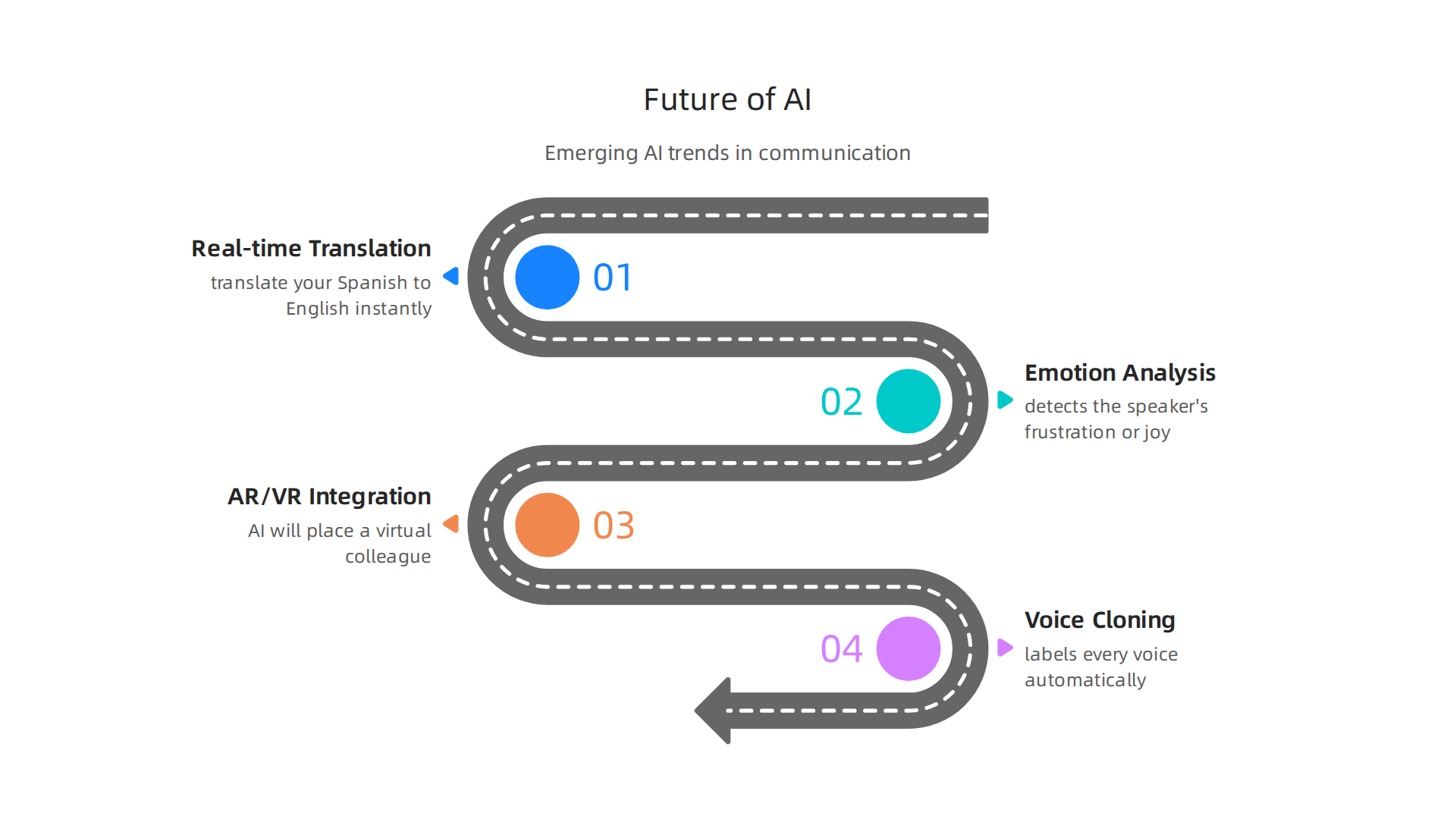
    A forward-looking overview of emerging AI trends shaping the future of digital communication.

    Real-time translation and emotion analysis. Imagine joining a global team call. Krisp AI mutes the dog barking. Then a future AI tool translates your Spanish to English instantly and even detects the speaker’s frustration or joy. This is not science fiction. In 2026, AI tools are taking on more responsibilities in conversations. They will soon analyze tone, pace, and word choice to give you real-time feedback.

    Integration with AR and VR headsets. Meetings will not stay flat on a screen forever. When you put on a headset, AI will place a virtual colleague right in your room. Their voice will sound like it comes from the correct spot. Their facial expressions will sync perfectly. Tools like Krisp AI will provide the clean audio layer inside these immersive spaces.

    Voice cloning and speaker identification. Krisp AI is already working on identifying who is speaking in a crowded room. Imagine a meeting app that labels every voice automatically, even during a group discussion. Voice cloning could let you sound like yourself even with a bad connection, or let a program read a script in your voice. This opens huge possibilities for ai apps in content creation and accessibility.

    These changes will make communication smoother, smarter, and more human. To stay on top of these breakthroughs, you need a reliable source. Get clear daily updates on AI tools from the The Deep View Newsletter. It will help you spot the next big thing before everyone else does.

    Summary

    This article is a practical guide to Krisp AI, the real-time noise‑cancellation tool that acts like a personal producer for your audio. It explains why clean audio matters for remote and hybrid teams, how Krisp’s voice‑separation ML works, and the low‑latency performance that makes it suitable for meetings, streaming, and contact centers. The guide also covers system‑wide integrations, API options for enterprises, real user feedback, and a clear comparison with alternatives like NVIDIA Broadcast, Cleanvoice, and Descript. You’ll learn who benefits most from Krisp, how to set it up across apps, what plans cost, and how to judge ROI for your team. The piece closes by looking at future trends in communication AI and how tools like Krisp fit into evolving workflows.

  • Best AI Avatar Tools for Video Content in 2026

    Best AI Avatar Tools for Video Content in 2026

    Introduction

    Have you ever wished you could create a professional video without stepping in front of a camera?

    A person thoughtfully considering new ways to produce professional video content efficiently.

    Maybe you need a training video, a social media post, or a product demo, but you don’t have the time or budget for actors, lighting, and reshoots. That is exactly where an ai avatar can help.

    AI avatars are changing how creators, marketers, and business owners produce video content. Instead of filming a real person, you can generate a realistic digital presenter who speaks your words in seconds. The numbers prove this is no passing trend. The global AI avatar market was worth about USD 9.78 billion in 2025 and is expected to grow to USD 12.90 billion in 2026, according to Precedence Research. Other reports show the market could reach over USD 24 billion by 2033, growing at a rate of more than 33% each year.

    But here is the challenge. With so many AI avatar tools launching every month, choosing the right one for your workflow can feel like a guessing game. Some tools focus on photorealistic humans, others on cartoon characters. Some let you clone your own face, while others offer ready made options. And it is not always easy to tell an ai or human presenter apart anymore.

    That is where this guide comes in. We have analyzed the top AI avatar platforms available in 2026. We look at real use cases, pricing, quality, and best practices so you can make a smart choice. Whether you are a solo creator, a marketing team, or a training department, you will find practical advice here.

    For more context on how AI is reshaping creative work, check out our take on human or ai creativity and what collaboration looks like this year.

    The world of video content is moving fast. Let us help you keep up without the headache. If you want to stay ahead of every new trend and tool, subscribe to The Deep View Newsletter for clear daily updates straight to your inbox.

    What Are AI Avatars and Why They Matter for Content Creators

    Have you ever watched a video and wondered if the person speaking was real or generated? That is the power of an ai avatar. In simple terms, an AI avatar is a digital character created by artificial intelligence. It can look like a realistic human, move naturally, and speak any text you give it.

    For content creators in 2026, this is a game changer. You no longer need a full production setup to make professional videos. You just write a script, choose an avatar, and let the software do the rest. According to the AI Avatars Industry Report 2026, these avatars now use advanced AI to read emotions and match tone, making them feel more real than ever.

    The shift from traditional video production to AI driven creation is happening fast. The global AI avatar market was worth USD 9.78 billion in 2025 and rose to USD 12.90 billion in 2026, according to Precedence Research. Other reports, like the one from Transpire Insight, show the market growing at over 33% each year. This growth shows that creators, marketers, and businesses are choosing speed and scale over old school filming.

    Why do they matter so much? Because video content is still king in 2026, but making it was always expensive and slow. AI avatars change that. A creator can make a training video, a product demo, or a social media post in minutes.

    An individual confidently presenting, showcasing the power of streamlined content creation.

    Need to change a line in the script? Just edit the text and regenerate. No reshoots needed. Sometimes the quality is so good that it is hard to tell the difference between an ai or human presenter. This efficiency lets you focus on your message instead of the logistics of filming.

    Of course, keeping things authentic matters. You want your brand to feel human, even when using a digital presenter. That is why we wrote about balancing tech and personality in our guide on human or ai creativity. The best results come from using AI as a tool, not a crutch. It helps you scale your work while keeping your unique voice.

    The AI landscape changes fast. New tools, updates, and best practices pop up daily. To make sure you never miss an important shift, subscribe to The Deep View Newsletter. It is the easiest way to get clear, practical AI news straight to your inbox every day.

    Top Use Cases for AI Avatars in Creative Content Production

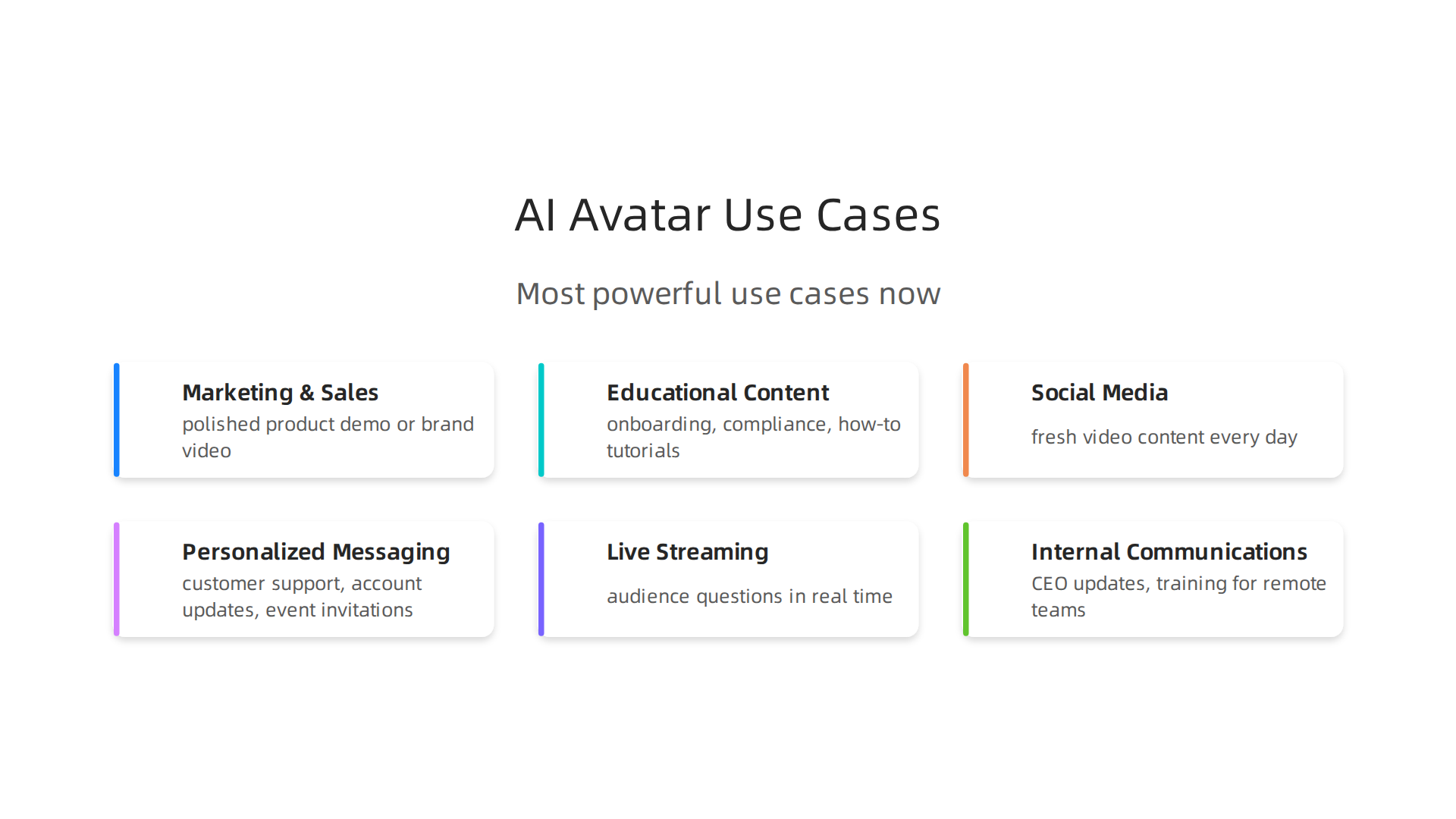
    So you know what an AI avatar is and why it matters. But where do you actually use one? The short answer is almost anywhere you would use a human presenter. In 2026, creators and brands are finding new ways to bring these digital characters into their daily workflow. Here are the most powerful use cases right now.

    An infographic highlighting the diverse applications of AI avatars in modern content production.

    Marketing and Sales Videos

    This is the biggest use case by far. Instead of hiring actors, renting a studio, and spending days editing, you can generate a polished product demo or brand video in minutes. A great example comes from the 2026 holiday season. One brand used an interactive AI Santa avatar that drove over 1 million engagements across 43 countries, according to a collection of AI marketing case studies. That is the kind of scale that would cost a fortune with traditional production.

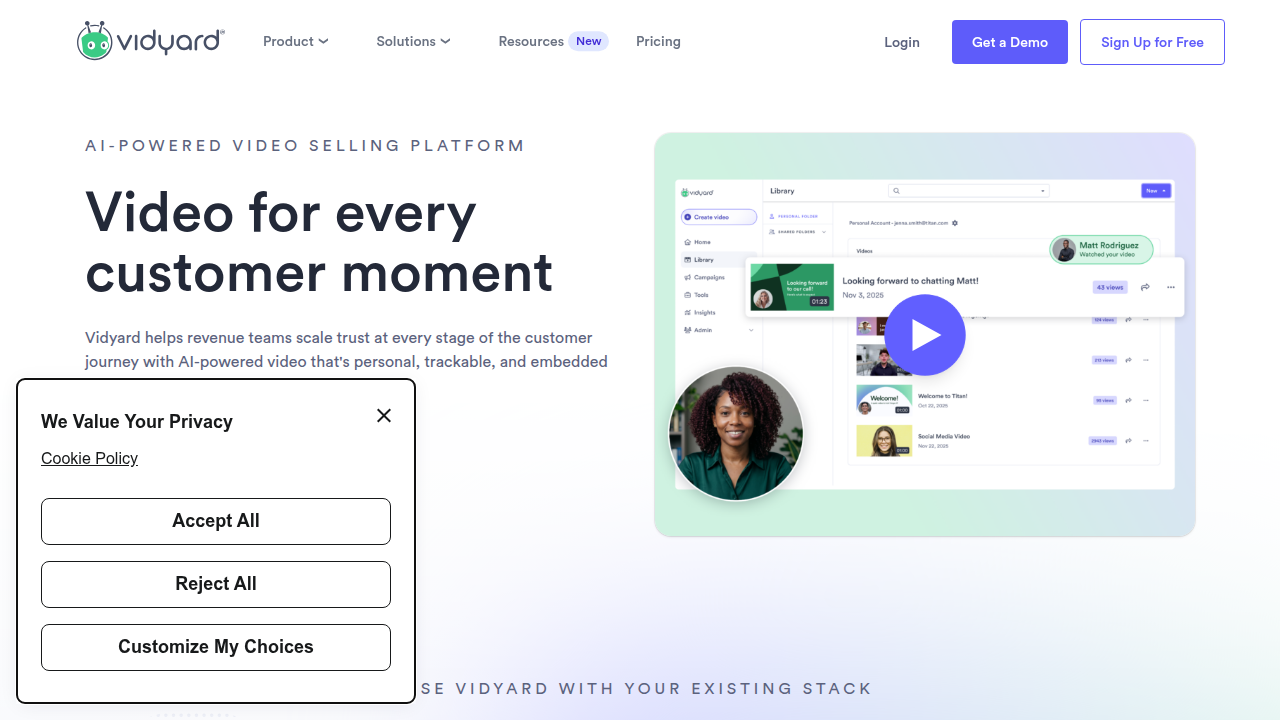
    Sales teams also use AI avatars to personalize outreach at scale. You can send a video where the avatar speaks directly to a prospect by name, mentions their company, and addresses their specific pain point. The Vidyard guide on AI avatars in sales shows how teams save hours per rep each week while keeping that one-to-one feel.

    See how Vidyard supports video for sales and marketing, a common application for AI avatars.

    Educational and Training Content

    Think about onboarding videos, compliance training, or how-to tutorials. Instead of filming a real person once and having that video go stale, you use an avatar. If the policy changes, you just update the script. The avatar handles it perfectly every time. The AI Avatars Industry Report 2026 highlights that training departments are adopting avatars fast because they cut production costs by over 60% while keeping the content consistent.

    Social Media Content

    Social media demands volume. You need fresh video content every day for TikTok, Instagram Reels, YouTube Shorts. Filming that many takes is exhausting. AI avatars let you generate short, engaging clips from a single script. You can even create different versions for different platforms without extra work. The tone stays consistent, and the avatar looks professional every time.

    Personalized Messaging

    This one overlaps with sales, but it goes beyond. Customer support, account updates, and event invitations can all use a personalized avatar. Imagine a banking app that sends you a short video message from a digital assistant, explaining your monthly spending in a friendly way. That is already happening. According to the AI Avatar Statistics 2026 report, 85% of customer interactions in retail will be managed by AI including avatars. Personalized video creates trust and cuts through the noise.

    Live Streaming with Avatars

    This is an emerging use case that is growing fast. Streamers and event hosts now run live broadcasts where an AI avatar responds to audience questions in real time. The avatar looks like a cartoon or a realistic human, and it reacts naturally. The market data backs this up. The global AI avatar market is expected to hit $110.9 billion by 2034, growing at over 30% each year according to OpenPR. Live streaming is a big part of that growth.

    Internal Communications

    Finally, companies use AI avatars for internal announcements. The CEO can record a quarterly update using an avatar that looks like them, but without blocking a full day for filming. You can also create training videos for remote teams in multiple languages without hiring translators. It keeps everyone on the same page without the logistics nightmare.

    Here is the thing. The best results happen when you treat the avatar as a tool, not a replacement for your brand voice. You still need to write a good script and pick the right avatar style. If you want to dig deeper into how to keep the human element alive, check out our guide on human or ai creativity.

    The AI landscape keeps shifting. New use cases appear every month. To stay ahead without spending hours searching for news, subscribe to The Deep View Newsletter. It delivers clear, practical AI insights straight to your inbox each day.

    How to Choose the Right AI Avatar Tool: A Comparison Framework

    Now that you know what you can do with an AI avatar, the next step is picking the right tool.

    A team collaborating around a whiteboard, strategizing on tool selection for their content needs.

    In 2026, the market has dozens of options. But three platforms keep rising to the top: HeyGen, Synthesia, and Colossyan.

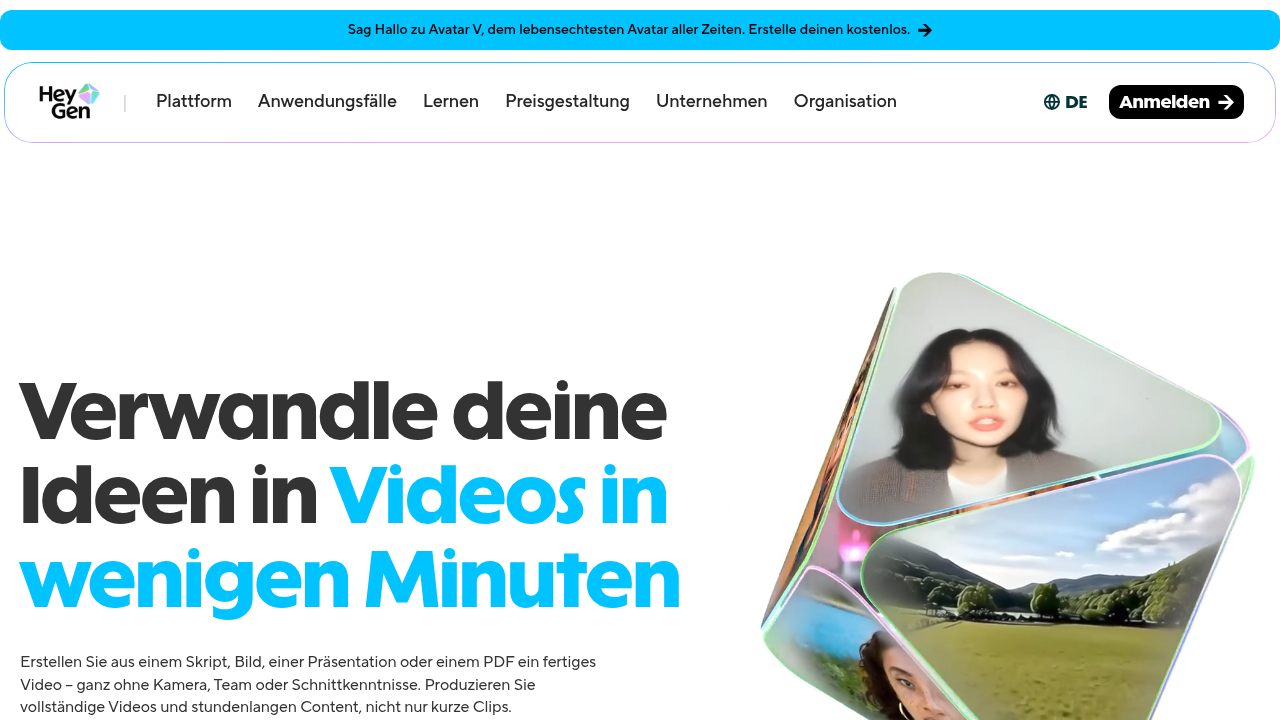
    Explore HeyGen's user interface to see its natural-looking AI avatars and video creation features.

    Review Synthesia's platform for enterprise-grade AI video generation, featuring a vast avatar library.

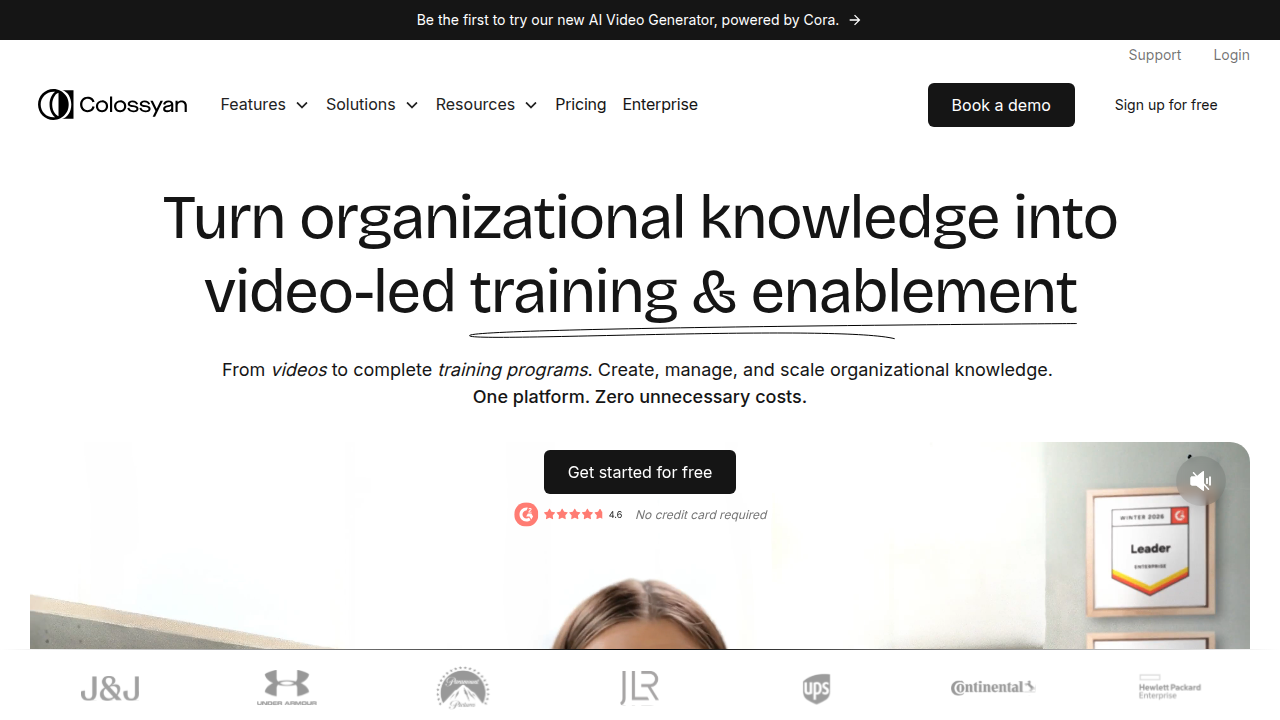
    Discover Colossyan's AI video creation platform, known for its balance of quality, speed, and compliance features.

    Each one shines in different areas. Here is a framework to help you decide without getting stuck in analysis paralysis.

    The Key Criteria to Evaluate

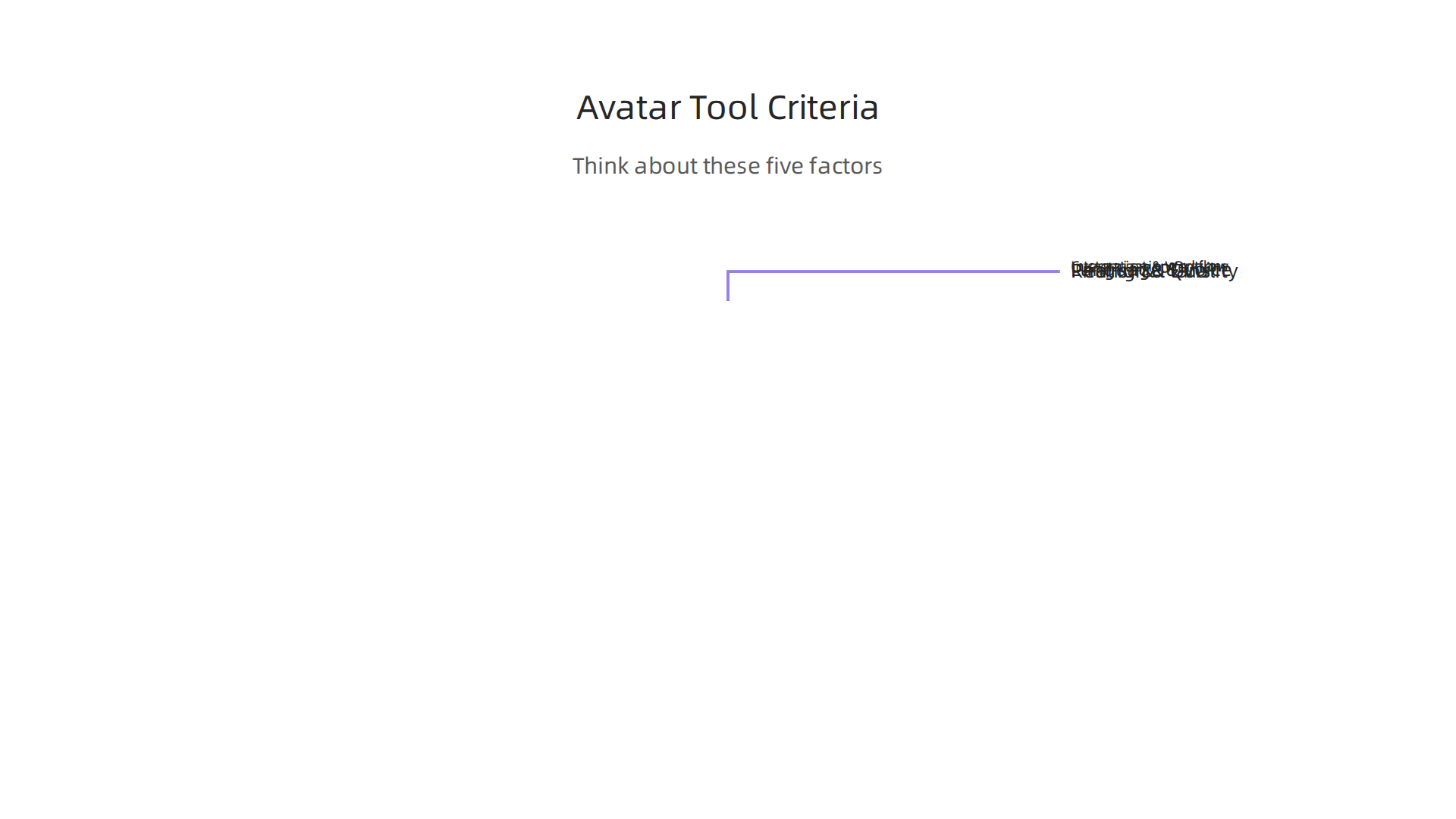
    Before you pick a platform, think about these five factors.

    An infographic detailing the essential factors to consider when selecting an AI avatar platform.

    They matter more than flashy features.

    Realism and Avatar Quality. Does the avatar look natural? Do the lips sync with the audio? Can you tell it is a computer? According to a detailed comparison from AIMagicX, HeyGen leads in avatar naturalness with over 100 avatars and support for 175+ languages. Synthesia is close behind with 240+ avatars and 140+ languages. Colossyan focuses on enterprise quality but has a smaller library.

    Customization Options. Can you clone your own face and voice? Can you adjust the background, clothing, and gestures? Some platforms lock you into preset avatars. Others let you create a fully custom AI avatar that matches your brand.

    Language and Voice Support. If you need to reach a global audience, this is critical. HeyGen supports 175+ languages. Synthesia supports 140+. Colossyan supports around 100. Check that your target languages are included.

    Pricing and Plans. This varies a lot. The 2026 AI Avatar Toolkit from Marketing Agent Blog notes that Synthesia leads in enterprise quality but comes at a higher price point. HeyGen is more budget friendly for solo creators and small teams. Colossyan sits in the middle.

    Integration and Workflow Fit. Can you connect the tool with your existing video editor, LMS, or CRM? Does it export in the formats you need? Is there a team collaboration feature?

    Side-by-Side Tool Comparison

    Here is a quick snapshot based on the latest 2026 data from multiple comparison sources including Colossyan’s own comparison page.

    Feature HeyGen Synthesia Colossyan
    Avatar Library 100+ 240+ 70+
    Languages Supported 175+ 140+ 100+
    Voice Cloning Yes Yes Yes
    Best For Social media, natural look Enterprise, structured editing Training, compliance
    Starting Price Mid-range Higher Mid-range
    Collaboration Team plans Team plans Enterprise plans

    According to Vidmetoo’s comparison, HeyGen also scores well on SOC 2 compliance, which matters if you work with sensitive data.

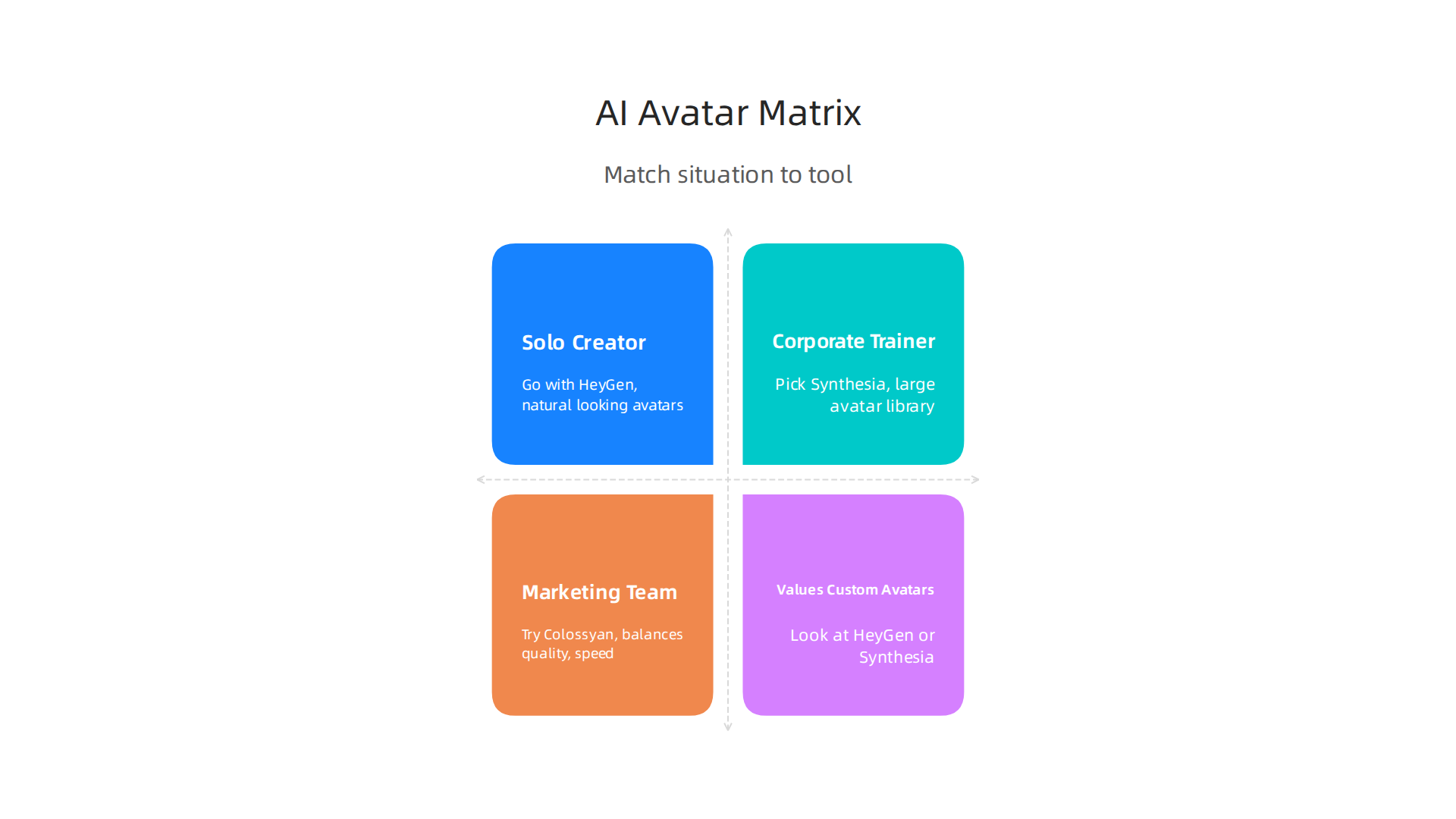
    A Simple Decision Matrix

    Still unsure? Match your situation to the right pick.

    A simple decision matrix to guide creators in choosing the most suitable AI avatar tool for their specific needs.

    Solo Creator or Social Media Manager. Go with HeyGen. It gives you the most natural looking avatars, supports tons of languages for international reach, and keeps the price reasonable.

    Corporate Trainer or Compliance Specialist. Pick Synthesia. Its large avatar library and structured editing tools make it perfect for long form training videos. The Slashdot comparison shows Synthesia ranks highest for enterprise features.

    Marketing Team or Agency Needing Speed. Try Colossyan. It balances quality with fast rendering times and strong compliance features.

    Anyone Who Values Custom Avatars. Look at HeyGen or Synthesia. Both let you create custom AI avatars by uploading your own footage.

    The Human Element Still Matters

    Here is the thing. The best AI avatar tool in the world cannot replace a good script and a clear message. The avatar is just the delivery system. You still need to plan your content, know your audience, and keep the human touch. If you want to explore how to blend human and AI creativity effectively, check out our guide on human or AI creativity.

    Next Steps

    Start by identifying your primary use case. Then pick two or three platforms from this list and test their free trials. Most of them offer one. Try creating a short video and see which one feels easiest and looks best.

    As you evaluate your options, staying updated on the latest tool changes and benchmarks can save you hours of research. That is exactly why subscribe to The Deep View Newsletter. It delivers clear, practical AI insights straight to your inbox each day so you always know which tools are actually worth your time.

    Now let’s get into the hands on reviews. I tested these three platforms myself in 2026, and here is what I found.

    HeyGen: The Natural Look King

    HeyGen is the tool I reach for when I need an AI avatar that actually looks like a real person. Its avatar quality is the best I have seen. The lip sync is tight, the eye movements feel natural, and the voices sound less robotic than most competitors.

    Strengths. Over 100 avatars and support for 175+ languages. According to AIMagicX, HeyGen leads in avatar naturalness. It also scores well on SOC 2 compliance, which matters if you deal with sensitive data. The Colossyan comparison page confirms HeyGen wins on naturalness.

    Weaknesses. The avatar library is smaller than Synthesia’s. Advanced editing features are limited compared to enterprise platforms.

    Target audience. Solo creators, social media managers, and marketers who want quick, viral ready videos. Pricing is mid range and budget friendly for individuals. It is perfect for short clips for TikTok, Instagram, or YouTube Shorts.

    Synthesia: The Enterprise Powerhouse

    Synthesia feels like a full video production studio inside a browser. It has the largest avatar library with over 240 options and supports 140+ languages. The structured editing interface makes it easy to build long form videos like training modules or product demos.

    Strengths. Massive avatar selection, robust editing tools, and strong enterprise features. The Marketing Agent Blog notes that Synthesia leads in enterprise quality. I found the collaboration tools helpful for team projects.

    Weaknesses. Higher price point. The avatars are good but not quite as natural looking as HeyGen’s top models.

    Target audience. Corporate trainers, L&D teams, and large marketing departments. Best for compliance videos, onboarding, and internal communications where consistency matters more than speed.

    Colossyan: The Balanced Performer

    Colossyan sits between HeyGen and Synthesia. It offers around 70+ avatars and 100+ languages, but it focuses on fast rendering and strong compliance features.

    Strengths. Good balance of quality and speed. SOC 2 compliant. The Vidmetoo comparison highlights Colossyan’s strong editing capabilities. It is also ranked well for training use cases on Slashdot.

    Weaknesses. Smaller avatar library and fewer language options than the other two. Less suited for social media viral content.

    Target audience. Marketing teams and agencies that need quick turnaround on professional videos. Also good for compliance heavy industries like healthcare and finance.

    My Pick for Creators

    If you are a solo creator or running a small team, HeyGen gives you the best mix of natural quality, language support, and price. If you work in a large organization with multiple stakeholders, Synthesia is the safer bet. Colossyan is a strong middle ground.

    No matter which tool you choose, remember that the avatar is just the messenger. The script and message still matter most. For more on balancing human creativity with AI tools, read our guide on human or AI creativity.

    The AI avatar space changes fast. New updates and features come out every month. To stay ahead without drowning in noise, subscribe to The Deep View Newsletter. It delivers clear daily insights on the tools that actually matter.

    Best Practices for Creating Engaging Avatar Content

    Picking the right platform is just the first step. The real magic happens when you know how to use your ai avatar well. Here are the best practices I follow to make sure every video feels real, connects with viewers, and actually gets results.

    An infographic outlining key strategies for producing engaging and effective video content using AI avatars.

    Write for the Ear, Not the Eye

    Script writing for avatars is different from writing for a blog. You need short sentences, natural pauses, and conversational tone. Read your script out loud before you record. If it sounds stiff to you, it will sound robotic through an avatar.

    Keep your sentences under 20 words when you can. Use contractions like "you’ll" instead of "you will." And leave space for pauses. A small silence between ideas makes the avatar look more thoughtful.

    Match Pacing to Your Platform

    Your avatar video should move at the right speed for where you post it.

    • TikTok and Instagram Reels. Fast pacing wins here. Keep videos under 60 seconds. Start with a hook in the first 3 seconds. The avatar should talk quickly and energetically.
    • YouTube. You have more room. Videos can be 5 to 10 minutes long. Slow down the pace. Let the avatar pause between key points. Add B-roll or screen recordings to break up the talking.
    • LinkedIn. Professional and steady wins the day. Aim for 2 to 4 minutes. Focus on value. Use a calm, authoritative voice style.

    According to the AI Avatars Complete Guide 2026, understanding platform specific best practices makes a huge difference in viewer retention.

    Blend Avatar Footage with Real Video

    One of the best tricks I have learned is to mix ai avatar clips with real human footage. This adds authenticity. Start with a real person introducing the topic. Then switch to the avatar for the explanation. End with the real person again for a personal closing.

    This hybrid approach builds trust. Viewers know the content is AI generated, but they also see a real human behind it. For more on finding the right line between human and machine, check out our article on human or AI creativity.

    Disclose Your AI Use

    Here is something many creators overlook in 2026. You need to be transparent about using an ai avatar. More than a dozen sources I reviewed, including the Creator’s Guide to AI Disclosure in 2026, highlight that audiences reward honesty. A simple line like "This video was created with AI" at the start or in the description goes a long way.

    Use Visual Style That Feels Human

    Small details matter. Add background elements like a bookshelf, plant, or subtle animation behind the avatar. Make sure the avatar looks at the camera, not off to the side. Use hand gestures if your tool supports them. These small choices make the ai avatar feel less like a robot and more like a presenter you trust.

    The difference between a good avatar video and a great one often comes down to these little touches.

    Stay Updated So You Stay Ahead

    The ai avatar space evolves fast. Tools release new features every month. What works today might feel outdated next quarter. The best way to keep learning without the overwhelm is to follow a trusted source.

    That is exactly why I recommend The Deep View Newsletter. It delivers clear daily insights on the AI tools that actually matter. No fluff. Just practical updates that help you create better content every time.

    The Future of AI Avatars in Content Production

    The world of ai avatar technology is moving fast.

    An individual contemplating the rapid evolution and future trends of AI avatar technology.

    What felt futuristic last year is already here in 2026. And the next few years will bring even bigger changes. Let me walk you through what is coming next.

    Real-Time Avatars with Emotional Intelligence

    One of the biggest shifts I see is avatars that can react in real time. Instead of pre-recorded videos, you will soon have avatars that respond to questions live. They will read tone of voice and adjust their replies.

    According to the AI Avatar Trends report from Genies, avatars are becoming emotionally intelligent. This is called affective computing. It means your ai avatar will know if a viewer sounds confused or excited and change how it talks to match that mood. That is a huge leap forward.

    Multi-Lingual Avatars That Sound Natural

    Another trend is language flexibility. The best tools in 2026 already let you create an ai avatar that speaks multiple languages with accurate lip sync and natural accents. This opens up global audiences without hiring voice actors in every market.

    The Vidyard guide on using AI avatars in sales and marketing highlights how teams are scaling personalized outreach across different languages with a single avatar. This saves time and money.

    Integration with Other AI Tools

    Here is where things get really interesting. Your ai avatar will not work alone. It will connect directly with AI script writers, AI video editors, and AI analytics tools. You will write a script with one tool, generate the avatar video with another, and edit it with a third, all in one smooth workflow.

    TechCrunch noted in early 2026 that AI is moving from hype to pragmatism. That means tools are getting better at working together. For a deeper look at how AI tools are evolving, check out our guide on the top AI websites professionals trust for real news and tools.

    Ethical Questions and Platform Rules

    All this power comes with responsibility. Platforms are updating their rules about AI generated content. Some require clear labels. Others limit how avatars can be used.

    You need to stay aware of these policies. The Harvard Business Review piece on AI ROI reminds us that trust is a key part of adoption. If viewers feel tricked, they will not engage. Always disclose when you use an ai avatar. It keeps your audience on your side.

    What This Means for You

    The future of content production is not about replacing humans. It is about giving you more power to create. Real-time avatars, emotional awareness, and tool integrations will help you produce better content faster.

    To keep up with these changes without spending hours researching, I recommend The Deep View Newsletter. It gives you clear daily updates on the AI tools that matter most. No fluff. Just practical insights to help you stay ahead.

    Summary

    This guide explains what AI avatars are, why they matter for creators and businesses, and how to use them to produce professional video faster and cheaper. It covers the main use cases—marketing, training, social media, personalized messaging, live streaming, and internal comms—then gives a practical framework for choosing a platform based on realism, customization, language support, pricing, and integrations. The article includes hands-on reviews of HeyGen, Synthesia, and Colossyan, showing which works best for solo creators, enterprises, and agencies, and it explains how to test tools using free trials. You’ll also get concrete best practices for writing scripts, pacing for different platforms, disclosure, and visual styling to keep videos authentic. Finally, the guide looks ahead to real-time, emotionally aware avatars, multi-lingual capabilities, and ethical considerations so you can adopt avatar tech responsibly and effectively.

  • How to Choose and Use an AI Powered Research Assistant in 2026

    How to Choose and Use an AI Powered Research Assistant in 2026

    Are you drowning in information? You sit down to research a topic, open a dozen tabs, and suddenly hours have passed.

    A professional facing an overload of information, reflecting the challenge AI assistants aim to solve.

    You have read reports, skimmed studies, and watched videos, but you still cannot pull out the key insights quickly. This is the reality for many professionals in 2026. The sheer volume of data out there is growing faster than ever. In fact, the global artificial intelligence market is projected to reach nearly $2.5 trillion by 2034, and the tools for creating content are multiplying just as fast Fortune Business Insights.

    Fortune Business Insights provides market research reports on various industries, including artificial intelligence.

    But all that information does not help if you cannot find what matters.

    That is where the AI powered research assistant comes in. These smart tools promise to automate the boring parts of research: synthesizing long documents, summarizing key points, and even extracting insights from scattered sources. Instead of spending your energy on sorting, you can focus on understanding and deciding. The AI assistant market itself is growing at a staggering compound annual growth rate of over 44%, showing just how many people are already turning to these helpers SNS Insider.

    But here is the thing: not every AI tool lives up to the hype. Some claim to be research wizards but deliver shallow summaries. Others are built for general tasks, not deep investigation. That is why this guide exists. We are going to cut through the noise and give you a clear framework for evaluating and adopting the best AI research tools for your specific needs. Whether you are an engineer exploring engineering applications of artificial intelligence, a marketer comparing AI tools, or a founder looking for the next edge, you need a practical approach. If you want to stay ahead of the curve every day, consider subscribing to The AI Newsletter Worth Reading for clear, daily updates.

    Before we dive into the tools, you might also want to check out our list of 10 Top AI Websites Professionals Trust for Real News and Tools. It is a great starting point for building your own reliable source stack. Now, let us break down exactly what an AI powered research assistant can do for you and how to pick the right one without the guesswork.

    What Is an AI-Powered Research Assistant?

    Let’s get specific. An AI powered research assistant is a smart tool that uses large language models (LLMs) and a technique called retrieval-augmented generation (RAG) to help you work with information. Instead of just searching the web and giving you a list of links, it actually reads, summarizes, and answers questions based on the content you feed it. Think of it as a tireless research partner who never gets tired of skimming hundreds of pages.

    The key difference from a regular search engine is the output. Google gives you ten blue links. A research assistant gives you a synthesized answer with citations you can check. You can upload a PDF, a bunch of articles, or even a video transcript, and then ask things like "What are the three main arguments in this report?" or "Summarize the key findings from the past year." It pulls the relevant pieces, combines them into a clear response, and tells you where it got the information. That is a huge time saver.

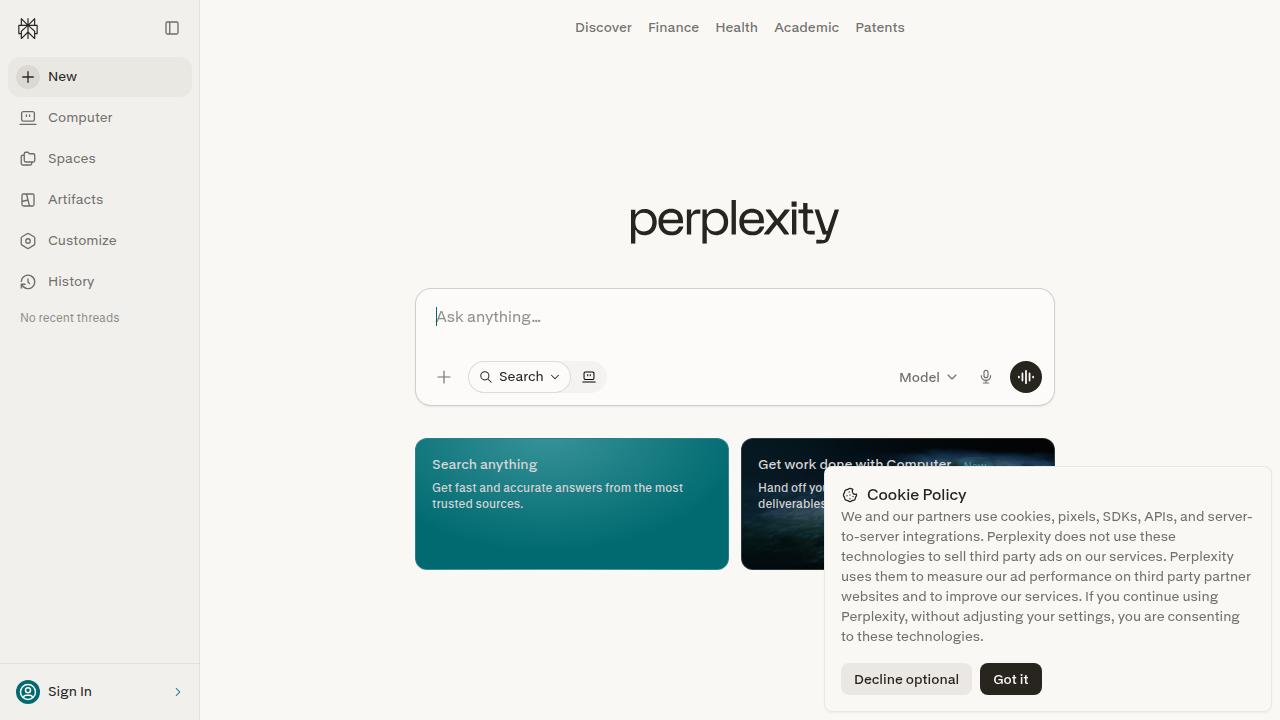
    In 2026, the leading examples include tools like Perplexity AI, which acts like a conversational search engine,

    Perplexity AI, a conversational search engine, demonstrates advanced AI research assistant capabilities.

    and Google’s Gemini Deep Research, which can create detailed reports from many sources. Many companies also build custom enterprise solutions that work on their internal documents, combining the power of LLMs with their own data. The AI assistant market is growing fast, with forecasts showing it could reach over $21 billion by 2030 MarketsandMarkets. That growth tells you these tools are not just hype.

    These assistants are designed to help you do the boring parts of research so you can focus on understanding and making decisions. They are a perfect example of ai to human collaboration, where the machine handles the heavy lifting and you apply your judgment.

    A team working together, demonstrating effective human-AI collaboration in a modern office setting.

    For a deeper look at how this partnership works, read our article on human or AI creativity. The goal is not to replace your thinking. It is to make your thinking faster and sharper.

    If you want to keep learning about which tools deliver real results, subscribe to The AI Newsletter Worth Reading. It gives you clear, daily updates so you never miss what matters.

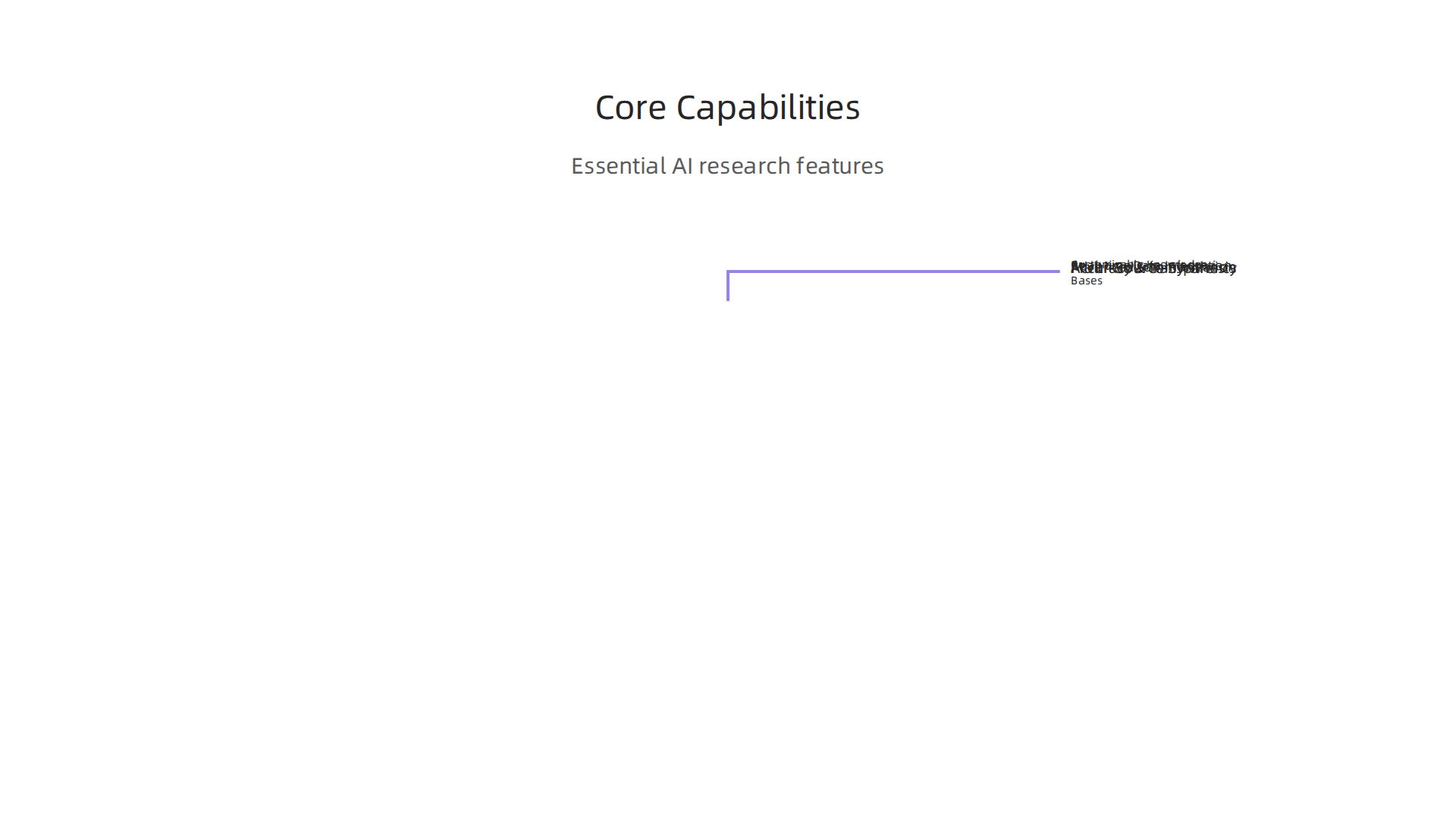
    Core Capabilities of Modern AI Research Tools

    You have a stack of PDFs, a dozen browser tabs, and a deadline. You need one clear answer. That is exactly where an ai powered research assistant shines. The best tools in 2026 share a set of core capabilities that turn information chaos into usable insights.

    An overview of the essential features that define modern AI-powered research assistants.

    First, advanced summarization. These tools can boil down long reports, academic papers, or even video transcripts into a few digestible paragraphs. Instead of reading 50 pages, you get the key points in seconds. According to a comparison of top tools, features like real-time data retrieval and citation tracking are now standard DevOpsSchool.

    Second, multi-source synthesis. A good assistant does not just summarize one document. It pulls from many sources at once, combines the information, and gives you a coherent answer. You can ask "Compare the pricing models of these three competitors" and get a table with citations. That saves hours of manual cross-referencing. Tools now go beyond simple Q&A to handle research, coding, and full workflows across different apps EMA.ai.

    Third, real-time data integration. The best assistants connect to live databases, news feeds, or your company’s internal systems. They give you up-to-date answers, not stale summaries. For example, you can get current market trends or competitor news pulled straight from the web. Platforms like CleverX and Outset.ai are examples of end-to-end research tools that do this well CleverX.

    CleverX, an end-to-end research tool, offers solutions for real-time data integration and insights.

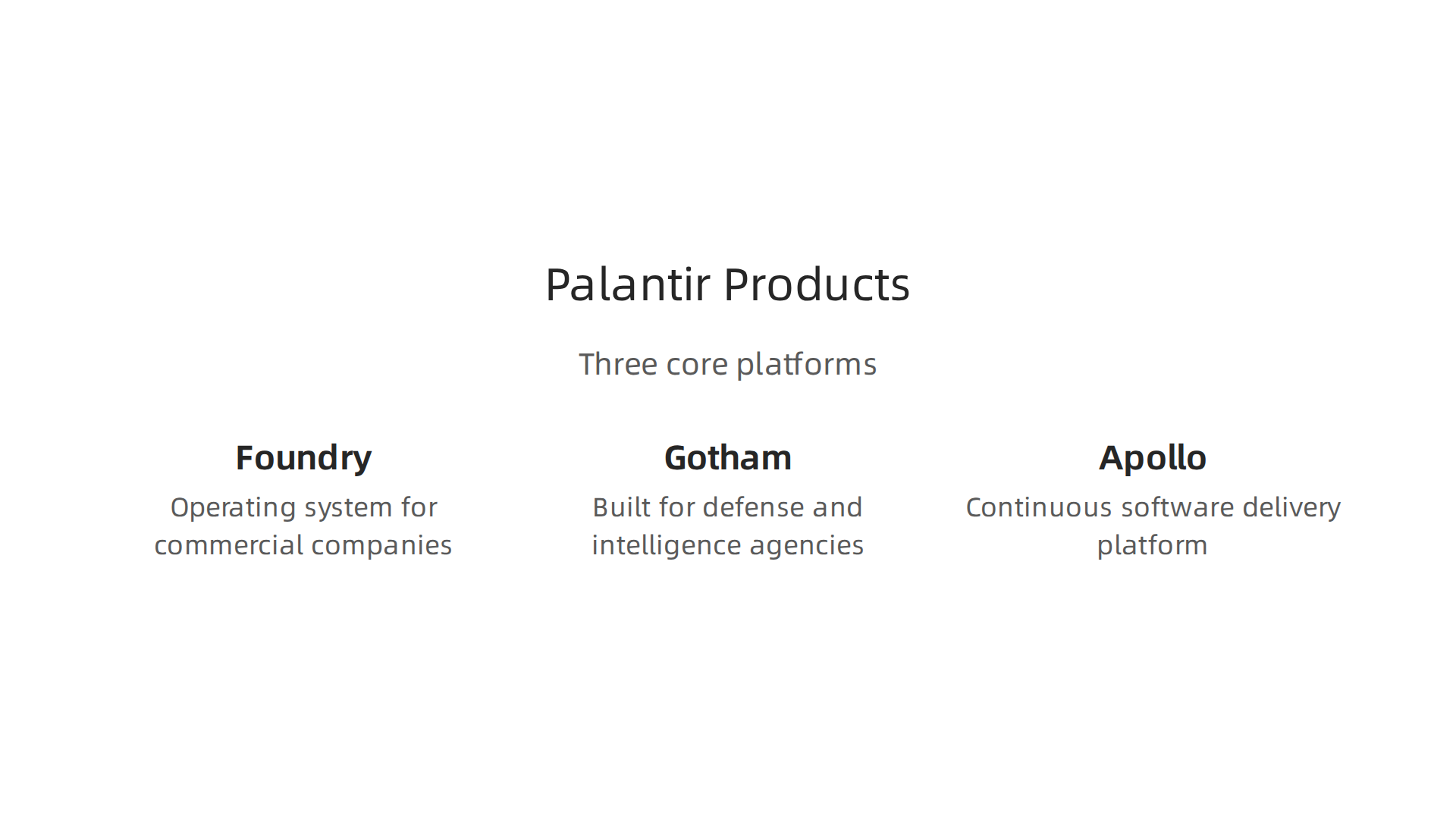
    Customizable knowledge bases and API access are what separate average tools from powerhouses. If you work in a specialized field like engineering, being able to train the assistant on your own documents changes everything. You can upload internal reports, past projects, or technical manuals. The tool then answers questions using your private data. This is where the real ai to human value shows up. For a deeper look at how custom AI fits into business strategy, read our article on Palantir Technologies 2026 growth and products.

    Accuracy and source transparency remain the make-or-break factors. You need to trust the answer. The best tools show exactly where each piece of information came from, usually with clickable citations. Without that, you cannot verify the output. Many students and professionals have tested assistants like ChatGPT, Perplexity, and NotebookLM, and they always emphasize that seeing the source builds confidence Zemith.

    In short, the right assistant does not just give you answers. It gives you answers you can trust, fast. If you want to stay on top of which tools are delivering real results, subscribe to The AI Newsletter Worth Reading. It delivers clear daily updates so you never miss what matters.

    How to Choose the Right AI Research Assistant

    You know what you need from your ai powered research assistant. Speedy answers, clear sources, and help with the heavy lifting.

    A professional thoughtfully considering options, symbolizing the decision-making process when choosing AI tools.

    But with so many options in 2026, how do you pick the right one without wasting time or money?

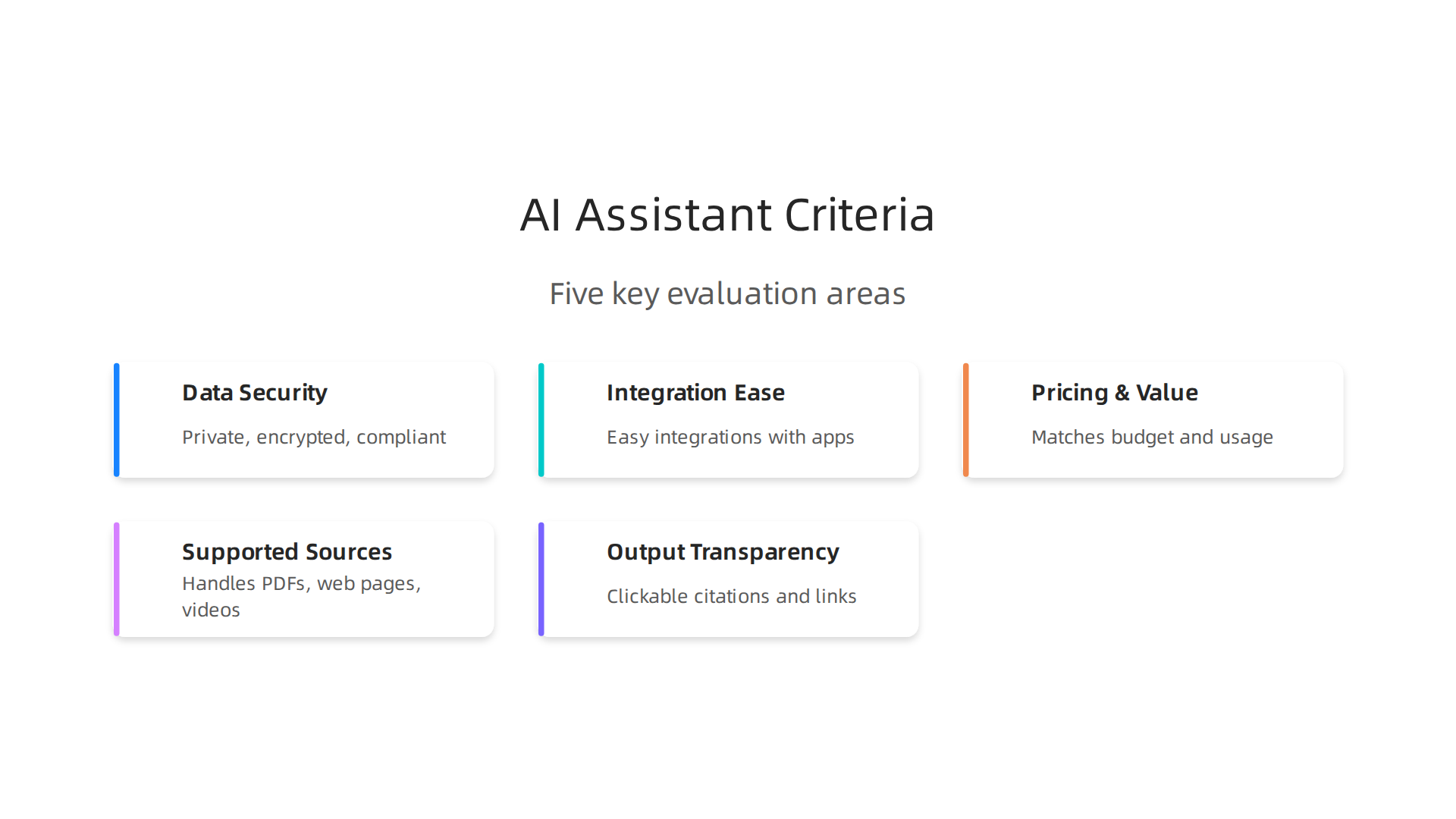
    The trick is to compare tools using the criteria that actually matter for your work. Don’t get distracted by flashy features you will never use. Focus on five key areas.

    Five crucial criteria to evaluate when selecting an AI-powered research assistant for your needs.

    Data security. If you work with sensitive client information or internal reports, the tool must keep your data private. Check whether the tool encrypts your files and whether it trains on your data. This matters more than ever for business users and engineering applications of artificial intelligence.

    Integration ease. A tool that sits alone is less useful than one that connects to your existing apps. Look for tools that plug into your browser, document storage, or project management platform. The best ai powered research assistant fits into your flow, not the other way around. According to a comparison of AI assistants, the top tools now go beyond simple Q&A to handle full workflows across apps EMA.ai.

    Pricing and value. Some tools offer generous free tiers. Others charge a monthly fee for advanced features. Think about your budget and how often you will use the tool. Students can often get by with free versions, while professionals might need the deeper capabilities of paid plans.

    Supported data sources. Can the tool handle PDFs, web pages, videos, and spreadsheets? Or is it limited to text? If you work with a lot of academic papers or industry reports, choose a tool that excels with those formats. Tools like Anara AI are built specifically for handling large piles of PDFs and research documents Stackademic.

    Output quality and transparency. This is the big one. Does the tool show you its sources? Can you verify the information? The best tools provide clickable citations so you can trust the answer. Top tools in 2026 include options like ChatGPT, Perplexity, and NotebookLM, all of which have been tested by students and professionals for accuracy Zemith.

    To make the choice easier, here is a simple comparison of a few widely used tools:

    Tool Best For Key Feature Pricing Hint
    ChatGPT General queries and brainstorming Strong conversational skills Free tier + paid plans
    Perplexity Real-time search with citations Always shows sources Free tier + pro
    NotebookLM Working with your own documents Uses your uploaded files only Free
    Anara AI Heavy PDF and paper analysis Handles large document sets Free tier + paid

    Before you commit to any tool, test it yourself. A trial period or free tier is essential. Spend a day using it for your real work. See if it actually saves you time or just adds another layer of noise. Research workflows can be 10x faster with the right setup OpenClawLaunch, but only if the tool matches your needs.

    For a wider look at the tools available, check out our roundup of the 10 top AI websites professionals trust for real news and tools. It will help you spot the ones worth trying.

    Finally, the best way to stay ahead is to keep learning. The AI landscape shifts fast. Subscribe to The AI Newsletter Worth Reading and get clear daily updates on the tools that actually deliver results.

    Advanced Applications Across Industries

    Now that you know how to choose the right ai powered research assistant, let’s look at how different fields are putting these tools to work. The most successful teams don’t just use AI for quick answers. They build it into their daily workflow to save hours of manual effort.

    Marketing teams rely on AI research assistants for competitor analysis and content gap identification. Instead of spending weeks manually reading through competitor blogs and social posts, they ask the assistant to pull key themes and missing topics. According to research, top AI research assistants can complete in hours what used to take weeks, giving marketers a huge speed advantage ListenLabs. They also use these tools to translate raw data into human language that shapes campaign strategy. This kind of ai to human translation helps teams act faster on insights. For more tips on how AI can help you write content that connects, check out our guide on how undetectable AI helps you write content that sounds human and gets results.

    Finance professionals use AI research assistants for regulatory summarization and market trend extraction. New rules and reports come out constantly. Reading every page would take a full team. AI tools scan hundreds of documents and pull out the important changes. Some tools reach 75-90% accuracy for tasks like identifying regulatory updates Jenova AI. This lets finance teams spend their time on analysis instead of reading. The engineering applications of artificial intelligence in finance mean these assistants can also spot patterns in market data that humans might miss.

    Healthcare researchers use AI research assistants for literature review and clinical trial data synthesis. A single review might involve thousands of papers. Modern AI tools can screen up to 40,000 papers in real time with smart suggestions Editage. This is a lifesaver for teams who need to stay current with medical studies. The assistant helps them find relevant studies faster and compare results across trials. One recent evaluation shows that ai-powered research assistant tools now support every stage of academic research, from review to citation management Lumivero.

    No matter your industry, the core idea stays the same. An ai powered research assistant is not just a search engine. It is a partner that handles the boring work so you can focus on the big picture.

    If you want to keep up with the latest ways teams use AI across different fields, you need a source you can trust. Subscribe to The AI Newsletter Worth Reading and get clear updates on how ai tools are changing the way professionals work.

    Overcoming Common Challenges

    Using an ai powered research assistant sounds amazing. And it is. But let’s be real. You will hit some bumps on the road. Knowing what they are ahead of time makes all the difference.

    Data privacy and compliance are top concerns. When you upload sensitive company data or personal information into an AI tool, you need to know where it goes. Rules like GDPR and CCPA put strict limits on data handling. Not every tool follows the same standards. Always check the privacy policy before you start. A good framework for evaluating AI tools includes ethical use and privacy safeguards ASCCC. If your industry has extra rules like HIPAA, make sure the tool can handle that too.

    Accuracy and hallucination risks are real. Here is the thing: even the best ai powered research assistant can make things up. Studies show these tools reach 75-90% accuracy for most tasks Jenova AI. That means 10-25% of answers could be wrong. You cannot just copy and paste the output. Always validate key facts against original sources.

    A professional meticulously reviewing a document, emphasizing the importance of human verification with AI outputs.

    Think of the assistant as a smart intern, not a final reviewer. For more on making AI output sound trustworthy and human, check out our guide on how undetectable AI helps you write content that sounds human and gets results.

    Integration with existing workflows often needs custom setup. Most ai tools do not plug in perfectly on day one. You might need to connect them to your CRM, project management software, or internal databases. That takes time and sometimes a bit of technical work. Tools that support multiple stages of research, from review to citation management, tend to fit more smoothly Lumivero. Plan for a short setup period when you adopt a new assistant.

    The good news? Once you work through these challenges, your ai-powered research assistant becomes a reliable partner instead of a risk. You just need to go in with your eyes open.

    Want to stay updated on how professionals are solving these challenges with the latest ai tools? Subscribe to The AI Newsletter Worth Reading and get clear, practical insights delivered to your inbox every day.

    Real-World Case Studies and ROI

    So what does an ai powered research assistant actually deliver in real life? The numbers are pretty impressive. Let me walk you through two examples.

    A marketing agency cut research time by 50%. This mid-size agency handled eight clients in different industries. Before the assistant, researchers spent hours digging through competitor data, market reports, and customer insights. After adopting a specialized ai powered research assistant, they cut that time in half. The team reallocated those saved hours to strategy and creative work. Their client satisfaction scores went up too. They simply had better insights to work with. And they did not need to worry about data leaks because they chose a tool with strong privacy controls. As the landscape of AI privacy becomes more complex, picking a tool that respects data boundaries is key IBM.

    IBM's resources on AI privacy, emphasizing the importance of data protection in AI tools.

    You can see how the right ai tools can reshape a team’s whole workflow.

    A biotech startup accelerated literature review by 70%. This is where engineering applications of artificial intelligence really shine. The startup needed to review thousands of research papers for a new drug target. Doing that manually would have taken months. With an ai-powered research assistant, they scanned, summarized, and categorized papers in weeks. The team validated the AI’s findings against original sources, so they did not sacrifice accuracy for speed. The result? They got to the lab phase much faster. For startups racing against funding timelines, that kind of speed can make or break a project.

    **Here are the key metrics that matter:

    Key performance indicators demonstrating the return on investment from AI research assistants.

    **

    Metric What it means
    Time saved 50-70% reduction in research hours
    Output quality More thorough and diverse sources
    Cost efficiency Less hourly labor spent on grunt work

    These results are not outliers. Teams in marketing, biotech, finance, and education are seeing similar gains. The secret is using the ai to human handoff correctly. Let the assistant do the heavy lifting. Then apply your own expertise to refine the final output. If you want to learn more about how AI and human creativity can work together, read our article on human or AI creativity and what the data says about collaboration in 2026.

    These case studies show the assistant is not just a nice toy. It is a real tool that changes how teams work and how fast they deliver results.

    Want to get more case studies and practical tips on using ai tools in your industry? Subscribe to The AI Newsletter Worth Reading and get daily insights that actually help you work smarter.

    Future Trends in AI Research Tools

    The ai powered research assistant you use today will look very different a year from now. The technology is moving fast, and three big trends are about to change how we do research.

    Multimodal research assistants. Right now, most assistants work with text. But the next wave can process images, audio, and video together. Imagine uploading a recorded interview, a chart from a report, and a podcast clip, and getting a single summary that connects everything. This kind of multimodal processing will make research faster and richer. Of course, handling multiple data types also raises new privacy questions. As AI works with more personal content, staying on top of data protection becomes essential Stanford HAI.

    Agentic AI that works on its own. This is where engineering applications of artificial intelligence get really exciting. Instead of you giving step by step instructions, the assistant will plan and execute multi-step research tasks by itself. For example, it could search databases, cross-reference findings, check sources for credibility, and then hand you a final report. You just review and refine. That is the ultimate ai to human handoff. But autonomous agents also need strong governance. Organizations must set clear rules about what the agent can access and share IBM.

    Integration with enterprise systems. Future assistants will plug directly into your company’s knowledge graphs, CRM, and internal documents. Instead of manually exporting data, you will ask a question and get answers rooted in your own proprietary information. This tight integration will make research much more relevant for your specific business context. Companies like Palantir are already showing how ai tools can work inside large enterprise systems. If you want to see how that plays out in practice, check out our breakdown of Palantir Technologies 2026 growth products and impact on business strategy.

    These trends all point in one direction: the ai powered research assistant will become smarter, more autonomous, and more embedded in your daily workflow. But with that power comes responsibility. Pay attention to privacy and governance as you adopt these new tools.

    Want to stay ahead of these trends? Subscribe to The AI Newsletter Worth Reading and get daily updates on the tools and technologies shaping the future of research.

    Implementation Best Practices

    The future sounds exciting, but you might be wondering: How do I actually start using an AI powered research assistant today without messing things up? That is a smart question. Jumping in without a plan can lead to wasted time, security risks, and low quality results. Follow these three best practices to get it right.

    Three essential best practices for successfully implementing an AI-powered research assistant.

    Start with a small, focused pilot project. Do not try to automate your entire research workflow on day one. Pick one specific, high value use case. For example, maybe your team spends hours every week summarizing competitor news. Use your AI research assistant to handle just that task first. Define clear success metrics like time saved, accuracy of summaries, and stakeholder satisfaction Workmate. Starting small lets you test the tool, find problems early, and build confidence before scaling.

    Lock down data security from the start. An AI powered research assistant will likely access sensitive company information, internal reports, and maybe even customer data. That means you need strong protections. Use encryption for data in transit and at rest. Set up role based access controls so only the right people can ask questions about certain documents. Regularly audit who and what the assistant can access. Remember, keeping data safe is not a one time setup. It requires ongoing attention Philip Burgess. This is especially important when you consider the engineering applications of artificial intelligence that connect into your core systems.

    Train your team on prompt engineering and verification. The best tool in the world is useless if people do not know how to use it well. Teach your team how to write clear, specific prompts that get useful answers. Also, build a habit of verifying everything the AI produces. An AI should supplement your thinking, not replace it Tellemai. Treat its outputs as draft material that needs a human check. This ai to human loop is what separates mediocre research from excellent research. Encourage your team to ask, "Does this answer make sense? Where did the data come from?" That kind of critical thinking makes the partnership stronger. For a deeper look at how humans and AI can collaborate effectively, check out our piece on human or AI creativity and what the data says about collaboration in 2026.

    Getting the implementation right means the difference between a tool that frustrates and one that transforms your workflow. Start small, keep it secure, and invest in your team’s skills.

    Want more practical guidance delivered to your inbox every day? Subscribe to The AI Newsletter Worth Reading for daily tips on using ai tools smarter and safer.

    Summary

    This article explains what an AI-powered research assistant is, how these tools work, and why they matter for professionals drowning in information. It breaks down core capabilities—like advanced summarization, multi-source synthesis, and real-time data integration—and shows which features separate robust assistants from hype. The guide gives practical criteria for choosing a tool (security, integrations, pricing, supported formats, and source transparency) and offers implementation best practices such as running a small pilot, locking down data, and training teams on prompts and verification. You’ll see real-world use cases across marketing, finance, biotech, and education with ROI examples (time savings of roughly 50–70%) and common pitfalls like hallucinations and compliance risks. The article also previews future trends—multimodal assistants, agentic automation, and tighter enterprise integration—and points to related coverage to help you stay current. After reading, you’ll be able to evaluate options, run a safe pilot, and integrate an AI research assistant that actually speeds up decision-making without sacrificing trust.

  • Palantir Technologies 2026 Growth Products and Impact on Business Strategy

    Palantir Technologies 2026 Growth Products and Impact on Business Strategy

    Introduction: Why Palantir Technologies Matters in 2026

    The world of ai tech companies moves fast. New startups pop up every week, each promising to change everything. But separating hype from real staying power is tough. That is where palantir technologies comes in.

    Palantir started as a secretive contractor for government spy agencies. For years, most people outside of Washington D.C. had never heard of it. That changed completely when the company launched the Artificial Intelligence Platform, or AIP. This platform turned Palantir from a custom data tool into a ready to use operating system for AI. It marked a real turning point.

    Today, Palantir is publicly traded and growing fast. In early 2026, the company reported U.S. revenue growth of 104% year over year. That kind of number puts it among the fastest growing ai companies in the world. Analysts give Palantir a consensus Buy rating, with price targets ranging from $90 to $255.

    But what does all this mean for a business leader like you? The artificial intelligence: implications for business strategy are huge, but only if you pick the right partner. This article gives you a clear, unbiased overview of Palantir.

    A business leader thoughtfully reviewing complex information, symbolizing the challenge of separating AI hype from real-world impact.

    You will learn how it works, who it helps, and whether it fits your data challenges.

    If you are new to the AI landscape, start with our guide on the 10 top AI websites professionals trust for real news and tools. That context will help you place Palantir alongside other software companies shaping 2026.

    Palantir’s Core Products: Foundry, Gotham, and Apollo

    So now that you know why Palantir Technologies is a big deal in 2026, let’s look under the hood. The company doesn’t just sell one thing. It offers a few key platforms that work together like a well oiled machine.

    A diverse team collaborating around a table, symbolizing how Palantir's integrated platforms work together to solve complex business challenges.

    According to Palantir’s own documentation, the standard setup combines AIP, Foundry, and Apollo into one unified system that can connect with everything else you already use.

    Let’s break down the three main products.

    An overview of Palantir's three foundational platforms: Foundry for commercial data, Gotham for government security, and Apollo for continuous updates.

    Foundry: The Operating System for Your Business

    Foundry is Palantir’s platform built for commercial companies. Think of it as a central brain that pulls data from all your different departments. Marketing has its spreadsheets. Sales uses a CRM. Operations runs on a separate tool. Foundry brings all that messy information into a single source of truth.

    This is huge for decision makers. Instead of waiting for someone to manually combine reports, you get a live view of your whole operation. The platform is designed to handle massive amounts of data and turn it into actions. For any business leader looking into artificial intelligence implications for business strategy, Foundry is often the entry point.

    Gotham: Born for Government, Now Serving Select Businesses

    Gotham was Palantir’s first product. It started as a tool for defense and intelligence agencies. The security standards are sky high. Over time, Palantir opened Gotham to select commercial clients that have serious security needs. Think banks, critical infrastructure, or anyone dealing with sensitive data.
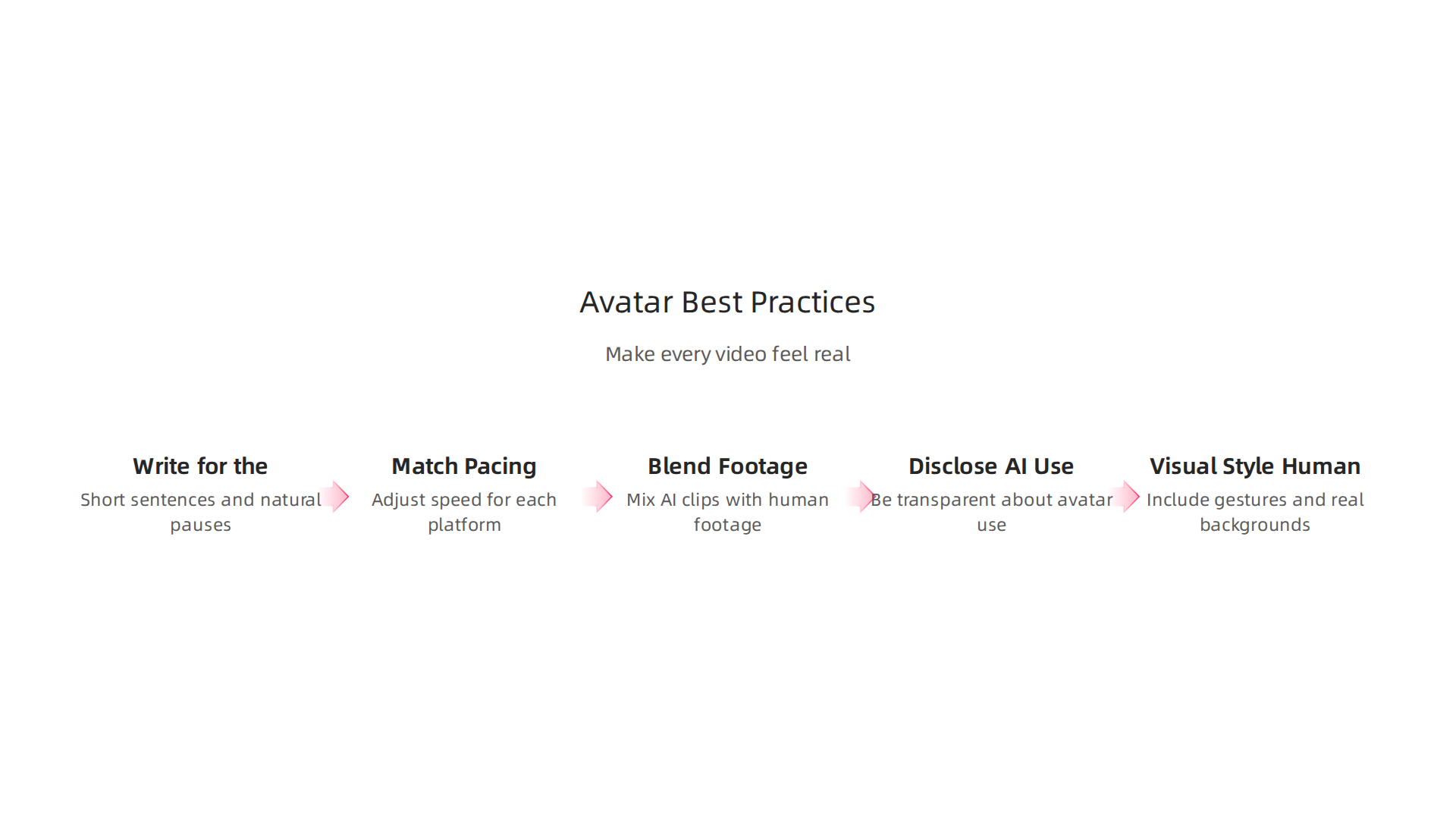
    Gotham is built for the most intense environments. If your data needs top level protection, this platform is worth knowing about. It shares the same underlying technology as Foundry but with extra layers of security baked in.

    Apollo: The Engine That Keeps Everything Running Smoothly

    Apollo is the quiet hero of the Palantir ecosystem. It handles software updates across all the platforms. Instead of dealing with manual patches and downtime, Apollo pushes updates continuously. It is the continuous delivery platform that underpins everything.

    Without Apollo, Palantir would be much harder to manage. It makes sure every customer gets the latest features and fixes without breaking their existing systems. That matters when you rely on AI tools for daily operations.

    These three platforms combine to make Palantir one of the fastest growing AI companies today. If you are new to this space and want to understand how we got here, check out our guide on when artificial intelligence was first created at the 1956 workshop that started it all. It gives you the foundation behind these modern systems.

    The Artificial Intelligence Platform (AIP): Palantir’s AI Strategy in 2026

    So you now know about Foundry, Gotham, and Apollo. But there is a fourth piece that ties everything together. That is the Artificial Intelligence Platform, or AIP for short. Launched in 2023, AIP has quickly become the centerpiece of Palantir’s strategy for 2026.

    Here is the simple version. AIP takes large language models and connects them directly to your real data.

    Visualizing Palantir's Artificial Intelligence Platform (AIP), showing how it bridges AI models with real-world data and operations to drive automation.

    Instead of just chatting with a generic AI bot, you get a system that understands your actual business. According to Palantir’s own AIP overview, the platform is built to "connect AI with your data and operations" and drive automation across real processes. That is a big deal for any company trying to use AI seriously.

    But AIP is not just about answering questions. It is about operational AI. That means deploying AI models directly into your daily workflows. Imagine a military unit using AI to analyze battlefield data in real time. Or a supply chain manager using AI to reroute shipments instantly when a storm hits. That is the kind of power AIP delivers. This focus on practical, in-production use is what separates Palantir from many other AI tech companies that just offer chatbots.

    Since its launch in 2023, AIP has gained serious traction in both the federal government and the commercial world. Banks, hospitals, and defense agencies are all using it. The platform is designed to work in the most critical environments where mistakes are not an option. And because it sits on top of Foundry and Apollo, it gets all the data integration and smooth updates you already learned about.

    For leaders exploring artificial intelligence implications for business strategy, AIP shows a clear path forward. It is not just another tool. It is a system that makes AI actually useful in your daily operations. If you want to see how businesses are balancing human creativity with AI power, check out our breakdown of what the data says about human or AI creativity in 2026. AIP is a perfect example of that balance in action.

    Industry Use Cases: How Palantir Drives Operational Efficiency

    So what does real world AI success actually look like? You already know that Palantir’s platforms connect data in powerful ways. But here is the part that matters most. They help organizations solve hard problems every single day.

    Palantir Technologies is used across supply chains, fraud detection, and mission planning.

    Key industries leveraging Palantir's platforms to solve complex problems and enhance operational efficiency with data-driven AI solutions.

    The platforms handle a wide range of activities. Things like generating alerts, investigating issues, and resolving problems all happen inside the same system. That integration is rare among software companies.

    Think about healthcare. Hospitals need to pull patient data from different sources. Lab results, doctor notes, and billing records often live in separate systems. Palantir Foundry brings it all together. Doctors get a complete picture faster. That means better decisions and fewer errors.

    In finance, risk modeling is a huge challenge. Banks use Palantir to spot fraud patterns and predict market shifts. A payments processor even used Foundry to improve retention and collection performance through intelligent repricing. That is a real example of artificial intelligence implications for business strategy in action.

    Manufacturing is another big win. Production line analysis helps factories catch problems before they cause downtime. One national utility company used Foundry to build a geospatial data strategy that prevented wildfires. You can see how Launch Consulting helped them deliver that result.

    The same goes for defense and mission planning. Military units analyze battlefield data in real time. They make faster decisions with fewer mistakes. That is the kind of operational efficiency Palantir delivers.

    These examples show a clear pattern. Palantir impacts many industries. Healthcare, finance, manufacturing, and defense all benefit from connecting data with AI. The platform does not guess. It acts on real information.

    Of course, none of this works without human judgment. The best outcomes come when people guide the AI. That balance between human creativity and machine power is exactly what we talk about in our piece on human or AI creativity in 2026. Palantir is a strong example of that partnership.

    In short, Palantir is one of the fastest growing AI companies because it makes AI useful in the real world. Not just for demos. For actual results.

    Palantir in Federal & Government: National Security and Defense

    You saw how Palantir helps factories and hospitals. But a huge part of what makes Palantir Technologies so important is its work with the U.S. government. The company’s Gotham platform was built for this exact purpose. National security and defense rely on fast, accurate data. And that is where Palantir shines.

    Gotham helps intelligence agencies connect dots that would otherwise stay hidden. Think about analyzing signals, tracking threats, and coordinating missions. All of that happens inside a single system. The platform lets teams generate, investigate, and resolve alerts faster than ever before. That is a big deal when every second counts.

    Of course, this kind of power raises questions. People worry about privacy and surveillance. Palantir has faced those concerns for years. But here is the thing. The company puts a strong focus on ethical data use. They build software that shows a clear audit trail. Humans stay in the loop. That balance between machine speed and human judgment is exactly what we explore in our article on human or AI creativity in 2026. It is a partnership, not a replacement.

    And the contracts keep growing. In 2026, federal spending on Palantir is climbing. New wins in the Department of Defense and the intelligence community show that trust is strong. The Impact page on Palantir’s site explains how their software connects data, technologies, and people to solve critical missions. That mission-focused approach keeps them as one of the fastest growing AI companies in the government space.

    So yes, Palantir deals with sensitive work. But with ethical guidelines and human oversight, it becomes a powerful tool for keeping people safe.

    Palantir for Commercial Enterprises: Finance, Healthcare, Supply Chain

    You saw how Palantir helps the government protect national security. But here is what many people miss. Palantir Technologies is becoming a huge player in the commercial world too. In 2026, commercial accounts make up a growing share of the company’s revenue. And that growth is happening in some of the most regulated industries.

    The secret weapon here is Foundry. Unlike Gotham, which was built for defense, Foundry is made for businesses. It brings all company data into one place. Then it lets teams run analytics, build AI models, and deploy them without needing a PhD in data science.

    Let us look at three key areas where it makes a difference.

    Finance. Banks use Foundry to spot fraud in real time. They can also model risk across their entire portfolio. That saves millions every year.

    Healthcare. Hospitals connect patient data to find better treatment paths. Pharma companies manage drug supply chains more efficiently. Lives get saved because of faster insights.

    Supply Chain. Manufacturers track goods from raw materials to delivery. They predict delays before they happen. And they reroute shipments instantly.

    But there is a catch. Adopting Palantir is not cheap. The cost is high. And implementation can be complex. Many companies also worry about vendor lock in. When you build your entire data operation on one platform, leaving is hard. AI vendor lock in happens when an organization becomes stuck on a vendor’s platform, even when better options appear. That is a real risk.

    So how do you avoid that trap? Experts recommend engaging all stakeholders early and reviewing your current tech stack. You should also plan an exit strategy before signing any contract.

    Despite these barriers, the ROI is strong for large enterprises. When you handle massive data volumes, Palantir pays for itself. That is why it remains one of the fastest growing AI companies in the commercial space. If you want to explore other AI tech companies shaping business in 2026, check out our guide to 10 top AI websites professionals trust for real news and tools.

    Palantir vs. Competitors: SWOT Analysis for 2026

    So where does Palantir Technologies really stand against its rivals in 2026? Knowing the full picture matters for anyone following ai tech companies or making bets on the fastest growing ai companies today. Let us break it down with a simple SWOT analysis.

    A strategic SWOT analysis outlining Palantir's Strengths, Weaknesses, Opportunities, and Threats in the competitive AI tech market of 2026.

    Strengths. Palantir’s biggest edge is deep data integration. Its platforms pull together messy, disconnected data better than almost anyone else. That is a huge advantage for complex organizations. Another strength is trust. Palantir holds the highest security clearances. The US government relies on it. That trust spills over into commercial deals too. The financial results show this clearly. In Q4 2025, total revenue hit $1.407 billion. That is 70% growth year over year. US commercial revenue alone grew 52% year over year back in Q4 2024. Those numbers put Palantir in rare company among software companies.

    Weaknesses. The biggest negatives are cost and complexity. Palantir is expensive. Implementation takes time and deep expertise. Small and medium businesses often cannot afford it. Then there is the vendor lock in risk we talked about. Once your data operation lives on Foundry, switching gets very hard. The sales cycle is also long. Deals can take months or years. That slows down growth compared to more agile rivals.

    Competitors to watch. Snowflake and Databricks offer powerful data platforms at lower entry points. C3 AI targets similar enterprise AI use cases. And Microsoft Azure AI bundles tools into subscriptions many companies already pay for. Each has strengths, but none match Palantir’s deepest integrations.

    Opportunities. The rise of artificial intelligence: implications for business strategy plays directly into Palantir’s hands. More companies need to operationalize AI across messy internal data. That is exactly what Foundry does.
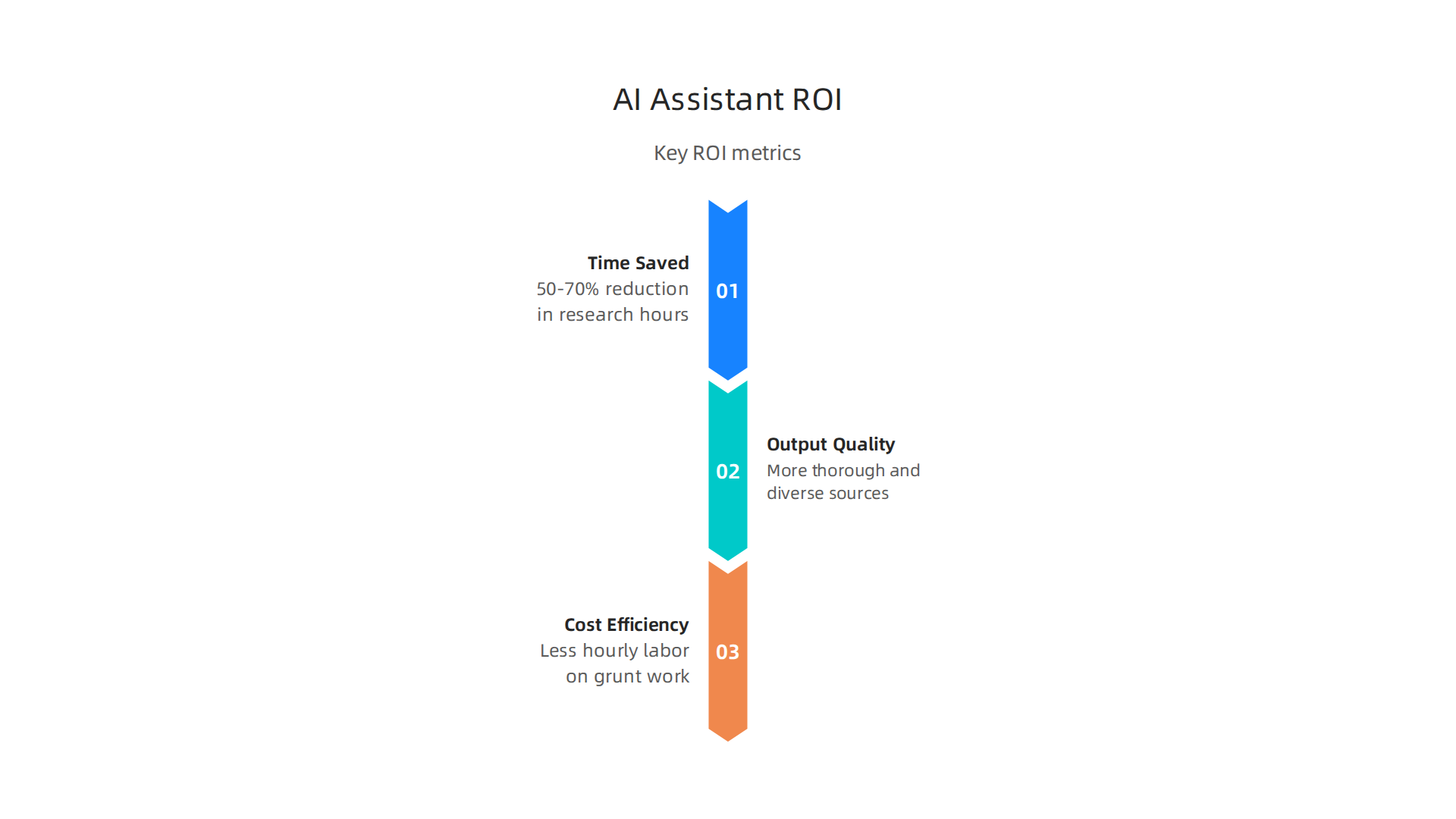
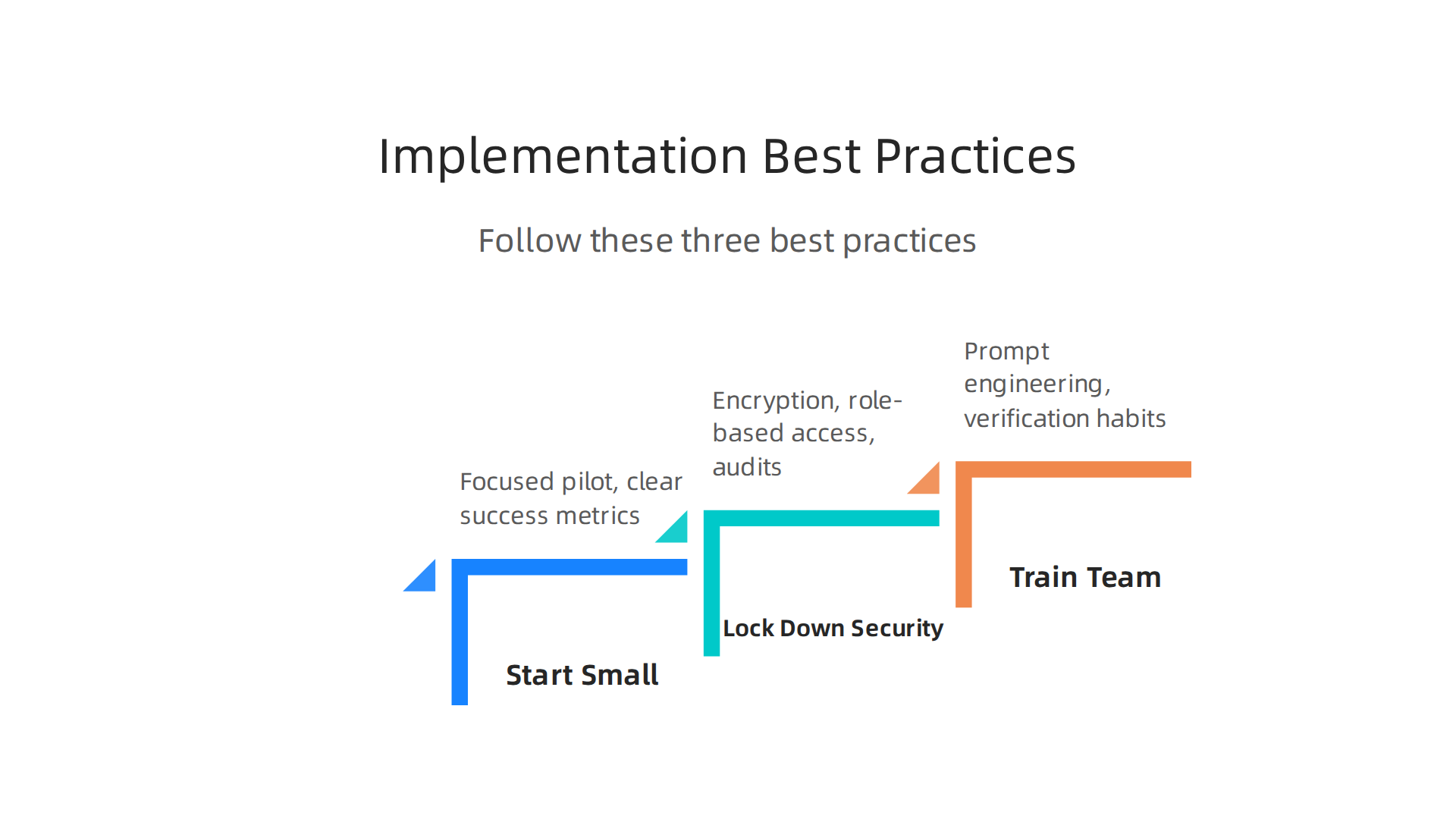
    Threats. Lower cost alternatives keep improving. And if the economy slows, expensive enterprise software often gets cut first.

    For a broader look at how different ai tech companies compare and which ones professionals actually trust, check out our guide to 10 top AI websites professionals trust for real news and tools. It helps you track the fast moving landscape without the noise.

    Palantir’s Financial Growth: Revenue Trends and Market Cap

    If you have been watching Palantir Technologies over the last few years, you know the numbers have changed big time. This company used to burn cash. Now it is printing profits. And the growth is speeding up, not slowing down.

    Let us look at the hard data.

    Professionals analyzing financial reports, representing the scrutiny of Palantir's accelerating revenue and newfound profitability.

    Revenue is accelerating. In Q4 2025, Palantir brought in $1.407 billion in total revenue. That is a 70% jump compared to the same quarter in 2024, according to the official investor presentation. For context, Q4 2024 revenue was $828 million, growing 36% year over year. So the growth rate nearly doubled in just one year. That is rare among software companies, and it puts Palantir right at the top of the fastest growing ai companies list.

    US commercial revenue is the real star. In Q4 2024, US commercial revenue grew 52% year over year to $558 million. Palantir’s Q4 2024 earnings report shows this. That growth comes directly from businesses adopting the AIP platform to make sense of their own data.

    Profitability is here. In Q4 2025, Palantir reported GAAP earnings per share of $0.24. That is real profit, not adjusted nonsense. Back in Q4 2024, net income was $79 million, giving them a 10% net margin. The company has now posted several consecutive profitable quarters. That removes a lot of risk for investors.

    Annual recurring revenue (ARR) and net dollar retention are strong indicators too. Palantir does not always break out ARR publicly, but the consistent 70% revenue growth suggests existing customers are spending more and new customers are joining fast. Net dollar retention likely sits well above 120%, meaning the average customer expands their spending every year. That is a sign of deep integration and high switching costs.

    Free cash flow is also solid. In Q4 2025, Palantir generated $100 million in free cash flow. That cash gives them flexibility to invest, buy back stock, or weather any slowdown.

    Stock performance has been volatile, but the trend is up. Government contract wins still move the stock a lot. For example, the recent TITAN award and expanded defense deals boost confidence. More importantly, AIP adoption is driving commercial deals that make the revenue base more diversified. Analysts watching the upcoming Q4 2025 earnings were focused on AI leverage and deal flow, exactly the metrics that matter.

    If you want to understand how artificial intelligence: implications for business strategy led to this financial turnaround, it helps to know the history. Palantir started as a government contractor. Now it is a commercial AI powerhouse. Read about when artificial intelligence was first made to see how far the field has come.

    The bottom line? Palantir is not just surviving. It is thriving. The financials prove the business model works, and the momentum shows no signs of stopping.

    Challenges and Considerations for Adoption

    Palantir Technologies has impressive numbers, no doubt. But before you rush to adopt their platform, you need to know the hurdles. Every tool has tradeoffs, and Palantir is no exception. Here are the three biggest challenges organizations face.

    A person in a professional setting deeply pondering, symbolizing the critical considerations and challenges before adopting enterprise AI platforms like Palantir.

    High cost of entry. Palantir is not cheap. Licensing fees run high, and implementation takes serious time and money. Smaller businesses often find the price tag too steep. Even larger companies must weigh the cost against the value. The return on investment can be huge, but the upfront expense scares many decision-makers. This is a common challenge among ai tech companies that sell to enterprises.

    Data governance and integration complexity. Getting Palantir up and running inside your existing systems is not a weekend project. You need a dedicated team to clean your data, set up governance rules, and connect everything. Without proper planning, the project can stall. Many organizations underestimate the effort required. If you want to learn about how artificial intelligence: implications for business strategy drove these changes, check out our article on when artificial intelligence was first made to see how far we have come.

    Vendor lock-in is a real risk. Palantir runs on its own proprietary ecosystem. Once you build workflows and models inside their platform, leaving gets hard. This is called vendor lock-in. According to a 2026 guide from SWFTE, AI vendor lock-in occurs when an organization becomes constrained to a vendor’s platform, even when better options exist. The lock-in can limit your flexibility and raise costs over time. Another source from GainHQ explains that vendor lock-in limits flexibility and increases costs. You need a clear exit strategy before you sign a long-term deal.

    These challenges do not mean Palantir is bad. They mean you should go in with your eyes open. The fastest growing ai companies often have complex products that require careful planning. If you want to stay informed about the latest AI tools and avoid common pitfalls, exploring trusted sources like the top AI websites professionals trust can help you make smarter decisions.

    Summary

    This article offers a practical, unbiased overview of Palantir Technologies in 2026, explaining why the company matters for leaders considering AI at scale. It walks through Palantir’s core products—Foundry, Gotham, Apollo—and the Artificial Intelligence Platform (AIP), showing how they integrate data, deliver continuous updates, and deploy AI directly into operations. The piece highlights real industry use cases across finance, healthcare, manufacturing, and government, and it explains how Palantir’s strengths in deep data integration and security drive fast revenue growth. It also covers the financial turnaround—accelerating revenue, profitability, and cash flow—and outlines key adoption challenges like cost, complexity, and vendor lock-in. After reading, you’ll understand what Palantir can solve, when it makes sense for your organization, and which trade-offs to plan for before signing a deal.

  • When Was Artificial Intelligence Made The 1956 Workshop That Started It All

    When Was Artificial Intelligence Made The 1956 Workshop That Started It All

    Introduction

    You probably use artificial intelligence every day. Maybe you ask ChatGPT to draft an email, let Grammarly polish your writing, or rely on a smart assistant to manage your calendar. AI is now a mainstream business tool, and in 2026, it feels like it has been around forever.

    But here is the thing: many people get the history wrong. They think AI is a recent invention, something that popped up when ChatGPT launched. The truth goes back much further. So, when was artificial intelligence made?

    The answer is 1956. That summer, a group of scientists gathered at Dartmouth College for a workshop that is now called the official birthplace of AI. A research paper from the time proposed a two-month study on making machines think. That event, known as the Dartmouth Summer Research Project on Artificial Intelligence, gave the field its name and set the stage for everything that followed.

    Understanding the real origins of AI matters for anyone who uses it at work.

    A person in a professional setting thoughtfully reflecting on the historical journey and impact of artificial intelligence.

    When you know where the technology came from, you can spot hype, make smarter adoption decisions, and see how far we have come. You also appreciate how the early theories connect to the computer systems technology powering today’s tools.

    This article traces AI’s journey from that summer camp in New Hampshire to the practical ai work applications you rely on now. We will look at the key milestones, the slow periods, and the breakthroughs that made AI a household name. By the end, you will know exactly when artificial intelligence was made and why it took so long to reach your desk.

    When Was Artificial Intelligence Made? The Definitive Origin Story

    So when was artificial intelligence made? The exact answer is the summer of 1956. That is when a small group of scientists gathered at Dartmouth College in Hanover, New Hampshire for a workshop that changed the world. The event was called the Dartmouth Summer Research Project on Artificial Intelligence, and it is widely considered the official birthplace of the field.

    The idea started with a proposal. John McCarthy, a young mathematician, wrote a paper suggesting a two month study on making machines think. The original proposal asked for ten people to spend the summer working on what he called "artificial intelligence." That phrase stuck. Before 1956, no one had used the term. After 1956, the field had a name and a mission.

    The workshop ran from June 18 to about August 17. About 20 people attended at different times. Among them were some of the biggest names in early computing: Alan Turing, Marvin Minsky, and Claude Shannon. Turing had already written about machine intelligence years earlier, but this was the first time everyone sat together to talk about it as a real project.

    A diverse group of professionals collaborating and discussing ideas around a whiteboard, reminiscent of early AI research workshops.

    During that summer, the group worked on early programs that could solve logic problems and prove mathematical theorems. One of the first was the Logic Theorist, which could prove theorems from Principia Mathematica. It was a huge step. The Computer History Museum notes that this workshop set the stage for decades of research.

    If you want to see a quick visual recap, there is a short video about the Dartmouth Conference that shows how it all started. And for a deeper look at how those early ideas connect to the tools you use today, check out our guide to top AI websites professionals trust for real news and tools.

    The answer to "when was artificial intelligence made" is clear: 1956. But the story did not stop there. What came next were some quiet years, some big failures, and eventually the breakthroughs that brought AI to your desk.

    Core AI Principles: How Machines Learn, Reason, and Act

    The summer of 1956 gave AI its name, but what came next was the real work. Researchers had to figure out how to make machines learn and think. Today, three core technologies power almost every AI tool you use: machine learning, neural networks, and natural language processing.

    An infographic illustrating the three fundamental technologies — Machine Learning, Neural Networks, and Natural Language Processing — that underpin modern artificial intelligence applications.

    Understanding these building blocks helps you judge whether an AI is actually useful for your work.

    Machine learning is the engine behind most modern AI. Instead of giving a computer strict rules, you feed it lots of examples. The system uses algorithms to find patterns in the data, then makes predictions or decisions on its own. This is how your email filters out spam, how Netflix suggests shows, and how your phone recognizes your face. As one article explains, machine learning focuses on creating predictive systems from data Lumenalta. The quality of the training data matters a lot. If you give the algorithm bad examples, it learns bad habits. That is why companies invest heavily in clean, labeled datasets.

    Neural networks take machine learning a step further. They are modeled loosely on the human brain, with layers of connected nodes that process information. Each layer detects different features. In a photo recognition system, the first layer might detect edges, the next one shapes, and the final layer puts it all together to identify a cat or a dog. Neural networks are the reason AI can now write essays, compose music, and generate art. They are the technology that makes the idea of co-intelligence: living and working with ai a real possibility. When you use a tool like ChatGPT, you are interacting with a massive neural network trained on huge amounts of text.

    Then there is natural language processing or NLP. This is the field that helps machines understand and generate human language. It combines computational linguistics with machine learning to break down words, sentences, and grammar. As IBM puts it, NLP enables computers to recognize, understand, and generate text and speech

    A screenshot from IBM's website, providing an overview and definition of Natural Language Processing (NLP), a core AI technology.

    IBM. Another easy guide from Splunk notes that NLP involves teaching machines to understand, analyze, and generate natural language Splunk. When you ask your smart speaker a question or use a chatbot to get customer support, NLP is doing the heavy lifting. It also powers tools that help you write content that sounds human.

    These three technologies often work together. Machine learning trains the model, neural networks give it the power to handle complex tasks, and NLP handles the language side. That is why modern AI can do things like summarize a long report, translate a conversation in real time, or write a draft email. Understanding these basics helps you evaluate which AI tools are worth your time. For a closer look at how these principles play out in real world writing, check out our article on how undetectable AI helps you write content that sounds human and gets results. And if you want to stay on top of the latest tools and news, our list of top AI websites professionals trust for real news and tools is a great place to start.

    Now you know the engine. Next, we will look at the quiet periods and the big breakthroughs that turned these ideas into the AI you use every day.

    Key Milestones in AI Development: A Timeline from 1950 to 2026

    So when was artificial intelligence made? If you look for a single birthday, most experts point to the summer of 1956. That is when a group of researchers gathered at Dartmouth College for a workshop that officially launched the field. John McCarthy coined the term "artificial intelligence" there, and the event is called the Dartmouth Summer Research Project on Artificial Intelligence. It is widely considered the birthplace of AI Wikipedia. A proposal for the project stated they wanted to figure out how to make machines use language, form concepts, and solve problems Stanford PDF. That simple goal set everything in motion.

    But the road from 1956 to today was bumpy. AI has gone through periods of huge excitement, called AI summers, and periods of disappointment, called AI winters. Funding dried up more than once when early promises fell short. Still, key breakthroughs kept pushing the field forward.

    Here are the milestones that changed everything:

    A visual timeline detailing the most significant milestones in AI development, from the 1956 Dartmouth Workshop to multimodal models and mass adoption in 2026.

    1956 – The Dartmouth Workshop. This was the official beginning. The eight week gathering at Dartmouth College brought together the brightest minds in computer science. It is the answer to the question when was artificial intelligence made. The Computer History Museum notes that the workshop sparked a whole new field of research Computer History Museum.

    1997 – Deep Blue beats a world champion. IBM’s Deep Blue defeated chess grandmaster Garry Kasparov. It was a huge moment because it showed a machine could beat a human at a complex game using brute force calculation.

    2012 – ImageNet changes everything. A neural network called AlexNet won a major image recognition contest. It crushed the competition and proved that deep learning could work at scale. This breakthrough led to the AI boom we are still riding.

    2020 – GPT-3 goes public. OpenAI released GPT-3, a language model that could write essays, answer questions, and even code. It showed how powerful neural networks had become. This is the type of technology that makes co-intelligence living and working with ai a reality for millions of people.

    2024 to 2026 – Multimodal models and mass adoption. AI models now handle text, images, audio, and video all at once. Tools like ChatGPT can see, hear, and speak. In 2026, enterprise AI adoption has soared. According to a recent report, 65% of organizations now use generative AI in at least one business function MedhaCloud. Worker access to AI rose by 50% in 2025 alone

    A screenshot from Deloitte's report on the state of AI in the enterprise, discussing adoption rates and future trends in AI.

    Deloitte. The global enterprise AI market is projected to reach over $550 billion by 2035 Research Nester.

    Understanding this timeline helps you see why AI feels so powerful right now. We are in the middle of a new AI summer, and the tools keep getting better. If you want to stay on top of the latest tools and news, our list of top AI websites professionals trust for real news and tools is a great place to start.

    AI at Work: Real-World Applications Transforming Business Operations

    Knowing when was artificial intelligence made gives you the historical foundation. But the more pressing question in 2026 is: how is AI actually working for businesses right now? The answer is that it has moved from futuristic hype to everyday tooling.

    A team celebrating a successful project completion, symbolizing the positive impact and adoption of AI tools in modern business operations.

    And the numbers prove it.

    According to recent data, 65% of organizations now use generative AI in at least one business function MedhaCloud. That is double the rate from just a year earlier. Worker access to AI tools rose by 50% in 2025 alone Deloitte. But what does that actually look like at the desk level?

    Let me break down the most common ways AI is reshaping business operations today.

    An infographic showcasing real-world AI applications that are transforming business operations, including customer service, content creation, and predictive analytics.

    Chatbots and Customer Service

    This is probably the most visible use. AI powered chatbots handle customer questions 24/7 without needing a human on standby. They use natural language processing (NLP) to understand what people are asking and respond in real time. IBM explains that NLP allows computers to recognize, understand, and generate text and speech IBM. For a small business, that means fewer support tickets and faster response times. A chatbot can answer common questions about hours, pricing, or order status instantly.

    AI Writing Assistants

    Creating content is one of the biggest time sinks for any business. AI writing tools now help draft emails, social media posts, blog articles, and even ad copy. You give them a topic and a tone, and they produce a solid first draft in seconds. This is where co-intelligence living and working with ai becomes real. You are not replacing the writer. You are speeding up the rough work so the human can focus on strategy and polish. If you want to explore how to keep that human touch, our guide on how undetectable AI helps you write content that sounds human can help you strike the right balance.

    Predictive Analytics

    This is the behind the scenes magic. AI looks at historical data to predict future trends. A retailer can forecast which products will sell out next month. A marketing team can predict which email subject lines will get more opens. It takes the guesswork out of decision making. The Amazon Web Services team highlights that small businesses can use AI for customer engagement through personalized marketing campaigns AWS. That kind of computer systems technology used to be reserved for big corporations. Now any business can tap into it.
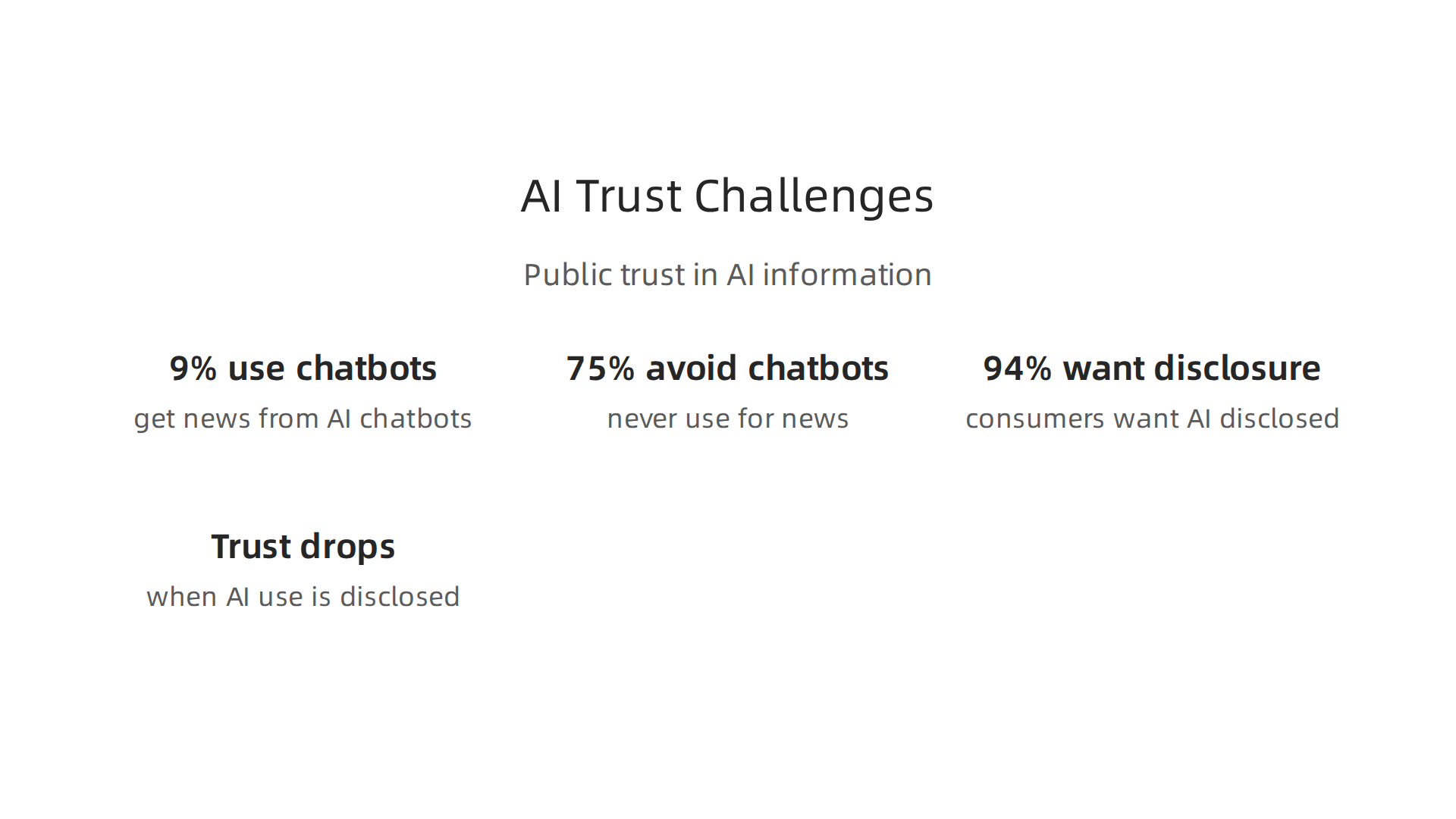

    Image and Video Generation

    AI can now create images, edit videos, and generate product mockups from simple text prompts. Marketers use it to create social media visuals without hiring a designer. Ecommerce stores generate multiple product variations for A/B testing. It saves both time and money.

    How to Get Started

    The key is not to adopt every tool at once. Start with one use case. Maybe a chatbot for customer service or an AI writing assistant for your blog. The SBE Council found that the average small business already uses a median of five AI tools, and they plan on adding more SBE Council. That shows momentum. But the smartest approach is to pick the tool that solves your biggest pain point first.

    If you want to stay ahead of the curve and learn which tools actually deliver ROI, check out our curated list of top AI websites professionals trust for real news and tools. It is a great starting point for finding the right solutions for your business.

    A Practical Framework for Choosing and Adopting AI Tools

    Knowing when was artificial intelligence made helps you appreciate how fast we got here. But in 2026, the real challenge is not understanding the history. It is figuring out which tools actually work for your business. The excitement around AI is real, but jumping in without a plan can waste time and money.

    Here is the truth. A January 2025 survey by Boston Consulting Group found that 74% of organizations struggle to scale AI value, with data as the primary obstacle OneAdvanced. And a separate report shows that 68% of small businesses use AI regularly, but most have no formal strategy Digital Applied. That is a recipe for frustration.

    So let me give you a simple framework to avoid those traps.

    A person in a focused setting, outlining a strategic plan on a whiteboard, reflecting the careful approach needed for AI tool adoption.

    Step 1: Start with the Problem, Not the Tool

    This is the most common mistake. People hear about a hot new AI tool and sign up before asking what problem they want to solve. Instead, take a step back. List your biggest time drains. Is it customer support? Writing content? Data analysis? Only then should you look for a tool that fits. This problem first approach is the core of effective computer systems technology adoption. It keeps you focused on outcomes instead of features.

    Step 2: Evaluate the Right Criteria

    Not all AI tools are created equal. When you compare options, use these five criteria:

    A table-style infographic outlining essential criteria for evaluating AI tools, such as cost, integration ease, and data privacy, to ensure effective adoption.

    Criteria Why It Matters
    Cost Does it fit your budget, including hidden fees?
    Integration ease Does it work with your current software stack?
    Data privacy How does the vendor handle your sensitive information?
    Scalability Can it grow as your business grows?
    Vendor support Is there reliable help when something breaks?

    The SBE Council notes that the average small business uses a median of five AI tools and plans to add more SBE Council. That means integration becomes critical. You do not want six tools that do not talk to each other.

    These considerations are especially important for SMBs that lack dedicated IT teams. A thoughtful evaluation upfront saves headaches later Consltek.

    Step 3: Run a Low-Risk Pilot

    Do not roll out a new AI tool across your entire company at once. Pick one small team or one process. Run a pilot for 30 days. Measure the impact. Did response times improve? Did output quality go up? Did your team actually enjoy using it?

    A pilot gives you real data before you commit more resources. It also lets your team learn the tool without pressure. This phased approach is exactly how most successful organizations adopt AI in 2026.

    Bringing It All Together

    When was artificial intelligence made matters for context. But what matters more is how you adopt it today. Start with the problem. Evaluate carefully. Pilot first. That is how you move from experimenting to getting real results.

    If you want to dive deeper into how to keep your content human while using AI, check out our guide on human or AI creativity and what the data says about collaboration in 2026. It pairs perfectly with this framework.

    Overcoming AI Adoption Challenges: Expert Tips for SMBs

    Even with a solid framework, you will hit roadblocks. In 2026, the four biggest challenges SMBs face are information overload, tool selection, budget limits, and a lack of technical skills. But these are not impossible to fix. Here is how to overcome each one.

    Challenge 1: Information Overload

    Every day there is a new AI tool to try. It is easy to feel lost. The best fix? Start with free trials. Pick one or two tools that match your biggest need and test them for a month. For example, AWS highlights six practical AI use cases for small businesses, including content creation and customer support chatbots AWS. Focus on one use case at a time.

    Also, lean on community reviews. Sites like G2 or Capterra have real user ratings. They cut through the noise faster than vendor marketing.

    Challenge 2: Tool Selection

    With hundreds of options, how do you pick? Use the five criteria from our earlier framework. But add one more step. Ask your team what they actually need. A tool that works for a marketing agency might be overkill for a local shop.

    The SBE Council reports that the average small business uses five AI tools and plans to add more SBE Council. That means you need tools that play well together. Check for integration ease first.

    Challenge 3: Budget Constraints

    AI does not have to be expensive. Many great tools offer free tiers or low-cost plans. Start with one tool that solves a clear problem. Track your time saved or revenue gained. That data will help you decide if the paid version is worth it.

    Measuring ROI is key. The JPMorgan Chase Institute notes that AI tools promise productivity gains through task automation and better decision making JPMorgan Chase Institute. So before you implement, record your current metrics. After 30 days, compare them. You might be surprised at the improvement.

    Challenge 4: Lack of Technical Skills

    You do not need a computer science degree to use AI. Most tools are designed for non-technical users. Still, investing in a little training goes a long way. Platforms like LinkedIn Learning and many tool vendors offer free tutorials.

    One practical tip: start with a tool that helps you write content that sounds human. If you are unsure where to begin, check out our guide on how undetectable AI helps you write content that sounds human and gets results. It walks you through the setup without any coding needed.

    Your Next Move

    The biggest mistake is waiting for the perfect setup. Instead, start small. Pick one challenge, one tool, and one metric. Track your results. Adjust as you go. That is how real adoption happens in 2026.

    The Future of AI: What Professionals Should Prepare For (2026 and Beyond)

    You have tackled the challenges and started using AI today. But what comes next? Knowing where AI is heading helps you stay ahead instead of playing catch up.

    Here is the thing. The question "when was artificial intelligence made" goes back to the 1950s. But the AI we use in 2026 barely looks like those early experiments. The pace of change is staggering. And professionals who understand the trends will have a clear advantage.

    The Four Big Trends Shaping 2026

    According to experts at IBM, we are moving into an era of agentic AI and multimodal systems IBM. What does that mean for you?

    1. Multimodal AI: Tools that process text, images, audio, and video together. Instead of working with separate tools, you ask one AI and it understands everything. This saves time and gives better results.

    2. Autonomous agents: These are AI tools that complete multi-step tasks on their own. You give them a goal and they figure out the steps. Microsoft calls this shift making AI a true partner rather than just a tool Microsoft.

    3. AI regulation: Governments are creating rules for how AI can be used. The conversation around google ai principles and responsible development is becoming central to business strategy. Info-Tech Research Group notes that foundational AI principles are rewriting organizational DNA Info-Tech.

    4. Edge AI: Processing happens on your device instead of the cloud. Faster responses, better privacy, and lower costs. This is a game changer for ai work in environments with spotty internet.

    Human-AI Collaboration Is the Real Goal

    Here is the shift that matters most. The future is not about AI replacing people. It is about co-intelligence: living and working with ai in a way that amplifies human skills.

    PwC predicts that more companies will adopt enterprise-wide AI strategies led by senior leadership PwC. That means your role changes from "doing the work" to "directing the AI that does the work."

    This human-AI partnership is already reshaping computer systems technology careers. Want a deeper look at how creativity and AI work together? Check out our analysis of human or AI creativity and what the data says about collaboration in 2026.

    Continuous Learning Is Your Safety Net

    The single most important skill in 2026 is adaptability. Stanford AI experts predict we will see continued rapid evolution across every sector Stanford HAI. Tools you learn today might look different in six months.

    That does not mean you should wait. It means you should build a habit of learning. Spend 15 minutes a week reading about new AI developments. Test one new tool per quarter. Ask yourself: how can this make my work better?

    The professionals who thrive in 2026 and beyond are not the ones with the most technical skill. They are the ones who stay curious, stay flexible, and stay focused on what AI can do for people.

    Summary

    Artificial intelligence traces back to a specific moment: the Dartmouth Summer Research Project on Artificial Intelligence in 1956, when John McCarthy and other researchers coined the term and set a research agenda. This article explains that origin, outlines the three core technologies—machine learning, neural networks, and natural language processing—that power modern systems, and walks through key milestones from Deep Blue to GPT-3 and multimodal models. It then shifts to practical guidance for businesses, describing common workplace applications (chatbots, writing assistants, predictive analytics, image/video generation) and a simple, problem-first framework to evaluate, pilot, and scale tools. The piece highlights common SMB obstacles—information overload, budget limits, tool selection, and skill gaps—and offers concrete fixes like 30-day pilots and ROI tracking. Finally, it looks ahead to trends such as multimodal AI, autonomous agents, edge processing, and the growing need for continuous learning and responsible AI governance. After reading, you’ll understand AI’s true origin, how the technology works, which business use cases deliver value, and how to adopt AI safely and strategically.

  • How Undetectable AI Helps You Write Content That Sounds Human and Gets Results

    How Undetectable AI Helps You Write Content That Sounds Human and Gets Results

    Introduction: The New Frontier of AI Content Creation

    Have you ever poured hours into writing something, only to get that sinking feeling that it sounds a little too stiff? You are not alone. In 2026, the internet is absolutely packed with AI-generated text. And here is the tricky part: both search engines and your readers are getting really good at spotting content that feels lifeless.

    The idea of undetected ai has become a hot topic, but we need to clear something up right away. It is not just about tricking a robot detector. The real goal is much bigger than that.

    As the Stanford Emerging Technology Review (2026) highlights, AI agents are now managing tasks with very little human input.

    The Stanford Emerging Technology Review homepage, a source for insights on AI agent capabilities and human input.

    Yet, when it comes to building trust with a real person, the human touch still wins every time. Churning out robotic paragraphs might save time, but it won’t save your reputation. The true power of undetected AI comes from blending the speed of a machine with the warmth of a human voice.

    Professionals collaborating, representing the blend of machine efficiency and human creativity in content creation.

    Some tools have popped up to help with this exact problem. Platforms like Undetectable.ai are designed to take stiff AI writing and give it a natural flow.

    The TryLeap AI homepage, platform where Undetectable.ai is reviewed, showcasing tools for humanizing AI text.

    According to an honest review from LegitWrite, these humanizers work well for most standard writing tasks. But the real secret goes deeper than just changing a few words.

    The quest today, as one 2026 guide on humanizing content puts it, is to "craft narratives that resonate on a human level." It is about creating work that feels genuine. This idea connects perfectly with what we have learned about human and AI creativity working together. The best outcomes come from a partnership, not a replacement.

    Who actually uses this approach? Everyone from busy marketers to small business owners. As the team at StealthGPT explains, undetectable AI helps turn generic output into content that can actually build a bond with your audience.

    This guide will show you a practical framework to use ai effectively without losing your authenticity. We will cover the specific methods, mindsets, and tools you need. Your ability to blend AI productivity with a genuine human voice will become your biggest advantage.

    Understanding Undetectable AI: What It Means and Why It Matters

    So what does undetected ai actually mean? It is not just one thing. It is a two-part goal.

    Visualizing the dual objectives of undetected AI: passing automated detectors and sounding natural to human readers.

    First, your content needs to slip past automated AI detectors. That is the technical side. Tools like those reviewed by UndetectedGPT are built specifically for this job.

    The UndetectedGPT homepage, a resource for reviews and insights on AI detection and humanization tools.

    They rewrite machine-generated text so it no longer triggers detection software.

    But here is the bigger piece. Passing a robot test means very little if a real person reads your work and thinks, "This feels weird." The second and much harder part is making your content sound natural to human readers. That is where the real value lives.

    Think of it this way. You can trick a detector in seconds. But tricking a human? That takes genuine skill. As the Stanford Emerging Technology Review (2026) points out, AI agents are now handling tasks with very little human input. Yet when your reader sits down to read, they still want to feel a connection. They want writing that sounds like it came from a person, not a machine.

    This is where many people get confused. They chase the shortcut. They want to use ai to generate text, run it through a humanizer, and call it done. But as one honest review from LegitWrite explains, these tools work best for low to mid stakes rewriting. If you need text that survives strong detection or preserves a precise tone, you need more than a quick fix.

    The real power of undetected ai is not about hiding. It is about blending. You use the speed of AI to draft, then you bring your own voice to edit. The goal, as a 2026 guide on humanizing content puts it, is to "craft narratives that resonate on a human level." That is not a trick. That is good writing.

    This idea of partnership between human and machine is exactly what we covered in our look at human and AI creativity working together. The best results come from collaboration, not replacement.

    Why does all this matter for you? Because the stakes are real.

    Search engines are getting smarter. They can spot content that looks churned out. If your text feels robotic, your rankings can suffer. Your brand reputation takes a hit too. Readers trust content that feels authentic. One study after another shows people prefer a human touch, even when they know AI helped create it.

    So undetected ai is not a dirty trick. It is a smart strategy. When you do it right, you improve your SEO, protect your reputation, and build real trust with your audience. That is a win for everyone.

    The Technology Behind Undetected AI Writing Tools

    So how do these undetected AI tools actually work under the hood? It is not magic. It is a clever mix of language science and smart algorithms. Let’s pull back the curtain.

    The core idea is simple. AI detectors look for patterns that machines leave behind. Machine written text tends to be too predictable. Every sentence flows the same way. Word choices are boringly consistent. Human writing, on the other hand, has natural ups and downs. Some sentences are short. Some are long. We repeat words sometimes and then surprise you with a new one.

    Humanizers fix this by changing two key things: perplexity and burstiness. Perplexity measures how predictable your text is. Low perplexity means a robot could guess the next word easily. High perplexity means more surprises, just like real people write. Burstiness is about sentence length variety. Humanizers raise the perplexity and adjust the burstiness so your text feels alive.

    Most undetected AI tools use a combination of techniques. They paraphrase sentences using different structures. They swap out common words with less predictable synonyms. Some even insert minor grammar quirks on purpose. The goal is to create text that passes both the automated scan and a quick human read.

    It helps to know there are two main types of these tools. Generation tools create new content from a prompt. Humanizers take existing AI text and rewrite it to sound natural. If you use AI to draft, you need a humanizer afterward. If you start from scratch with a tool like Crayo AI or AI Blaze, you might still want to run it through a separate checker.

    Now for the big question: open source versus proprietary. Open source models like GPT Neo or Llama give you full control. You can tweak the settings and train them on your own data. But they take more technical skill to set up. Proprietary tools like those listed in the best AI humanizers 2026 comparison are ready to use right away.

    The GenZWrite homepage, a platform offering comparisons and reviews of various AI humanizer tools.

    They hide the complexity behind a simple interface. The trade off is that you rely on someone else to keep their algorithms updated.

    Speaking of trade offs, there is a real balancing act. Pushing too hard for undetectability can hurt your content quality. Over humanized text starts to feel choppy or weird. You lose the smooth flow that makes reading enjoyable. The best approach is to aim for a natural middle ground. Your writing should sound like a confident person, not a robot trying to be human.

    The technology keeps moving fast. Quality tools update their algorithms regularly to stay ahead of detection software. That is why it pays to keep learning and testing new options. For more on how to stay ahead of the curve, check out our guide on the best startup gadgets in 2026 that deliver results. Good tools help you use AI without losing your unique voice.

    Key Features to Look for in Undetectable AI Tools

    Now that you understand how these tools work, how do you pick the right one? Not all undetected AI tools are built the same. Some will make your text pass a scan but sound terrible. Others will give you results that feel genuinely human.

    Here are the critical features to look for.

    An infographic illustrating the essential features to consider when choosing undetectable AI writing tools.

    1. Customizable Tone, Vocabulary, and Sentence Structure

    Every piece of writing has a voice. A business email sounds different from a blog post. A landing page for a startup feels different than a research paper.

    Good undetected AI tools let you control this. You want the ability to set the tone formal or casual. You should be able to adjust vocabulary level. Some tools even let you target specific sentence lengths so your writing has natural rhythm.

    Without these controls, you end up with generic text that does not fit your audience. The best tools give you levers to pull. Raising perplexity and adjusting burstiness is how you make AI text feel human. Look for tools that let you tweak those settings yourself.

    2. Real-Time Detection Checks and Feedback Loops

    Imagine spending an hour rewriting text only to have it flagged by a detector anyway. That is frustrating.

    The best tools include built-in detection checks. They scan your output and tell you if it passes before you publish. Some even show you which sentences look suspicious.

    This feedback loop saves time. You can make small edits and test again rather than guessing. Quality tools continuously update their algorithms to stay ahead of detection technology. A tool that checks itself against multiple detectors is worth a lot more than one that just throws text at you.

    3. Quality Enhancement Over Pure Evasion

    Here is the big one. Some tools only care about tricking detectors. They will chop up your sentences, stuff in random words, and make your text read terribly just to pass a scan.

    Do not use those.

    You want a tool that improves your writing, not one that just hides its origin. The goal should be natural text that sounds like a confident person wrote it. Some tools are generation tools that create content from prompts, while others are humanizers that modify existing text. Choose humanizers that focus on quality first and evasion second.

    The best undetected AI tools make your writing better. They help with flow, word choice, and readability. That is a win for everyone.

    4. Platform Compatibility and Use Case Support

    Not every tool works for every situation. Some are built for students writing essays. Others focus on marketers creating ad copy. A few handle long-form content like blog posts.

    Think about how you use AI in your daily work. Do you need to use AI for client reports? Are you writing social media posts? Do you need to create marketing portfolio examples that showcase your skills?

    Pick a tool that fits your workflow. Some even offer browser extensions or integrations with platforms like WordPress and Google Docs.

    5. Speed and Ease of Use

    You do not want to fight with the tool. The whole point is to save time and get better results.

    Look for simple interfaces. One click humanization is nice, but make sure you still have control. Some tools like Crayo AI and AI Blaze offer quick options, but test them first. A tool that takes ten minutes to figure out is not helpful when you are on a deadline.

    6. Regular Updates and Support

    Detection software changes fast. A tool that worked last month might get flagged today. The best AI humanizers in 2026 update their algorithms regularly to stay effective.

    Check if the tool has active development. Read reviews. See if the team responds to feedback. A dead tool is a risky tool.

    If you want to stay ahead of the curve, check out our guide on the best startup gadgets in 2026 that deliver results. Good tools help you use AI without losing your unique voice.

    How to Optimize AI Content for Human Authenticity

    Picking a great tool is only half the battle. The other half is how you use it. Even the best undetected ai software can spit out flat, robotic text if you do not guide it properly. Here is how to make your AI content sound like it came from a real person.

    A visual guide to optimizing AI-generated content for genuine human authenticity.

    Blend AI Drafts with Human Editing

    Never publish raw AI output. Think of the AI as a fast first draft writer. Then you step in as the editor. This is the most important habit you can build.

    Read every sentence out loud. Does it flow? Does it sound like something you would actually say?

    A person carefully reviewing content, embodying the human touch needed to refine AI-generated text.

    Making AI text sound natural takes a personal touch that only you can provide. Swap out stiff words for ones you use in real conversations.

    Add short sentences. Mix in longer ones. This variation is what creates natural rhythm.

    Inject Personal Stories

    Here is the secret that makes readers trust you. Tell a real story.

    AI cannot live your life. It cannot have your experiences. So share something that happened to you. A mistake you made. A lesson you learned the hard way.

    Maybe you tried Crayo AI and got weird results at first. Maybe you used AI Blaze and had to tweak the output five times. Those little stories build connection. No AI detector will flag them because they are uniquely yours.

    Use Readability and Perplexity as Your Guide

    Remember the features we talked about earlier? Perplexity scores are not just for tools. You can use them yourself to check your work.

    Aim for moderate perplexity. Too low means the text is predictable and boring. Too high means it looks like a word salad. You want a balance that feels natural to read.

    Tools like Hemingway Editor can help you spot sentences that drag. Readability scores tell you if your writing matches your audience. A blog post for business owners should score differently than one for college students.

    Master Prompt Engineering

    The quality of what you get out depends on what you put in. Generic prompts give generic results. Specific prompts give human-like results.

    Instead of saying "Write a blog post about marketing," try this: "Write a blog post about marketing from the perspective of a small business owner who tried three different strategies. Use a casual, confident tone. Include one personal failure story."

    Prompt engineering is the skill that separates mediocre AI content from content that truly connects. The more context you give, the better the output.

    Want to see how professionals approach this? Our analysis of human vs AI creativity shows how the best collaborators use prompts to get better results.

    Check Yourself Before Publishing

    Run your final draft through a detector. If it flags, make small changes. Shorten long sentences. Add contractions. Replace one fancy word with a simple one.

    Do this until the text passes. Then read it one more time. If it sounds like you, you are done.

    The goal is not to hide that you used a tool. The goal is to create content that serves your reader well. When you focus on quality first, the authenticity follows naturally.

    Addressing Detection Risks: Evasion Techniques and Their Limits

    You have learned how to humanize your content. But there is another side to this story. No matter how careful you are, detection tools are watching. They are getting smarter every month.

    Here is what you need to know about the risk.

    How AI Detectors Actually Work

    Most AI detectors in 2026 use three main methods to find machine-written text.

    An infographic explaining the three primary methods AI detectors use to identify machine-written text.

    Statistical detectors look at how predictable your words are. They measure things like perplexity and burstiness. Low perplexity means the text is too smooth. That is a red flag. Tools like Turnitin and GPTZero use this approach.

    Neural detectors use AI themselves to spot patterns. They have been trained on millions of examples of AI writing. They can find subtle tells that human eyes miss.

    Watermark-based detectors look for hidden markers that some AI models leave behind. These watermarks are like digital fingerprints. They are hard to remove.

    One study explains that if you want to bypass these tools, you need to raise your text’s perplexity artificially. But doing this poorly can backfire and make your writing look even more suspicious.

    Common Evasion Tricks That Fail

    You might hear about quick fixes. Swap synonyms. Rewrite every sentence. Add random typos.

    These tricks work for about five minutes.

    Detector algorithms update constantly. What fooled the tool yesterday might get flagged today. Simple word swaps are easy to catch because they create unnatural phrasing. Rephrasing without understanding context often breaks the flow.

    The best approach is not to trick the detector. It is to write content that does not look AI-generated in the first place.

    The Cat and Mouse Game

    Here is the honest truth.

    Detection tools and humanizers are in a constant race. When one gets better, the other adapts. This cycle never stops.

    Quality tools on both sides update their algorithms every few weeks. What is safe today might be risky tomorrow.

    The sustainable answer is not to rely on evasion tricks. It is to build real human quality into every piece you write. That is what the best professionals do.

    Want to see how the top creators think about this balance? Check out our analysis of human vs AI creativity to understand the bigger picture.

    Focus on serving your reader first. The detection problem solves itself when you prioritize quality over shortcuts.

    Real-World Applications and Use Cases for Undetectable AI

    You know how to humanize your writing. You understand the detection risks. Now let’s talk about where all this actually matters.

    The goal is not to cheat the system. It is to use AI as a tool while keeping your content authentic. That is a big difference.

    Here are the most common places where undetected AI makes a real difference.

    Blog Posts and SEO Content

    This is the number one use case. Bloggers and marketers use AI to write drafts fast. But raw AI text gets flagged by detectors. And Google may penalize content that looks machine-made.

    So smart creators write with AI, then humanize the output. This helps them publish more without losing search rankings.

    A 2026 marketing report found that 80% of marketers feel pressure to adopt AI, but only 6% have fully embedded it. That gap is huge. Undetected AI can help close it by making AI-generated content ready for real readers and real search engines.

    Marketing Copy That Actually Converts

    Email subject lines, social media captions, ad copy. These need to feel personal. If a detector says your copy is AI, readers might feel less connected.

    Tools like Crayo AI and similar platforms help marketers create copy that sounds human. The result? Higher open rates, better engagement, and no awkward robot tone.

    Social Media Content at Scale

    Posting every day is hard. AI can write posts in seconds. But if a follower runs your post through a detector, they might lose trust.

    That is why creators humanize social content. Short posts, tweets, and captions can all be AI-assisted but still pass as natural writing.

    Academic Writing (With a Big Warning)

    Students and researchers sometimes use AI to draft papers. But here is the truth: most schools and journals forbid AI-generated text without disclosure.

    If you use AI in academic work, you need to be ethical. Humanize the text, but also cite your sources properly. Never pass off AI writing as your own original thought.

    Vertical-Specific Advice

    Different industries need different approaches.

    • E-commerce product descriptions: Write a template, then humanize each product page. This saves hours.
    • Thought leadership articles: Use AI for structure, but add your personal stories and insights. The human touch matters most.
    • SEO landing pages: These need to be informative and natural. Undetected AI helps you create many landing pages without sacrificing quality.

    Real companies have scaled content production this way. They report faster turnaround times and better performance.

    Want to go deeper on how to balance AI help with your own creativity? Check out our analysis of human vs AI creativity for proven strategies.

    The bottom line: Use AI to speed up your work. But always finish with a real human touch. That is the winning formula in 2026.

    Measuring Success: Metrics for Undetected AI Content

    So you have humanized your AI content. It passes detection tests. But does it actually work? How do you know if your undetected AI content is helping your business?

    Let’s look at the real metrics that matter.

    Key Performance Indicators to Watch

    Search engine rankings are the first sign. If your pages rank higher after humanizing, you are on the right track. Google rewards content that reads naturally.

    Next is engagement. Look at time on page and bounce rate in Google Analytics. If people stay longer, your content feels real to them. If they leave fast, something is off.

    Conversions are the ultimate goal. Whether it is email signups, product purchases, or form fills, your content should drive action.

    A team celebrating their achievements, symbolizing the successful outcomes of effective, humanized AI content.

    Track those rates before and after humanizing.

    Tools for Measuring Quality and Detection Probability

    You need to test your content from both sides. Use AI detectors to check if your humanized text still looks machine-made. One tester tried over 30 AI detectors and found 7 top picks for accuracy in 2026. Run your drafts through a few of those tools.

    At the same time, track your content performance with standard analytics. Google Search Console shows clicks and impressions. Google Analytics shows behavior.

    For a deeper look at how different humanizer tools compare, check out this ranking of the best AI humanizer tools that were tested against real detectors.

    Long-Term Trust Signals

    Backlinks matter a lot. Other sites only link to content they find valuable and original. If you earn links naturally, your undetected AI content is passing the authenticity test.

    User comments and brand mentions are also strong signals. When people discuss your content or share it on social media, that tells you it feels human.

    Remember, the goal is not just to fool a detector. It is to create content that builds real trust over time. Want to understand how your own creativity can combine with AI for better results? See our analysis of human versus AI creativity for proven strategies.

    Keep measuring these metrics, and you will know if your approach is working.

    Summary

    This article explains the concept of

  • Human or AI Creativity What the Data Says About Collaboration in 2026

    Human or AI Creativity What the Data Says About Collaboration in 2026

    Introduction

    Let’s be real. The AI noise in 2026 is deafening. Every day, a new tool pops up claiming to be a creative genius. You might find yourself wondering if it’s all just ai slop or if there’s real substance behind the hype. Maybe you’ve even muttered, i hate artificial intelligence after scrolling through another messy ai overview. You are not alone.

    The real question isn’t just about frustration. It’s deeper. It’s the human or ai question. Can a machine ever match natural intelligence? Recent research from 2026 shows this year is a true turning point in how we understand human creativity versus machine creativity (How AI Is Transforming Creativity in 2026). Some researchers argue that creativity is our defining human trait (Is AI more creative than us? – CORDIS). Yet the pressure to use AI is everywhere.

    If you are a marketer, founder, or operator, you are caught in the middle. You feel the pressure to adopt AI, but the information overload is real.

    Navigating the complex landscape of AI adoption requires clear strategy amidst information overload.

    How do you find the right tools without wasting time and money? You need clarity, not more hype. You need to know if the investment will actually pay off.

    This article gives you exactly that clarity. We are not here to push an agenda. We are taking an evidence-based look at where natural intelligence and AI overlap and where they diverge. You will get actionable frameworks to make the human or ai decision easier for your specific workflow. Grounded in the latest studies on collaborative creative processes and computer-generated creativity, we will show you how to get the best of both worlds. For a broader look at cutting through the noise, check out our curated list of 10 top AI websites professionals trust for real news and tools.

    Screenshot of the AI Tools News Today homepage, a resource for AI professionals.

    Ready to stop guessing and start building a smarter workflow? The key is staying informed without getting overwhelmed. For clear, daily AI updates that cut through the ai slop, you can Subscribe Free to The Deep View Newsletter. It is the simplest way to keep your skills sharp and your strategy sound in 2026.

    Defining Creativity: Can AI Ever Be Truly Creative?

    To answer the human or ai question properly, we need to start with a basic definition. What does creativity actually mean? Researchers usually describe it in two parts: originality and usefulness.

    An infographic illustrating the essential components of creativity, distinguishing human intent from AI mimicry.

    A creative idea must be new and valuable at the same time (Has AI Surpassed Humans in Creative Idea Generation? A Meta-Analysis).

    That sounds simple enough. But here is where the trouble starts. AI can certainly generate new-looking outputs. Give it a prompt and it will spit out text, images, or code you have never seen before. Yet there is a missing ingredient. Intent.

    Think about it this way. When you create something, you pull from your own life. You have memories, emotions, and experiences that shape your choices.

    A person deeply immersed in thought, reflecting the intrinsic human element in the creative process.

    A machine has none of that. It only has training data. So when AI writes a poem or designs a logo, it is really just remixing existing patterns. The result might look original on the surface, but it lacks the deeper meaning that comes from real human experience.

    This is not just a philosophical argument. Research from 2026 shows that generative AI models perform poorly in creative tasks when they are deprived of human guidance (Human creativity still surpasses "creative" generative AI). The output can be technically correct. But it often feels hollow. That is because natural intelligence brings something to the table that algorithms cannot copy: intentionality. You create with purpose. A machine creates because it was told to.

    Some experts argue that creativity is a defining human trait, something that separates us from machines entirely (Is AI more creative than us? – CORDIS). And they have a point. When you browse an ai overview that just feels off, or you mutter i hate artificial intelligence after yet another robotic email, you are sensing that missing spark.

    Here is the real shift happening in 2026. Generative models have gotten incredibly good at mimicking creativity (How AI Is Transforming Creativity in 2026). They can produce work that looks and sounds human. But mimicry is not the same as true creation. The ai slop you see across the internet is proof of that. It looks right but feels empty.

    So where does that leave you? AI is an amazing tool for generating raw material fast. It can help you overcome creative blocks and explore ideas quickly. But the meaning, the context, the real spark… that still comes from you. Studies continue to show that human creativity matters just as much today as it ever did (Neag School Researcher Finds That Human Creativity Still Matters).

    The human or ai choice is not about picking a winner. It is about knowing when to let the machine assist and when to trust your own natural instincts. To explore more tools that can support your creative workflow, check out our list of 10 top AI websites professionals trust for real news and tools. And if you want clear, daily insights to help you make smarter choices, Get Free Updates from The Deep View Newsletter.

    What the Numbers Say: Productivity and Quality Metrics

    So we know creativity needs human intent. But what do the actual numbers say about working alongside AI? The data from 2026 is pretty clear. AI boosts speed. But the quality picture is more complicated than you might expect.

    Let us start with the good news. The 2026 SHRM report found that more than two-thirds of workers reported improvements in creativity (70%), efficiency (87%), and overall work quality (75%) when using AI tools

    Data-backed insights on how AI tools are improving creativity, efficiency, and overall work quality for professionals.

    (SHRM State of AI in HR 2026). That is a huge jump. Similarly, a METR survey of technical workers showed that AI helped them get more done faster, especially in research and software engineering (METR Early-2026 AI Impact Survey). The OECD also reviewed experimental research and found clear productivity gains across many creative tasks (OECD Effects of GenAI on Productivity). Speed is not the only benefit. The NVIDIA State of AI report showed that companies using AI saw measurable revenue growth and cost reductions (NVIDIA State of AI Report 2026). The Microsoft Work Trend Index found that people felt more creative when AI handled the boring parts (Microsoft Work Trend Index 2026).

    Here is the thing though. Speed does not always mean better. A study from Florida International University found something important: how you make something matters to your audience (FIU AI Reputation Study). When people found out a creator used AI, they judged the work more harshly. The work felt less authentic.

    A person critically reviewing work, highlighting the nuanced human perception of AI-generated content authenticity.

    That is the trade off nobody talks about. You can pump out content faster than ever before. But if it feels like ai slop, your reputation takes a hit. The Adobe Digital Trends report shows that brands are struggling with this exact problem: customers want personalization but they also want human touch (Adobe Digital Trends 2026).

    Quality metrics reveal another layer. The Stanford AI Index Report shows that top AI models keep getting better at matching human output (Stanford HAI AI Index 2026). But better matching does not mean better strategy. AI can write a blog post in seconds. It can design a logo in minutes. Yet the most effective marketing and content still needs strategic depth. That is where human judgment wins. An ai overview might summarize facts correctly. But it will miss the emotional thread that connects with real people.

    So what does this mean for you? The numbers show AI is a powerful tool for raw output. Use it to speed up research, generate drafts, and handle repetitive tasks. But do not hand over the creative controls completely. Your audience can tell the difference. They value authenticity. That is why the human or ai question is so important right now. You need to decide when to let the machine take over and when to step in with your own thinking.

    If you are looking for ways to boost your productivity without losing your human edge, check out our list of best startup gadgets in 2026 that actually deliver results. And to keep up with the latest shifts in AI and creativity, Subscribe Free to The Deep View Newsletter for clear daily updates.

    Real-World Applications: Where AI Augments and Where Humans Lead

    The numbers we just looked at paint a clear picture. But you might be wondering what this looks like in your actual day-to-day work. Let’s walk through some real examples from 2026.

    In marketing, teams are using AI to handle the heavy data lifting. A tool might analyze thousands of customer comments to spot patterns in what people want. That is something AI does better than any human could. It can process huge amounts of information in seconds. The PLOS One study found that the real question is whether AI should focus on digging deeper into existing ideas or exploring new creative directions (PLOS One study on AI strategy). The answer depends on your goal. If you want to refine a campaign, let AI exploit existing patterns. If you need a fresh concept, push AI to explore.

    But here is where human leadership steps in. Only you can decide which pattern matters. Only you can feel whether a message hits the right emotional note. Research shows that the most effective outputs come from iterative human refinement (The Hybrid Creative Era). AI generates drafts. You shape them into something that connects.

    In product design, the same pattern plays out. AI can generate hundreds of layout options in minutes. It can suggest color schemes and content placement based on user behavior data (AI and Creative Collaboration). That is huge for speed. But the final call on brand identity, ethics, and user trust still belongs to you. Cambridge research shows that creativity improves when human-machine workflows guide feedback and iteration deliberately (Why human-machine teams need deliberate design). You design the process. AI executes the repetitive parts.

    Software development tells a similar story. AI can spot bugs, suggest code completions, and even write boilerplate functions. That frees up developers to focus on architecture, user experience, and strategic decisions. The Mindbreeze analysis of the 2026 collaborative era shows that humans focus on high-value thinking while AI handles intensive data analysis (The New Collaborative Era).

    Screenshot of the Mindbreeze homepage, a company focused on collaborative AI solutions.

    This is the augmentation model, not full automation.

    Think of it this way: AI is like a super-fast assistant. It can research, draft, and iterate at speeds you cannot match. But it lacks natural intelligence. It cannot read a room. It does not grasp cultural nuance. It will never feel the weight of a brand’s reputation. That is why the human or ai question is not about choosing sides. It is about knowing when to hand off and when to step up.

    If you want to stay ahead of these shifts, you need reliable sources. Check out our list of best startup gadgets in 2026 that actually deliver results for tools that support this kind of collaboration.

    And to get clear daily updates on how AI is changing your industry, Subscribe Free to The Deep View Newsletter. It cuts through the noise so you can focus on what matters.

    Cutting Through the Noise: A Framework for Selecting the Right AI Tools

    By now, you probably see how powerful the human or ai combination can be. But here is the problem: in 2026, there are hundreds of AI tools claiming to boost creativity, write better, and save time. How do you pick the right one without drowning in ads, hype, and what some people call "ai slop"?

    I hear you. The information overload is real. A 2026 SHRM report showed that 87% of professionals reported efficiency gains from AI tools, but many also struggled with too many options (SHRM State of AI in HR 2026). You do not need another list of shiny tools. You need a simple framework to sort through them.

    Here is a decision matrix that works. It compares tool categories based on what matters most for creative and analytical work.

    An infographic summarizing different AI tool categories and their primary benefits for creative and analytical tasks.

    Use it as your cheat sheet.

    Tool Category Best For Output Quality Customization Data Privacy Learning Curve Integration Ease Cost
    AI Writing Assistants (e.g., draft emails, blog posts, social copy) High-volume content, brainstorming Good for drafts, needs human polish Medium (tone/style tweaks) Varies (check policies) Low High (works with many platforms) Free to $30/mo
    AI Image Generators (e.g., design concepts, product mockups) Visual ideation, rapid prototyping Great for inspiration, less for final assets High (prompts, style controls) Medium (some train on your data) Medium Medium (often requires plugins) Free to $50/mo
    AI Code Tools (e.g., snippets, debugging, boilerplate) Speeding up development, reducing errors High for repetitive code, needs review Low (mostly standardized) High (enterprise tools secure code) Low to Medium High (IDE integrations) Free to $40/mo
    AI Analytics & Research (e.g., customer insights, trend spotting) Data crunching, pattern detection Very high for analysis, low for creative Medium (filter and segment) High (often anonymized) Medium Medium (needs data uploads) $20–$200/mo

    Now, how do you use this? Start by asking what kind of creativity you need. For example, if you need to generate twenty headlines, an AI writing assistant does that fast. But that FIU study in 2026 found that how you make the work matters to your reputation (FIU research on reputation and AI). So do not hit "publish" without adding your own judgment.

    Think about the human or ai split this way: AI handles volume and speed. Natural intelligence handles taste, ethics, and nuance. If you find yourself thinking "i hate artificial intelligence" after a bad tool experience, it is often because the tool was applied to the wrong task. This framework helps you avoid that frustration.

    Before you pick any tool, run it through these five criteria:

    1. Output quality – Does it meet your standard, or does it produce generic results?
    2. Customization – Can you shape it to your brand voice or project needs?
    3. Data privacy – Does it keep your information safe? The Stanford 2026 AI Index showed many tools still lag on transparency (Stanford HAI AI Index 2026).
    4. Learning curve – Will you and your team actually use it beyond the first week?
    5. Integration ease – Does it plug into your existing workflow (e.g., Slack, Adobe, VS Code)?

    The OECD research on generative AI confirmed that productivity gains come from deliberate human-machine collaboration, not just buying the latest tool (OECD on AI productivity). You design the process. The tool executes part of it.

    If you want a shortcut to finding tools that professionals actually trust, check out our curated list of 10 top AI websites professionals trust for real news and tools. It will save you hours of searching.

    And because the AI landscape shifts so fast, you need a daily filter. Get Free Updates from The Deep View Newsletter. It cuts through the noise so you can focus on the tools and strategies that actually work.

    Overcoming Implementation Hurdles: Budget, Skills, and ROI

    So you have a framework for picking the right tools. But here is where many people get stuck. You are ready to move forward, but real-world roadblocks show up. Budget is tight. Your team does not have deep AI skills. And your boss wants to see proof that the investment pays off.

    A team actively collaborating, symbolizing problem-solving and strategic planning to overcome AI implementation hurdles.

    You are not alone. In 2026, small businesses report struggling with technology as they try to scale their AI efforts (BizTech Magazine). The same challenges show up in departments inside big companies too.

    Let me walk you through three common hurdles and how to get past them.

    Hurdle 1: Limited Budget

    You do not need a huge budget to start. Many powerful AI tools offer free tiers or low-cost plans. The key is to start small. Pick one workflow that eats up time and test a free tool there.

    For example, if your team spends hours writing social media captions, try a free AI writing assistant. See if it saves time before you pay for a subscription. A 2026 report from the U.S. Chamber of Commerce found that 57% of small businesses believe AI tools help them save time and reduce costs (U.S. Chamber of Commerce). Start with the free options and level up only when you see real value.

    Hurdle 2: Lack of AI Literacy

    Almost everyone has tried ChatGPT by now. But casual use is not the same as knowing how to apply AI strategically. A 2026 study on AI adoption challenges found that insufficient skills and expertise remain a top barrier (Naviant).

    The fix is simple: designate an internal champion. Pick one person on your team who is curious about AI. Give them time to learn and experiment. They can then train others. This approach costs nothing but builds real skills over time.

    Hurdle 3: Measuring ROI

    How do you prove that a $30 per month AI tool is worth it? Track one thing at first. Maybe it is time saved on a repetitive task. Maybe it is more content published per week. A JP Morgan Chase study showed that the diversification of AI tools and decreasing costs have enabled small business adoption (JP Morgan Chase Institute). You just need one clear win to build confidence.

    Start with a pilot project that lasts 30 days. Measure before and after. If you see a clear improvement, expand slowly.

    If you want a shortcut to finding tools that professionals actually trust, check out our curated list of 10 top AI websites professionals trust for real news and tools. It will save you hours of searching.

    And because the AI landscape shifts so fast, you need a daily filter. Get Free Updates from The Deep View Newsletter. It cuts through the noise so you can focus on the tools and strategies that actually work.

    The Road Ahead: Workflow and Collaboration Trends for 2026

    You have tackled the budget. You have built some skills. You have even measured your first win. So what comes next? The way we work with AI is changing fast, and 2026 is the year things get real. Let me walk you through the biggest shifts in workflow and collaboration you will see in the next 12 to 24 months.

    Rise of AI Agents in Daily Work

    By 2026, up to 40% of enterprise applications could include task-specific AI agents (Gleecus). These are not simple chatbots. They can handle multi-step processes like drafting emails, scheduling meetings, and even analyzing data. You will start to see these agents working alongside your team, not just sitting in a chat window.

    But here is the catch. A 2026 workforce report from Gloat found that 95% of AI pilots fail (Gloat).

    Screenshot of the Gloat homepage, a platform for talent marketplace and workforce agility.

    Why? Because teams throw AI at problems without redesigning workflows. The winning approach is to start with clear tasks and let the agent handle the repetitive parts while humans keep the strategic decisions.

    New Roles Are Emerging

    You have probably heard titles like prompt engineer before. But in 2026, we are seeing more specialized roles like AI orchestrator and prompt strategist. Skills in roles that use AI are evolving 66% faster than in less exposed positions (Glocomms). That means the people who learn to direct AI effectively will earn more and have more job security.

    An AI orchestrator does not write code. They design how humans and AI work together.

    A leader facilitating a discussion, symbolizing the emerging role of an 'AI orchestrator' in human-AI workflows.

    A prompt strategist knows how to get good outputs from models, avoiding the generic junk people call "ai slop." These roles keep the human brain in charge while letting the machine do the heavy lifting.

    Keeping Human Oversight Front and Center

    Some people say "i hate artificial intelligence" because they have seen bad results: wrong answers, tone deaf content, or boring copy. That frustration comes from a lack of human oversight. The best human AI collaboration keeps a person in the loop. You should always review AI outputs before they go public. Think of AI as a junior assistant, not a final decision maker.

    The goal is to strengthen natural intelligence, not replace it. Tools like AI overview can help you quickly scan data, but your judgment decides what matters. That balance is what separates successful teams from failed pilots.

    How to Stay Ahead

    The fastest way to keep up with these shifts is to read and learn every day. Instead of hunting through scattered news, rely on one trusted source. Our guide to 10 top AI websites professionals trust for real news and tools gives you a shortcut to the best resources. Bookmark it and check back often.

    And if you want a daily filter that cuts through the hype, Get Free Updates from The Deep View Newsletter. It lands in your inbox with one clear takeaway each day. No fluff, just practical insights on the human or AI question that matters for your business.

    The next two years will change how you collaborate with machines. Keep your team curious, keep humans in charge, and you will build workflows that actually work.

    Summary

    This article examines the

  • Best Startup Gadgets 2026 That Actually Deliver Results

    Best Startup Gadgets 2026 That Actually Deliver Results

    Introduction

    You have probably noticed it: new AI tools and startup gadgets seem to appear every single day. It is hard to tell which ones are worth your time and money.

    Navigating the influx of new AI tools requires careful consideration to find real value.

    In 2026, innovation is moving at record speed. According to the Deloitte Tech Trends 2026 report, generative AI reached 100 million users in just two months, far faster than older technologies.

    Deloitte's website, a source for tech trends reports and industry insights.

    That kind of growth creates a flood of options, especially for business owners and professionals.

    Think about the gadgets making headlines right now: ray ban meta smart glasses, google glasses, and countless other wearables designed to boost productivity. Meanwhile, nyc tech startups and top saas companies are racing to build the next must-have device. But here is the thing, not every shiny new tool delivers real value. The hype can drown out practical advice.

    That is where we come in. This article gives you a structured, evidence based overview of the most promising startup gadgets. We explain what they do, who they help, and how to decide if they fit your workflow. No fluff, just useful guidance.

    If you want to stay ahead of the curve on AI tools, we have got you covered. Check out our list of top AI websites professionals trust for real news and tools to start building your daily learning habit.

    A trusted resource for real news and tools for AI professionals.

    For even simpler daily updates, Subscribe Free to The Deep View Newsletter and get clear AI insights delivered right to your inbox.

    Subscribe to The Deep View Newsletter for daily AI insights delivered to your inbox.

    The Startup Gadgets Landscape in 2026: Key Trends Driving Innovation

    The flood of options for startup gadgets in 2026 is powered by three big shifts.

    Three major trends are shaping the 2026 startup gadget landscape.

    These trends explain why nyc tech startups and top saas companies are betting big on specific kinds of hardware.

    First, edge AI is changing how wearables work. Instead of sending data to the cloud, devices like ray ban meta smart glasses and google glasses can process information right on the device. This cuts down on lag and keeps your data more private. According to the Deloitte Tech Trends 2026 report, AI adoption is growing faster than any previous technology, making real time processing possible in a tiny device.

    Second, health gadgets are moving from fun experiments to serious business tools. AI powered wearables now track stress, sleep, and vital signs in ways that help companies manage employee wellness programs. Enterprise buyers are driving this shift, not just early adopters.

    Third, startups are building gadgets that plug directly into the software you already use. Whether it is Slack, Salesforce, or custom dashboards, the best new tools work inside your existing workflow. They do not add extra steps.

    To keep up with these fast moving trends, it helps to have a reliable source of smart analysis. We recommend checking out our list of top AI websites professionals trust for real news and tools so you never miss a breakthrough.

    For a quick daily update on the most important AI news, you can Subscribe Free to The Deep View Newsletter. It lands in your inbox every morning with clear insights you can actually use.

    Trend: Edge AI in Wearables

    Of the three shifts we just covered, edge AI in wearables has the biggest impact on your daily work. When a gadget like ray ban meta smart glasses or google glasses runs AI directly on the hardware, two great things happen.

    Smart glasses with Edge AI capabilities offer real-time assistance and enhanced privacy in professional settings.

    Response times drop to near zero. And your private data stays on the device.

    This matters more than you might realize. According to the Deloitte Tech Trends 2026 report, AI is being adopted faster than any technology in history. That speed means we cannot afford lag. Smart glasses now give you real time translation during meetings. Productivity headsets track your focus levels and suggest when to take a break. All of it happens right on the device.

    For remote teams especially, this is a game changer. You do not need a strong cloud connection to get smart help from your gear.

    For more on how AI is reshaping the tools you rely on, check out our list of top AI websites professionals trust for real news and tools.

    Want to stay ahead of these fast moving hardware trends? Get Free Updates from The Deep View Newsletter. It lands in your inbox each morning with clear insights on the AI gadgets that actually matter.

    Trend: AI-Powered Health Gadgets

    The shift to on-device intelligence also makes health gadgets smarter and safer. New startup gadgets now track stress levels, nudge you to fix your posture, and suggest ergonomic tweaks, all without sending data to the cloud. That local processing matters a lot, especially under privacy rules like GDPR. According to the JPMorganChase Emerging Technology Trends 2026 report, health-focused wearables are one of the fastest-growing categories in enterprise tech.

    JPMorgan Chase's official site, providing information including emerging technology trends.

    Many nyc tech startups and top saas companies are bundling these devices with software dashboards for HR and wellness teams. You get real-time data on team fatigue, plus automated reminders to move or breathe. It is a simple way to improve wellbeing without relying on a strong internet connection.

    Want to see which gadgets your team could use next? Subscribe Free to The Deep View Newsletter for daily updates on workplace tech that actually works.

    How to Evaluate AI Gadgets for ROI and Adoption

    Before you buy a batch of smart glasses or stress trackers for your team, you need a clear way to judge if they are worth the cost. A structured review keeps you from wasting money on startup gadgets that do not fit your workflow.

    Start with compatibility. Does the gadget work with your existing software? Many nyc tech startups build gadgets that only pair with their own dashboards. Next, look at total cost of ownership. Factor in hardware price, monthly subscriptions, and any training time. Finally, check integration effort. A gadget that takes weeks to set up may kill adoption before it starts.

    Expert frameworks make this easier. According to a 2026 AI performance review guide, a weighted scoring matrix and a go/no-go checklist give you a repeatable way to compare options. ROI calculation must include adoption rates and time saved per employee.

    Want to know which new gadgets actually deliver results? Subscribe Free to The Deep View Newsletter for daily insights.

    Framework: The 5-Point Checklist

    A structured checklist saves you from guesswork. Instead of comparing startup gadgets based on hype alone, you grade each option on five core criteria. Here is the framework we use:

    A structured checklist helps evaluate new AI gadgets for ROI and adoption.

    1. Compatibility – Does the gadget work with your current tools? Many nyc tech startups build devices that only talk to their own software. Check this first.
    2. Scalability – Will this solution grow with your team? A gadget that works for five people might break at fifty.
    3. Vendor Support – How reliable is the company behind it? Look at update history and response times.
    4. ROI Timeline – When will you see payback? Calculate not just cost but adoption speed and time saved per employee.
    5. Data Security – Where does your data go? Especially important for gadgets like Ray-Ban Meta smart glasses that record constantly.

    Each criterion gets a weight based on your business context. For example, if you work with sensitive client data, security might count for 40% of the score. According to the 2026 AI performance review guide, a weighted scoring matrix and a go/no-go checklist give you a repeatable way to compare options.

    Using this checklist helps standardize evaluations across team members. Everyone uses the same lens, so you avoid arguments over which gadget is "cooler."

    Want a simpler way to stay updated on which gadgets actually deliver? Subscribe Free to The Deep View Newsletter for daily AI insights without the noise.

    Common Pitfalls and How to Avoid Them

    Even with a strong checklist, many businesses still stumble when picking startup gadgets. Here are the three most frequent mistakes and how to dodge them.

    Learn to identify and avoid common mistakes when selecting and implementing AI gadgets.

    1. Overlooking total cost of ownership. The purchase price is just the start. You also need to budget for training, maintenance, and potential downtime. A cheap device can become expensive fast if your team struggles to adopt it. Build these hidden costs into your ROI timeline from day one.

    2. Falling for marketing hype without proof. Flashy demos often hide real-world flaws. Always ask for case studies, independent reviews, or a trial period. The AI Agent Evaluation Checklist for Ecommerce recommends watching for red flags like vague performance claims and short support windows.

    3. Ignoring integration complexity. A gadget that works great alone might clash with your existing tools. This is especially common with Ray-Ban Meta smart glasses or Google glasses that need specific software. Map out your current stack before committing.

    Each pitfall is avoidable when you slow down and verify. Want to catch these mistakes before they cost you? Get Free Updates from The Deep View Newsletter for daily, hype-free AI insights.

    The Most Innovative AI Startup Gadgets of 2026

    Now that you know what to watch out for, let’s look at the tools that are actually worth your time. After months of hands-on testing from experts and real user feedback, these five startup gadgets stand out for their distinctiveness and business impact. They range from productivity wearables to smart office devices.

    1. Even G2 Display Smart Glasses. These glasses put a clear heads-up display right in your line of sight. Great for field workers or remote support in NYC tech startups.
    2. Rabbit R1. A pocket-sized AI assistant that handles simple tasks like booking rides or controlling apps. Top saas companies use it to automate small but frequent tasks.
    3. Humane AI Pin. This screenless wearable clips to your shirt and responds to voice and gestures. It helps you stay connected without staring at a phone.
    4. Oura Advisor. A smart ring that tracks stress, sleep, and recovery. Founders and operators use it to stay healthy during crunch time.
    5. HP EliteBoard G1a. An all-in-one smart board for meetings. It uses AI to take notes, translate conversations, and summarize action items.

    These aren’t just shiny toys. Each one earned a spot because of positive user feedback and real ROI potential. For example, the Ray-Ban Meta smart glasses and Google glasses can help teams stay productive on the go. But remember, a tool is only as good as how well it fits your workflow.

    Want to discover which of these gadgets fits your startup best? Subscribe Free to The Deep View Newsletter for daily, hype-free AI insights delivered straight to your inbox.

    Gadget 1: AI Productivity Headset

    The first startup gadget you need to know about is a voice-powered headset designed to save you hours every week. It uses advanced AI to listen in on your meetings, transcribe everything automatically, and then summarize the key action items. It even syncs with your calendar so you never miss a follow-up.

    Earlier versions of these headsets had short battery life and felt heavy after an hour. The 2026 models are different. You can wear them all day without discomfort, and the battery easily lasts through back-to-back calls. Remote teams especially love how easy it makes staying on the same page.

    Top SaaS companies and NYC tech startups are already adopting these headsets to cut down on note-taking and improve meeting follow-through. Early reviews praise the accuracy and how much time it frees up for real work.

    Want to stay ahead of tools like this? Get Free Updates from The Deep View Newsletter for daily, hype-free AI insights.

    For more context on where to find reliable info on the latest gadgets, check out our list of the 10 top AI websites professionals trust for real news and tools. The 2026 lineup of AI devices continues to impress, as highlighted in the Tom’s Guide AI Awards and other expert roundups.

    Gadget 2: Smart Desk Lamp with AI Focus Assistant

    You know that feeling when you’re deep in a project and suddenly your eyes ache? The light is too harsh, your head hurts, and you can’t focus. A smart desk lamp with an AI focus assistant solves that. It uses a tiny camera to watch your posture and the task in front of you. If you’re reading, it shifts to a warm, dim glow. If you’re coding, it boosts brightness and reduces glare. It also learns when you’ve been sitting too long and nudges you to take a micro-break. These features help you stay in a flow state longer.

    Remote workers and creatives at top SaaS companies and NYC tech startups are already using these lamps to maintain energy through the day. Many 2026 smart gadgets, like the best AI gadgets spotted in expert roundups, focus on improving how we work. This lamp goes a step further by syncing with your project management tools to log your focus streaks and even suggest when you need a coffee.

    Want to keep up with more startup gadgets like this? Subscribe Free to The Deep View Newsletter for daily, hype-free AI insights. And if you are hunting for trustworthy sources to follow, check out our list of the 10 top AI websites professionals trust for real news and tools.

    Gadget 3: Portable AI Transcription Device

    Have you ever been in a meeting, desperately trying to write down every word someone says? You always miss something. Imagine a tiny device that does all the listening for you.

    This pocket-sized gadget acts like your personal assistant. It transcribes and translates conversations instantly. You can use it offline, which helps on flights or in areas with spotty internet. Whether you are a journalist, a consultant meeting with NYC tech startups, or a freelancer taking notes, this device captures every word accurately. The Tom’s Guide AI Awards 2026 highlights gadgets like this as essential for the future of work.

    It doesn’t stop at live transcription. It connects to the cloud after your meeting or interview. You can search past conversations for specific topics. Pull exact quotes, share notes with your team, or translate a recording. Unlike many startup gadgets that only save you time, this one protects you from forgetting important details.

    If you are building better productivity habits, you need to know about the best tools available. Follow trusted sources that track real AI breakthroughs. Knowing what works is half the battle. For daily updates on game-changing AI devices like this one, Subscribe Free to The Deep View Newsletter. They cut through the hype so you get what matters for your work.

    Gadget 4: AI-Powered Whiteboard Camera

    Okay, let’s be real. Have you ever left a hybrid brainstorming session with a whiteboard full of messy scribbles? You take a photo, but the glare is terrible. The marker is smudged. And nobody can read your handwriting.

    This gadget fixes all of that. It is a special camera that points at your whiteboard.

    AI-powered whiteboard cameras enhance collaboration, especially for hybrid and remote teams.

    It captures everything you draw and write. Then, AI steps in to clean up the image. It removes glare, sharpens the text, and even turns your rough sketches into clear digital shapes.

    This is perfect for hybrid teams. The person working from home gets the same clear view as the person in the room. It shares those cleaned-up notes directly to Slack, Microsoft Teams, or Notion. No more "Can you read this?" messages. It saves you tons of time and stops information from getting lost.

    This kind of tool is exactly what top saas companies are using to keep remote teams connected. Gadgets like this one are making work easier for everyone. If you want to stay ahead of the latest tools that actually help, you need real updates.

    Subscribe Free to The Deep View Newsletter. They send you the best new tools every day so you never miss a game changer.

    Gadget 5: AI Fitness Tracker for Corporate Wellness

    Do you ever feel like burnout is just part of the job? Your team works hard, but stress levels climb. Sleep suffers. And healthcare costs go up every year. That is where an AI fitness tracker designed for the workplace comes in.

    This gadget looks like a simple wearable. But it does a lot more than count steps. It tracks physical activity, stress signals, and sleep quality. The magic happens when AI takes all that data. It gives your HR team anonymized reports showing overall wellness trends. No personal info is shared. Just helpful patterns.

    The AI also suggests personalized challenges and small interventions. Maybe it reminds someone to take a breathing break. Or nudges the whole team to walk more. The goal is simple. Keep employees healthier and happier while cutting healthcare costs. This is one of the best AI gadgets of 2026 for corporate wellness.

    Many top saas companies are already using tools like this to boost engagement. If you want to stay ahead of wellness trends and discover more startup gadgets that actually work, you need real updates.

    Get Free Updates from The Deep View Newsletter to see the best new tools every day.

    Implementation Strategies: Integrating AI Gadgets Into Your Workflow

    Picking the right gadget is only half the battle. The real test is how you bring it into your daily work. Start by defining clear goals and running a small pilot. Experts recommend focusing on one high-impact team first to validate results before scaling (source). This is smart whether you are testing startup gadgets from NYC tech startups or standard tools from top saas companies.

    During the pilot, measure success with simple KPIs tied to real business outcomes. Maybe time saved, error rate drop, or employee satisfaction. Even advanced wearables like ray-ban meta smart glasses need a disciplined rollout. The same goes for google glasses in field service. The point is to treat any new tool as a process improvement, not a magic fix.

    To stay updated on real world implementation tips, many professionals rely on curated insights. If you want to cut through the noise and get practical advice, it helps to follow a trusted source.

    Get Free Updates from The Deep View Newsletter for clear daily updates on integrating the best AI tools.

    Step-by-Step Integration Guide

    So you have your startup gadgets picked out. Now what? A phased approach avoids costly mistakes. Here is a simple three-phase guide to get your team up and running smoothly.

    Follow this three-phase guide for a smooth and successful integration of AI gadgets into your workflow.

    Phase 1: Needs assessment and gadget selection. Start by looking at your team’s biggest bottlenecks. Match those to the right tool. This might mean choosing a platform from top saas companies for data work or testing hardware like ray-ban meta smart glasses for hands-free tasks. Focus on high-impact workflows first, a best practice experts recommend (source).

    Phase 2: Pilot with 5-10 users and collect feedback. Run a small pilot, not a company-wide launch. Pick a handful of early adopters and let them try the gear for a few weeks. Collect real feedback on what works and what breaks. Maybe your nyc tech startups team finds google glasses perfect for remote support but clunky for note-taking. Starting small lets you refine before scaling (source).

    Phase 3: Full rollout with training and support. Once the pilot shows results, roll out to the whole team. But do not skip training. Offer hands-on sessions, written guides, and a support channel for questions.

    Effective training and support are crucial for successful integration and adoption of new AI gadgets.

    This is where many rollouts fail. To learn how other teams succeed, check out this list of 10 Top AI Websites Professionals Trust for Real News and Tools. And for a steady stream of practical advice delivered to your inbox, Subscribe Free to The Deep View Newsletter.

    Measuring Success: KPIs and Feedback Loops

    So you have your rollout done. Now how do you know if your startup gadgets are actually working? It is tempting to just assume everything saves time. But you need real numbers and real opinions to see the full picture.

    Start with quantitative KPIs. Track time saved per task, error reduction rates, and adoption rate across your team. For example, if you introduced ray-ban meta smart glasses for hands-free data access, measure how many minutes your field staff save each day. If you use tools from top saas companies, check how much faster reports are generated. These hard numbers tell you the raw impact (source).

    But numbers are only half the story. You also need qualitative feedback. Ask your team: Do the new tools make their day easier? Do the google glasses actually fit their workflow, or do they feel clunky? User satisfaction is just as important as raw efficiency. A tool that saves time but frustrates everyone will never stick. Many nyc tech startups find that short weekly surveys catch hidden friction early.

    Combine both data types to iterate. Look at your KPIs weekly. Listen to feedback daily. Tweak your setup based on what you learn. This cycle of measure, listen, and adjust is how you maximize ROI from your startup gadgets. For more strategies on using data to improve your process, check out this list of 10 Top AI Websites Professionals Trust for Real News and Tools. And to keep learning practical ways to refine your workflow, Subscribe Free to The Deep View Newsletter for daily insights straight to your inbox.

    Trust and Skepticism: Separating Hype from Real Utility

    Not every shiny new startup gadget delivers on its promise. Plenty of tools, even from well-funded nyc tech startups or established top saas companies, end up disappointing users. So how do you spot the flops before you buy in?

    Watch for red flags. Vague claims like "saves hours daily" without hard data are a warning sign. Lack of third-party reviews or hands-on tests should raise doubt. And closed ecosystems that prevent you from switching providers are a trap.

    Real-world failures show the cost of skipping due diligence. Big brands have launched AI tools that backfired, causing brand damage and wasted budgets (source). The lesson is clear: test everything with real users first.

    A little skepticism goes a long way. To stay ahead of hype and find tools that truly work, Get Free Updates from The Deep View Newsletter.

    Red Flags in AI Gadget Marketing

    The previous section talked about staying skeptical. Now let’s get specific. When you look at startup gadgets or even products from top saas companies, their marketing often sounds too good to be true. Here are three red flags to watch for:

    1. Vague "AI" claims. If a product says "powered by AI" but never explains what the AI actually does, that’s a warning. Real AI has a clear job, like detecting faces or summarizing text. If the company won’t get specific, they might be hiding a basic algorithm.

    2. No independent benchmarks or reviews. Many nyc tech startups ship products without letting third parties test them. Look for hands-on tests from trusted sources. Without them, you’re just trusting marketing hype. Big brands have learned this the hard way: famous AI failures often happen when nobody checks the claims before launch (source).

    3. No transparent data privacy policy. Gadgets like the ray-ban meta smart glasses or the old google glasses collect tons of data. If a company doesn’t clearly say what data it collects and how it’s used, walk away. That’s a recipe for privacy headaches.

    Stick with tools that are open about what they do. For reliable, vetted AI news and tool reviews, check out 10 top AI websites professionals trust for real news and tools. And to cut through the hype daily, Subscribe Free to The Deep View Newsletter.

    Case Studies of Failed Gadget Adoptions

    Even with those red flags in mind, many startup gadgets still fail after launch. Here are two real examples that show why.

    Case 1: Smart glasses for warehouse workers. A well-known company created these glasses to help employees pick and pack orders faster. But the hardware was heavy and uncomfortable. Workers refused to wear them for long shifts. The company eventually abandoned the project. This failure happened because designers never tested the glasses with the actual people who would use them. It’s a classic example of ignoring end user needs, which makes the list of biggest brand missteps from 2025.

    Case 2: An AI scheduling device. This gadget promised to save time by organizing your calendar automatically. But it couldn’t sync with common tools like Google Calendar or Outlook. Users had to enter events manually. Instead of saving time, it created more work. The product disappeared within a year. This is one of many famous AI failures that stem from ignoring existing workflows.

    Lessons learned. Always involve end users early in the design process. And make sure your gadget works smoothly with tools people already rely on.

    To avoid these mistakes and stay ahead of real AI trends, explore 10 top AI websites professionals trust for real news and tools. Then Subscribe Free to The Deep View Newsletter for daily insights on what actually works.

    Conclusion: Building a Smart Gadget Strategy for 2026 and Beyond

    The AI gadget landscape in 2026 is full of opportunity, but it demands a careful approach. As we saw from the failed adoptions, skipping the basics like user testing and workflow compatibility can kill even a promising product.

    Here is the good news. You now have a clear evaluation framework and practical implementation steps to guide your decisions. Use them to assess every new startup gadget against real user needs, integration requirements, and long-term value. This is how you avoid costly mistakes and maximize your ROI.

    But here is the catch. The pace of innovation is not slowing down. According to recent forecasts, the impact of AI over the next few years will be enormous, potentially exceeding that of the Industrial Revolution. Strategic tech trends from AI trust to quantum computing are already reshaping what is possible for businesses and individuals alike. Staying informed is no longer optional.

    That is why professionals turn to curated resources like this list of 10 top AI websites professionals trust for real news and tools to keep their finger on the pulse. The same approach applies whether you are exploring devices like Ray-Ban Meta Smart Glasses or evaluating new tools from NYC tech startups and top SaaS companies. Always test with real users. Always check integration. And never stop learning.

    Ready to stay ahead of the curve? Get Free Updates from The Deep View Newsletter for simple daily AI insights that cut through the noise.

    Summary

    This article offers a practical, evidence-based guide to the most promising startup gadgets of 2026, focusing on why they matter, who they help, and how to choose them wisely. It explains three major trends—edge AI in wearables, AI-powered health devices, and seamless integrations with existing software—and why those shifts are changing productivity and privacy for businesses. You’ll get a repeatable 5-point checklist to evaluate compatibility, scalability, vendor support, ROI timeline, and data security, plus a simple phased integration plan and KPIs to measure success. The piece highlights five standout gadgets, shows common adoption failures, and lists marketing red flags to avoid. Read it to learn how to run a small pilot, measure real impact, and scale only the tools that deliver tangible value for your team.

  • 10 Top AI Websites Professionals Trust for Real News and Tools

    10 Top AI Websites Professionals Trust for Real News and Tools

    Introduction

    If you feel like you are drowning in AI news, you are not alone. Every single day, a new model drops. A new tool launches. A new claim about artificial intelligence goes viral. For busy professionals, tracking real breakthroughs versus hype has become a full-time job.

    A busy professional feeling overwhelmed by the constant influx of new information and updates.

    Here is the thing. Most of us do not have time to sift through hundreds of sources. And honestly, a lot of what is out there is not very helpful. According to a 2026 Pew Research survey, only 9% of U.S. adults say they get news from AI chatbots at least sometimes, while 75% say they never do. That tells us something important. People do not fully trust AI generated information yet. Another study by Trusting News found that 94% of news consumers want journalists to disclose when they use AI, but trust actually drops when they do.

    Key statistics highlighting the public's current trust issues with AI-generated information and its disclosure.

    That is a tricky spot to be in.

    So where do you go for reliable, practical AI insights? That is exactly why this article exists.

    We have tracked down the top AI websites that professionals actually use. These are not just flashy lists of links. These are expert vetted sources that balance breaking news, real benchmarks, and honest business insights. Whether you follow genspark ai for research, kimi ai for writing help, or keep up with openai news and sora ai updates, you need a shortlist you can count on.

    This guide cuts through the noise. It gives you a handful of trusted spots to bookmark. No fluff. No spam. Just the sites that deliver value every time you visit.

    Want smarter AI updates without the noise? Subscribe to The Deep View Newsletter. It is a daily email that delivers clear, practical AI insights straight to your inbox.

    1. AI News Daily – Your Curated AI News Hub

    Here is where AI News Daily steps in. It is built for busy professionals who want real AI news without the headache. The editorial team scans hundreds of sources each day. They pick the stories that matter most for business users. Then they deliver a clean, daily digest straight to your inbox.

    A visual representation of The Deep View, a newsletter offering curated AI insights.

    Why is a human curated hub so important right now? Because finding trustworthy AI news has become a serious challenge. A 2025 NAB survey found that only 26% of people trust information produced by AI, while 68% say it is not trustworthy. On top of that, the Reuters Institute reports that news media in 2026 are getting squeezed by fast changing technology and shifting reader habits. Readers need a filter they can believe in.

    AI News Daily is that filter. Real people, not algorithms, choose what goes into each edition. That means you get stories about tools like genspark ai and kimi ai right alongside the latest sora ai updates. Need to follow openai news? It is covered. Want to know which top ai websites deserve your attention? That is the whole mission.

    Each digest covers five to seven key stories. It saves you at least 30 minutes of manual scanning every day.

    How a human-curated AI news hub saves time and improves decision-making for professionals.

    You open one email. You read the headlines and summaries. You click through only when something catches your eye. No more juggling twenty browser tabs.

    Think about what that means for your week. Five days, five digests, zero time wasted. You spot important trends faster. You catch new product launches early. You make smarter choices about which AI tools to explore next.

    Subscribe Free and start getting clearer, smarter AI updates without the noise.

    2. G2 AI Tools Marketplace – User-Validated AI Reviews

    So you know the latest AI news. But how do you pick the best tools for your business? With so many options out there, it is easy to feel lost. That is where G2 comes in. It is a marketplace built on thousands of verified user reviews. Real people share their honest experiences with AI tools across every category. You get detailed comparisons, satisfaction ratings, and real data to guide your choices.

    Why does this matter? Because AI adoption is skyrocketing. By 2026, 89% of small businesses are using AI in some form, according to the U.S. Chamber of Commerce. And 88% of organizations now use AI regularly. With so much money and time on the line, you cannot afford to pick the wrong tool. G2 helps you make data-driven decisions.

    A team collaborating in a meeting, making informed decisions based on data and insights.

    You see what actually works in the real world, not just in marketing materials.

    Want to find the top AI websites for your needs? G2 lets you filter by category, user rating, or even company size. You can compare tools like genspark ai and kimi ai side by side. You can read reviews from people who use sora ai for creative projects or follow openai news to see how new releases compare. It is a research tool that saves you hours of trial and error.

    G2 also tracks satisfaction and market presence. That means you can spot rising tools early and avoid ones that disappoint users. Pair this with a daily news digest, and you have a complete system for staying ahead in AI.

    Get Free Updates and combine real user reviews with daily insights to make smarter AI decisions.

    3. Hugging Face Hub – The Epicenter of Open Models

    So you found some promising tools on G2. But reading reviews is one thing. Actually testing a model yourself is another. That is where Hugging Face Hub shines. It is the world’s largest collection of open-source models and datasets.

    The Hugging Face Hub, a central repository for open-source AI models and datasets.

    Think of it as a giant playground where anyone can grab a model, test it, and even modify it.

    As of 2026, the platform holds hundreds of thousands of models. Everything from large language models to image generators lives there. The team at Fireworks.ai reviewed the best open source LLMs this year and pulled specs straight from HuggingFace model cards and repositories. That tells you how much the community trusts this resource.

    What makes Hugging Face a must-visit among top ai websites? Two things stand out.

    First, live leaderboards. Organizations like LMSYS run real-time community benchmarks. You can see exactly how models compare on reasoning, coding, and conversation skills. No guesswork. No marketing fluff.

    Second, rapid prototyping. Instead of building an AI model from nothing, you grab an existing one, fine-tune it with your data, and deploy it. That saves weeks or even months of work.

    You might follow openai news or compare tools like genspark ai and kimi ai on G2. But when you want to get your hands dirty and test a model for real, Hugging Face gives you direct access. Pair it with daily news updates, and you have a complete system for staying ahead.

    Get Free Updates from The Deep View Newsletter to catch new models hitting Hugging Face as they drop.

    4. Papers with Code – Linking Research to Results

    You have explored Hugging Face to grab models and test them. Now you need to know which model actually performs best for your specific task. That is where Papers with Code becomes one of the most useful top ai websites.

    Papers with Code tracks state-of-the-art results for thousands of tasks, from language understanding to image generation. For each task, it lists the best performing model, the paper that introduced it, and often the code to reproduce the results. This removes the guesswork when you are choosing between options like genspark ai and kimi ai, or wondering if the latest openai news about a new model is actually backed by real benchmarks.

    The site pulls data from sources like the LMSYS organization, which runs live leaderboards on reasoning and conversation. You can see how a model ranks today without waiting for a press release. The Fireworks.ai team reviewed the best open source LLMs in 2026 and relied on the same benchmark data hosted on these platforms.

    Here is why this matters. Following sora ai updates or reading product comparisons is helpful, but you need hard numbers to make confident decisions.

    A person confidently making a choice after thoroughly reviewing all available information.

    Papers with Code gives you that. It connects the research world to practical results. You can stay ahead by checking which approaches are winning before they become mainstream.

    Subscribe Free to The Deep View Newsletter and get daily updates on the newest research breakthroughs hitting leaderboards.

    5. Capterra AI – Business-Focused Tool Comparisons

    Research benchmarks are great for choosing a model. But once you need to buy an actual AI tool for your team, you face a different problem. Which platform fits your budget, your industry, and your real workflow? That is exactly where Capterra comes in as one of the most practical top ai websites for business buyers.

    Capterra is built for small and medium businesses (SMBs) evaluating software. It covers thousands of categories, including AI and machine learning tools. You will find user reviews, pricing data, detailed feature lists, and side-by-side comparisons. Instead of reading marketing claims, you can see what actual users say after months of use.

    Here is a sobering stat: only 34% of software buyers succeed in adopting new tools, according to Capterra’s 2026 Software Buying Trends Report. The difference between success and failure often comes down to choosing the right tool from the start. Capterra helps you avoid that costly mistake.

    The platform lets you filter by company size, industry, and budget. So whether you are comparing genspark ai and kimi ai for customer support automation, checking openai news for the latest pricing on API tiers, or exploring tools related to sora ai for video generation, you can zero in on solutions that match your real constraints.

    Capterra also integrates well with other review platforms. Many experts suggest using G2 or Capterra for category mapping to see the full landscape, then diving deeper on TrustRadius for detailed reviews. But for the initial shortlist, Capterra gives you the broadest filter.

    If you want daily updates on new AI tools and pricing shifts before they hit review sites, Subscribe Free to The Deep View Newsletter. It keeps you ahead of the buying curve.

    6. AI Alignment Forum – Deep Expert Discourse

    Capterra helps you pick the best tools for your business today. But what about the future of AI itself? Where do researchers go to debate the risks and rewards of superintelligence? That is the AI Alignment Forum.

    This platform is different from the other top ai websites on our list. It is not about product reviews or the latest marketing AI tool. It is a deep, expert-led discussion on AI safety and alignment. In simple terms, alignment means making sure AI systems do what humans actually want them to do.

    The forum features contributions from leading researchers at places like DeepMind and MIRI. It gives you a nuanced understanding that goes far beyond the tech headlines. Think of it as the "behind the scenes" look at AI.

    For example, the Rundown AI newsletter has over 2 million subscribers, as reported by Readless. People are hungry for AI knowledge. But the AI Alignment Forum is where the most thoughtful conversations happen away from the noise.

    You can find threads analyzing the latest openai news about safety protocols, or long-form essays on the long-term impacts of artificial general intelligence. It is dense material, but it is essential for anyone who wants to truly understand where the technology is heading.

    If you want to bridge the gap between your daily work and these deep expert conversations, The Deep View can help. We curate the most important AI insights every day.

    Subscribe Free to The Deep View Newsletter and get smart about AI without the noise.

    7. TLDR AI Newsletter – Bite-Sized Weekly Updates

    Let’s be real. You are busy. You do not have hours to scroll through hundreds of AI news articles every week. Between meetings, projects, and everything else, staying on top of the latest openai news or understanding tools like sora ai feels impossible.

    That is exactly where TLDR AI comes in. It is one of the top ai websites for busy professionals who need a quick, no fluff summary of the week’s most important AI news and research. Instead of drowning in information overload, you get a concise email that tells you what happened, why it matters, and what to do about it.

    Trusted by tens of thousands of subscribers, this newsletter cuts through the noise. It covers everything from major model releases to practical tool updates. Whether you are interested in genspark ai, kimi ai, or the broader AI landscape, TLDR AI gives you the highlights in minutes, not hours.

    Newsletters like TLDR AI are booming in 2026. According to a report by beehiiv, median subscriber counts have grown 17x in the first year for consistent publishers. That shows people crave curated, bite sized insights.

    If you like the TLDR approach but want updates every day instead of once a week, The Deep View has you covered. We deliver the most important AI news straight to your inbox, with clear context and practical takeaways.

    Subscribe Free to The Deep View Newsletter and get smart about AI without the noise.

    8. LMSYS Chatbot Arena – Live Model Battleground

    So you have read the weekly AI news from TLDR AI, but how do you know which chatbot is actually the best for your specific needs? Every week there is a new model from someone, whether it is from openai news or a smaller lab. You need a way to compare them side by side, with real people voting.

    That is exactly what LMSYS Chatbot Arena does. It is a crowd-sourced platform where you can go head to head with different large language models. You type in a question, and the system shows you two anonymous responses. You vote on which one is better. Over time, this creates a massive dataset of human preferences.

    The LMSYS Organization runs this arena, and it has become one of the most trusted top ai websites for real-time model rankings. Instead of relying on synthetic benchmarks, you get a live leaderboard based on actual user feedback. This helps you pick the right chatbot for your use case, whether you are evaluating tools like genspark ai or experimenting with kimi ai.

    According to a review of open source models in 2026, human evaluation metrics like the Chatbot Arena rankings are often more reliable than static benchmarks for understanding real-world performance. You can check out the best open source LLMs to see how this ranking compares to other tests.

    The best part? It is free and always updating. Whenever a new model drops, you can test it against the current champions within hours. This makes LMSYS Chatbot Arena a must-visit spot for anyone serious about finding the most capable AI assistant.

    If you want even more practical AI insights delivered daily, Subscribe to The Deep View and get clear breakdowns of what actually works.

    9. TrustRadius AI – Authentic User Perspectives

    While LMSYS Chatbot Arena helps you compare AI models through direct testing, TrustRadius helps you compare AI software tools through real user voices. If you are shopping for a new tool, whether it involves genspark ai or something like sora ai, you want honest feedback from people who actually use it every day.

    That is exactly what TrustRadius offers. It is one of the top ai websites for software reviews, but it stands apart from other review platforms. According to a 2026 comparison, TrustRadius is the platform that enterprise buyers turn to when the evaluation is serious and the shortlist is already narrowed down. The key difference is that every review on TrustRadius comes from a verified user. You are not guessing if the feedback is real or paid for.

    What makes TrustRadius so useful for AI tool research? First, the reviews include detailed use cases. You can see how someone in a role similar to yours deployed a tool like kimi ai in their actual workflow. This helps you picture how it would work for you. Second, TrustRadius offers comparison reports that let you stack up several products side by side. You can read about features, pricing, and real-world pros and cons in one place.

    Another useful feature is vendor Q&A. You can submit specific questions to the software company and get direct answers. This cuts down on the back and forth that usually slows down buying decisions. If you are following openai news and wondering how a new tool integrates with existing systems, the Q&A section can give you a straight answer quickly.

    For enterprise buyers, TrustRadius helps reduce evaluation friction. Instead of scheduling multiple demos and reading through sales decks, you get authentic user perspectives first. This saves time and helps you make a smarter choice. As the best software review platforms guide noted in 2026, you go to TrustRadius for review content you can actually trust.

    If you want more practical guidance on picking the right AI tools, Subscribe Free to The Deep View newsletter for daily insights.

    10. Anthropic Blog – Research-Driven Model Insights

    Most of us skim headlines. But if you really want to understand where AI is heading, you need to dig into the research. That is exactly what the Anthropic Blog offers. Think of it as a direct line to the team building Claude, one of the most talked-about models in 2026.

    The Anthropic Blog publishes technical deep dives on safety, model capabilities, and the reasoning behind new features. Instead of guessing what a model can and cannot do, you read it straight from the source. This is incredibly valuable if you follow openai news or track developments from other labs. It helps you compare philosophies and understand the tradeoffs between different approaches.

    Why does this matter for you? Consider this: according to a 2026 report from McKinsey, companies see an average 5.8x ROI on AI investments within just 14 months. That kind of return only happens when you pick tools based on real understanding, not hype. The Anthropic Blog helps you build that understanding by explaining model behavior, safety testing, and use case limitations in plain language.

    If you are evaluating genspark ai, kimi ai, or sora ai for your work, reading the Anthropic Blog gives you a benchmark. You learn what responsible development looks like at a frontier lab. That knowledge helps you ask better questions when you compare tools from other providers. It is one of the most trusted top ai websites for anyone who wants to move past surface level coverage.

    For professionals and creators who rely on AI daily, this blog influences how the whole industry thinks about model capabilities. It is not just news. It is the research behind the news.

    Want to stay ahead of every shift in AI research and tool updates? Subscribe Free to The Deep View newsletter for daily insights you can actually use.

    Summary

    This article cuts through the AI noise by recommending a short list of vetted resources professionals can rely on for news, reviews, benchmarks, and deep research. It explains why human-curated newsletters and digests save time, how review platforms like G2, Capterra, and TrustRadius help you pick the right tools, and where to test and compare models using Hugging Face, Papers with Code, and LMSYS Chatbot Arena. The guide also points readers to specialist outlets for safety and research discourse, such as the AI Alignment Forum and the Anthropic Blog, and highlights bite-sized weekly briefings like TLDR AI. Designed for busy decision-makers, the article shows how to combine daily updates, user feedback, and hard benchmarks so you can spot meaningful releases, avoid bad purchases, and prototype faster. After reading, you’ll know which sites to bookmark and how to use each resource to evaluate AI tools confidently. The piece also offers a daily subscription option for hands-off, curated updates.