Author: Maya Joshi

  • Microsoft AI: Explore Microsoft’s AI Products and Services

    Microsoft AI: Explore Microsoft’s AI Products and Services

    Introduction

    Microsoft AI is not one product with a single sign-up page. It spans consumer-facing Copilot experiences, AI associated with Microsoft 365, and cloud tools for building or deploying AI. The right place to start depends on what you want to do and whether you are an individual, a workplace user, or a developer.

    This guide groups Microsoft’s offerings by audience so you can move from your goal to a relevant official destination. Microsoft’s Azure architecture guidance provides a framework for understanding its development platforms and AI capabilities, while its Copilot support pages explain access for individuals and work users. These resources cover different parts of the ecosystem; Microsoft’s official information is distributed across product-specific support, licensing, pricing, and technical documentation rather than presented in one comprehensive catalog.

    What Microsoft AI Includes

    The Microsoft AI ecosystem includes products for people using AI directly as well as services and tools for organizations building with AI. Microsoft’s Azure architecture guidance groups its AI portfolio into development platforms, prebuilt AI capabilities, data platforms, and tools for creating custom models. That framework helps map Azure’s offerings, but it does not cover every consumer-facing product.

    For individual and workplace users, Microsoft’s Copilot information describes different access routes, including free Copilot and Copilot experiences associated with Microsoft 365. Those are distinct from Azure’s development and cloud categories. Developers and business teams may also encounter separate services for model development, prebuilt capabilities, data, and deployment, with details documented by product.

    The official Copilot overview and Azure AI architecture guidance are useful starting points for their respective areas, not a single definitive catalog of all Microsoft AI products.

    Important distinction: “Microsoft AI” refers to an ecosystem of separate products and services, not one tool. Choose a destination based on whether you want an individual Copilot experience, workplace access, or tools for AI development and deployment.

    Names, features, plan eligibility, supported languages, and regional availability can change. Check the relevant live Microsoft page before signing up or planning a deployment.

    Microsoft AI Products for Everyday Use

    If you want an AI assistant for personal, general-purpose use, start with Microsoft Copilot. Microsoft describes its free Copilot experience as available at no cost for general questions, answers, and web-based tasks. Its support page on free Copilot explains how that experience differs from Copilot in Microsoft 365. Microsoft also notes that features, functionality, and availability may vary by region, so check the current information for your location rather than relying on a fixed feature or quota list.

    If you already use Microsoft 365 Personal or Family, check what Copilot capabilities are included with your subscription. Microsoft states that those plans include Copilot capabilities in Word, Excel, PowerPoint, Outlook, and OneNote. The statement does not mean every feature is available in every application or tier. Microsoft’s Copilot access information is the place to check current access details and subscription options.

    The practical distinction is that free Copilot is a separate starting point from Copilot capabilities included with Microsoft 365 subscriptions. Your account type, plan, region, and the product surface you use can affect what is available. Before subscribing, confirm the current plan details and feature access on Microsoft’s official support pages. Those pages describe Microsoft’s current offering; they do not establish that every listed capability will be available to every user.

    To choose between these routes, start with where you want to use AI. For general questions and web-based tasks, review the free Copilot information. If you want Copilot capabilities in Microsoft 365 applications, check the access page for the subscription and applications relevant to you. Confirm the exact plan name and feature availability before making a decision, especially if you rely on a particular app or are in a region where availability may differ. Microsoft’s product pages are the current reference for these details, which can change over time.

    Microsoft AI for Work and Productivity

    For workplace use, distinguish Microsoft Copilot from Microsoft 365 Copilot. Microsoft presents Copilot for individual users and work, while Microsoft 365 Copilot experiences are associated with Microsoft 365 applications and subscriptions. The name alone does not tell you which features your organization can access: the plan, account type, region, cloud environment, and product surface may all matter.

    Organizations considering Microsoft 365 Copilot should begin with Microsoft’s licensing options. The documentation lists eligible plans and licensing arrangements, but eligibility tables can change. A qualifying base subscription does not establish access to every Copilot feature in every tenant, region, cloud, or application. Check the live licensing documentation against your organization’s setup before making a purchase or rollout decision.

    Microsoft provides separate business and enterprise Copilot information. Its business pricing page describes business offerings and distinguishes included everyday AI experiences from usage-billed advanced AI experiences. Its enterprise pricing page describes a separate enterprise offer. Prices and terms are specific to the product and market presented and may change; they should not be treated as universal across countries, billing arrangements, or customer types. Some add-ons also require an eligible Microsoft 365 plan.

    Before comparing options, identify the Microsoft 365 applications and user accounts your organization intends to support, then check that the relevant license covers them. Confirm whether a Copilot license is included with the chosen plan or must be added separately, and review usage and regional conditions for the specific offer. These checks help distinguish a plan that qualifies for licensing from access to particular features.

    For availability, Microsoft states that Copilot is accessible in many regions but may not be available in certain markets. Review current regional and licensing information with Microsoft before choosing a plan. The official pages clarify product scope and access conditions, but do not establish that a particular option will suit every organization.

    Microsoft AI for Developers and Businesses

    Developers and organizations looking to build with Microsoft AI have several distinct destinations to consider.

    A developer and product lead review a hand-drawn application architecture sketch.

    The right one depends on whether the work involves ready-made capabilities, custom agents, model development, or the cloud environment used to manage AI applications.

    Microsoft Foundry is described by Microsoft as a platform for enterprise AI operations, model builders, and application development, bringing agents, models, and tools into a shared management environment. Its resource can also provide an Azure-managed boundary for areas such as identity, access control, security, billing, and monitoring. Start with Microsoft’s Foundry overview to explore that platform. The documentation uses both “Microsoft Foundry” and “Azure AI Foundry” wording, so check the current page title and terminology.

    For applications that need existing AI capabilities, Foundry Tools are described as prebuilt and customizable APIs and models. The documented areas include speech, translation, language understanding, document intelligence, vision, content safety, and search. Microsoft’s Azure AI architecture guidance provides context for these tools and related development options. The naming may change; the guidance notes that Foundry Tools were formerly called Azure AI services.

    Microsoft Copilot Studio serves a different purpose: Microsoft describes it as a low-code platform for building, customizing, and deploying AI-powered agents, including extending Microsoft 365 Copilot with enterprise data and custom workflows. It is an agent-building destination, rather than a general-purpose chat page or a traditional machine-learning service. Confirm licensing, message limits, and connector availability directly, as those details were not verified here.

    For traditional machine-learning lifecycle work, Microsoft describes Azure Machine Learning as a cloud service for building, training, and deploying machine-learning models at scale. This is distinct from Foundry, and the available guidance does not establish which is preferable for a particular project. Model availability, regions, and quota requirements can vary; consult the Foundry model documentation before planning a deployment. These destinations help frame the options, but do not constitute a complete, permanent catalog of Microsoft AI services.

    How to Find the Right Microsoft AI Product

    Start with the task and the person who will use the tool. Microsoft’s official information is distributed across product, support, licensing, and Azure documentation, rather than gathered in one definitive overview. Use this map to choose a starting point, then check the linked page for current eligibility and availability.

    Reader type or need Relevant product or service category Official Microsoft destination
    Individual seeking general answers or web-based tasks Free Microsoft Copilot Copilot access and availability
    Workplace user seeking AI in Microsoft 365 applications Microsoft 365 Copilot Copilot access information and licensing options
    Developer building an AI application or using models and tools Microsoft Foundry and Foundry Tools Foundry overview
    Team building or customizing AI-powered agents Microsoft Copilot Studio Azure AI architecture guidance
    Developer building, training, or deploying machine-learning models Azure Machine Learning Azure AI architecture guidance

    For an organization, first decide whether the need is employee productivity, a custom agent, or an application built with AI models. That distinction points toward Microsoft 365 Copilot, Copilot Studio, or Azure development resources, respectively. Compare requirements and governance needs before selecting a destination.

    Product names, features, plan eligibility, languages, and regional access can change. For workplace products, check account and subscription requirements. For Azure development, verify model, region, and quota details in the relevant documentation before deployment. No single destination establishes every current price or requirement across Microsoft’s AI offerings.

    Conclusion

    Microsoft AI is an ecosystem of different destinations, not a single product. Individual users can start with Copilot, workplace users should check Microsoft 365 Copilot access and licensing, and developers can explore Foundry, Copilot Studio, or Azure Machine Learning according to their project. Confirm current features, eligibility, and regional availability on Microsoft’s official pages before signing up or deploying.

    The best starting point depends on whether you want an assistant for personal tasks, AI within work applications, tools to build or customize agents, or cloud services for developing and deploying models. These categories have different access and setup considerations, so compare the relevant product page with your account, intended use, and deployment needs.

    For ongoing coverage of AI and technology developments, subscribe free to The Deep View Newsletter, our newsletter, for clear daily updates.

    Summary

    Microsoft AI includes separate Copilot experiences for individuals and Microsoft 365 users, along with cloud services and tools for building AI applications, agents, and machine-learning models. Learn how to identify a relevant starting point and what access, licensing, and availability details to verify.

  • Deep Tech for Business Leaders Your 2026 Handbook to Growth

    Deep Tech for Business Leaders Your 2026 Handbook to Growth

    Why ‘deep tech’ matters now — a concise primer for decision-makers

    In 2026, you hear a lot about AI. It is in our phones, our smart homes, and helps us write emails. But there is a special kind of technology called deep tech that is much more than just simple computer AI tools. Deep tech is about big, important breakthroughs that change the world in a really big way. It is not just making things a little better. It is about creating whole new things that did not exist before.

    Think of it like this: consumer AI might help you pick a movie. Deep tech, on the other hand, might create a new kind of battery for electric cars or find a new way to treat sickness. These technologies come from deep scientific discoveries and hard engineering work. They often need a lot of research, time, and money to develop. Governments around the world are even creating policies to support this area, like the National Deep Tech Startup Policy Framework (NDTSP) which looks closely at what makes these startups special.

    For leaders like you, deep tech can be both exciting and a bit scary. You want to make sure your business stays ahead.

    A focused business leader strategizing in a modern office environment, contemplating future challenges and opportunities.

    But with so many new tools and ideas popping up every day, it is easy to feel lost. This is what we call information overload. It is hard to pick the right deep tech tools when you are not sure what they do or how they fit with your business.

    Then comes the challenge of making these new technologies work with your existing systems. It is like trying to put a brand-new, super-fast engine into an old car. It takes skill and careful planning. And finally, you need to see a real return on your investment (ROI). You want to know that spending money on deep tech will actually help your business grow and make more money.

    Understanding these big changes and choosing the right steps for your company requires strong AI literacy. Learning how to pick smart technologies and bring them into your business is key to staying competitive in 2026 and beyond.

    To help you cut through the noise and get to what matters, we share clear, daily updates on the world of AI and technology.
    The AI Newsletter Worth Reading

    What ‘deep tech’ means in 2026: definitions, categories, and taxonomy

    Let’s dig deeper into what deep tech really means in 2026. It is more than just new apps or better versions of old software. Deep tech comes from big science ideas and clever engineering work. It builds on new discoveries that push the limits of what we thought was possible. Think of it as creating something truly new, not just making something existing a little bit better. This kind of technology often creates a strong advantage that is hard for others to copy, because it is based on solid scientific research or engineering leaps, not just a new business idea.

    Some people might call deep tech by other names, like "frontier tech," "hard tech," or "tough tech." No matter the name, the main idea is the same: these are game-changing innovations that come from deep scientific roots. According to experts, deep tech refers to companies and products built on major scientific or engineering breakthroughs that give them a strong competitive edge that lasts for a long time. In March 2026, over $80 billion is invested each year into deep tech areas like quantum computing and synthetic biology, showing just how important it is becoming for business leaders to understand this field.

    What makes deep tech special?

    Deep tech has a few key traits that set it apart from regular computer AI tools or everyday gadgets:

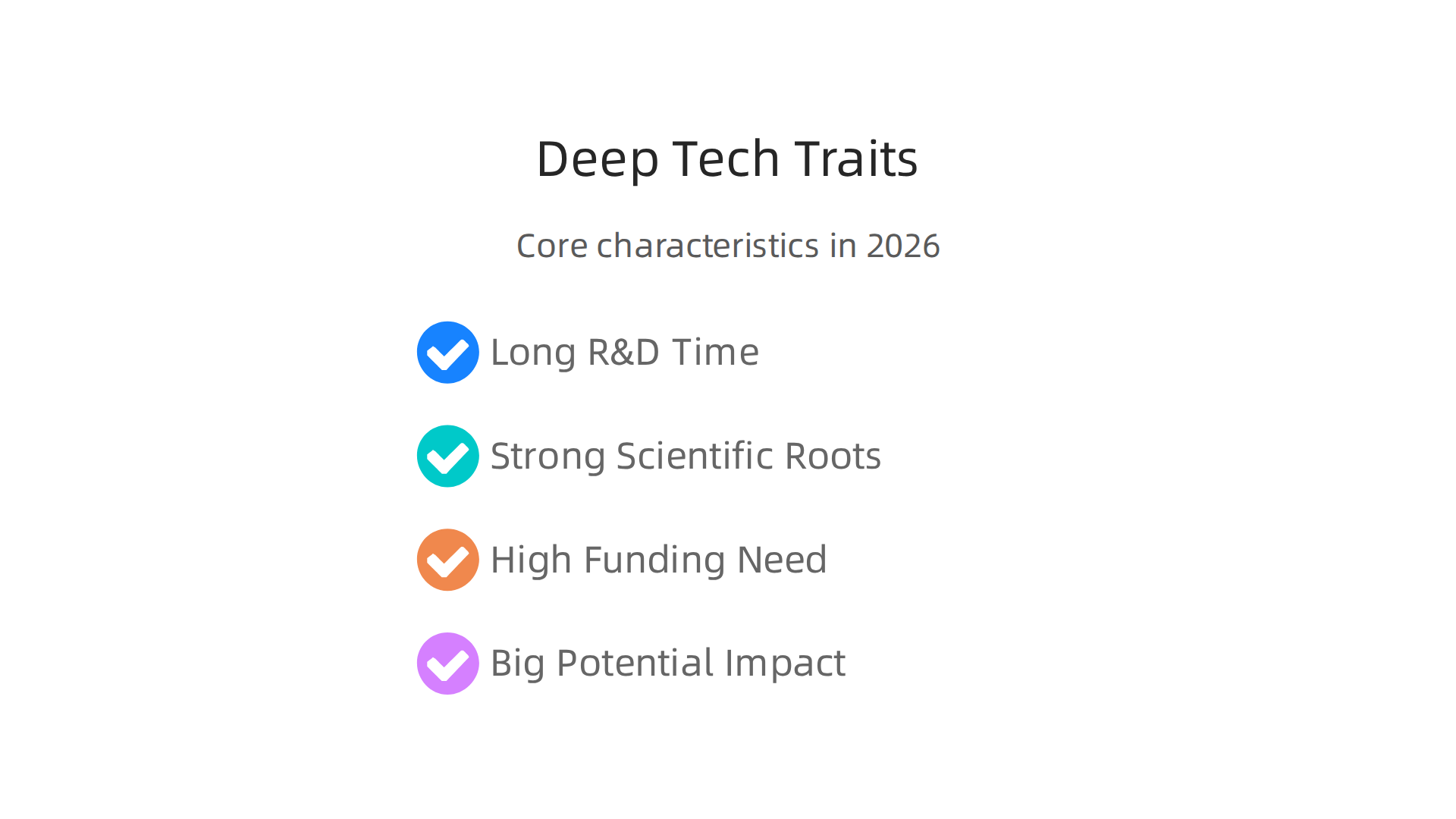
    Deep tech is characterized by its demanding development cycle, scientific foundation, high funding needs, and potential for massive impact.

    • Long Research and Development Time: These ideas do not become products overnight. They need many years of careful study and testing in labs. It is a marathon, not a sprint.
    • Strong Scientific Roots: Deep tech is born from new understandings in science, like physics, chemistry, or biology. It is not just about combining existing tools in a new way.
    • High Need for Money: Because of the long research time and complex development, deep tech projects often need a lot of money to get started and keep going.
    • Big Potential Impact: While hard to develop, deep tech can solve some of the world’s biggest problems, like climate change, new diseases, or access to clean energy.

    Main types of deep tech in 2026

    When we talk about deep tech, we are usually looking at a few main categories.

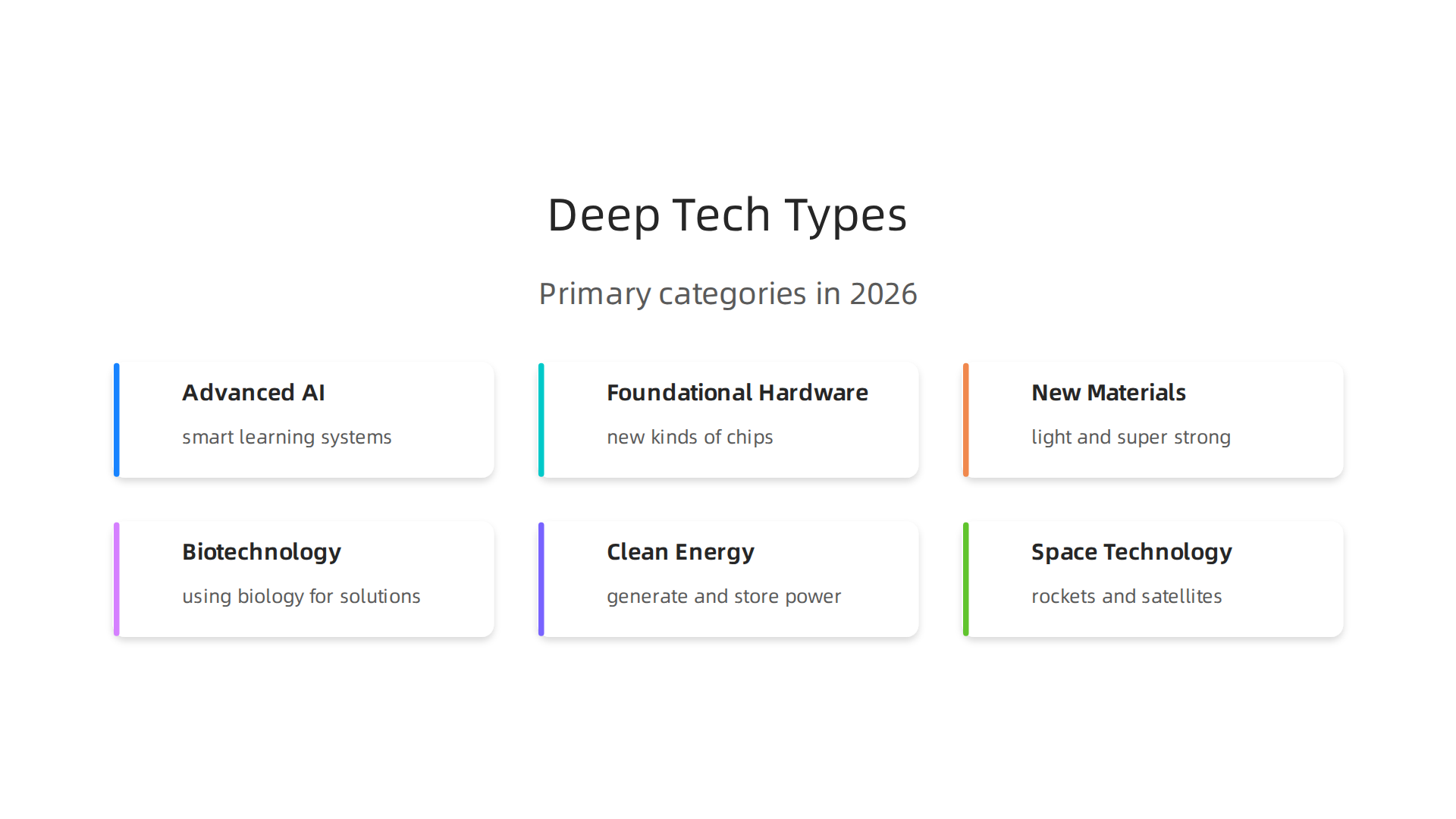
    An overview of the primary categories within deep tech, showcasing areas of significant scientific and engineering progress.

    These are the big areas where scientists and engineers are making the most exciting progress:

    • Advanced AI and Algorithms: This goes beyond the AI that helps you choose a movie. It includes things like really smart learning systems, new ways for machines to "see" and "understand" the world, or advanced decision-making tools that can solve very complex problems. This is where the core of computer AI development truly advances.
    • Foundational Hardware: This means building entirely new kinds of computer chips, advanced sensors, or even quantum computers that can do calculations impossible for today’s machines. These are the building blocks for the next generation of technology. If you are looking to understand the core components driving these innovations, consider learning about AI hardware 2026 a business leaders guide to growth.
    • New Materials: Imagine materials that are super strong but feather-light, or materials that can heal themselves. Deep tech includes creating these amazing new substances that can change how we build everything, from cars to medical devices.
    • Biotechnology and Life Sciences: This area focuses on using biology to create new solutions. It covers everything from new ways to edit genes, develop advanced medicines, or create lab-grown foods.
    • Clean Energy: Finding new ways to generate and store clean energy is a huge deep tech challenge. This can include advanced solar panels, better batteries, or even new types of nuclear power.
    • Space Technology: Developing new rockets, satellites, or ways to live and work in space falls under deep tech. It pushes the boundaries of engineering and exploration.

    Understanding these different areas helps leaders like you know where the biggest changes are coming from. Keeping up with these trends is a key part of staying competitive and making smart choices for your business in 2026 and beyond. Getting daily updates from experts can help you manage the fast pace of this What Is Deep Tech? The Definitive Guide to Frontier Technology.

    To really understand deep tech, it helps to look at where it is growing and where money is being invested. In 2026, the market for deep tech is booming. It is moving from science labs into real-world products and services. Many reports show big growth, meaning more and more companies are seeing the value in these advanced technologies.

    Where deep tech is growing

    Deep tech is making a big splash in many different parts of our world. Think about the areas below:

    • Healthcare: New ways to find and treat diseases, using advanced computer AI for better diagnosis or new biotech tools for medicines.
    • Clean Energy: Fresh ideas for how we make and store power, like super-efficient solar cells or better batteries.
    • Manufacturing: Smart factories use deep tech to make things faster, cheaper, and with less waste. This involves new robots and very precise production methods.
    • Defense and Space: These areas have always pushed technology forward, and deep tech helps create new tools for safety and exploration.
    • Agriculture: Finding ways to grow more food with fewer resources, using things like smart sensors and gene editing.

    The global deep tech market was worth about $2.74 billion in 2025. Experts believe it will jump to $3.28 billion in 2026 and keep growing fast, possibly reaching $13.85 billion by 2034. This shows a huge belief in its future possibilities Deep Tech Market Size, Industry Share, Forecast to 2026- …. Another report says the market could grow from $811.33 million in 2026 to $4524.37 million by 2035 Deep Tech Market Size, Share | Industry Report, 2035. This strong growth means deep tech is becoming a central part of how businesses innovate.

    What executives should watch for

    Business leaders need to pay close attention to several signs to know where deep tech is heading:

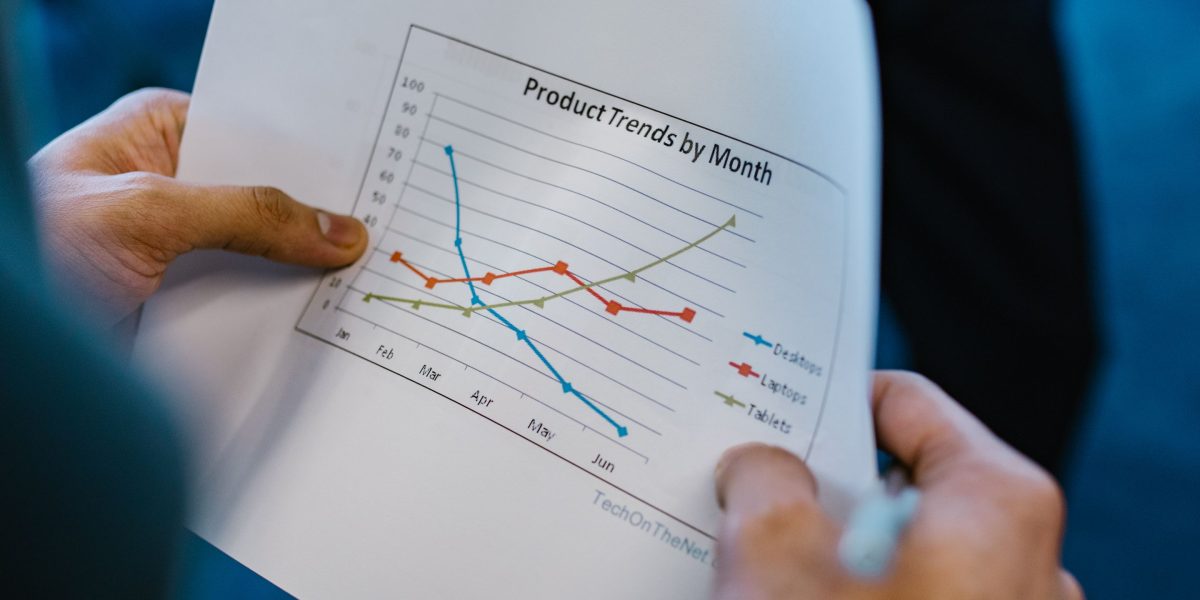
    A diverse team of professionals collaboratively analyzing market data and financial reports, pinpointing key trends.

    • More Money Being Invested: Venture capital funds and big companies are putting more money into deep tech startups. For example, in 2025, Europe saw $20.3 billion in venture capital funding for deep tech, which was 32% of all venture capital in the region Continuing trend towards deep tech. Across the U.S. and Europe, total venture funding for deep tech hit $156.6 billion, with the U.S. making up most of that The 2026 Deep Tech Report by Drumbeat Capital. These numbers show strong confidence from investors.
    • More Deals and Company Purchases: Keep an eye on how many deep tech companies are being bought by bigger firms. This means their technology is proven and ready for a wider market.
    • New Inventions and Patents: A rise in new ideas and patents means a lot of research is happening. This often leads to breakthrough products later on.
    • Government Support: Governments around the world are helping deep tech grow through funding and special programs. This can speed up development and make it easier for businesses to adopt new technologies.
    • Customer Interest: When more and more customers or businesses want deep tech solutions, it is a clear sign that these technologies are ready to go mainstream.

    To make smart choices for your business, you need to understand these trends. Learning about where to find and choose the right AI companies can help unlock business growth. For more insights on how to pick strong partners, read our guide on how to Evaluate AI companies to unlock business growth in 2026. Staying informed is key for any business aiming to use deep tech to its advantage.

    To keep up with the fast-changing world of deep tech and AI, you need reliable information.
    Get clear daily AI updates from The AI Newsletter Worth Reading.

    Deep tech is not just a fancy idea anymore. It is turning into real solutions that help businesses grow and make money. When companies put their efforts into deep tech, they see a good return on their investment (ROI). Let us look at some important ways deep tech is being used right now, in 2026, across different industries.

    High-impact business use cases: where deep tech delivers ROI

    Deep tech brings big changes to how businesses work, helping them get ahead. Here are some key areas:

    • Healthcare: In healthcare, deep tech is like a superhero. It helps find diseases earlier and makes new medicines faster. For example, special computer AI can look at medical scans and spot problems that doctors might miss. This means patients get help sooner. Companies like Google DeepMind have shown how deep learning models can help detect eye diseases with expert-level accuracy HSBC: Transforming Anti…. The payoff here is better patient care and more efficient hospitals, leading to healthier communities. The changes can be seen in an ongoing way, making improvements steadily over time.

    • Manufacturing: Imagine a factory that almost runs itself. That is what deep tech is doing for manufacturing. Smart robots and advanced sensors, part of a larger tech center, can check products for tiny flaws or help machines work perfectly. This means less waste, lower costs, and products made much faster. Think about "checkout-free stores" that use computer vision to track items, helping businesses operate smoothly Top 50 Deep Learning Use Case & Case Studies – AIMultiple. Businesses can see these benefits quite quickly, sometimes within months, as processes become more efficient.

    • Clean Energy: Deep tech is changing how we power our world. It helps create better batteries that store more energy and makes solar panels that capture more sunlight. It also improves how power grids send electricity around without wasting it. These new technologies help companies lower their energy bills and be kinder to the planet. The impact can be seen over a few years, as new energy systems are built and start working.

    • Other Industries: Deep tech also helps in areas like defense and space, making equipment safer and more advanced. In agriculture, it helps farmers grow more food with less water and fewer chemicals, using smart sensors and special plant science. Across many businesses, from banking to real estate, generative AI is solving real-world challenges, with some transformations happening in weeks and others taking years The Enterprise AI Playbook: Lessons from 51 Successful …. This shows deep tech can deliver results on different timelines.

    The main idea is that deep tech can lead to big improvements for businesses. It helps them save money, make better products, and serve customers in new ways. To truly get the most out of these powerful tools, businesses need good AI literacy and a clear plan. Learning how to pick the right AI tools for your business is crucial for getting these great results. Read our guide on how to choose AI for business tools that deliver real results in 2026 to make smart choices.

    To truly make the most of deep tech and get good results for your business, you need to know how to pick the right tools. It is not always easy, as deep tech solutions can be complex. Here is a simple guide to help you look at and choose the best deep tech for your company in 2026.

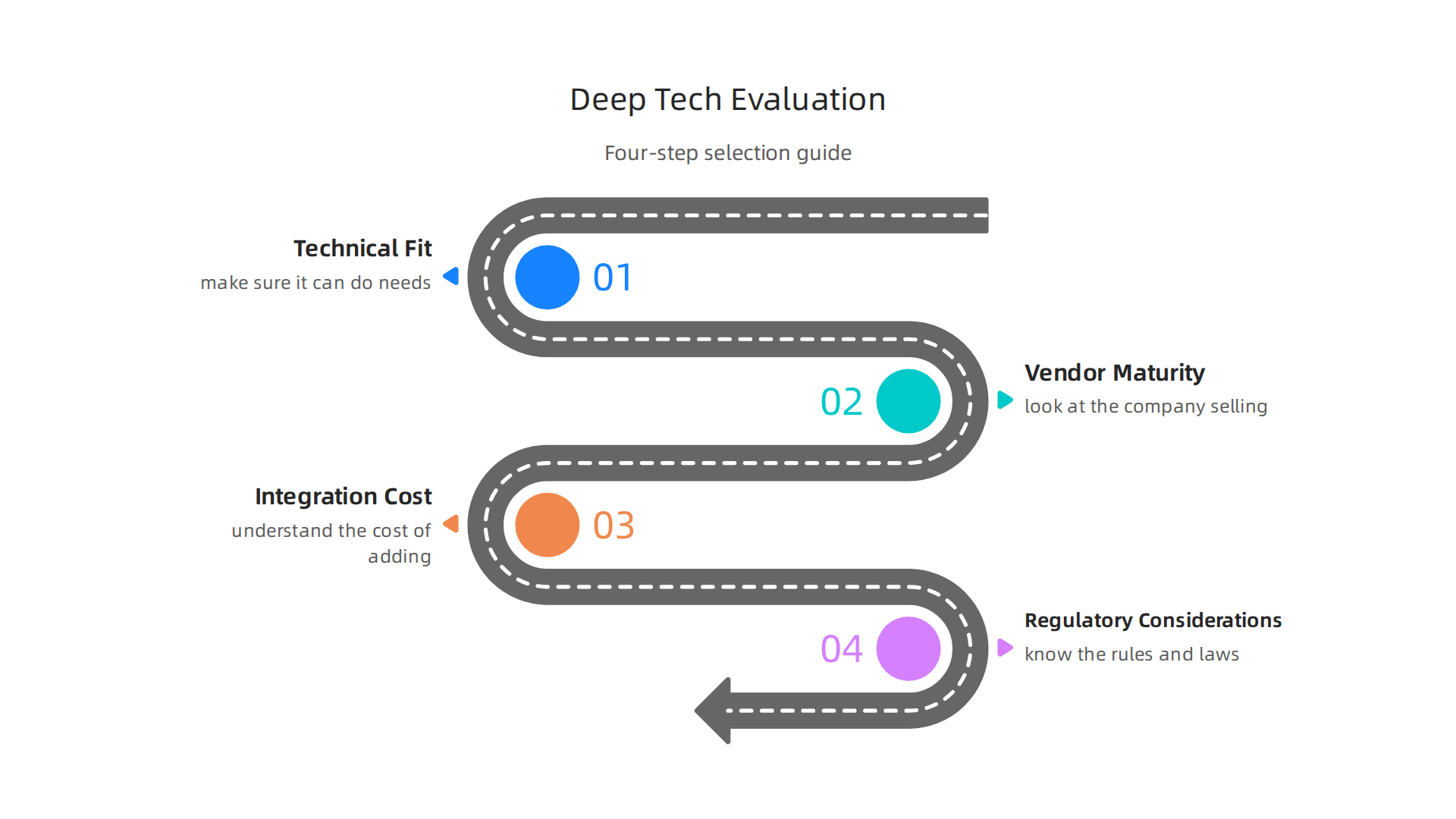
    A practical four-step framework guiding businesses through the process of evaluating and selecting deep tech solutions effectively.

    Colleagues engaged in a productive discussion, using a whiteboard to visualize and refine a practical framework.

    How to evaluate and select deep tech solutions: a practical framework

    Choosing deep tech solutions means more than just picking something new and shiny. It means finding tools that really fit your business and help it grow. You need a clear way to check if a new deep tech solution is right for you. Think of it like a checklist for success.

    1. Check if it fits your needs (Technical Fit)

    First, make sure the deep tech solution can actually do what you need it to.

    • Does it work well? Does the computer AI or other deep tech perform tasks quickly and correctly? Look for proof that it works as promised, maybe from other businesses like yours.
    • Will it play nice with your current systems? Deep tech should connect smoothly with the other tools and software you already use. If it does not, adding it could cause more problems than it solves. This is called "integration architecture" and it needs to be compatible with your existing setup AI Vendor Evaluation Scorecard: A Quantified Framework ….
    • Can it grow with you? As your business gets bigger, your deep tech tools should be able to handle more work without slowing down. This is important for future growth.

    2. Look at the company selling it (Vendor Maturity)

    It is not just about the product, but also the company behind it.

    • Are they experts? Do they have a good history of making and supporting deep tech?
    • How good is their help? If something goes wrong, can you get quick and helpful support?
    • Is it safe and secure? Deep tech often handles important information. Make sure the company takes data security seriously and follows all the rules. Before you buy, define clear safety requirements like specific certifications AI Vendor Evaluation Framework: Gartner MQ, RFP Scoring ….

    3. Understand the cost of adding it (Integration Cost)

    Deep tech might have a price tag, but there are other costs too.

    • How much work to set it up? Sometimes, getting new deep tech to work with your systems can take a lot of time and effort. This is part of the cost.
    • Training your team: Will your employees need special training to use the new tools? This also adds to the overall cost.
    • Long-term fees: Think about monthly fees or upkeep costs over time.

    4. Know the rules (Regulatory Considerations)

    Some deep tech solutions need to follow strict laws and rules, especially in areas like healthcare or finance.

    • Does it meet legal standards? Make sure the deep tech and its provider follow all the necessary laws, like privacy rules for customer data. This includes things like data residency rules for where data is stored.
    • Ethical use: Think about how the deep tech will be used and make sure it is fair and ethical for everyone involved.

    By using this step-by-step approach, businesses can make smarter choices about which deep tech to bring in. It helps make sure you invest in solutions that truly help your company succeed and get a good return on your money. Learning how to select these powerful tools is a key skill for leaders in 2026. If you want to dive deeper into how to evaluate AI companies, read our guide on how to evaluate AI companies to unlock business growth in 2026.

    To stay on top of the fast-changing world of deep tech and AI, getting reliable, daily updates is super helpful.

    Get clear daily AI updates from The AI Newsletter Worth Reading.

    After choosing the right deep tech solutions for your business, the real work begins. This next step is all about putting those powerful tools into action. For your engineering and operations teams, it means careful planning and smart steps to make sure the new technology works well with everything else you do. Think of it as building a strong bridge: you need to plan each part carefully so it can handle the traffic.

    Implementation and integration: pragmatic steps for engineering and ops teams

    Bringing new deep tech into your company is a big job. It needs a clear plan, especially for the teams who will set it up and keep it running every day. Here’s a simple guide for how to do that.

    Your Deep Tech Rollout Plan: Start Small, Grow Smart

    It’s usually not a good idea to bring in a big new deep tech solution all at once. A better way is to follow a roadmap, like a staged approach.

    1. Start with a Small Test (Pilot Program): Begin by using the deep tech on a small, controlled project. This "pilot" helps your teams learn how it works and find any problems without affecting your whole business. Many leading organizations use this method when trying out new deep learning tools, for example. This is like setting up a small "tech center" to experiment.
    2. Learn and Make Changes: After the pilot, gather all the feedback. What worked well? What caused problems? Use this information to fix things and make the deep tech better before you use it more widely.
    3. Grow Step-by-Step (Scale Up): Once the deep tech is working smoothly in your small test, you can slowly bring it to more parts of your company. This helps everyone get used to it and keeps things from breaking. Companies have seen great success by carefully scaling their generative AI use cases across different business functions, leading to real-world value Real-world gen AI use cases from the world’s leading ….

    What Can Go Wrong and How to Fix It

    Even with a good plan, sometimes things don’t go perfectly. Here are some common problems when bringing in deep tech and how to handle them:

    • It Doesn’t Connect: New deep tech might not easily "talk" to your older computer AI systems. This can cause a lot of headaches and extra work.
      • Fix: Before you even start, plan how the new deep tech will link up with your existing software. Sometimes, you might need special tools or help from partners to make them work together. Understanding the full landscape of your information systems vs information technology helps here.
    • Your Team Doesn’t Know How to Use It: Deep tech can be complicated, and your team might not have all the skills to use it right away. This is where "AI literacy" becomes important.
      • Fix: Offer training for your employees. You might also bring in outside experts or consultants to help guide your team. To boost professional skills, consider creating internal tech councils drive professional growth and knowledge sharing.
    • Bad Data In, Bad Results Out: Deep tech, especially types like machine learning, needs good quality information to do its job well. If your data is messy or incomplete, the results won’t be helpful.
      • Fix: Spend time cleaning up your data before you start using the deep tech. Make sure you have clear rules for how data should be collected and stored.

    Bridging Skill Gaps: When to Ask for Help

    Your internal teams are experts in your business, but deep tech can be very specialized. You might not have people who are experts in every new deep tech area.

    • Finding Your Internal Gaps: Look at what skills your team has and what new skills the deep tech needs. It’s okay if there are gaps. No one knows everything.
    • Working with Others:
      • Deep Tech Vendors: The company that sells you the deep tech often provides support, training, and updates. They know their product best.
      • Integration Partners: These are other companies that specialize in helping new technologies fit into existing systems. They can offer specific technical skills and help make sure everything connects smoothly. Successful businesses use a combination of internal knowledge and external partnerships to implement smart AI for business effectively.

    Successfully bringing deep tech into your company takes careful planning and smart choices about how to work with both your internal teams and outside partners. By taking these practical steps, your business can make the most of these powerful tools and drive real growth in 2026. Many companies, including those featured in 10 Deep Learning Case Studies [Detailed Analysis][2026], have shown that a thoughtful implementation strategy is key to success.

    Successfully bringing new deep tech into your company is a big achievement, but the journey doesn’t end once the tools are set up. Leaders must also think about potential risks, how to manage them, and the rules they need to follow.

    A group of executives in a boardroom setting, seriously discussing strategies for risk mitigation and compliance.

    This is like having a powerful new car: you need to know how to drive it safely and understand the traffic laws.

    Risks, governance, and the regulatory landscape – preparing for future shocks

    Deep tech, with all its power to change things, also brings important risks. Ignoring these risks can cause big problems for your business. It’s smart to plan ahead for these possible shocks.

    Understanding the Principal Risks

    When you adopt deep tech, especially advanced computer AI systems, you face a few main types of risks:

    • Ethical Risks: These are about fairness and doing the right thing.
      • Bias: Deep tech systems learn from data. If that data is unfair or incomplete, the system can make biased decisions. This means it might treat certain groups of people differently, which is not good for business or society. Concerns about bias, fairness, and transparency are growing, especially with generative AI The Ethical Role of Generative Artificial Intelligence in Modern HR Decision-Making.
      • Privacy: Deep tech often needs a lot of personal data. Keeping this data safe and private is very important. If data leaks, it can harm individuals and your company’s reputation. Governments worldwide are stressing the need for Data Protection Impact Assessments (DPIAs) when processing personal data that poses high risks Data and AI Ethics Framework.
      • Accountability: If a deep tech system makes a mistake, who is responsible? It can be hard to figure this out, especially with complex AI.
    • Operational Risks: These are about how the deep tech affects your day-to-day work.
      • Job Changes: Some deep tech tools might change or even replace certain jobs. Businesses need to think about how to support employees through these shifts. The impact of AI on job losses is a key governance issue Artificial Intelligence and the Future of Work. You can explore this further by learning about preparing for what jobs will AI replace.
      • Security Flaws: Deep tech systems can be targets for cyberattacks. Protecting them from hackers is a must.
      • Unintended Outcomes: Sometimes, deep tech can do things you didn’t expect, leading to problems that are hard to fix.

    Navigating the Regulatory Landscape in 2026

    Governments around the world are creating new rules for deep tech and AI. In 2026, staying up-to-date is more important than ever.

    Governance Practices and Risk Mitigation Strategies

    To handle these challenges, businesses need clear rules and ways to reduce risks.

    1. Create an Ethics Board: Set up a group of people in your company to look at how deep tech is used. This board should make sure your deep tech tools are fair, private, and safe.
    2. Regular Audits and Reviews: Periodically check your deep tech systems for bias, security weaknesses, or unexpected behaviors. Think of it like a regular health check-up for your technology.
    3. Data Governance: Make clear rules for how you collect, store, and use data. Ensure everyone follows these rules to protect privacy and improve data quality.
    4. Employee Training: Teach your employees about the ethical use of deep tech and how to spot potential problems. This helps build a culture where everyone is aware of the risks.
    5. Stay Informed: The world of deep tech and its rules changes fast. Keep up with new regulations and best practices.

    By actively managing these risks and setting up good governance, your business can use deep tech to its full potential while staying safe and responsible. Keeping informed is key.


    Stay ahead of the curve and get clear daily AI updates directly to your inbox. Get clear daily AI updates from The Deep View Newsletter.

    Summary

    This primer explains what deep tech means in 2026, why it matters to business leaders, and how to turn scientific breakthroughs into commercial advantage. It describes the defining traits of deep tech — long R&D cycles, strong scientific roots, heavy capital needs, and large potential impact — and surveys major categories like advanced AI, hardware, new materials, biotech, clean energy, and space. The article outlines market signals to watch (investment flows, deals, patents, and government support), concrete industry use cases that deliver ROI, and a practical vendor‑selection framework covering technical fit, vendor maturity, integration costs, and regulatory checks. It gives an implementation roadmap—pilot, iterate, and scale—plus common failure modes and fixes for engineering and operations teams. Finally, it highlights governance steps to manage ethical, operational, and legal risks so leaders can adopt deep tech responsibly and competitively.

  • Selecting Top IT Companies 2026 for Business Growth and Innovation

    Selecting Top IT Companies 2026 for Business Growth and Innovation

    Why this guide to top IT companies and tech hubs matters in 2026

    In 2026, the world of technology moves faster than ever. Every day, new companies pop up, and old ones change. This makes it super hard to know which are the truly top IT companies to watch or work with. It’s like trying to find a special toy in a very big, messy toy store. There’s just too much information to sort through!

    You might see lists everywhere: "best tech companies," "fastest growing," or "most innovative." But how do you really know what makes a company great for you? Is it their size, like the big players on the Global Top 100 companies – by market capitalisation list? Or is it how they treat their workers, like those on the Best Places to Work in IT 2026 report? And what about the best places to find these companies? Are you looking for a buzzing "tech city" or a quiet corner in "western tech" that’s also doing amazing things?

    Here’s the thing: trying to make sense of all this information alone can be overwhelming.

    A person feeling overwhelmed by a flood of information, seeking clarity amidst complexity.

    You might spend hours looking at different rankings or news from publications like PC Magazine, only to feel more confused than when you started. That’s why this guide is so important. We cut through the noise to give you a clear, simple way to look at the landscape.

    This guide will give you a smart way to figure out what really matters. We will show you how to use clear rules to look at different IT companies and the places where they thrive. This means you will learn how to pick the best places to grow your career, find great partners, or even choose new tools for your business. We want to help you make good choices, so you can pick the right companies and understand why certain tech city hubs are so important in 2026.

    Staying updated with the rapidly evolving AI landscape is crucial, but it’s hard to know what information to trust.
    The AI Newsletter Worth Reading delivers clear daily AI updates to your inbox, helping you cut through the noise and focus on what truly matters for your business.

    How top IT companies are ranked: metrics, methodologies, and pitfalls

    Picking the right companies starts with knowing how people decide which ones are "the best." There are many ways to rank top IT companies in 2026, and each method tells a different story. You might think a big company is always better, but that’s not always true. Let’s look at the common ways these companies are measured.

    Key metrics used to evaluate and rank top IT companies, offering diverse perspectives on their performance.

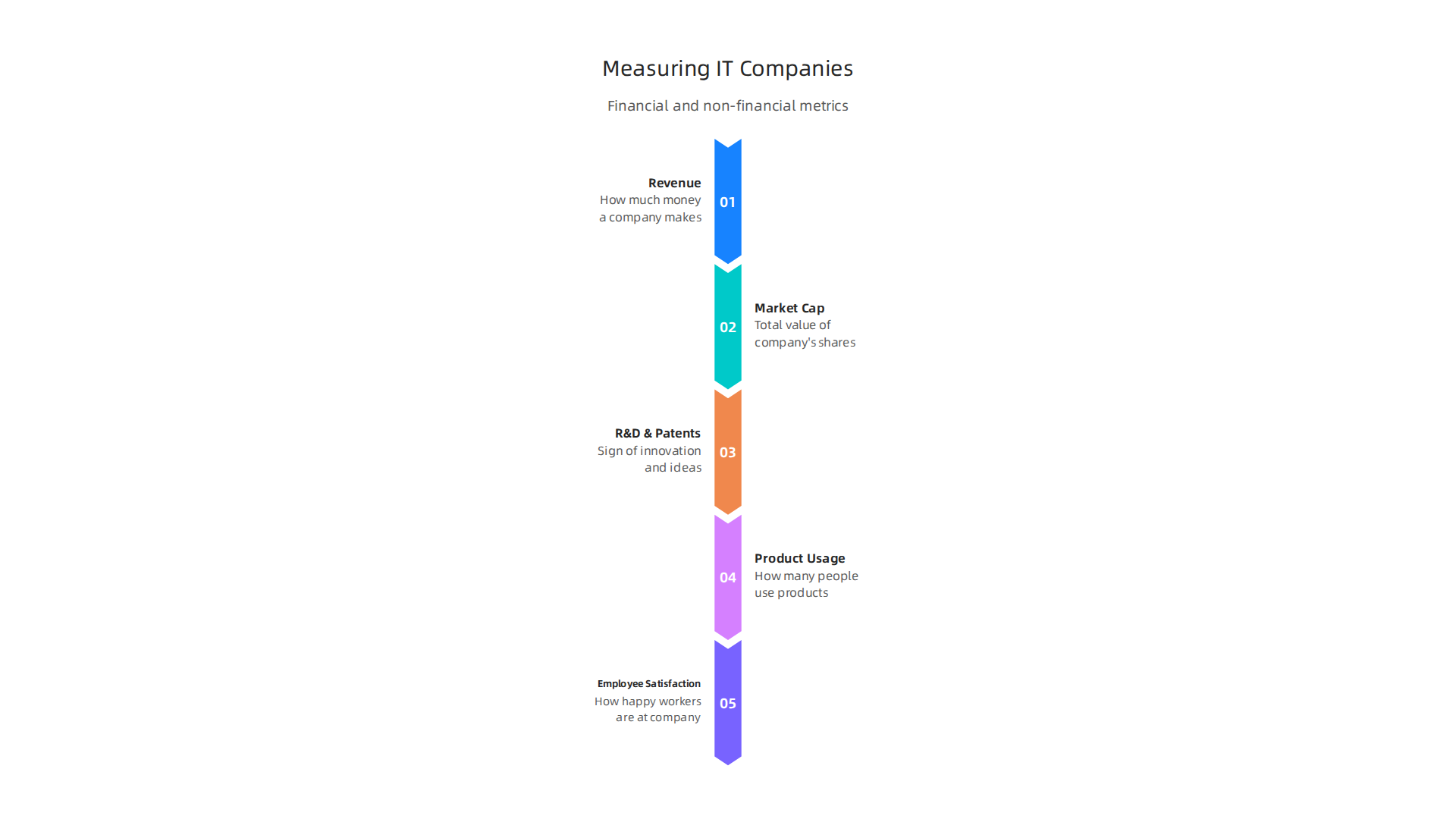
    Common Ways to Measure Top IT Companies

    • Revenue: This is how much money a company makes from selling its products and services. Companies with high revenue often seem strong and successful. For example, some reports show the Top 10 World’s Biggest IT Companies by Revenue in 2026. But making a lot of money doesn’t always mean a company is growing fast or is a great place to work.
    • Market Capitalization: This is the total value of a company’s shares in the stock market. It tells you how much the whole company is worth to investors. A high market cap, often seen in global lists like the List of the largest software companies – Wikipedia, means investors think the company has a bright future. However, market value can change quickly based on news or feelings, not just real growth.
    • Research and Development (R&D) Spend and Patents: Companies that spend a lot on R&D are often trying to create new and exciting things. This can be a sign of innovation. Companies like Samsung Electronics are leaders in filing new patents, as highlighted in the Harrity Patent Analytics Releases the 2026 Patent 300 Report. More patents often mean more new ideas and a stronger future.
    • Product Usage and Developer Adoption: How many people use a company’s products? Are developers building new tools on their platforms? High usage and adoption show that a company’s technology is important and useful to many. Websites like G2 also rank Global Software Companies for 2026 based on actual user reviews and ratings.
    • Employee Satisfaction: This looks at how happy workers are at a company. Happy employees often mean a better culture and more innovation.

    Why One Metric Isn’t Enough

    Here’s the pitfall: relying on just one of these numbers can trick you. A company might have huge revenue but low employee happiness, or a high market cap but few new ideas. For instance, a report might name a company as a "top IT company" for its financial strength, but it might not be a place where new talent wants to go. It’s like judging a book only by its cover. To truly understand, you need to look at many different things.

    A person carefully analyzing various data points to make an informed decision.

    The Importance of Methodology

    Different reports use different ways, or "methodologies," to rank companies. One report might focus on how fast a company is growing, while another might look at how well it serves its customers. For example, the 2026 Information Technology Services Cyborg Score Rankings uses a special scoring system involving expert panels. Before you trust any ranking, always try to read the "methodology" section. This part tells you how the information was gathered and what rules were used. Without understanding the rules, you might not pick the right company for your needs, whether you’re looking for a job in a busy tech city or a partner for your business in the growing western tech regions. Understanding these rules helps you make smarter choices about which companies truly lead the way.

    To truly understand which companies are leading the way, we must look beyond just numbers. It’s about what these top IT companies actually do and where their special skills lie. In 2026, the tech world is wide and varied, with many kinds of businesses standing out.

    Different Kinds of Leading IT Companies

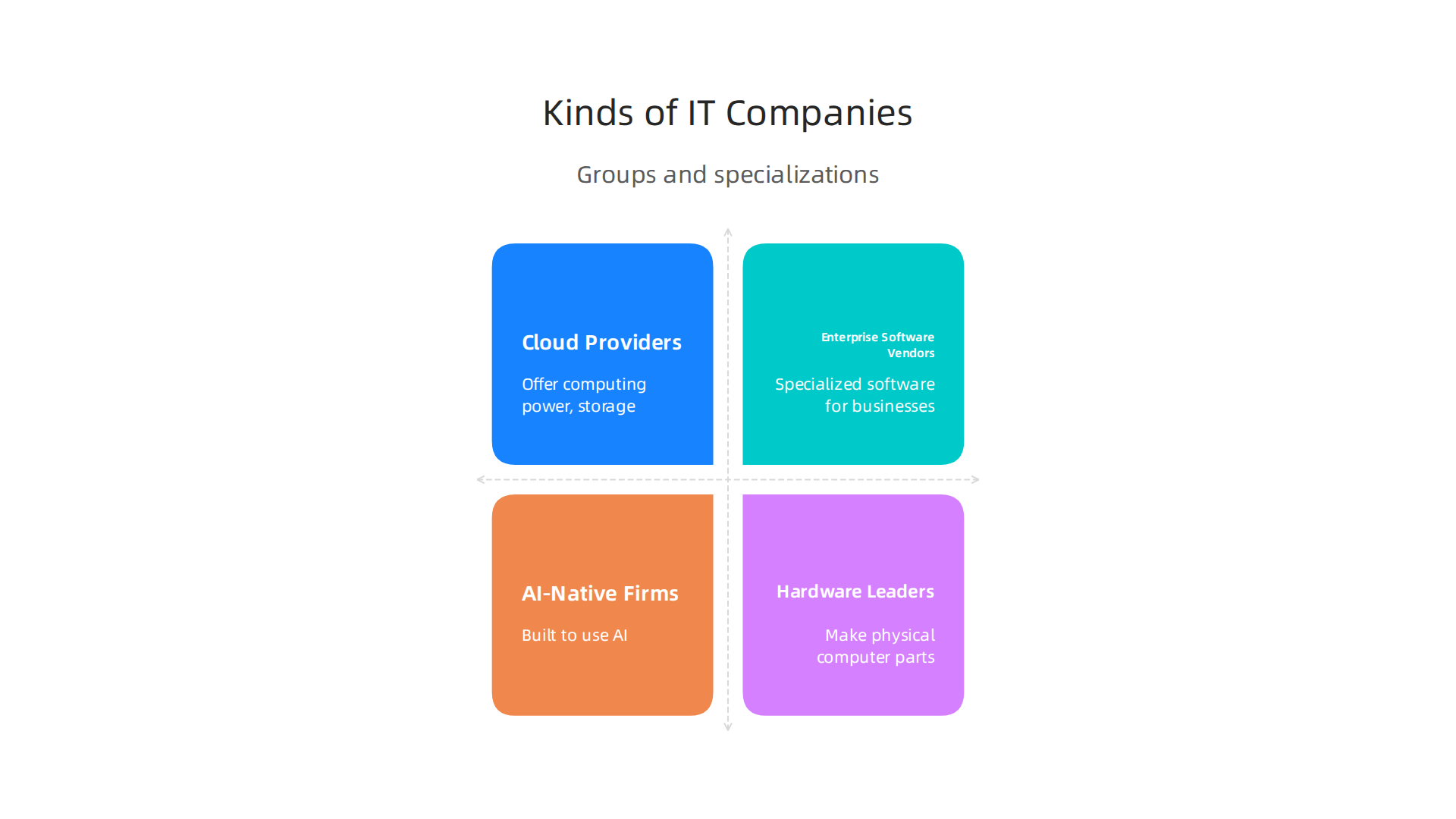
    Top IT companies often fall into a few main groups, each with its own strengths:

    Explore the diverse specializations of top IT companies shaping the 2026 technology landscape.

    • Cloud Providers: These companies offer computing power, storage, and software over the internet. Think of them as building the very backbone of modern digital business. They let other companies run their apps and store data without owning huge computer centers. Many businesses, from small startups to large enterprises, rely on these cloud services to grow.
    • Enterprise Software Vendors: These firms create specialized software programs for big businesses. This software helps companies manage things like customer relationships, accounting, and daily operations. They often focus on making existing business processes work better and faster. If you’re looking for solutions to make your business run smoothly, you’d likely turn to these vendors. Many of them are working to include enterprise AI platforms 2026 into their offerings.
    • AI-Native Firms: These are newer companies built from the ground up to use artificial intelligence. Their main goal is to create smart tools and services that can learn and make decisions. These companies are pushing the limits of what AI can do, from helping with marketing to making complex data easier to understand. Reports often highlight such innovators as "leading the way" in new technology for the year, showing the strong focus on AI advancements across the industry.
    • Hardware Leaders: These companies make the physical parts of computers and other tech devices. This includes everything from the chips inside your phone to the big servers in data centers. Without their constant improvements, the software and AI companies couldn’t do what they do. New advancements in AI hardware 2026 are especially important for future tech growth.

    How Location Shapes Company Strengths

    The place where a company grows up can really affect what it’s good at. This is called regional specialization.

    • North America: Companies here often lead in cloud services and advanced AI. They focus on scaling up quickly and reaching a huge number of users. The fast-paced environment of the western tech hubs, for example, helps foster this kind of rapid growth and innovation. Many tech magazines, like PC Magazine, often cover their breakthroughs.
    • Europe: In Europe, you’ll find many strong enterprise software companies. They often build very specific solutions for different industries, like manufacturing or finance. They tend to focus on deep integration and reliability, often working closely with traditional businesses.
    • Asia: This region is a powerhouse for hardware making and consumer electronics. Companies here are often at the forefront of creating new gadgets and the components that power them all around the world.

    Understanding these different types of companies and their regional strengths is key. For instance, a 2026 whitepaper pointed out 32 technology companies that are truly leading the way, each with their own unique focus and location contributing to their success Whitepaper: 32 Technology Companies Leading The Way In 2026. If you’re looking for a partner for your business, knowing what each type specializes in helps you pick the right fit. It means you can find a company whose core strengths match your specific needs, whether that’s building new AI tools, handling your business’s data in the cloud, or upgrading your computer hardware.

    To keep up with the fast-changing world of AI and technology, there’s an easy way to get the latest news and insights. Get clear daily AI updates from The AI Newsletter Worth Reading.

    After looking at different kinds of companies and where they are strong, it’s also important to know what makes a place a true "global tech hub." It’s not just about having a few big companies. A real tech city has special ingredients that help many top IT companies grow and succeed.

    What Makes a Place a Real Tech Hub?

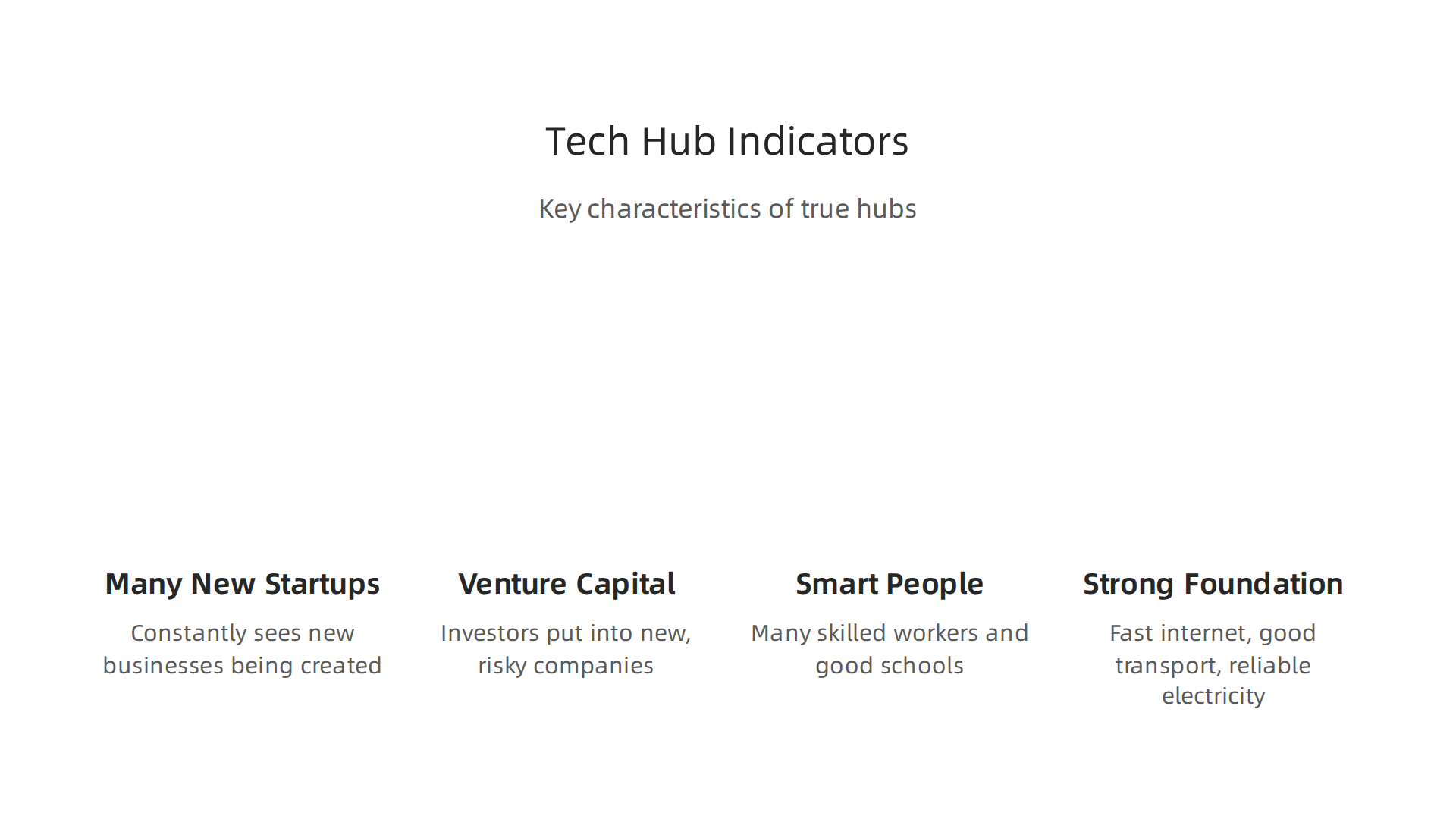
    To tell a true tech hub from just a growing tech area, we look at several key things:

    Key characteristics that define a thriving global tech hub beyond mere growing tech clusters.

    • Many New Startups: A strong tech hub constantly sees new businesses being created. This is called the startup formation rate. A lot of new companies means there are always fresh ideas and people willing to try them out. For example, reports show the number of business startups is a key sign of innovation Annual economywide business startups.
    • Plenty of Venture Capital (VC) Money: This is money that investors put into new, risky tech companies because they believe those companies will grow big. When a lot of VC funding flows into a city, it shows that investors trust the ideas coming from that place. This kind of investment often makes a region a "tech cluster" Tech Clusters – Harvard Business School. In 2026, computer software firms in the U.S. continue to get a lot of this type of funding U.S. and Global Science, Technology, and Innovation Output.
    • Smart People and Good Schools: A tech hub needs many skilled workers. This is called a "talent pipeline." Universities and research centers help by teaching new skills and doing advanced studies, especially in areas like AI. The number of graduates in tech subjects and how many AI courses are available are big indicators SAS AI Cities Index 2026. These institutions feed the brains into the companies that make up the tech city.
    • Strong Foundation (Infrastructure): This means having fast internet, good public transport, and reliable electricity. Without these basics, even the smartest people and best ideas can’t work well.

    How to Keep a Tech Hub Strong for a Long Time

    Beyond these basic signs, some other things help a tech hub stay strong and grow over many years:

    • Helpful Government Rules: Governments can set up rules and offer support that makes it easier for tech companies to start and succeed. This might include special programs or policies that push for new technology in different fields, like education Realising the potential of technology in education: – GOV.UK. These actions help create a good environment for innovation.
    • Good Quality of Life: People who work in tech want to live in places that are enjoyable. Cities with good schools, parks, cultural events, and safe neighborhoods attract and keep talented workers. When people are happy where they live, they are more likely to stay and help the local tech scene grow. This makes a place a "talent magnet" How to turn a tech hub into a talent magnet.

    These factors working together are what make places like New York City, a key player in western tech, truly stand out as global tech hubs, not just simple clusters of tech businesses Reports. It shows that a good mix of money, talent, and support is needed for a tech community to really shine.

    After understanding what makes a true tech city, it’s time to look at how these ingredients mix in different parts of the world. Each major region has its own way of growing and supporting top IT companies. Let’s compare North America, Western Europe, and Asia to see where they shine and where they might need more work.

    Comparing Ecosystems: North America vs Western Europe vs Asia — Strengths, Gaps, and Opportunities

    When we look at global tech hubs, we see unique patterns in North America, Western Europe, and Asia. These differences can really matter for businesses choosing where to grow.

    North America: The Land of Big Dreams and Big Money

    North America, especially the United States, is known for its strong drive for new ideas.

    • Strengths: This region has a lot of money for new companies, called venture capital, which helps many startups grow fast. There are many smart people coming from top universities, ready to work in tech. The culture also supports taking risks and trying new things. Salaries for tech workers, especially for roles like AI/ML engineers and data scientists, are projected to increase by over 4% in 2026, showing a high demand for talent here 2026 Tech and IT Salaries and Compensation Trends.
    • Gaps: It can be very expensive to live and run a business in many North American tech cities. There is also very strong competition for good workers, which means companies have to work harder to keep their best people.
    • Opportunities: If a company wants to start with a new, big idea and needs lots of funding, North America is often the best place. It’s great for quickly growing a business to a very large size.

    Western Europe: Strong Foundations and Smart Support

    Western Europe, including places like the UK, has a different kind of strength in its tech scene.

    • Strengths: Governments in Western Europe often have good rules and programs to help tech companies and startups. For example, the UK has strong support for venture capital investments to help new companies UK Digital Strategy. There’s also a deep pool of skilled workers.
    • Gaps: Sometimes, it can be harder for a small tech company to grow into a huge global player compared to the US. This is often called "scaling" challenges. While venture capital is present, there might be less of it than in North America.
    • Opportunities: Western Europe is a great place for companies that value stable growth, good work-life balance, and strong government backing. It’s also a good stepping stone to other European markets.

    Asia: Fast Growth and Huge Markets

    Asia is a very diverse continent, but many of its tech hubs are growing incredibly fast.

    • Strengths: Countries like Hong Kong actively promote innovation by supporting universities’ research and helping new companies get money Government promulgates Hong Kong Innovation and Technology. There’s a massive number of engineers and a huge market of customers for tech products. Many Asian economies are seeing a big increase in newly funded AI companies Economy – hai.stanford.edu.
    • Gaps: Keeping talented workers can be a challenge as people might move to other regions for different opportunities. Also, understanding local customs and languages is very important for doing business successfully.
    • Opportunities: For companies looking for rapid growth and access to a large number of consumers, Asia offers immense possibilities. It’s a key region for manufacturing and quickly bringing new technologies to market.

    What This Means for Businesses

    Knowing these differences helps companies make smart choices. If a company wants to invent something totally new and needs a lot of investment, North America might be a good fit. If they want to grow steadily with good government support, Western Europe could be ideal. And if they aim for fast growth and a huge customer base, Asia is a strong option. Choosing the right tech city for your business is a big step that shapes its future. It is also important for businesses to evaluate AI companies in these regions to make informed decisions on partnerships and investments.

    To keep up with these fast-changing global tech scenes and make the best decisions for your business, staying informed is key. Get clear daily AI updates from The AI Newsletter Worth Reading.

    Finding the right place for a tech business also means thinking about the people who will work there. The best tech cities don’t just have good ideas or money; they also have the best workers. Let’s look at how hiring, pay, and keeping good people are changing for top IT companies in 2026.

    Talent, hiring, and salary trends shaping the top IT companies

    The world of work for tech companies is always moving. In 2026, companies are seeing big shifts in who they hire, how they pay them, and how they keep them happy. This is very important for any business that wants to be one of the top IT companies.

    What Kinds of Skills Are Needed?

    Today, many tech firms are looking for people with special skills in areas like AI, cloud computing, and making sure computer systems are safe (cybersecurity). These skills are in high demand across many industries Your Complete Guide to Tech Sector Salaries, Hiring …. This means that companies need to find workers who can help them build new AI tools or keep their digital information safe. For example, mid-level AI engineers have seen big pay increases recently, showing how much their skills are valued Motion Recruitment releases 2026 Tech Salary Guide.

    Working from Anywhere: Remote vs. Office

    One big change is how and where people work. Many companies now use a "hybrid" way of working. This means some days in the office and some days working from home or another location. This offers more freedom to workers. For example, reports show that software engineers working remotely can earn good salaries, even across different countries Terminal Releases 2026 Remote Software Engineer Salary Insights Report. This shift means that a company in a big tech city can hire someone who lives far away, opening up more choices for both workers and businesses.

    The Challenge of Finding Enough Workers

    Even with more choices in where to hire, there’s still a big need for skilled tech workers. Experts say there’s a huge gap of about four million tech professionals needed worldwide 2026 Information Technology (IT) Salary Guide | Cherry Bekaert. This "talent gap" means companies have to work harder to find and keep their employees. Things like how easy it is for skilled workers to move between countries (immigration policies) can also affect how many people are available to hire in a certain tech city.

    How Money and Benefits Matter

    To attract the best workers, top IT companies must offer good pay and benefits. This includes more than just salaries; it also means things like health insurance, retirement plans, and even how much ownership (equity) a worker might get in the company. A company’s "employer brand," or how it’s seen as a place to work, is also very important. Companies that are known for treating their employees well and offering chances to grow will have an easier time getting and keeping top talent. This means businesses need to think about their total package, not just the basic pay.

    Attracting skilled workers is just one piece of the puzzle. Once a company has great people, it needs to help them create new and exciting things. This is where innovation comes in. For choose top software companies and AI in 2026, it is not just about having smart ideas. It is about showing real results.

    How Companies Show They Are Innovative

    It can be hard to tell how innovative a company truly is. But there are clear ways to measure it. These are like clues that show how much a company is working on new things.

    • Patent Filings: When a company invents something new, like a special way for AI to learn or a new computer part, it can apply for a patent. This patent protects their idea. The more patents a company gets, the more new inventions it is making. For example, Samsung Electronics has been a leader in patents, showing how much they innovate each year Global Patent and Innovation Leadership Report – 2026. Many companies, including those in Qualcomm’s 2026 innovations, keep track of how many patents they get. You can even find reports that list the top companies with the most patents, like the annual Patent 300 Report Harrity Patent Analytics Releases the 2026 Patent 300 Report.
    • Research Papers: Sometimes, companies share their new discoveries by writing special papers for science journals. This shows they are doing deep research.
    • New Product Launches: When a company regularly releases new products or big updates, it is a good sign they are always innovating. Think about how often new gadgets appear.
    • Open-Source Contributions: Some companies share their work for free, letting others use and build on their code. This helps the whole tech world grow and shows they are active in the community.

    The Wait for Big Ideas to Grow

    Making new things takes time. A company might spend years and lots of money on "Research and Development" (R&D) before you see a new product on the market. It is like planting a seed and waiting for it to grow into a tree. The money companies put into R&D is an important signal America’s Most Innovative Businesses 2027.

    For instance, companies invest in R&D and intellectual property like patents Intellectual property statistics. It can be hard to see the direct outcome of R&D right away. But if a company is investing heavily in R&D, it often means good things are coming. These short-term signals, like increased R&D spending, can hint at big innovations down the road. This is especially true for companies working on complex things like AI, where getting a patent for new AI ideas is a big deal Global Artificial Intelligence (AI) Patent Landscape Report.

    To stay on top of these trends and see what new ideas are shaping the world of tech, it is smart to keep learning.
    Get clear daily AI updates from The AI Newsletter Worth Reading.

    Staying up-to-date on new ideas is super helpful. But then, businesses need to use that knowledge to make smart choices, especially when picking who to work with. Choosing the right partners and vendors from the many top IT companies out there is key for any business to grow in 2026. It’s not just about finding a company that looks good on paper. It’s about finding one that truly fits your needs.

    How businesses should choose vendors and partners among top IT companies

    Picking the best IT company to work with is like finding the right puzzle piece. If it does not fit, your project will not work as well as it could. Here are some simple steps to help businesses choose wisely:

    1. Think about how risky it is

    Every choice has some risk. When you pick an IT partner, think about:

    • Their track record: Have they done good work for others?
    • How stable they are: Are they likely to be around for a long time?
    • Security: Do they protect your information well?

    Choosing a partner that has a solid history helps lower risks for your business, as mentioned in procurement insights Evaluating Vendors in 2026: Tools, Criteria & Common Mistakes.

    2. Check if they fit with your current tools

    You already have tools and systems you use every day. Your new partner’s products must work well with them. This is called "integration fit." If their system does not easily connect with yours, it can cause many problems. It’s smart to focus on how well a new technology fits with what you already use Enterprise Software Vendor Selection: Comprehensive Guide for 2026.

    3. Understand all the costs

    The price tag you see first is not the only cost. You need to think about the "total cost of ownership." This means:

    • Setup costs: How much does it cost to get started?
    • Ongoing fees: What do you pay each month or year?
    • Training: Will your team need special training?
    • Support: What if something goes wrong?
    • Upgrades: What about future updates?

    Looking at all these costs gives you a full picture. Many case studies show that technology investments often bring more than 100% return on investment, so choosing carefully pays off ROI Reality Check: What 128 Case Studies Reveal About Technology Value.

    4. See if their future plans match yours

    Where is your business headed? Do your potential partner’s future plans, or "strategic roadmap," go in the same direction? If they are building tools for things you care about, that is a good sign. This is especially true when choosing new AI for business tools that deliver real results in 2026.

    A Simple Checklist for Choosing Your Next IT Partner

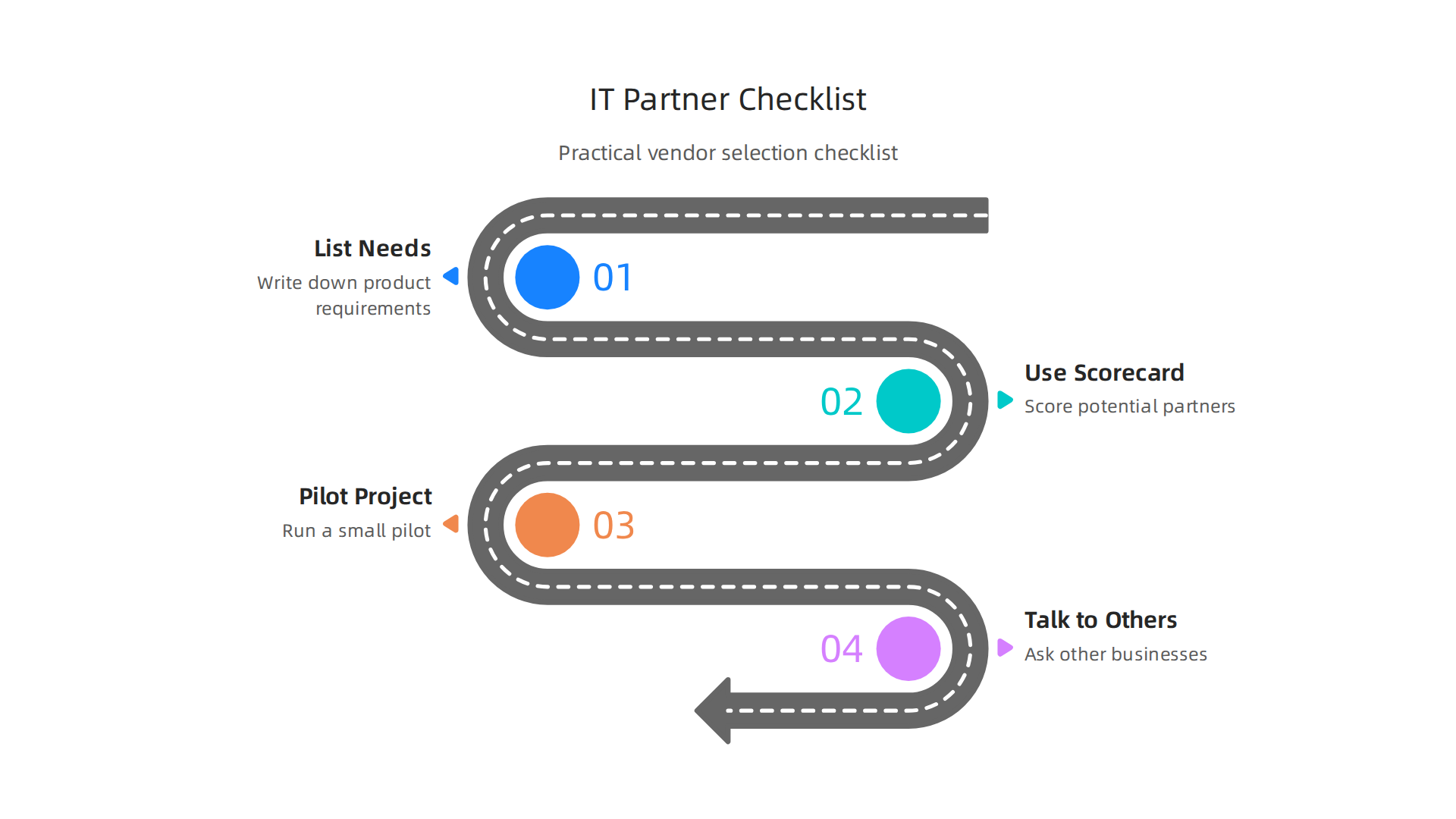
    When you are ready to start looking, here’s a practical checklist:

    A practical checklist for businesses to effectively select their next IT vendor or partner.

    • List your needs clearly: Before you even talk to a vendor, write down exactly what you need their product or service to do for your business. This is the first step in a good vendor selection process A complete Guide to the Vendor Selection Process in 2026.
    • Use a scorecard: Give scores to each potential partner based on how well they meet your needs. You can rate things like their technology, customer support, and how easy they are to work with. Using a weighted scorecard helps remove any personal feelings from the decision Vendor Management Strategy: Procurement Guide 2026.
    • Test them out: If possible, try a small "pilot" project with the top choices. This is like a trial run to see how well they perform in real life.
    • Talk to others: Ask other businesses about their experiences with these vendors.

    By following these steps, you can make sure you pick the best IT partners. This helps your business grow and use technology smartly. To understand more about what makes up this field, you might want to read about understanding what is information technology for business success in 2026.

    Summary

    This guide explains how to identify and compare the top IT companies and the tech hubs where they thrive in 2026. It walks through common ranking metrics—revenue, market cap, R&D, product adoption and employee satisfaction—and warns why any single metric can mislead your decision. The article describes the main company types (cloud providers, enterprise software, AI-native firms, hardware leaders), shows how regional strengths differ across North America, Western Europe and Asia, and outlines what makes a real tech hub: startups, VC, talent pipelines and infrastructure. You’ll also get hiring and salary trends, practical signals of innovation like patents and product launches, and a step-by-step checklist to evaluate vendors and choose partners. Read this to make smarter hiring, partnership or investment choices and to pick the tech cities and companies that fit your goals.

  • AI Racism Explained for Business Leaders: Risks, Regulations, and Solutions

    AI Racism Explained for Business Leaders: Risks, Regulations, and Solutions

    Why AI Racism Matters Now: A Practical Primer for Decision-Makers

    In 2026, artificial intelligence (AI) is everywhere. It helps us do many things, from choosing what to watch online to deciding who gets a loan or a job. But what happens if the AI learns bad habits from the data it uses? This is where we run into a big problem called AI racism. It’s when AI systems unfairly treat people based on their race, often without anyone meaning for it to happen.

    You might wonder, "how long has AI been around?" While the idea of AI has been around for many years, the tools we use today have grown very quickly, especially since 2023. As AI development moves forward, we have to be careful about how these powerful tools are made and used. If an AI brain is fed information that has hidden biases, it will learn those biases and act on them. This can lead to unfair results for real people.

    What is AI Racism?

    Simply put, AI racism happens when an AI system shows unfair bias against certain racial groups. It’s not about the AI itself being "racist" like a person. Instead, it’s about the data it learns from, the rules it follows, or how people use it. This bias can creep into AI systems in many ways. For example, if an AI is trained mostly on pictures of one race, it might not be as good at recognizing faces of other races. This isn’t just a small flaw; it can cause big problems. Experts have been working on ways to check for and fix these biases, looking at things like fairness metrics for different groups of people Racial/Ethnic Bias in AI Systems: A PRISMA Systematic….

    Where Does AI Racism Show Up?

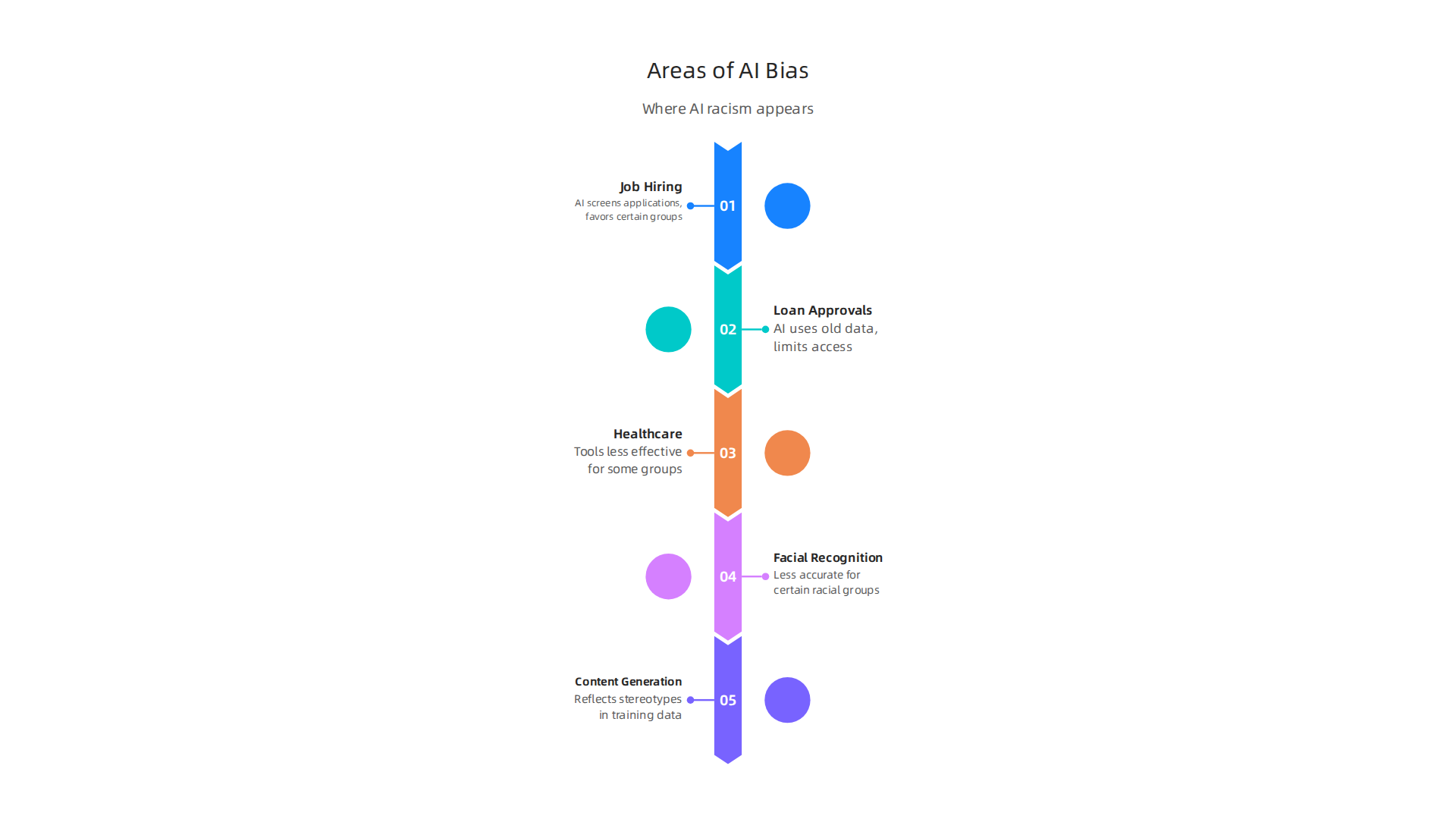
    AI racism can appear in many parts of our lives. Here are a few examples:

    AI racism isn't just theoretical; it manifests in critical real-world applications, from job markets to healthcare decisions, impacting individuals significantly.

    • Job Hiring: An AI that screens job applications might learn to favor names or experiences linked to one racial group, accidentally shutting out good candidates from others.
    • Loan Approvals: AI systems that decide who gets a bank loan could use old data that shows loans were less often given to certain neighborhoods, making it harder for people from those areas to get loans even today.
    • Healthcare: Medical AI tools might not work as well for certain racial groups if they were mostly tested on data from another group. This could mean a delay in getting the right care.
    • Facial Recognition: Police often use AI to identify people. If this technology is less accurate for certain racial groups, it can lead to wrongful arrests or unfair stops. People sometimes hold an AI protest when they feel these systems are being used unfairly.
    • Content Generation: AI that creates text or images can also show bias, reflecting stereotypes if its training data contains them.

    Companies and governments are starting to develop guides and rules to help make AI fair. These are often called AI ethics frameworks AI Ethics Frameworks in 2026: EU AI Act + Tools – Future AGI. They help make sure AI works well for everyone. Tools like AI Fairness 360 are also available to help companies check for unwanted bias in their AI models before they cause harm AI Fairness 360.

    Why This Matters for Your Business

    For decision-makers, understanding ai racism is not just about doing the right thing. It’s also about protecting your company’s reputation and bottom line.

    Decision-makers engage in critical discussions about the ethical implications of AI, focusing on fairness and responsible deployment.

    • Harm to People: First and foremost, biased AI can hurt people. It can limit their chances for jobs, housing, or fair treatment. This is a basic moral issue that no company wants to be part of.
    • Bad for Business: When AI systems show bias, it can lead to public complaints, news stories, and even legal action. This can damage your brand, making customers lose trust in your products and services. No business wants to be known for using unfair technology. The cost of fixing a damaged reputation can be huge.
    • Limits Innovation: If your AI tools are not fair, they are also not working as well as they could be. They might be missing out on talent, customers, or insights from diverse groups. Building equitable AI systems requires a focus on tools and strategies that help address bias White Paper: Addressing Bias in Artificial Intelligence.

    Staying updated on these issues is key. If you want clear daily AI updates to help you navigate this fast-changing world, check out The AI Newsletter Worth Reading.

    AI racism is often not planned but creeps into systems during the AI development process. It’s important to know how this happens. Let’s look at the common ways AI systems can go wrong and show unfairness.

    How AI Racism Shows Up: Common Failure Modes

    When an AI brain is built, bias can sneak in at different steps. Understanding these points helps us prevent problems.

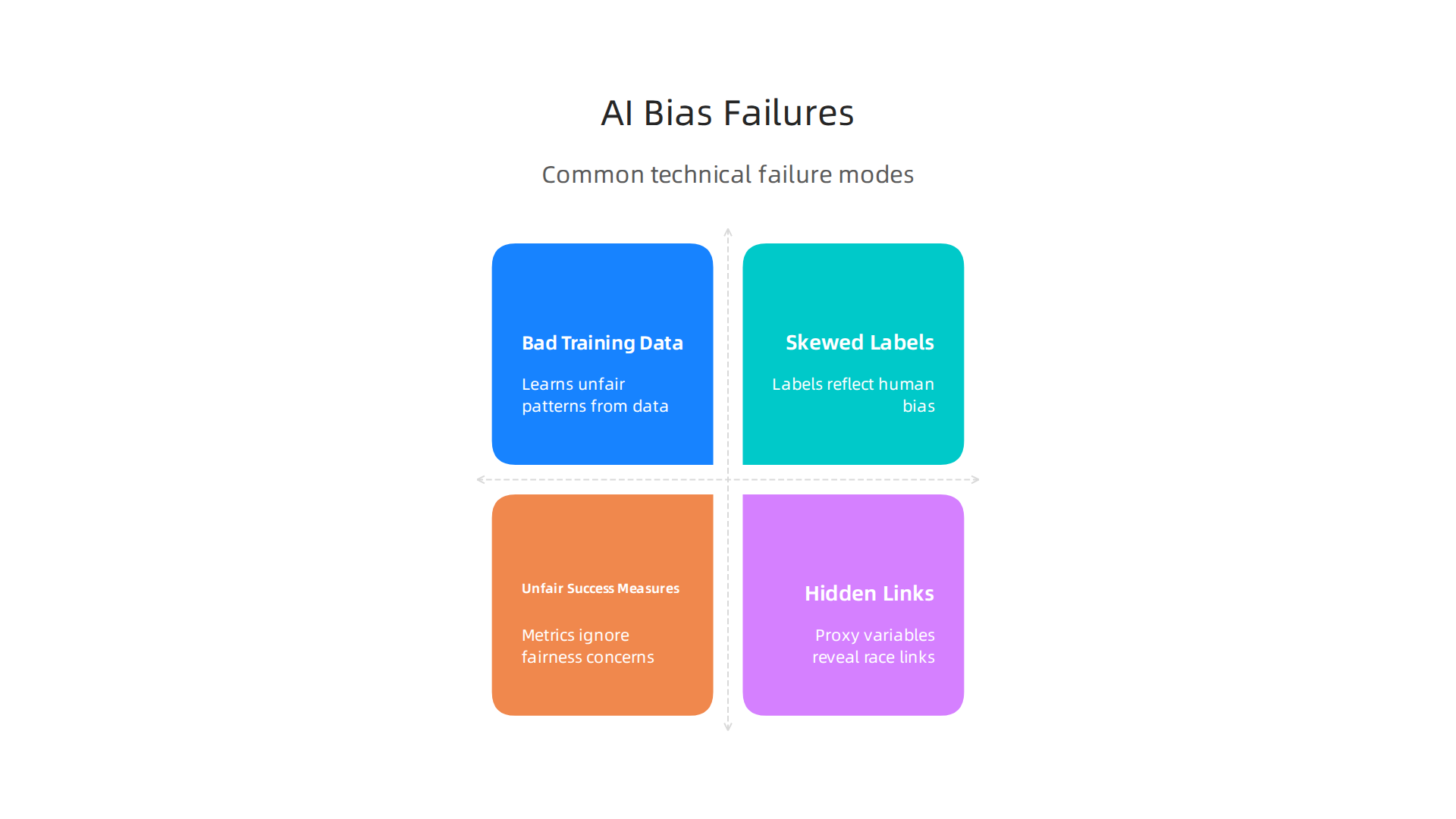
    Understanding the technical origins of AI racism, from flawed training data to hidden proxy variables, is crucial for effective mitigation.

    • Bad Training Data: This is the most common reason for AI racism. Imagine an AI learns from books that only show people from one background. That AI will then have trouble understanding or dealing with people from other backgrounds. If the data used to train an AI system has unfair patterns from the real world, the AI will learn and repeat those unfair patterns. Many AI models have been shown to have too many White individuals in their training data, with very few from other groups, leading to bias Bias in AI systems: integrating formal and socio-technical approaches.
    • Skewed Labels or Categories: Sometimes, people label the data the AI learns from. If these labels are unfair, the AI will learn that unfairness. For example, if images of certain racial groups are often labeled in a negative way, the AI will link those groups to negative things. This bias can emerge at many points in the machine learning process Fairness at Risk: Where Bias Emerges in Machine Learning.
    • Unfair Ways to Measure Success: When we build an AI, we tell it what "success" looks like. If our idea of success doesn’t include fairness for everyone, the AI might achieve its goal while still being unfair to some groups.
    • Hidden Links (Proxy Variables): An AI might be told not to use race directly. But it might use other things that are strongly linked to race, like zip codes or names, to guess a person’s race. These "hidden links" are called proxy variables. The AI then treats people unfairly based on these hidden links, even if race itself isn’t directly used.

    These technical issues can lead to real problems in many areas of life:

    • Job Hiring Tools: AI systems that help choose job candidates might learn from old hiring data that preferred certain groups. This can mean good candidates from other groups are overlooked. The AI might use things like where someone went to school or their hobbies as a "proxy" for race, leading to unfair decisions.
    • Justice System (Recidivism): Some AI tools try to predict if someone who has committed a crime will do so again (this is called recidivism). If these tools are trained on historical arrest data that was unfair to certain racial groups, the AI might wrongly predict that people from those groups are more likely to re-offend. This can lead to harsher sentences or less chance for parole, unfairly hurting communities of color.
    • Vision and Facial Recognition: As we saw before, if an AI that recognizes faces is mostly trained on pictures of one race, it will be less accurate for others. This can cause big problems for security systems or law enforcement, leading to false alarms or incorrect identifications. This is why it’s important to think about population bias when training AI Artificial intelligence training and population bias.
    • Healthcare: Medical AI tools can show bias too. For example, a tool that helps doctors diagnose skin conditions might not work as well for darker skin tones if it was trained mostly on images of lighter skin. Or, an AI used to decide a patient’s risk of disease might be less accurate for certain racial groups, leading to poorer health outcomes. There are real concerns about how AI systems can worsen health differences for different groups of people A Systematic Review on AI-Driven Racial Disparities in Healthcare.

    It’s important to remember that AI is only as good as the data and rules it’s given. Learning about when artificial intelligence was made can help us understand its journey and how these issues have grown with its complexity. As AI development continues at a rapid pace in 2026, finding and fixing these kinds of biases is a big challenge for everyone involved in creating and using AI systems. Making good choices about how to choose AI for business tools that deliver real results means choosing tools that are built with fairness in mind.

    To truly understand if an AI brain is fair, we need ways to measure fairness. It’s not always simple, because "fair" can mean different things to different people. This is a big part of dealing with ai racism in the modern world.

    Ways to Measure if an AI System is Fair

    There are a few main ideas about how to measure fairness in AI:

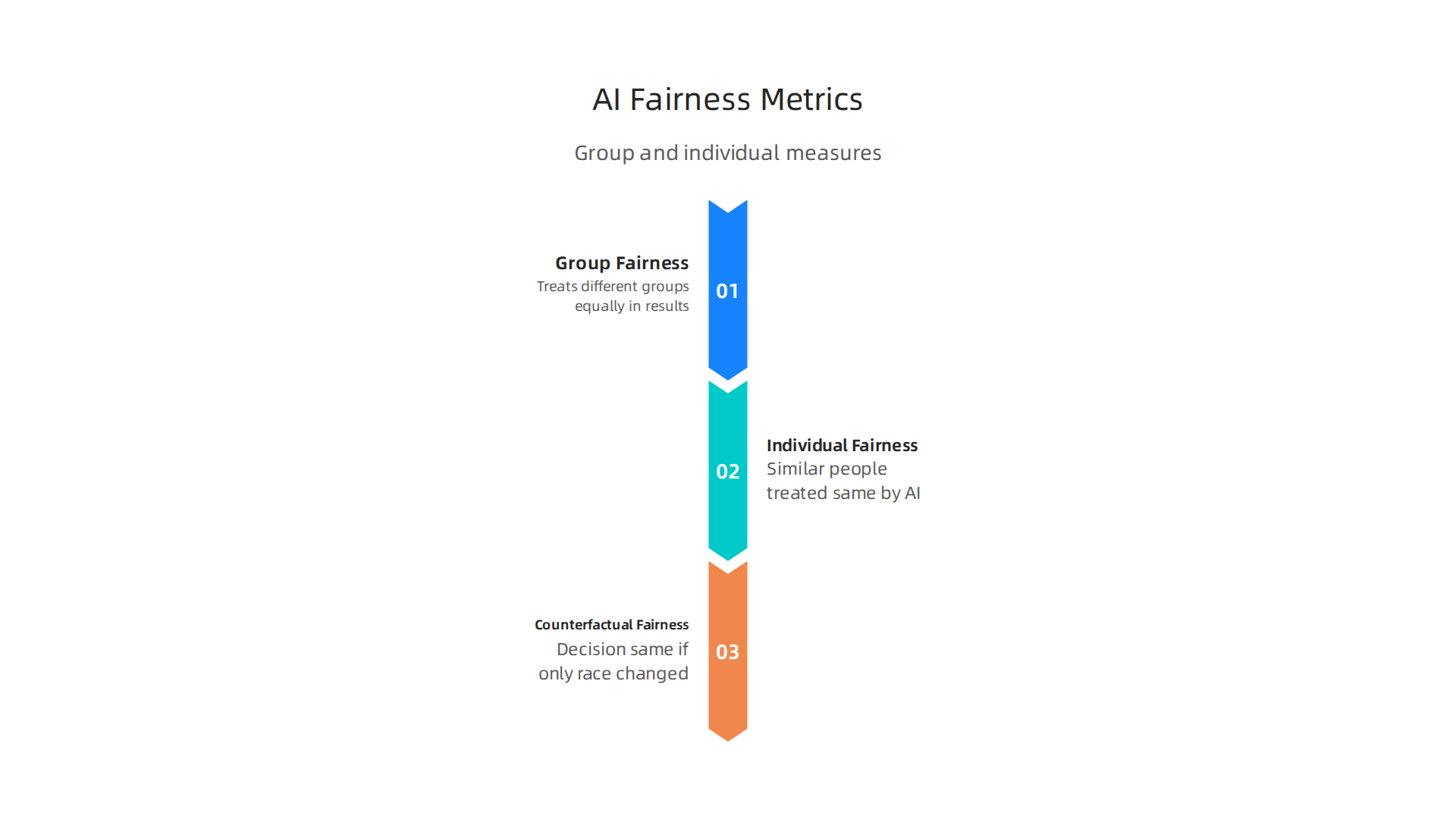
    Different interpretations of 'fairness' in AI necessitate varied measurement approaches, from group-level outcomes to individual treatment.

    • Group Fairness: This idea looks at whether an AI system treats different groups of people equally in terms of its results. For example, if an AI is deciding who gets a loan, group fairness would mean that people from different racial groups have the same chance of getting approved, or the same rate of errors. Many studies look at these kinds of group differences to spot bias Racial/Ethnic Bias in AI Systems: A PRISMA Systematic ….
    • Individual Fairness: This idea says that people who are very similar should be treated the same by the AI, no matter what group they belong to. So, if two people have the exact same credit score and job history, the AI should make the same loan decision for both, even if they are of different races.
    • Counterfactual Fairness: This is a bit more complex. It asks: "If we changed only one thing about a person, like their race, but kept everything else the same, would the AI make the same decision?" If the answer is no, then the AI might not be counterfactually fair. This helps find out if the AI is making decisions based on race, even if it’s trying not to.

    Problems with the Data We Use to Measure Fairness

    Even with these ways to measure fairness, we still run into challenges. The data itself can have problems:

    • Missing Information: Often, the datasets used to build and test AI models don’t have good information about race or ethnicity. In fact, one study found that 84% of worldwide clinical AI models did not report the racial makeup of their training data, which makes it hard to check for fairness Gender and racial bias unveiled: clinical artificial intelligence (AI) and machine learning (ML) algorithms are fanning the flames of inequity – PubMed. If the data doesn’t properly show all groups, the AI cannot learn fairly. This is like trying to learn about the whole world by only reading books from one small town.
    • Bad Samples (Sampling Bias): Sometimes, even if race is included, the sample of people in the data might not truly represent all parts of the population. For example, a healthcare AI might be trained on data mostly from one hospital in a rich neighborhood, making it less useful for patients in other areas or from different backgrounds Healthcare bias in AI: A Systematic Literature Review. This kind of sampling bias means the AI’s "understanding" is incomplete.
    • Hidden Measurement Problems: How we define and measure race can also be tricky. Sometimes, an AI might guess someone’s race based on their name or address, which can be wrong and lead to unfairness without us even realizing it. These hidden links can make it hard to accurately measure racial bias.

    As we move deeper into 2026, finding good ways to measure AI fairness and deal with these data problems is a top concern in AI development. It’s not just about building powerful tools, but making sure those tools help everyone fairly. For businesses, understanding these measures is part of building trust and ensuring that AI solutions meet Mastering the AI Future Standard 2026.

    Staying on top of these complex AI topics can be a challenge. Get clear daily AI updates from The Deep View Newsletter. The AI Newsletter Worth Reading can help you keep informed.

    As we move deeper into 2026, finding good ways to measure AI fairness and deal with data problems is a top concern in AI development. It’s not just about building powerful tools, but making sure those tools help everyone fairly. For businesses, understanding these measures is part of building trust and ensuring that AI solutions meet Mastering the AI Future Standard 2026.

    Regulation, Standards, and Legal Risk: What Leaders Must Know

    Because AI can have hidden biases and cause problems like ai racism, governments around the world are making new rules. For business leaders, it’s very important to know about these rules and what they mean. Not following them can lead to big problems.

    Executives carefully review new AI regulations and compliance standards, strategizing to mitigate legal risks.

    New Rules and What They Mean

    Many countries and regions are creating laws to make AI safer and fairer. For example, the European Union has its AI Act | Shaping Europe’s digital future, which became largely applicable in 2026. This act looks at AI systems that are considered "high-risk" and makes sure they follow strict rules for safety, transparency, and non-discrimination. It even requires checking datasets for biases, which helps stop things like racial bias from happening.

    In the United States, different states are also making their own rules. For instance, California’s AB 2013 on AI Training Data Transparency came into effect in January 2026. This law helps make sure we know more about the data used to train AI. The US government has also proposed a National Policy Framework Artificial Intelligence to guide how AI should be used fairly. Other places like Australia are also developing their own rules for AI use, aiming for strong safety standards.

    These laws often say that AI systems must:

    • Be watched for biases.
    • Explain how they make decisions.
    • Be used in a way that doesn’t treat people unfairly based on things like race or gender.

    The goal is to prevent harm and ensure that AI systems are trustworthy. This is part of how businesses can apply Smart AI for Business effectively and ethically.

    Legal Risks and Problems for Businesses

    If a business uses an AI system that causes harm or shows racial bias, there can be serious legal risks.

    • Lawsuits and Fines: People who are unfairly treated by an AI could sue the company. Governments can also issue big fines for not following AI laws. For example, in employment, some regulations make employers responsible for unfair outcomes from AI tools, even if they didn’t mean for it to happen. In fact, rules taking effect in 2027 in places like Connecticut aim to remove tricky demands in favor of clearer disclosure rules for workplace AI, according to AI Employment Law Updates: 2026 Changes.
    • Bad Reputation: Companies that use unfair AI can quickly get a bad name. This can lead to public backlash, sometimes even an ai protest or loss of customer trust. In 2026, people are much more aware of AI’s power and its potential for harm.
    • Difficulty Getting New AI Tools Approved: Regulators might make it harder for companies with a history of biased AI to bring new tools to market.

    For an AI bias to be against the law, it usually has to harm a specific group of people who are protected by anti-discrimination laws. This means that if an AI system leads to unfair treatment based on race, it could be seen as unlawful discrimination. Understanding these legal risks is a key part of how to choose AI for business tools that truly deliver results and avoid legal trouble.

    So, it’s not enough to just build smart AI. Leaders must also make sure their AI is built and used fairly, following all the new rules and avoiding legal traps. This helps everyone, from the business to the people who use its AI tools.

    After looking at all the new rules, what can businesses actually do to make sure their AI tools are fair and safe? It’s not enough to just hope for the best. Companies need clear plans and actions in place. This is where good operational practices come in, like checking for problems, testing thoroughly, and knowing what to do if something goes wrong.

    How to Check and Fix AI Problems

    To keep AI from causing unfairness or issues like ai racism, teams need practical ways to handle it. Think of these as safety checks and emergency plans for your AI systems.

    Implementing robust operational practices like regular audits and red-teaming helps proactively identify and address AI biases.

    • Bias Audits: This is like a health check for your AI. You carefully look at the AI system and the data it uses to find any hidden unfairness. These audits help make sure the AI isn’t treating some groups of people worse than others. For example, they can reveal if an AI used for hiring accidentally favors one gender or race over another. The goal is to spot these problems early and fix them. The National Institute of Standards and Technology has even put out guides on how to properly Identify and Manage Bias in AI.
    • Red-Teaming: Imagine hiring a group of "friendly hackers" whose job is to try and break your AI. That’s red-teaming. These experts actively try to find ways the AI could be used wrongly or misused, or how it might show bias in unexpected situations. This helps companies understand their AI’s weak spots before a real problem happens. It’s a key part of making sure AI development is secure and responsible.
    • Monitoring AI: Even after an AI system is launched, the work isn’t done. Businesses need to watch their AI tools all the time. This means looking for signs of new biases appearing or if the AI starts acting in ways it shouldn’t. Good monitoring helps catch issues quickly, preventing harm and keeping the AI aligned with its purpose.
    • Incident Response Playbooks: What if something does go wrong? A playbook is like a detailed instruction manual for emergencies. It tells everyone on the team what to do if an AI system causes harm or shows serious bias. This includes steps for stopping the problem, telling the right people, and fixing the AI. Having a clear plan can reduce damage and help the company react faster.

    Picking What to Fix First

    Many companies don’t have endless money or people to work on every single AI problem at once. So, it’s important to pick what to fix first. Here’s how:

    • Look at the biggest risks: Which AI tools could cause the most harm to people or the business? Focus on those first. An AI that decides if someone gets a loan has a bigger risk of causing financial ai racism than, say, an AI that helps you pick a movie.
    • Follow the rules: Make sure your AI meets all the new government rules and standards. Not following these rules can lead to big fines and legal troubles, so these are often a top priority. For businesses looking to optimize their workflow and stay compliant, knowing how to choose AI-ready business computers in 2026 can be a smart step to support these practices.
    • Listen to feedback: Pay attention to what users and employees say about your AI. If people report problems or concerns, investigate them quickly. Sometimes, real-world feedback can show you problems that your tests didn’t catch.

    By putting these practical controls in place, businesses can build trust and make sure their AI helps everyone fairly. It’s about being proactive and responsible in how we use this powerful technology.

    To keep up with the latest in AI trends and best practices, remember to check out The AI Newsletter Worth Reading for clear daily updates.

    When AI tools have problems like unfair bias or even ai racism, it’s not just a technical issue. These problems can hurt a business in many ways. It’s important for companies to understand these risks and talk openly about them with everyone involved. This includes customers, people who make rules, and any communities that might be affected.

    Turning Harms into Business Risks

    If an AI system causes harm, it can lead to big problems for a company.

    • Money Problems: If an AI acts unfairly, especially when it comes to things like loans or jobs, businesses can face huge fines and legal trouble. For example, new laws in 2026, like California AB 2013, are making companies more responsible for their generative AI systems. Not following these rules can cost a lot of money. Laws like the 2026 AI Laws Update: Key Regulations and Practical Guidance make this very clear.
    • Bad Reputation: When people find out that a company’s AI is unfair, it can really hurt how they feel about that business. News stories about ai racism or other biases can make customers lose trust. People might stop buying products or using services. This can lead to public backlash, and sometimes even an ai protest against the company, which is hard to fix.
    • Loss of Trust: Trust is a very important thing for any business. If customers can’t trust that an AI system will treat them fairly, they will simply go somewhere else. This loss of trust can be very hard to get back and can slow down the company’s growth and new ai development.

    Talking Clearly to Everyone

    How a business talks about its AI tools is very important. Being open and honest can help build trust, even when problems come up.

    • With Customers: Companies should be clear about how they use AI. They should explain what the AI does, what information it uses, and how they make sure it’s fair. Simple language is best so everyone can understand.
    • With Rule-Makers (Regulators): Businesses need to show that their AI tools follow all the rules and laws. This means having good records and being ready to share information about how their AI works and how they check for problems. Staying up-to-date with new standards is key to mastering the AI future standard 2026 and showing good behavior.
    • With Affected Communities: If an AI system causes harm, it’s very important to talk to the people who were affected. This means listening to their concerns, saying sorry if needed, and explaining what the company is doing to fix things and prevent it from happening again. This open talk can help heal relationships and keep problems from getting bigger.

    Being ready to handle AI problems and communicate clearly is a huge part of using AI responsibly in 2026. It protects the business, keeps customers happy, and makes sure AI benefits everyone fairly.

    To make sure AI works fairly for everyone, companies must think about fairness right from the start.

    A diverse team collaborates on designing AI systems that are fair and inclusive, integrating ethical considerations from the outset.

    This means looking closely at how AI systems are built, from the first pieces of information they get to the final product choices. Designing good AI takes careful planning and constant checking.

    Smart Data Collection and Labeling

    The main reason AI can be unfair, leading to things like ai racism, often comes from the data it learns from. If the data isn’t balanced or doesn’t show all kinds of people fairly, the AI will learn those biases.

    • Gathering Diverse Data: It’s super important to collect many different kinds of data. This means making sure the data includes people from all backgrounds, ages, and groups. If you’re building an AI for hiring, for example, your data should represent a wide range of job applicants, not just one type of person. A key way to fight bias is to collect more diverse and representative data before the AI model is even trained, and to rebalance data to help different groups equally AI Bias and Fairness: From Detection to Mitigation in 2026.
    • Careful Data Labeling: People often label the data that AI uses. If these people have their own hidden biases, those biases can get into the AI system. Companies must train their data labelers well and check their work often to make sure the labels are fair and correct. You can even adjust the features and labels in the data set before the AI learns from it to make sure it’s fair Fairness in AI-Driven Recruitment: Challenges, Metrics, ….

    Keeping Humans in the Loop

    Even with the best data, AI systems can still make mistakes or show bias. That’s why having real people involved in checking the AI’s work is so important.

    • Review and Override: Companies should set up ways for people to look at what the AI suggests or decides, especially in important areas like hiring or giving loans. If the AI seems unfair, a human should be able to step in and change the decision. This "human-in-the-loop" approach helps catch errors before they cause harm. Research from 2026 shows it’s wise to keep humans involved in decisions where people might be rejected by AI AI Screening Bias: What 2026 Research Reveals – HyreFast.
    • Ongoing Monitoring: AI development isn’t a one-time thing. AI systems need to be watched all the time, even after they are launched. Companies should regularly check if their AI is working fairly for all groups and fix problems right away. This involves running checks to find and deal with bias through the entire AI system’s life Responsible Implementation and Use of Artificial Intelligence in ….

    Building Equity into Product Decisions

    For product teams, designing inclusive AI means thinking about fairness at every step of building and launching a product.

    • Set Clear Goals for Fairness: Just like setting goals for how well a product works, teams should have clear goals for how fair the AI will be. This means deciding what "fairness" looks like for their specific product and how they will measure it. Different fairness measures exist, like making sure positive outcomes are similar for all groups Data and AI Ethics Framework – GOV.UK.
    • Regular Audits and Checks: Product teams should regularly check their AI systems for bias. This isn’t just a technical task; it’s about looking at how the AI affects real people. They can use special tools, like IBM’s AI Fairness 360, which is a free toolkit to help find and fix bias in AI models Introducing AI Fairness 360. These audits should be part of the regular work schedule.
    • Feedback Loops: Create ways for users and communities to share their thoughts and experiences with the AI. If people report problems with ai racism or other biases, the product team should listen and use that feedback to improve the AI. This helps make sure the AI truly serves everyone. You can learn more about finding the right tools by checking out how to choose AI for business tools that deliver real results.

    By following these steps, companies can build AI systems that are not only powerful but also fair and helpful for all people. Staying on top of AI developments and ethical standards is crucial.

    Get clear daily AI updates from The AI Newsletter Worth Reading.

    Summary

    This primer explains why AI racism — unfair outcomes tied to race from AI systems — is an urgent business and policy issue in 2026. It walks through how bias enters AI (bad training data, skewed labels, proxy variables, and unfair objectives), shows where biased systems cause harm (hiring, lending, healthcare, facial recognition, content), and describes practical ways to find and fix problems. The article covers fairness definitions (group, individual, counterfactual), data and measurement challenges, and operational steps like bias audits, red‑teaming, continuous monitoring, and incident playbooks. It also outlines the rising regulatory landscape (EU AI Act, state laws like California AB 2013, and national frameworks) and the legal, reputational, and financial risks of ignoring bias. Readers will learn how to prioritize high‑risk systems, build human oversight into workflows, and choose controls and tools to reduce harm while staying compliant. The goal is to give leaders a clear, actionable roadmap to make AI safer, fairer, and more trustworthy for all users.

  • What Is SEO Marketing A Modern Business Guide to Online Growth

    What Is SEO Marketing A Modern Business Guide to Online Growth

    Introduction — Why SEO marketing matters for modern businesses

    Imagine you have a fantastic store or service, but it’s hidden down a quiet street. How will people find you? In today’s digital world, search engines like Google are the main roads people use to find what they need. This is where what is SEO marketing comes in. SEO stands for Search Engine Optimization, and it’s all about making your website easy for search engines to find and show to people who are looking for products or services like yours.

    Simply put, SEO marketing helps your business appear higher in search results without paying for ads. This means more people see your website, click on it, and learn about what you offer. For any modern business in 2026, being found online is not just nice to have; it’s a must. It builds trust, brings in new customers, and helps your business grow naturally.

    A team celebrating successful business growth and customer acquisition.

    This process involves many moving parts, like making sure your website has the right words and pictures (called on-page SEO), getting other good websites to point to yours (off-page SEO), and making sure your website works well behind the scenes for search engines (technical SEO) [^1].

    However, for many business leaders, including a chief marketing officer, figuring out the best way to do SEO can feel like a big challenge. There’s so much information out there, a seemingly endless list of tools to pick from, and making it all work together can be confusing. Many worry about the time and money spent, asking "Is this really going to help my business make more sales?" This can sometimes lead to what’s known as "marketing myopia," where businesses focus too much on quick, short-term gains instead of building a strong, lasting online presence.

    To succeed with SEO, it’s helpful to clearly understand your audience and what they search for. This often ties into good marketing practices, like those found in marketing science for AI professionals, which helps you measure what truly works. By thoughtfully applying principles like STP marketing (segmenting your audience, targeting the right groups, and positioning your brand), businesses can make their SEO efforts much more effective and truly connect with potential customers. Staying up-to-date with the latest trends and tools is crucial to cut through the noise and ensure your marketing efforts lead to real results.

    [^1]: Types of SEO: on-page, off-page, and technical SEO

    What is SEO marketing? Core concepts and terminology

    Now that we know why being found online is super important, let’s really dig into what is SEO marketing. At its heart, SEO marketing is a set of practices used to help your website show up higher in search engine results when people look for things related to your business. It’s about making your site as friendly as possible for search engines like Google, so they understand what your website is about and see it as a good source of information for users.

    It’s helpful to know that SEO marketing is different from some other online activities you might hear about.

    • SEO vs. SEM: SEO (Search Engine Optimization) focuses on getting free, or "organic," traffic by improving your ranking naturally. SEM (Search Engine Marketing), on the other hand, uses paid advertising to show up at the top of search results. Think of SEO as earning your spot, and SEM as buying a billboard at the top of the search page [^1].
    • SEO vs. Content Marketing: Content marketing is about creating useful and interesting information (like blog posts, videos, or guides) to attract and keep customers. SEO helps make sure that good content actually gets seen by optimizing it for search engines. They work best together, like a team.

    To truly understand what is SEO marketing, we often talk about its three main parts:
    Understanding the three core pillars—On-Page, Off-Page, and Technical SEO—is fundamental to a comprehensive SEO strategy.

    1. On-Page SEO

    This refers to all the things you can do directly on your website pages to help them rank better. It’s like decorating your store and making sure your products are clearly labeled. It includes things like:

    • Words you use: Picking the right keywords that people search for and using them naturally in your text.
    • Titles and Headings: Making sure your page titles and headings clearly tell both readers and search engines what the page is about.
    • Pictures and Videos: Making sure your images and videos are named and described in a way that search engines can understand.
    • Internal Links: Connecting your different website pages to each other so visitors and search engines can easily find more related content on your site.

    These efforts help each page match what people are searching for and clearly show its importance [^2].

    2. Off-Page SEO

    This part of SEO marketing involves actions taken outside your website to improve its standing. Think of it as building your reputation in the wider community. The most important part of off-page SEO is getting other trusted websites to link to yours. These are called "backlinks." When many good websites link to your site, it tells search engines that your website is important, trustworthy, and has valuable information. This builds your website’s authority and trust.

    3. Technical SEO

    This is about how well your website works behind the scenes for search engines. It’s like making sure your store’s foundation is strong and the lights always work. Technical SEO makes sure that search engines can easily find, read, and understand all the pages on your website. This includes checking things like:

    • Website Speed: How fast your pages load.
    • Mobile-Friendliness: If your website looks good and works well on phones and tablets.
    • Site Structure: How your website is put together so search engines can crawl it easily.

    For any chief marketing officer or business owner in 2026, understanding these pillars is key to building a strong online presence.

    A business leader making thoughtful decisions for their online strategy.

    It helps avoid "marketing myopia" by focusing on long-term growth instead of just quick wins. Learning how different marketing tools work together can help you decide how to make smart choices for your business. To dive deeper into making informed decisions, consider exploring resources on how marketing specialists choose AI tools for marketing and drive ROI.

    Want to stay ahead in the fast-changing world of AI and marketing?
    Get clear daily AI updates from The Deep View Newsletter.


    [^1]: SEO vs. SEM vs. Content Marketing
    [^2]: Technical vs On-Page vs Off-Page SEO: Key Differences

    Now that you know the three main parts of what is SEO marketing, let’s look at how search engines actually use them to figure out which websites to show. Imagine a search engine like a very smart librarian who wants to give you the best book for your question. It looks at three main things to pick the right "books" (websites):

    1. Relevance: How well does your website’s content match what someone is searching for?
    2. Authority: How much does your website prove it’s a trustworthy and important source of information?
    3. Accessibility: Can the search engine easily find, read, and understand your website?

    Let’s break down how on-page, off-page, and technical SEO help with these three points.

    On-Page SEO: Showing Relevance

    On-page SEO helps your website be truly relevant to what people are looking up. It’s about making sure the words, pictures, and overall message on your pages are clear and helpful for both people and search engines.

    • Content and Keywords: When you use the right words and phrases (keywords) that your customers type into search engines, it tells the "librarian" exactly what your page is about. But it’s not just about using keywords. It’s about writing truly good, useful content that answers questions and solves problems.
    • HTML Elements: This sounds fancy, but it just means things like your page titles, headings, and descriptions. These elements act like clear labels for your content. They help search engines quickly understand the main topic of your page and how it relates to search queries.

    By getting your on-page SEO right, you make it much easier for search engines to see that your content is a perfect match for certain searches.

    Off-Page SEO: Building Authority

    Off-page SEO is how your website earns trust and importance from other websites. Think of it as getting good reviews and recommendations from reliable friends.

    • Backlinks: The biggest part of off-page SEO is getting other good, trusted websites to link to your site. Each link is like a vote of confidence. When many important websites link to yours, search engines see your site as more trustworthy and authoritative. This makes your site more likely to show up high in search results. It shows that your website is a valuable place for information, not just a random site.

    Technical SEO: Ensuring Accessibility

    Technical SEO makes sure your website’s hidden parts work well so search engines can easily visit and understand it. It’s like making sure the doors to your library are open, the lights are on, and all the books are neatly organized.

    • Crawlability and Indexing: Search engines use little programs called "crawlers" to visit and read your website’s pages. If your site has technical problems, these crawlers might miss important pages or struggle to understand what they find. This means your valuable content might not even show up in search results. Common issues in 2026 can include important pages being accidentally blocked or problems with how pages are connected Technical SEO Checklist for 2026.
    • Site Performance: How fast your pages load is super important. Nobody likes a slow website, not people, and not search engines. Google measures things like "Core Web Vitals" which check how quickly a page loads and becomes usable. Websites that load slowly often rank lower. For example, a good Largest Contentful Paint (LCP) should be under 2.5 seconds in 2026 Technical SEO in 2026.
    • Mobile-Friendliness: Most people use their phones to browse the internet in 2026. Your website needs to look good and work perfectly on all screen sizes, from big computers to small smartphones.
    • Site Structure: This is about how your website’s pages are organized. A clear structure helps search engines understand what’s most important and how different parts of your site relate to each other. Keeping your site’s technical setup healthy is a continuous job. It involves checking for things like broken links or duplicate content that can confuse search engines Free Technical SEO Guide 2026.

    Understanding these three areas is key to mastering what is SEO marketing. They all work together to help search engines find your site, trust your content, and show it to the right people. For business leaders looking to stay on top of all the behind-the-scenes magic, it’s wise to keep an eye on how these elements contribute to your overall online presence and digital strategy. It’s a part of what makes a futuristic website 2026 stand out.

    The previous section explained what is SEO marketing and its different parts. Now, let’s look at how SEO fits into the bigger world of online marketing. Often, people talk about SEO, SEM, and content marketing as if they are the same, but they are different tools. Knowing when to use each one helps a chief marketing officer or any business leader make smart choices about where to put their marketing money.

    A team collaboratively discussing where to allocate marketing investments across different strategies.

    It helps avoid something called marketing myopia, where you only see a small part of the marketing world.

    SEO vs. SEM vs. content marketing: where to invest

    When you want to bring people to your website, you have a few main ways to do it. SEO, SEM, and content marketing all aim to get more eyes on your business online, but they work in different ways and give results at different speeds.

    1. Search Engine Optimization (SEO)
    As we’ve seen, SEO is about making your website naturally show up higher in search results without paying for clicks. It’s like building a strong, well-known store in a good location that people find on their own. SEO takes time to build up, often many months, but the results can last a long time. It gives you "organic" traffic, which means people find you because your content is truly helpful and relevant to their search [SEO vs. SEM vs. Content Marketing]. This is a great choice for long-term growth and building trust with your audience.

    2. Search Engine Marketing (SEM)
    SEM is often called paid search. This is when you pay search engines like Google to show your ads at the very top of search results. Think of it like buying a billboard right on the busiest highway. You pay each time someone clicks on your ad (this is called Pay-Per-Click, or PPC). SEM can give you fast results. You can set up an ad campaign and start seeing visitors within hours or days. It’s great for quickly getting traffic for specific keywords or promoting new products. For business leaders wondering how to choose AI for business tools that deliver real results, understanding the quick-turnaround of SEM can be key. However, when you stop paying, the traffic stops too.

    3. Content Marketing
    Content marketing is about creating helpful and valuable stuff for your audience, like blog posts, videos, guides, or infographics. The goal isn’t always to sell something right away. Instead, it’s about giving people useful information that builds trust and shows you are an expert. This helps your brand become known and liked. Good content can also help your SEO by giving search engines more relevant pages to show. Content marketing is a longer game, but it creates a lasting connection with customers. For example, a good chief marketing officer knows that understanding your customer’s journey is crucial, which ties into effective STP marketing (segmentation, targeting, and positioning).

    When to Invest in Each

    Choosing where to put your money depends on what you want to achieve:

    • If you need quick results or want to test a new product right away: SEM is your best friend. It offers fast traffic and quick feedback.
    • If you want to build long-term trust, steady traffic, and a strong brand: SEO and content marketing are key. They take time, but the payoff can be huge and last for years.
    • For a new business or product launch: A smart plan often involves using SEM for an immediate boost while slowly building up your SEO and content marketing efforts. This gives you both quick wins and long-term stability.

    All these strategies can work together to create a powerful online presence. It’s not about choosing just one, but finding the right mix for your business goals and budget. Staying updated on these marketing shifts is vital for any business.

    Get clear daily AI updates from The AI Newsletter Worth Reading.

    To truly make SEO work for you, it’s not enough to know what it is; you also need a smart plan. Think of it like building a house. You wouldn’t just start nailing boards together. You’d have a blueprint. The same goes for SEO. A smart business leader, like a chief marketing officer, needs a clear plan to make sure SEO helps reach overall business goals. This way, you avoid "marketing myopia" and see the bigger picture.

    Strategic SEO planning: aligning SEO with business goals

    A good SEO plan connects what your business wants to achieve with what your SEO efforts will do.
    Strategic SEO planning involves mapping goals, measuring success with KPIs, and prioritizing efforts for maximum impact.

    It’s like drawing a straight line from your big business dreams to the small steps you take each day on your website.

    1. Map Your Business Goals to SEO Goals
    First, think about your main business goals. Do you want to:

    • Sell more products online?
    • Get more people to sign up for your service?
    • Make your brand more famous?

    Once you know your business goal, you can set a clear SEO goal. For example:

    • Business Goal: "Increase online sales by 15% this year."
    • SEO Goal: "Rank higher for keywords related to our products to get more organic traffic to product pages."

    Many companies use templates to map out these goals and track them, helping them see clearly what they need to do SEO Roadmap Template.

    2. Measure Your Success with KPIs
    After setting goals, you need to know if you’re actually reaching them. This is where Key Performance Indicators (KPIs) come in. KPIs are like scorecards for your SEO efforts.

    • If your SEO goal is to get more organic traffic, a KPI might be "Number of visitors from Google search."
    • If your goal is more sales, a KPI could be "Revenue from organic search."

    Make sure your KPIs are SMART: Specific, Measurable, Achievable, Relevant, and Time-bound. This helps you track what is SEO marketing really doing for your bottom line. Learning about Marketing Science for AI Professionals can help you set these up.

    3. Prioritize Your Efforts
    Most businesses don’t have endless money, time, or people. This means you have to choose which SEO tasks to do first. To do this, you can look at two things:

    • Impact: How much will this task help your business goals?
    • Effort: How hard or long will this task take?

    Leaders often score each task to see which ones offer the biggest win for the least amount of work. This helps them decide what to tackle first, especially when resources are limited How do leaders prioritize SEO efforts in limited-resource. By carefully planning and prioritizing, you ensure that every SEO step you take brings you closer to your business’s overall success.

    Keyword Research, Content Strategy, and User Intent

    Once you know your SEO goals and what success looks like, the next step is to figure out exactly what people are searching for. This is where keyword research comes in. It’s like listening to your customers and finding out what questions they are asking, or what problems they need help with. This helps you understand "what is SEO marketing" really about from a user’s viewpoint.

    Finding High-Value Topics with User Intent

    Good keyword research isn’t just about finding popular words. It’s about understanding "user intent." This means figuring out why someone is typing a certain phrase into a search engine. Do they want to buy something? Learn something? Or find a specific website? For example, if someone searches "best running shoes," their intent is likely to buy. If they search "how to tie running shoes," their intent is to learn.

    By finding keywords that match what your ideal customers want, you can create content that truly helps them. Many businesses in 2026 use special AI tools to do this. These tools can help you find keywords, group them by what people mean when they search, and even compare them to what your competitors are doing. This is called AI-Powered Keyword Research and it makes finding valuable topics much easier. Choosing the right AI for business tools is key to making this process smooth.

    Building Your Content Strategy

    After you know what topics and keywords your audience cares about, you can build your content strategy. This means deciding what kinds of content you’ll make and how it fits into your overall marketing plan.

    • Awareness: For people just learning about a topic, you might create blog posts or guides.
    • Consideration: For those weighing their options, you could offer comparison articles or detailed product reviews.
    • Decision: For customers ready to buy, you’d have product pages, pricing info, or case studies.

    Your content should be useful and guide people through their journey, no matter where they are in their search.

    A Simple Content Workflow

    To keep your content creation running smoothly, follow a clear workflow.
    A structured content workflow from research to measurement ensures effective content delivery and optimization.

    Many companies use a step-by-step process, often with the help of AI tools, to make sure nothing is missed.

    1. Research: Find keywords and understand user intent, like we talked about above.
    2. Brief: Create a detailed plan for each piece of content. This includes the main topic, keywords to use, and what points to cover.
    3. Production: Write the content. This could be a blog post, a video script, or a product description. Some modern tools can help automate content workflows from start to finish.
    4. Measurement: Check how well your content is doing using your KPIs. Are people reading it? Is it bringing in new customers? This helps you learn and make your next pieces even better.

    By putting these steps into action, you’ll have a strong content plan that truly supports what your business wants to achieve with SEO.

    Staying on top of the latest AI tools that power these workflows is a must for any business leader. Get clear daily AI updates from The AI Newsletter Worth Reading.

    After you have a great content plan, it’s time to make sure your website is built in a way that search engines can easily understand. This part of "what is SEO marketing" is called technical SEO. It’s like making sure the foundation and roads of your house are strong and clear so visitors can find their way without trouble.

    Technical SEO deals with how search engines like Google look at, understand, and show your website pages. If there are problems here, even the best content might not get seen. In 2026, keeping your site technically sound is more important than ever.

    Important Technical Checks for Your Website

    Many common issues can stop your website from doing well in search results. Here are some key areas to watch out for:

    • Can Search Engines Find Your Pages?
      Search engines use special bots, like tiny explorers, to visit your website and find new pages. This is called "crawling." Then, they "index" these pages, which means they add them to their big library of websites. Sometimes, a website might accidentally block these bots or tell them not to index important pages. This can happen with wrong settings in files like robots.txt or through special "noindex" tags on pages that should be seen Technical SEO Guide 2026: Crawl & Indexing. It’s also important to have a clean sitemap that helps bots find all your good pages Technical SEO Checklist for 2026: What Actually Matters.

    • How Fast and Easy Is Your Website to Use?
      People like fast websites. Search engines also like them. Google uses something called Core Web Vitals to measure how quickly your page loads and how smooth it feels to use. These include things like Largest Contentful Paint (LCP), which is how fast the main content shows up, and Interaction to Next Paint (INP), which is how quickly your page reacts when someone clicks or taps something. If these are slow, it can hurt your ranking Technical SEO Checklist for 2026: Improve Core Web Vitals …. Making sure your images are small and your website code is neat helps a lot with this. You can also work on your overall website architecture, speed & crawlability to boost performance.

    • Is Your Site Organized Well?
      Think of your website like a book. Internal links are like the table of contents and page numbers that help readers move from one chapter to another. If pages are "orphan pages" with no links pointing to them, search engines might not find them easily Technical SEO Checklist for 2026: 34 Critical Fixes for Crawlability …. Also, having many pages with the exact same content, called "duplicate content," can confuse search engines about which page to show.

    • Is Your Website Safe?
      Having a secure website (using HTTPS) is a must in 2026. This means your website has an SSL certificate, which protects information shared between your site and its visitors. Google sees this as a sign of trust and safety Technical SEO: Get Your Site Crawled, Indexed, and Ranked.

    Working Together for Technical SEO Success

    Making these technical fixes happen is often a team effort.

    • SEO specialists are like the architects. They identify problems and figure out the best ways to fix them to help with search rankings. They provide detailed lists of what needs to change.
    • Engineers are the builders. They take the plans from the SEO specialists and put them into action, fixing code, speeding up the site, or changing how pages are linked. A good chief marketing officer will make sure these teams work together well.
    • Product owners or business leaders help decide which technical fixes are most important for the business and make sure these changes fit into the overall product roadmap. They ensure that technical improvements align with user experience and business goals.

    By making sure everyone works together, businesses can create a strong technical foundation that helps their content shine and improves their standing in search results. Investing in this area is a smart move for any business looking to grow online.

    After making sure your website is technically sound, the next big step in understanding what is SEO marketing is to show how all that hard work actually helps the business grow. This means looking at the numbers and connecting your SEO efforts to real money or new customers.

    An individual diligently analyzing reports to connect SEO performance with actual business revenue.

    It’s not enough to just rank higher; you need to know what those rankings do for the company.

    Measuring SEO ROI: KPIs, Attribution, and Connecting to Business Outcomes

    To truly show the value of SEO, you need to measure it. This involves using Key Performance Indicators (KPIs) to track success and carefully figuring out which sales or leads came from SEO.

    Key Metrics for SEO Performance

    When we talk about SEO performance, we often start with traffic, but in 2026, the focus is much more on how that traffic turns into business success. Here are some important things to track:

    • Organic Revenue and Conversion Value: These are the most direct ways to show how much money SEO is bringing in. It’s about seeing how many sales or valuable actions (like signing up for a service) happen because someone found you through search engines. You also track the actual dollar amount of those sales or actions How to Measure SEO ROI: Complete UAE Guide (2026).
    • Newer KPIs for AI Search: In today’s world, it’s also important to look at things like "citation frequency" and "generative share of voice." This means how often AI answers (like those from ChatGPT or Google’s AI Overviews) mention your brand or content. Also, "branded search volume" can tell you how many people search directly for your company after learning about you through other searches Measuring SEO: KPIs, Attribution & Reporting (2026).

    Figuring Out Where Credit Is Due: Attribution Challenges

    One of the trickiest parts of showing SEO’s value is something called "attribution." This is about giving the right credit to the right marketing efforts. Often, people only look at the "last click," meaning they give all the credit to the very last thing someone clicked before buying. But SEO rarely works that way.

    Imagine someone searches for a product, finds your blog post (SEO), reads it, then a week later gets an email about that product, clicks the email, and buys. If you only look at the last click, the email gets all the credit. This is why SEO often looks like it’s not doing much if you only use a "last-click" view.

    To get a better picture, we use:

    • Assisted Conversions: This shows when SEO helped someone along their journey, even if it wasn’t the very last step. For example, if your blog post was the first thing they saw, it "assisted" the sale SEO Analytics Guide (2026): 15 Diagnostic Scenarios.
    • Multi-Touch Attribution Models: These are smarter ways to give credit to all the different steps a customer takes before buying. Instead of just the last click, models like "data-driven" (often used in Google Analytics 4) spread the credit across many touchpoints. There are also models like "time decay" (more credit to steps closer to buying) or "position-based" (credit to both the first and last steps) Marketing Attribution for SEO | Models, Tracking, Reporting. Using a few different models can give you a clearer view of SEO’s true impact.

    Connecting this data to your business’s sales records (often called a CRM) is key to truly understanding the full picture of how organic search influences your company’s success. For more on how to precisely measure these impacts, consider exploring marketing science for AI professionals measure real impact and ROI.

    Demonstrating SEO-Driven Value to Leaders

    The ultimate goal is to show the "Return on Investment" (ROI) for SEO. This means comparing the money you make from SEO to the money you spent on it (tools, content, people). A good chief marketing officer needs to see how SEO fits into the bigger picture and helps meet business goals. By looking at actual revenue, leads, and conversion values, and using smarter attribution models, you can clearly show that SEO is a powerful driver of growth. To stay on top of daily AI and technology insights that can help sharpen your marketing strategies, you might enjoy The AI Newsletter Worth Reading.

    Summary

    This article explains what SEO marketing is and why it matters for modern businesses, showing how on-page, off-page, and technical SEO work together to make your site discoverable, trusted, and accessible. It walks through the core concepts—relevance, authority, accessibility—then details practical steps like keyword research, content workflows, and strategic planning that align SEO with business goals. The guide also compares SEO to SEM and content marketing so you can choose the right mix for short- and long-term growth, and it highlights important technical checks (speed, mobile, crawlability) to avoid losing visibility. Finally, it covers measurement: which KPIs to track, how to handle attribution, and how to prove SEO ROI to leaders, so you can prioritize repairs and investments with confidence.


  • MacBook Touch Bar: Why It Still Matters for Professionals in 2026

    MacBook Touch Bar: Why It Still Matters for Professionals in 2026

    Why the Touch Bar still matters for professional workflows (and when to skip it)

    The MacBook Touch Bar. Perhaps you remember it from its earlier days, or maybe you’re looking at an older MacBook Pro model in 2026 and wondering what this unique feature is all about. This slim, touch-sensitive strip replaced the usual function keys above the keyboard on many Apple laptops for a time. Even though newer models, like those with the MacBook Air M2 chip or the latest MacBook Air M3 chip, no longer include it, the MacBook Touch Bar can still be a powerful tool for certain types of work.

    First, let’s understand what the Touch Bar is. It was an OLED display that changed what it showed based on the app you were using. This meant you could see different buttons and sliders that were most helpful at that moment. It also included Touch ID for secure logins and quick purchases. The Touch Bar was a main feature on many MacBook Pro models from 2016 through some 2020 versions, with a few different sizes available during those years, as explained in a guide to which MacBooks have a Touch Bar.

    For professionals, the main promise of the Touch Bar was to make your work faster and smoother.

    A professional concentrating on their work, embodying efficiency and smooth task execution.

    Imagine you’re deep into a project. Instead of moving your mouse to click on menus, you could tap a custom button or slide a finger to adjust a setting directly on the Touch Bar. This helps with faster context switching. It means less time searching for tools and more time actually doing your work. These small, quick actions add up, making frequent tasks much more efficient.

    So, which professionals truly benefit most from the MacBook Touch Bar? If you work a lot with creative apps like video editing software, photo editors, or music production tools, the Touch Bar can be very useful. For example, a video editor might see a timeline scrubber to quickly jump through footage. A graphic designer could get instant access to color palettes or brush sizes. These app-specific shortcuts help micro-optimize your workflow. They bring the most important controls right to your fingertips without cluttering your main screen.

    In 2026, if you’re thinking about getting a MacBook Pro with a Touch Bar, it’s good to know what to expect. While new apps might not build features specifically for it anymore, many older, established professional apps still support it well. The macOS operating system also continues to support the Touch Bar on compatible models. Just be sure that any used MacBook you consider is in good shape and running a recent enough version of macOS for your needs. Remember to protect your tech investment with a good MacBook cover to keep it safe.

    Staying up to date on technology, especially AI, is crucial for professionals. For clear, daily insights, consider subscribing to The AI Newsletter Worth Reading.

    The MacBook Touch Bar, at its heart, was an advanced narrow screen right above the keyboard. It was designed to be a dynamic control panel, meaning what you saw on it changed depending on what you were doing on your computer. This clever strip was actually an OLED Retina display, offering clear, bright controls at your fingertips Touch Bar | OLED panel, T2, Discontinued. Think of it like a mini touchscreen that showed you the most useful buttons for the app you had open. It even had its own small computer chip, called the T1, and ran a special version of Apple’s WatchOS system Apple’s new MacBook Pro Touch Bar is powered by a variant of WatchOS.

    The Touch Bar took the place of the old physical function keys (F1, F2, F3, etc.). Instead of fixed buttons, it showed things like volume sliders, brightness controls, or even emojis when you were typing. For apps like photo editors, it might show tools for cropping or changing colors. This made the controls always seem to be in the right place at the right time. Users could also change what appeared on their Touch Bar through System Settings, making it truly their own. Developers could add support for the Touch Bar into their own apps, giving users more ways to interact Here’s How Devs Will Use MacBook Pro Touch Bar.

    Apple first brought out the MacBook Touch Bar in late 2016 with new MacBook Pro models MacBook Pro. For several years, it was a standout feature on most 13-inch, 15-inch, and 16-inch MacBook Pros until about 2020. You can find a full history of which models included it in guides like Which Macbook Pro Has The Touch Bar?. The very last Mac to have a Touch Bar was the 13-inch MacBook Pro with the M2 chip. After that, Apple moved away from the Touch Bar. Newer MacBooks, like those with the MacBook Air M3 chip, do not have this feature.

    By 2026, the Touch Bar is no longer found on new MacBooks. People often found that they missed the feel of physical keys, especially for important buttons like the Escape key The Touch Bar was supposed to be the future MacBooks. Nakonec it became one of the biggest mistakes Apple. This meant users often had to look down at the Touch Bar to make sure they were pressing the right spot, which could slow things down. However, for those buying older MacBook Pro models, understanding what the Touch Bar is and how it works can help you decide if a used model is right for your needs. If you are considering an older model, you might want to learn more about picking the best MacBooks for AI for your 2026 projects. While the Touch Bar may be a thing of the past for new devices, it still offers unique ways to work on compatible MacBooks.

    Even though new computers today, like the latest MacBooks, do not have the Touch Bar, it still has special uses for those who own older models. This small, helpful screen can make certain tasks much faster. It’s especially good for jobs where you do the same small things over and over.

    Visualizing the professional workflows that gain significant speed and efficiency from the MacBook Touch Bar's dynamic controls.

    Faster Work for Editors and Creators

    Imagine you are editing photos or videos. Normally, you might click through menus to find tools like brushes, color sliders, or crop buttons.

    A graphic designer or video editor immersed in a creative project, utilizing tools to bring their vision to life.

    With the MacBook Touch Bar, these tools can pop up right on the bar. This means you don’t have to move your mouse around as much. Instead, you can tap or slide on the Touch Bar to make quick changes. This can really speed up your work. For example, if you’re a designer, the Touch Bar could show you all your favorite colors or fonts at a glance. Even though touchscreens sometimes take a little longer for certain tasks than a mouse, having the right tools instantly available can be a big help for creative apps To Touch or not to Touch.

    Smart Shortcuts for Everyone

    The Touch Bar is also great for other daily tasks. If you spend a lot of time writing emails or messages, it can show you quick replies or even your most-used emojis. This makes talking to people faster. For developers, some found the Touch Bar very useful for quickly running code or checking different parts of their programs Touch Bar MacBooks In 2026: Developer Verdict. In fact, about half of surveyed individuals said they use the Touch Bar on their Mac, and for those who own a MacBook Pro, that number goes up to three out of four Will anyone miss the Touch Bar?.

    You can even make the Touch Bar do exactly what you want it to for different apps. Tools like BetterTouchTool let you set up custom shortcuts, showing only the few most important things you need for each program Customize Your Mac’s Touch Bar with BetterTouchTool. This kind of smart setup can save a lot of time for individuals and small teams. It turns the Touch Bar into your own special control panel, helping you get more done.

    If you are looking for ways to boost how much work you can do, choosing the right tools is key. Learning how to use features like the MacBook Touch Bar smartly, or finding the right accessories like a good MacBook cover or a MacBook Air sleeve for protection, can make a difference. Staying informed about technology trends, even older ones, helps you make the best choices for your needs.
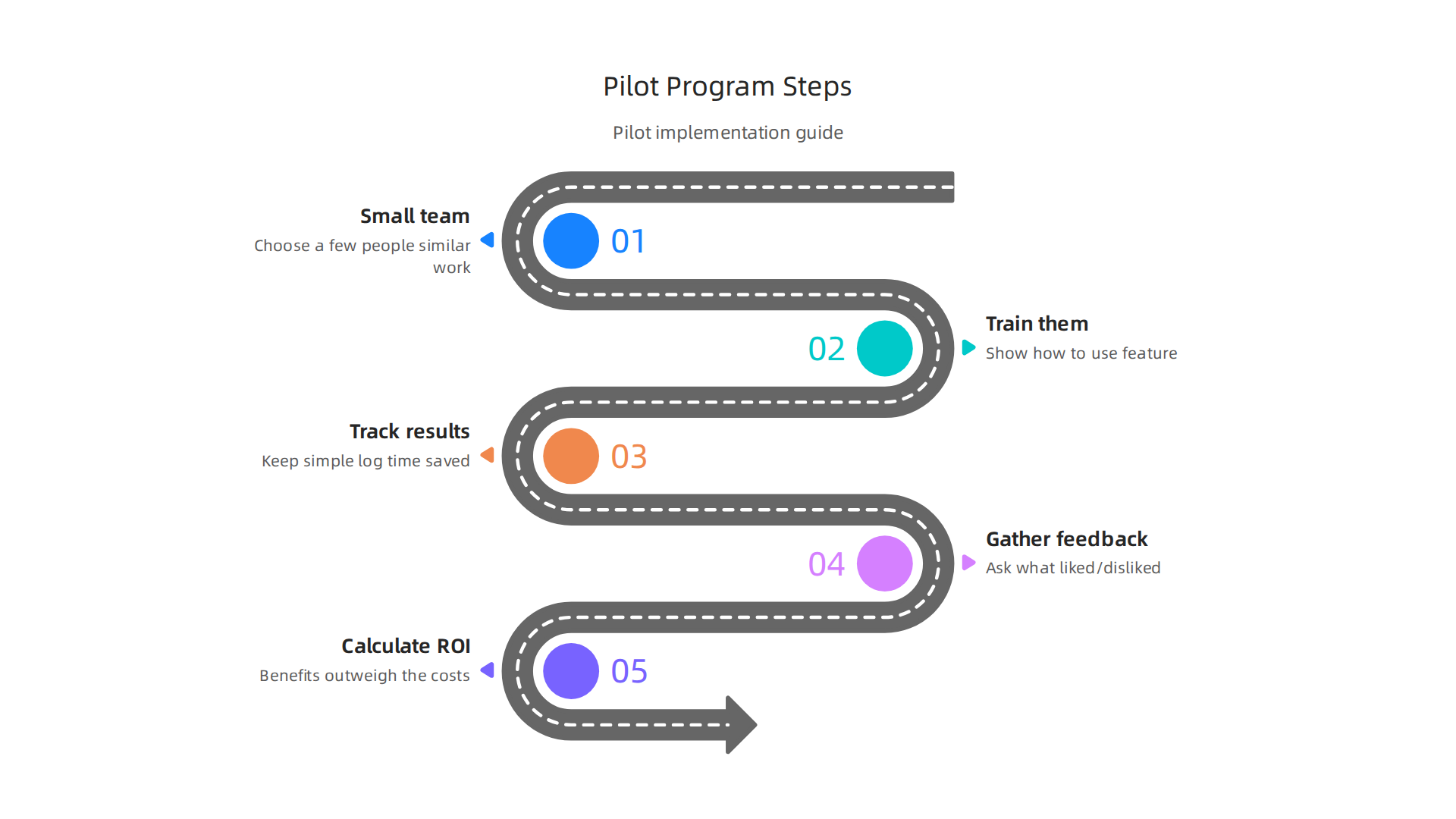
    Staying updated on the latest tech, including how older features can still be useful, is important for smart business decisions.

    The AI Newsletter Worth Reading

    Get clear daily AI updates from The Deep View Newsletter.
    Subscribe to The Deep View Newsletter

    Top apps and Touch Bar customizations for professionals

    Even though the MacBook Touch Bar might seem like a small feature, for many professionals, it’s a powerful tool when set up correctly.

    Illustrating key applications and customization methods that maximize the utility of the MacBook Touch Bar for various professional roles.

    This little screen can make a big difference in how fast you work, especially in creative jobs, coding, and talking with others.

    Apps That Work Best with the Touch Bar

    For people who create things, like graphic designers or video editors, the Touch Bar is very handy. Programs like Final Cut Pro can show you quick buttons for editing tasks right on the bar. This means you can cut clips, change colors, or adjust sounds without digging through menus. Having these controls at your fingertips speeds up the whole process Best Touch Bar Apps for MacBook Pro. It’s all about making your workflow smoother and saving precious time.

    Developers also found special uses for the Touch Bar. Imagine you’re writing computer code; the Touch Bar can show you shortcuts to run your code, move between parts of your program, or even help you find errors faster. Tools like those listed on various tech forums help coders set up their Touch Bar for very specific coding needs Best apps to get the best out of Touch Bar? : r/macbookpro.

    For daily communication, some apps can put your favorite emojis or quick response phrases on the Touch Bar. This makes sending messages or emails much quicker, helping you stay in touch without slowing down.

    Making the Touch Bar Your Own

    The real power of the Touch Bar for professionals comes from making it do exactly what you need. You can create your own special buttons and shortcuts. For example, if you always do a set of actions in an app, you can create a single "macro" button on the Touch Bar to do all of them at once. This is like having a super shortcut.

    Apps like BetterTouchTool are famous for letting you customize your MacBook Touch Bar to an amazing degree BetterTouchTool is the best app for the MacBook Pro Touch Bar. You can set up "context-aware" controls. This means the buttons on your Touch Bar change depending on what you’re doing in an app. If you’re drawing, you might see brush sizes. If you’re writing, you might see formatting tools. This kind of smart setup helps you always have the right tools ready.

    You can even make app-specific "palettes" for the Touch Bar. These are groups of buttons that only show up when you’re using a certain program. For instance, a video editor could have one palette for cutting, another for color correction, and another for sound mixing. It’s about bringing your most used actions closer to you. You can even find community-made lists of apps and settings to explore, helping you unlock even more potential for your MacBook Touch Bar PCVD’s ultimate lists of Touch Bar app/ softwares curated from github , product hunt etc..

    Getting the most out of your MacBook Touch Bar means taking the time to set it up for your specific tasks. Tools for customization are key. To learn more about how to choose the right technology for your professional projects, check out our guide on picking the best MacBooks for AI for your 2026 projects.

    Building on basic Touch Bar setups, professionals can go even further by creating smart shortcuts and automations. This means less repetitive clicking and more focus on your actual work.

    Smart Automations for Your MacBook Touch Bar

    Imagine making your MacBook Touch Bar do complex tasks with just one tap. This is possible through smart automations.

    A team collaborating on a complex project, symbolizing streamlined workflows and smart automations for efficiency.

    You can map common system shortcuts to the Touch Bar, like saving files, undoing mistakes, or even opening your most used folders. This keeps your hands on the keyboard and speeds up your workflow. Studies show that well-designed touch interfaces can make tasks faster, though care must be taken to avoid errors Investigating a multi-touch user interface for three-dimensional CAD operations.

    You can also link your Touch Bar to automation tools on your Mac, like AppleScript or Automator. For example, a single button on your Touch Bar could trigger a script that resizes all your images, uploads them to a cloud service, and then sends you a notification. For developers, this can mean quickly running code or switching between important parts of their programs. In fact, many developers in 2026 rely on custom Touch Bar key bindings for tasks like building and running code Touch Bar MacBooks In 2026: Developer Verdict. This deep integration turns your Touch Bar into a personal control center, making your macbook touch bar even more powerful.

    Third-Party Tools for Next-Level Customization

    While BetterTouchTool (mentioned before) is a great starting point, other tools let you get even more out of your Touch Bar. These utilities offer powerful ways to truly make the Touch Bar your own, boosting your daily productivity.

    For example, apps like Pock turn your Touch Bar into a small dock, showing you active apps and widgets right on the bar Pock: Widgets manager for MacBook Touch Bar. This frees up screen space on your main display and puts important controls in easy reach. Another open-source tool, MTMR (My TouchBar My Rules), lets you create custom buttons and scripts for almost anything you can imagine, even letting you use community-made plugins Toxblh/MTMR: 🌟 [My TouchBar My rules]. The Touch Bar …. These tools allow for incredible levels of customization and can save valuable time, making tasks more efficient Customize Your Mac’s Touch Bar with BetterTouchTool – LifeTips.

    For teams, some advanced tools even let you create and share Touch Bar profiles. This means a whole team can use the same specialized shortcuts for their projects, ensuring everyone works faster and in the same way. When choosing any tech gadget for business, especially one that boosts productivity, it’s good to think about how it fits into your daily tasks. Learn more in our guide on how to choose tech gadgets for business productivity in 2026.

    Staying up to date on all the latest tech and AI trends can be tricky, but it’s important for keeping your business smart and effective.

    Get clear daily AI updates from The AI Newsletter Worth Reading.

    Limitations, compatibility concerns, and alternatives

    Even with all the cool ways to customize the Touch Bar, it also has some clear downsides.

    An overview of the MacBook Touch Bar's limitations and practical alternatives for achieving similar productivity benefits.

    For one, knowing what the macbook touch bar can do changes from app to app. This makes it hard for people to discover all its features, or even remember what buttons might pop up at any given time. It’s not always obvious where to look for controls, which can slow you down instead of speeding you up.

    Another big concern is how the Touch Bar works across different Macs. Not all MacBook models have it. For example, newer models like the MacBook Air M2 chip don’t have a Touch Bar at all. In fact, Apple stopped putting the Touch Bar in its latest MacBook Pro models around 2021, and the last 13-inch model with it was released in 2022 Did Apple stop making MacBook Pro with TouchBar?. This means if you use different Macs for your work, the experience won’t be the same on all of them. This lack of consistency can be frustrating and make it harder to switch between devices smoothly.

    Accessibility is another point of worry. Since the Touch Bar is a flat, smooth strip, it doesn’t give you the same clicky feel as a real button. This lack of "tactile feedback" means you can’t press a button without looking at it. For users with visual impairments, this is a big problem, as they might not be able to easily tell which button they’re touching Apple’s New Touch Bar May Present Usability Challenges For Blind Users. Also, many users, especially coders, found it hard to live without a physical Escape key, which the Touch Bar often replaced The Problem With the Touch Bar.

    So, what if your MacBook doesn’t have a Touch Bar, or you simply prefer other ways to work? There are great alternatives that give you similar speed boosts.

    • Keyboard Shortcuts: The simplest way to speed things up is to learn your app’s built-in keyboard shortcuts. These are universal and work on any Mac, no matter the model.
    • External Keyboards: Many professionals use external keyboards, some of which have extra programmable keys or macro pads. These can give you even more customization than the Touch Bar, with the added benefit of physical buttons. When considering options for your setup, it’s wise to think about picking the best MacBooks for AI for your 2026 projects, as well as compatible accessories.
    • On-Screen Controls: You can also use on-screen menus and toolbars. While they might take an extra click, they are always visible and consistent. Some apps even let you customize these on-screen controls.

    Ultimately, whether you have a MacBook with a Touch Bar or are looking for alternatives, the goal is to make your computer work for you. There are many ways to make your daily tasks faster and easier, ensuring you stay productive in 2026.

    Buying, setup, and calculating ROI for teams

    When you’re thinking about buying new computers for your team, figuring out if a MacBook with a Touch Bar is right for everyone can be tricky.

    Business professionals engaged in a strategic discussion, weighing investment decisions for their team's technology.

    Since Apple has mostly moved away from the Touch Bar in newer models like those with the MacBook Air M3 chip or even recent MacBook Pros, it’s wise to think about consistency. Having different models with and without a Touch Bar can make things confusing for your team.

    For teams still using MacBooks with a Touch Bar, customization tools can make a big difference. Apps like BetterTouchTool let users change their Touch Bar to fit exactly what they do, which can be super helpful for getting tasks done faster. You can make custom buttons and shortcuts for specific apps, making the macbook touch bar much more useful than its basic settings How to Customize the MacBook’s Touch Bar with BetterTouchTool. This kind of personalization can really speed up workflows for specific roles, like designers or coders.

    A Smart Way to Think About Your Team’s Investment

    To decide if the Touch Bar (or any tech feature) is a good investment, think about its "Return on Investment," or ROI. For a team, ROI means how much benefit you get back compared to what you spend.

    Here’s a simple way to look at it:

    • Time Saved: How many minutes or hours does a new tool or feature save each person each week?
    • Team Size: How many people on your team will use this feature and save that time?
    • Frequency: How often will they use it?

    Let’s say a special Touch Bar setup saves a designer 10 minutes a day on a task they do every day. Over a week, that’s 50 minutes. If you have 5 designers, that’s 250 minutes saved per week, or over 4 hours. Over a year, this adds up to many hours, which can mean big savings for the company. This shows that even small time savings can make a big difference when many people use a tool often.

    Studies have shown that Macs, in general, can offer a great return for businesses. Companies report benefits like employees saving 100 minutes per month on productive tasks and needing less IT support The Total Economic Impact™ Of Apple Mac At Work. Another study found that Macs could save organizations hundreds of dollars per device over a few years, mainly through lower support costs and better employee performance The $543 Question: What If Skipping Macs Is Actually ….

    Piloting New Workflows

    If you’re unsure about a new piece of tech like the macbook touch bar or even a new macbook cover for protecting devices, try it out with a small group first. This is called a pilot program.

    A step-by-step guide for implementing a pilot program to evaluate new technology or workflows within a team.

    1. Pick a small team: Choose a few people who do similar work.
    2. Train them: Show them how to use the new feature or tool, like customizing the Touch Bar or learning new shortcuts.
    3. Track results: Have them keep a simple log of how much time they feel they are saving or if their work feels easier.
    4. Gather feedback: Ask them what they liked and disliked.
    5. Calculate ROI: Use the time-saved method to see if the benefits outweigh the costs.

    This way, you can make smart choices about your team’s tech. Investing in the right tools, whether it’s a specific MacBook model or simply how to how to choose tech gadgets for business productivity, helps everyone work better and faster in 2026.

    If you want to stay ahead with the latest tools and insights for business productivity,
    The AI Newsletter Worth Reading offers clear daily updates.

    Summary

    This article explains what the MacBook Touch Bar is, why it mattered for professional workflows, and when it still makes sense to use one in 2026. It covers the Touch Bar’s history, how the OLED strip adapted to apps, and which users — especially video editors, designers, music producers, and some developers — gain the biggest speedups. You’ll learn practical ways to customize the bar with tools like BetterTouchTool and MTMR, build automations and macros, and pick apps that return the most value. The piece also outlines clear limitations (tactile feedback, cross‑device consistency, and accessibility), how to evaluate alternatives, and a simple ROI method to decide for teams. Finally, it gives buying, setup and pilot recommendations so you can decide whether an older Touch Bar MacBook fits your workflows or if shortcuts and external keyboards are better options.

  • Information Systems vs Information Technology Why This Distinction Drives AI Success 2026

    Information Systems vs Information Technology Why This Distinction Drives AI Success 2026

    Why the distinction between Information Systems and Information Technology matters in 2026

    Many people use the words "Information Systems" and "Information Technology" as if they mean the same thing. But actually, there’s a big difference. Knowing this difference is super important, especially now in 2026, with the fast-moving AI revolution changing how we do everything.

    Leaders engage in a strategic discussion to navigate the complexities of technology and business goals.

    If you mix them up, it can lead to bad choices for your business.

    Think of it this way: Information Technology (IT) is about the tools. It’s the computers, the internet, the software programs that store, send, and process data. An information technology is anything that transmits, processes, or stores information, like your computer or a network server. On the other hand, an Information System (IS) is more like the whole plan or setup. It’s how those tools (IT) are used together to reach a specific goal for people, groups, or a whole company. An information system is a set of parts that work together to collect, process, store, and share information for a special purpose, like helping a business make decisions. This means IS applies IT to help things happen, as explained in some definitions of information systems and technology [1].

    In today’s world of rapid tech trends, especially with AI becoming so powerful, understanding this difference helps leaders make better AI-driven decisions. Businesses often struggle with many problems. One big issue is information overload; there’s just too much data and too many new tools every day. Then comes picking the right AI tools for their needs, which can be tough. Getting these new tools to work smoothly in a company is another challenge. And often, there aren’t enough resources, like money or skilled people, to do it all. To better grasp these fundamental concepts, consider reading about understanding what is information technology for business success in 2026.

    Knowing the difference between information systems vs. information technology helps clear up some of this confusion. It helps you see beyond just the shiny new tech and focus on how that tech fits into your bigger business goals. This way, you can choose better tools and make sure they really help your business grow and solve its problems. If you’re looking to keep up with these fast-paced changes, it helps to have clear, daily updates.

    Get clear daily AI updates from The AI Newsletter Worth Reading.

    To make truly good choices about technology for your business, especially with how quickly AI is growing, it’s super important to know exactly what Information Systems (IS) and Information Technology (IT) mean. Let’s look closely at both.

    Core definitions: Information Systems vs Information Technology (side-by-side)

    Information Technology (IT) is all about the gadgets and tools. It includes computers, software, networks, and anything else that helps store, process, or move digital information. Think of it as the building blocks or the raw materials. These tools are key to making many business activities possible in 2026. For example, IT includes the actual computer servers that hold your website’s data, the email programs you use, and the internet cables that connect your office. One definition states that IT is the use of computers to store, get back, send, and manage data or information [1]. Other sources define information technology as the application of computers to store, study, retrieve, and transmit information [2].

    On the other hand, an Information System (IS) is much bigger. It’s the whole picture. An IS takes these IT tools and combines them with people, business steps, and data to reach a specific business goal. It’s about how everything works together to solve a problem or make something better. For example, an IS could be the full setup a sales team uses: the customer database software (IT), the people who enter data, the steps they follow to talk to customers, and the reports they get to see how sales are doing. An information system gathers, processes, stores, looks at, and shares information for a special reason [3]. Many experts agree that an information system is a set of parts that work together to collect, process, store, and share information to help with planning and making decisions [4].

    Here’s a simple way to see the differences between information systems vs information technology:

    A side-by-side comparison illustrating the fundamental distinctions between Information Technology (IT) and Information Systems (IS).

    Feature Information Technology (IT) Information Systems (IS)
    What it is The actual tools, hardware, software, and networks. The entire system combining IT tools, people, processes, and data.
    Focus Making technology work and keeping it running. Using technology to solve business problems and reach goals.
    Examples Servers, routers, operating systems, specific apps, cloud storage. Customer relationship management (CRM) system, inventory control system, human resources system.
    Components Hardware, software, data, communication technology. Hardware, software, data, communication technology, people, and processes.
    Outputs Functional devices, working networks, processing data. Business reports, improved workflows, better decisions, strategic advantages.

    Roles, Responsibilities, and Success

    When we talk about the jobs people do, their responsibilities, and how we measure success, the difference between information systems vs information technology becomes even clearer.

    A team collaborates, drawing ideas and plans on a whiteboard to clarify roles and responsibilities.

    Information Technology (IT) Roles: People in IT often make sure the computers are fast, the internet is working, and all the software is updated and safe. Their main job is to keep the "lights on" for the technology. They handle things like fixing broken computers, setting up new networks, and protecting against online threats. Their success is often measured by how reliably systems run, how fast they are, and how safe they are from attacks.

    Information Systems (IS) Roles: Those who work with Information Systems look at the bigger picture. They ask: "How can this technology help our business make more money?" or "How can it make our work easier?" They might design a new system to track customer orders or improve how different parts of the company share information. Their job is more about understanding business needs and then figuring out how technology can meet those needs. They are often involved in choosing the right AI tools for business to drive growth in 2026. Success for an IS team is measured by how well the system helps the business reach its goals, like making operations more efficient, giving leaders better information for decisions, or boosting profits. It’s less about the tech itself and more about the impact it has on the business and its people. For more on this, you can read about smart AI for business your 2026 guide to successful adoption.

    Understanding this division is very helpful for any business aiming to keep up with current tech trends and plan for future tech advancements. It helps business leaders think about more than just buying the latest gadgets. Instead, they can focus on building smart systems that really help the company grow and thrive in the AI revolution.

    Understanding the difference between information systems vs information technology is even more important as new tech trends, especially Artificial Intelligence (AI), change how businesses work. In 2026, AI is not just a fancy tool; it’s truly shaking up both IT and IS roles.

    How AI and emerging tech are reshaping IS and IT in 2026

    The way we use and manage technology is quickly changing, mostly because of AI and other new tools like machine learning (ML), edge computing, cloud services, and automation.

    Key technological advancements like AI, cloud, and automation are fundamentally reshaping Information Systems and Information Technology.

    These advancements are making the lines between Information Technology (IT) and Information Systems (IS) shift.

    The Big Shifts from AI and New Technologies

    1. AI and Machine Learning (ML):
    AI is now a big part of how technology is designed and used. It’s helping IT teams run systems better and safer. For example, AI can spot problems in networks before they get big or stop cyber attacks automatically. In fact, more than 70% of tech leaders say AI is already being used across their organizations in 2026, changing how IT functions operate Wavestone’s AI Tech Leaders Survey.

    For Information Systems, AI means even bigger changes. It’s not just about making computers work; it’s about making them smart enough to help with business decisions. AI helps IS teams create new ways to understand customers, predict sales, or manage complex projects. Companies are spending a lot on AI, with many expecting to spend nearly double what they did last year on these smart tools AI Quarterly Pulse Survey – Q1 2026. The truth is, businesses that don’t use AI well might lose a good chunk of their money, about 8.6% of their income, predicts one survey Couchbase FY 2026 CIO AI Survey.

    2. Cloud Computing:
    Cloud services have made IT hardware and software easier to get and use. This means IT teams don’t have to build and maintain as many physical servers. Instead, they manage cloud resources. This shift lets IS teams focus more on how these cloud-based tools can solve business problems, without worrying as much about the basic tech setup.

    3. Edge Computing:
    Edge computing means doing some data processing closer to where the data is collected, like on a smart camera or a factory machine. This affects IT by changing where hardware is placed and how it’s connected. For IS, it means being able to make decisions much faster, right where the action is happening.

    4. Automation:
    Automation, often powered by AI, changes how both IT and IS work. IT teams use it to automate routine tasks, like updating software or checking system health. For IS, automation is key to making business processes smoother and faster, from managing customer service to handling inventory.

    Changing Roles and Capabilities

    As these new tech trends grow, what IT and IS teams do changes.

    • IT’s New Focus: The IT team still makes sure the technology backbone is strong. But now, they also focus on building and maintaining the special infrastructure that supports AI. This includes managing powerful AI hardware and keeping AI systems secure. They also make sure all the data that feeds AI is ready to use. Many IT leaders report seeing value from their AI investments in 2026, with 67% calling their return on investment positive The State of AI in IT for 2026. If you want to dive deeper into this, learn about AI hardware for business leaders.

    • IS’s Strategic Power: Information Systems teams are becoming even more important for business strategy. They use AI and other advanced tools to find new chances for growth, create smarter products, and make better business decisions. They are the ones who figure out how to take all the smart tech IT provides and turn it into real business value. This means IS roles are now heavily focused on understanding how enterprise AI platforms can help the business. AI agents are showing great impact, especially for data analysis, which is a big part of IS work The 2026 State of AI Agents Report.

    In short, AI means that IT moves more towards creating and managing the smart infrastructure, while IS focuses more on using that smartness to drive business success and innovation. This separation helps businesses use the AI revolution to their best advantage, moving from just having technology to having technology that truly understands and helps the business thrive. To keep up with these fast-moving changes, you need good information.

    Get clear daily AI updates from The AI Newsletter Worth Reading.

    This shift also means that some jobs will change, and new ones will appear. For example, AI is predicted to create 2.3 million new specialized AI jobs Impact of Artificial Intelligence on IT Industry Jobs and Emerging. This makes it vital for businesses to stay updated on the latest top technology trends business leaders must adopt in 2026 and understand how to track AI trends and tools.

    The shift towards an AI-first world means that the jobs people do in tech are also changing a lot. We’re seeing new kinds of jobs pop up and older jobs needing new skills. This makes it super important for businesses to think carefully about how they organize their teams and what skills they look for in workers, especially when it comes to the difference between information systems and information technology.

    People and skills: Rethinking org roles for IS and IT

    As AI and other new tech trends become more common, the skills needed for both Information Technology (IT) and Information Systems (IS) teams are changing. It’s not just about what you know now, but what you can learn and how you can use new tools.

    What Skills Are Most Important Now?

    In 2026, companies are looking for different kinds of skills for their IT and IS roles.

    • For IT Teams: The IT team still needs strong technical skills. They are the ones who build and keep the technology running. But now, this includes skills like making sure AI systems work well, keeping them safe from cyber threats, and managing cloud services. They also need to be good at what’s called "AI-enabled delivery," which means using AI tools to make IT work faster and better. Many hiring managers are looking for people with skills in cybersecurity, cloud management, and the ability to update systems smoothly in 2026 IT Careers in 2026: What Hiring Managers Want.

    • For IS Teams: Information Systems teams need skills that help them use technology to solve business problems and find new opportunities. This means they must understand how AI can help the company make more money or serve customers better. Key skills include being able to work with large amounts of data, understand how AI models work, and turn data into smart business plans. These teams often need people who can be "AI Translators" or "Governance Leads" to make sure AI is used well and responsibly across the company AI Leadership Roles and Literacy. Actually, strong data analysis skills are becoming a must for IS graduates looking into AI career paths AI career paths and skills for Information Systems graduates.

    Beyond just technical know-how, everyone in an AI-powered workplace needs a mix of skills. These include being good at thinking critically, understanding data, designing work steps, and communicating clearly. These "human skills" are just as important as knowing how to use the latest software in 2026 The Skills Every AI-Enabled Workforce Needs in 2026.

    Changing How We Hire and Train

    With these big shifts, companies need to change how they find new workers and train their current staff.

    A professional presents new concepts and skills to a receptive audience, highlighting continuous learning.

    1. Hiring Smarter: When hiring, companies should look for people who are not just good at one thing, but who can learn new skills and adapt quickly to new tech trends. They need to seek out candidates who understand both the technical side (IT) and the business side (IS) of AI. In fact, most tech jobs now include some need for AI skills AI Workforce Consortium Finds 78% of ICT Roles Now ….
    2. Upskilling Current Teams: It’s also important to train existing employees. This means giving them chances to learn about AI, machine learning, and how these tools can improve their daily work. Many companies are investing in programs to teach their IT staff about managing AI systems and their IS staff about using AI for strategy. Learning how to select and use smart AI for business is key for this.
    3. Redesigning Roles: Job roles are being updated to fit the new AI world. For example, some IT roles might now focus on "AI Operations" (AI Ops), which is all about keeping AI systems running smoothly and safely. On the IS side, roles might be created to focus on "AI strategy" or "AI ethics." This helps make sure that the right people with the right skills are doing the right jobs, helping the business use AI to its fullest. If you’re wondering how AI will impact jobs, it’s worth exploring preparing for what jobs will AI replace.

    By focusing on these new skills and smart ways of hiring and training, businesses can make sure their IT and IS teams are ready for the future. This helps them stay ahead in the fast-moving AI revolution and keeps them competitive.

    The new world of AI doesn’t just change jobs and skills. It also brings big questions about how we use this powerful tech in a fair, safe, and lawful way. This is where governance, risk, compliance, and ethics come into play. Both Information Systems (IS) and Information Technology (IT) teams must work together to get this right.

    Why Rules and Ethics Matter for AI

    Think about it like driving a new, super-fast car. You need to know the traffic laws, understand the risks, follow safety rules, and make sure you’re driving fairly. AI is similar. As AI becomes more common, companies face pressures from laws and from people expecting them to use AI responsibly.

    • Governance: This is about having clear rules and ways to make decisions about how AI is used. It’s like having a good roadmap for your AI journey.
    • Risk: AI can have unexpected problems, like making unfair decisions or getting hacked. Managing risk means finding these problems and stopping them.
    • Compliance: This means making sure all AI tools and uses follow the latest laws and industry rules. For example, there’s the EU AI Act and frameworks like the NIST AI Risk Management Framework that help guide companies in 2026 Governance, risk, and compliance frameworks for AI Security ….
    • Ethics: This is about doing the right thing, even when there isn’t a rule. It’s about being fair, open, and not causing harm with AI. Many international AI frameworks push for trustworthy and accountable systems AI Ethical Frameworks and Governance Boards.

    These pressures affect IS and IT teams in different ways, but both are very important. The IS team often thinks about the big picture and how AI fits into business goals and ethical use. The IT team focuses on making sure the AI systems are built and run securely and correctly.

    Bringing IS and IT Together for AI Safety

    For a business to truly use AI well, the IS and IT teams must work hand-in-hand on these tough topics.

    Critical areas where Information Systems and Information Technology teams must align to ensure safe and ethical AI deployment.

    Here’s how they can make sure their efforts align:

    1. Data Governance: This means having clear rules for how data is collected, stored, and used. Both teams need to make sure the data feeding AI systems is good, safe, and used ethically. The IS team might set the rules for data use based on business needs and ethics, while the IT team builds the secure systems to handle that data.
    2. Security Baselines: AI systems can be targets for cyber attacks. IT teams are responsible for making these systems safe, but IS teams need to understand the security risks when designing new AI-powered business solutions. They need to agree on a basic level of security for all AI projects. Singapore, for example, has put out guides for responsible use of agentic AI AI Risk Management: Operationalisation Handbook. It is critical to stay updated on these kinds of future tech.
    3. Auditability and Transparency: It’s important to be able to check how AI makes its decisions. This is called auditability. IT teams build systems that can be checked, and IS teams make sure those checks meet business and ethical needs. For example, frameworks exist to help businesses show their ability to identify and control AI risks AI Governance & Risk Readiness 2026: EU AI Act & Global ….
    4. AI Ethics: This is maybe the most important part of the AI revolution. Both teams must think about the ethical impact of their AI projects. Will the AI be fair to everyone? Is it causing any harm? IS teams might lead the charge in defining ethical guidelines, while IT teams make sure the technology follows those rules. It’s all about mastering the AI future standard 2026.

    By making sure these areas are aligned, businesses can create trust in their AI use and avoid big problems. The journey through the new tech trends requires constant learning and staying informed.

    If you want to stay ahead of the curve in this fast-changing world, make sure you’re getting the most up-to-date information.
    Get clear daily AI updates from The AI Newsletter Worth Reading.

    Moving from understanding the "why" of AI governance to the practical "how" of putting AI into action is the next big step for businesses. This is where information systems vs information technology teams truly shine, working together to turn AI ideas into real-world tools that help the business. It’s about taking AI from a small test (a pilot) to a system that works every day (production). This journey needs a clear plan, often called an adoption roadmap.

    Here is a simple roadmap for IS and IT leaders to guide their businesses through the current AI revolution:

    A four-step roadmap for IS and IT leaders to effectively adopt AI, moving from pilot programs to full production.

    1. Find the Best Ways to Use AI (Use Cases)

    Before diving into any AI project, it’s key to figure out what problems AI can solve for your business. This means looking at daily tasks and asking: "Can AI make this faster, better, or cheaper?" IS leaders often start this process by understanding business goals and spotting areas where AI could help a lot. They might look at customer service, making products, or how employees work.

    Even in 2026, many companies are still figuring this out. A report from Deloitte shows that about 69% of businesses are just trying out AI or running small tests, with only a smaller part actually using AI daily with clear financial benefits Deloitte-HKU AI Adoption Index 2026 The Paradox of Promise and …. This highlights how important it is to pick the right projects to begin with.

    2. Choose the Right Tools for the Job

    Once you know how you want to use AI, you need to pick the right tools. This is where the difference between information systems vs information technology becomes very clear.

    • IS teams might focus on tools that fit the business need, how they will be used by people, and how they help reach company goals. They might explore different types of AI solutions, like those for better marketing or smarter operations. If you’re looking for guidance, you can learn more about how to choose AI for business tools that deliver real results.
    • IT teams look at the technical side: Can these tools work with our current systems? Are they secure? What kind of computers or cloud services do we need? They make sure the chosen technology is strong enough and safe. Tech leaders are still investing heavily, with average projected AI spending around $294 million in the next 12 months, according to one 2026 survey AI Quarterly Pulse Survey Technology – KPMG International.

    Both teams need to agree on tools that work for everyone.

    3. Figure Out What Success Looks Like (ROI and Metrics)

    Before starting any big AI project, it is super important to know how you will measure if it’s working. This means defining your "Return on Investment" (ROI) and other success metrics.

    • IS leaders decide what business outcomes are important: Will it save money? Make customers happier? Boost sales?
    • IT leaders help track the technical performance: Is the AI fast enough? Is it accurate? Are there fewer errors?

    You need to think about all the costs, both clear and hidden, like training staff or changing old systems. Many reports in 2026 talk about how to measure AI ROI, suggesting you set clear goals and track them carefully from the start How to Measure AI ROI: Executive Guide (2026). Without clear goals, it is hard to tell if the AI is truly helping your business grow.

    4. Connect AI with What You Already Have (Integration)

    Most businesses already have many computer systems. When you bring in new AI, it needs to work smoothly with these existing systems, often called "legacy IT" or "data platforms."

    • IT teams are usually in charge of making these connections happen. They build the bridges between the new AI tools and older databases or software. This might involve building new data pipelines or making sure different systems can talk to each other. Learn more about how to choose the best AI tech products for your team in 2026.
    • IS teams guide this by making sure the AI-enabled information systems get the data they need and send information back to other systems correctly. They ensure the overall flow of information makes sense for the business. This is a critical step for making sure AI isn’t just a standalone experiment, but a useful part of your everyday work.

    By following these steps, businesses can safely and effectively adopt new AI technologies, moving beyond small tests to fully using AI to power their future. This continuous adaptation is essential in a world shaped by rapidly changing tech trends.

    Now that you have a clear roadmap for bringing AI into your business, the real work begins: looking at actual AI solutions and deciding if they are truly right for your company. This means knowing how to spot good promises from empty ones, especially when vendors talk about the latest tech trends in the AI revolution. It also means understanding the different viewpoints of information systems vs information technology teams when judging new tools.

    What to Ask AI Vendors and Partners

    When you are ready to pick an AI solution, you’ll talk to many companies that sell AI tools.

    Professionals in a meeting critically evaluate proposals and discuss potential partnerships.

    They will make many claims about what their AI can do. Your job, as an IS or IT leader, is to look past the shiny presentations and get to the real facts. Both IS and IT teams have important questions to ask:

    • For IS leaders (focus on business value):
      • How will this AI change how our employees work day-to-day?
      • What exact business problem does it solve, and how does it make our customers happier or our operations smoother?
      • Can you show us case studies from other businesses like ours where this AI led to real money saved or more sales?
      • How easy is it for our team to learn and use this new system?
    • For IT leaders (focus on technical details and safety):
      • Will this AI work with our existing computer systems and data? What kind of integration effort is needed?
      • How secure is this AI tool? What steps do you take to protect our company’s data?
      • Where will our data be stored and processed? Which other companies (third parties) might get access to it?
      • What happens if the AI makes a mistake or has a problem? How does your system handle these "failure modes"?
      • Can we host this AI ourselves, or do we have to use your cloud service?

    It is important to evaluate AI vendors carefully to ensure they meet your specific needs for growth, as detailed in guides like How Enterprises Should Evaluate AI Vendors in 2026. Asking tough questions helps you understand the true value and risks. In fact, experts suggest asking as many as 40 questions during an Enterprise AI Vendor RFP in 2026 process to cover all bases.

    The Right KPIs to Request for IS vs IT Solutions

    When a vendor tells you their AI will help your business, you need them to prove it with numbers. These numbers are called Key Performance Indicators, or KPIs. They show if an AI solution is truly working.

    • For IS-focused solutions: You’ll want to see business-related KPIs.
      • Cost Savings: How much money did the AI save per month or year?
      • Time Savings: How much faster are tasks completed? For example, reducing customer service response time.
      • Revenue Growth: Did sales go up because of the AI?
      • Customer Satisfaction: Are customers happier or more likely to recommend your business?
      • Employee Productivity: Are employees getting more done with less effort?
    • For IT-focused solutions: You’ll need technical KPIs.
      • System Uptime: How often is the AI system working without issues?
      • Processing Speed: How fast does the AI analyze data or complete tasks?
      • Accuracy Rates: How often is the AI’s output correct?
      • Security Incidents: How many security problems occurred, if any?

    It’s crucial to set these clear goals from the start. A recent report stresses that to truly measure the business impact of AI, you need to track specific metrics like adoption depth and task-level time savings from the beginning of your project in 2026 Measuring AI Adoption: Metrics for Business Impact in 2026. Without clear KPIs, it’s just guesswork.

    Case-Study Prompts and Evidence Checkpoints

    When considering an AI solution, ask vendors for real-world proof.

    • Pilot Program Success: If they have done a pilot (small test) with another company, ask for details. What were the results? What challenges came up, and how were they solved?
    • Adoption Rates: A tool is only useful if people actually use it. Ask what the adoption rates were for past projects. How did they get employees to use the new AI?
    • Long-Term Impact: AI isn’t just for a quick win. Ask for proof of long-term value. How has the AI continued to help businesses over time?
    • Data Portability and Exit Strategy: What happens if you want to switch vendors later? Can you easily get your data back, and will the AI still work with a different provider?

    By asking these types of questions and looking for solid evidence, your IS and IT teams can work together to make smart choices. This helps you avoid wasting money on tools that don’t deliver, and instead, find the best AI to keep your business competitive in a world of fast-changing tech trends.

    To stay on top of the latest AI revolution and make informed decisions, consider getting regular updates.

    Get clear daily AI updates from The AI Newsletter Worth Reading.

    Summary

    This article explains why distinguishing Information Systems (IS) from Information Technology (IT) matters for businesses in 2026, especially during the AI revolution. IT refers to the technical tools — hardware, software, networks and platforms — while IS is the broader system that combines those tools with people, processes and data to meet business goals. The piece details how AI, cloud, edge computing and automation are reshaping both functions: IT now builds and secures AI infrastructure, while IS turns AI capabilities into strategic outcomes. It covers changing roles, the most important skills to hire or train, and how teams should collaborate on governance, risk, compliance and ethics. The article provides a practical adoption roadmap—identifying use cases, choosing tools, defining KPIs, integrating with legacy systems—and gives guidance on vetting vendors and measuring ROI. Readers will walk away able to separate technical decisions from business design, ask the right vendor questions, set useful KPIs, and organize IS and IT to deliver safe, measurable AI value.

  • Unlock AI Productivity: Pick Your Best AI Newsletters for 2026

    Unlock AI Productivity: Pick Your Best AI Newsletters for 2026

    Why curated productivity & AI newsletters still matter in 2026

    In 2026, it feels like new AI tools and big ideas are popping up every single day. The world of technology moves so fast. For many of us, this constant flow of information can feel like trying to drink from a firehose. It’s hard to keep up, and it’s even harder to tell what’s truly important and what’s just noise. This flood of updates can make it tough to stay focused and productive.

    A person looking overwhelmed by a vast amount of information, symbolizing the challenge of staying focused amidst constant tech updates.

    You might feel overwhelmed, wondering if you’re missing out on the cool tech that could really help you.

    Actually, finding useful information quickly is a big problem for many people right now. It takes a lot of time to search through countless websites, social media posts, and online-tech-tips to figure out what’s new. Sometimes, you just need a clear, easy way to get the most important news.

    That’s where curated newsletters come in. Even in 2026, these special emails are more important than ever for anyone who wants to stay tech savvy without getting lost in the details. They cut through the clutter and bring you just the good stuff. Experts agree that the most valuable newsletters are those that combine good choices with real-world examples, helping you see how AI can help your daily life and work choices today and tomorrow, not just talk about it 1. A great newsletter, like a trusted makeuseof newsletter, gives you a quick look at important trends, new tools, and smart ways to use them.

    This guide will give you a simple, clear plan for how to look at, pick, and use these newsletters to stay on top of your game. You will learn how to spot the newsletters that truly matter, how to add them into your daily work without feeling stressed, and how to make sure they help you stay productive.

    If you’re looking for clear daily AI updates, consider getting The AI Newsletter Worth Reading. It helps you stay informed without the overload. We’ll also explore how to use AI tools for newsletter curation, which can make managing your inbox even easier. It is like having a smart assistant just for your important news. Learning to pick the right sources, like a reliable site news techmeme, can help you track major technology news for smart business decisions in 2026.

    What to expect from the best AI/productivity newsletters (and what ‘MakeUseOf newsletter’ offers)

    When you choose an AI or productivity newsletter, you’re looking for more than just a list of links. You want something that truly helps you stay tech savvy and get things done. The best newsletters in 2026 give you clear, useful information that you can use right away.

    Here are the main types of content you can expect from a top-notch newsletter:

    • Quick Roundups: These are short summaries of the most important news and tools in AI each day or week. They help you get the main ideas quickly, so you don’t miss anything big. A good roundup will tell you what’s new without taking up too much of your time. Many people find a quick morning scan of these headlines to be very helpful for staying informed 10 Best AI Newsletters to Read in 2026.
    • Deep Dives: Some newsletters go into great detail on one important topic, tool, or trend. This is great for when you want to learn a lot about something specific, like how a new AI model works or a clever way to use a productivity app.
    • Tool Tests and Reviews: With so many new AI tools coming out, it’s hard to know which ones are actually good. The best newsletters will test these tools and tell you what they liked and didn’t like. This helps you figure out if a tool is worth your time without having to try them all yourself.
    • Templates and How-Tos: Often, these newsletters give you ready-to-use templates or step-by-step guides. For example, a template for writing better emails with AI, or a guide on how to set up a new productivity system. These are super practical and help you put the cool tech into action.

    What makes a newsletter truly stand out? Readers care about a few key things when picking their favorites:

    Infographic detailing the essential criteria readers consider when selecting top AI and productivity newsletters.

    • Relevance: The information should be about things that matter to you and your work. It should help you solve real problems or learn new skills. This means it needs to understand what its readers are looking for.
    • Timeliness: In the fast-moving world of AI, news gets old fast. A good newsletter makes sure you get the latest updates and trends while they’re still fresh. This helps you stay ahead of the curve.
    • Actionable Steps: It’s not enough to just know about new tools. You need to know how to use them. The best newsletters offer clear advice and ideas you can try right away to boost your productivity or use AI better. Finding these online-tech-tips can make a big difference.
    • Trustworthiness: You want to get your information from sources you can count on. A reliable newsletter, like a strong makeuseof newsletter, will have experts who know their stuff. They will give you honest thoughts and real examples. They combine good choices with how to use AI in real life Top AI Newsletters in 2026: The Ones Everyone Is Reading.

    So, when you see a makeuseof newsletter or similar trusted source, you can expect a mix of these helpful formats and a focus on these important criteria. It’s how you stay informed without feeling overwhelmed, getting insights that help you choose and use new AI tools effectively. If you want to keep up with the newest insights on tools, consider checking out some top interactive AI newsletters that can further boost your knowledge. For businesses, learning how to select the right AI tools can lead to real growth, making thoughtful newsletter choices part of a bigger strategy for how to pick AI tools for business.

    A simple framework to evaluate any AI newsletter quickly

    Now that you know what great AI and productivity newsletters offer, how do you pick the best one for you?

    A person thoughtfully considering options, representing the process of choosing the right AI newsletter based on personal needs.

    It’s like choosing the right tool for a job; you want to make sure it fits perfectly. Here’s a simple way to look at any AI newsletter quickly and see if it’s worth your time and inbox space.

    Infographic outlining a five-step rubric for quickly evaluating any AI newsletter's suitability.

    We can use a quick checklist to size up any makeuseof newsletter or any other tech publication.

    Step-by-step rubric to pick your perfect newsletter

    1. Who Writes It? (Credibility):
      First, think about who is sending the newsletter. Are they people who really know a lot about AI and technology? Do they have a good reputation for giving honest online-tech-tips? You want to trust the advice you’re getting. Look for newsletters where the writers clearly understand the topic and aren’t just repeating what everyone else says. Top newsletters are often ranked based on things like their editorial focus and the expertise of their writers 10 Best AI Newsletters in 2026 (Ranked by Focus).

    2. How Often Does It Arrive? (Frequency):
      Some newsletters come daily, others weekly, or even just once a month. Think about how much information you can handle. If you get too many emails, you might stop reading them. If it’s too rare, you might miss important updates. Find a balance that keeps you informed without making your inbox feel too full. This helps you stay tech savvy without being overwhelmed.

    3. How Deep Does It Go? (Depth):
      Does the newsletter just give you headlines, or does it explain things in detail? If you want to really learn about how cool tech works, you’ll want something that offers deep dives. If you just need quick updates, a roundup might be enough. Look for newsletters that match how much you want to learn about each topic.

    4. Can You Use It Right Away? (Practical Takeaways):
      The best newsletters give you ideas you can put into action. Do they offer tips, templates, or clear steps you can follow? It’s great to know about new AI tools, but it’s even better to know exactly how you can use them to make your work easier or better. This is where you find the truly useful online-tech-tips.

    5. Is It Fair and Balanced? (Vendor Neutrality):
      Sometimes, newsletters might lean heavily towards one company’s products. This is normal if it’s their company’s newsletter. But if you want a broad view of the AI world, look for a newsletter that talks about many different tools and ideas without pushing just one. You want honest reviews and information, not just sales pitches. Finding trusted tech sources is key for this AI Tool Discovery 2026: How to Find Trusted Tech Sources That Deliver Real Business Results.

    How to score newsletters against your needs

    After you look at these points, think about your own needs and your budget.

    • Your Use Cases: Why do you want this newsletter? Are you a marketer, a business owner, a creator, or just someone who loves new tech? A good newsletter for a marketing pro might be different from one for someone who just wants general news. If you are looking for AI tips specific to growing your business, that will change what you value most.

    • Budget Constraints: Most AI newsletters are free, but some special ones might cost money. If you have a budget for learning resources, then a paid newsletter might offer even deeper insights. If you’re sticking to free options, there are still plenty of great choices out there.

    By going through this simple process, you can find an AI newsletter that truly helps you stay informed and effective in 2026.

    Ready to find a newsletter that consistently delivers clear, daily AI updates to help you stay ahead?
    The AI Newsletter Worth Reading

    Comparing popular AI newsletters: what each is best for

    Now that you know how to look closely at AI newsletters, let’s talk about how different ones can fit your needs. Imagine you’re picking tools for a toolbox. You don’t just need any tool; you need the right tool for the job. The same goes for finding the best AI newsletters. You want them to help you reach your goals, whether that’s for work or just to learn about cool tech.

    Newsletters often focus on different things. Some might talk a lot about new AI tools, while others go deep into new research papers or how AI affects big companies. Knowing what each newsletter is mostly about can help you pick the best one for you. For example, some lists break down newsletters by their main focus, like general AI news, technical topics, business uses, or specific AI tools A curated, up-to-date list of active AI newsletters.

    How newsletter focus matches your work and goals

    Think about what you do every day or what you want to learn.

    • For Business Owners and Leaders: You might want newsletters that focus on how AI can make your business better. This could be about new tools to help with marketing, sales, or how to run your company more smoothly. You want online-tech-tips that show real ways to use AI for growth. Checking out content on how to choose AI for business tools that deliver real results in 2026 can give you more ideas on this.
    • For Marketers and Creators: If you make content or work in marketing, you’ll love newsletters about new AI apps for writing, making images, or planning campaigns. You need practical advice you can use right away. Look for newsletters that offer those useful online-tech-tips.
    • For Tech Lovers and Developers: If you’re really into how AI works behind the scenes, you might prefer newsletters that talk about the latest research or deep technical topics. These can help you stay tech savvy with the newest findings.
    • For General Updates: Maybe you just want to know what’s happening in the world of AI without all the super technical details. A general AI news roundup, like what you might find in a makeuseof newsletter, could be perfect. It gives you the big picture without too much fuss.

    Many people find it helpful to read more than one newsletter. For instance, an industry report on newsletters in 2026 showed that some people follow many different sources to stay informed 12 AI Newsletters to Keep You Informed on Emerging ….

    Picking a main newsletter and a helper newsletter

    It’s a good idea to have one main newsletter that covers your most important needs. This is the one you read most often. Then, you can have a second, "helper" newsletter for something different.

    Let’s say your main job is marketing. You might choose a newsletter that gives you solid online-tech-tips for using AI in marketing every week. Then, for your helper, you could pick one that just gives you quick daily updates on general AI news, like what you might find when tracking major technology news for smart business decisions in 2026. This way, you get both deep help for your work and stay generally tech savvy.

    Here’s a simple way to think about it:

    Infographic comparing different AI newsletter types, highlighting what each is best for, their pros, and cons.

    Newsletter Type Best For Pros Cons
    Tools & Apps Business users, marketers, creators Gives practical ways to use AI, clear steps Might focus on one tool too much, less theory
    Research & Deep Dives Developers, tech enthusiasts, academics Explains how AI works, new discoveries Can be very technical, less about daily use
    Product & Business AI Business owners, managers Shows how AI helps companies, boosts growth Less about coding or complex AI models
    General AI News Anyone wanting quick updates, stay tech savvy Covers many topics, easy to read, good for "cool tech" Less in-depth for specific topics

    By picking one main source and maybe a second one for balance, you can build your own special set of AI insights. This helps you get the most out of your reading without feeling swamped.

    From discovery to adoption: testing AI tools recommended in newsletters

    You’ve learned how to pick the best AI newsletters to stay updated and tech savvy. But what happens after you read about a cool tech tool? The next step is to see if it actually works for you and your business. It’s like finding a new recipe; you have to try cooking it to know if it tastes good.

    A team collaborating around a whiteboard, discussing and planning, representing the testing and adoption of new tools.

    We need a simple way to test these AI tools without much risk or cost. This is called a "pilot test."

    How to test new AI tools simply and smartly

    A pilot test is a small try-out. It lets you see how a new AI tool performs in your real work before you commit to it fully. This process helps you know if the online-tech-tips you read in a newsletter are truly useful for your situation. Here’s a lean way to do it:

    Infographic illustrating a five-step lean approach to conducting pilot tests for new AI tools.

    1. Know what you want to fix: Before trying any tool, ask: What problem do I want this AI to solve? Maybe you want to save time on writing emails, or make better images, or crunch numbers faster.
    2. Set clear goals: How will you know if the tool is helping? Set simple goals, like "I want to save two hours a week on X task" or "I want to cut down errors by Y percent." These are your key numbers to watch. To effectively measure, you should define 6-12 focused goals for your AI pilot Defining KPIs for an AI Pilot: 12 Metrics to Track During a.
    3. Start small: Don’t try to use a new AI tool everywhere at once. Pick a small team, a specific project, or just a few tasks. This lowers the risk if the tool isn’t a good fit. This small-scale testing is very important for refining new methods How to Conduct Pilot Tests.
    4. Gather basic results: Keep track of your goals. Did you save time? Did errors go down? Are people finding it easy to use? You can measure things like "time saved" or "how often people use the tool" Measure Productivity of AI Tools + Training.
    5. Look for real signs of success: After your small test, look at what happened. Did the tool solve your problem? Did it make things noticeably better? This helps you see if the tool has a "product-market fit" for your needs, meaning it really fits what you need to do.

    Checking if an AI tool is worth it (ROI)

    When you test a new AI tool, you also want to know if it’s worth the money or effort. This is often called "Return on Investment" (ROI). It means: are you getting more value out of it than what you put in? For more on this, you can learn about marketing science for AI professionals to measure real impact and ROI.

    During your pilot, measure things like:

    • Time saved: How many hours did the AI tool free up for you or your team? More time often means more money saved or more work done. Tracking time saved versus manual effort is a key indicator of AI adoption KPIs That Prove Real AI Adoption (Not Just Experimentation).
    • Better quality work: Did the AI help you create better content, make fewer mistakes, or improve customer service?
    • How often people use it: If a tool is truly helpful, people will use it a lot. If they don’t, it might not be a good fit, even if it’s cool tech. Keeping an eye on user adoption is a crucial KPI beyond just accuracy Measuring Enterprise AI Success: KPIs Beyond Accuracy.
    • Happy users: Are the people using the tool happy with it? Do they find it helpful and easy to learn?

    Whether you found a tool through a general makeuseof newsletter or heard about it on site news techmeme, the real test is how it works for you. This lean testing method lets you discover what truly works, helping you make smart choices for your business in 2026.

    Ready to stay informed with daily AI news and practical insights? The AI Newsletter Worth Reading delivers clear updates right to your inbox.

    After you learn about new AI tools and try them out a little, the next step is to share what you’ve learned with your team. This helps everyone in your company make smart choices together. It’s not just about one person being "tech savvy"; it’s about making new tech easy for everyone to understand and use.

    Integrating newsletter insights into team workflows

    Think of it this way: you read a great online-tech-tips article or a special makeuseof newsletter about a cool new AI tool. Now, how do you make sure that good idea doesn’t just stay in your head? You need a way to bring those insights into your team’s daily work.

    Balancing who does what with new AI tools

    It’s not smart for everyone on your team to read every single AI newsletter or site news techmeme update. That would be too much work! Instead, you can have a few key people handle different parts:

    • The "Scouts": These are the people who subscribe to AI newsletters and keep an eye on new trends. They find the promising "cool tech" that might help your business. They don’t have to be super technical, just curious and good at spotting useful ideas.
    • The "Summarizers": Once the scouts find interesting tools, someone needs to make short, easy-to-read notes about them. This saves everyone else time. They pick out the main points: what the tool does, what problem it solves, and why it might be useful.
    • The "Testers": As we talked about before, these are the people who do the small pilot tests. They check if a new AI tool actually works well for your team’s specific needs. It’s smart to assign clear owners to review the test results, so everyone knows who is responsible for what outcome Response quality evaluations for the Employee Self ….

    By splitting these jobs, your team can stay updated on AI without getting overwhelmed. It also makes sure that important information from newsletters and other sources gets shared and acted upon.

    Practical templates for sharing AI insights

    To make sharing easy, you can use simple templates. These are like fill-in-the-blank forms that help you organize information quickly.

    1. Weekly Curation Notes:
      Imagine a short, internal email or message that goes out once a week. It tells everyone about the most interesting AI tools or news your scouts found. You can use a simple company newsletter template to make these notes easy to read. Each note should have:

    2. Tool-Watch Tickets:
      When a scout finds a really promising tool, they can create a "tool-watch ticket." This is a simple note in your team’s project system (like a to-do list). It helps you track tools that need a closer look or a pilot test. The ticket might include:

      • The tool’s name.
      • The problem it might solve.
      • Who will be the tester.
      • When the test should happen.
    3. Stakeholder Playbooks:
      For tools that pass the pilot test and look very promising, you’ll want to tell other people in your company about them. These "stakeholders" might be managers or other departments. A stakeholder playbook is a short, easy guide that explains:

      • What the new AI tool does.
      • How it helps the business (like saving money or time).
      • Who on the team will use it.
      • What success looks like (the positive results from your pilot test).
      • It’s important to set clear success criteria with these stakeholders before deploying AI tools widely Generative AI Pilot Metrics: How to Measure and Prove ….

    By using these clear steps and tools, your team can better handle all the new AI information coming out. This helps you make smart business decisions and use AI to grow your company in 2026. For more help on finding and using the right tools, learn how to choose AI for business tools that deliver real results in 2026.

    Now that your team has a plan to share new AI insights, let’s talk about keeping that information flow clear and useful. Think of it like a garden: you plant good seeds, but you also need to pull weeds so your plants can grow strong. In the world of AI news, "weeds" are all the extra emails and articles that don’t really help your business. You need a way of maintaining signal over noise.

    It’s easy to sign up for too many newsletters, from an online-tech-tips site to a makeuseof newsletter, or even updates from a site news techmeme. Before you know it, your inbox is full of "cool tech" articles, and you might miss the truly important ones. This is where "subscription hygiene" comes in.

    Taking care of your subscription list

    Subscription hygiene is just a fancy way of saying you regularly clean up your list of email newsletters and other updates. It means deciding what stays and what goes. This helps your team stay focused on the best information. Here are some simple steps:

    • Check often: Make it a habit to look at your subscriptions every few months. Are you still reading them? Are they still giving you useful information for your business in 2026?
    • Unsubscribe from unhelpful ones: If a newsletter isn’t helping you make smarter choices or bringing new ideas, it’s okay to say goodbye. Removing emails you don’t open helps with "email list hygiene" and makes sure you only get important messages Email List Hygiene 2026: Improve Deliverability with ….
    • Keep the valuable stuff: Hold onto the newsletters that truly teach you something new, share practical AI tips, or point to tools that can really help your work. This could be a specialized makeuseof newsletter or a general online-tech-tips digest.
    • Segment your list: If you have many subscriptions, maybe put them into groups. For example, one folder for "AI Tools for Marketing" and another for "General AI News." This helps you find what you need faster. Regularly cleaning your email list by looking at who is engaged and who is not can help you do this better How List Building & Hygiene Impact Email Deliverability.

    By doing this, you make sure that the information you get is high-quality. You want to make sure the time your "Scouts" (from the last section) spend reading is well-spent, not lost in a sea of unnecessary emails.

    How to know if a newsletter is truly valuable

    It’s not just about opening an email; it’s about what you get from it. To know if a newsletter has long-term value, you need to look at a few things:

    • Engagement: Do you often click on links in the newsletter? Do you save articles? Do you talk about the information with your team? High "engagement" means you’re really using the content. You can even measure things like click-through rates to see what people are interested in Track Your Email Success: Essential Engagement Metrics.
    • Actionable insights: Does the newsletter give you ideas you can actually use? Does it lead to new tests, discussions, or changes in your business? If it helps you choose AI for business tools or improve how you work, it’s valuable.
    • Retention: Are people staying subscribed for a long time? Newsletters that keep their readers year after year are usually doing something right. High retention often means the content is consistently good How To Measure Real Email Engagement in 2026. For example, some newsletters see paid subscriber retention where people stay subscribed for 18 to 20 months on average Newsletter Statistics 2026: Paid Subscriber Data.

    If a newsletter consistently helps your team make smarter decisions, learn about new AI tools, or simply keeps you "tech savvy" in 2026, then it’s worth keeping. It’s about getting real value from the information you consume.

    Want to make sure you’re always getting the best AI insights without the extra noise?
    The AI Newsletter Worth Reading

    Summary

    This article explains why curated productivity and AI newsletters remain valuable in 2026 and gives a practical playbook for finding, evaluating, and using them without getting overwhelmed. It describes the types of content top newsletters provide—quick roundups, deep dives, tool reviews, and templates—and lays out a simple five‑point rubric (credibility, frequency, depth, practicality, neutrality) to judge any newsletter quickly. The guide also shows how to test recommended AI tools with small pilot projects, measure ROI and user adoption, and capture meaningful KPIs so you can decide what to scale. You’ll learn how to organize newsletter intake across team roles (scouts, summarizers, testers), use lightweight templates for sharing findings, and keep your subscription list clean so signal beats noise. By following these steps you’ll be able to pick the right newsletters, integrate insights into workflows, run low‑risk trials, and make smarter AI adoption choices for your work or business.

  • PC Parts Compatibility for AI: Build a Powerful, Bottleneck-Free Workstation

    PC Parts Compatibility for AI: Build a Powerful, Bottleneck-Free Workstation

    Why PC parts compatibility matters for AI workloads (and what this guide will solve)

    If you’re thinking about building a computer for AI tasks like teaching new models or making smart predictions, you might imagine it’s just like putting together a super powerful gaming PC. But here’s the thing: making sure your pc parts compatibility is right for AI is actually quite different from what a typical "pc master race" gamer would look for.

    AI tasks, like training complex models, fine-tuning them, or running quick guesses (inferencing), put very different demands on your computer parts. For example, a gaming PC might focus on having a super-fast graphics card to draw game worlds smoothly. But for AI, the graphics card (GPU) needs a lot of special memory, often called HBM, and very fast ways to send information to other GPUs. For instance, connections like NVLink can offer much higher speeds between GPUs than the standard PCIe connections found in most regular computers, making a big difference for large AI projects. Some reports show NVLink 4.0, used in high-end AI GPUs, can be over seven times faster than PCIe 5.0 for moving data between parts NVLink vs PCIe: Do You Actually Need NVLink? (2026).

    This means that simply choosing parts that seem strong for an "affordable gaming pc" might not give you the performance you need for serious AI work. Without the right pc parts compatibility, your system could slow down, waste a lot of time, and even cost you more money in the long run due to inefficient operations.

    Illustrating the frustration of inefficient operations due to poor PC parts compatibility for AI tasks.

    You need a computer that can handle huge amounts of data and perform many calculations at once without bottlenecks.

    This guide is here to help you understand all the important details about pc parts compatibility for AI. We will walk you through each component, like the CPU, GPU, memory, and storage, and explain what to look for. Our goal is to give you a clear, easy-to-follow checklist. This way, you can pick the best parts, avoid expensive mistakes, and make sure your computer runs as fast and smoothly as possible for all your AI projects in 2026. If you’re ready to start building your ideal machine, you might find our guide on how to build and optimize your AI workstation for peak performance 2026 very helpful.

    Want to keep up with the latest AI trends and tools? Get clear daily AI updates from The Deep View Newsletter.

    When building a computer for AI, understanding the difference between your Central Processing Unit (CPU) and your Graphics Processing Unit (GPU) is very important.

    An infographic comparing the distinct roles of CPU and GPU in handling various AI workloads.

    It’s not just about getting the fastest parts; it’s about making sure your pc parts compatibility is perfect for how AI tasks actually run.

    The CPU’s Role in AI

    Think of the CPU as the brain of your computer. It’s really good at handling many different tasks one after another, like a skilled manager organizing a team. In AI work, the CPU mostly helps with:

    • Getting Data Ready: Before a GPU can train an AI model, the data often needs to be cleaned, sorted, and prepared. This is called data preprocessing, and the CPU handles it well. For example, if you’re working with text, the CPU will get all the words in order.
    • Running the Show: The CPU tells all the other parts of your computer what to do. It starts and stops AI programs and makes sure everything works together smoothly. This is like the CPU being the conductor of an orchestra.
    • Lighter AI Tasks: For simple AI tasks or when you’re just using a small AI model, the CPU can do the work itself.

    While the CPU is very important, it’s generally not the star for heavy AI computations.

    The GPU’s Power for AI

    The GPU is like a team of super-fast math helpers. Instead of doing one task after another, it can do thousands of simple math problems all at once. This is why GPUs are so critical for AI:

    • Training AI Models: Training an AI model involves huge amounts of calculations, usually with something called "tensors" (which are like big grids of numbers). GPUs are built to do these kinds of calculations super fast, much quicker than a CPU ever could. This is their main job for AI.
    • Making Predictions (Inferencing): Once an AI model is trained, the GPU can also help it make quick predictions or decisions. If you’re building a system that needs to understand images or voices in real-time, a powerful GPU will be key. Many AI guides highlight the GPU as the most important piece of hardware for AI workloads AI Workstation 2026 Guide: What Hardware to Buy Now.

    How CPU Features Affect GPU Performance and PC Parts Compatibility

    Even though the GPU does the heavy lifting, your CPU still needs to be a good match. Here’s what to look for regarding pc parts compatibility:

    1. Socket Type: This is the shape and pin layout on the motherboard where the CPU sits. Your CPU’s socket must match your motherboard’s socket. For instance, Intel’s 10th and 11th Gen CPUs use the LGA1200 socket, requiring specific motherboards Compatibility of 10th and 11th Generation Intel® Desktop Processors. If these don’t match, nothing will work. You can usually find a list of compatible CPUs for a motherboard, or vice-versa, in a "Motherboard – Processor Compatibility" list from the manufacturer.
    2. PCIe Lanes: These are like highways that connect your CPU to other parts, especially your powerful GPUs. The more PCIe lanes your CPU and motherboard offer, the more fast connections your GPUs can have.
      • Speed Matters: Newer standards like PCIe 5.0 are much faster. For instance, AMD’s AM5 platform supports 28 PCIe lanes and PCIe 5.0, which can move data at 4GB per second per lane ECE 571 – Advanced Microprocessor-Based Design Lecture 31.
      • Enough Lanes: If you plan to use multiple GPUs for big AI models, you need a CPU that provides enough lanes so each GPU can run at its best speed. Some CPUs, like AMD Threadripper or Intel EPYC, are designed for many GPUs because they have lots of PCIe lanes Best AI Workstation Builds in 2026. Without enough lanes, even the best GPUs can slow down, creating a bottleneck.
    3. Platform I/O (Input/Output): This refers to how well the CPU and motherboard work together to manage all the data flowing in and out of the system. A good CPU and chipset will ensure that data can move quickly between the GPU, memory, and storage without delays.

    Choosing the right CPU and motherboard with enough PCIe lanes is crucial for excellent pc parts compatibility.

    Visualizing the collaboration and careful planning required for optimal CPU and GPU compatibility in AI builds.

    It helps your powerful GPUs talk to the rest of the system as fast as possible, which means your AI tasks will run much quicker. If you’re looking for different build ideas, you might find useful information on how to choose the best prebuilt gaming PCs for AI work in 2026. This isn’t like an affordable gaming pc where you might skimp on these details; for serious AI, every connection counts.

    After making sure your CPU and GPU work well together, you need to think about the motherboard. The motherboard is like the main street of your computer. It connects all the important parts: the CPU, GPU, memory, and storage. For good pc parts compatibility, especially when building a powerful AI computer, choosing the right motherboard is a must.

    Here are the important things about a motherboard for your AI setup:

    Chipset

    The chipset is like a tiny manager on the motherboard. It helps the CPU talk to everything else. Different chipsets support different CPUs, memory types (like DDR4 or DDR5), and how many fast connections (PCIe lanes) are available for things like your graphics cards and speedy storage drives. For example, Intel’s 700 series chipsets help manage how the CPU connects to other parts, making sure data flows smoothly.

    PCIe Slot Layout

    You already know PCIe lanes are like highways. The motherboard has slots for your GPUs that use these lanes. For serious AI work, you might need several powerful GPUs. Your motherboard must have enough PCIe slots that run at high speeds, like PCIe 5.0 x16, to let your GPUs do their best work. Some motherboards even have special slots for fast storage that use PCIe 5.0 x4 lanes.

    M.2 and NVMe Slots

    These are for super-fast storage drives, often called NVMe SSDs. They are much quicker than older hard drives. For AI, you’ll be loading and saving huge amounts of data. Having multiple M.2 slots that connect directly to the CPU or chipset using PCIe lanes means your data can move very fast. This helps stop delays when your AI model is training or working. Many modern motherboards, like the X870 MAX GAMING WIFI7, support PCIe 5.0 x4 mode for M.2 drives, which is great for fast data access.

    BIOS Support

    The BIOS (Basic Input/Output System) is like the motherboard’s instruction book. It tells your computer how to start up and how to talk to your CPU, memory, and other main parts. Sometimes, when new CPUs come out, the motherboard might need a BIOS update to recognize and work with them. If your BIOS is too old, your new CPU might not work at all, even if the socket matches. For example, some AMD Ryzen 5000 series CPUs needed a BIOS update on older motherboards to work right. You can usually find a Motherboard – Processor Compatibility list from your motherboard maker that tells you which BIOS version you need for each CPU.

    Practical Checks Before You Buy

    To avoid headaches, always do these checks:

    • CPU Support List (QVL): Every motherboard manufacturer has a list on their website that shows every CPU that works with their specific motherboard model. Check this list carefully to ensure your chosen CPU is supported.
    • BIOS Version: Note the required BIOS version for your CPU. If the motherboard you buy has an older BIOS, you might need to update it. Some motherboards have a "BIOS Flashback" feature that lets you update the BIOS without a CPU installed, which is very handy.
    • Online Compatibility Checkers: Before you spend your money, use an online tool to check your pc parts compatibility. Websites like PC Build Compatibility Checker or PC Component Compatibility Checker let you pick out your CPU, motherboard, RAM, and GPU to see if they all fit together. These tools are like your personal pc master race guide, helping you avoid mistakes that even experienced builders can make.

    Choosing the right motherboard with the correct chipset, enough fast PCIe slots, and up-to-date BIOS support is key for building an AI computer that runs smoothly. It’s not just about raw power; it’s about making sure all your parts can talk to each other without bottlenecks.

    To learn more about putting together a high-performing system, consider reading about how to build and optimize your AI workstation for peak performance 2026.

    Staying informed about the fast-moving world of AI tools and hardware is also a smart move for any business leader. Get clear daily AI updates to help you navigate this space.

    The AI Newsletter Worth Reading

    The motherboard connects everything, but what gets connected in terms of memory and storage is just as important for pc parts compatibility in an AI setup.

    An infographic detailing optimal memory and storage solutions crucial for AI performance.

    Think of memory (RAM) as your computer’s short-term workspace and storage as its long-term filing cabinet. Both need to be big and fast for AI tasks.

    Memory and storage choices for AI performance

    When working with AI, especially training large models, your computer needs a lot of space to hold data it’s actively thinking about. This is where memory, or RAM, comes in.

    What to know about RAM for AI

    RAM is like your desk. The bigger the desk, the more papers (data) you can have open at once. For AI, this means holding larger datasets or working with bigger "batch sizes" during training. Batch size refers to how many examples your AI model looks at at one time. More RAM lets you use bigger batch sizes, which can sometimes speed up training. Experts suggest that AI workloads often need a lot of system RAM, sometimes from 128 GB up to 2 TB for very big projects, depending on how much data you are feeding the AI and what you want to achieve How Much RAM Do AI Workloads Really Need?.

    Beyond just how much RAM you have, its speed also matters. Faster RAM can move data to and from your CPU quicker, which helps prevent delays. Look for memory with high clock speeds and good timing. Also, how RAM is set up in "channels" can make a difference. Using two or four sticks of RAM instead of just one (dual-channel or quad-channel memory) can allow your CPU to access data even faster. This is like having more lanes on a highway. GPU memory capacity also directly impacts how well your system performs for AI INOM. For big language models (LLMs) in 2026, serving them can require hundreds of gigabytes of RAM per server, with high memory bandwidth being key for good performance Efficient LLM Inference: Bandwidth, Compute ….

    Storage choices for AI

    Storage is where all your large AI datasets, programs, and models live permanently. For AI, you need storage that’s not only big but also very fast.

    • NVMe SSDs: These are the top choice for AI. NVMe (Non-Volatile Memory Express) drives are super-fast storage that connect directly to your motherboard’s PCIe slots, just like your powerful graphics cards. They can read and write data much, much faster than older SATA SSDs or traditional hard drives. This means your computer can load huge datasets quickly, which is critical for training AI models without long waits. NVMe drives offer very low delay and high data flow, which is perfect for today’s AI tasks The Semiconductor Ecosystem at the Foundation of Data Centers.
    • SATA SSDs: These are still good and faster than old hard drives, but they are not as quick as NVMe drives. They connect using SATA cables. For some less demanding AI tasks or for storing data that isn’t accessed all the time, SATA SSDs can be a more affordable option.
    • Hard Drives (HDDs): These are the slowest. They are good for storing very large amounts of data that you don’t need to access quickly, like backups. For active AI work, they are usually too slow and will cause major delays.

    When picking storage, also think about "read/write IOPS" and "endurance." IOPS means "Input/Output Operations Per Second," and a higher number means the drive can handle more requests for data at once. Endurance refers to how much data can be written to the drive over its lifetime before it starts to wear out. AI workloads involve a lot of writing, so high endurance is a plus.

    Making smart choices for memory and storage makes sure your pc parts compatibility is strong, helping your AI computer run smoothly and efficiently.

    A visual metaphor for making smart, organized choices for memory and storage to ensure smooth AI operations.

    If you’re looking for guidance on what AI hardware to choose for your business, exploring resources like AI Hardware 2026: A Business Leader’s Guide to Growth can be very helpful.

    After picking out your fast memory and huge storage, the next big steps for great pc parts compatibility in an AI computer are making sure it gets enough power and stays cool. Powerful AI components, especially the graphics cards, use a lot of electricity and create a lot of heat. If your computer does not have enough power or gets too hot, it will slow down, crash, or even get damaged. This is why the power supply (PSU) and cooling system are super important for stable AI training runs.

    PSU and cooling: ensuring stable AI training runs

    Think of your power supply unit (PSU) as the heart of your computer. It gives power to every part. For AI, your graphics processing unit (GPU) is usually the hungriest for power. AI training is a tough job that makes GPUs work at their highest level for a long time. This means they pull a lot of power consistently.

    Power Supply Unit (PSU) needs for AI

    Choosing the right PSU is key. You need one strong enough to handle all your components, especially if you plan to use multiple powerful GPUs.

    An infographic illustrating the critical considerations for power supply units in AI computer builds.

    For example, modern high-end NVIDIA RTX 5000 series graphics cards often need power supplies around 1000W or even higher NVIDIA RTX 5000 series graphic card PSU recommendation. If you’re building a system with one of these, or even considering two for a dual-GPU setup, you will need a very powerful PSU. Experts suggest looking for a PSU with at least 1200W or more to ensure you have enough power, especially for future GPU upgrades 7 Best Pre-Built AI Workstations 2026 — Tested & Ranked.

    When you have more than one GPU, like in a multi-GPU setup, power distribution becomes even more important.

    • Cable Routing and Connectors: Each powerful GPU needs its own set of power cables from the PSU. Make sure your PSU has enough PCIe power connectors (often 6-pin or 8-pin) for all your graphics cards. Connect them directly to the PSU. Do not daisy-chain cables if you can help it, as this can lead to unstable power delivery.
    • GPU Power Limits: Some GPUs have limits on how much power they can draw. You need to respect these limits to prevent damage and ensure stability. A good PSU provides clean, stable power even when all parts are working hard.

    Cooling strategies for AI workloads

    AI training pushes your components, especially GPUs, to their limits. This creates a lot of heat. Keeping these parts cool is not just about making them last longer; it is also about keeping them running fast. When a part gets too hot, it automatically slows down to protect itself, which means your AI training takes longer.

    • GPU Cooling: Modern GPUs come with strong cooling systems, but for AI, you might need even more. Good airflow in your computer case is a must. Many AI workstations are designed with chassis and power supplies ready for continuous workloads, and stable cooling is a top priority Workstation for Artificial Intelligence: AI Hardware Guide ….
    • Case Airflow: Make sure your computer case has plenty of fans pulling cool air in and pushing hot air out. A good case design helps move air over your hot components. You might want to invest in extra case fans. When buying an AI PC, always check that the cooling system is good enough for steady AI work Budget Guide: How to Buy an AI PC Without Breaking the ….
    • CPU Cooling: While GPUs do most of the heavy lifting in AI training, your CPU still needs good cooling. A large air cooler or a liquid cooler (AIO) is a good choice for keeping your CPU temperatures in check.

    Getting your power and cooling right is a big part of achieving great pc parts compatibility for your AI build.

    Depicting the confidence that comes from a well-planned and stable AI computer build with adequate power and cooling.

    It ensures that your expensive components can perform their best without overheating or crashing. If you want to dive deeper into making your AI setup perfect, exploring how to Build and Optimize Your AI Workstation for Peak Performance 2026 can offer more insights.

    Stay informed about the latest advancements in AI and technology that can impact your hardware choices.

    Get clear daily AI updates from The AI Newsletter Worth Reading.

    When you are building a computer for AI, the graphics processing unit, or GPU, is like the brain of your machine. It does most of the heavy math that AI needs, whether you are teaching an AI new things (training) or using an AI that has already learned (inference). Getting the right GPU and making sure it works well with all your other parts is a huge part of good pc parts compatibility.

    GPU selection and multi-GPU setups for AI

    Choosing the best GPU for AI depends on what kind of AI work you want to do. Different GPUs are better for different jobs. This choice greatly affects how well your whole system works together.

    What to look for in an AI GPU

    Not all GPUs are made the same, especially for AI tasks. Here are the main things to think about:

    An infographic highlighting essential GPU features and interconnection methods vital for AI workloads.

    • VRAM (Video RAM): This is super important. VRAM is like the GPU’s own memory. The more VRAM a GPU has, the bigger and more complex AI models it can handle. For training large AI models, you need a lot of VRAM. For example, some of the top NVIDIA GPUs like the H100 or H200 have 80GB or even 141GB of HBM3/HBM3e memory, which is designed for very big AI tasks NVIDIA GPU Architecture Explained: A Guide for AI (August …. For using AI models (inference), you might not need as much, but more is always better. For serious AI work, aim for at least 24GB or more.
    • Tensor Cores: These are special parts inside NVIDIA GPUs that are built to speed up AI calculations. If your GPU has Tensor Cores, it can do AI math much faster. NVIDIA’s newer architectures like Hopper and Blackwell have advanced Tensor Cores that make AI training and inference very quick NVIDIA GPU Architectures Guide for 2026 – CloudMinister.
    • GPU Architecture: This refers to the overall design of the GPU. Newer designs, like NVIDIA’s Blackwell or Hopper, are made to be more powerful and efficient for AI work than older ones. These new designs often come with more VRAM and better Tensor Cores.

    Multi-GPU setups: more power for AI

    Sometimes, one powerful GPU is not enough. For really big AI projects or when you want to train models faster, you might need to use more than one GPU in your computer. This is called a multi-GPU setup. This is where pc parts compatibility gets even more important.

    How GPUs talk to each other

    When you have many GPUs, they need a way to share information and work together. There are two main ways they connect:

    1. PCIe (PCI Express): This is the normal way parts connect to your motherboard. GPUs use PCIe slots to plug in. PCIe 5.0 x16, a common type, offers good speed, but it routes data through your CPU first. While good for single GPUs or simple multi-GPU inference, it can become a bottleneck for heavy multi-GPU training Multi-GPU for AI – NVLink vs PCIe, Builds & Setup (2026) – VRAM First.
    2. NVLink: This is a special connection made by NVIDIA that lets GPUs talk directly to each other without going through the CPU. NVLink is much faster than PCIe. For example, NVLink 4.0 on an H100 GPU gives 900 GB/s of speed, while PCIe 5.0 x16 maxes out at about 128 GB/s NVLink vs PCIe: GPU Interconnect for AI 2026 | packet.ai. This huge speed difference means that with NVLink, your GPUs can share data very quickly, which is great for training large AI models. However, NVLink is usually found on high-end NVIDIA professional GPUs and only a few consumer cards like the RTX 3090, as the RTX 4090 and newer consumer cards don’t support it Multi-GPU for Local AI in 2026: NVLink vs PCIe and When a Second ….

    Compatibility for multi-GPU builds

    Using multiple GPUs needs careful planning:

    • Motherboard and CPU: Your motherboard needs enough PCIe slots, and they should be the right kind (like x16 slots) and spaced apart so your big GPUs can fit. Your CPU also needs enough PCIe lanes to support all those GPUs. If your CPU doesn’t have enough lanes, your GPUs might run slower. For serious AI work, you might want to consider a special CPU and motherboard setup that gives more PCIe lanes, like those found in workstation-class systems.
    • Physical Size: High-end GPUs are often very big. Make sure your computer case has enough room for all of them and that they get enough air for cooling. We talked about cooling in the last section, and it is even more important with multiple GPUs.

    Getting these parts to work together well is key to building an AI computer that performs great. If you are aiming for a powerful setup, exploring options like using AI Hardware 2026: A Business Leaders Guide to Growth can help you decide.

    To ensure all your parts fit and work together perfectly, you can use online tools. These tools check things like CPU socket fit, RAM type, GPU length, and power needs PC Part Compatibility Checker: CPU, GPU, PSU & Case | SpecsCalc. They help prevent common mistakes when building a custom PC.

    Making sure all your computer parts work together is a big deal, especially for AI builds. We just talked about how powerful GPUs and their connections are key for good pc parts compatibility. Now, let’s look at how to double-check everything before you buy and what to think about when you want to make your computer better later on.

    Your Essential PC Parts Compatibility Checklist

    Before you spend your money, it’s smart to have a checklist. This helps you avoid common mistakes and makes sure your new computer will run smoothly. Here are the main things to check for pc parts compatibility:

    • CPU and Motherboard Socket: This is the most important check. Your CPU needs to fit the exact socket type on your motherboard. For example, an Intel CPU might need an LGA 1700 socket, while an AMD CPU might need an AM5 socket. You can often find this info on the product page for each part PC Parts Compatibility Guide UK: How to Check Your ….
    • RAM Type: Computers today use either DDR4 or DDR5 memory. Your motherboard can only use one type, so your RAM sticks must match what your motherboard supports.
    • GPU Size: High-end GPUs for AI can be very large. You need to make sure your computer case has enough space for your GPU to fit. Also, check that your motherboard has the right type and number of PCIe slots for your GPU or multiple GPUs.
    • Power Supply (PSU) Wattage: Your power supply needs to be strong enough to power all your parts, especially a powerful GPU or several GPUs. It also needs the right cables to connect to your GPU and other components.
    • CPU Cooler Height: If you are using a large air cooler for your CPU, make sure it is not too tall for your computer case to close properly.
    • Case Size and Airflow: Beyond just fitting the GPU, your case needs to have good airflow to keep all your hot AI components cool. This is extra important for multi-GPU setups.

    Smart Tools to Check Compatibility

    Luckily, you do not have to guess if your parts will work together. There are many free online tools that can help you with pc parts compatibility. These tools let you pick your CPU, motherboard, RAM, GPU, power supply, cooler, and case. Then, they instantly tell you if there are any issues.

    Some popular compatibility checkers will review socket types, memory types, GPU physical size, power needs, and even cooler height to make sure everything lines up Build Compatibility Checker — Free Online PC Hardware Tool …. Tools like these are great for saving time and preventing headaches. For example, some tools check over 40 rules in real time to ensure your chosen parts will work together perfectly PC Builder Online India – Build Your PC Free · GetPC.co.in.

    Planning for Future Upgrades

    Thinking about future upgrades for your AI PC is also part of good pc parts compatibility. Sometimes you want to make your computer faster or more powerful down the road.

    • GPU-First Upgrade: Many AI builders choose to upgrade their GPU first, as it often has the biggest impact on AI performance. If you do this, make sure your existing CPU is still powerful enough to keep up, or it could slow down your new GPU. Also, your power supply needs to handle the increased power demand.
    • CPU-First Upgrade: If your CPU is old, upgrading it can make your whole system faster. But be careful: a new CPU often means you might also need a new motherboard and new RAM because of how parts fit together. This can turn a simple upgrade into a bigger project.
    • Platform Compatibility: Some computer platforms (the combination of CPU and motherboard) offer more room for upgrades than others. If you plan to upgrade often, look for platforms that support multiple generations of CPUs or have plenty of PCIe slots for extra GPUs. This flexibility is key if you want to scale up your AI work without rebuilding everything from scratch.
    • Budget Considerations: When planning upgrades, especially for an affordable gaming pc that also handles AI, always think about the cost versus the performance boost. Sometimes, small upgrades can give good results for the money. Other times, saving up for a bigger upgrade makes more sense for a much larger performance jump.

    By doing your homework and using the right tools, you can make sure your AI computer build is a success from the start and can grow with your needs. Building and optimizing your AI workstation for peak performance is a continuous journey.

    To stay on top of the latest AI hardware and software trends that impact compatibility and performance, you need reliable information.
    Get clear daily AI updates from The AI Newsletter Worth Reading.

    Summary

    This article explains why PC parts compatibility is critical when building machines for AI workloads and how that differs from standard gaming builds. It covers the distinct roles of CPUs and GPUs, why PCIe lanes and inter‑GPU links like NVLink matter, and how motherboard chipset, BIOS, RAM type, and NVMe storage affect performance. The guide also walks through PSU sizing and cooling strategies needed for sustained training runs, how to choose GPUs (and plan multi‑GPU setups), and practical checks such as socket matching, BIOS versions, and physical fit. You will learn concrete rules of thumb—like targeting larger GPU VRAM and high system RAM for big models—and get a simple pre‑purchase checklist plus tools to verify compatibility so you can avoid bottlenecks, wasted spend, and upgrade headaches.

  • Unlock Growth: How to Strategically Choose Top Software Companies and AI

    Unlock Growth: How to Strategically Choose Top Software Companies and AI

    Why leaders need to rethink strategy around top software companies and AI

    It’s 2026, and the world of business is buzzing with talk about Artificial Intelligence, or AI. Every day, it feels like there’s a new AI tool or update being released. This can be exciting, but also a bit much. For many business leaders, it creates a big problem: information overload. It’s really hard to tell what’s truly helpful and what’s just noise when everyone is talking about AI.

    With so many top software companies now offering AI features, how do you pick the right ones for your business? How do you know which tools will really make a difference and help you grow? This question is more important than ever. The global market for enterprise AI was huge in 2025 and is set to grow even more by 2030, showing just how fast things are moving along Enterprise AI Adoption Trends 2026. Companies are quickly adopting AI, with many already seeing it in action across their operations The State of AI in the Enterprise – 2026 AI report.

    This rapid change means that leaders can’t just stick to old ways of thinking. They need a fresh approach to how they look at top software companies and their AI offerings.

    A leader contemplates new strategies in the rapidly evolving AI landscape.

    If you’re in charge of making big decisions, whether for b2b marketing, running a company like Zensar Technologies, or leading any marketing firms, you know it’s a challenge to keep up. You have to sort through countless options, figure out which ones fit your needs, and then put them into action.

    That’s why we’re here. This article will give you a clear, simple way to think about and choose AI software. We will provide a practical framework to help you make smart choices about strategy, buying new tools, and putting them to use. Our goal is to cut through the confusion and help you understand how to pick AI tools for business that deliver real results in 2026.

    If you want to stay updated with clear, daily insights on AI and technology, consider subscribing.
    Get clear daily AI updates from The AI Newsletter Worth Reading.

    1) Market landscape: Who counts as a ‘top software company’ for enterprise AI?

    To truly pick the right AI tools for your business in 2026, you first need to understand who the main players are. What does "top software company" even mean when we talk about AI for businesses? It’s not just about the biggest names you know. It’s about how they help companies like yours use AI in smart ways.

    We can look at a few important things to decide if a company is a top player in enterprise AI:

    • Scale: Can they handle a lot of data and many users? Top companies offer solutions that work for both small businesses and very large ones.
    • Product Breadth: Do they offer many different AI tools, or just one specific thing? A wide range of products means they can help with different business needs.
    • Vertical Reach: Do their AI tools work well for specific industries, like healthcare, finance, or b2b marketing? Some companies are leaders in certain areas.
    • Integration Ecosystem: Can their AI tools easily connect with other software you already use? This is super important. No one wants a tool that can’t talk to their existing systems.
    • Enterprise Trust: Do businesses trust them with important data and tasks? A company’s track record and how secure their tools are really matter.

    In fact, many organizations today, about 40% of them, choose to buy ready-made AI solutions instead of building their own from scratch The multi-year AI advantage. This shows how important it is for leaders to know which providers are truly reliable.

    Different Kinds of AI Software Vendors

    The world of AI software is big, but we can group the vendors into a few main types.

    Understanding the three main categories of AI software vendors helps in strategic tool selection.

    Knowing these groups helps you think about your strategy for buying new AI tools.

    1. AI Platform Providers: These are the really big companies, often called "hyperscalers." Think about the huge cloud providers that offer many AI building blocks. They give you the basic tools and power to create your own AI solutions. They are great if you have a team that can build custom tools. For example, if you need a strong base to run complex AI models or manage a lot of data, these platforms are key.
    2. Application Vendors with AI: These are companies that already make software you might use every day. Now, they are adding AI features right into their existing products. For instance, a company offering customer relationship management (CRM) software might add AI to help sales teams write better emails or predict customer needs. Companies like Zensar Technologies, or other marketing firms, often add AI to improve their services. This is helpful because the AI is already part of a tool you know, making it easier to use. If you are looking for ways to improve specific tasks, this type of vendor can offer powerful, ready-to-use solutions. You can learn more about how to choose effective tools in our guide on how to pick AI tools for business to drive growth in 2026.
    3. Specialist AI Firms: These are often smaller companies that focus on one very specific AI problem or industry. They might have a super smart AI tool for making videos, analyzing legal documents, or improving medical diagnoses. They are experts in their niche. If you have a very particular problem that common software doesn’t solve, a specialist firm might have the perfect AI solution.

    Understanding these different types of top software companies helps you look for the right kind of AI tool. It makes it easier to figure out if you need a broad platform, an AI add-on to your existing software, or a special tool for a unique challenge. This helps you narrow down your choices and avoid getting lost in the sea of new AI releases every day. For a deeper look at evaluating AI companies, check out how to evaluate AI companies to unlock business growth in 2026.

    After you have a good idea of what kind of AI vendor you need, the next important step is to look closely at their products.

    A business team closely examining product specifications and features during an evaluation meeting.

    This means checking if their AI tools actually fit your business needs. You want to make sure the software can do what you need it to do, works well with your other systems, and will keep getting better in the future.

    Here are the main things to check when looking at AI products from top software companies:

    Core Capabilities and Features

    First, think about what the AI tool is built to do. What are its main skills? For example, if you need an AI for customer service, does it understand customer questions well? Can it give helpful answers? If you need it for writing marketing materials, how good is the quality of its writing?

    You should compare different platforms based on what they can actually do. Some AI platforms, like Microsoft Azure AI Foundry or Google Vertex AI, offer many different features. They can handle things like understanding different types of information or working across many systems Enterprise AI Vendor Comparison 2026: Top 15 Platforms for …. It’s important to match these skills to your specific tasks. Think about your goals, whether it’s for b2b marketing efforts or streamlining other business operations.

    How Well They Connect: APIs, Extensibility, and Data

    One of the most important things for any new AI tool is how well it can work with your existing systems.

    Essential considerations for how AI tools connect with existing business systems.

    No one wants an AI that works alone.

    • APIs (Application Programming Interfaces): Think of APIs as special doorways that allow different software programs to talk to each other. If an AI tool has good APIs, it means you can easily connect it to your current customer relationship management (CRM) software, your sales tools, or your accounting programs. This makes sure all your systems can share information.
    • Extensibility: This means how much you can change or add to the AI tool. Can you customize it for your special needs? Can you build new features on top of it? For example, if you’re a marketing firm, can you extend the AI’s capabilities to handle specific types of campaigns unique to your brand? Some platforms are very flexible, letting you build custom solutions Top Enterprise AI Platforms 2026: 8 Compared.
    • Data and Connectivity: How does the AI tool handle your business’s data? Can it easily connect to where your data lives, whether that’s in the cloud or on your own servers? Look for tools that can work smoothly with your data setup to make sure the AI has all the information it needs to be helpful. Some top software companies focus on strong data connections, like Databricks Mosaic AI for lakehouse-centric AI Top 10 Enterprise AI Platforms in 2026 (Ranked).

    Reading the Roadmap and Engineering Signals

    Choosing an AI tool isn’t just about what it can do today. It’s also about what it will be able to do tomorrow. The world of AI changes very fast in 2026. This is where looking at a company’s product roadmap and engineering signals becomes useful.

    • Product Roadmap: This is like a plan that shows what new features and improvements a company intends to add to their software in the future. A clear roadmap tells you if the company is focused on the things that matter to your business. Does it show plans for better integrations? More advanced AI capabilities?
    • Engineering Signals: These are clues about how a company builds and updates its software. Do they release updates often? Do they listen to customer feedback? Are they pushing the boundaries with new AI technologies? Companies that invest heavily in research and development usually have stronger engineering signals. This can tell you a lot about their long-term vision and reliability. IBM watsonx, for example, is known for its focus on regulated industries and strong governance Every Major Enterprise AI Platform Benchmarked (2026). This shows a clear signal about their engineering priorities.

    By carefully checking these points, you can make a better choice about which AI tools will truly help your business grow. For more detailed insights on how to pick the right AI solutions, explore our guide on Enterprise AI platforms 2026: top providers and how to choose the right one.

    Keeping up with the latest AI trends is a big job. If you want to stay smart about new AI tools and features without getting lost in all the noise, there’s a great resource.
    Get clear daily AI updates from The AI Newsletter Worth Reading.

    Picking the right AI tools from all the top software companies is just the start. The next big step is making them work smoothly with everything else you do every day.

    A team works collaboratively to ensure smooth integration and deployment of AI systems.

    This is where real-world integration and deployment come in. It’s about getting the AI system up and running and making sure it stays useful and secure for your business, whether it’s for b2b marketing efforts or other important tasks.

    Common Integration Challenges

    When you bring a new AI tool into your company, it’s a bit like adding a new player to a team. Everyone needs to work together. Here are some common problems you might face:

    Key challenges businesses encounter when integrating new AI tools into their operations.

    • Data Pipelines: AI needs lots of data. You need a smooth way to get your company’s information to the AI tool. This is called a data pipeline. If this pipeline isn’t set up right, the AI won’t have the facts it needs to do its job. It’s like trying to cook without all your ingredients.
    • Identity and Access: Who gets to use the AI tool? How do they log in? It’s really important that only the right people can access sensitive AI tools and data. Many top software companies offer ways to connect their AI tools to your existing security systems, like Single Sign-On (SSO) and Multi-Factor Authentication (MFA). This makes sure everyone logs in safely, as highlighted in one Enterprise AI Onboarding Checklist: 30 IT Must-Checks.
    • Latency: This is just a fancy word for delay. If your AI takes too long to respond, it can slow down your whole team. For example, if a marketing firm’s AI takes ages to draft an email, it’s not very helpful. You want quick answers from your AI.
    • Monitoring: Once an AI is working, you need to watch it closely. Is it doing what it’s supposed to? Is it making mistakes? Good monitoring tools help you see how the AI is performing in real time so you can fix problems quickly. This includes setting up dashboards to track performance, as detailed in an Ultimate Enterprise AI Integration Guide for 2026.

    Operational Readiness: Keeping AI Running Smoothly

    Beyond just getting the AI to work, you need to make sure your business is ready to keep it running well every day. This is about being "operationally ready."

    • Site Reliability Engineering (SRE) and Observability: These are about making sure the AI system is always available and working correctly. SRE teams focus on keeping things reliable. Observability means you can "see" what’s happening inside the AI system at all times, so you know if something is going wrong.
    • Compliance and Governance: In 2026, rules about how AI uses data are very important. Your AI tools must follow laws and company rules. This includes managing approvals, audits, and who can access the AI model, which are key parts of Enterprise AI in 2026: Use Cases, Governance, and Rollout. You need clear plans for how data is used and stored.
    • Vendor Support Models: Even the best AI tools from top software companies will sometimes need help. What kind of support does the vendor offer? Do they have a team you can call if there’s a problem? How quickly do they respond? Good support means less worry for your team.

    Making sure your business is ready for these challenges is vital for successful AI adoption. To learn more about how to pick the right tools for your business, check out our guide on how to choose AI for business tools that deliver real results. It’s all about thoughtful planning and choosing tools that fit your company’s specific needs and readiness. Getting this right helps your business grow and makes sure your AI investment pays off.

    Getting your AI tools up and running is one thing. Paying for them and knowing if they are truly helping your business grow is another big part of the picture. This is where we look at how to buy AI, what different pricing plans look like, and how to measure if you’re getting your money’s worth.

    Common Pricing Approaches from Top Software Companies

    When you decide to bring AI into your business, you’ll find that different top software companies offer various ways to pay for their services. Understanding these helps you budget wisely:

    • Subscription Plans: Many AI tools work like other software you might use, with a monthly or yearly fee. This gives you access to a set of features, and sometimes a certain amount of usage. It’s often the simplest way to budget.
    • Consumption-Based Pricing: With AI, you often pay for what you actually use. This might mean paying for each "token" processed, each AI "query" made, or the amount of data the AI handles. For instance, a marketing firm using AI to generate ad copy might pay per copy created. This model helps align costs with how much value you’re getting, as explained in one AI pricing guide for founders.
    • Outcome-Based Pricing: Some advanced AI solutions are priced based on the results they deliver. For example, a tool that helps reduce customer service calls might charge based on the number of calls prevented. This type of pricing ties the cost directly to the benefits your business receives.

    It’s important to know these different models so you can pick the one that best fits your company’s needs and how you plan to use the AI.

    Measuring ROI and Value from AI Initiatives

    Once you start paying for AI, the big question is: Is it worth it? This is about figuring out your Return on Investment, or ROI. It means checking if the money, time, and effort you put into AI are bringing back good results for your business.

    To truly understand if your AI investment is paying off, you need a clear plan. In 2026, many businesses are focusing on how to measure this impact. This includes:

    • Defining Clear Goals: Before you even start, know what you want the AI to achieve. Is it to save money, make things faster, or help your b2b marketing team create better campaigns? The CIO’s Playbook for Enterprise AI Strategy in 2026 suggests defining clear outcomes and baselines.
    • Tracking Key Metrics: You need to watch certain numbers to see if the AI is making a difference. For example, for a marketing firm, this could be how much faster content is produced, how many more leads are generated, or how much less is spent on repetitive tasks. For more on this, check out our guide on how to get real ROI from AI marketing cloud.
    • Calculating Time-to-Value: This means how quickly you start seeing real benefits from the AI. For AI in procurement, for example, many companies see a payback period of 9 to 18 months.
    • Considering Total Cost of Ownership (TCO): Don’t just look at the price tag. TCO includes all costs over time, like setting up the AI, training your team, ongoing maintenance, and any special infrastructure needs. A good business case for AI procurement needs to factor in this three-year total cost. Companies like Zensar Technologies understand the importance of comprehensive planning for AI solutions.

    By carefully tracking these factors, businesses can make sure their AI tools are not just fancy additions, but powerful engines for growth and efficiency.

    Want to stay ahead of the curve and get daily insights on the latest AI trends and tools?

    The AI Newsletter Worth Reading

    After looking at pricing and how to measure if your AI tools are helping, there’s another very important step: making sure you pick a trusted partner. This is about understanding the risks involved with AI vendors and what you need to check before you agree to anything.

    Vendor risk, trust, and compliance: what to check before signing

    Bringing AI into your business means you’re putting a lot of trust in the top software companies providing these tools. But not all companies are the same, and some choices can lead to big problems if you’re not careful. It’s smart to think about different kinds of risks before you sign any agreements.

    Here are some important risk areas to consider:

    Key risks associated with AI vendors that businesses must evaluate before committing.

    • Data Governance: This means how your data is handled. Who owns it? How is it kept safe? Will the AI vendor use your company’s data to train their models, possibly mixing it with others’ data? You need clear answers to make sure your important information stays private and secure. One expert suggests asking how training data is handled and if customer data is used for model training to avoid issues like vendor lock-in and to ensure trust with enterprise AI solutions in 2026.
    • Model Risk: AI models can sometimes be wrong, unfair, or biased. This is called model risk. If the AI makes bad decisions, it can hurt your business. For example, a b2b marketing tool that targets the wrong customers could waste a lot of money. You need to know how accurate the AI is and what steps the vendor takes to make sure it works fairly.
    • Vendor Lock-in: Imagine if it becomes very hard or costly to switch to a different AI tool later. That’s vendor lock-in. It happens when you depend too much on one vendor’s special way of doing things. You want to keep your options open, especially as AI technology keeps changing quickly in 2026.
    • Legal and Compliance Exposure: There are growing rules and laws about how AI can be used, especially with customer data. If your AI vendor doesn’t follow these rules, it could put your business in legal trouble. Understanding these legal risks is part of being ready for AI. To learn more about managing these hidden dangers, check out our guide on Stealth AI A Business Guide to Hidden AI Risks Opportunities and Management in 2026.

    Your AI Vendor Due Diligence Checklist

    To avoid these risks, you need to do your homework. This is called "due diligence." It means carefully checking out each potential AI vendor. Many top software companies offer great tools, but you need to make sure they’re the right fit for your business, not just today, but for the future.

    Here’s what to look for:

    • Security Certifications: Does the vendor have proof that their systems are secure? Look for known security badges or reports from independent auditors. This shows they take security seriously. A good AI Vendor Selection Framework suggests data governance and security are very important, weighing in at 25% of the evaluation.
    • Audit Practices: Ask how often they check their AI systems for problems or unfairness. Do they have a plan for fixing issues quickly? Good audit practices show they are responsible.
    • Contract Clauses to Negotiate: The contract isn’t just a formality. It’s your chance to protect your business. Make sure you understand clauses about data ownership, how the AI makes decisions, and what happens if something goes wrong. Don’t be afraid to ask for changes that make you feel safer. When choosing an AI vendor, a detailed AI Vendor Selection Criteria guide highlights that the technical depth and track record are critical, along with IP and data terms. For more guidance on choosing the right partners, read our article on how to Evaluate AI Companies to Unlock Business Growth in 2026.

    By taking these steps, you can build trust with your AI partners and ensure that their solutions truly benefit your operations, whether you’re a small business or a large enterprise like Zensar Technologies. Remember, careful selection is key to successful AI adoption.

    Moving from careful selection to a forward-looking plan is the next step for any business wanting to truly make AI work.

    A diverse team collaboratively outlining a long-term strategic roadmap for AI adoption.

    It means thinking ahead, not just for today or tomorrow, but for the next one to three years. This long-term view helps you pick partners who can grow with you and tools that stay useful as AI changes quickly.

    Strategic roadmap: selecting vendors and planning for 12–36 months

    To truly get the most out of AI, you need a smart plan that stretches out over time. This plan should help you pick the best AI vendors and prepare for how fast AI technology changes. It’s like setting a course for a long journey.

    A Repeatable Vendor Selection Framework

    Picking the right AI tools isn’t a one-time thing. You need a clear process you can use again and again. This is called a repeatable vendor selection framework. It helps you find the top software companies that fit your business goals.

    Here’s how to build one:

    • Set Clear Goals: Before looking at any tool, know what you want to achieve. Do you want to save money, make your customers happier, or help your marketing teams with b2b marketing efforts? For example, some businesses like Zensar Technologies might aim for better operational efficiency or new ways to grow income. Knowing your goals helps you measure success later.
    • Create an Evaluation Rubric: This is a checklist or scorecard to judge each vendor fairly. You’ll score them on things like their technical skills, how well their tools work, and their history of success. One guide suggests weighing technical depth and their track record heavily, giving them 30% and 20% of the score, respectively, when choosing an AI vendor in 2026. This also includes looking at how innovative they are and if they offer solutions that fit your whole business needs, not just one small part.
    • Pilot Program: Before fully committing, test the AI tool with a small group or project. This "pilot" lets you see how it works in real life without big risks. You can find out if the tool truly helps, if your team understands it, and if it meets your initial goals.
    • Define Scale Criteria: After a successful pilot, how do you decide if the AI is ready for your whole company? You need clear rules. This might include hitting certain performance numbers, showing good returns on investment (ROI), or being easy enough for many employees to use.

    Scenario Planning: Creating a Flexible Roadmap

    The world of AI is always moving forward. New tools and models come out all the time. This means your plan needs to be flexible. You can’t just pick one vendor and expect them to be the best choice forever.

    • Prepare for Change: Imagine different futures. What if your main AI vendor gets bought out? What if a new, much better AI model comes along? By thinking about these "scenarios," you can build a roadmap that can bend without breaking.
    • Don’t Get Locked In: It’s important not to rely too much on one vendor’s unique way of doing things. This is called vendor lock-in, and it can make it hard to switch later. Businesses in 2026 must be careful not to let how a vendor is growing decide their main AI plan. Experts suggest that a key decision for technology leaders is how to manage their entire software setup to avoid being stuck with one vendor.
    • Stay Updated on the AI Stack: The "AI stack" refers to all the different parts that make up an AI system, from the basic models to the tools you use every day. Make sure any vendor you choose fits well with your existing systems and how your company works. This helps prevent problems down the road. For many marketing firms, understanding how different AI tools integrate is crucial for seamless operations.

    By having a flexible roadmap and a clear way to pick vendors, you can make sure your business stays ahead in the fast-paced AI world. It’s about being ready for what comes next.

    If you want to stay updated on the latest AI trends and how they impact businesses like yours, consider subscribing to our daily insights.
    The AI Newsletter Worth Reading

    Summary

    This article helps business leaders cut through the noise of 2026’s fast-moving AI market by giving a practical framework for choosing and working with top software companies. It explains who counts as a leading enterprise AI vendor—platform providers, application vendors adding AI, and specialist firms—and shows what to evaluate in their products, from core capabilities to APIs and roadmaps. The piece covers real deployment challenges like data pipelines, identity, latency, monitoring, and operational readiness (SRE and observability), plus the compliance and governance steps needed to reduce legal and model risks. It also breaks down typical pricing approaches, how to measure ROI and time-to-value, and what to include in vendor due diligence. Finally, it offers a repeatable vendor selection process, scenario planning to avoid lock-in, and a 12–36 month roadmap to pilot, scale, and keep AI investments aligned with business goals.