Author: Maya Joshi

  • Choose the Best Prebuilt Gaming PCs for AI Work in 2026

    Choose the Best Prebuilt Gaming PCs for AI Work in 2026

    Why prebuilt gaming PCs are an attractive choice for AI work

    Many people think of big, fancy machines when they hear "AI work." But actually, the powerful computers gamers use are often perfect for doing smart AI tasks. This is because both gaming and artificial intelligence (AI) need very strong graphics cards, also known as GPUs, and lots of fast memory. These parts make up the core of any good desktop gaming PC and are exactly what AI programs use to learn and process information quickly. For example, a good gaming PC can run AI models that help make images or fine-tune bigger programs, making it a great choice for local AI tasks in 2026, as noted by experts
    in guides like the Best PC Builds for Local AI.

    Picking the right computer for AI can feel like a tough maze.

    Navigating complex choices requires careful thought and clear direction, much like selecting an AI-ready PC.

    There are so many choices for gaming equipment, and each one has lots of confusing details. You might wonder which brand, like a CyberPowerPC gaming PC or another popular maker, offers the best value. It’s hard to know if you’re spending your money wisely for AI jobs. Many buyers feel lost among all the different computer parts and prices, making it tricky to see if their investment will really pay off for their AI projects. That’s why many people look for a guide to the best prebuilt gaming pc company that fits their needs.

    This guide is here to help you solve those problems. We’ll make it easy to understand how gaming PCs can power your AI work. You will learn about the top companies that make these prebuilt computers and which models are best for different AI tasks. This way, you can choose a powerful computer without getting caught up in all the complicated tech talk. If you want to dive deeper into how different computers can serve your AI needs, check out our guide on how to choose AI-ready business computers in 2026.

    Stay informed about the latest breakthroughs in AI and technology to ensure your choices are always the smartest ones.
    The AI Newsletter Worth Reading

    How Gaming PC Hardware Maps to AI Workloads

    To really understand why gaming computers are great for AI, we need to look at their inner parts. The way a gaming computer is built helps it handle the tough jobs AI needs to do. It’s all about how the parts work together.

    The Power of the Graphics Card (GPU) for AI

    The most important part for AI work in any computer, especially a gaming one, is the graphics card, or GPU. Think of the GPU as a super-fast math wizard. While a regular computer brain (CPU) is good at doing one big math problem at a time, a GPU can do thousands of smaller math problems all at once. This is called "GPU compute," and it’s exactly what AI models need to learn and run quickly.

    A key part of the GPU is its own memory, called VRAM (Video Random Access Memory). This is like a special workspace for the GPU. The more VRAM a GPU has, the bigger and more complex AI models it can hold and work on at one time. For example, in 2026, a gaming GPU like the NVIDIA RTX 5090 can have 32 GB of VRAM, which is very helpful for AI tasks, as noted in comparisons of GPUs for AI in 2026. Some cards, like the RTX 4090, have 24 GB of VRAM, making them strong choices for many AI tasks too, according to a GPU Comparison: Data Centre report.

    Balancing the Brain (CPU) and Fast Storage

    While the GPU does most of the heavy lifting for AI, the computer’s main brain, the CPU, is still important. It helps get the data ready for the GPU and handles all the other tasks the AI isn’t doing. You need a good balance so your CPU doesn’t slow down your powerful GPU. Also, very fast storage, like NVMe drives, is key. These drives can feed data to the GPU super quickly, which is important when an AI is learning from huge amounts of information. Experts say that for a serious AI setup, you should have about twice as much regular system RAM as your GPU’s VRAM to avoid slowdowns, a detail discussed in a guide about CPU, RAM and Storage for AI Workstations.

    Gaming GPUs: Good Enough for Many AI Jobs?

    Actually, many gaming GPUs are surprisingly good for many entry-to-mid-level AI jobs.
    They are excellent for:

    • AI Inference: This means using an AI model that has already learned. For example, making AI images, using smart chatbots, or making videos. Gaming GPUs can do this quickly. The NVIDIA RTX 5090, for example, offers big gains for AI inference, as shown in the Ultimate 2026 GPU Showdown.
    • Fine-tuning Smaller Models: This is when you take an existing AI model and teach it a few new things with your own data. This doesn’t always need the biggest, most expensive hardware.

    However, gaming GPUs do have some downsides compared to special AI hardware. They usually have less VRAM than the big, professional AI cards, and they might not be designed to run at full power for weeks on end without a break. Still, for a lot of people just starting with AI or doing local projects, a good desktop gaming PC offers great performance for the cost.

    Consumer Gaming GPUs vs. Enterprise AI Hardware

    Here’s the main difference:

    • Consumer Gaming GPUs: These are what you find in a CyberPowerPC gaming PC or other prebuilt gaming computers. They are made for great graphics and fast gameplay. They are very powerful for their price and good for many AI tasks like inference and smaller training jobs.
    • Enterprise/Accelerator Hardware: These are special GPUs made just for huge AI training tasks in big data centers. Cards like NVIDIA’s H100 or the newer Blackwell B200 have much, much more VRAM (often over 100 GB) and are built to run nonstop. They are incredibly fast for training massive AI models and are the "baseline for production inference in 2026," according to reports like Best GPU for AI Inference in 2026. But they also cost many thousands of dollars, far more than any gaming equipment. For most people, a gaming PC is a much more practical and affordable way to get started with powerful AI work. If you’re looking to get the most out of your computer for AI, you might want to learn how to build and optimize your AI workstation for peak performance 2026.

    After learning how powerful gaming PCs are for AI, your next step is to figure out which company makes the right one for you. Many brands offer prebuilt gaming PCs that can handle AI tasks well. Finding the best prebuilt gaming PC company means looking at their specific offerings.

    Top prebuilt gaming PC companies and how they position for AI workloads

    When you shop for a desktop gaming PC that’s good for AI, you’ll see a few big names. Companies like CyberPowerPC, iBUYPOWER, Corsair, and NZXT are popular choices. Each offers different computer setups, usually grouped into entry-level, mid-range, and enthusiast tiers.

    For AI work, these tiers often map to different levels of power:

    • Entry-Level AI PCs ($1,200-$1,800) are good for running AI models that are already trained, like making AI images or using smart chatbots. You might find models like the Corsair Vengeance a7500 here, which can be a budget-friendly option for getting started with AI, as noted in expert reviews from 2026.
    • Mid-Range AI PCs ($1,800-$2,800) give you more power to fine-tune smaller AI models or run bigger ones more smoothly. This is a sweet spot for many people just diving into local AI projects.
    • Enthusiast AI PCs (often above $3,000) offer top-tier GPUs and components for more demanding AI training or running very large models. These systems are powerful and can cost more. For serious AI work, you might want to consider the pricing tiers for local AI workstations that can range up to $8,000 for professional needs, as suggested in guides for building an AI workstation.

    What to look for in prebuilt PC offerings

    When choosing a prebuilt PC, especially for AI, here are some key things to check from the manufacturer:

    • Official GPU Options: Make sure the company offers the latest NVIDIA RTX GPUs (like the RTX 4070, 4080, or 50-series) with plenty of VRAM. The GPU is the most important part for AI.
    • Upgradability: Can you easily swap out parts later? Many prebuilt PCs use standard parts, which makes upgrading easier. But some might have special parts or cases that limit what you can change. Standard ATX parts make upgrades smoother, while small cases or unique designs might be harder to improve later on, according to a Gaming PC Buying Guide 2026.
    • Warranty Terms and Support: This is super important. Most prebuilt gaming PCs come with a 1-year warranty for parts and labor, but some premium brands offer longer coverage, up to three years or even lifetime for parts and labor in some cases, as detailed by XOTIC PC on their warranty policies. A good warranty means less worry if something goes wrong, especially when you’re pushing your computer with heavy AI workloads. Look for companies that offer clear support and warranty terms that cover the entire system, not just individual parts, which can save you a lot of hassle.
    • Support for Heavy Compute Use: AI tasks run your computer hard. Good companies will use strong power supplies and effective cooling systems to keep the computer from getting too hot or failing. Cheap builds sometimes skimp on these parts, leading to problems when running AI for long hours.

    How companies make their PCs different

    Companies try to stand out from each other in a few ways:

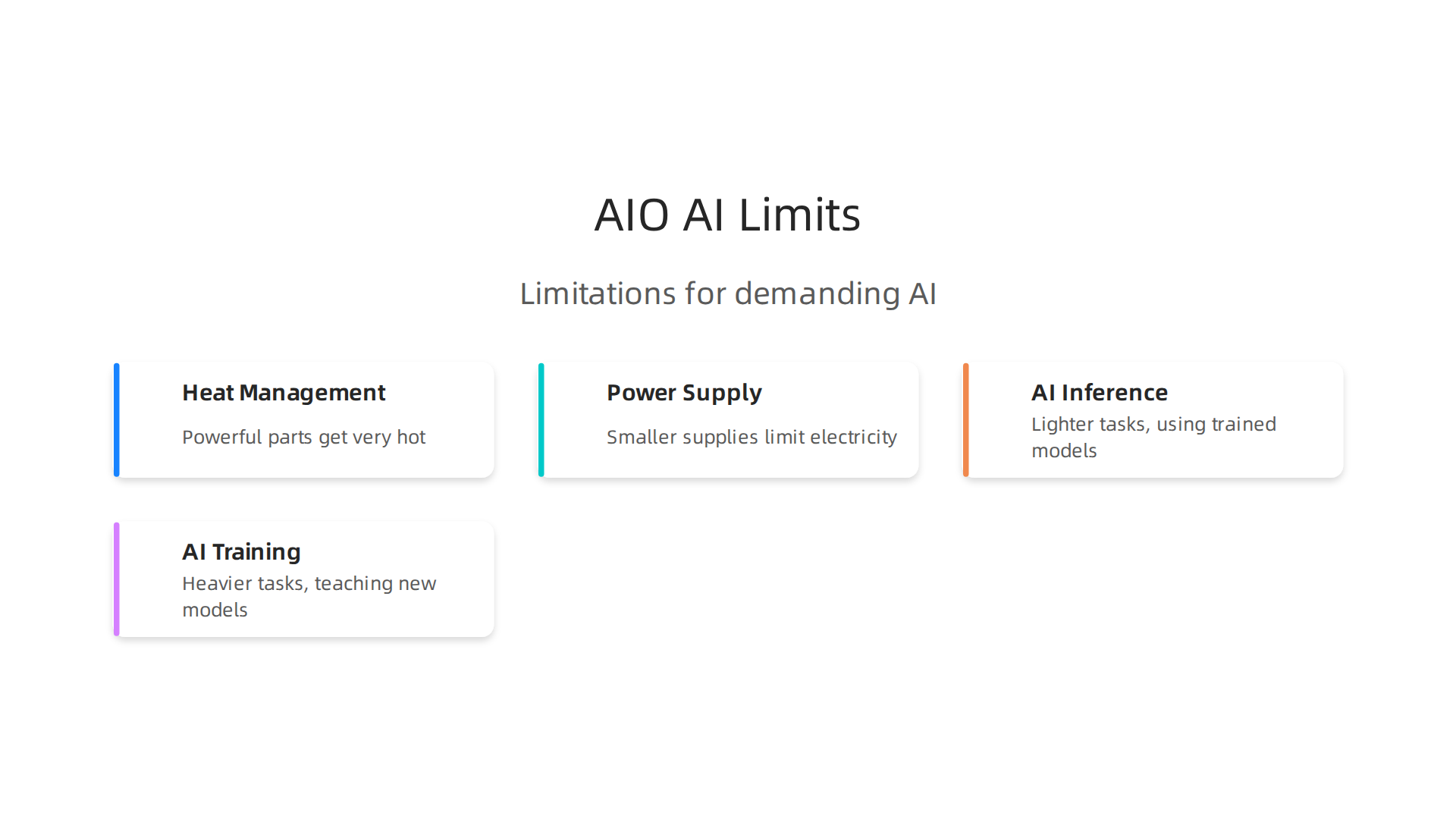
    • Thermal Design: How well does the PC stay cool? AI work generates a lot of heat, so good fans, large heatsinks, and even liquid cooling can make a big difference. Better cooling means the computer can run faster for longer without slowing down.
    • Power Supply Sizing: A powerful GPU needs a strong power supply. Companies that put in larger, more reliable power supplies are better for AI workloads.
    • Noise vs. Performance Tuning: Some companies try to make their PCs very quiet, which might mean slightly lower performance. Others focus on maximum performance, even if it means a bit more fan noise. For AI, you often want performance first.
    • Bundled Software: Some PCs come with special software for tuning or monitoring. While not directly for AI, it can help manage your system.

    Choosing the right prebuilt gaming PC means carefully checking these details to make sure the computer can meet the demands of AI tasks. If you are looking for even more ways to stay updated on AI trends, consider subscribing.

    Get clear daily AI updates from The AI Newsletter Worth Reading.

    When looking at a desktop gaming PC for AI, you need to think about the parts inside. The main parts are the graphics card (GPU), the main processor (CPU), memory (RAM), and storage. These parts work together to handle tough AI jobs.

    Key components: choosing GPUs, CPUs, RAM, and storage for ML workloads

    Getting the right parts is like choosing the best tools for a job. For AI, some tools are more important than others.

    The GPU is the star for AI

    The Graphics Processing Unit, or GPU, is the most important piece of gaming equipment for AI tasks. Think of it as the brain for AI. It has many small cores that can do lots of math at the same time. This is perfect for teaching AI models.

    Here’s what to look for in a GPU:

    • VRAM (Video Random Access Memory): This is super important. VRAM is like the GPU’s short-term memory. AI models, especially big ones, need a lot of VRAM to store information they are working on. The more VRAM your GPU has, the bigger and more complex AI models you can run. For example, in 2026, NVIDIA’s RTX 5090 comes with 32GB of VRAM, while the RTX 5080 has 16GB, and even budget-friendly cards like the Arc B580 offer 12GB of VRAM, according to a July 2026 GPU market report. For serious machine learning, GPUs with 24GB or more are often recommended, especially for large models or training tasks, as highlighted in guides for the best GPUs for machine learning.
    • Tensor Cores and RT Cores: Many modern GPUs, especially NVIDIA’s RTX series, have special cores. Tensor cores help speed up AI math, while RT cores are for ray tracing in games, but can sometimes help with specific AI tasks too. For the best prebuilt gaming PC company offerings, make sure they list GPUs with these features if you want top AI performance.
    • Single vs. Multi-GPU: Most prebuilt systems come with one strong GPU. For many AI users, one powerful GPU like an RTX 4090 or upcoming RTX 5090 is enough. If you get into very advanced AI training, you might need more than one GPU. However, setting up multiple GPUs in a prebuilt system can be tricky and costly, and it often requires special software setups.
    • NVIDIA vs. AMD: NVIDIA GPUs with CUDA software are still the most popular choice for AI. But AMD has been catching up with its ROCm platform. In 2026, AMD ROCm officially supports consumer Radeon GPUs, meaning you can now run AI frameworks like PyTorch on certain AMD cards, making them a good alternative, as discussed in a ROCm vs CUDA comparison.

    CPU and RAM: the helpers

    While the GPU does the heavy lifting for AI math, the CPU and RAM play important supporting roles.

    • CPU (Central Processing Unit): The CPU is the general brain of your computer. For AI, it handles tasks like loading data, setting up the AI programs, and sending work to the GPU. A strong CPU helps keep the data flowing to your GPU smoothly, so it doesn’t sit idle. For a serious AI build in 2026, a CPU like the Core Ultra 9 285K is recommended, according to a guide on CPU, RAM and storage for AI workstations.
    • RAM (Random Access Memory): RAM is your computer’s short-term memory. It holds the data and programs that your CPU is actively using. For AI, it’s good to have enough RAM to feed large datasets to your GPU. A general rule of thumb is to have at least twice as much system RAM as your GPU’s VRAM. So, if your GPU has 24GB VRAM, aim for 48GB or 64GB of RAM. Many sources suggest 64GB of RAM as a good starting point for AI workloads in 2026.

    Storage and I/O: quick access to your data

    AI models and the data they use can be very large. Fast storage is key so your computer doesn’t waste time waiting for data to load.

    • NVMe SSDs: These are the fastest types of storage drives. They plug directly into your motherboard and are much quicker than older SATA SSDs or traditional hard drives. For AI, NVMe is best because it can load big datasets very fast, which saves time when training or running models. Look for a cyberpowerpc gaming pc or any other prebuilt system with an NVMe SSD for your main drive.
    • Capacity: You’ll need plenty of space for your operating system, programs, and all your AI datasets and models. A 1TB or 2TB NVMe SSD is a good starting point for most AI users. If you work with very large amounts of data, you might consider having a smaller, super-fast NVMe for programs and active projects, plus a larger, slightly slower SATA SSD or even a hard drive for storing less-used data.

    Choosing these key components wisely will help ensure your new best prebuilt gaming pc company system is ready for all your AI adventures. If you want to dive deeper into building a custom system that’s truly optimized, check out our guide on how to build and optimize your AI workstation for peak performance 2026.

    Staying on top of the latest AI hardware and software trends is crucial in 2026. For regular updates, you might enjoy subscribing to The AI Newsletter Worth Reading.

    Choosing the right parts for your AI-ready desktop gaming PC is just the start. How well those parts work together, especially when pushed hard, makes a big difference. This means looking at how the computer stays cool, how it gets power, and if it’s built to last.

    Thermals, power delivery, and reliability: what matters in sustained AI use

    When you make your computer do tough AI work, like teaching an AI model or running many AI tasks at once, it uses a lot of power. This creates a lot of heat.

    Keeping cool: why good cooling matters for AI

    If your computer parts, especially the GPU and CPU, get too hot, they will slow down. This is called "thermal throttling." Think of it like a car engine that gets too hot and has to go slower to avoid breaking down. For AI tasks that can run for hours, this slowing down means your work takes much longer. Data shows that keeping temperatures in check is key for steady performance during AI workloads, as highlighted in "Iv Evaluation" research from 2026 where peak temperatures directly relate to performance stability Iv Evaluation.

    A good best prebuilt gaming pc company will make sure their computers have strong cooling systems. This includes:

    • Good airflow: Fans placed correctly to pull cool air in and push hot air out.
    • Big heatsinks: Metal parts with fins that help move heat away from the CPU and GPU.
    • Liquid cooling: Some high-end systems use a liquid system to carry heat away, which can be even better than just fans.

    Without good cooling, your expensive gaming equipment won’t be able to work at its best for AI.

    Powering your AI machine: the importance of a strong PSU

    The Power Supply Unit (PSU) is like the heart of your computer. It gives power to all the parts. AI-focused systems, especially with powerful GPUs, need a lot of stable power.

    Here’s what to look for:

    • Enough wattage: The PSU must have enough "watts" to power everything. For a high-end desktop gaming pc in 2026 with a flagship GPU, you’ll often need a PSU between 850 watts and 1000 watts, just for the computer, as discussed in a Gaming & Workstation PSU Guide 2026. For AI, more is usually better to ensure steady power even when all parts are working hard.
    • Quality and efficiency: Look for PSUs with "80 PLUS" ratings (like Bronze, Gold, Platinum). This rating tells you how efficiently the PSU turns wall power into computer power, wasting less energy as heat. A more efficient PSU is usually a sign of better quality and can save you money on electricity over time. Choosing a quality PSU with good efficiency is important for avoiding power problems in AI builds, according to an AI Power Supply Sizing & Reliability Guide for GPU Rigs (2026).

    A reliable PSU means your computer gets clean, steady power, which is important for the health and long life of all your parts, especially when running demanding AI programs.

    Built to last: reliability and support

    Running AI tasks can put a lot of stress on a computer over time. This is why reliability matters.

    • Component longevity: A good cyberpowerpc gaming pc should use high-quality parts that can handle constant heavy use without breaking down quickly.
    • Warranties and support: Even the best computers can have issues. A good warranty and helpful customer support from the company can save you a lot of trouble and money if something goes wrong.

    When choosing an AI-ready computer, think about how it will perform not just today, but months or years from now. Picking a system that is well-cooled, has a strong power supply, and comes with good support is a smart choice for any serious AI user.

    Achieving consistent, reliable performance from a powerful system brings confidence and satisfaction.

    If you are exploring different systems for your business, consider reading our guide on how to choose AI-ready business computers to make informed decisions.

    After picking out the best parts for your AI-ready computer, you also need to think about the software. Even the most powerful hardware can’t do much without the right programs and tools to make it work. This is especially true for AI tasks.

    Software, drivers, and ML framework compatibility

    When you want to run AI programs, your computer needs special software. This includes drivers, which help your graphics card (GPU) talk to the rest of the system. It also means having the right AI frameworks, like TensorFlow or PyTorch, that actually do the AI work.

    The GPU language: CUDA and ROCm

    Graphics cards from NVIDIA and AMD use different "languages" for AI.

    • NVIDIA uses CUDA: This is very popular and has been around for a long time. Most AI tools are made to work well with CUDA right out of the box. If you have an NVIDIA GPU in your desktop gaming pc, you will use CUDA drivers. As of 2026, CUDA is still the main choice for many AI developers State of PyTorch Hardware Acceleration: May 2026.
    • AMD uses ROCm: This is AMD’s answer to CUDA. For a long time, ROCm mostly worked with AMD’s expensive data center GPUs. But in 2026, things changed! AMD ROCm now officially works with some of their regular gaming GPUs, like the Radeon RX 9070 XT and RX 7700 series AMD ROCm Radeon RX 9070 XT: CUDA Alternative at $599. This is good news if you have an AMD card in your gaming equipment and want to do AI work.

    So, when picking a best prebuilt gaming pc company, think about which type of GPU it has and if you want to use CUDA or ROCm. Both systems let you do AI work, but one might be easier to set up depending on your GPU.

    Making AI frameworks work

    Once you have your GPU drivers, you need the AI frameworks. The most common ones are PyTorch and TensorFlow.

    • PyTorch and TensorFlow with CUDA: If you have an NVIDIA GPU, getting these frameworks to work is usually straightforward. They have official versions that support CUDA very well.
    • PyTorch and TensorFlow with ROCm: For AMD users, ROCm’s support for PyTorch and TensorFlow has gotten much better in 2026. PyTorch now has official support for ROCm on Linux, and even preview versions for Windows AMD ROCm on Consumer GPUs: The Open-Source CUDA …. TensorFlow also works, though PyTorch often gets more attention.

    You need to match the right versions of these frameworks with your specific CUDA or ROCm driver. For example, in 2026, the current stable PyTorch needs CUDA 12.8 or ROCm 7.0 for the newest features NVIDIA Toolkit, AMD ROCm, and AI Framework Releases (2026).

    A quick checklist for your AI software setup

    When you get a new cyberpowerpc gaming pc or any prebuilt system for AI, keep these things in mind:

    • Operating System (OS): Many AI tools work best on Linux. If your computer comes with Windows, you might need to install Linux alongside it or instead of it.
    • Driver Versions: Don’t just install the newest drivers. Sometimes, older but specific driver versions work better with your AI frameworks. Always check the framework’s website for recommended driver versions.
    • GPU Firmware: Make sure your GPU’s internal software (firmware) is up-to-date. This can sometimes fix issues before they start.
    • Installer Problems: Setting up AI software can be tricky. You might run into problems like missing parts (dependencies) or conflicts with other software. Take your time and follow guides carefully.

    How computer makers help with AI

    Some computer companies understand that people want to do AI work. A good best prebuilt gaming pc company might:

    • Bundle Drivers: They may pre-install the correct GPU drivers and even some AI tools for you.
    • Factory Images: They might offer a special version of the operating system with all the AI software already set up. This can save you a lot of time.
    • Support: For bigger businesses, some vendors offer special support for AI workflows.

    Taking care of your software is just as important as having great hardware for your AI projects. For more insights on leveraging AI for business, you might want to explore our Smart AI for Business Your 2026 Guide to Successful Adoption.

    Staying updated on the latest AI trends and tools can feel like a full-time job. To make it easier, consider subscribing to The AI Newsletter Worth Reading for clear daily updates on AI and technology.

    Now that you know how important the right software is for your AI computer, let’s talk about money. Buying a computer for AI is a big choice. You need to think about the full cost, what kind of promise (warranty) you get, and if you can make it better later on. This is called "value."

    Value considerations: pricing, warranties, upgrade paths, and ROI

    When you pick a computer for AI, especially a desktop gaming pc that will also run AI, it’s not just about the sticker price. You have to consider the total cost over time. This includes the initial price, power bills, and possible upgrades.

    Total cost: prebuilt vs. custom vs. cloud

    You have a few ways to get a powerful AI computer:

    • Prebuilt Gaming PC: This is a computer already put together by a company. It’s often ready to go right out of the box, saving you time. For many, a prebuilt gaming PC is worth it, especially if you want a machine backed by a warranty and ready to use immediately Are Prebuilt Gaming PCs Worth It? – XOTIC PC. These can be great for both gaming and AI tasks.
    • Custom-Built PC: You buy all the parts and put them together yourself. This can sometimes save you money on parts and gives you full control over what goes inside. If you want maximum freedom to upgrade later, building your own can be a good choice, but it takes more effort Build vs Buy 2026: Prebuilt PC Decision Guide – gamings.store.
    • Cloud Services: Instead of buying a physical computer, you can rent computer power online. This is good if you only need AI power once in a while. You pay only for what you use, so there’s no big upfront cost. However, if you run AI tasks all the time, cloud costs can add up quickly, sometimes becoming more expensive than owning your own machine.

    For light or on-and-off AI work, a powerful gaming equipment setup or even cloud options might be best. For constant AI work, owning a best prebuilt gaming pc company system might save you money in the long run.

    Warranties and future upgrades

    One big advantage of a prebuilt computer from a cyberpowerpc gaming pc or another top brand is the warranty.

    • Prebuilt Warranties: Most prebuilt gaming PCs come with a warranty that covers the whole system, usually for one to three years for both parts and labor Gaming PC Buying Guide 2026 — Prebuilt vs Custom Build. This means if something goes wrong, you only have one company to call. Some companies like Gorilla Gaming offer longer plans, up to three years Warranty & Support | 3 Year Premium ….
    • Custom Build Warranties: If you build your own PC, each part has its own warranty. This means you might deal with many different companies if something breaks.

    Upgrade Paths: Most modern prebuilt gaming PCs let you upgrade parts like the graphics card (GPU), RAM, or storage drives. However, some cheaper prebuilt systems might use parts that are harder to swap out later. It is wise to check if your chosen best prebuilt gaming pc company uses standard parts, which makes upgrading easier. You can find more details in a Prebuilt Gaming PCs: The Ultimate Buyer’s Guide 2026 Edition.

    Estimating your return on investment (ROI)

    Thinking about ROI for your AI PC means figuring out if the computer will save you money or make you more productive.

    Careful financial planning and consideration of return on investment are key for major technology purchases.

    • Workload Hours: How much time will your AI tasks run? If it’s many hours a day, a powerful local machine is usually a good investment. If it’s just a few hours a week, cloud services might be smarter.
    • Software Costs: Factor in any special AI software you need to buy or subscribe to.
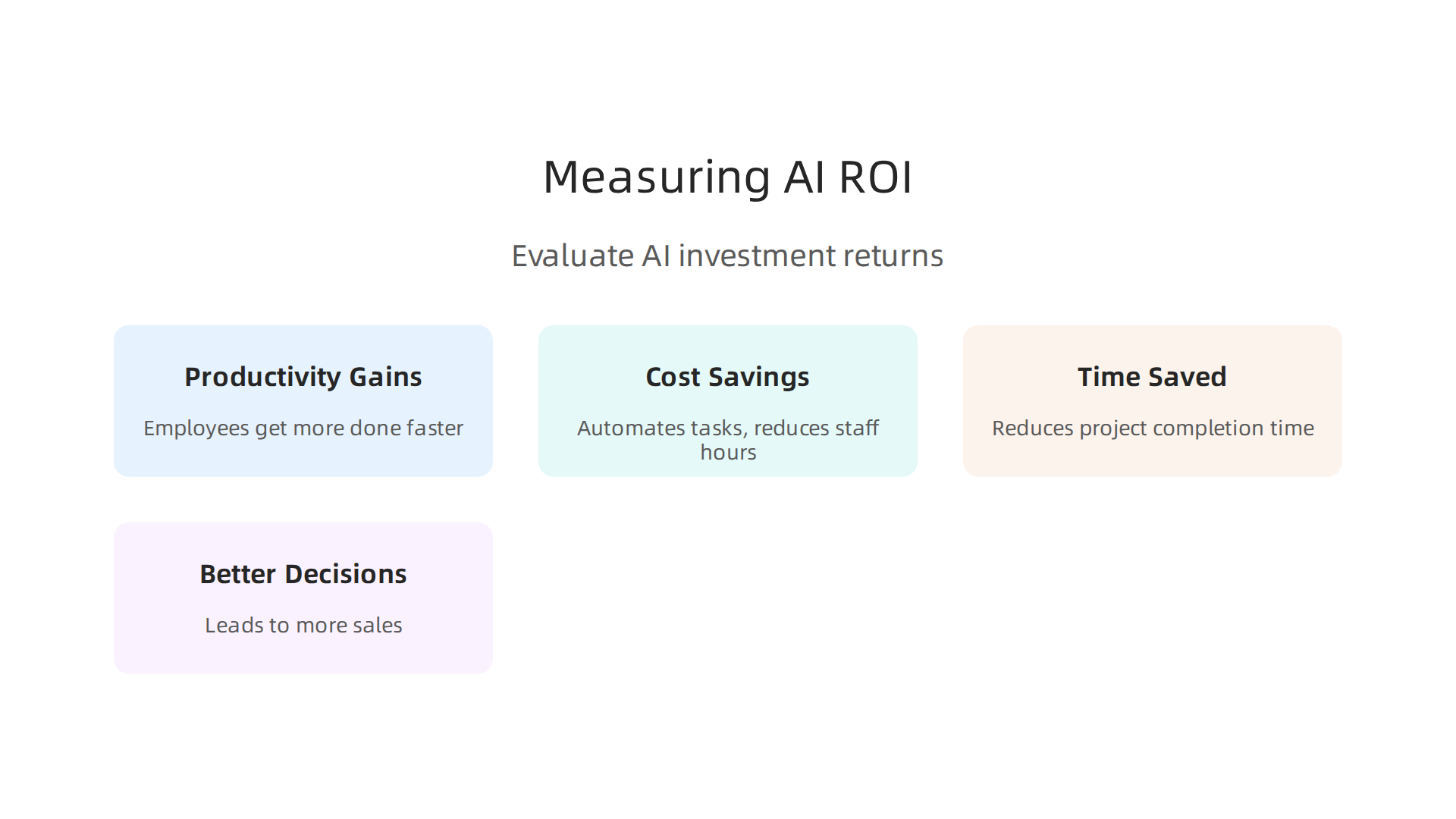
    • Productivity Gains: How much faster will you finish tasks with your AI PC? Will it let you do new things you couldn’t before? For example, faster AI model training means you can test more ideas or get results sooner. This speed can lead to real business benefits.

    By looking at these points, you can decide if buying a high-performance AI gaming equipment setup is worth it for your specific needs. Understanding the balance between upfront costs, ongoing power usage, and the benefits of faster AI processing is key to making a smart choice. Power supply sizing for AI GPU rigs, for example, is critical for reliability and performance AI Power Supply Sizing & Reliability Guide for GPU Rigs (2026).

    Choosing the right computer for AI can feel like a big puzzle. Now that you understand the money side of things, let’s look at how to pick a prebuilt gaming PC that works well for your AI tasks. We will give you some ideas for different budgets and what kinds of AI work they are good for.

    How to pick the right prebuilt gaming PC: sample configs by budget and use case

    Getting a desktop gaming PC for AI means finding a balance between power and cost. Here are some examples of what you might look for, depending on how much you want to spend and what you want to do with AI in 2026.

    Sample AI PC setups by budget

    1. Entry-Level AI PC: Around $1,200 to $1,800

      • Best for: Trying out AI. Good for tasks like "inference," which means running already made AI models. Think simple image creation or playing with small language models (like Llama 3/4 with 8-13 billion parts).
      • What to look for: A graphics card (GPU) like the NVIDIA RTX 4060 Ti with 16 GB of memory is a solid choice in this range Gpu Comparison: Data Centre. You will also want at least 16 GB of main computer memory (RAM) and a fast 1 TB storage drive. This setup is great for beginners to get started with local AI tasks Best Budget AI Workstations 2026.
      • Example Model: Some brands like iBUYPOWER offer models that fit this tier, such as the TraceMR 274i.
    2. Mid-Range AI PC: Around $1,800 to $2,800

      • Best for: More serious AI work. This budget lets you do "fine-tuning" on smaller AI models (teaching them new things with your own data) and run bigger models (30-70 billion parts) more smoothly.
      • What to look for: A more powerful GPU, such as an RTX 4070 Ti Super or RTX 4080 Super, offers better performance for AI tasks Best GPU for AI and Machine Learning 2026. Aim for 32 GB of RAM and a 2 TB fast storage drive. This level provides a good balance of cost and power. For tips on setting up, check out our guide on how to Build and Optimize Your AI Workstation for Peak Performance 2026.
      • Example Model: The NZXT BLD Starter Plus with an RTX 4070 Super is a great example of a computer in this range Best Prebuilt Gaming Desktops in 2026.
    3. High-End AI PC: $4,500 and Up

      • Best for: Professionals and researchers. This is for training large AI models from scratch, running multiple experiments at once, or needing the fastest results possible.
      • What to look for: A top-tier GPU like the NVIDIA RTX 4090 or the newer RTX 5090 (if available, offering big performance gains) The Ultimate 2026 GPU Showdown. You will want at least 64 GB of RAM and a very fast, large 2 TB or 4 TB storage drive. These setups are built for heavy tasks. You can also explore options with GPUs like the H100 SXM, which is a standard for production AI inference in 2026 Best GPU for AI Inference in 2026.
      • Example Model: The Corsair Vengeance a7500 with an RTX 5070 Ti and 32GB DDR5 RAM is a strong contender for local AI builds Best PC Builds for Local AI.

    Decision checklist: when to buy a prebuilt, customize, or use the cloud

    Deciding how to get your AI computer depends on what matters most to you:

    • Choose a prebuilt gaming PC if:
      • You want something ready to go right away.
      • You value a single warranty for the whole system.
      • You are new to building computers or don’t have much time.
      • You prefer dealing with one company like a specific best prebuilt gaming pc company for support.
    • Think about building your own PC if:
      • You want full control over every single part.
      • You enjoy the process of putting a computer together.
      • You want to save a little money by picking sales on individual parts.
    • Consider cloud services or a hybrid approach if:
      • You only need powerful AI computing now and then.
      • Your AI projects are very big and need many GPUs, which would be too costly to buy.
      • You want to avoid a large upfront cost.

    Short buying workflow for your AI PC

    Here’s a simple way to pick your next AI-ready computer:

    1. Confirm your AI tasks: What will you actually do with AI? Inference? Fine-tuning? Training big models? This helps decide how powerful your gaming equipment needs to be.
    2. Set your budget: How much can you really spend? This will narrow down your choices. You can find options from entry-level to professional use Build an AI Workstation.
    3. Shortlist vendors and models: Look at reputable brands like CyberPowerPC gaming PC, iBUYPOWER, or NZXT. Read reviews and compare specs.
    4. Validate warranty and upgradeability: Check the warranty length and what it covers. Make sure you can easily upgrade key parts like the GPU or RAM later if you need to. Many good prebuilt systems allow for such upgrades Best Prebuilt Gaming PC Brands in 2026 (US).
    5. Run smoke tests: Once you get your PC, test it with some AI tasks right away to make sure everything works as expected.

    By following these steps, you will be well on your way to getting a powerful AI computer that fits your needs. To keep up with the latest in AI tools and insights, make sure you’re informed.

    Get clear daily AI updates from The AI Newsletter Worth Reading.

    Summary

    This article explains why prebuilt gaming PCs are an attractive, cost-effective option for many AI tasks by mapping gaming hardware to common machine‑learning workloads. It covers the central role of GPUs and VRAM for inference and fine‑tuning, the supporting role of CPU, RAM and NVMe storage, and the tradeoffs between consumer GPUs and enterprise accelerators. You’ll learn how thermals, power supplies and build quality affect sustained performance, what to check in warranties and upgradeability, and how driver and framework compatibility (CUDA vs ROCm) shapes software setup. The guide also outlines value considerations—prebuilt vs custom vs cloud—offers sample configurations across budgets, and gives a practical buying checklist so you can pick a system that matches your AI goals. After reading, you’ll be able to evaluate prebuilt offerings, choose sensible specs for your workload, and avoid common pitfalls when launching local AI projects.


  • Preparing for What Jobs Will AI Replace Discover Resilient Roles and New Opportunities in 2026

    Preparing for What Jobs Will AI Replace Discover Resilient Roles and New Opportunities in 2026

    Why this matters now: framing the debate about jobs and AI

    Are you worried about what jobs will AI replace? It’s a question many people are asking in 2026.

    Many individuals are contemplating the future of their careers as AI continues to rapidly reshape the job market.

    This isn’t just a distant worry; it’s a very real topic happening right now. Everyone wants to know which jobs might be most at risk and, just as important, which jobs will simply change thanks to new technology.

    The truth is, AI is reshaping the world of work very quickly. This change is driven by several big things happening all at once. For one, technology itself is getting better at a super fast pace. Things that seemed like science fiction a few years ago are now everyday tools. Businesses are also always looking for ways to do things smarter and faster. They want to be more efficient, and AI offers many ways to do just that.

    Another big reason for this shift is how easy AI tools have become. You don’t need to be an AI scientist to use many of them anymore. Simple AI programs can help with writing, planning, and even making images. This makes it easier for companies of all sizes to start using AI. In fact, many reports show that AI won’t just take jobs away; it will create new ones too. The World Economic Forum, for example, expects AI and automation to create many new roles by 2030, even while some older jobs change or fade out, leading to a net gain of millions of jobs worldwide World Economic Forum Future of Jobs Report 2026: AI Will Create 78 Million Net New Jobs by 2030. This means we need to understand both sides of the story.

    So, while some might worry that AI is bad or only causes problems, it’s more about how we adapt. This guide will help you understand the changes and how you can prepare for them.

    Get clear daily AI updates from The AI Newsletter Worth Reading.

    Overview: Which jobs are most at risk from AI and why

    So, if AI is changing how we work, how do we know what jobs will AI replace or change the most? It is not always about replacing a whole job. Instead, it is more about how AI can do certain tasks within a job. Think about it this way: a job is often made up of many small tasks. AI might be very good at some tasks but not others.

    This way of looking at things is called a "task-based framework." Experts now say that breaking down jobs into their smaller parts gives us a much better idea of how AI will affect them. For example, a 2026 study showed how looking at nearly 30,000 tasks across different jobs helps understand AI’s impact better Research Brief – assessed at the 6-digit occupational level covering nearly 30,000 tasks. Many jobs will not disappear completely. Instead, they will change as AI takes over some tasks, letting people focus on other, more human-centered work. Actually, some reports suggest that AI will reshape more jobs than it fully replaces AI Will Reshape More Jobs Than It Replaces | BCG.

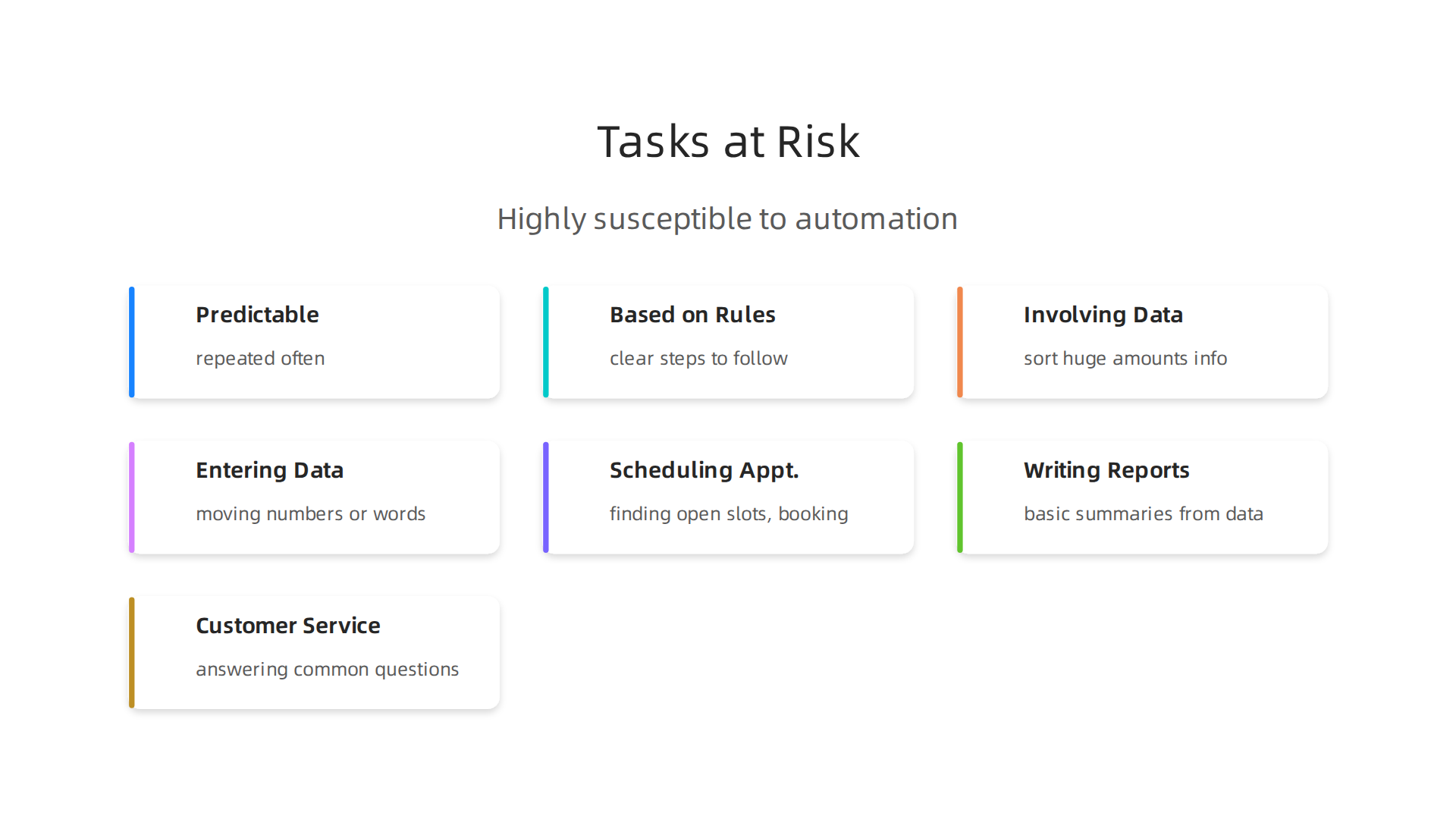
    So, what kinds of tasks are most at risk from AI? Generally, AI is really good at "routine cognitive tasks" and "repetitive data processing."

    Visual representation of tasks that are highly susceptible to automation by AI.

    This means tasks that are:

    • Predictable and repeated often: If you do the same thing over and over, AI can probably learn it.
    • Based on rules: If there are clear steps or rules to follow, AI can handle it.
    • Involving lots of data: AI can quickly sort through huge amounts of information.

    Think of jobs that include tasks like:

    • Entering data: Moving numbers or words from one place to another.
    • Scheduling appointments: Finding open slots and booking times.
    • Writing simple reports: Creating basic summaries from data.
    • Customer service for common questions: Answering easy questions that pop up often.

    Jobs that have many of these kinds of tasks are more likely to see big changes. Roles like data entry clerks, administrative assistants, or some customer service agents might find a large part of their daily work taken over by AI tools. This means they will need to learn new skills or adapt to new ways of working. Understanding this task-based view is key to preparing for the future. Learning how to choose AI ready business computers and use AI effectively can give you a big advantage, even in jobs that are changing quickly.

    Why some roles are resilient: tasks, skills and context that protect jobs

    While some tasks are easy for AI to take over, other kinds of work are much safer. These jobs often have tasks that need human qualities.

    Jobs requiring complex problem-solving, creativity, and social intelligence remain highly resilient to AI automation.

    When we think about what jobs will AI replace, it is important to also think about the jobs AI finds hard to do.

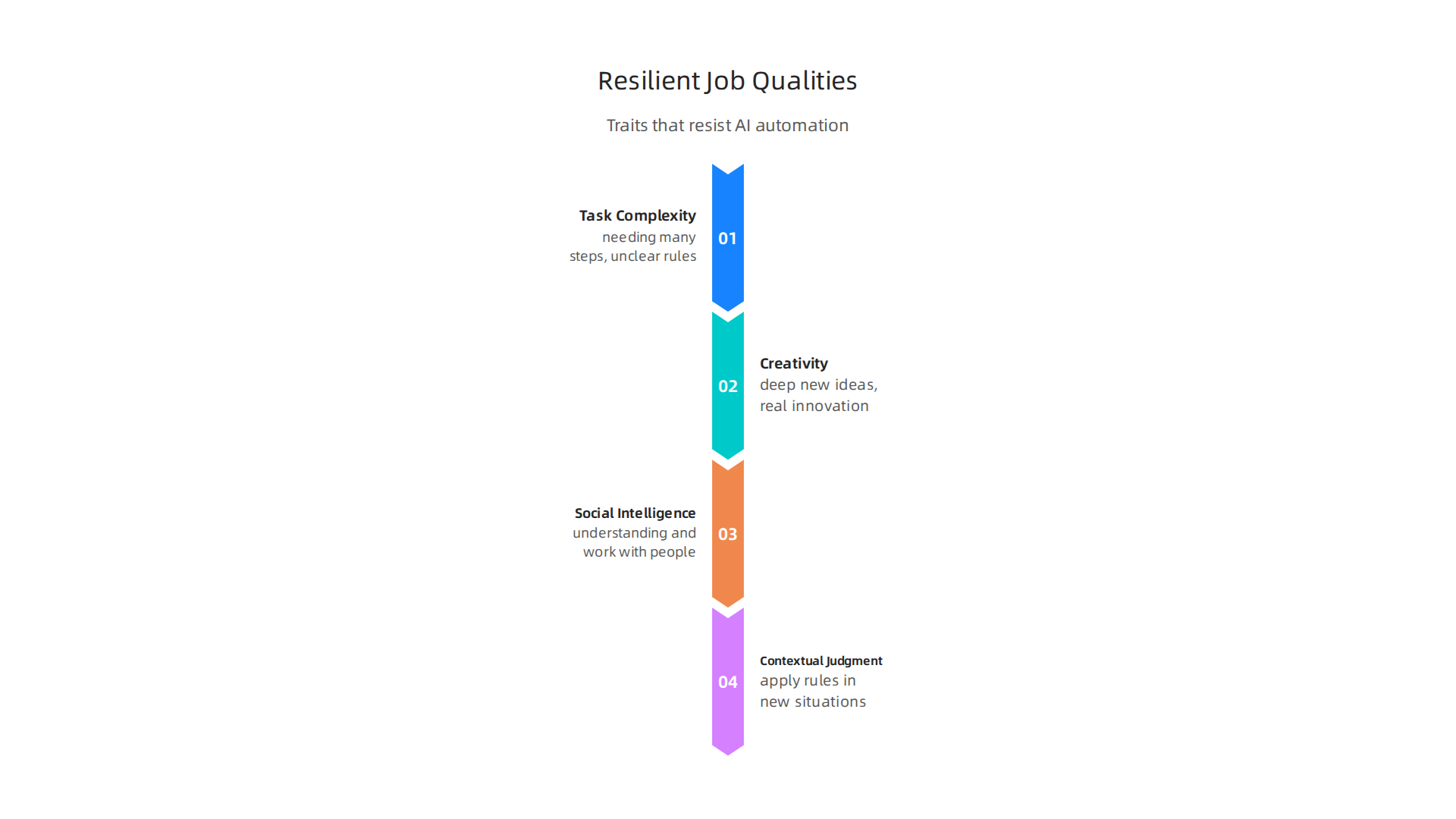
    Here are the main things that make a job strong against AI:

    Key human qualities and skills that make certain job roles resistant to AI automation.

    Task Complexity

    AI is good at simple, repeated tasks. But when tasks become very complex, needing many steps or unclear rules, AI struggles. Imagine a job where you must figure out new problems all the time. An AI system might break down a job into many smaller steps to assess its risk of automation. This helps show which parts are simple and which are very hard for AI to do AHP-BASED FRAMEWORK FOR ASSESSING PROFESSIONAL ….

    Creativity

    AI can create some things, like simple reports or basic images. But deep, new ideas, real innovation, and making something truly original still need people. Think of artists, writers who tell complex stories, or an AI scientist coming up with new theories. These jobs need creative thinking that AI cannot truly copy. Many experts believe human creativity will always be needed, working alongside AI tools. To learn more, read about Human or AI Creativity: What the Data Says About Collaboration in 2026.

    Social Intelligence

    Many jobs need you to understand and work with other people. This is called social intelligence. It means things like:

    • Empathy: Feeling what others feel.
    • Negotiation: Working together to find a solution.
    • Teaching and guiding: Helping others learn and grow.
    • Complex communication: Reading body language or understanding unspoken feelings.

    Jobs that rely on these skills, like therapists, teachers, nurses, or managers, are much harder for AI to take over. Studies show that jobs needing social skills and creative skills are less likely to be automated Automation risk is negatively correlated with the utilization of social skills… and creative skills.

    Contextual Judgment

    This is about knowing when and how to apply rules, especially in new or unexpected situations. AI follows rules. Humans can break rules when it makes sense, or use their gut feeling. A doctor diagnosing a rare illness, a lawyer handling a tricky case, or a leader making big decisions for a company all use contextual judgment. These jobs need deep understanding of many small details, past experiences, and future possibilities. Such skills are important job attributes that predict how likely a job is to be automated Automation and the changing nature of work.

    How Companies Help

    It’s not just about your skills. How a company sets up jobs also matters. By redesigning jobs, businesses can reduce the risk of automation. This means letting AI do the easy parts, so people can focus on the complex, creative, social, and judgment-based tasks. This way, AI becomes a helpful tool that makes people better at their jobs, instead of taking them away. Learning to use smart AI for business can help protect jobs and boost growth.

    Staying updated on how AI changes the workplace can feel like a lot of work. But understanding these trends helps you prepare for the future.

    Get clear daily AI updates from The AI Newsletter Worth Reading.

    While it’s true that AI changes how we work and even reduces some jobs, it’s also a powerful engine for creating totally new jobs and reshaping existing ones. Many people wonder, "what jobs will AI replace?" but fewer ask, "what jobs will AI create?" Actually, the future of work looks like a mix of both.

    Experts in 2026 believe that AI will create many more jobs than it takes away. For example, the World Economic Forum predicts a net gain of 78 million new roles by 2030, even after some jobs are displaced World Economic Forum Future of Jobs Report 2026. This means new kinds of jobs are popping up, and existing ones are changing to include AI tools.

    New Kinds of Jobs Because of AI

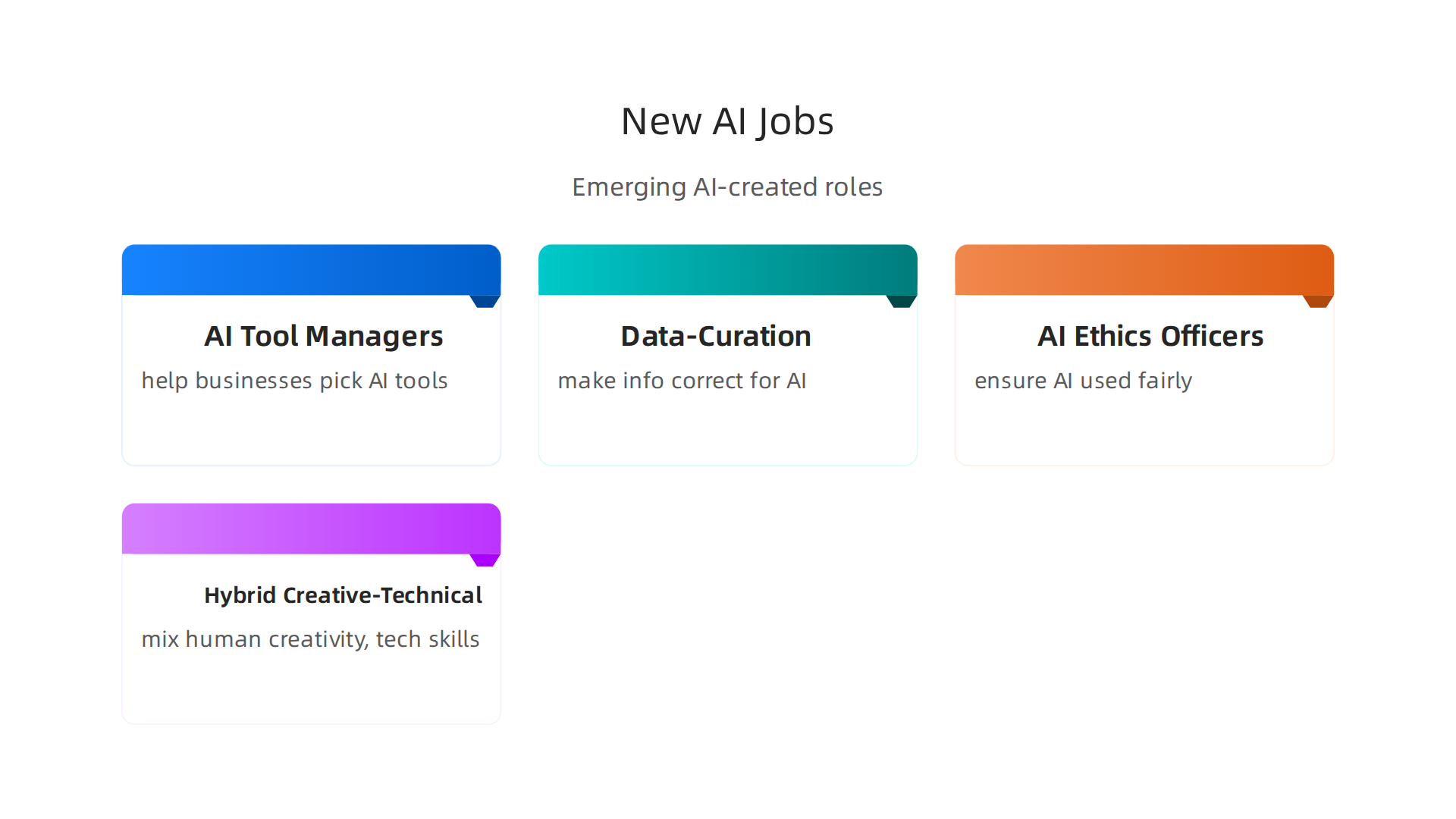
    AI is not just about robots doing human tasks. It needs people to build, manage, and guide it. Here are some new jobs AI is creating:

    An overview of emerging job roles directly resulting from the widespread adoption of AI technology.

    • AI Tool Managers: These are people who help businesses pick the right AI tools and teach everyone how to use them. They make sure the tools work well and help the company grow. Learning how to choose AI for business tools is a skill in demand How to Choose AI for Business Tools That Deliver Real Results in 2026.
    • Data-Curation Specialists: AI needs good, clean information to work properly. These specialists sort through large amounts of data, making sure it’s correct and ready for AI to use. This job is all about making sure AI gets the best input.
    • AI Ethics Officers: As AI gets smarter, we need people to make sure it’s used fairly and without harm. These officers create rules and watch how AI is used to keep things right. They ensure that businesses follow ethical AI guidelines Ethical AI Guidelines: HR’s Blueprint for Responsible Workplace Automation.
    • Hybrid Creative-Technical Roles: These jobs mix human creativity with technical skills. Think of artists who use AI to help them draw, or writers who use AI to brainstorm ideas. They use AI as a helper to do amazing things that only humans can truly imagine.

    How Old Jobs Change with AI

    It’s not just new jobs. Many existing jobs are changing. AI helps with the simpler parts, letting people focus on the complex and human-centered tasks. This is called job transformation. For instance, a marketing specialist might use AI to write first drafts of ads, then spend more time perfecting the message and thinking about customer feelings. This way, AI reshapes more jobs than it replaces AI Will Reshape More Jobs Than It Replaces.

    Workers often need to learn new skills, or "reskill," to fit into these changed jobs. Companies are helping with this by offering training. This means people can keep their jobs but take on new and exciting tasks that use AI as a powerful assistant.

    To truly stay ahead and understand these fast changes, you need reliable information.
    Get clear daily AI updates from The AI Newsletter Worth Reading.

    The world of work is changing fast with AI. Businesses need to be smart about how they get ready for these changes.

    Proactive workforce planning, including task audits and reskilling initiatives, is crucial for businesses navigating AI.

    It is not just about wondering what jobs will AI replace. It is also about helping people learn new skills and finding new ways for them to work with AI. This is called workforce planning, and it helps everyone grow.

    Practical Steps for Workforce Planning

    To get ready, companies should take a few important steps:

    • Task Audits: First, businesses need to look closely at all the tasks their employees do. They figure out which tasks can be done by AI, which ones can be helped by AI, and which ones need a human touch. This helps them understand where AI can make work easier and where people are truly needed. One way to do this is by using special frameworks to assess tasks AHP-BASED FRAMEWORK FOR ASSESSING PROFESSIONAL ….
    • Capability Mapping: After a task audit, companies see what skills their employees have now and what skills they will need for future jobs with AI. This is like drawing a map of everyone’s abilities. If a company finds a gap in skills, they know they need to offer training. This helps them build a strong team for the future.
    • Priority Reskilling: Giving employees new skills is super important. Many jobs will change, not disappear. So, workers need to learn how to use AI tools, understand data, and focus on human skills like creativity and problem-solving. Businesses should offer training programs to help staff learn these new skills. This kind of reskilling is key for adapting to AI Reskilling Towards AI: Why It Matters and How to Start | Selectic. Studies show that AI-powered training can help close skill gaps Evaluating the Impact of AI-Powered Reskilling Programs …. Some people might worry that AI is bad for jobs, but with reskilling, it opens up new chances.

    Smart Ways for Smaller Businesses to Use AI

    Smaller businesses might worry about the cost of AI or how to change their teams. But there are good ways for them to start:

    • Start Small with Pilot Projects: They can pick one small area, like customer service or marketing, to try out an AI tool. This helps them learn what works without a big risk. You can learn more about picking the right tools in our smart AI for business guide.
    • Focus on Augmentation, Not Replacement: Instead of thinking about what jobs will AI replace, think about how AI can help current employees do their jobs better and faster. This means protecting jobs while making them more efficient.
    • Look for Affordable AI Solutions: Many AI tools are made for smaller businesses and are not too expensive. Looking into these can save money while still getting the benefits of AI. It is wise to evaluate AI companies to unlock business growth carefully.
    • Training Partnerships: Small businesses can work with local colleges or online platforms to offer training. This way, they do not have to build their own training programs from scratch.

    By taking these steps, businesses of all sizes can get ready for AI and help their employees thrive in 2026 and beyond. This approach focuses on growing together with technology, rather than fearing it. The overall impact of AI on the workplace is often more about change than job loss The impact of AI on the workplace.

    Even as businesses get ready for how AI changes work, it is important to think about the rules and fair play. This is not just about what jobs will AI replace, but also about making sure AI is used in a good way.

    Establishing clear ethical guidelines and policies is essential to ensure AI is used fairly and responsibly in the workplace.

    We need to look at the ethical, legal, and policy side of things so that AI helps everyone fairly.

    Risks to Fairness and Due Process

    When companies use AI for hiring or checking how well people do their jobs, there are some big worries.

    • Bias and Unfairness: Sometimes, AI systems can learn bad habits from old data. If the data used to train an AI has unfair ideas built into it, the AI might make unfair decisions too. This means certain groups of people could be treated badly without anyone meaning to. It is a real risk for worker inclusion and exclusion when AI is used in the job market, as research shows Artificial Intelligence in the Labor Market: Evidence on Worker …. For example, an AI might unfairly pick people for interviews or promotions. To avoid this, businesses need to be very careful with how they design and check their AI tools.
    • Lack of Due Process: Due process means everyone gets fair treatment and can question decisions made about them. If an AI makes a decision about someone’s job or future, it can be hard to understand why it made that choice. People need to know how AI systems work and have a way to challenge a decision if they think it is wrong. It is important to have clear rules for how AI tools are managed at work to ensure fair impacts Algorithmic Management: Assessing the Impacts of AI at Work.

    Rules and Good Practices for AI in the Workplace

    To make sure AI helps and does not hurt, we need good rules. Both companies and governments have a role to play.

    • Company Guidelines: Businesses should create their own clear rules for using AI. These rules should focus on fairness, being open about how AI is used, and protecting people’s privacy. Many groups are creating guidelines for ethical AI, like a new framework that gives HR teams a plan for using AI responsibly Ethical AI Guidelines: HR’s Blueprint for Responsible Workplace …. This helps make sure AI is used ethically in hiring, training, and managing workers.
    • Government Policies: Governments are also working on laws to guide AI use. These laws can help make sure that companies follow fair practices and protect workers’ rights. For instance, laws are being made to cover human rights, data protection, and how companies are held responsible for their AI actions Algorithmic Governance at Work: A Legal-Sociological and …. In 2026, many states and cities in the US already have their own AI laws, showing how important this topic is What the March 20 ‘National AI Legislative Framework …. These rules help create a future where AI works for everyone.

    Getting ready for AI means more than just finding new tools. It means thinking deeply about how these tools affect people and making sure they are used in a way that is fair, open, and helpful. You can learn more about how to navigate these challenges by exploring how to manage hidden AI risks and opportunities in our guide on Stealth AI: A Business Guide to Hidden AI Risks, Opportunities, and Management in 2026.

    Want to stay informed on how AI is shaping the world of work and beyond?
    The AI Newsletter Worth Reading

    AI implementation case studies: what worked, what didn’t

    After thinking about the important rules for AI, it is helpful to look at real-life examples. How have other companies used AI? What did they do right, and what went wrong? Learning from these stories can help you use AI better in your own business.

    Many businesses are using AI, with a big jump in adoption recently; about 72% of companies now use AI solutions, which is much more than before How AI is Transforming the Workplace: Real Results from …. The key is not just to use AI, but to use it wisely.

    Stories of Success with AI

    When AI works well, it often means people and technology work together. For example, some companies found that instead of worrying about what jobs will AI replace, they could use AI to make existing jobs better.

    • Manufacturing: In factories, AI has helped with tasks like checking product quality or keeping machines running smoothly. By having AI watch for problems, workers can focus on more important jobs, like fixing complex issues or making new plans. This shift often means that jobs are changed, not taken away, as shown in studies about AI’s impact on the workplace The impact of AI on the workplace. Workers who learned new skills to work with AI saw their roles grow.
    • Finance: Banks and financial companies have used AI to spot fraud faster or help customers with common questions. This frees up human staff to help with more complicated customer needs. When AI tools are chosen carefully and fit into the company’s daily work, they can really boost how much work gets done Proving Productivity Uplift: Linking AI Tool Adoption to …. This shows that helping employees learn new skills to work with AI is a big part of making AI work well AI in Action: Beyond Experimentation to Transform Industry.

    Where AI Implementation Can Go Wrong

    Sometimes, AI implementation does not go as planned. It is not because "ai is bad," but often because of how it is brought into the company.

    • Poor Planning: If a company buys an AI tool without a clear idea of how it will help, or if they do not train their team to use it, the project might fail. For example, if an AI scientist helps pick a tool, but the everyday users are not involved, it can lead to problems. It is important to know what you want AI to do before you start.
    • Not Supporting People: A common issue is when companies do not prepare their workers for AI changes. People might feel worried that AI will replace them, or they might not know how to use the new tools. This can slow things down and make employees unhappy. Leadership is actually the biggest hurdle to successful AI use, not the employees themselves AI in the workplace: A report for 2025. Helping people get new skills is key for success Technology and Innovation Report 2025 – Chapter II … – UNCTAD.

    Key Lessons for Smart AI Use

    From these stories, we can see clear ways to make AI work for you:

    • Line up AI with your business goals: Make sure the AI tool helps with a real problem or makes a process much better. Do not just use AI because it is new.
    • Manage change well: Talk to your employees about AI. Train them on how to use new tools and show them how AI can make their jobs easier, not harder. This often means designing new ways for humans and AI to work together Proof over Promise: Insights on Real-World AI Adoption from ….
    • Measure what happens: Keep track of how AI changes things. Is it saving time? Making customers happier? Knowing the real impact helps you make better choices for the future.

    Choosing the right AI tools for your business and making sure they deliver results is crucial. If you are looking for guidance on how to pick the best AI tools, you might find our guide helpful: How to choose AI for business tools that deliver real results. It covers how to make smart decisions when adding AI to your company.

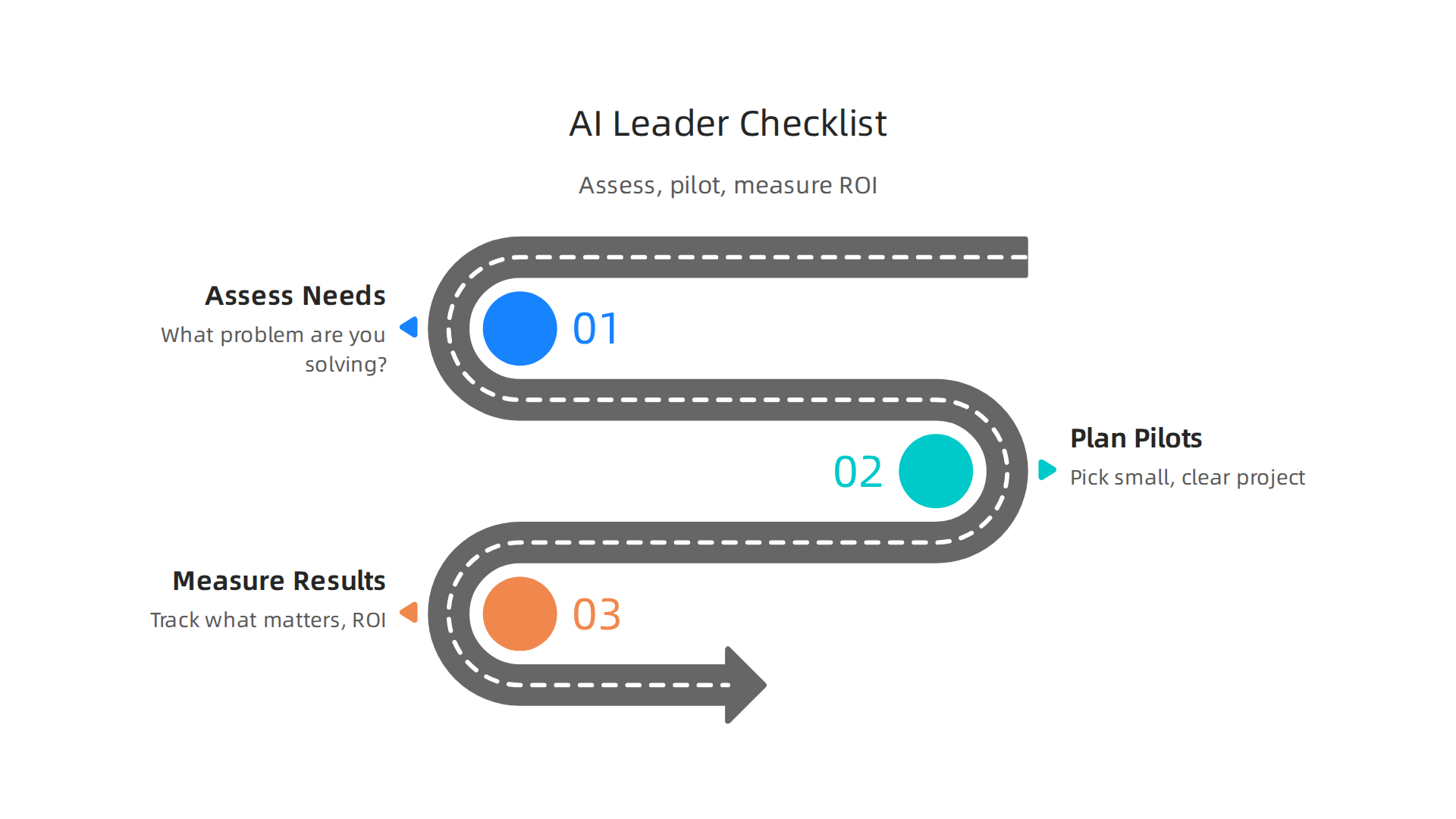
    Now that we have seen how AI can succeed or fail, it is time to put those lessons into practice. Here is a simple checklist for leaders to help bring AI into their business the right way.

    A practical checklist for business leaders to strategically implement AI, manage risks, and measure impact.

    This helps you understand risks, plan small tests, and see if AI is truly helping.

    Checklist for Smart AI Use

    Using AI well means thinking ahead. It means looking at your business, planning carefully, and checking results.

    1. Assess Your Needs and Readiness

    Before you even think about "what jobs will AI replace" or buying new tools, ask these questions:

    • What problem are you trying to solve? Do not just get AI because it is new. Make sure it helps with a real business issue, like saving time or making customers happier.
    • How ready is your team? Do your employees have the skills to use AI? Will they need training? Knowing this helps you support them. You can use an AI readiness checklist to see where your company stands.
    • What data do you have? AI needs good data to work. Make sure your data is organized and ready for AI tools.

    2. Plan Small Tests (Pilots)

    Starting small is key. A pilot project helps you test AI without big risks.

    • Pick a small, clear project: Choose one area where AI could make a big, but simple, difference. For example, using AI to sort customer emails.
    • Set clear goals: What will success look like for this pilot? How much time should it save? How will you measure it? Having clear steps for success is part of a good AI strategy.
    • Get everyone involved: Make sure the people who will actually use the AI are part of the planning. This helps them feel good about the change and gives useful feedback.

    3. Measure Your Results (ROI)

    After your pilot, you need to see if the AI is worth it. This is called measuring Return on Investment, or ROI.

    • Track what matters: Keep an eye on the numbers. Did the AI save money? Did it make tasks faster? Did employees feel more productive? There are clear steps to measure AI ROI that go beyond just knowing if people use the tool.
    • Review and adjust: Look at your results. If things are not going well, find out why. Maybe the tool needs changes, or your team needs more training.
    • Understand job changes: While some worry about what jobs will AI replace, it is important to know that AI also creates many new jobs. For example, the World Economic Forum said that by 2030, AI will create 78 million more jobs than it takes away World Economic Forum Future of Jobs Report 2026: AI Will Create 78 Million Net New Jobs by 2030. It is about jobs changing, not always disappearing. You might need someone with deep technical skills, like an AI scientist, to help guide these changes.

    By following this checklist, leaders can make smart choices about AI. They can lead their teams to use AI in ways that help the business grow and make work better for everyone.

    To stay current with the latest AI trends and how they impact business, consider getting The AI Newsletter Worth Reading. It gives clear daily AI updates.

    Summary

    This article explains how AI is reshaping work by focusing on tasks rather than whole job titles, showing which tasks are most likely to be automated and which roles remain resilient. It covers the main risk factors—routine, rule-based, data-heavy tasks—and contrasts them with jobs that require creativity, social intelligence, complex judgment, or contextual knowledge. The guide outlines how AI also creates new roles (for example, AI tool managers, data curation specialists, and ethics officers) and why reskilling and capability mapping are essential. For employers it provides practical workforce-planning steps—task audits, pilots, training priorities, and ROI measurement—and explains how small businesses can adopt AI affordably. The article warns about fairness, bias, and due-process risks and recommends company guidelines and policy awareness to protect workers. Real-world case studies show common success factors (alignment with goals, change management, measurement) and pitfalls (poor planning, lack of support). After reading, you will understand where risk lies, how to plan for change, and the concrete steps to implement AI responsibly in your organization.

  • Strategic Guide to Marketing AI Agents: Deployment, ROI, and Growth in 2026

    Strategic Guide to Marketing AI Agents: Deployment, ROI, and Growth in 2026

    Artificial intelligence (AI) has changed a lot in marketing over the past few years. We’ve seen many smart tools pop up, but something new and exciting is happening in 2026: the rise of marketing AI agents.

    Leaders envision a future transformed by advanced AI agents in marketing.

    These are not just simple tools that do one task, like writing an email or creating a picture. Think of them as smart helpers that can handle many steps of a marketing job all by themselves.

    What are Marketing AI Agents?

    A marketing AI agent is like a digital team member that can understand goals, make a plan, and then take action to reach those goals, even over many steps. It has a "brain" powered by advanced language models, a "memory" to learn from past actions, and the ability to use other "tools" or software to complete tasks. For example, an autonomous marketing agent might create a full social media campaign, from writing posts to scheduling them and even adjusting content based on how people react online [PDF] (https://www.alvarezandmarsal.com/sites/default/files/2026-03/The%20Agent-First%20Marketing%20Function_0.pdf).

    This is different from older, single-purpose AI tools. A basic AI tool might help you write a blog post, but it won’t plan your whole content calendar or figure out which posts work best. Marketing AI agents, on the other hand, can do all that and more. They can even work together as "multi-agent" systems to tackle big, complex marketing plans, as explained in recent research about AI Agent Systems: Architectures, Applications, and Evaluation. In 2026, experts are creating ways to sort these agents into groups to better understand their different uses and parts, helping us see how they fit into a bigger picture AI Agent Architecture Decoded: The 9-Dimension Taxonomy Every ….

    Big Benefits of Using Marketing AI Agents

    These smart agents bring huge advantages to businesses:

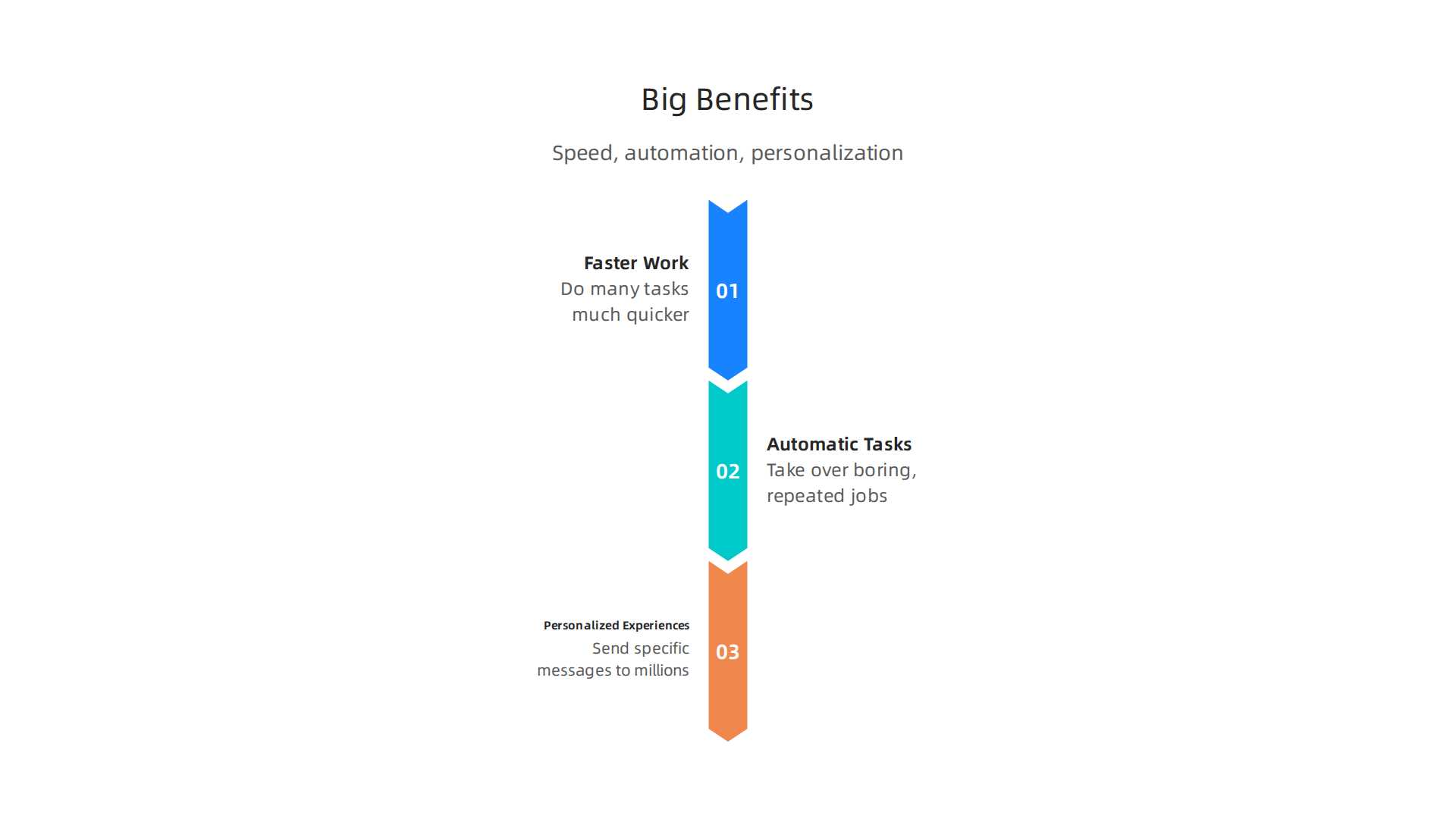
    Marketing AI agents offer significant benefits like increased speed, automation, and personalization.

    • Faster Work: They can do many tasks much quicker than people can, speeding up your marketing efforts.
    • Automatic Tasks: They take over many boring, repeated jobs. This means your team can spend more time on new ideas and creative work, instead of getting stuck in daily routines. This can be a game-changer for businesses looking for an effective online marketing platform for small businesses.
    • Personalized Experiences for Everyone: AI agents can help you send very specific messages and offers to thousands or even millions of customers, making each person feel like you know exactly what they need. This helps create a truly personal connection with your audience.

    What You’ll Learn in This Guide

    Learning how to use marketing AI agents can seem like a big job. That’s why this guide is here to help. We will walk you through everything you need to know, step-by-step. You will learn:

    • How to choose the best AI agents for your specific business needs.
    • How to set them up and get them working smoothly.
    • How to make sure they follow rules and stay safe (this is called governance).
    • How to check if they are actually helping your business grow and meet its goals.

    Whether you’re looking for a simple marketing plan example or want to dive deep into using AI, this guide will give you practical steps to succeed.

    Stay ahead with smart insights. Get clear daily AI updates from The Deep View Newsletter.

    Now that you know what marketing AI agents are in a general sense, let’s look closer at their different types, what they are made of, and how they work in real marketing jobs. These smart helpers come in various forms, each designed for specific levels of work.

    Types of Marketing AI Agents

    Not all marketing AI agents are exactly the same. They can be grouped by how complex their tasks are and how much they work on their own.

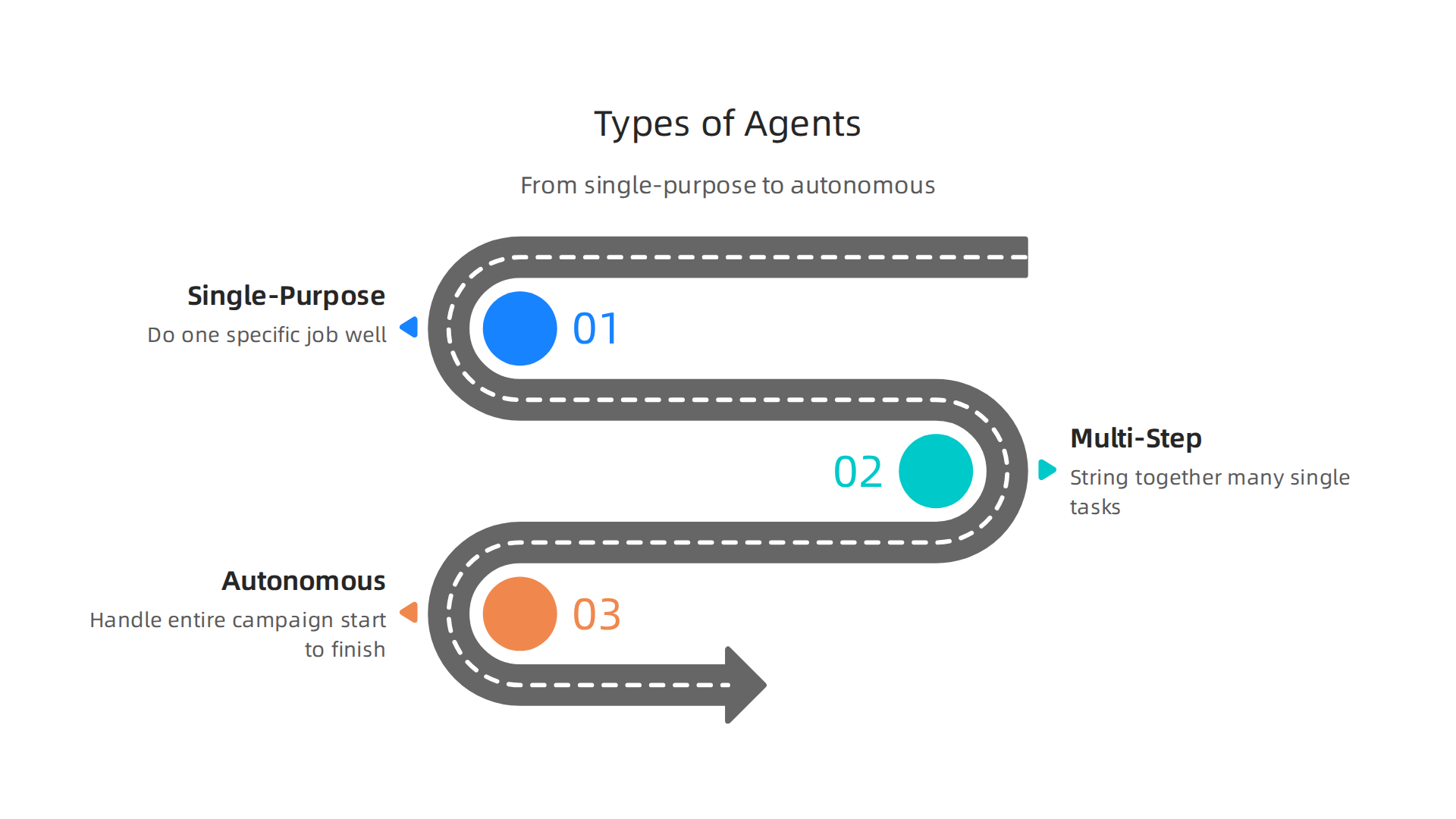
    Marketing AI agents range from single-purpose tools to fully autonomous campaign managers.

    • Single-Purpose Task Agents: These are the simplest kind. They do one specific job well, like writing an email, generating a social media post, or finding keywords. They are good for quick, focused tasks. While helpful, they don’t plan out big campaigns.
    • Multi-Step Orchestration Agents: These agents are smarter. They can string together many single tasks to complete a larger goal. For example, a multi-step agent might write a blog post, then create social media updates for it, and then schedule those posts. They follow a plan to make sure all parts of a task are done in order. Researchers have created ways to organize these kinds of AI agent systems, looking at how they plan, control, and interact with tools AI Agent Systems: Architectures, Applications, and Evaluation.
    • Autonomous Campaigning Agents: These are the most advanced marketing AI agents. They can handle an entire marketing campaign from start to finish. They set goals, make a plan, create all the content, run the campaign, and even adjust things as they go. Humans usually check in at certain points for approval, but the agent does most of the heavy lifting. This approach can be a game-changer for businesses that need a full-service online marketing platform for small businesses. A 2026 report mentioned that marketing and sales are seeing a lot of impact from these AI agents The 2026 State of AI Agents Report.

    What Makes an AI Agent Work?

    Think of a marketing AI agent as having several key parts that let it do its job:

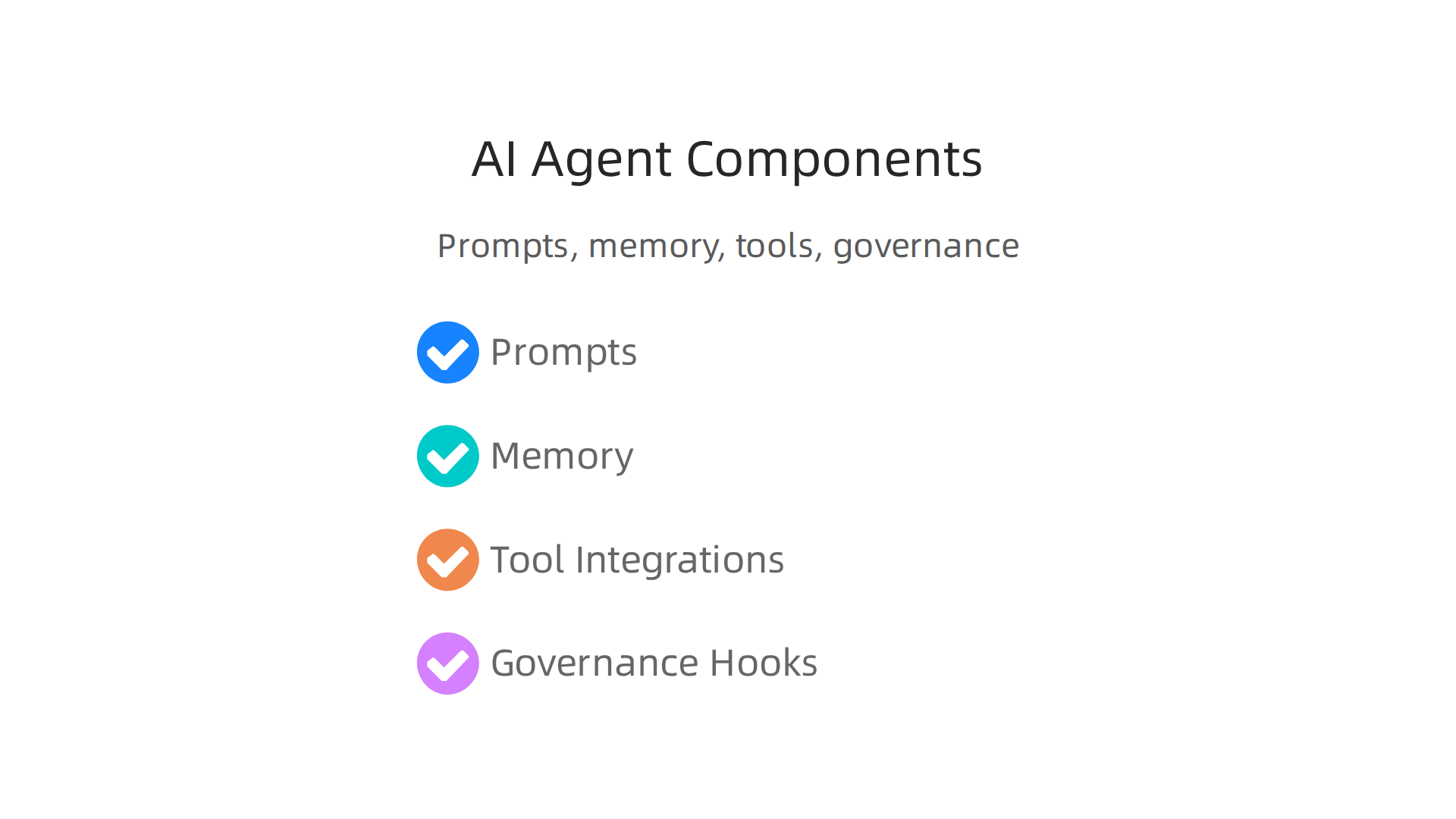
    An AI agent's effectiveness relies on its prompts, memory, tool integrations, and governance.

    • Prompts: These are the instructions you give the agent. They tell it what to do, what goals to aim for, and what style to use. Good prompts are like giving clear directions to a smart assistant.
    • Memory: Agents remember past actions, feedback, and what worked or didn’t work. This memory helps them learn and get better over time, making their future tasks more effective.
    • Tool Integrations: This is how AI agents connect to other software and services. For example, an agent might connect to a CRM (Customer Relationship Management) system like Zoho Marketing Automation to get customer info, or use analytics tools to see how well a campaign is doing. These connections help agents do real-world tasks. Choosing the right AI tools for your business is key to making these integrations work well How to Choose AI for Business Tools That Deliver Real Results in 2026.
    • Governance Hooks: These are safety checks and rules built into the agent. They make sure the agent follows company policies, legal rules, and ethical guidelines. This is very important for keeping AI agents responsible. Experts are working on how to create clear ways to evaluate agents in production Measuring Agents in Production.

    Real-World Marketing Examples

    How do these marketing AI agents actually help? Here are some examples of what they can do:

    • Lead Qualification: An agent can look at many potential customer details, figure out which ones are most likely to buy, and then send them personalized messages. This saves human sales teams a lot of time.
    • Creative Iteration: Need many different ideas for an ad campaign? An agent can quickly create many versions of ad copy, images, and video scripts, then test them to see which ones get the best reactions. This speeds up the creative process.
    • Campaign Optimization: During a marketing campaign, an autonomous agent can watch how people react to ads in real-time. If one ad isn’t working well, it can automatically change the ad, try a new audience, or even shift the budget to a better-performing ad. This ensures your marketing money is always working its hardest. This kind of optimization can significantly boost how effective your marketing efforts are How Marketing Specialists Choose AI Tools for Marketing and Drive ROI.

    Using marketing AI agents isn’t just about doing more tasks; it’s about getting real value for your business.

    A business leader reviews performance metrics to understand ROI and impact.

    These smart tools help companies save time, cut costs, and get better results from their marketing efforts. We can measure this value in a few key ways.

    Quantifying business value: ROI, time savings, and performance benchmarks

    One big way marketing AI agents help is by taking over many tasks that people used to do by hand. This reduces the amount of manual work needed across common marketing jobs. For example, agents can quickly create many versions of ad copy, write social media posts, or analyze campaign data. This frees up marketing teams to focus on bigger ideas and strategies. Some reports even show that using AI agents can reduce manual workflow tasks by as much as 85%, which greatly increases efficiency and returns on investment (ROI) across businesses in 2026 How AI Agents are Changing Marketing: The 2026 Guide – Top ….

    The value these agents bring can be grouped into different kinds of ROI:

    • Cost Reduction: By automating tasks, businesses spend less money on manpower for repetitive jobs. This also includes lowering the cost to get a new customer.
    • Speed-to-Market: AI agents can create content and launch campaigns much faster. This means businesses can react quickly to market changes and get their messages out sooner.
    • Personalization Lift: Agents can tailor messages to individual customers much better than humans can, which leads to more engagement and higher sales. Studies from 2026 show that AI for personalizing content can boost ROI by 2.7 times, while content drafting can see a 3.2 times ROI Agentic AI in Marketing: ROI Data & Guide 2026.
    • Experimentation Velocity: Marketing AI agents can test many different ideas very quickly to find out what works best. This helps improve marketing plans faster than ever.

    To truly understand how well marketing AI agents are doing, you need to track key numbers before and after you start using them. These performance benchmarks help you see the actual impact.

    Here are some important metrics to keep an eye on:

    • Effort hours: How many hours did your team spend on certain tasks before, and how many now with agents?
    • Conversion lift: Are more people buying, signing up, or taking desired actions because of the AI agents’ work?
    • Cost-per-acquisition changes: Has the cost of getting a new customer gone down?
    • Campaign ROI: What is the overall return on your investment in specific campaigns managed by agents?
    • Lead-to-customer conversion rate: How many potential customers become actual buyers thanks to the agent’s efforts?

    Setting clear goals and key performance indicators (KPIs) for your autonomous marketing AI agents is important to make sure they are on track KPIs for Autonomous AI Agents in Marketing and Governance. By tracking these numbers, businesses can see the real benefits of using marketing AI agents, from saving time to boosting sales. Learning how to get real ROI from AI marketing is a key step for success in 2026.

    Want to keep up with the latest in AI and technology?
    The AI Newsletter Worth Reading offers clear daily updates to help you stay informed.

    To truly get the most from your AI investments and see those great returns, it’s vital to pick the right tools for the job.

    A team collaborates to evaluate and select the best AI agent solutions.

    Not all marketing AI agents are built the same. When you’re looking at different options for your business, you need to know what features matter most.

    Key capabilities to prioritize when evaluating marketing AI agents

    Choosing the best marketing AI agents means looking closely at what they can do and how well they fit into your daily work. Think of it like picking the right team member; you want someone with the right skills and who can work well with everyone else.

    Here are the important things to look for:

    • Reliable Data Connections: Good marketing AI agents need to easily connect with all your data sources. This means linking to your customer lists, sales records, website analytics, and social media platforms. Without good connections, the agent can’t get the information it needs to make smart decisions.
    • Customizable Instructions (Prompt Flows): You should be able to tell your AI agent exactly what you want it to do and how. This involves setting up "prompt flows" that guide the agent’s actions, from writing an email to planning a whole campaign. The more you can customize these, the better the agent will understand and act on your specific marketing plan example.
    • Memory and Context: Just like a person, a good AI agent needs to remember past talks and actions. This "memory" helps it understand the bigger picture and keep its responses and tasks consistent over time. It helps the agent learn from what it’s done before. Many AI agents are built with core components like these to give them reasoning and language skills Agentic Universe: April 2026.
    • Ability to Take Action (APIs/Tools): An AI agent isn’t just for thinking; it’s for doing. It needs to be able to use other tools and systems through what are called APIs. This could mean posting directly to social media, updating your online marketing platform for small businesses, or sending emails through your existing marketing automation software.

    Beyond these core abilities, there are other important features that help these agents work smoothly every day:

    • Seeing What’s Happening (Observability): You should always be able to see what your marketing AI agents are doing. This means getting clear reports and updates, so you know the agent is working as it should and catching any problems early.
    • Handling Mistakes (Retry Semantics): What happens if an agent tries to do something and it fails? A good agent will have a plan to try again or tell you there’s a problem, instead of just giving up.
    • Safe Testing (Sandboxing): Before you let an agent loose on your real marketing, it’s helpful if you can test it in a safe "sandbox" environment. This way, you can make sure it works correctly without messing up your live campaigns.
    • Human Control Points (Human-in-the-Loop): Even the best AI agents need human oversight. You’ll want controls that let you step in to approve decisions or correct the agent if needed. This "human-in-the-loop" approach is often part of how production systems for AI agents are designed in 2026 State of AI Agents Q2 2026.

    Finally, consider how well the marketing AI agents can grow with your business. Can they manage many different campaigns at once? Can they adapt to different languages or regional needs if your business expands? This is called scalability and extensibility. Knowing how to choose AI for business tools that deliver real results is key to making sure your investment pays off in the long run.

    After understanding what makes good marketing AI agents, the next big step is putting them to work. This means making smart choices about how you get these tools and how you bring them into your business without causing big problems.

    Choosing and deploying an agent: checklist and phased rollout plan

    First, you need to decide if you want to buy a ready-made marketing AI agent or build one yourself. This is a big choice, like deciding to buy a car or build one from scratch.

    • Buying an Agent (Vendor Solution): This usually means you get to use the tool faster. It’s often easier because someone else has done all the hard work of building it. You just need to make sure it fits your needs and that you’re comfortable with how it handles your business data. This is good if you need quick results and don’t have a big team of tech experts.
    • Building Your Own Agent: This gives you full control. You can make the AI agent do exactly what you want, right down to the smallest detail. But, it takes a lot more time, effort, and people with special tech skills. You also need to think about who owns the data and how much work your team can actually take on. Businesses often weigh these points when looking at whether to build or buy new AI tools Navigating the build, buy, or borrow decision.

    Once you decide how to get your marketing AI agents, it’s time to put them into action. A good way to do this is with a step-by-step plan.

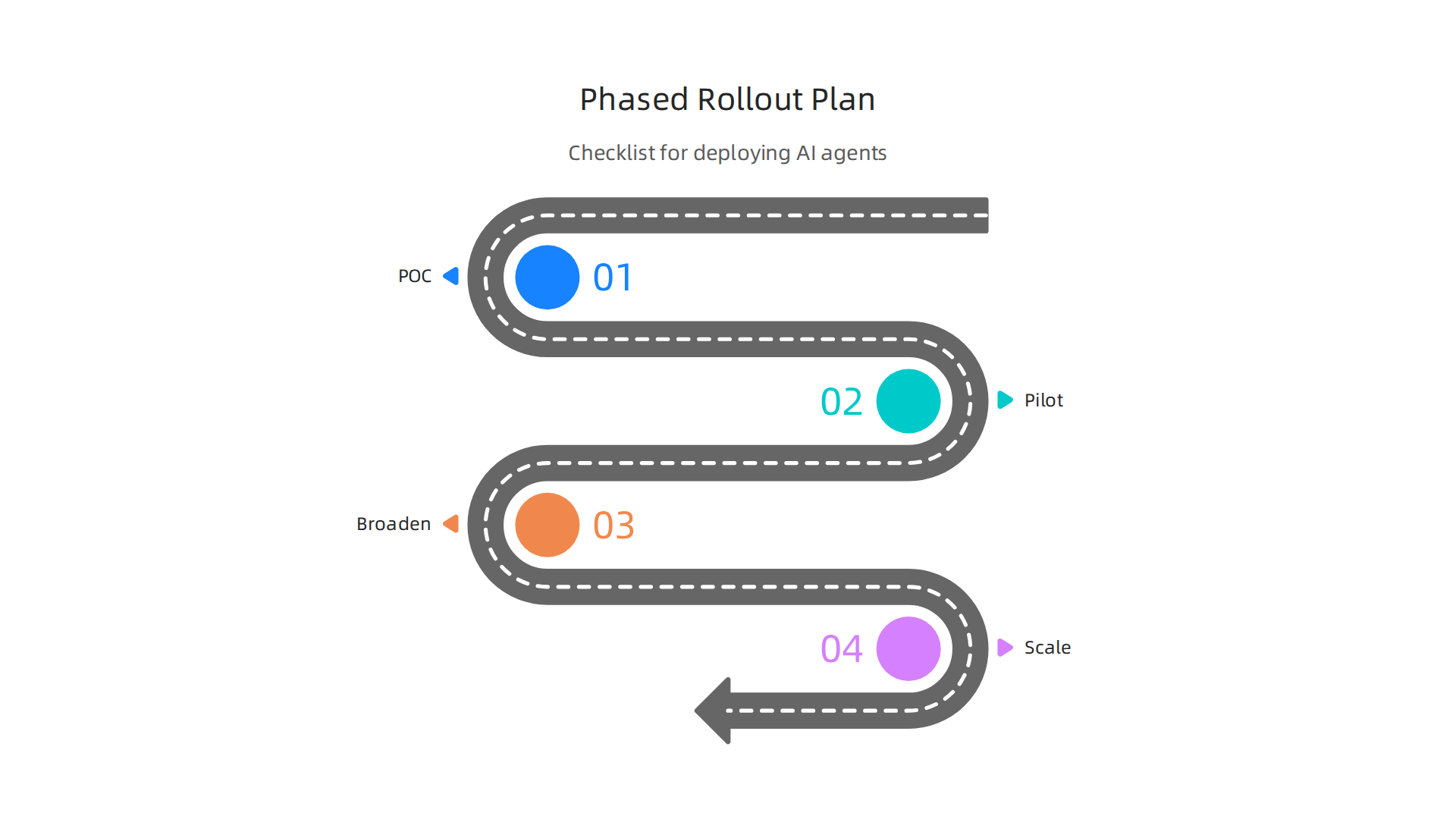
    A strategic phased rollout ensures smooth integration and scaling of AI agents.

    This helps you start small and grow safely.

    A Phased Rollout Plan

    1. Proof of Concept (POC): This is like a small test drive. You pick one simple task that the AI agent can do and see if it works.
      • Success Criteria: Does the agent complete the task? Does it save time or money for that one task? For example, you might test it writing a few social media posts for a specific marketing plan example. It’s smart to start with workflows that have low risk but high potential impact Using AI Agents for Marketing Agencies: 2026 Implementation Guide.
    2. Pilot: If the POC goes well, you expand the test to a small group of users or a small part of your business.
      • Success Criteria: Does it work well for this small group? Are there any unexpected problems? Are the people using it happy with it? During this stage, you should manually check every output for at least two weeks and use any errors to make the agent smarter How to Use an AI Agent for Marketing: The 2026 Playbook ….
    3. Broaden: Now, you slowly let more people or more parts of your business use the marketing AI agents.
      • Success Criteria: Is the agent still working well as more people use it? Is it helping more of your marketing team? This is where you might connect it with your online marketing platform for small businesses or a specific campaign.
    4. Scale: If all goes well, you make the AI agent a regular part of your marketing efforts across the whole company.
      • Success Criteria: Is it making a real difference to your business goals? Is it able to handle everything you throw at it? Are you seeing clear returns on your investment in these new tools?

    Practical Checklist for Deployment

    Before you fully unleash your marketing AI agents, here’s a checklist to make sure you’re ready:

    • Data Readiness: Make sure your business data is clean and ready for the AI. This means having good customer information and historical data. AI agents need connected, clean data to work effectively AI-Driven Marketing Strategies to Implement in 2026 – Aprimo. You’ll need things like real-time customer profiles and good data about how past campaigns performed AI Marketing Agents: 2026 Complete Guide. Having at least 12 months of clean historical data is a good rule of thumb AI Marketing Agent: 11 Best Tools & Guide (2026) – Improvado.
    • Integration Points: Think about how the AI agent will connect with your existing tools. This includes your CRM, email programs, and analytics tools like Zoho Marketing Automation. Make sure they can all "talk" to each other AI Marketing Agents: Complete 2026 Automation Guide. You want to link apps your team already uses daily, such as Slack, Gmail, or HubSpot 2026 Marketer’s Guide to AI Agents for Marketing Operations.
    • Service Level Agreements (SLAs): If you’re buying an agent, understand what kind of support you’ll get from the company selling it. How fast will they fix problems?
    • Monitoring: Set up ways to watch how your marketing AI agents are doing. This helps you catch any issues quickly and ensure they’re working as they should.
    • Change Management: Get your team ready for these new tools. Provide training, maybe even some free marketing courses on AI, and make sure everyone understands how the agents will help them. Before you start, write down the exact workflow you want the AI to handle, define what success looks like, and think about who owns the project AI Agents for Marketing: 15 Use Cases, ROI, and 2026 Guide.

    By following these steps, you can bring marketing AI agents into your business smoothly and make sure they truly help you reach your goals.

    For more deep dives into the latest AI tools and trends, make sure you’re subscribed.
    The AI Newsletter Worth Reading

    After you have a plan to put your marketing AI agents into action, the next big step is figuring out how these smart tools will talk to all your other business systems. This is like making sure all the different parts of a team can share information and work together smoothly. When your marketing AI agents link up with your customer relationship management (CRM), ad platforms, and analytics tools, they can do amazing things for your marketing plan.

    Integration patterns: linking agents to CRMs, ad platforms, and analytics

    Connecting your marketing AI agents with your existing tools is key for them to be truly helpful. It means that customer information, ad campaign results, and website visitor data can all be shared. This allows the AI agents to make smarter choices and take actions that fit your goals.

    There are a few common ways these connections work:

    • Data Sync (Data Sharing): This is like having two notebooks and making sure they both have the same information. Your marketing AI agents might regularly pull customer details from your CRM, or send updated customer scores back to it. This makes sure all your systems have the most current data. Businesses need clean, linked data for AI agents to work well, often including real-time customer profiles and historical campaign data to train models effectively AI Marketing Agents: 2026 Complete Guide.
    • Event-Driven Triggers (Action Starters): Imagine if one action automatically started another. For example, if a customer fills out a form on your website (an "event"), it could trigger your marketing AI agent to send a personalized email right away. Or if an ad campaign performs poorly, it could alert the agent to suggest changes.
    • API-Based Actioning (Direct Commands): APIs are like special language rules that allow different software programs to talk to each other and ask for things to be done. Your AI agent can use APIs to directly create new ads on an ad platform or update details in your CRM. This lets the agent not just suggest things, but actually do them.
    • Streaming Analytics (Constant Flow of Information): This means data is always flowing, like a river, instead of coming in big batches. For marketing AI agents, this is super important because it lets them see what’s happening right now. If a product suddenly becomes popular, the agent can adjust your online marketing platform for small businesses campaigns in real time. This constant data flow helps AI agents react quickly to changes [How AI agents will reshape every part of marketing in 2026](https://martech.org/how-ai-agents-will-reshape-every-part-of-marketing-in 2026/).

    Handling Data Across Systems

    When many systems work together, we need to be careful about how data is managed:

    • Idempotency (No Double Actions): This is a fancy word that means doing the same action multiple times has the same result as doing it once. For example, if your AI agent tries to send an email twice by mistake, idempotency ensures the customer only receives one email. It prevents double billing or duplicate entries.
    • Reconciliation (Making Data Match): With many systems, data can sometimes get out of sync. Reconciliation is checking that the information in your CRM, ad platform, and analytics tools all match up. This is vital for accurate reporting and making good decisions. For example, ad platform data should feed back into the AI agent’s information to match up with CRM records AI Agents for Agencies: Connect Client Data Safely.
    • Data Governance (Keeping Data Safe and Proper): This is about setting rules for how your data is collected, stored, and used. It makes sure your marketing AI agents respect privacy laws and company policies. Good data governance also means your data is high quality, which is super important for AI to learn from.

    Architectural Choices: Real-time vs. Batch and Coupled vs. Loosely Coupled

    When building these connections, businesses make some important choices:

    • Real-time vs. Batch: Do you need information to update instantly (real-time), or is it okay for updates to happen once a day or once an hour (batch)? Real-time updates are great for fast-moving campaigns, while batch updates can be simpler for less urgent tasks.
    • Coupled vs. Loosely Coupled Integrations:
      • Coupled: Systems are tightly linked. If one system changes, the other might need to change too. This can be faster for small setups.
      • Loosely Coupled: Systems work more independently. They connect through standard ways, so if one changes, it’s less likely to break the other. This makes your whole setup more flexible as you grow.

    Choosing the right integration patterns and making smart architectural choices helps your marketing AI agents truly shine. It makes sure they are not just useful tools, but fully integrated team members that boost your marketing efforts.

    If you’re looking to enhance your understanding of marketing technology, exploring options for how to choose marketing automation software in 2026 can provide further insights into optimizing your operations.

    After linking up your marketing AI agents with your existing systems, a very important next step is to set up clear rules and make sure everything runs safely and properly. This is called governance, compliance, and risk management. It’s like having a good rulebook and safety checks in place so your smart tools work in a way that is fair, legal, and keeps your brand safe.

    Professionals collaborate to establish and review safety protocols for AI systems.

    Data Privacy and Consent

    When marketing AI agents access customer information, it’s super important to respect people’s privacy. These agents often look at user data to make marketing campaigns better. So, you need to make sure you have permission, or "consent," from customers to use their data. Laws like GDPR in Europe and others around the world mean businesses must be very careful about how they gather, store, and use personal information. For example, people must clearly agree to how their data is used for personalized ads, not just have a pre-checked box AI Compliance in Marketing: The Complete Guide 2026.

    This also means that your marketing AI agents should only get access to the information they absolutely need to do their job. Businesses must document how their marketing agents handle personal data to comply with regulations Snowflake’s Agentic Enterprise Framework Puts Data …. Without proper consent management, using marketing AI agents can lead to big problems.

    Bias, Brand Safety, and Content Review

    Marketing AI agents can create ads, emails, and other content very quickly. But sometimes, AI can pick up unfair ideas or "bias" from the data it learns from. This could lead to content that is not fair or doesn’t fit your brand’s values. To stop this, you need:

    • Human-in-the-loop governance: This means people regularly check what the AI agents are doing and creating. For new AI agents, you should manually review every output for a few weeks to catch any errors How to Use an AI Agent for Marketing: The 2026 Playbook ….
    • Brand guidelines: Give your marketing AI agents clear rules about your brand’s voice and what kind of content is okay. This helps them create messages that always sound like your company.
    • Safety controls: Set up ways for the AI to flag or stop content that might be offensive, wrong, or goes against your rules. This helps ensure brand safety.

    Having these controls in place is key for any marketing plan example that uses AI.

    Security and Access Controls

    Finally, keeping your AI systems and the data they use safe is super important. Think about these things for your marketing AI agents:

    • Least privilege: This means your AI agents should only have the minimum access rights needed to do their specific tasks. They shouldn’t be able to see or change data they don’t need. This helps prevent unwanted access AI Regulation 2026: Current Laws, Compliance Requirements, and ….
    • Audit trails: You need a record of everything your marketing AI agents do. This is like a logbook that shows who accessed what, when, and what actions were taken. If something goes wrong, an audit trail helps you figure out what happened.
    • Incident response planning: Have a plan for what to do if there’s a security problem, like a data breach or an AI agent acting strangely. Knowing what steps to take beforehand can save a lot of trouble.

    As you adopt new smart tools, understanding potential problems and how to deal with them is part of having a good Stealth AI: A Business Guide to Hidden AI Risks, Opportunities, and Management in 2026. Keeping these governance, compliance, and risk management ideas in mind will help your marketing AI agents be both powerful and trustworthy tools for your business.

    After making sure your marketing AI agents follow all the rules and keep data safe, the next big step is to see how well they are actually doing. This means measuring, making them better, and growing their use over time. You want to make sure these smart tools are truly helping your business grow.

    Testing How Well Agents Perform

    To know if your marketing AI agents are working, you need to test them. A great way to do this is through something called A/B testing. This is like trying out two different ideas to see which one works better. For example, you can have your AI agent create one type of ad, and then have your regular marketing team or a different AI strategy create another. You then show both to similar groups of people to see which ad gets more clicks or sales.

    By doing these tests, you can compare what your marketing AI agents do versus your usual ways of working. Studies in 2026 show that successful AI agents can bring in 4.1 to 5.3 times more return on investment for the tasks they automate [Agentic AI in Marketing: ROI Data & Guide 2026]. This helps you see the real value of these smart tools for your marketing plan example. If you want to dive deeper into getting great returns, learn about how marketing specialists choose AI tools for marketing and drive ROI.

    What to Watch: Key Numbers and Dashboards

    To keep track of your marketing AI agents, you need to set up clear ways to measure their success. Think of this like a dashboard in a car, showing you all the important things at a glance. For AI agents, you should watch for:

    • Speed (latency): How quickly do your agents act or respond? Faster is usually better.
    • Success rate: How often do they do their job correctly, like sending the right email or suggesting the right product?
    • Conversion attribution: This means figuring out how much credit your marketing AI agents deserve for bringing in leads or making sales.
    • Cost per action: How much does it cost for an agent to complete a task, like getting a customer to sign up or click a link?

    It’s important to set up these special goals, or Key Performance Indicators (KPIs), for your autonomous AI agents. These help you track their operational health and how they impact your business goals, like making more money or getting more customers KPIs for Autonomous AI Agents in Marketing and Governance. Platforms for online marketing, such as Zoho Marketing Automation, often have features to help you track these metrics.

    Always Getting Better: Continuous Improvement

    Using marketing AI agents isn’t a "set it and forget it" task. For them to stay useful, you need to make them better over time. This involves a few key steps:

    • Feedback loops: This is where people tell the AI what worked well and what didn’t. Your team can give feedback on the content the agents create or the decisions they make.
    • Retraining triggers: As new information comes in or marketing trends change, your AI agents might need to learn new things. You need to know when it’s time to "retrain" them with fresh data.
    • Lifecycle management: This is about how you keep your marketing AI agents updated and relevant through their whole life, from when you first use them to when they might need big changes.

    By having these plans in place, your marketing AI agents can keep learning and improving. This ensures they continue to bring value to your business year after year. Learning how AI agents get better over time is crucial for long-term success [How Do AI Agents Learn and Improve Over Time?]. For tips on maximizing your investment, check out how to get real ROI from AI marketing cloud in 2026.

    Want to stay informed about all the latest in AI and technology?

    The AI Newsletter Worth Reading

    Summary

    Marketing AI agents are autonomous, multi-step AI systems that plan, act, and learn to run marketing tasks from content creation to campaign optimization. This article explains the different agent types—from single-purpose tools to fully autonomous campaigning agents—what technical parts make them work (prompts, memory, tool integrations), and the real-world use cases such as lead qualification, creative iteration, and live campaign optimization. You’ll get a practical checklist for choosing whether to buy or build, a phased rollout plan (POC → pilot → broaden → scale), and concrete integration patterns for CRMs, ad platforms, and streaming analytics. The guide also covers governance: consent, bias checks, least-privilege access, and audit trails, plus the metrics you must track (effort hours, conversion lift, cost-per-acquisition, campaign ROI). Finally, it shows how to test agents, set KPIs, and create feedback loops so agents improve over time, helping teams save time, cut costs, and boost marketing performance.

  • How to Choose Tech Gadgets for Business Productivity in 2026

    How to Choose Tech Gadgets for Business Productivity in 2026

    Why regional innovation and the right gadgets matter for productivity in 2026

    In 2026, many business leaders and busy professionals feel swamped by new information. Every day brings news of new tech gadgets, tools, and ideas. It’s hard to tell what’s truly helpful and what’s just noise. You want to make smart choices that help your business grow and make your work easier. But with so many options, how do you pick the best ones?

    A professional making thoughtful choices amidst many options to boost business growth.

    This is where understanding the world of technology, from big picture innovation to the small, useful tech gadgets you use every day, becomes super important. It’s not just about buying the newest thing. It’s about picking tools that actually fit your needs and help you do more. We want to help you cut through the confusion and find the best ways to boost your productivity.

    Think about how fast things change. The world is always creating new ideas and products. For example, countries around the globe are always working on new inventions, which we can track through things like patent applications and global innovation reports, showing how much new technology is being made worldwide Global Innovation Index – WIPO. This kind of big-picture view helps us see where the next big tech sights are coming from.

    In this article, we will help you learn how to choose the right tech gadgets for your work. We’ll give you simple rules for picking tools that offer good value and are easy to use. We’ll also look at how innovation in different places can bring new and exciting solutions. For instance, sometimes smaller, local tech hubs might create unique solutions that fit specific business needs, like something coming from Cape Cod tech innovators. Our goal is to give you clear tips so you can bring new technology into your daily tasks without any headaches. This way, you can get the best results from your tech investments and make your business more successful.

    To stay on top of all the important changes in the tech world and make smart choices for your business, it’s key to have reliable, up-to-date information.
    Get clear daily AI updates from The Deep View Newsletter.
    If you want to keep up with important news that affects your business choices, it’s also good to know how to track new trends. Discover more on tracking major technology news for smart business decisions in 2026.

    Beyond simply tracking global trends, it’s also helpful to look at where new ideas and tech gadgets actually come from. You see, geography still plays a big part in how technology grows and changes. This is why knowing about regional innovation hotspots matters when you pick tools for your business.

    Understanding the geographical factors that influence tech growth and gadget development.

    Think about local supply chains. These are the networks of companies that make, move, and sell products in a specific area. When a new tech gadget is made, its parts often come from nearby suppliers. This can make the gadget cheaper to produce and easier to get if it’s made closer to you. Strong local supply chains can mean faster repairs and better support if something goes wrong with your new devices. This helps businesses get the most out of their tech investments.

    Also, many new tech sights come from special places called startup ecosystems. These are like playgrounds where new businesses and ideas thrive. In 2026, we see these ecosystems popping up all over the world, not just in big cities.

    A team actively brainstorming and collaborating, symbolizing a thriving startup ecosystem.

    These places have lots of smart people, universities, and money to help new companies grow. They often create new and exciting tech gadgets that fit specific local needs. For example, reports like The Global Startup Ecosystem Report 2026 show how important these hubs are for creating new inventions and pushing technology forward.

    Regional rules and government support also shape what kind of tech is made and used. Some areas might have special tax breaks for green tech, or rules that make it easier for certain kinds of software to be developed. This means that gadgets and software from these areas might be extra good at those specific things. For businesses, this means you might find very specialized and high-quality solutions by looking at regional tech communities, like innovators from places such as Cape Cod tech.

    For business leaders, it’s smart to think about more than just the features and price of tech gadgets. You should also think about where the tech comes from. Is there good local support for it? Is the company that makes it close by? Having a vendor nearby can mean quick help when you need it and a better understanding of your local business needs. This can save you time and money in the long run. Choosing the right partners can be just as important as choosing the right tools. If you’re looking for practical tools built for local needs, exploring options like Warren Tech provides practical AI tools built for local enterprises could be a good next step.

    Now that we know where new ideas come from, it is time to look at the kinds of tech gadgets that can really help your business in 2026. Choosing the right tools is super important. Here are the top types of productivity tech gadgets and how to pick the best ones for you.

    Top categories of productivity tech gadgets in 2026 and how to pick the right one

    In 2026, there are three main kinds of tech gadgets that boost how much work your business can get done. These "tech sights" are changing how we work every day.

    • AI-Assisted Peripherals
      These are devices that work with smart AI to make your daily tasks easier. Think about headphones that cancel noise so you can focus, or smart cameras that keep you in frame during video calls. There are also mice and keyboards that learn how you work to help you be faster. These tech gadgets are great for making meetings smoother, helping creative people work faster, and automating small, repeated actions. The market for AI productivity tools is growing very fast, reaching an estimated $17.01 billion in 2026 alone. This shows how many businesses are using these smart tools to get more done. Reports also show that almost 9 out of 10 companies now use AI in at least one part of their business to make things better, according to The AI at Work Index: How Employees Use AI in 2026.

    • Collaborative Hardware
      This category includes devices that help teams work together, even if they are far apart. Imagine big touchscreens where everyone can draw and write ideas at the same time, or special cameras and microphones for better group video calls. These tech gadgets help teams brainstorm better, hold more effective meetings, and connect easily whether they are in the office or working from home.

    • Mobility and Workspace Tech
      These are the tools that let you work from anywhere and make your workspace more comfortable and effective. This includes light laptops, portable second screens, and things like ergonomic keyboards or special lighting for your desk. Even small tracking devices can help you keep an eye on important items, like an apple tracker for your work bag. These solutions help people who travel a lot for work or who often work from home.

    How to pick the right tech gadgets for your business

    Choosing the best tech gadgets means looking at more than just the cool features. Here is a simple checklist to guide you:

    • Compatibility: Will the new gadget work well with the computers and software you already use? You do not want to buy something that does not fit in with your current setup.
    • Security: How safe is your business’s information with this new device? Make sure it has strong security features to protect your data from bad actors.
    • Vendor Support: If something goes wrong, can you get help easily? Look for companies that offer good customer service and support when you need it.
    • Total Cost of Ownership: This is not just the price tag. Think about how much it will cost to keep the gadget running over time. This includes updates, repairs, and any extra tools you might need. Sometimes, a cheaper gadget can end up costing more in the long run.

    By thinking about these things, you can choose tech gadgets that truly help your business grow and make your team more productive.

    To stay on top of the latest smart tools and trends, consider getting regular updates. You can get clear daily AI updates by signing up for The AI Newsletter Worth Reading.

    After you have carefully picked out the right tech gadgets for your business, the next big step is to make sure they are actually helping. You need to know if these new tools are truly worth the money and effort. This is where looking at metrics and measuring your return on investment (ROI) comes in. It helps you see the real value your business gets from these new "tech sights."

    Evaluating gadgets for real business ROI: metrics and measurement

    To truly understand if your new tech gadgets are a smart choice, you need to look at specific numbers. Here are the key things to measure:

    • Time Saved: Does the gadget help your team do tasks faster? For example, if an AI-powered tool cuts down the time spent on scheduling meetings from 30 minutes to 5 minutes, that’s 25 minutes saved per meeting. You can measure this by timing tasks before and after using the new gadget.
    • Error Reduction: Do your employees make fewer mistakes with the new tool? Less errors mean less time spent fixing problems, which saves money. Track the number of mistakes in a process before and after the gadget is put in place.
    • Employee Adoption Rates: Are your employees actually using the new gadgets? A great tool does not help if no one uses it. You can check usage data or ask employees through simple surveys. High adoption means the tools are truly making work easier and more effective. To ensure your team embraces new tools, consider how to promote successful adoption of smart AI for business.
    • Support Costs: This looks at how much it costs to keep the gadget running. It includes money spent on updates, repairs, and the time your IT team spends helping people use it. This is part of what’s called the Total Cost of Ownership (TCO). This total cost includes everything from buying the device to operating, maintaining, and even getting rid of it when it’s old, helping you truly understand the investment needed to get real ROI from AI marketing cloud.

    By tracking these things, you can see if your investment in tech gadgets is paying off. It’s about looking at the big picture of savings and gains, not just the upfront price. Getting a clear view of ROI means separating the measured savings from just hoping for savings, as some experts suggest when calculating your ROI on an IoT investment.

    Running a pilot program for new gadgets

    You do not have to buy new tech gadgets for everyone all at once. A smart way to test new tools is by doing a pilot program. Here is how it works:

    1. Choose a Small Group: Pick a small team or a few people who would use the gadget most.
    2. Set Clear Goals: What do you want to improve? Is it speed, fewer errors, or better teamwork? Make sure your goals are easy to measure.
    3. Test It Out: Let the group use the new gadget for a set time, like a few weeks or a month.
    4. Gather Feedback and Data: Ask the users what they think. Collect data on the metrics we talked about above, like time saved or errors avoided.
    5. Review and Decide: Look at all the information. Does the gadget really help? Is it worth buying for more people? This kind of trial, often called a Proof of Concept, helps you test hardware in real situations before a bigger purchase, as explained in guides on IT Hardware Procurement.

    By using a pilot program, your business can try out new tools in a safe way. This helps you make smart decisions and ensures that every tech gadget you invest in truly helps your business grow and succeed in 2026.

    Once you decide that a new tech gadget is right for your business after a successful trial, the next big step is to make sure it works smoothly with your existing systems. It’s like adding a new player to a team: they need to learn how to play with everyone else so the whole team performs better. This is especially true for gadgets that need to connect with your AI tools and workflows in 2026.

    Practical steps for integration

    Making new tech gadgets work well with your current AI setup needs careful planning. Here are some key things to think about:

    • APIs (Application Programming Interfaces): Think of APIs as special connectors or translators. They allow different programs and gadgets to talk to each other and share information. When choosing a new tech gadget, check if it has good APIs that can link up with your AI tools. This helps your AI use the data from the gadget or tell the gadget what to do. Having strong API design is key for Internet of Things (IoT) devices, which many tech gadgets are, as experts explain in an article on the design and implementation of application programming interface for Internet of things cloud.
    • Standards and Interoperability: This is about different gadgets and systems following the same rules. If all your tech uses common standards, they can work together easily. Interoperability means that your new tech gadget can "understand" and "be understood by" your other systems. Without it, you might have great "tech sights" but they cannot be shared. For example, standards help medical devices work together, showing how important common rules are for different pieces of technology to communicate effectively, as seen in the Design Considerations and Pre-market Submission Recommendations for Interoperable Medical Devices. Integrating new tech with your existing setup often means choosing the right enterprise AI platforms 2026 that support these standards.
    • Edge vs. Cloud Considerations: This refers to where the "thinking" or data processing happens.
      • Edge computing means the gadget processes data right where it is, like an apple tracker figuring out its location. This is fast and can work even without constant internet.
      • Cloud computing means the gadget sends its data to powerful computers on the internet (the "cloud") to be processed. This is good for big tasks or when many gadgets need to share data. Deciding whether your gadget’s data should be processed at the edge or in the cloud depends on speed needs, privacy, and how much data is being sent.

    Avoiding common implementation pitfalls

    Even with the best planning, putting new tech gadgets into action can have challenges. Here are some common problems and how to dodge them:

    • Connectivity Problems: Sometimes gadgets just do not connect to the network or each other. Make sure your Wi-Fi or other connections are strong and reliable in all the places your gadgets will be used. Test this early and often.
    • Data Routing Issues: Data needs to go from the gadget to the right AI tool or storage place. If the data gets lost or sent to the wrong spot, your AI can’t use it. Plan out clearly how data will flow from your tech gadgets through your network.
    • Firmware Management: Firmware is the basic software inside your gadget. It needs to be updated regularly, just like the apps on your phone. Not updating firmware can lead to security risks or problems with how the gadget works. Have a clear plan for how you will manage and update all your gadgets’ firmware to keep everything running smoothly.

    Thinking about these steps helps your business bring new tech gadgets into your AI world without a hitch. It means your investments actually boost your work and help you grow.

    Thinking about these steps helps your business bring new tech gadgets into your AI world without a hitch. It means your investments actually boost your work and help you grow. Now, let’s talk about how to choose and buy these gadgets smartly.

    Procurement, budgeting, and vendor selection for tech gadgets

    Bringing new tech gadgets into your business needs more than just finding a cool new device. It also means thinking about how you buy them, how much they will truly cost over time, and who you buy them from.

    Professionals in a meeting discussing procurement, budgeting, and vendor selection for new technology.

    This careful planning helps make sure your new tech really helps your business grow.

    Smart ways to buy new tech

    When you want to get new tech gadgets, it is a good idea to start small.

    1. Pilot Programs: Before buying a lot of gadgets, try a small "pilot program." This means testing a few gadgets with a small group of people in your company. It lets you see if the tech works well for your needs without spending too much money upfront. This step is like a mini-trial to ensure the new hardware fits real-life situations, as mentioned in advice for IT Hardware Procurement.
    2. Vendor Trials: Many companies that sell tech will let you try their products for a short time. Take advantage of this. It gives you a chance to see how the gadget works in your own business setting.
    3. Total Cost of Ownership (TCO): This is a very important idea. TCO means looking at all the costs of a tech gadget, not just its price tag. It includes things like how much it costs to buy, to set up, to use every day, to fix when it breaks, to update, and even to get rid of later. By looking at the Total Cost of Ownership in Procurement, you get a full picture of the gadget’s value over its whole life. Calculating TCO helps you compare different options fairly and make better choices, as explained in a TCO calculator guide.

    You should also talk with your vendor about support. Ask them what kind of help they offer if things go wrong. Make sure you agree on a Service Level Agreement (SLA), which is like a promise about how quickly they will help you.

    Choosing the right seller

    Picking the right company to buy your tech gadgets from is just as important as choosing the gadgets themselves.

    • Regional Support: Does the vendor have support staff nearby? If you are in Cape Cod tech, you might want a vendor with local support, for example.
    • Security: How safe is the gadget and the vendor’s system? You need to know that your data will be protected.
    • Warranty: What happens if the gadget breaks soon after you buy it? A good warranty protects your investment.
    • Upgrade Policies: How often does the vendor release updates? What happens if you need to replace old tech gadgets with newer models?

    By thinking about these things, you can choose the best tech products for your team in 2026 and beyond. This way, your new tech gadgets, whether it’s an apple tracker for your assets or a smart sensor for your workspace, will truly boost your business.

    Want to stay informed about all the latest AI tools and tech trends that can help your business? Get clear daily AI updates from The AI Newsletter Worth Reading.

    After choosing the best tech gadgets and vendors, you need to think about something very important: rules and privacy. Different places have different rules about how businesses can use technology and keep people’s information safe. This is called compliance, and it helps you avoid problems with the law.

    A legal or compliance professional carefully reviewing regulatory documents and policies.

    Why regional rules matter for your tech gadgets

    Imagine you have a company in one country, like the US, but you also have workers or customers in another, like Europe. The rules for using and storing data can be very different.

    • Data Residency: This big word just means where your data lives. Some countries insist that certain information must be kept on computers within their borders. For example, some companies make sure that customer data and activity logs stay in the EU to meet local laws, as mentioned in a report on Zero Trust Platforms. If your tech gadgets collect data, you must know where that data is stored.
    • Device Certification: Before you can even use some tech gadgets, they need to be approved by local groups. These approvals make sure the gadgets are safe and work correctly. For example, medical devices have very strict rules for design and use to make sure they fit into interoperable systems. You do not want to buy an apple tracker or smart sensor only to find it cannot be used in a certain area because it does not have the right stickers or approvals.
    • Import Hurdles: Just bringing a new tech gadget into a country can have its own set of rules and taxes. You might face extra steps or costs that were not part of your first plan. Knowing these rules ahead of time helps.

    Think of it like this: if your business runs in a specific area like Cape Cod tech, you need to know the rules for that specific area, but also for any other region where your tech gadgets will be used.

    How to keep your business safe and compliant

    Here are simple steps to make sure your business follows all the rules for your new tech gadgets:

    1. Ask Early: When you are picking out new tech, ask the sellers about their products’ certifications and how they handle data privacy. They should be able to give you clear answers.
    2. Talk to Experts: If your business works across different regions, it is a good idea to talk to someone who knows a lot about legal rules for technology. They can help you understand all the laws.
    3. Check Local Laws: Always look into the specific rules for each place where you plan to use your tech gadgets. This includes rules about data, safety, and even how to get rid of old tech. Keeping up with these rules helps you manage risk and plan for growth, as explained in a guide about Mastering the AI Future Standard 2026.
    4. Have Clear Policies: Make sure your own company has clear rules about how your employees should use new tech gadgets and handle data. Everyone needs to know what is okay and what is not.

    By paying attention to these rules, you can make sure your business uses tech gadgets smartly and safely, no matter where you operate in 2026. This careful planning helps your company grow without legal worries.

    After thinking about all the rules and how to keep your business safe, let’s look at some real-world examples. Seeing how other companies use new tech gadgets can give you great ideas. We will explore how smart regional companies use technology and when to pick a local helper versus a bigger international company.

    Examples from the field: regional innovators and standout gadgets (selection guidance)

    When you look around, you’ll see many clever startups making a big difference with their tech gadgets. These companies often find smart ways to solve everyday problems. For instance, in San Francisco, a company called Based Hardware made an AI wearable device called Omi. This gadget aims to make people more productive by using artificial intelligence, as reported by Yahoo Finance. This shows how new tech gadgets can come from specific areas and make a big splash.

    Another way to see innovation is by looking at how smaller companies launch new hardware. It is not always easy to launch a product, but there are clear steps to follow, like those found in a guide on how to launch a hardware product in 2026. These stories help us understand what makes certain tech sights stand out. For example, if you are looking into smart sensors or an apple tracker type of device for your business, you can learn a lot from these success stories. You can also explore more about best startup gadgets 2026 that actually deliver results.

    Now, how do you pick a vendor for your own tech gadgets?

    • When to choose a local provider:
      • If you need special support right away or custom solutions that fit your local area, like a Cape Cod tech business might.
      • Local companies often understand your region’s specific rules and needs better.
      • It can be easier to meet face-to-face and build a strong relationship.
    • When to choose an international vendor:
      • If you need a very specific or advanced tech gadget that is not made locally.
      • International vendors might offer lower prices if you are buying many items.
      • They might have a wider range of standard products to choose from.

    No matter your choice, it is key to carefully consider your needs. Think about what kind of tech products will help your team the most. Learning how to choose the best AI tech products for your team in 2026 can guide you in making good decisions for your business.

    Summary

    This article explains why regional innovation and the right tech gadgets matter for business productivity in 2026 and shows how to pick, test, and integrate them effectively. It describes the main gadget categories—AI-assisted peripherals, collaborative hardware, and mobility/workspace tech—and gives a simple checklist covering compatibility, security, vendor support, and total cost of ownership. You’ll learn practical measurement methods (time saved, error reduction, adoption rates, and support costs) and a step-by-step pilot program to validate tools before wide rollout. The piece also walks through integration concerns like APIs, interoperability, and edge versus cloud processing, and flags common implementation pitfalls such as connectivity and firmware management. Finally, it covers procurement strategies, vendor selection (local vs. international), and regional compliance issues so you can choose tech that fits both operational needs and local rules. After reading, you’ll have a clear process to evaluate gadgets, run pilots, measure ROI, and integrate new tools safely into your business workflow.

  • ThinkPad Troubleshooting Guide Diagnose and Repair Your Laptop

    ThinkPad Troubleshooting Guide Diagnose and Repair Your Laptop

    Why a practical ThinkPad troubleshooting guide matters (and what you’ll learn)

    Have you ever had your trusty ThinkPad start acting up? Maybe your computer slows down, or your pc randomly freezes when you’re trying to get things done. It can be super frustrating when your machine, like a Lenovo ThinkPad P51 or any other model, doesn’t work right. You need quick answers so you can get back to what you were doing.

    That’s why knowing how to troubleshoot your ThinkPad is so important. One of the first and smartest things to do when you notice a problem is a quick thinkpad warranty check. Finding out if your computer is still under warranty can save you money and worry. Lenovo offers easy ways to check your warranty status right from their support pages, like the Device Warranty Lookup tool. If your ThinkPad is covered, Lenovo might fix it for you without extra cost.

    In this guide, we will walk you through simple steps to figure out what’s wrong with your ThinkPad. You’ll learn easy ways to keep your computer running smoothly, like how to clean my pc and how to optimize pc performance. We’ll also help you decide if your ThinkPad needs a simple fix or if it’s time to think about a replacement. By the end, you will feel much more confident in handling common ThinkPad problems yourself.

    Staying up-to-date with technology is key in 2026. For clear daily AI updates that help you make smart tech choices, you should consider getting The AI Newsletter Worth Reading.

    When your ThinkPad starts to act funny, one of the first and best things you can do is check its warranty. This can save you from worrying about repair costs. Luckily, checking your thinkpad warranty check status is pretty easy. Let’s walk through how you can do it.

    Follow these simple steps to determine your ThinkPad's warranty coverage.

    Find Your ThinkPad’s Special Number

    To check your warranty, you first need a special number called a serial number or product number (PN). Think of it like your computer’s ID card. Here’s where you can usually find it:

    • On the computer itself: Look for a sticker on the bottom of your ThinkPad. Sometimes it’s under the battery. It’s often a mix of letters and numbers.
    • Inside the computer’s settings: You can also find this number in your computer’s system information. Lenovo even has a video to help you find your Lenovo Warranty information using different methods, including special software like Lenovo Vantage.

    Once you have this important number, you are ready for the next step.

    How to Do a ThinkPad Warranty Check

    Lenovo has easy online tools to help you find your warranty status. These tools let you put in your serial number and see if your computer is still covered.

    1. Go to the Lenovo Support website: Start by visiting the official Lenovo Support page.
    2. Look for "Warranty Lookup": On the support page, you’ll find a section for checking your warranty. You can use tools like the Lenovo Support & downloads – Warranty Lookup site.
    3. Enter your serial number: Type in the serial number you found earlier. The website will then tell you details about your warranty. You can also use services like the Batch Warranty Lookup – Lenovo Support US if you have many devices to check.

    The information you get will tell you when your warranty started, when it ends, and what type of warranty you have.

    Understanding Your Lenovo Warranty

    Lenovo offers different kinds of warranties. Knowing what kind you have is helpful:

    • Base Warranty: This is the standard coverage that comes with your ThinkPad. It usually covers problems that happen because of how the computer was made, not because you dropped it or spilled something on it.
    • Extended Warranty: You can often buy extra time for your warranty. This extends the period your computer is covered beyond the base warranty.
    • Upgrades and Service Plans: Lenovo also offers upgrades like "on-site service" (someone comes to you to fix the computer) or "accidental damage protection" (which covers spills or drops). You can learn more about these options on the Lenovo Warranty Upgrade/Lookup & Services page. This is great for making sure your Lenovo ThinkPad P51 or any other model stays protected.

    Sometimes, if your ThinkPad is older and no longer under warranty, you might start thinking about what’s next. If your computer keeps having problems, it might be time to consider new options. Learning about things like how to choose AI ready business computers in 2026 can help you decide if an upgrade is smarter than constant repairs.

    Knowing your warranty status is a smart first step in troubleshooting any computer issue.

    A person carefully reviews documents, symbolizing the importance of understanding warranty details.

    It helps you understand your choices for repair and when it might be time to look into new tech.

    Knowing your ThinkPad’s warranty is a great start. But what if your computer is acting up and you’re not sure if it’s a small glitch or a bigger problem that needs a repair or even a warranty claim? This is where a little detective work helps. You can often figure out what’s wrong with your computer by checking some common parts yourself.

    A person carefully examining laptop components to diagnose potential hardware issues.

    Many laptops, including your trusty Lenovo ThinkPad P51, might start having issues after a few years. In fact, reports from 2026 show that about one-third of all laptops might have a problem within three years of buying them, not counting accidental damage 1 in 3 Laptops fail over 3 years:. So, it’s good to know what to look for!

    Diagnosing Hardware Issues: Battery, SSD, RAM, and Display

    Before you think about sending your laptop away or buying a new one, let’s look at how you can spot problems with the battery, SSD, RAM, and display. These are some of the most common things to go wrong.

    Is Your Battery Tired?

    A common problem is a battery that doesn’t last long or won’t charge up fully.

    • Signs of a bad battery:
      • Your laptop dies quickly, even when it says it has power.
      • It only works when plugged in.
      • The laptop battery feels hot to the touch.
      • The laptop’s bottom case might bulge a bit.
    • What to check:
      • You can often check your battery’s health in your computer’s settings. Windows has a special report you can run that tells you how well your battery is doing compared to when it was new.
      • Make sure your charger is working right. Try a different charger if you have one.

    Slowdowns and Freezes: Is Your SSD the Problem?

    If your pc randomly freezes or takes a very long time to start up programs, your Solid State Drive (SSD) might be having issues. The SSD is where all your computer’s information is stored.

    • Signs of an SSD problem:
      • Programs take ages to open.
      • Your computer gets stuck often.
      • Files go missing or get corrupted.
      • You see error messages about not being able to read or write data.
    • What to check:
      • There are free tools online that can check the "health" of your SSD. They look at special information called SMART attributes to tell you if the drive is failing. You can learn more about these tools and how to use them for an SSD Health Check.
      • Make sure your SSD isn’t too full. A very full drive can slow things down.

    Computer Crashing? It Could Be RAM

    RAM (Random Access Memory) is like your computer’s short-term memory. If it’s not working right, your computer can act very strange.

    Identify potential RAM issues with these key signs of computer instability.

    • Signs of RAM issues:
      • Your computer often crashes without warning.
      • You see "blue screen of death" error messages.
      • Programs close suddenly.
      • The computer runs very slowly, even with simple tasks.
    • What to check:
      • Modern computers have built-in memory diagnostic tools. You can run one to check your RAM for errors.
      • If you’re comfortable, and your laptop allows, sometimes you can take out and re-seat the RAM sticks to make sure they’re connected well.

    Display Troubles: Screen Goes Dark or Flickers

    Problems with your screen can be very annoying, making it hard to use your laptop at all.

    • Signs of display issues:
      • The screen flickers on and off.
      • There are strange lines or colored spots.
      • Parts of the screen are darker than others.
      • The screen doesn’t turn on at all, but the computer sounds like it’s running.
    • What to check:
      • Connect your ThinkPad to an external monitor or TV. If the picture looks good on the second screen, then the problem is likely with your laptop’s screen itself. If it’s bad on both, it might be the graphics chip.
      • Gently move the screen back and forth. If the problem changes, it could be a loose cable inside.

    Gathering Information Before You Act

    After doing these basic checks, gather all the details. Write down what you saw, any error messages, and when the problems happen. This information will be very helpful if you need to do a thinkpad warranty check or talk to a repair person. Sometimes, just doing a good clean my pc and making sure to build and optimize your AI workstation for peak performance 2026 can make a big difference for your computer’s health.

    When you’ve done your best to figure out the problem, you can then decide if it’s time to use your warranty or seek professional repair. Thinking about if you should repair or replace your computer is a big choice, and knowing what’s wrong helps a lot. For business users and those eager to keep up with the newest advancements in technology, staying informed is key.

    Get clear daily AI updates and more from The AI Newsletter Worth Reading.

    After you’ve looked into physical problems with your computer, it’s time to check its "brain" and how it talks to its parts. This means looking at BIOS, firmware, and driver updates. These are like the instruction manuals for your computer’s pieces. Keeping them fresh can often fix problems and even make your computer safer and faster.

    BIOS, Firmware, and Driver Updates: When and How to Update Safely

    Think of BIOS (Basic Input/Output System) and firmware as the very first set of instructions your computer runs when you turn it on. Drivers are special pieces of software that help your operating system (like Windows) talk to each part of your computer, like your graphics card or Wi-Fi chip. When these get old or have bugs, your computer might start to slow down, act strangely, or even experience a pc randomly freezes issue.

    Why Updates Matter So Much

    Updating these parts of your computer is super important for a few big reasons:

    Understand the crucial reasons to keep your computer's BIOS, firmware, and drivers updated.

    • Security: New updates often fix security holes that bad guys could use to get into your computer. In 2026, many companies like Lenovo release special updates to protect against new threats. For example, some ThinkPad models had important updates released this year to fix security issues, like an authorization bypass vulnerability Lenovo ThinkPad Auth Bypass Vulnerability. Keeping your Lenovo ThinkPad P51 updated helps keep your information safe.
    • Stability: Updates fix bugs that can cause crashes, freezes, or other weird behavior. If your pc randomly freezes, an updated driver might be the answer.
    • Performance: Sometimes, new updates can help your computer run smoother or make programs work better. This helps optimize pc performance overall.
    • New Features: Rarely, updates might even add small new features or support for newer accessories.

    Knowing Which Updates to Do

    Not all updates are equally important.

    • Priority 1: Security and Stability Updates: Always make time for these. If Lenovo releases a security advisory for your specific ThinkPad model, you should update it as soon as you can. These are the ones that prevent serious problems.
    • Optional Updates: Some updates just add small improvements or fix very minor issues. You can usually wait a bit for these if you’re busy, but it’s still a good idea to install them eventually to help clean my pc of small glitches.

    How to Update Your ThinkPad Safely

    Updating your BIOS, firmware, or drivers needs a little care. Here’s how to do it right:

    1. Back Up Your Files: Before any major update, especially a BIOS one, always make sure your important files are saved somewhere else. This is a golden rule for all computer care.
    2. Use Lenovo’s Official Tools: Go straight to the Lenovo support website for your specific Lenovo ThinkPad P51 model. They have tools like "Lenovo Vantage" that can scan your computer and tell you exactly which updates you need. Do not download drivers from random websites.
    3. Plug In Your Laptop: When updating BIOS or firmware, your laptop must be plugged into power. If it loses power during the update, it could damage your computer and make it unusable.
    4. Do Not Interrupt: Once an update starts, do not turn off your computer or close the update window. Just let it finish, even if it seems to take a long time.
    5. Read Instructions Carefully: Every update might have slightly different steps. Read all the on-screen prompts and any notes on Lenovo’s website. For BIOS updates, sometimes you need to update one part (like the Embedded Controller Program, or ECP) before another, then do them quickly one after the other BIOS Upgrade.
    6. Check for Advisories: Regularly check Lenovo’s official security advisories to stay informed about critical updates for your ThinkPad. This is part of keeping your system secure and well-maintained. You can find general security information from Lenovo on their Product Security Advisories and Announcements page.

    By following these steps, you can keep your ThinkPad running smoothly and securely. This can save you from bigger problems down the road and might even help prevent the need for a thinkpad warranty check. Staying informed about the latest tech news can also help you make smart choices for your business. For those looking to keep up with the fast-changing world of tech, especially AI, there’s a great resource available.

    Get clear daily AI updates from The AI Newsletter Worth Reading. Staying informed is crucial for business leaders in 2026. Learn how to track important changes in the tech world for better decisions by reading about tracking major technology news for smart business decisions in 2026.

    After making sure your computer’s brain and its instructions are up to date, there’s another big thing that affects how well your laptop runs: heat. If your Lenovo ThinkPad P51 or any PC gets too hot, it can slow down a lot. This is where cooling, thermal management, and smart performance tuning come in. Keeping your computer cool helps it run fast and prevents damage over time.

    A person working in a tidy space, emphasizing the importance of a clean environment for optimal laptop cooling.

    What is Thermal Throttling?

    Think of your computer’s parts, like the main processor (CPU) and graphics chip (GPU), as little engines. When they work hard, they make heat. Computers have fans and heatsinks to move this heat away. But if the heat builds up too much, the computer gets scared of burning itself out. To protect itself, it automatically slows down. This slowing down is called "thermal throttling." When your PC does this, it might feel like your pc randomly freezes or just becomes very sluggish.

    Diagnosing Too Much Heat

    How can you tell if your laptop is getting too hot?

    Recognize the common signs that your laptop might be experiencing excessive heat.

    • Loud Fans: If the fans are always spinning very fast and making a lot of noise, especially when you’re not doing much, it’s a sign it’s trying hard to cool down.
    • Hot to the Touch: The bottom or keyboard area of your laptop feels very warm or even hot.
    • Slow Performance: Your computer suddenly gets very slow during games, video calls, or when doing big tasks. This is often thermal throttling at work How to Stop Your Laptop Overheating and Thermal Throttling.
    • Unexpected Shutdowns: In very bad cases, an overheating laptop might just turn off by itself to prevent damage.

    You can also use special programs to check the temperature of your CPU and GPU. Knowing the exact numbers can help you understand if there’s a real problem How to Cool Down the Laptop: 2026 Cooling Guide.

    Cleaning Fans and Vents

    Dust is the biggest enemy of a cool laptop. Over time, dust and lint can build up inside your laptop, blocking the airflow to the fans and heatsinks. This makes it much harder for your computer to get rid of heat. Cleaning your laptop’s fans and vents is a great way to clean my pc and improve its cooling.

    Here’s how to clean them safely:

    1. Turn it Off and Unplug It: Make sure your laptop is completely off and not plugged into any power.
    2. Use Compressed Air: Get a can of compressed air. Use short bursts to blow dust out of the vents. These are the small openings on the sides or bottom of your laptop.
    3. Hold the Fan Still: If you can safely see the fan blades, gently hold them in place with a finger or a wooden toothpick while you spray. This stops them from spinning too fast and getting damaged How to Clean a Laptop Fan Safely: Step-by-Step Guide.
    4. Regular Cleaning: Most experts say you should clean your laptop vents every 6 to 12 months, or more often if you use it in dusty places or on soft surfaces like a bed Laptop Overheating and Fan Noise: What Buyers Need to Know in ….

    Smart Performance Tuning and Placement

    Beyond cleaning, you can also use your laptop’s settings and how you place it to help manage heat and optimize pc performance.

    • Power Profiles: Your computer usually has different "power plans" or "power profiles" you can choose from. These might be called "Balanced," "Power Saver," or "High Performance." "Power Saver" will make your laptop run cooler by using less power, but it will also be slower. "High Performance" uses more power, which means more heat, but also more speed. Choose the one that fits what you’re doing.
    • Firmware Thermal Settings: Sometimes, in your laptop’s BIOS settings, there are options to change how your fans behave or how your computer manages heat. Be careful with these, though. It’s usually best to leave them at their default settings unless you really know what you’re doing. Messing with these without care can sometimes lead to more heat problems or even needing a thinkpad warranty check if something goes wrong.
    • Proper Placement: Always use your laptop on a hard, flat surface like a desk. Soft surfaces, such as blankets or pillows, block the air vents on the bottom and sides, trapping heat inside. Elevating the back of your laptop a little bit, even with a book, can help a lot with airflow How to Cool Down Your Laptop: A Practical 2026 Guide.
    • Close Unneeded Apps: Running many programs at once makes your computer work harder and generate more heat. Closing apps you’re not using can help reduce the load and keep temperatures down Thermal Throttling in OMEN Laptops: Myths vs Reality – HP.

    By understanding how heat affects your computer and taking these simple steps, you can keep your Lenovo ThinkPad P51 running smoothly and prevent issues like thermal throttling. If you’re looking to push your system’s performance, learning how to improve its cooling and power management is key. This is especially true if you plan to build and optimize your AI workstation for peak performance in 2026.

    After making sure your computer stays cool, the next big thing that can make your laptop slow or cause issues is its software. This includes the main operating system, like Windows or Linux, and all the little programs called drivers. Sometimes, problems here can make your computer act weird, even causing a pc randomly freezes situation.

    Common Operating System Problems

    Even if your Lenovo ThinkPad P51 is super clean and cool, the software inside can still cause trouble. Think of your operating system (OS) as the boss of your computer. If it has too much work to do, or if some of its workers (programs) aren’t getting along, things can slow down.

    Here are some common OS-level issues:

    • Too Many Programs Starting Up: Lots of apps want to start automatically when your computer turns on. This can make your system feel very sluggish right from the start.
    • Background Processes: Many programs run quietly in the background, even when you’re not using them. They use up your computer’s brainpower and memory, making it harder for other tasks to run smoothly.
    • System Errors or Corrupted Files: Sometimes, important system files can get broken or mixed up. This can lead to crashes, freezes, or programs not working right.
    • Viruses and Malware: Nasty software can secretly run on your computer, stealing information or using up all its power, leading to major slowdowns and security risks.

    Regularly checking what programs run when your computer starts and cleaning up old files can help a lot to optimize pc performance.

    Driver Conflicts and Fixes

    Drivers are like instruction manuals that tell your computer’s parts (like the screen, keyboard, or Wi-Fi chip) how to talk to the operating system. If these manuals are old, wrong, or get mixed up with each other, your computer won’t know how to use its parts correctly. This often leads to problems like your screen flickering, Wi-Fi not working, or your pc randomly freezes.

    Here’s what you can do:

    • Update Drivers: Always keep your drivers up to date. Lenovo, like other computer makers, often releases new drivers to fix bugs and improve performance. You can usually find these on the Lenovo support website for your specific Lenovo ThinkPad P51 model.
    • Roll Back Drivers: If a new driver causes problems, Windows and Linux often let you "roll back" to an older version that worked fine. This is a helpful trick to undo bad updates.
    • Reinstall Drivers: Sometimes, a driver gets really broken. In this case, removing it completely and then installing a fresh copy can fix the issue.

    It’s also important to keep your computer’s core instructions, called the BIOS or firmware, updated. Just like drivers, old firmware can have security holes or simply not work well with newer software. For example, in 2026, there have been several important security updates for ThinkPads and other systems to fix issues that could allow bad guys to get into your computer CVE-2026-0421: Lenovo ThinkPad Auth Bypass Vulnerability. Checking for updates can help prevent such problems and ensure your system runs safely. You can always check official advisories for updates to your computer’s security Lenovo Product Security Advisories and Announcements.

    When a Clean OS Install is the Best Fix

    Sometimes, if your computer is still slow, crashing, or having weird issues after trying everything else, a "clean OS install" might be the answer. This means completely erasing everything on your computer’s main storage and installing a fresh copy of Windows or Linux. It’s like giving your computer a brand new brain, free from old programs, broken files, or hidden problems.

    This is a big step because you lose all your personal files and programs, so it’s super important to back up everything first. But for older computers or systems with lots of hidden issues, a clean install can make them feel brand new again. It’s often the fastest way to truly optimize pc performance when software problems are too deep to fix otherwise.

    If you’ve tried these steps and still have major issues, you might want to consider a thinkpad warranty check to see if your computer is still covered for professional repair. Making sure your software is healthy is just as important as keeping your hardware cool for a fast and reliable computer. To stay on top of the latest in technology and how it affects your devices, you might find a helpful resource.

    Get clear daily AI updates from The AI Newsletter Worth Reading.

    Preventive Maintenance: Cleaning, Battery Care, and Storage

    While keeping your software updated is key, giving your computer’s physical parts a little love helps a lot too. Regular care can stop problems before they start and truly optimize pc performance. Think of it as a routine check-up to keep your laptop running smoothly and avoid issues like your pc randomly freezes.

    Keeping Your Laptop Clean

    Dust is a computer’s worst enemy. It gets into vents and fans, blocking airflow and making your laptop heat up. When your computer gets too hot, it has to slow down to protect itself. This is why cleaning is so important.

    • Vents and Fans: Use compressed air to gently blow dust out of the cooling vents. Remember to hold the fan blades still with a finger or a toothpick while you spray. This stops them from spinning too fast, which can damage them. You should do this every 6 to 12 months, or more often if your home is dusty How to Cool Down the Laptop: 2026 Cooling Guide. Dell also recommends powering down and unplugging your laptop before cleaning the vents How to Clean a Laptop Fan Safely: Step-by-Step Guide.
    • Keyboard and Screen: A soft brush or a special cleaning cloth can remove dirt and smudges from your keyboard and screen. For deeper cleaning of the keyboard, compressed air can clear out crumbs and dust between the keys.
    • Outside Surfaces: Use a slightly damp, soft cloth to wipe down the outer case of your Lenovo ThinkPad P51. This keeps it looking good and helps to clean my pc from the outside in.

    Battery Care Tips

    Your laptop’s battery has a lifespan. You can make it last longer with a few simple habits:

    • Avoid Extreme Charges: Try not to always let your battery drain completely or charge it all the way to 100% and leave it plugged in. Keeping it between 20% and 80% can actually extend its life.
    • Cool Storage: If you’re not going to use your laptop for a long time, store it in a cool place with about 50% charge. This helps prevent the battery from losing its ability to hold a charge over time.

    Documenting for Warranty and Resale

    Keeping good records of your laptop’s health is a smart move. If you ever have a problem, having a history of what you’ve done can be very helpful.

    • Log Book: Jot down when you cleaned your laptop, updated drivers, or fixed any issues. This helps you remember what’s been done and when.
    • Warranty Check: If a serious problem comes up, your maintenance logs can support a thinkpad warranty check. Knowing when you cleaned the fans, for example, shows you’ve taken good care of the device.
    • Repair or Replace: Sometimes, your computer might need a big repair. In 2026, experts often say that if the repair costs more than half the price of a new, similar laptop, it might be better to buy a new one Is It Worth Repairing a Laptop? (2026 Repair vs Replace Guide). Your logs help you decide if a repair is worth the money. If you decide to sell your laptop, showing good maintenance records can also help you get a better price.

    When to Repair vs Replace: Cost, Parts, and Data Safety

    Knowing when to repair your laptop versus buying a new one can save you money and headaches.

    A person deliberates options, reflecting the decision-making process for laptop repair vs. replacement.

    As we mentioned, if a repair costs too much, getting a new computer might be smarter. Let’s look at how to make that choice.

    The Repair vs. Replace Decision

    Many experts in 2026 use a simple rule: if the repair costs more than half (50%) of what a new, similar laptop would cost, it’s usually better to replace it. For example, if a new Lenovo ThinkPad P51 costs $1000 and the repair bill is $600, you might want to consider a replacement instead. This "50% rule" helps businesses and regular users decide wisely Repair vs Replace Student Laptop: 2026 Guide. Another good idea is to replace your laptop if it’s older than three years and has many problems The Laptop Repair Decision Framework: When to Repair, Upg….

    Think about how old your laptop is. Most laptops will have some kind of issue within three years. Some reports show that about one-third of all laptops fail within three years of being bought 1 in 3 Laptops fail over 3 years:. If your laptop is already old and having issues like your pc randomly freezes, putting money into costly repairs might not be the best long-term solution. When deciding on a new device, you might want to consider how to choose AI ready business computers in 2026 to future-proof your tech.

    Warranty and Repair Costs

    Always check your warranty first! Your thinkpad warranty check can tell you if the repair is covered for free or at a lower cost. If it is, then repairing makes a lot of sense. Keep in mind that some repairs, like replacing a screen or motherboard, can be quite expensive. Parts alone can add up, not to mention the cost of labor. Simple fixes like a new battery or adding more storage are usually less costly and often worth doing.

    Protecting Your Data Before Repair

    Before sending your laptop in for any repair, protecting your data is super important. Here’s what you should do:

    • Back Everything Up: Copy all your important files, photos, and documents to an external hard drive or a cloud service. This way, if anything goes wrong during the repair, your data is safe.
    • Remove Sensitive Information: If possible, remove your hard drive or SSD if the repair doesn’t need it. This protects your private information from anyone who might work on your computer. If you cannot remove it, make sure everything is backed up and consider factory resetting the device if it’s going to a third-party repair shop.

    Making these choices helps you keep your computer running well and your important data secure.

    Knowing when to repair or replace your laptop is just one part of staying on top of tech. To get more helpful insights and keep up with the fast-changing world of AI and technology, consider subscribing.
    The AI Newsletter Worth Reading

    Summary

    This practical guide explains how to troubleshoot common Lenovo ThinkPad problems, starting with a fast warranty check and moving through hardware and software diagnostics. It shows where to find your serial or product number, how to spot failing batteries, SSDs, RAM, and display issues, and how to decide whether a problem is a simple fix or a warranty/repair job. The article also covers safe BIOS, firmware, and driver updates, how to diagnose and reduce overheating and thermal throttling, and when a clean OS install is the right solution. You’ll get clear steps for cleaning fans and vents, tuning performance, protecting your data before repair, and using a simple repair-vs-replace cost rule. After reading, you’ll be able to identify the likely cause of many ThinkPad issues, perform basic fixes safely, and make informed choices about repairs or replacement.

  • How Marketing Specialists Choose AI Tools for Marketing and Drive ROI

    How Marketing Specialists Choose AI Tools for Marketing and Drive ROI

    Why Marketing Specialists Must Adopt Focused AI Strategies Now

    In 2026, the world of marketing is changing faster than ever, and artificial intelligence (AI) is at the heart of it all. If you’re a marketing specialist, you’ve likely seen many new AI tools pop up every day. It can feel like too much information, making it hard to figure out which tools are right for your work.

    Navigating the overwhelming landscape of new AI tools in marketing requires focused strategy.

    This big challenge is what many marketing teams face today: how do you pick the best AI tools for your specific marketing jobs from so many choices?

    Actually, almost all marketing teams are now using AI. A report from this year shows that 91% of marketers actively use AI in their daily tasks, a big jump from past years. This means that if you’re not using AI, or not using it well, you might be falling behind. The goal for any marketing specialist today isn’t just to use AI, but to use it in a smart, focused way to get real results. Teams that focus on getting a good return on investment (ROI) from their AI tools see much better results, sometimes 3.2 times better [1]. This shows that the ai advantage is clear, especially for growth marketing.

    But with so many options, how do you cut through the noise? How do you pick AI tools that truly help with things like making better marketing collateral or understanding customers more deeply? Many marketing specialists feel unsure about where to start or how to make sure the AI tools they choose will actually work and be easy for their team to adopt. There’s a real worry about spending money on tools that don’t deliver.

    This article is here to help. We will give you a clear, step-by-step guide to choosing and using AI tools for your marketing work. Our playbook focuses on what really matters: getting a good return on your money, making sure the tools are easy to start using (low adoption friction), and helping you get them up and running quickly (implementation readiness). You’ll learn how to find AI solutions that truly fit your needs, so you can stop feeling overwhelmed and start seeing real business growth.

    To keep up with the fast-moving AI world without getting lost in all the news, it helps to have a trusted source. You can always get clear daily AI updates from The Deep View Newsletter. We will help you understand how to choose AI tools for business that deliver real results, so you can make smart choices for your team.


    [1] State of AI Marketing 2026 | Enterprise AI Adoption Report

    Set Clear Goals: Map AI Features to Marketing Outcomes

    Now that we know focused AI strategies are a must, the very first step for any smart marketing specialist is to set clear goals. You can’t pick the right tools if you don’t know exactly what you want them to do for you. Think of it like this: if you want to drive to a friend’s house, you first need to know their address.

    It’s not enough to say "I want more sales." You need to make your goals clear and easy to measure. For example, do you want to:

    • Make more people aware of your brand? (Like getting more views on your online videos or more people seeing your ads.)
    • Get better quality leads? (These are people who are more likely to buy from you.)
    • Turn more leads into customers? (This means improving your conversion rates.)
    • Keep existing customers happier for longer? (This is about customer retention.)

    By making your goals specific, you can then see how AI tools can really help. Each AI tool has different strengths, and knowing your goal helps you match the tool to the job. For example, an AI tool that writes emails might help with conversion rates, while one that suggests new ad ideas could boost awareness. The goal is to find AI solutions that directly help your growth marketing efforts.

    How to Map AI Features to Your Goals

    Once you have your goals, list out the marketing jobs you do every day. These are your "use cases." Then, think about how AI could make those jobs easier or better.

    A three-step process to align AI capabilities with specific marketing objectives for maximum impact.

    This helps you build a "prioritized use-case matrix."

    Here’s how to think about it:

    1. List your marketing tasks: Think about creating content, running ads, sending emails, talking to customers, or figuring out what customers like.
    2. See where AI can help: For each task, ask: Can AI make this faster? Can it make it better? Can it help me learn new things? Maybe AI can help you create more engaging marketing collateral.
    3. Prioritize: Not all tasks are equally important. Focus on the ones that will have the biggest impact on your measurable goals and give you the best return on your money. For example, if increasing leads is your top goal, prioritize AI tools that help with lead generation and lead scoring. Many businesses that use AI for marketing automation see a really good return on their money, sometimes even 544% ROI [1]. This shows the clear AI advantage when you pick tools carefully.

    By making a list of your goals and matching them to what AI tools can actually do, you’ll make smarter choices. This way, your limited budget and time go toward experiments that truly matter and bring high-impact results. This focused approach is key to harnessing the power of AI for business success. For example, understanding how to choose marketing automation software carefully can make a big difference for your team.


    [1] The Real ROI of AI-Driven Marketing in 2026: What the Data Actually Shows – V12 AI

    Now that you have your clear goals, the next smart step for any marketing specialist is to figure out where to put your money first. You need to pick the best types of AI tools that will give you the most bang for your buck and be easiest for your team to start using. This means looking at tool categories and ranking them.

    Think of AI tools like different types of helpers. Some are good for writing, some are good for talking to customers, and some are good for understanding numbers. You can’t hire all of them at once, so you need to decide which helpers will do the most important work for your business first.

    Key AI Marketing Categories to Consider

    Many marketing teams are using AI in a few main areas. Here are some big ones:

    Essential AI categories marketers should consider for initial investment to maximize growth.

    • Content Generation: These tools help you write emails, social media posts, blog articles, and other [marketing collateral]. Many businesses in 2026 use AI for creating content, making it the most common use of AI in marketing.
    • Personalization: These tools help you show the right message to the right person at the right time. For example, they can suggest products a customer might like or change an ad based on what someone has looked at before.
    • Analytics and Insights: These tools look at huge amounts of data to help you understand what’s working and what’s not. They can spot trends and tell you what customers might do next.
    • Automation: These tools take care of repetitive tasks, like sending follow-up emails, scheduling posts, or moving data between different systems. This saves your team time and lets them focus on bigger ideas.

    How to Prioritize Your AI Investment

    When deciding where to invest, think about two main things for each category:

    1. Expected Return on Investment (ROI): Which category will help you reach your specific goals the fastest and give you the biggest boost in sales or customer happiness? For example, AI tools that help with content writing can bring in 3.2 times your investment on average. Tools for personalization are also strong, bringing in about 2.7 times the investment on average.
    2. Integration Complexity: How hard will it be to set up and use these tools with what you already have? Some tools are super easy to plug in, while others might need a lot of setup or special tech skills. You want to pick tools that your team can learn and use without too much trouble.

    Also, don’t forget your team’s skills and your current tech setup. It’s important to match new AI tools to what your team can handle and what your systems can support. If your team isn’t ready for a very complex AI system, it might be better to start with something simpler. This helps avoid "adoption friction" and ensures your team actually uses the tools effectively. Looking into how to choose the best AI tech products for your team in 2026 can make this process smoother.

    By carefully ranking these categories based on their likely ROI and how easy they are to use with your team’s current skills and existing systems, you can build a smart plan. This focused approach gives your business a real [AI advantage] and helps your growth marketing efforts succeed.

    To stay on top of all the fast-changing AI tools and trends, make sure you’re getting trusted information.

    Get clear daily AI updates from The AI Newsletter Worth Reading.

    After you know which types of AI tools are best for your business, the next big step is picking the right company or "vendor" to get them from. For any smart marketing specialist, this means having a clear plan to check out each option. You want to make sure the tool will truly help your growth marketing efforts and fit well with how your team works.

    Evaluate Vendors: Checklist for Marketing Specialists

    When looking at different AI tools, don’t just pick the first one you see. You need a checklist to compare them fairly.

    A comprehensive checklist for marketing specialists to evaluate potential AI tool vendors.

    A marketing team collaboratively reviewing and discussing various AI tools or vendor proposals.

    Think of it as interviewing each tool provider to see if they’re the right fit for your team in 2026. Here are some key things to ask about:

    • How easy is it to connect with other tools you use? (Integration) The AI tool should work well with your existing marketing software, like your email system or customer database. If it’s hard to connect, it will cause problems later.
    • Can the AI tool use your business’s information? (Data Access) AI tools need data to learn and work. Make sure the tool can safely and easily use your company’s specific information without issues.
    • Can you change the tool to fit your needs? (Customization) Your business is unique. Can you change how the AI works or what it does to match your specific marketing campaigns and goals?
    • Is your information safe with them? (Security) This is super important. You need to know that your customer data and business secrets will be protected from bad actors. Ask about their security measures.
    • Are the costs clear and fair? (Pricing Transparency) Make sure you understand all the costs involved. Are there hidden fees? Does the price change as you use it more? A good vendor will be open about their pricing.

    Many companies offer checklists to help you with this. One helpful guide suggests looking at how vendors handle things like security and data management to avoid problems later on AI Vendor Evaluation Checklist: How to Choose Business AI Tools Without Getting Burned. It’s also smart to look at how different enterprise AI platforms stack up before making a big decision.

    Try Before You Buy: Short Pilot Tests

    After you have a few favorite vendors, the best way to really check if an AI tool is right for you is to try it out. This is called a "pilot test." It’s like a short trial run before you sign a long-term contract.

    A pilot test should be short, often about 30 to 90 days. During this time, you set clear goals. For example, you might want to see if an AI content tool can help your team write blog posts 20% faster. You need to decide exactly what you want to measure to know if the test is a success A Practical 30‑Day Pilot Plan to Evaluate AI Marketing Tools for Small Teams.

    Here’s how to run a good pilot test:

    1. Set Clear Goals: What do you hope the AI tool will achieve for your marketing team? Make these goals specific and measurable.
    2. Pick Key Numbers to Watch: These are called Key Performance Indicators or KPIs. They help you track if the AI tool is meeting your goals. For instance, if you’re testing an AI ad tool, you might track how many people click on the ads or how much a new customer costs AI Pilot Success Metrics & Reporting Plan: KPIs, Experiment.
    3. Keep it Small: Don’t try to use the AI tool for everything at once. Pick one small project or a small part of your team to test it with. This makes it easier to manage and see clear results.
    4. Decide What "Success" Looks Like: Before you start, agree on what will make you say, "Yes, this AI tool is great!" or "No, this isn’t what we need."

    By doing these pilot tests, your marketing specialist team can clearly see the value of an AI tool with your own data. This way, you make smart choices that truly give your business an [AI advantage] and boost your growth marketing efforts.

    Implementation Roadmap: People, Process, and Tech

    Once your team finishes a pilot test and sees that an AI tool works, the next steps are all about making it a permanent part of your business.

    A team confidently presenting or reviewing a successful project implementation roadmap.

    This involves a clear plan, often called an "implementation roadmap." It covers three main stages: getting the AI tool set up, putting it into wider use, and then growing its use even more across your company.

    Many experts agree that a good roadmap helps you smoothly bring AI into your marketing work. It’s like having a step-by-step guide to gain a real [AI advantage]. A common way to think about this journey is a 90-day plan, moving from initial checks to full-scale use, as shown in the How to Implement AI in Marketing in 90 Days guide.

    Key Stages for Rolling Out AI Tools

    1. Pilot: You just learned about this. It’s your short test to make sure the AI tool does what you need it to do. If the pilot goes well, you move to the next stage.
    2. Integration: This is where you connect the new AI tool with your other systems. For example, if you tested an AI tool for writing emails, you now link it to your email sending program. This makes sure all your tools talk to each other and share information easily. A marketing specialist often helps manage this technical part.
    3. Scale: After successful integration, you begin to use the AI tool across more of your team or for more projects. If it helped a small group write blog posts faster, now your whole content team might use it for all their [marketing collateral]. This helps your entire business see better results and boosts your growth marketing.
    Who Does What? Important Roles

    For each step of this roadmap, different people on your team will have important jobs. Having clear roles helps everything run smoothly. Here are some key people you’ll need:

    • Project Owner: This person is in charge of the whole AI project. They make the big decisions, clear away problems, and make sure the project stays on track. They are often a leader in marketing.
    • AI Integrator: This person makes sure the AI tool connects properly with your existing software. They solve any technical issues that come up.
    • Data Analyst: This person keeps an eye on the numbers. They check if the AI tool is truly helping your business reach its goals, using the KPIs you set during the pilot.
    • Workflow Owners: These are the people who actually use the AI tool day-to-day for specific tasks, like the content creators or ad managers. They help make sure the tool fits into their daily work.

    Putting together a strong team with clear jobs is crucial for success. In fact, a good AI Tool Selection Playbook for Marketing Teams points out the need for a cross-functional team with defined roles.

    Getting Everyone On Board: Change Management

    Bringing new AI tools into a business can sometimes be tricky because people don’t always like change. They might worry about their jobs or feel overwhelmed. This is where "change management" comes in. It’s all about helping your team understand and accept the new tools.

    Here are some tips to help everyone get on board:

    • Talk About Why: Explain clearly how the AI tool will help them and the company. Show how it will make their work easier or more effective, not harder.
    • Listen to Concerns: Let people share their worries and try to address them. Maybe they need more training or a simpler way to use the tool.
    • Provide Good Training: Don’t just give them a new tool and expect them to figure it out. Offer clear, easy-to-understand training sessions.
    • Show Success Stories: Share examples of how the AI tool is already making a difference, perhaps from your pilot test. This can inspire others.
    • Get Leaders Involved: When company leaders show their support and even use the tools themselves, it encourages everyone else.

    A big part of this is understanding your team’s different views and getting "buy-in" from everyone, as highlighted in the Leadership AI Adoption: A CMO Playbook for 2026. By handling changes well, your business can smoothly adopt new AI tools and achieve significant How Businesses Adopt AI for Growth.

    Staying on top of the latest AI trends and implementation strategies is a continuous effort.

    Get clear daily AI updates from The AI Newsletter Worth Reading.

    Governance, privacy, and compliance for marketers

    Staying on top of the latest AI trends and implementation strategies is a continuous effort. Beyond just putting AI tools to use, businesses must also think about the rules and safety. This means looking at how you handle data, get permission, and make sure everything follows the law. A good marketing specialist knows that using AI responsibly is key to long-term success and trust with customers.

    Practical Privacy Checklist for AI

    When using AI in marketing, it’s super important to be careful with people’s information. Here is a simple checklist to help your team:

    Essential steps for marketers to ensure data privacy and responsible AI usage.

    • Data Classification: Think about what kind of data your AI tools use. Is it sensitive customer information or just general website traffic? Knowing the difference helps you protect the most important data more carefully.
    • Consent Matters: You must get clear permission from people before using their data with AI. This is especially true for personalized marketing efforts. Studies from 2026 show that people want "permission-based targeting" for AI-driven personalization, meaning they agree to how their data is used, which helps build trust with customers AI-Driven Personalization in Digital Marketing.
    • Model Access: Not everyone on your team needs to have access to all your AI models or the data they use. Limit who can access what, based on their job. This keeps your data safer.
    • Vendor Data Handling: If you use outside companies for AI tools, make sure you know how they handle your data. Read their privacy rules carefully. You want to be sure they protect your information just as well as you do.

    Aligning AI with Laws and Company Rules

    Using AI for growth marketing isn’t just about getting an [AI advantage]; it also means following many rules. A marketing specialist needs to work closely with legal teams to make sure AI practices are always compliant.

    • Understand the Laws: Different places have different laws about data privacy. For example, the UK and Europe have strict rules like GDPR. Other regions have their own laws. Businesses need to understand these regional rules to avoid big fines. A comprehensive guide can help your team understand AI Marketing Compliance Guide 2026 across various regions.
    • Internal Legal Review: Always have your company’s lawyers look over how you plan to use AI. They can help you spot risks before they become problems. This includes reviewing how AI creates [marketing collateral] and other content.
    • Human Oversight: Even with smart AI tools, humans should always be in charge of important decisions. AI can help create content or suggest ideas, but a person should give the final okay, especially for high-risk customer interactions. Keeping a human touch helps maintain ethical standards and meet compliance requirements, as outlined in a 2026 guide on How to Use AI for Marketing Compliance in 2026.
    • Privacy by Design: Build privacy into your AI plans from the very start, not as an afterthought. This means thinking about data protection when you choose AI tools and set up new projects. A 2026 guide on Data Privacy in 2026: CRM, AI & Compliance Guide notes that organizations must adopt a privacy-by-design approach. For more on navigating these complex areas, you might find valuable insights in this article on Mastering the AI Future Standard 2026. Also, exploring how different AI systems handle privacy can offer additional perspectives, such as understanding Siri AI 2026: unlock its power for privacy and business strategy.

    By following these steps, your business can use AI tools safely and ethically, building customer trust and avoiding legal issues in 2026 and beyond.

    When you use AI for marketing, it is not enough to just set it up. You need to know if it is really helping your business grow.

    Professionals reviewing data and metrics to measure the impact of marketing initiatives.

    This means looking at numbers and understanding what they tell you. A smart marketing specialist always checks the results to make sure AI tools are giving you an [ai advantage] and helping your business get ahead.

    How to Track Success with AI

    Measuring the impact of your AI marketing efforts means looking at different kinds of important numbers.

    • Leading KPIs (Key Performance Indicators): These are early signs that things are going well. For example, if your AI creates social media posts or [marketing collateral], you might look at how many people click on them, share them, or visit your website. These numbers tell you quickly if your content is interesting and reaching people.
    • Lagging KPIs: These show the final big results. This could be how many sales you made because of an AI-powered ad, how many new customers you gained, or how much money you got back for every dollar you spent. This is called Return on Investment, or ROI. In 2026, many companies see great results. Some reports show that businesses using AI for marketing often get a 300% average ROI within six months of using AI marketing solutions [AI Marketing ROI Statistics 2026: 50+ Sourced Data Points – Zigment.ai]. Other studies suggest an average ROI improvement of 35% for companies using AI in their marketing efforts [AI in Marketing Statistics 2026: Adoption, ROI & …].

    You also need to set "measurement windows." This means deciding how long you will wait to check the results. For some things, you might check daily or weekly. For big goals like sales growth, you might look at results every month or quarter. If you want to dive deeper into how to measure financial gains, an article on How to Get Real ROI from AI Marketing Cloud can help.

    Understanding Where Credit Is Due (Attribution)

    It can be tricky to know exactly which part of your marketing efforts caused a sale. This is called attribution. With AI, you need clear ways to tell if the AI helped a customer decide to buy your product or service. This means setting up your tracking tools to follow the journey a customer takes. For example, you can see if they first saw an AI-made ad, then read an AI-generated blog post, and finally made a purchase.

    Being able to track this helps you prove the real value of your AI investments. For example, AI tools used for writing content can deliver a 3.2x ROI on average, and AI personalization engines can achieve 2.7x ROI [AI Marketing Statistics 2026: 200+ Adoption Insights].

    Improving Your AI with Feedback Loops

    To keep getting better results, a marketing specialist uses what is called a feedback loop. This means you look at the results of your AI campaigns and use that information to make your AI models smarter and your work processes better. This is how you achieve ongoing optimization.

    • Refining Models: If your AI isn’t finding the right customers, you can give it more data or adjust its settings. This helps it learn and get more accurate.
    • Improving Prompts: If the AI is creating content or ideas that do not sound quite right, you can change the instructions (prompts) you give it. This helps the AI learn to make better content over time that matches your brand’s voice.
    • Adjusting Workflows: Maybe your AI is great at making designs, but the process of getting those designs approved by your team is slow. You can change your team’s steps to make things smoother and faster.

    This constant adjustment is a key part of [growth marketing]. It helps ensure your AI tools are always working their best, saving time, and bringing in more business. Companies that actively track their AI ROI often report big returns, with 60% seeing two times their investment back or even more [AI to ROI Reports & Data: The State of AI in Marketing 2026]. To learn more about how AI can improve your customer focus, check out this guide on AI Inbound Marketing.

    Staying on top of the latest AI advancements and strategies is crucial for continuous improvement.

    Get clear daily AI updates from The AI Newsletter Worth Reading.

    Summary

    This article explains why marketing specialists must adopt focused AI strategies now and gives a practical playbook for doing it well. It covers how to set specific, measurable goals and map those goals to prioritized AI use cases so you invest where ROI is highest. You’ll learn which AI categories (content, personalization, analytics, automation) typically deliver the biggest returns and how to rank them by expected ROI and integration complexity. The guide shows how to evaluate vendors with a clear checklist, run 30–90 day pilot tests, and scale successful pilots using a 90‑day implementation roadmap with defined roles. It also walks through privacy, compliance, and governance best practices—like consent, data classification, and vendor reviews—so your AI work stays lawful and trusted. Finally, you’ll get practical ways to measure impact with leading and lagging KPIs, attribution approaches, and feedback loops to keep improving results.

  • Smart AI for Business: Your 2026 Guide to Successful Adoption

    Smart AI for Business: Your 2026 Guide to Successful Adoption

    Why ‘Smart AI’ Matters Now — a concise primer

    In 2026, it seems like everyone is talking about Artificial Intelligence, or AI. You hear about it daily in the news, from how it helps doctors to how it changes the way we work. But what does "smart AI" really mean for your business? It’s more than just big words and fancy models. Smart AI is about practical tools that understand your world and help you make better choices every day.

    A business leader evaluates information, symbolizing the need for smart AI to aid in complex decision-making processes.

    Think of smart AI as a helper that knows what you need. It’s not just a general AI system that can do many things. Instead, it’s a "tech smart" system built for specific tasks. These systems are "context-aware," meaning they understand the situation and the data around them to give you useful answers and take helpful actions. The US government even has rules about how AI should be used safely and fairly to make sure it’s trustworthy and responsible Safe, Secure, and Trustworthy Development and Use of Artificial Intelligence. Also, understanding context is key for human-AI teamwork, as seen in recent studies CONTEXT-MAXXING – Brookings Institution.

    For business leaders like you, the world of AI can feel overwhelming. There’s a flood of new information every day. How do you pick the right tools? How do you even begin to make them work in your company? Plus, you have limited money and people to get the job done. This can lead to big worries about picking the wrong tools or wasting precious resources. That’s why understanding smart AI is so important right now. It helps you cut through the noise and find solutions that truly fit your business. If you’re struggling with too much information, we can help.

    The AI Newsletter Worth Reading offers clear, daily updates to keep you informed.

    Choosing the right kind of smart AI means looking for tools that are not just powerful but also make sense for your specific goals. It’s about finding the difference between "ai vs generative ai" and understanding which one will truly help your business grow. If you’re looking to bring in new tools, learning how to choose AI for business tools that deliver real results in 2026 is a smart first step.

    1) Smart AI in 2026: Market snapshot & core capabilities

    In 2026, the world of smart AI is moving very fast. Most businesses are already using some form of AI. More than half of professionals use generative AI for their work, a big jump from last year, showing how quickly these tools are becoming part of daily business life 2026 AI in Professional Services Report. This rapid growth means businesses need to know what smart AI can truly do for them.

    Smart AI tools today do much more than just simple tasks. They are built with core powers that make them truly helpful for businesses.

    Explore the fundamental powers that make smart AI systems valuable assets for businesses in 2026.

    Let’s look at what these "tech smart" systems offer:

    • Automation: One big power is automation. This means AI can take over boring, repeated tasks. Think of it helping with customer questions or sorting emails. This frees up your team to do more important work that needs human thought. If you want to dive deeper into how technology works in business, understanding what is information technology for business success in 2026 is a great step.
    • Contextual Understanding: Another key ability is contextual understanding. Smart AI doesn’t just look at words; it understands the meaning behind them, the situation, and past conversations. This is like having a truly smart assistant who "gets" what you mean, even if you don’t say it perfectly. For this to work well, having good and complete data is super important, as it helps AI make sense of everything 2026 State of Data Integrity and AI Readiness.
    • Multimodal Inputs: And these smart AI systems can now understand different types of information. This is called multimodal input. They can take in text, pictures, sounds, and even videos. This lets them handle more complex requests and give richer answers.

    So, where are businesses seeing the most help from smart AI right now?

    • Customer Service: Many companies use it in customer service. AI chatbots can handle a lot of common questions, helping customers faster and easing the workload for human agents.
    • Content Generation: Another popular use is creating content. From writing emails and social media posts to helping design marketing materials, generative AI tools are a huge help for marketing teams. A survey in March 2026 showed that many small businesses use AI tools for general business research and content creation, as well as operational tasks like marketing automation Small Business Technology Use Survey (March 2026). For those interested in this area, learning how to choose marketing automation software in 2026 can be very useful.
    • Operations: Beyond that, smart AI helps with daily operations. This includes things like managing projects, looking at sales data to find trends, and even making supply chains work better. These uses save time and money.

    When it comes to getting a return on investment (ROI), businesses often see results quickly in these areas. Tools that automate tasks and improve efficiency usually show value first.

    A diverse team collaborating around a whiteboard, representing effective teamwork and strategic planning enhanced by AI.

    Research shows a strong link between how well businesses use AI and how much money they save or earn From Exploration to Transformation—What AI Success Looks Like. Picking the right smart technologies is key to unlocking this growth.

    2) Key 2026 trends: model access, multimodality, and tool consolidation

    Now that we know what smart AI can do and where it helps businesses, let’s look at the big changes happening in 2026. These changes affect how companies get and use these powerful tools. It’s not just about what AI can do, but how you can get your hands on it and make it work for you.

    How Businesses Get Smart AI Today

    There are a few main ways businesses are getting their smart AI tools:

    An infographic illustrating the common methods businesses use to integrate smart AI tools into their operations.

    • APIs (Application Programming Interfaces): Think of APIs like ordering food from a menu. You ask for a specific AI function, and the AI service sends back the answer. This lets companies add AI powers to their own apps and systems without building everything from scratch. It’s very flexible and lets you use the best AI for each task.
    • Hosted Platforms: These are like all-in-one meal kits. A company offers a full AI solution, often with an easy-to-use website or program. You just log in and start using it. These are great for businesses that want a quick way to use AI without a lot of technical setup.
    • Open Models: Some smart AI models are open, meaning their basic code can be looked at and changed by anyone. This is like having a recipe you can tweak yourself. Open models can be very powerful because many people work to make them better, but they often need more technical know-how to set up and run.

    Each way has its own good and bad points, and the best choice depends on what a business needs and how much tech help they have. To really use AI well, businesses often need to choose the right tools for their team and goals. If you’re wondering about making the best choices for your business, you might want to learn more about how to choose AI for business tools that deliver real results in 2026.

    The Rise of Multimodal Smart AI

    We talked a bit about multimodal inputs before. This means AI can understand different kinds of information, like text, pictures, and sounds. In 2026, this ability is getting much stronger. Smart AI can now combine all these types of data to understand situations better and give more complete answers. For example, an AI could look at a customer’s message (text), a screenshot of their problem (picture), and even hear their voice (sound) to figure out what’s going on. The work on "Generative AI for multimodal content" shows how much this area is growing Generative AI for multimodal content: a survey with empirical and …. This is a big step forward because it helps AI act more like a human, understanding the full picture, not just parts of it.

    One Big Tool or Many Small Ones?

    Another big trend is how businesses decide between using one large AI system for everything or using many different specialized AI tools.

    • Consolidation: Some companies want one big AI platform that can do many different things, like marketing, customer service, and data analysis. This can make things simpler to manage, as you only deal with one vendor. It’s like buying all your groceries from one big supermarket.
    • Best-of-Breed: Other companies prefer to pick the very best AI tool for each specific job. They might use one smart AI for writing content, another for customer chat, and a third for looking at sales data. This can lead to better results for each task but means working with many different systems and vendors. It’s like going to different specialty shops for bread, cheese, and meat.

    Choosing between these options means thinking about how easy it is to manage versus getting the best performance. As smart AI becomes more complex, businesses also need to think about responsible AI use. This includes having good rules for how AI is used, to keep things fair and safe. In fact, setting up a proper system for checking and guiding AI is becoming very important for businesses, as discussed in the "Board-level governance and risk oversight framework for Artificial Intelligence systems" Board-level governance and risk oversight framework for Artificial Intelligence systems.

    No matter how you choose to use smart AI, staying informed about the latest changes and how they impact your business is key.

    Get clear daily AI updates from The AI Newsletter Worth Reading.

    To really make smart AI work for your business, it’s not enough to just pick the right tool. You also need to think about how all the different parts of AI will fit together, like building blocks in a wall. This collection of tools and how they connect is often called a "tech stack." In 2026, building a good smart AI tech stack means looking at several key layers and how they all integrate for different business needs.

    Core Layers of a Smart AI Tech Stack

    Think of a smart AI system as having different jobs, each handled by a specific layer in its tech stack.

    Visual representation of the essential components that form a robust smart AI tech stack for businesses.

    These layers work together to make the AI powerful and useful.

    • Data Ingestion: This is how AI gets its food. AI needs a lot of information to learn and work, whether it’s text, pictures, or sounds. This layer is all about collecting, cleaning, and preparing that data. If the data isn’t good, the AI won’t be good either. Making sure your data is accurate and consistent is super important for AI readiness, as highlighted in the 2026 State of Data Integrity and AI Readiness report.
    • Model and Runtime Selection: This is where you pick the "brain" of your AI. It involves choosing the specific AI models that will do the work. As we discussed, these could be accessed through APIs, hosted platforms, or open models. Businesses need to choose the best AI tech products for their team in 2026 based on their tasks.
    • Orchestration: Once you have your data and your AI models, you need a way to make them all play nicely together. Orchestration is like a conductor for an orchestra. It manages how different AI tools and systems connect, share information, and run their tasks in the right order. This layer makes complex smart AI workflows feel smooth.
    • Observability: Just like you check a car’s dashboard, observability for AI lets you see how your smart AI systems are working. It helps you know if the AI is performing well, if it’s making good decisions, or if something is going wrong. This is key for responsible AI use, ensuring fairness and fixing problems quickly.
    • Human-in-the-Loop Controls: Even the smartest AI needs human guidance. This layer ensures that people can oversee, correct, and improve the AI’s work. It’s about building safeguards and making sure humans stay in charge. For example, setting up ways to check for and manage bias in AI is a big part of this, as explained by NIST’s work on managing bias in AI. The government also supports and contributes to technical standards for testing AI system components to ensure reliability and safety, which is crucial for overall responsible AI practices, according to a bill on the future of AI in 2026.

    Integration Patterns: Putting it All Together

    Businesses don’t just stack these layers randomly. They use different ways to put them together, called integration patterns, to fit their specific needs.

    • Turnkey Solutions: For many common business tasks, companies might choose ready-made smart AI platforms that already combine many of these layers. These are like buying a ready-to-assemble furniture kit. They are easier to set up and manage, especially for smaller businesses or those without a lot of specialized tech smart staff. You can find many options among the enterprise AI platforms for 2026.
    • Custom-Built Integrations: Other businesses, especially those with unique needs or large technical teams, might choose to build their AI stack from scratch. This involves more engineering effort but gives them full control to mix and match the best tools for each layer. They might use a "vendor-neutral" approach, meaning they can switch out different AI tools without being tied to one company, which is a growing trend for flexible deployment as discussed in research on vendor-neutral enterprise AI.

    The choice between these patterns depends on balancing the desire for top performance with the resources available to build and maintain the system. No matter which path a business takes, it’s essential to plan carefully to make sure their smart AI setup is strong, secure, and aligns with their goals. Ultimately, it’s about making smart choices to unlock growth by selecting the right smart technologies in 2026.

    Even with the best planning for your smart AI tools, it’s super important to think about the possible problems. Using smart AI comes with risks that businesses need to manage carefully.

    Professionals engage in a serious discussion, highlighting the critical need to address AI risks, governance, and ethical considerations.

    Just like any powerful tool, if not handled right, AI can cause issues.

    What are the main risks with smart AI?

    There are a few big kinds of risks when using smart AI:

    • Operational Risks: These are problems that can happen while your AI is actually working.
      • Data Leakage: Imagine your smart AI deals with private customer information. If there’s a security flaw, that information could get out. This is a big worry, as protecting data is a key part of Understanding Information Technology for Business Success.
      • Hallucinations: This is when AI, especially generative AI, makes up information that sounds real but isn’t true. For example, a customer service bot might give wrong answers or invent facts. This happens because AI models sometimes guess incorrectly, as noted in research on Hallucination in Multimodal Grounding and Reasoning.
    • Regulatory and Compliance Concerns: Governments and other groups are creating rules for how AI should be used. Businesses need to follow these rules, or they could face fines or other punishments. Keeping up with Mastering the AI Future Standard 2026 is a must. For instance, existing rules often do not fully cover AI-specific risks like how AI models might change over time or ethical issues, making new frameworks important for governance, risk, and compliance frameworks for AI Security.
    • Reputational Risks: If your smart AI system makes mistakes, acts unfairly, or causes problems, people might lose trust in your business. This can really hurt your brand and how customers see you.

    How to manage smart AI risks with good governance

    To keep these risks in check, businesses need strong rules and ways to oversee their AI systems. This is often called AI governance, and it’s all about making sure AI is used responsibly.

    • Access Limits: Control who can use and change your AI tools and the data they access. Only people who need to should have these permissions.
    • Monitoring: Keep a close eye on how your AI systems are working. Are they giving good results? Are there any unexpected behaviors? This helps catch problems early.
    • Human Review: Don’t let AI make all the decisions alone. Have human experts check key outputs or decisions made by the AI. This "human-in-the-loop" approach helps ensure fairness and accuracy.
    • Audit Trails: Keep detailed records of what your AI does, when it does it, and why. If something goes wrong, you can look back at these records to understand what happened and fix it. The NIST Artificial Intelligence Risk Management Framework offers guidance on how to manage these risks. Having a board-level framework for overseeing AI is also becoming essential for companies, as highlighted in research on risk oversight for Artificial Intelligence systems.

    Thinking about these risks and setting up good governance controls is just as important as choosing the right tech smart tools. It’s how businesses can truly embrace smart AI while protecting their operations, reputation, and customers.

    After setting up good rules to manage AI risks, the next big step is picking the right smart AI tools. It’s like finding the perfect helper for your business. With so many AI tools out there in 2026, it can feel like a lot. But don’t worry, there’s a simple way to look at them.

    A Simple Way to Pick Your Smart AI Tools

    To choose wisely, follow these steps:

    A simple step-by-step guide for businesses to effectively evaluate and compare various smart AI tools.

    1. Know What You Want to Achieve: Before looking at any tool, ask yourself: What problem do I want to solve? What goal do I want to reach? For example, do you want to answer customer questions faster or write better marketing words? Knowing your goal makes it easier to find a tool that truly fits. Over 65% of companies are increasing their AI budgets this year, so making smart choices is key to seeing real returns AI Adoption Statistics 2026: Business & Enterprise Data.
    2. Measure How Things Work Now: Before using AI, understand how your tasks are done today. This is your "baseline." How long does it take? How much does it cost? What results do you get? This helps you see if the new smart AI tool actually makes things better later on.
    3. Make a Short List of Important Things: When comparing tools, think about these points:
      • Cost: How much does the tool cost to buy and use? Does it fit your budget?
      • Speed: How fast does it work? Does it respond quickly enough for your needs? This is also called "latency."
      • Accuracy: Does the tool do what it’s supposed to do correctly? For example, if it answers questions, are the answers right?
      • Easy to Connect: Can the tool work well with the other software and systems you already use? This is called "integration." A tool that plays nice with your existing tech smart setup saves a lot of headaches.
      • Good Help: If you have problems, can you get good support from the company that made the AI?

    Testing AI Tools Before You Go All In

    It’s a smart idea to test a new AI tool with a small project before using it everywhere in your business. This is called a "pilot."

    • Design a Small Test: Pick a specific task where the AI can help. Run the AI tool alongside your usual way of doing things.
    • Watch for Success: During the pilot, keep an eye on your goals. Is the AI saving time? Making fewer mistakes? Giving better results? These are your "success metrics." Many companies start with pilots, but only a small number move them to full use, so testing well is important Deloitte State of AI: 2026 Key Takeaways.
    • Roll Out Carefully: If the pilot shows good results, then you can slowly start using the smart AI tool more widely. This responsible AI approach helps make sure it works well for everyone.

    By thinking through these steps, you can choose AI tools that truly help your business grow. If you’re looking for more guidance on picking the best solutions, check out our guide on how to choose AI for business tools that deliver real results in 2026. It’s all about making informed choices for your tech smart future.

    Want to keep up with the latest AI trends and how they impact businesses like yours? Get clear daily AI updates from The AI Newsletter Worth Reading.

    After running small tests with AI tools and seeing good results, the next big step is to plan how to use these tools more widely in your business.

    A team celebrates a successful project, symbolizing positive outcomes of well-managed AI adoption and change management.

    This means thinking carefully about your team, your money, and how everyone will learn to use the new smart AI helpers.

    Staffing Your Smart AI Journey

    To truly make a smart AI tool work well for your business, you need the right people. You have a few choices for how to get this done:

    • Your Own Team: Your current team members can learn new skills to work with AI. This helps them grow and become even more useful.
    • Contractors: For special tasks or when you need extra help for a short time, you can hire outside experts called contractors. They can quickly help set up new AI systems.
    • Vendors: The companies that make the AI tools often give support and services. They can guide you on how to best use their products. This mix of help ensures your information technology definition is ready for all the new smart tech. Many businesses are giving more workers access to AI tools. About 60% of workers now have official AI tools to use, which is a big jump from before Organizations Stand at the Untapped Edge of AI’s Potential … – Deloitte.

    Planning Your AI Budget

    Just like staffing, how you spend money on AI needs careful planning. In 2026, companies are putting a lot of money into AI. For example, some expect to spend around $207 million on AI in the next year. This is almost twice what they spent last year [PDF] AI Quarterly Pulse Survey – Q1 2026 – KPMG International.

    • Pilot Phase: The small test projects you did will need some money. This is for trying out the tools before you commit.
    • Scaling Up: When you decide to use AI more widely, you will need a larger budget. This money goes towards buying the tools, training your team, and getting expert help when needed.

    Managing Change to Drive Adoption

    Even the best smart AI tool won’t help your business if people don’t use it. This is where "change management" comes in. It is about helping everyone in your business understand, accept, and use new ways of working with AI.

    • Explain the "Why": Clearly tell your team how the new AI tools will make their jobs easier or better. This helps them see the value.
    • Offer Training: Show your team exactly how to use the new tools well. Good training makes people feel more confident.
    • Listen to Feedback: Ask your team what works and what does not. Make changes based on what they say. This thoughtful approach helps create a truly tech smart workplace and makes sure the AI adoption is responsible. It helps ensure that these changes bring real value to your business.

    Summary

    This primer explains what

  • How to Choose a Digital Marketing Course for AI Skills in 2026

    How to Choose a Digital Marketing Course for AI Skills in 2026

    Why AI Skills and the Right Digital Marketing Course Matter in 2026

    It’s 2026, and the world of digital marketing is changing faster than ever. A big reason for this speed is artificial intelligence, or AI. AI is everywhere, from how we create ads to how we understand what customers want. Because of all these new changes, it can feel like there’s too much information to keep up with. It’s hard to know which new skills are important and which training is best.

    A person reflects on the challenge of navigating new information and making decisions.

    Many people wonder how to find a good digital marketing course that truly helps them grow.

    You might be feeling lost in all the talk about new AI tools and wonder which ones actually help your business. Knowing how to pick the right tools for your business is key. This quick growth of AI also makes it tough to choose the right learning path. There are so many options out there, and it’s hard to tell which ones are real and useful. Actually, knowing how to check if an online course is trustworthy is a big deal, and experts offer tips on how to assess online course credibility.

    But don’t worry! This guide is here to help you. We will show you how to look at different digital marketing courses, especially those that focus on artificial intelligence applications. Our goal is to help you find training that teaches you the right AI skills. This way, you can pick a digital marketing course that helps your business grow in clear, measurable ways. Think of it as learning about the best ways for AI product development, but for your marketing efforts.

    Staying updated on all the new AI trends can be a full-time job. To make it easier for you to keep up, consider getting clear daily AI updates.

    The AI Newsletter Worth Reading

    1) The business case for AI in digital marketing

    So, we know AI is changing how we do things in digital marketing. But why should you care about this for your business? It’s simple: AI helps you get better results. It’s not just a fancy new thing. It’s a way to make more money, reach more customers, and work smarter. This is the strong business reason for using AI in digital marketing.

    Think about what AI can do for your marketing efforts.

    Key ways AI enhances digital marketing efforts for better business results.

    For example, AI is super good at helping you find the right people to show your ads to. This is called targeting. Instead of guessing, AI uses lots of data to know who will most likely buy your product. This means you spend your ad money better. AI also helps with making things personal. It can show each customer exactly what they want to see, making them feel special and more likely to buy. It can even help you create many different ads and messages quickly, which saves a lot of time and effort. This is part of how businesses achieve real return on investment (ROI) with AI marketing cloud in 2026.

    Many businesses are already seeing these good results. In fact, a report from 2026 showed that 87% of big companies’ marketing teams now use AI tools in some way to make their work better and get stronger outcomes. That’s a huge number! This shows that artificial intelligence applications are not just for tech companies anymore; they’re for everyone in digital marketing. If you want your business to keep growing, learning about these tools is a must.

    However, getting AI into your marketing plans isn’t always easy. Even though many companies use AI, a big problem is knowing how to make it a deep part of how they work every day. It’s about more than just having the tools. It’s about knowing how to use them well. One big challenge is that people need new skills. Companies also worry about how much it costs and how to make new AI tools work with their existing systems. A report from 2026 highlighted that the real gap in AI adoption now lies in "talent capability," meaning having the right skilled people, rather than just getting the tools themselves. This is why choosing the right digital marketing course is so important. It helps overcome these skill gaps and allows for better AI product development within your marketing team.

    2) What to look for in a digital marketing course that teaches AI

    So, we talked about how important it is to have the right skills for AI in marketing. A good digital marketing course can help you get those skills. But with so many choices out there, how do you pick the best one?

    Someone carefully reviewing various course options to make an informed choice.

    You want a course that really teaches you how to use AI for real business growth, not just fancy words.

    Here’s what to look for:

    What the course should teach you (the curriculum)

    A top-notch digital marketing course will give you hands-on experience. It should cover:

    • Learning AI Tools You’ll Actually Use: The course needs to show you how to work with real AI tools. This means learning things like how to use ChatGPT for writing, Midjourney for making images, or AI features in Google and Meta Ads for better advertising. It’s about getting comfortable with the same tools marketing pros use every day in 2026.
    • Building a Full Marketing Plan with AI: It’s not enough to know one tool. A good course will teach you how AI fits into a whole marketing campaign, from start to finish. This means understanding how to use AI for keyword research, creating content, setting up ads, and even sending emails. Think about how AI can help with AI Inbound Marketing: A Practical Framework for Better Personas, Content, and ROI.
    • Checking Your Results with Data: You need to know if your AI efforts are working. The course should teach you how to look at data and measure success. This means understanding things like Google Analytics and other reporting tools. It’s how you make smart decisions and improve your marketing over time. Learning about how online market research surveys powered by AI deliver better insights can be very helpful here.

    Signs of a really useful course

    Beyond what’s on the syllabus, pay attention to these things:

    • Real Projects and Case Studies: The best way to learn is by doing. Look for courses that include many hands-on projects, like creating a full campaign or working on a client’s problem. Many courses even have a final project where you put everything you learned into practice, sometimes involving tools like ChatGPT, Midjourney, and Google Analytics 4, as seen in some 2026 sample syllabi. This shows you how artificial intelligence applications work in real life.
    • Templates and Guides: A course that gives you ready-to-use templates for planning or reports can save you a lot of time later. These are practical tools you can take straight into your work.
    • Experienced Teachers: Who is teaching the course? Look for instructors who have actually worked in digital marketing and used AI in their jobs. They can share real-world tips and help you understand how to apply what you learn.
    • A Focus on "How To": You want a course that focuses on "how to" do things, not just "what" AI is. It should help you feel confident in using AI for tasks like content creation, ad setup, and figuring out what customers want. This helps you with your own AI product development within your marketing team.

    Choosing the right digital marketing course means you’re investing in your future and making sure you can keep up with all the new AI changes.

    Want to stay ahead of all the fast changes in AI and technology? Get clear daily updates directly to your inbox.
    The AI Newsletter Worth Reading

    To truly get the most out of your training, it’s not just about what a digital marketing course teaches, but also how it teaches. Different course formats fit different people and different company needs. Let’s look at the main types and what they mean for busy pros and teams with limited money.

    A comparison of different digital marketing course formats and their key characteristics.

    Bootcamps: Fast and Focused

    Bootcamps are like quick, intense training programs. They are usually full-time for a few weeks or months.

    • Pros: Bootcamps move fast and teach you a lot in a short time. They are often hands-on, meaning you get to do many practical projects. This can be great for someone who wants to switch jobs quickly or learn a new skill like advanced artificial intelligence applications. Some bootcamps, for example, offer a mix of projects, lectures, and real-world scenarios, as explained in a guide to digital marketing bootcamps.
    • Cons: They can be very expensive and demand a lot of your time. This makes them hard for people who already have full-time jobs or other duties. If your team has a small budget, a bootcamp for everyone might not be possible.

    Self-Paced Courses: Learn on Your Own Time

    Self-paced courses let you learn whenever you want. You get access to all the materials and can work through them at your own speed.

    • Pros: This format is super flexible. You can learn after work, on weekends, or whenever it fits your schedule. It’s often cheaper than bootcamps. This works well for busy people who need to fit learning around their life. These courses usually break content into smaller parts to make learning easier, as highlighted by a guide to self-paced learning.
    • Cons: You need a lot of self-discipline. It’s easy to fall behind or stop altogether because there’s less pressure from others. If you have questions, getting answers might take longer. Studies show that learning retention can drop below 20% within six months if skills aren’t practiced, making accountability important.

    Cohort-Based Courses: Learning with a Group

    Cohort-based courses combine self-paced learning with group activities. You learn alongside a specific group of people who start and finish the course at the same time.

    • Pros: You get the best of both worlds. There’s a set schedule, which helps with accountability, but also flexibility for individual study. You learn from others, share ideas, and get feedback. This group setting can make learning more fun and help you stay motivated. It’s also known to boost completion rates and skill application through regular interaction and feedback, according to a comparison of cohort vs. self-paced learning.
    • Cons: These courses usually have fixed start and end dates, so they are not as flexible as truly self-paced options. They can also be more expensive than purely self-paced courses.

    Corporate Training: Learning for the Whole Team

    Corporate training is when a company organizes a special digital marketing course for its employees. These can be bootcamps, self-paced programs, or cohort-based models, all tailored for the company’s needs.

    • Pros: The training is made just for your team’s specific goals. It can help everyone learn the same new skills, like new artificial intelligence applications, at once. This is great for an ai development company looking to keep all its marketers up-to-date.
    • Cons: Creating custom training can be costly, especially for smaller businesses. It might also take a lot of planning and effort to get everyone on board. Some companies struggle to fully embed AI into workflows, with only 24% of organizations fully doing so in 2026, pointing to a need for more integrated training, as noted by AOL.

    When picking a digital marketing course, think about your budget, how much time you have, and if you learn better alone or with a group. Choosing the right format is key to making sure you or your team can really learn and use those new AI marketing skills effectively. To understand how businesses are truly using AI for growth, check out The Innovation Line 2026: How Businesses Adopt AI for Growth.

    After thinking about the best format for your learning, the next big step is to look closely at the course content itself. This means checking who is teaching, what kind of projects you’ll do, and if the course covers the most up-to-date tools, especially in the fast-changing world of AI.

    4) Evaluating Instructors, Projects, and Tool Coverage (Practical Checklist)

    Picking the right digital marketing course means looking beyond just the topic list. You need to make sure the learning experience will actually help you or your team use new skills, like artificial intelligence applications, in real work. Here’s a checklist to help you decide:

    Who is Teaching? (Instructor Quality)

    • Check their background: Are the instructors actual experts in digital marketing and AI? Look for people with real-world experience, not just textbook knowledge. You can often check their professional profiles on sites like LinkedIn. Their work history should show they’ve been in the field for a while, as a guide to evaluating course instructor credentials explains.
    • Verify their credentials: Make sure they have proper degrees, certifications, or a strong reputation in the industry. For instance, reputable online platforms or established universities are often good signs. If a course or instructor claims to be an expert, they should be able to show their qualifications clearly. You can also look for reviews from past students to see what others say about their teaching style and expertise. A useful resource on how to know if an online course is legitimate suggests looking for reviews and testimonials from other students.
    • Look for red flags: Be careful if an instructor hides their background, if their profile seems too new, or if they don’t share examples of their work or teaching. A detailed guide points out that a strong online presence and clear credentials are key to assessing online course credibility.

    What Tools and Topics are Covered? (Modern Relevance)

    • Focus on AI tools: In 2026, any good digital marketing course must cover modern artificial intelligence applications. Does the course teach how to use AI for things like content creation, ad targeting, or data analysis?
    • Data privacy and ethics: With more AI tools, understanding data privacy is super important. Does the course talk about how to use AI ethically and keep customer data safe? This is a vital part of using AI responsibly.
    • Practical application: Does the course focus on how to actually use these tools in everyday marketing tasks? Look for mentions of real-world workflows and integration. For example, learning about how to choose AI for business tools that deliver real results in 2026 is more helpful than just knowing what the tools are.

    What Kind of Projects Will You Do? (Hands-On Learning)

    • Project-based learning: The best way to learn is by doing. A good digital marketing course should have lots of practical projects. These projects should let you apply what you’ve learned to create real marketing plans, campaigns, or analyses.

    • Templates and starter code: Does the course provide helpful resources like templates for marketing strategies, ROI calculations, or project proposals? These can save a lot of time and help you put new skills into practice right away. For instance, many courses now offer AI Marketing Templates or an AI-Ready Marketing Strategy Kit to help you measure success and build business cases. Getting access to these kinds of tools is very valuable.
    • Deployment workflows: Does the course show you how to take a marketing idea, use AI tools, and then put it into action? This means understanding the whole process, from planning to launching and measuring results. This is especially important for an ai development company trying to streamline its marketing efforts.
    • Measuring success: Practical projects should also teach you how to measure the success of your AI-powered campaigns, including how to calculate the return on investment (ROI). There are many templates available, like an AI Marketing Training ROI Calculator Template, that can help you understand the impact of your efforts.

    By using this checklist, you can make sure your chosen digital marketing course truly prepares you for the challenges and opportunities of marketing in 2026 and beyond.

    To stay on top of the latest AI news and practical insights that can inform your course choices, consider subscribing to The AI Newsletter Worth Reading.

    After picking a great digital marketing course and learning lots of new things, the real test begins. It’s time to show that what you learned can make a real difference. This means proving the value of your new skills, especially with advanced artificial intelligence applications, in a clear way. You want to see real results for your business.

    5) Measuring ROI and building a pilot after the course

    Learning is great, but showing that your new skills lead to better business results is even better. After completing a digital marketing course focused on AI, the next smart step is to set up a small test, also called a pilot project. This helps you apply what you learned in real life and see how it helps your company.

    How to set up a small test project

    A pilot project is like a mini-experiment. You take a small part of your marketing work and apply your new AI skills to it. The goal is to see if these new ways of working can bring good results before using them everywhere.

    Here’s how you can do it:

    • Choose a small task: Pick one specific marketing task that you think AI can help with. Maybe it’s writing social media posts, making ads, or analyzing website visitor data. Keep it simple at first.
    • Set clear goals: What do you hope to achieve with this pilot? Do you want to save time, get more clicks on your ads, or understand customers better? Write down your goals clearly. Many companies use a Free AI Implementation Execution Playbook to help plan these steps.
    • Use your new AI tools: Apply the artificial intelligence applications you learned in your digital marketing course. For example, use an AI writing tool for content or an AI analytics tool for data.
    • Follow a plan: You can find many useful outlines, like The Team AI Playbook 2026, which offers advice on how to scope a 30-day pilot to get clear data. There are also specific templates like the AI Content Personalization Framework 2026 if your pilot focuses on personalizing content.

    Remember, starting small helps you learn and fix things along the way without big risks.

    What numbers to track for success

    To know if your pilot project is working, you need to track some key numbers. This is how you measure your Return on Investment, or ROI. ROI just means seeing how much value you get back for the effort and money you put in. For example, if you spend money on a course, you want to see that money come back as savings or new sales.

    Here are some important things to track:

    Important numbers to track for measuring the success and ROI of AI pilot projects.
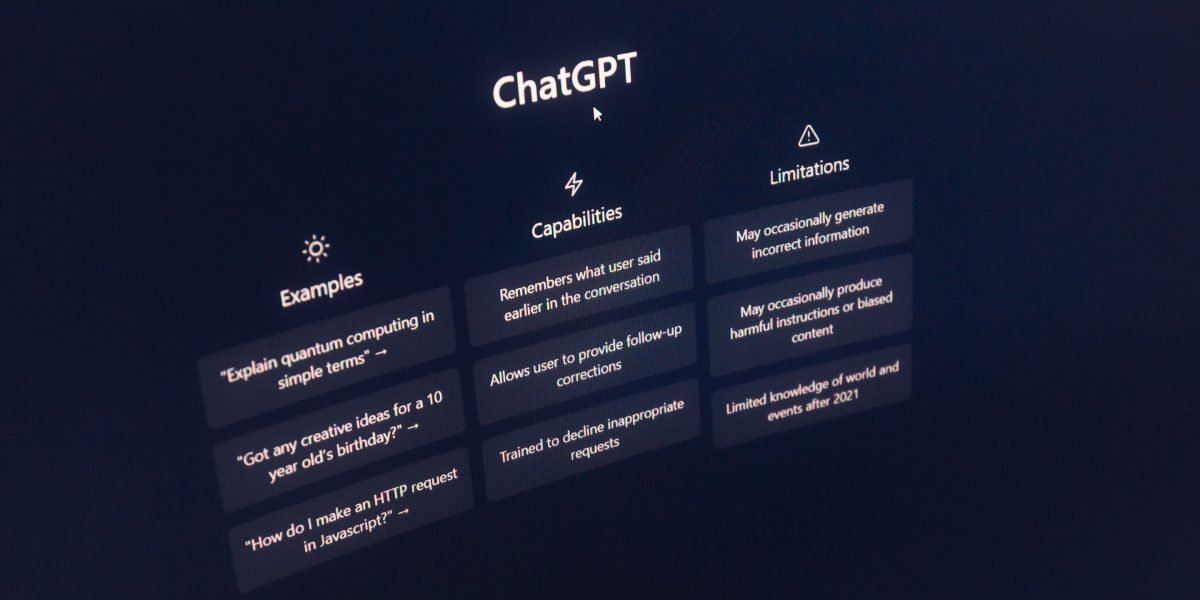
    • Time saved: Did AI tools help you complete tasks faster? For instance, if writing an ad campaign used to take 5 hours and now it takes 1 hour with AI, that’s a big time saving.
    • Better performance: Are your marketing campaigns doing better? Look at things like:
      • More people opening your emails.
      • More clicks on your ads.
      • More people buying your products or services.
      • Lower costs for each new customer.
    • Cost savings: Did AI help you spend less money in other areas? Maybe you didn’t need to hire an extra person for a task, or you reduced spending on certain tools.
    • Quality improvement: Is the content or analysis you create with AI better than before? This can be harder to measure but is still important.

    You can compare these numbers from before you used AI to after you started your pilot. This helps you clearly see the improvements. Tools like an AI ROI Calculator: Build the Business Case for AI Training can help you put all these numbers together. Knowing how to get real ROI from AI marketing cloud in 2026 is a key skill to develop.

    When you show these clear results, it helps your team and leaders understand the value of investing in training and using new AI tools. It’s how you prove that your digital marketing course was a good investment and that you can make good choices about how to choose AI for business tools that deliver real results in 2026. This is also important for any ai development company looking to show the impact of their new products. By carefully tracking and showing your results, you can build a strong case for expanding your use of artificial intelligence applications in marketing.

    After seeing how a pilot project can bring good results, the next big step is to bring these new AI skills and tools into your everyday work. This means making sure your team and your existing tools all work together with what you learned in your digital marketing course. It’s about smart implementation.

    6) Implementation tips: integrating course learnings with existing tools and teams

    Bringing new ideas and tools, especially advanced artificial intelligence applications, into a company can feel like a big puzzle.

    A leader facilitating a team discussion to integrate new learnings and tools effectively.

    But with a good plan, you can make it smooth for everyone. Your goal is to make sure the valuable lessons from your digital marketing course help your whole team do better work.

    Helping your team learn the new ways

    The first step is to help everyone on your team understand and use the new AI tools. This is often called "onboarding."

    • Share what you learned: Talk to your team about the exciting things you found in your digital marketing course. Show them the successes from your pilot project.
    • Offer simple training: Not everyone needs to become an AI expert. Teach them how to use the specific AI tools that will help them with their daily tasks. You can even create short, custom learning guides, as some companies do when Transforming Corporate Training with Personalized Learning.
    • Show how it helps them: Explain how these new tools will make their jobs easier, faster, or more fun. Maybe an AI writing tool can help create social media posts much quicker, as taught in many current digital marketing course curriculums that include Digital Marketing with AI.
    • Encourage trying things out: Let your team play with the new tools on small, safe tasks. This helps them get comfortable without fear of making big mistakes. Learning in a group, also known as cohort-based learning, can lead to better skill use, as highlighted in "Cohort vs. Self-Paced Learning: Key Differences in 2026."

    Fitting new AI tools with your existing tools

    Your company already uses many digital marketing tools, like email programs or ad platforms. This collection of tools is sometimes called your "martech stack." The trick is to make sure new artificial intelligence applications fit right in.

    • Check for connections: Can your new AI tools talk to your old tools? For example, can an AI tool that helps write emails send its ideas directly to your email marketing program? A good digital marketing course will often cover different Digital Marketing with AI Curriculum & Syllabus that include working with a variety of platforms.
    • Start small: Just like your pilot project, begin by connecting one new AI tool to one existing tool. See how it works before trying to connect everything at once.
    • Look for solutions that grow: As your company grows, you’ll want tools that can grow with you. Learning about tools that offer seamless integration will ensure your ai product development is future-ready. It’s smart to look into how to choose AI-ready business computers in 2026 to support these new applications.
    • Keep things tidy: Make sure you know which tools do what. Don’t add a new tool if an old one can do the same job just as well, unless the AI adds a clear benefit.

    Making change easy and getting early wins

    People don’t always like change, even if it’s for the better. This is where "change management" comes in.

    • Talk openly: Let everyone share their worries or ideas. Listen to them and try to make things better based on what they say.
    • Celebrate small successes: When someone uses a new AI tool to save time or get a great result, share that success with the whole team. This helps everyone see the good things that come from using the new methods.
    • Leaders should lead by example: If managers and leaders use the new tools and show excitement, others will be more likely to follow. This creates a positive mood around new technology.
    • Learn and adjust: Not everything will work perfectly the first time. Be ready to change your plan based on what you learn. An effective ai development company knows this well when bringing new products to market.

    By following these tips, you can smoothly bring the powerful lessons from your digital marketing course into your business, helping your team and company thrive with artificial intelligence applications.

    Want to stay ahead in the fast-changing world of AI and technology? Get clear daily AI updates.
    The AI Newsletter Worth Reading

    Summary

    This article explains why AI skills are essential for digital marketers in 2026 and how to pick the right digital marketing course to build those skills. It covers the business case for AI—how it improves targeting, personalization, and efficiency—and why talent capability, not just tools, drives real adoption. You’ll learn what a strong AI-focused course should teach (hands-on tool use, campaign planning, and measurement), how to evaluate instructors and course projects, and which course formats fit different schedules and budgets. The guide also gives a practical checklist to vet courses, shows how to run a small pilot to prove ROI, and offers implementation tips to integrate new tools with existing teams and martech stacks. By following these steps you can choose training that delivers measurable results and scale AI across your marketing operations.

  • Unlock AI Power with the Best All In One PC for AI in 2026

    Unlock AI Power with the Best All In One PC for AI in 2026

    Choosing a new computer can feel like a big puzzle. With so many options, how do you know if an all-in-one (AIO) PC is the right choice for you in 2026?

    A person contemplating various technology options, symbolizing the challenge of choosing a new computer.

    These computers are super popular because they look clean and save space. Everything you need, like the screen and computer parts, is all in one neat package. This makes them a great pick for daily work, keeping your desk tidy, and even some fun creative tasks.

    But when it comes to bigger jobs, like using smart AI programs or playing intense video games, you might wonder if a sleek AIO can keep up. Desktops often have more power and are easier to change or upgrade later. Laptops give you the freedom to work from anywhere. So, what about the "best all in one pc"? Can it truly handle the demanding world of AI, or is it better for just everyday tasks?

    Many people get confused by all the tech words and numbers. It’s hard to tell if you’re spending your money wisely, and you might worry about not being able to make your computer better down the road. For example, powerful computer parts that AI needs can get very hot. Regular desktop PCs or a custom built PC can have big fans or water coolers to keep things running smoothly. For parts that use a lot of power, like modern CPUs, an all-in-one water cooler is often needed to keep them stable. This can be tricky in the smaller space of an AIO computer compared to a traditional tower AIO Water Cooler Guide: How to Choose the Right One in….

    This guide is here to help you understand all of this. We will break down the good and bad parts of AIO PCs. We’ll compare them to regular desktops and laptops, especially for using AI tools and getting things done every day. By the end, you’ll have a clear plan to pick the perfect computer for your needs, without all the stress. Learning how to pick computers that are ready for AI can make a big difference for your work How to Choose AI-Ready Business Computers in 2026.

    Want to stay sharp on the latest AI trends and tools?
    The AI Newsletter Worth Reading and get clear daily AI updates from The Deep View Newsletter.

    When we talk about picking a computer for AI tasks, it’s important to know how all-in-one (AIO) PCs are different from regular desktops and laptops. These differences really matter for how well your computer can handle tough AI work.

    Visualizing the inherent limitations of all-in-one PCs when handling demanding AI workloads compared to traditional desktops.

    Compact Design Limits Power

    The biggest difference for an AIO computer is its compact size. Everything, like the screen and all the computer parts, is packed into one slim box. This looks great and saves space, but it also means there isn’t much room for big, powerful parts or for them to stay cool.

    • Heat Management: Powerful computer parts, like those needed for AI, get very hot. Regular desktop PCs often have large cases with lots of fans, or even water cooling systems, to keep things from overheating. But an AIO has much less space. This can stop its powerful parts from running at their best for a long time, because they have to slow down to prevent damage from heat. Experts say that how well a computer handles heat is key for steady AI performance Guides & Resources | ABS AI Workstations.
    • Power Supply: AIOs also have smaller power supplies. This limits how much electricity can go to the main parts, which can affect overall speed, especially during intense tasks.

    AI Tasks: What AIOs Can Handle

    AI tasks come in different types. Some are light and easy, while others need a lot of computer muscle.

    • AI Inference (Lighter Tasks): This is when an AI model is already trained and you’re just using it to do things like recognizing faces in photos, suggesting words as you type, or helping with simple chatbots. Many modern AIO PCs, especially those with good processors, can handle these lighter AI tasks well. You can even check how well a computer performs with AI using tools like Geekbench AI.
    • AI Training (Heavier Tasks): This is when you are "teaching" an AI model, which needs a lot of processing power for long periods. This includes things like creating new AI models, making very complex images, or running big language models. For these jobs, a desktop computer or a specialized workstation is usually a much better fit. They have dedicated graphics cards and more robust cooling that can handle the work without slowing down. Benchmarks like Intel Delivers Open, Scalable AI Performance in MLPerf show the kind of power needed for serious AI workloads. For training new models, dedicated systems can dramatically reduce the time it takes MLPerf AI Benchmarks.

    So, while a good all-in-one PC might be the best all in one pc for everyday use and light AI, if you need to do heavy AI training or complex data work, a custom built PC or a powerful prebuilt gaming PC will give you the sustained power and cooling you need.

    A team actively discussing and working together on a complex project, illustrating the demanding nature of some AI tasks.

    They also make it easier to upgrade parts later. To learn more about setting up a computer for these bigger tasks, you can check out how to build and optimize your AI workstation for peak performance.

    When picking any computer for AI work, even the best all in one pc, you need to look closely at its inner parts. These are called hardware specs, and they tell you how powerful a computer truly is. Knowing about the CPU, GPU, memory, storage, and ports will help you pick a machine that can handle your AI tasks, whether they are light or need more muscle.

    Key Hardware Specs to Evaluate: CPU, GPU, Memory, Storage, and Ports

    Think of your computer as a team of workers. Each part has a special job for AI.

    The Brain: CPU (Central Processing Unit)

    The CPU is like the main brain of your computer. It handles most general tasks and is good for many AI jobs, especially for things like "inference." This means when an AI already knows what to do and just needs to give an answer, like telling you the weather. A good CPU can also help with encoding, which is like turning a big video file into a smaller one. For a best all in one pc, a newer, faster CPU will make a big difference for everyday speed and light AI work.

    The Artist: GPU (Graphics Processing Unit)

    If the CPU is the brain, the GPU is like a super-fast artist with many hands. It’s really good at doing many math problems at the same time, which is exactly what AI training needs. Even for lighter AI model training or making complex images, a strong GPU is key.

    Many regular computers, especially AIOs, have "integrated" GPUs that are built into the CPU and are not very powerful. For any serious AI, you need a "dedicated" GPU. This is a separate, more powerful card, usually found in a custom built pc or a buy prebuilt gaming pc. These dedicated GPUs greatly speed up tasks like creating new AI models or handling very big data. They are crucial for tasks where many calculations happen at once, as shown by AI Inference Performance Benchmarks.

    The Workspace: Memory (RAM)

    Memory, or RAM, is like your computer’s desk space. When you’re working on AI tasks, the computer needs to hold a lot of information ready to use quickly. The more RAM you have, the bigger your "desk" is, and the more things your computer can work on at once without slowing down. For AI, having at least 16GB of RAM is good, but 32GB or more is better for bigger projects.

    The Filing Cabinet: Storage

    Storage is where your computer keeps all its files, programs, and AI models. There are two main types:

    • HDD (Hard Disk Drive): This is an older, slower type of storage, like a big, traditional filing cabinet. It’s cheaper but takes longer to open files.
    • SSD (Solid State Drive): This is much faster, like a modern, digital filing cabinet. For AI, an SSD is a must-have. It helps load AI models quickly and speeds up your entire workflow. Look for NVMe SSDs, which are even faster. If you’re looking for a best all in one pc that performs well, ensure it has an SSD.

    The Connectors: Ports and Expansion

    Ports are the holes on your computer where you plug in other devices, like external hard drives, monitors, or even extra graphics cards. Good ports give you more flexibility:

    • USB ports: Common for many devices. Look for USB-C or USB 3.0 for faster speeds.
    • Thunderbolt ports: These are super-fast ports, often found on premium AIOs. They let you connect powerful external devices, including external GPUs, which can add a lot of AI power to a computer that doesn’t have a strong internal GPU.
    • M.2 slots: These are inside the computer and let you add more fast SSD storage later.

    Understanding these parts helps you choose a computer that fits your AI needs. Whether you’re eyeing a costco prebuilt gaming pc for its strong GPU or trying to get the most out of the best all in one pc for light tasks, these specs are what matter most.

    Stay ahead with daily insights into the world of AI. Get clear, useful updates delivered to your inbox.
    The AI Newsletter Worth Reading

    Now, let’s look at how different people use AI and what kind of computer is best for them. The right computer for you depends on what AI jobs you want it to do.

    Illustrating recommended all-in-one PC configurations tailored for specific AI-related professional use cases.

    Match AIO configurations to common use cases (marketing, content creation, light ML)

    Choosing the best all in one pc for AI work means thinking about your daily tasks. Are you mostly checking emails and doing light writing, or are you creating lots of videos and training AI models? Your job changes what computer parts are most important.

    For Marketing Managers and Consultants: Light AI Work

    If you’re a marketing manager or a consultant, your AI tasks might involve getting new content ideas, checking social media trends, or doing quick data reviews. These are often called "light AI inference" tasks. For these, a good CPU is important because it handles many smaller, quick calculations. You’ll want:

    • A strong, newer CPU (like an Intel Core i5 or AMD Ryzen 5 or better from 2026).
    • At least 16GB of RAM.
    • A fast SSD, preferably an NVMe type, so your AI apps open quickly.
    • An integrated GPU might be fine, but a low-end dedicated GPU would be a nice bonus for slightly heavier tasks.

    An all-in-one PC with these specs will run your AI-powered marketing tools smoothly.

    For Content Creators: Video, Image, and 3D AI

    Content creators, like those making videos, images, or 3D models with AI, need more power.

    A content creator focused on their work, possibly engaging in graphic design or video editing, reflecting AI-powered creative tasks.

    When you use AI to create art or edit videos, your computer has to do many complex calculations at once. This kind of work needs a powerful "artist," which is the GPU.

    • A very strong dedicated GPU is key. This is where a custom built pc or even a buy prebuilt gaming pc might be a better choice than a typical all-in-one. However, some high-end all-in-ones now offer dedicated GPUs that can handle these tasks.
    • You’ll need at least 32GB of RAM, but 64GB or more is better for heavy video editing or generating many high-res images.
    • A fast CPU (Intel Core i7/i9 or AMD Ryzen 7/9) and a large NVMe SSD for quick access to big files.
    • For these tasks, the GPU performs most of the heavy lifting. Actually, the GPU is the most important part for AI training and making predictions because it does most of the hard math quickly What Hardware Stack (GPU, CPU, Memory, Storage) Delivers….

    If an all-in-one is your choice, make sure it boasts a strong dedicated GPU to support these creative workflows. You can also explore how to Build and Optimize Your AI Workstation for Peak Performance 2026 for more insights.

    For Small Business Founders: General AI and Operations

    Small business founders often use AI for many different things. This could be for running a customer service chatbot (AI inference), helping with basic accounting, or checking sales data. Their needs are usually a mix.

    • A good balance of CPU and GPU power is smart. A mid-range dedicated GPU (not just integrated) will offer a lot of help for mixed AI tasks.
    • 16GB to 32GB of RAM will keep many programs running at once.
    • A fast NVMe SSD for the main drive, with a larger, cheaper HDD for storing old files.
    • For these varied tasks, a balanced system ensures you don’t hit slowdowns whether you’re working on AI or regular business documents. For certain business applications, a CPU is actually preferred over a GPU, like for data organizing or basic AI systems GPU vs CPU: Choosing the Right Compute for AI Workloads.

    No matter your role, knowing your main AI tasks will guide you to the best all in one pc or other computer type. Thinking about what your computer will mostly do helps you pick the right power balance and ensures you don’t overspend or underspend on key parts.

    Finding the right computer for AI work isn’t just about looking at specs. It’s also about seeing how well those parts work together. This means checking benchmarks. Benchmarks are like report cards for computers. They show how fast and strong a computer is at different tasks. For an all-in-one PC, these tests are especially helpful to make sure you get the best all in one pc for your needs.

    Benchmarks and a practical testing methodology you can run (or look for in reviews)

    When you’re trying to figure out which all-in-one computer is best for AI, you want to know how it handles real work. You can look at two types of tests: synthetic benchmarks and real-world tasks.

    Synthetic AI Benchmarks: Computer Speed Tests

    Synthetic benchmarks are special programs that put your computer parts under stress. They run tests that show the raw power of your CPU and GPU for AI tasks. Think of them as lab tests for your computer.

    These tests help compare different models side-by-side.

    Real-World AI Tests: What it’s like to actually use it

    While synthetic tests give numbers, real-world tests show how a computer acts when you’re actually working. This is where you see if a computer feels fast or slow in your daily tasks.

    • Image/Video Export Times: If you create content, you’ll want to see how fast the computer exports a video made with AI or generates high-quality images. Faster times mean less waiting.
    • Multitasking with AI Apps: Can your all-in-one PC run a video editor, an AI writing tool, and a web browser all at once without slowing down? This shows how good it is at handling many jobs.
    • AI Inference Speed: For tasks like quickly getting content ideas or using an AI chatbot, you want instant responses. Good "inference throughput" means the AI works smoothly and doesn’t make you wait. You might look at how many "tokens/sec" an AI can process, especially for large language models AI Inference Performance Benchmarks – NVIDIA Developer.

    A Simple Testing Checklist for Buyers

    When you are looking to buy the best all in one pc, here’s a short checklist to help you test it or look for in reviews:

    A straightforward checklist for evaluating all-in-one PCs, focusing on benchmarks, real-world performance, and practical considerations.

    • Check Benchmark Scores: Look for scores from Geekbench AI or MLPerf. Higher numbers are usually better.
    • Look for Real-World Task Times: If a review mentions how long it took to export a video or generate AI images, compare those times.
    • See How Many Apps It Handles: Does the review mention running multiple demanding programs at once?
    • Consider Heat and Noise: A powerful computer can get hot and loud. Good reviews will mention if the PC stays cool and quiet, even when working hard Five Best All In One Computers: Efficiency-Tested (2026).

    By checking these things, you can feel more sure about picking an all-in-one computer that really fits your AI needs in 2026.

    Ready to dive deeper into the world of AI tools and how they can boost your business? Get clear daily AI updates from The Deep View Newsletter.

    After looking at how well computers perform with benchmarks, it’s time to talk about how much they cost. Finding the best all in one PC also means picking one that fits your wallet. Computers that handle AI work come in different price ranges, and each has its own good points and things you might have to give up. Let’s look at value, midrange, and high-end all-in-one PCs for AI in 2026.

    Buying guide by budget tiers: value, midrange, and high-end AIOs

    When you want to buy an all-in-one PC for AI, your budget plays a big role. It helps you decide what kind of power you can get. No matter your budget, you can find a good option, but you’ll need to know what to expect.

    Value All-in-One PCs: For Beginners and Light Tasks

    These are the most wallet-friendly choices for an all-in-one computer. They are great if you’re just starting with AI or mostly use AI tools for simple, everyday tasks like writing emails or making small images.

    • What to Expect: You’ll usually find a decent main processor (CPU) and a basic graphics chip that’s built right into the CPU. This is called integrated graphics. They often have less memory (RAM), maybe 8GB or 16GB, and storage that’s fast enough but not huge, like a 256GB or 512GB SSD.
    • Who They Are For: Students, home users, or small businesses doing basic tasks. If you just need a computer for everyday use and light AI help, a value AIO could be your best all in one PC. These are also good if you’re looking for something like a "costco prebuilt gaming pc" but for general home and light AI use, rather than heavy gaming.
    • What You Give Up: AI tasks will run slower. You won’t be able to train big AI models or do very complex image or video work. The RAM is often soldered on, meaning you can’t easily add more later. To get the most for your money, focus on getting at least 16GB of RAM, as memory is important even for light AI workloads.

    Midrange All-in-One PCs: A Good Balance of Power and Price

    Midrange all-in-one PCs offer a sweet spot. They give you much more power for AI without costing as much as the top-tier models.

    • What to Expect: These computers often come with a stronger CPU and a separate (dedicated) graphics card (GPU). This GPU is key for faster AI work. You’ll likely get 16GB or 32GB of RAM and a faster, larger SSD, perhaps 1TB. Many of the best all in one computers in 2026 for most users fall into this category, like the Lenovo Yoga AIO 27-inch model.
    • Who They Are For: Content creators, small business owners who use AI for marketing or design, and people who want to explore more complex AI tools. If you’re wondering about a good "custom built pc" feel without the hassle, a midrange AIO offers that.
    • What You Give Up: While they are good for many AI tasks, they still aren’t designed for heavy, professional-level AI training that needs huge amounts of graphics memory (VRAM). You might have to choose between a slightly better CPU or a slightly better GPU, depending on if your AI work leans more on one or the other. For most AI tasks, a strong GPU is more important than the CPU.

    High-End All-in-One PCs: Top Performance for Demanding AI

    These are the most powerful all-in-one computers money can buy in 2026. They are built for serious AI work and professional tasks.

    • What to Expect: You’ll find the fastest CPUs, powerful dedicated GPUs with plenty of VRAM (like 16GB or 24GB), 32GB or even 64GB of fast RAM, and very quick, large storage (2TB or more NVMe SSDs). For example, a budget local AI setup in 2026 might include an RTX 5070 Ti GPU with 16 GB of VRAM and 64 GB of system RAM for under $1,000, while more powerful setups feature RTX 5090 GPUs with 24 GB of VRAM and 64-128 GB of RAM and 4 TB NVMe SSDs AI PC Hardware in 2026.
    • Who They Are For: AI developers, data scientists, professionals in graphic design, video editing, and anyone who needs their computer to run complex AI models or perform heavy computational tasks quickly. The Apple iMac (M4) is a standout in this category, often called the best AIO you can buy.
    • What You Give Up: The main downside is the high price. Also, while powerful, most all-in-one PCs can’t be upgraded easily, especially the GPU and CPU. If you’re building an AI workstation, the GPU is the most important part because it does most of the heavy lifting for AI processing What Hardware Stack Delivers Optimal Performance for AI. You will want to make sure the GPU has enough VRAM (graphics memory) for the AI models you plan to run.

    Choosing the right tier means thinking about what you need to do with AI, how much you want to spend, and what small compromises you are okay with. To get more ideas on building and tuning your AI setup, check out our guide on how to Build and Optimize Your AI Workstation for Peak Performance 2026.

    When picking an all-in-one PC for AI, it’s smart to think about more than just what it can do today. You also want to know how long it will last and if you can make it better later.

    A person thoughtfully reviewing documents or a plan, representing the process of future-proofing and long-term investment.

    This idea is called "future-proofing." It means preparing your computer for new challenges down the road.

    Checking for Upgrades: RAM, Storage, and Graphics

    One of the biggest things to look at is how much you can upgrade your all-in-one PC. Unlike a "custom built pc" where you can swap out almost any part, all-in-one PCs are often harder to change.

    • RAM (Memory): Many modern all-in-one PCs, especially the thinner ones, have RAM that is "soldered" directly onto the main board. This means you can’t add more memory later Should You Buy a Laptop with Soldered RAM in 2026? Pros and Cons. This is a big deal for AI tasks, which often need a lot of RAM. If you get a computer with soldered RAM, the amount you buy is all you’ll ever have. Look for models that use "SO-DIMM" slots, as these let you swap out or add more memory later LPDDR5 Soldered Means No Upgrade; SO-DIMM Means You Can.
    • Storage (SSD): Often, the storage drive (SSD) is easier to upgrade than RAM. You might be able to put in a bigger or faster SSD if you need more space for your AI projects or files. Always check with the maker to be sure.
    • GPU (Graphics Card): For AI, the graphics card is super important. But in most all-in-one PCs, the GPU is built-in and cannot be upgraded. A very few might let you connect an "eGPU" (external graphics processing unit), which is like an extra graphics card in its own box. This can give you more power without buying a whole new computer.

    Knowing these limits helps you decide if a certain all-in-one PC will meet your needs for years to come. For instance, if you’re looking for a "best all in one pc" that can adapt, choosing one with upgradeable RAM and storage is key.

    Warranty, Service, and Long-Term Costs

    Beyond upgrades, think about the computer’s warranty and how easy it is to get fixed.

    • Warranty: A good warranty protects your investment. Since all-in-one PCs are harder to fix yourself, a strong warranty can save you money if something goes wrong. Some companies offer extended warranties or onsite service, which is great for businesses. For businesses buying many computers, a 3-year onsite warranty is a smart choice Business PC Buying Guide 2026: Avoid Bad Laptop & Desktop ….
    • Serviceability: How easy is it to get help? Check what kind of support the computer maker offers. This is part of the "total cost of ownership," which means looking at all the costs over the life of the computer, not just the purchase price. For companies, these details are very important when evaluating PC technology evaluating PC technology for enterprises.

    By thinking about these points, you can pick an all-in-one PC that not only works well now but also stays useful and supported for a long time. This is especially true if you want to grow your business with AI tools. To stay on top of all the latest developments in AI for your business, consider subscribing to our newsletter.

    Get daily insights and stay ahead with The AI Newsletter Worth Reading.

    You’ve learned about features, power, and how long a computer might last. Now, let’s put it all together. To find the best all-in-one PC for your AI work, you need a smart way to compare different models. This helps you create a shortlist of computers that truly fit your needs.

    How to Shortlist Models and a Purchase Checklist

    When looking for the best all-in-one PC for AI, it’s wise to use a simple checklist. This helps you compare different options side by side.

    • Match Your Use Case: First, think about what kind of AI tasks you’ll do. Do you need a lot of power for big data or just enough for everyday AI tools? Knowing this helps you narrow down choices. For more help choosing the right computer, check out our guide on how to choose AI ready business computers in 2026.
    • Check Sustained Performance: AI tasks can run for a long time. You need a computer that won’t slow down when working hard. Look at reviews and benchmarks that show how well a computer performs over time, not just in short bursts. For example, some computers are known for their efficiency under load in 2026, like the Apple iMac (M4) or the Dell XPS 27, which keep their speed well even during heavy use Five Best All In One Computers: Efficiency-Tested (2026). Watching video reviews, like the HP 27” All-in-One AI PC review, can also give you real-world insights. You can also explore how to build and optimize your AI workstation for peak performance 2026.
    • Confirm Upgradeability: Remember what we talked about with RAM and storage. Can you add more later? This is key for future needs.
    • Verify Ports and Display: Make sure the computer has all the right plugs for your mouse, keyboard, and other devices. Also, a good screen is important for AI work, especially if you deal with images or complex data.
    • Validate Warranty and Support: Just like we discussed, a good warranty and easy access to help can save you trouble and money down the road.

    To make a good shortlist, combine all this information. Look at trusted tech sites that review the best all-in-one computer for 2026, like PCMag’s picks for the best all-in-one computers we’ve tested for 2026. They test things like how fast it is and how well it handles different tasks. Read what real users say too, for example, customer reviews for models like the HP All-in-One Desktop Next Gen AI. By doing this, you can pick a strong contender for your AI needs.

    Summary

    This article guides you through deciding whether an all‑in‑one (AIO) PC is the right choice for AI work in 2026 by explaining what AIOs do well and where they fall short. It covers heat and power limits from compact designs, which AI tasks (inference vs training) AIOs can realistically handle, and the hardware specs—CPU, GPU, RAM, storage, and ports—that matter most. You’ll learn how to match configurations to roles like marketing, content creation, and small business operations, plus how to read benchmarks and run simple real‑world tests. The guide also breaks down recommended specs by budget tier (value, midrange, high‑end), explains upgradeability and warranty considerations, and gives a practical shortlist and purchase checklist. After reading, you’ll be able to compare AIO models against desktops and laptops, pick the right specs for your AI workload, and make a confident, cost‑effective buying decision.

  • Choose the Best AI Tech Products for Your Team in 2026

    Choose the Best AI Tech Products for Your Team in 2026

    Using the right tools is super important for any job, and it’s especially true for teams working with Artificial Intelligence, or AI. In 2026, AI is changing how we do business at a very fast pace.

    Leaders strategize to harness AI's rapid advancements for business growth.

    This means that choosing the best tech products for your AI team is not just a small choice. It can make a big difference in how well your projects turn out.

    Think about it: AI professionals need strong computers, smart software, and smooth ways of working together. But sometimes, it feels like there are too many options. It can be hard to know which hardware will make your AI models run fastest, or which software will help your team work best without costing too much. Many companies use AI, but not all of them see a good return on their investment. Actually, a report from Q1 2026 showed that only 8 percent of companies get a clear return on their AI money spent Global AI Pulse Q1 2026. This often happens because they pick the wrong tech products or don’t use them well.

    This guide is here to help you. We will look at the common problems AI teams face when picking their tools. This includes everything from picking the right computers to setting up smart ways to work. We will make it easy to understand, giving you clear steps and tips. Our goal is to help busy team leaders and decision-makers like you make smart choices about your AI tech products. You’ll learn how to pick tools that truly help your team do amazing things. For a deeper dive into making smart choices, learn how to choose AI-ready business computers in 2026.
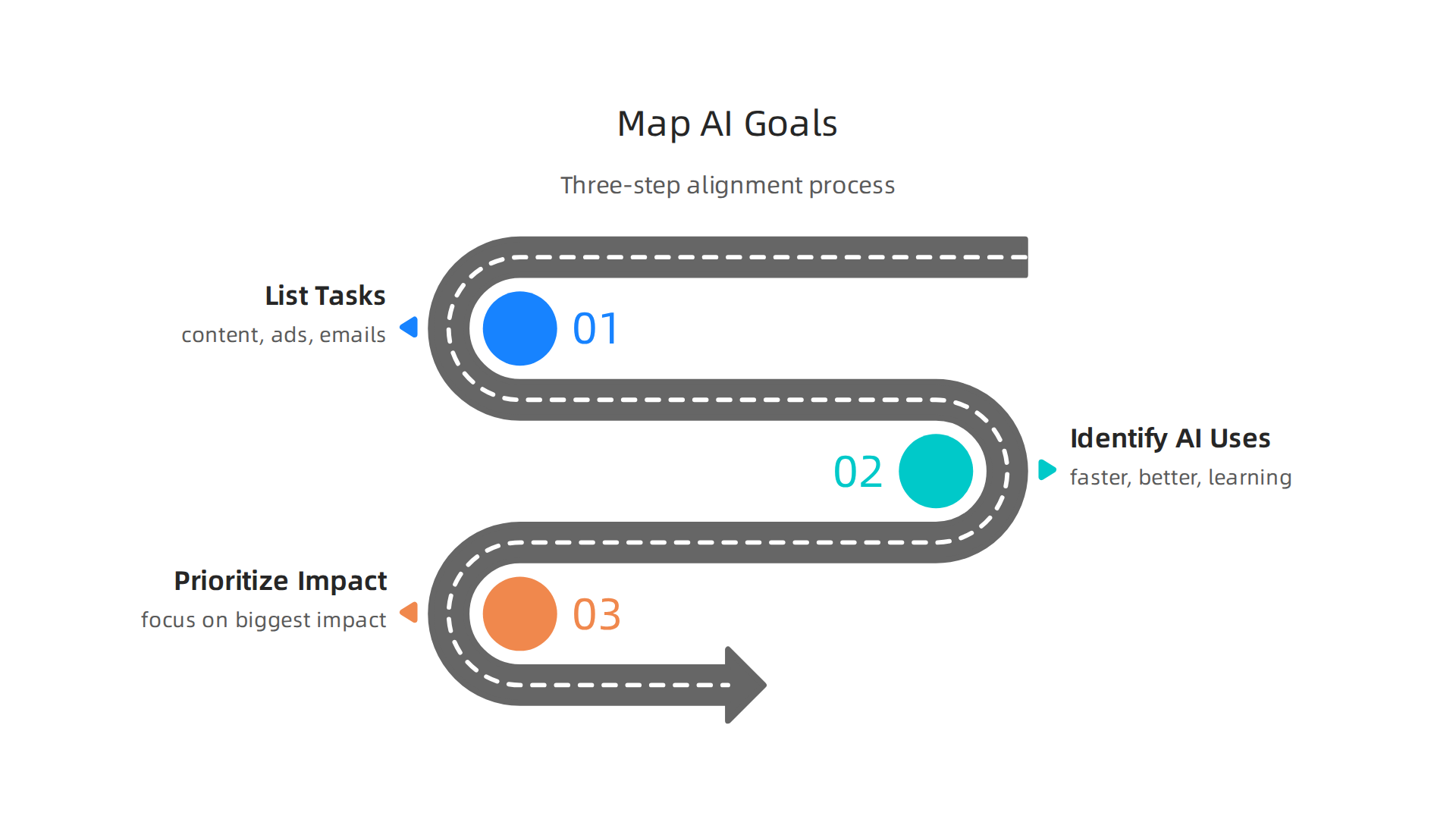
    Stay ahead with the latest insights and trends in AI.
    The AI Newsletter Worth Reading

    Moving from picking the right kind of computers for AI to the actual machines themselves, let’s look closely at the hardware that makes AI work. Picking the right workstation and its main powerhouse, the Graphics Processing Unit (GPU), is a big step.

    A professional carefully considers critical hardware choices for optimal AI performance.

    It’s like choosing the right tools for a builder: a small hammer won’t build a skyscraper.

    1) Workstations & GPUs: what to buy and when

    When it comes to the actual computers, AI teams need different kinds of tech products for different jobs.

    Different AI tasks require specific workstation types, from portable developer laptops to powerful rack servers.

    • Developer Laptops: These are good for people who are just starting out, or for lighter AI tasks like trying out small models or writing code. A strong laptop, like a good picking the best Macbooks for AI for your 2026 projects or a thinkpad for programming, lets developers work from almost anywhere. They are easy to carry and powerful enough for many daily tasks.
    • Desktop Workstations: These are more powerful. They can hold bigger and better GPUs and have more memory. Desktop workstations are great for training medium-sized AI models or for when a team member needs a lot of local computing power. If you are looking to build one, you might wonder about the best place to buy pc parts. For those who prefer a ready-to-go option, looking for a best buy prebuilt gaming pc can sometimes lead to good deals on powerful machines that can be used for AI. You can also learn how to build and optimize your AI workstation for peak performance 2026.
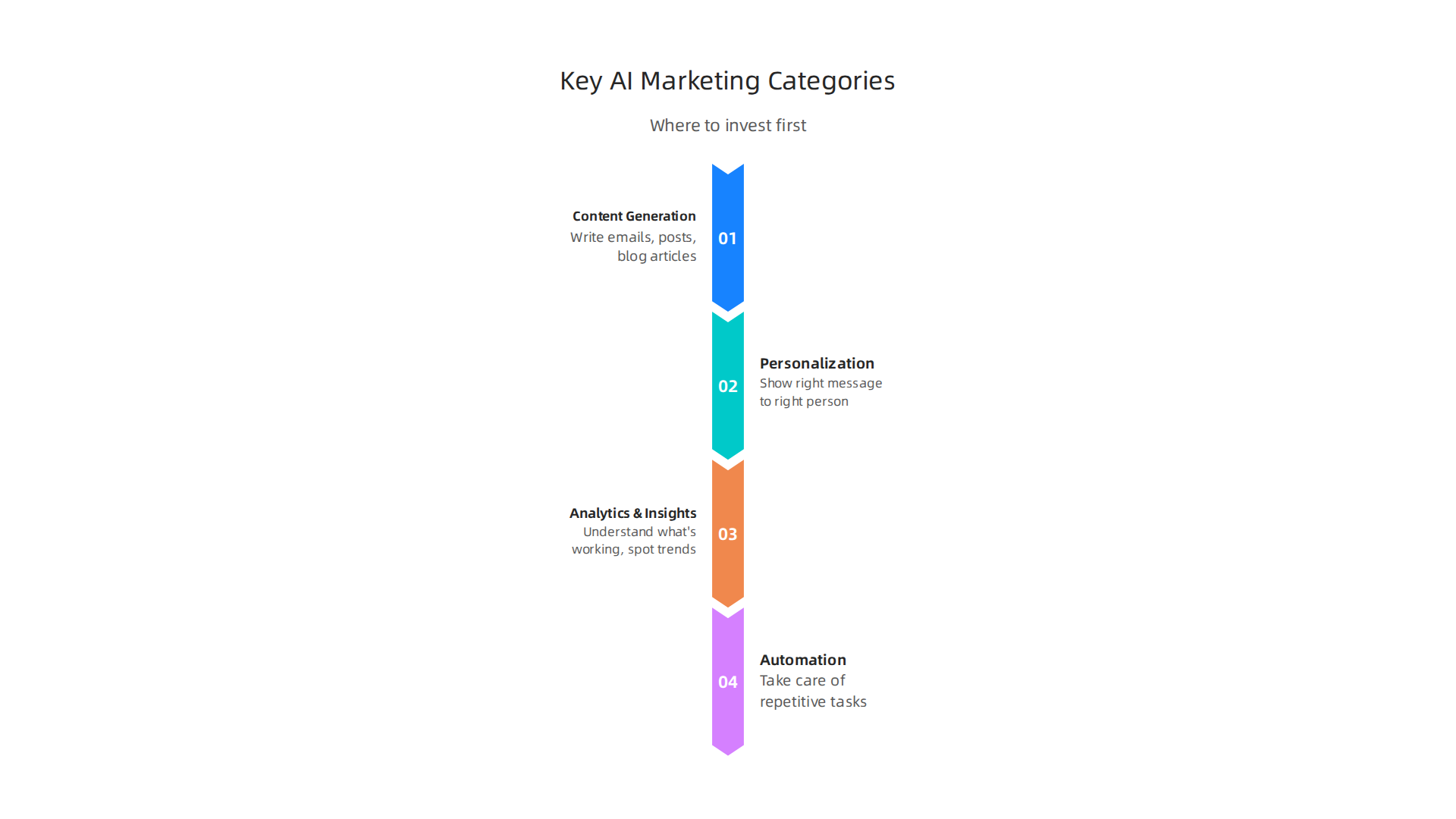
    • Rack Servers: These are the big guns. They are kept in special data centers and can hold many powerful GPUs. Rack servers are used for training very large AI models that need huge amounts of data and processing power, or for running many AI tasks at once. These are for serious, large-scale AI operations.


    Understanding GPUs: The Brains of AI Computing

    The GPU is the most important part of any AI workstation. It’s what actually does the heavy lifting for AI tasks. When choosing a GPU, here are the key things to think about:

    • Memory (VRAM): This is super important. More VRAM means you can work with bigger AI models and larger amounts of data at one time. For example, a GPU with 80 GB of memory can help you train models with around 13-15 billion data points, and even larger ones for just running them Best GPU for Data Science Workstations in 2026. Some newer GPUs in 2026 offer even more, like 192 GB of VRAM for the biggest tasks Best GPU for AI Inference in 2026: Benchmarks, Pricing, and ….
    • Compute Type: This refers to how fast the GPU can do math. You might hear terms like "FLOPS" (Floating Point Operations Per Second) or "Tensor Cores." Tensor Cores are special parts of NVIDIA GPUs that are really good at the kind of math AI needs, speeding up many common AI tasks Accelerating ML Workloads using GPU Tensor Cores. Different GPUs perform differently across various AI workloads, and benchmarks help compare them AI GPU Benchmarks 2026: H100 vs H200 vs B200 vs RTX ….
    • Power Budgets: Powerful GPUs use a lot of electricity and create a lot of heat. You need to make sure your workstation has enough power and good cooling to handle them. This is especially true for compact gaming pc setups, where space for cooling is limited.
    • PCIe vs. NVLink: These are ways GPUs connect to the computer’s main board or to each other.
      • PCIe (Peripheral Component Interconnect Express) is the standard way. It works well for one or two GPUs.
      • NVLink is a faster connection method, mainly used by NVIDIA GPUs. It lets multiple GPUs talk to each other much quicker. This is vital when you have many GPUs working together on a single, huge AI model, as it helps them share information faster.

    Choosing the right tech products for your AI hardware means thinking about what your team will actually be doing. Will they be training huge models daily, or mostly experimenting with smaller ones? Matching the right workstation and GPU to the task will save you time, money, and headaches.

    Choosing where your AI tech products and workloads live is just as important as picking the right machines. You have two main choices: using cloud services or keeping everything on your own computers, also known as "on-premise." Each option has its own upsides and downsides when we look at costs, how fast things work, and rules about data.

    2) Cloud vs. on-premise: cost, latency, and compliance trade-offs

    Let’s break down the main differences between using the cloud and keeping things on-premise for your AI tasks in 2026.

    A comparison of cloud and on-premise solutions for AI workloads, detailing costs, latency, and compliance factors.

    Understanding the Costs

    • Cloud Costs: Cloud services, like those from big companies, let you rent computing power. You pay for what you use. This can be great for trying new things or for tasks that don’t happen all the time. It avoids a big upfront cost. However, if you’re constantly running large AI models, the costs can add up quickly over time. Sometimes, yearly cloud costs can even be more than running your own setup, especially for heavy AI inference tasks. You can use tools to compare the total cost over time for cloud versus on-premise AI systems in 2026 to get a clearer picture AI Inference Cost 2026: CapEx vs OpEx, Edge vs Cloud + ….
    • On-Premise Costs: Buying your own servers and GPUs means a large cost at the start. You also need to pay for power, cooling, and people to manage the systems. But for companies that run AI tasks all the time, owning your tech products can be cheaper in the long run. For example, setting up a cluster of NVIDIA H100 GPUs for a large language model could cost around $200,000, plus about $30,000 a year for power and cooling, but these costs are spread out over several years LLM Inference Cost Calculator — Cloud vs. On … – Taction Software.

    Latency: How Fast Is It?

    Latency is how long it takes for a system to respond.

    • On-Premise: When your AI hardware is right in your office, the data doesn’t have far to travel. This means very low latency, which is super important for AI applications that need to react instantly, like self-driving cars or real-time factory controls.
    • Cloud: Data has to travel to and from the cloud data centers. This can add a small delay. For many tasks, this delay is not a big deal, but for those needing instant answers, it can be a problem.

    Rules and Privacy: Compliance and Data Residency

    This is often the biggest reason why companies choose on-premise or a mix of both.

    • Data Residency: This means where your data is actually stored. Many laws, especially for healthcare, finance, or government, require data to stay within a certain country or region. For AI, this includes all the data used to train models, the models themselves, and any results AI Data Residency Requirements by Region: The Complete ….
    • Data Sovereignty: This is about whose laws apply to your data. If your data must obey the laws of a specific country, having your own servers there ensures this.
    • Compliance: Following these rules is a must. If your business handles sensitive information, or operates in a regulated industry, you might be required to keep your AI workloads on-premise or use a hybrid setup where sensitive data stays local Hybrid LLM deployments, when to keep workloads on-prem.

    For businesses that need full control over their data’s location and legal framework, an on-premise or hybrid approach is often the only way to meet strict compliance rules. This helps avoid problems with things like GDPR in Europe, where rules about data are very strict On-Premise RAG: Deployment Guide for Regulated Sectors – edtek.ai.

    Hybrid Setups: The Best of Both Worlds

    Many companies use a hybrid setup. They use the cloud for tasks that are not sensitive or need a lot of flexible power. They keep sensitive data and critical AI processes on their own servers to meet rules and ensure low latency. This allows them to use the advantages of both cloud and on-premise solutions. To make smart choices for your business, it’s helpful to understand how to choose AI ready business computers in 2026 that can fit into either setup.

    Staying informed about these choices is key to making the best decisions for your business.

    Want to keep up with the newest trends and insights in AI and technology? Get clear daily AI updates from The AI Newsletter Worth Reading.

    After figuring out where your AI workloads will run, the next big step is choosing the right software tools. These developer tools are like the workbench and toolkit for creating, managing, and improving your AI models. Picking the right ones is just as important as selecting the powerful hardware or cloud services we talked about earlier.

    3) Developer tools: IDEs, model ops, and experiment tracking

    To build successful AI tech products in 2026, you need a set of smart software tools. These tools help developers at every stage, from the first idea to a working AI system.

    Essential Software Categories for AI Development

    Here are the main types of software tools every AI team needs:

    Key software categories that empower AI teams through the entire model development lifecycle.

    • Model Training Frameworks: These are the foundational tools for building AI models. Think of them as the programming languages specifically designed for AI. Popular examples include TensorFlow and PyTorch, which help developers write the code that teaches AI models.
    • MLOps Platforms: MLOps, or Machine Learning Operations, is all about making the process of creating and deploying AI models smooth and reliable. It helps teams manage the entire lifecycle of an AI model, from training to testing and putting it into action. MLOps helps companies get their AI models into production in days instead of months by automating many steps, as highlighted in the 2026 MLOps learning roadmap MLOps Learning Road: Step by Step Guide (2026).
    • Experiment Trackers: When you’re building an AI model, you often try many different settings and approaches. Experiment trackers keep a detailed record of each attempt. They log things like the settings you used, the data that went into the model, and how well the model performed. This way, you can easily compare results and know which changes worked best. Tools like MLflow are widely used for this, with a survey showing it dominates the experiment tracking space in 2026 Machine Learning & MLOps – Survey Results 2025–2026.
    • Version Control: Just like software developers use version control for code, AI teams use it for their code, data, and even the AI models themselves. This ensures everyone on the team is working with the latest versions and can easily go back to an older version if needed.

    Choosing the Right Tools for Your Team

    When picking these tech products, think about:

    • Team Size: For smaller teams, simpler tools might work fine. Larger teams often need more robust MLOps platforms that allow many people to work together efficiently.
    • Deployment Targets: Where will your AI models run? Some tools are better suited for cloud deployments, while others work well for on-premise systems or even smaller edge devices.
    • Integration Needs: How well do these tools work with your existing systems and other software? You want tools that play nicely together to avoid headaches.

    No matter the scale of your AI ambitions, from personal projects on a powerful computer to enterprise-wide deployments, choosing the right software can make all the difference. To ensure your hardware keeps up, learn how to build and optimize your AI workstation for peak performance in 2026. Making informed choices about these crucial tools helps your business reach its AI goals. If you’re looking for guidance on broad AI adoption, discover how to choose AI for business tools that deliver real results in 2026.

    Choosing the right software for building AI models is just one piece of the puzzle. You also need to make sure your AI has good data to learn from. This means having the right tools to bring in, clean, and prepare all that information. Without good data, even the best AI tech products won’t work well.

    Team members collaborate to ensure high-quality data powers AI models effectively.

    4) Data pipelines, labeling, and synthetic data tools

    Think of data as the food for your AI. Just like you need to prepare good food for yourself, AI needs well-prepared data. This is where data pipeline, labeling, and synthetic data tools come in. They help you get, clean, and make sense of all the information your AI needs.

    Tools for Managing AI Data

    Here are the main types of tools that help with AI data:

    • Data Ingestion Tools: These tools are like smart funnels. They help you collect data from many different places. This could be information from websites, sensors, apps, or even old files. These tools make sure the data flows smoothly into where your AI can use it.
    • Data Labeling and Annotation Tools: AI models learn by looking at examples. For instance, to teach an AI to spot cats in pictures, you need to show it many pictures of cats and label them as "cat." These tools let people draw boxes around objects, tag words, or mark sounds in the data. This "labeling" helps the AI understand what it’s looking at. It’s a key part of making useful AI tech products.
    • Synthetic Data Generation Tools: Sometimes, you might not have enough real data. Maybe the data is private, or a certain event happens very rarely. Synthetic data tools can create new, artificial data that looks and acts like real data. This fake data can be used to train AI models without using sensitive real-world information. This is a big help for privacy and for making AI smarter faster.

    Why Data Quality Matters So Much

    The quality of your data directly impacts how well your AI models perform. If your data is messy, incomplete, or wrongly labeled, your AI will learn bad habits. This can lead to wrong answers or even dangerous mistakes.

    High-quality data, on the other hand, helps AI models learn faster and be more accurate. This means you get results from your AI projects much quicker, boosting your business value. Actually, good data reduces the time it takes for your AI investments to start paying off.

    Also, in 2026, where your data is stored and how it’s handled is super important due to rules and laws. This is called "data residency" and "data sovereignty." Some rules say your data must stay in a certain country or region. Choosing the right tools can help you follow these rules. For example, AI data residency refers to where AI-related data, like training data and model outputs, is stored and processed physically, and these requirements vary by region AI Data Residency Requirements by Region: The Complete …. It’s vital for businesses to understand where their data sits to meet regulatory demands Data Residency for AI Workloads: Enterprise Cloud Guide. For more on keeping up with these important rules, learn about Mastering the AI Future Standard 2026: Your Guide to Compliance and Growth.

    To stay ahead in the fast-changing world of AI, keeping up with the latest insights is key.

    Get clear daily AI updates from The AI Newsletter Worth Reading.

    After making sure your AI has good data, the next step is getting those AI models to work fast and well. This is where cloud services and managed Machine Learning (ML) platforms come in handy. These are special online services that help you build, run, and watch your AI models without having to set up all the complicated computer systems yourself. They are a big part of modern tech products for AI.

    When to Choose Cloud Services Over Building Your Own

    Imagine you want to build a house. You could buy all the tools and materials, learn how to build, and do it all yourself. Or, you could hire a construction company that already has everything ready.

    • Building Your Own (In-House): This means you buy all the computer parts, like servers and special graphics cards (GPUs), and hire experts to set them up and keep them running. This can be cheaper in the very long run if you use them all the time and have a lot of specific needs. For example, if you need a thinkpad for programming or are building a compact gaming pc for AI work, you might consider buying individual pc parts. However, it takes more time and skilled people.
    • Using Cloud Services (Managed Platforms): These are like renting that construction company. You pay a service like Google, Amazon, or Microsoft to use their powerful computers and special software tools. This often means you can get your AI projects working much, much faster. It’s often the way to go for many businesses in 2026. While on-premise solutions are required for certain strict data rules, for many others, cloud options can be more flexible and cost-effective, balancing immediate needs with long-term expenses AI Inference Cost 2026: CapEx vs OpEx, Edge vs Cloud + …. You can compare the costs of cloud-based versus on-premise AI solutions using tools like an LLM Inference Cost Calculator.

    Choosing managed platforms can help you launch your AI tech products much quicker. This is known as speeding up your "time-to-market."

    Key Features of Managed ML Platforms

    Managed ML platforms offer some really helpful features that make building and running AI models easier:

    • Autoscaling: Imagine your AI tool suddenly becomes very popular. Autoscaling means the platform automatically adds more computer power when many people are using your AI. When fewer people are using it, it scales back down. This saves you money and makes sure your AI always runs smoothly, no matter how busy it gets.
    • Model Monitoring: Once your AI model is working, you need to make sure it keeps doing a good job. Model monitoring tools watch your AI closely. They check if it’s giving correct answers, if it’s using too much computer power, or if anything seems off. This helps you fix problems before they become big issues.
    • Built-in MLOps: MLOps stands for Machine Learning Operations. It’s about making the whole process of building, deploying, and managing AI models easy and organized. Managed platforms often have MLOps tools already built-in. This means you don’t have to spend a lot of time setting up complex systems. Instead, you can focus on making your AI smarter.

    These managed platforms help businesses big and small to use AI without needing to become experts in setting up huge computer systems. If you’re looking to understand the different options, check out our guide on Enterprise AI Platforms 2026: Top Providers and How to Choose the Right One.

    To keep learning about these powerful tools and more, don’t miss out on important updates. Stay informed with The AI Newsletter Worth Reading.

    After setting up efficient AI models and choosing the right cloud services, the next step is making sure the people who use and create with these AI tools also have the best equipment and ways of working. This is where special accessories and smart team tools come in. They help everyone be more productive.

    Essential Gear for AI Creators

    Good hardware can make a big difference in how fast and smoothly creative work gets done. Think about what a creator needs beyond just a powerful computer.

    AI Tools for Smarter Creative Work

    Today, many helpful software tools use AI to make creative jobs easier and faster. These are like having a smart assistant for your creative tasks.

    • Writing and Design Tools: AI can help you write better and design faster. Tools like ChatGPT and Claude are great for generating text ideas, while Midjourney and Adobe Firefly help with creating images. Canva AI can help with templates and graphics, making design simpler for everyone. Actually, in 2026, these are among the 9 Best AI Tools for Creating Digital Products in 2026.
    • Video and Productivity Tools: For video creation, tools like Synthesia and Descript use AI to help with editing and even creating AI-generated avatars. You can also explore best AI avatar tools for video content in 2026 for more options. For general tasks, AI productivity tools can help manage your schedule, take notes, and summarize information, speeding up everyday work 19 Top AI Productivity Tools for 2026 (Tested & Reviewed). Many top AI tools for creators are available to help with different parts of the creative process.

    Streamlining Workflows with AI Templates

    One big challenge is making sure creators and engineers work well together. AI workflow templates can help a lot.

    • What are Workflow Templates? Think of these as clear guides or "recipes" for how to do a task using AI. They tell you exactly what steps to take, what information you need to start, and what the final result should look like. These templates help automate parts of your creative work using AI tools like GPT prompts Top AI Workflow Templates (2026): Automations & G….
    • Reducing Friction: By using these clear steps, everyone knows what to expect. This means fewer misunderstandings and less wasted time between creators making new things and engineers putting them into real tech products. For example, using Best Notion AI Templates for Productivity 2026 can help teams stay organized. Building repeatable workflows is key to setting up an effective 2026 AI Productivity Stack.

    After mastering AI workflows, it’s time to talk about the money side of things. How do you buy these important AI tools and tech products smartly? And how do you know if they are actually helping your business grow? This section will help you understand how to buy, budget for, and measure the success of your AI investments.

    Smart Buying for AI Tech Products

    When you’re ready to get AI tech products, it’s like shopping for anything important for your business. You want to make sure you get the right stuff without spending too much. This means looking at hardware and software.

    First, think about the tools you need. Will you use powerful computers locally, like a dedicated workstation, or mostly cloud-based services? Sometimes, a good local computer is needed for creative work, while for heavy AI tasks, cloud services are best. You also need to think about the full cost over time, not just the starting price. This includes things like ongoing subscriptions, maintenance, and energy use. A 2026 report looked at the total cost of ownership for generative AI, comparing on-premise (local) versus cloud solutions, which can help guide your choices On-Premise vs Cloud: Generative AI Total Cost of Ownership 2026 Edition. Knowing this helps you pick the right mix of resources. You might even find value in exploring options like used PC parts for AI to get powerful performance without a huge budget.

    When buying, look for vendors that offer clear terms and good support. A 2026 guide on enterprise AI procurement offers tips on RFPs (requests for proposals) and vendor selection to help you make smart choices The 2026 Enterprise AI Procurement Playbook: RFPs, Vendors & TCO.

    Budgeting for AI

    Budgeting for AI means knowing where your money will go. Here are some common areas where costs add up:

    • Software Subscriptions: Many AI tools work on a monthly or yearly payment plan.
    • Hardware: This includes powerful computers for your team, like a ThinkPad for programming or even a compact gaming PC if you need strong graphics power for AI tasks.
    • Data Costs: Preparing and storing the data that AI models learn from can be a big expense.
    • Talent: Hiring experts to set up and manage AI systems also costs money.

    In 2026, the cost for enterprise AI is quite varied. Some large companies spend a lot, but the typical company spends less. Understanding these costs is crucial for planning your budget The AI Cost Stack in 2026: Data, Talent, Compute, and ….

    Measuring the Return on Investment (ROI)

    After you’ve bought and set up your AI tech products, how do you know if they’re actually making a difference? Measuring ROI means checking if the benefits you get are more than the money you spent.

    Business professionals review financial reports to evaluate the return on investment from AI initiatives.

    Here are some ways to measure if your AI tools are successful:

    Effective ways to evaluate the return on investment for AI tech products and initiatives.

    • Productivity Gains: Are your employees getting more done in less time? For example, if an AI writing tool helps a content creator finish articles faster, that’s a win.
    • Cost Savings: Is AI helping you save money in other areas? Maybe it automates tasks that used to require a lot of staff hours.
    • Time Saved: If AI helps reduce the time it takes to complete a project, that’s valuable. For example, some procurement AI deployments have shown a payback period of just 9 to 18 months Procurement AI ROI: Data From 50 Real Deployments.
    • Better Decisions: Is AI helping you make smarter choices that lead to more sales or happier customers?

    While many companies are using AI in 2026, actually measuring the ROI can be tricky. Only about 41% of companies using AI can clearly show a measurable ROI on their biggest AI programs State of Enterprise AI 2026 Report. This shows that tracking your AI investments is very important.

    For small and medium businesses (SMBs), there’s good news too. AI embedded in revenue or cost flows can show an ROI of 75% to 150% AI ROI for SMBs: 2026 Benchmarks. It’s all about choosing the right tools and tracking their impact carefully.

    Want to stay on top of all the latest AI trends and how they impact business?
    Join our community of informed professionals.
    The AI Newsletter Worth Reading

    Summary

    This article is a practical guide to choosing the right tech products for AI teams in 2026, covering hardware, software, deployment, data and procurement so leaders can make smarter investments. It explains which workstations and GPUs suit different workloads, and why VRAM, compute type and interconnects like PCIe or NVLink matter. The guide compares cloud, on‑premise and hybrid setups with a focus on cost, latency and regulatory compliance, and it shows when managed platforms make sense. It also outlines essential developer tools—training frameworks, MLOps, experiment trackers and versioning—and the data stack: ingestion, labeling and synthetic data. Finally, the article walks through creator gear, workflow templates, buying strategies, budgeting and practical ways to measure ROI so teams can reduce risk and accelerate value from AI projects.