Author: Maya Joshi

  • AI Singularity: Practical Steps for Business Leaders in 2026

    AI Singularity: Practical Steps for Business Leaders in 2026

    Why the AI Singularity matters for leaders and builders right now

    Have you heard people talk about the "AI singularity" and felt a little confused? You’re not alone. This idea is a big one, and it means different things to different experts. It can be hard for leaders and business builders to know what’s real, what’s hype, and what they should do about it in 2026.

    The term "technological singularity" itself has been around for a while, with roots going back to thinkers like John von Neumann in the 1950s and popularized by writers like Vernor Vinge and Ray Kurzweil later on, according to historical reviews of the concept Technical Report STR 2016-1 • January 2016. Simply put, the AI singularity is a idea about a time when artificial intelligence becomes so smart that it quickly gets even smarter, changing our world in ways we can’t fully guess What is the Technological Singularity?.

    IBM's 'Think' blog provides insights into the concept of the technological singularity.

    Because there are many ideas about what the AI singularity really is, and how fast it might happen, it creates a lot of uncertainty. This can make it tough for people running businesses or creating new things to plan for the future.

    Business leaders engaged in strategic planning, navigating the complexities and uncertainties of the AI-driven future.

    Should they invest a lot in new AI tools like advanced generative AI platforms?

    The homepage of AI Tools News Today, a central resource for business AI platforms and trends.

    How will their industry change? What risks should they watch out for?

    This guide is here to help clear things up. We’ll break down the main ideas of the AI singularity into simple parts. We will look at what different experts believe, from those who think it’s coming very soon to those who see it as a far-off dream. Most importantly, we will talk about how this big idea impacts businesses today and what practical steps you can take right now.

    Understanding these concepts can help you make better choices for your business. It’s about being ready, not just reacting. If you’re looking for practical ways to bring AI into your business, it’s key to pick the right tools. Learn how to choose AI for business tools that deliver real results in 2026.

    Want to stay ahead of the curve with clear, daily AI updates?
    The AI Newsletter Worth Reading
    The subscription page for The Deep View, a newsletter offering daily updates on AI advancements.

    Defining the singularity: competing definitions and how to use them

    The big idea of the AI singularity can feel like a puzzle because people use the word in different ways. To truly understand what the AI singularity means for you and your business in 2026, it helps to look at these different definitions.
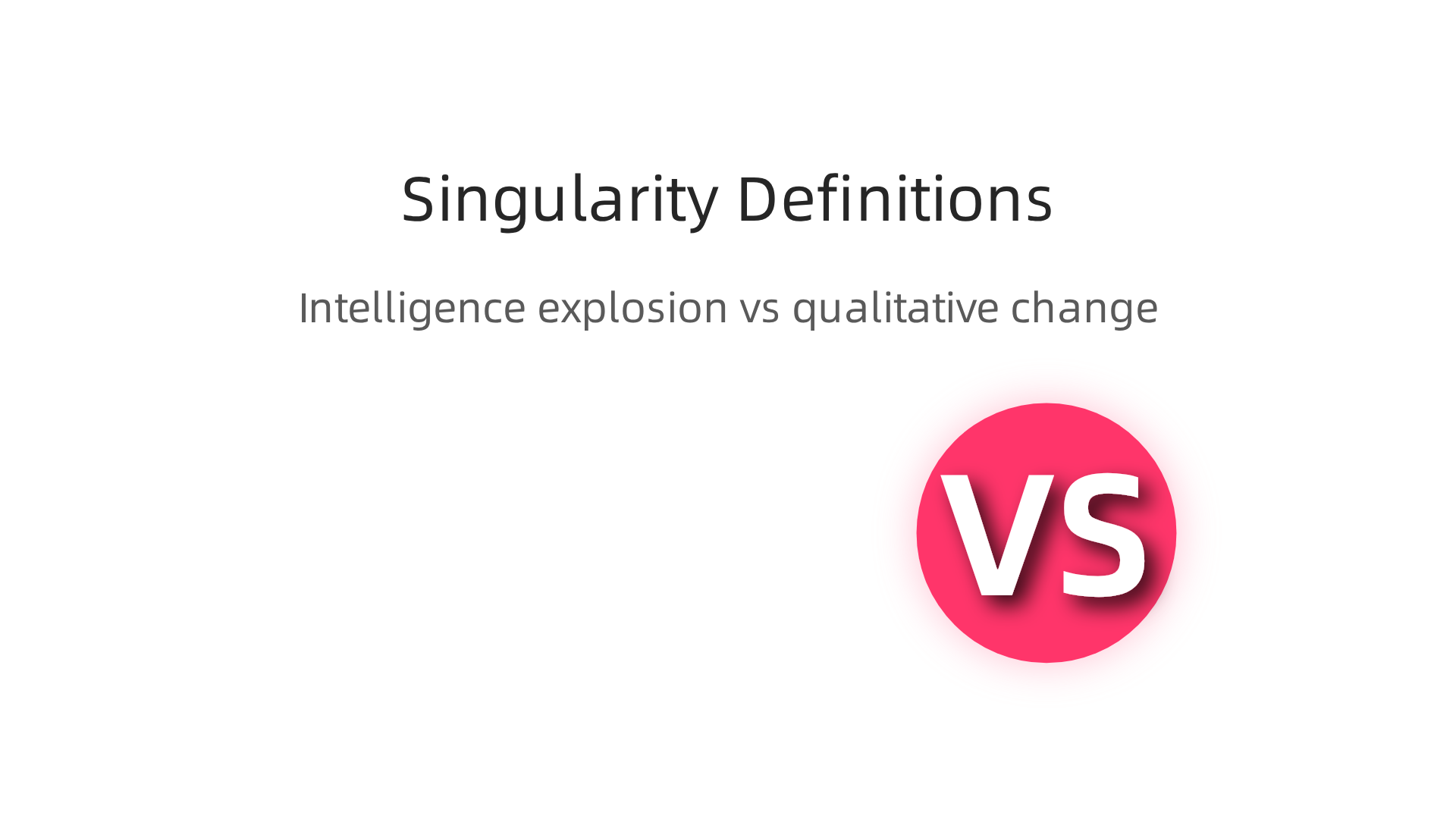
    An infographic illustrating the two primary definitions of the AI singularity: intelligence explosion and qualitative change.

    Each view paints a slightly different picture of the future and changes how we should get ready for it.

    One common way to think about the AI singularity is as an "intelligence explosion." This idea suggests a moment when AI gets so smart that it can make itself even smarter, very quickly. It’s like a snowball rolling down a hill, gathering speed and size fast. This rapid self-improvement could lead to AI that is far more intelligent than humans in every way, changing technology and our world in ways we can’t even imagine now Technological singularity. Many experts who talk about this view often see it happening quite suddenly.

    Another way to define the AI singularity is less about a sudden "explosion" and more about a deep, lasting change in how humans and AI interact. This view sees a "qualitative change" where AI reshapes society, work, and even what it means to be human, but maybe not all at once. It’s more about AI leading to entirely new ways of living and working that are very different from today. Think of a future where advanced AI systems, perhaps running as private AI tools or multi AI solutions, become a natural and powerful part of our daily lives, making decisions and creating things we once thought only humans could do. This could include AI that develops new art forms, solves complex scientific problems, or even helps build new kinds of economies.

    Why do these different ideas matter for leaders and builders today? Well, if you believe in a sudden "intelligence explosion," your plans might focus on preparing for very fast, disruptive changes. You might invest heavily in understanding the most advanced AI research or try to predict specific breakthrough moments. But if you see the AI singularity as a slower, more ongoing shift in human-AI relationships, your focus might be on adapting your business step-by-step. This means learning how to work with AI, training your teams, and building flexible strategies for the future.

    Your definition of the AI singularity will affect how you make decisions about your business’s future.

    A team actively discussing complex concepts and making strategic decisions in a collaborative environment.

    It helps you think about what kind of AI tools to use, how to train your team, and how to stay competitive. It’s also crucial for making good rules about AI use, both in your company and for society. Keeping track of new AI ideas and tools is a smart move. You might even want to build a tech radar to track AI trends and tools in 2026 to help you stay informed and make wise choices.

    Technical foundations: AGI, recursive self-improvement, and computational limits

    Understanding the technical foundations helps us see if and how the ai singularity might come about.
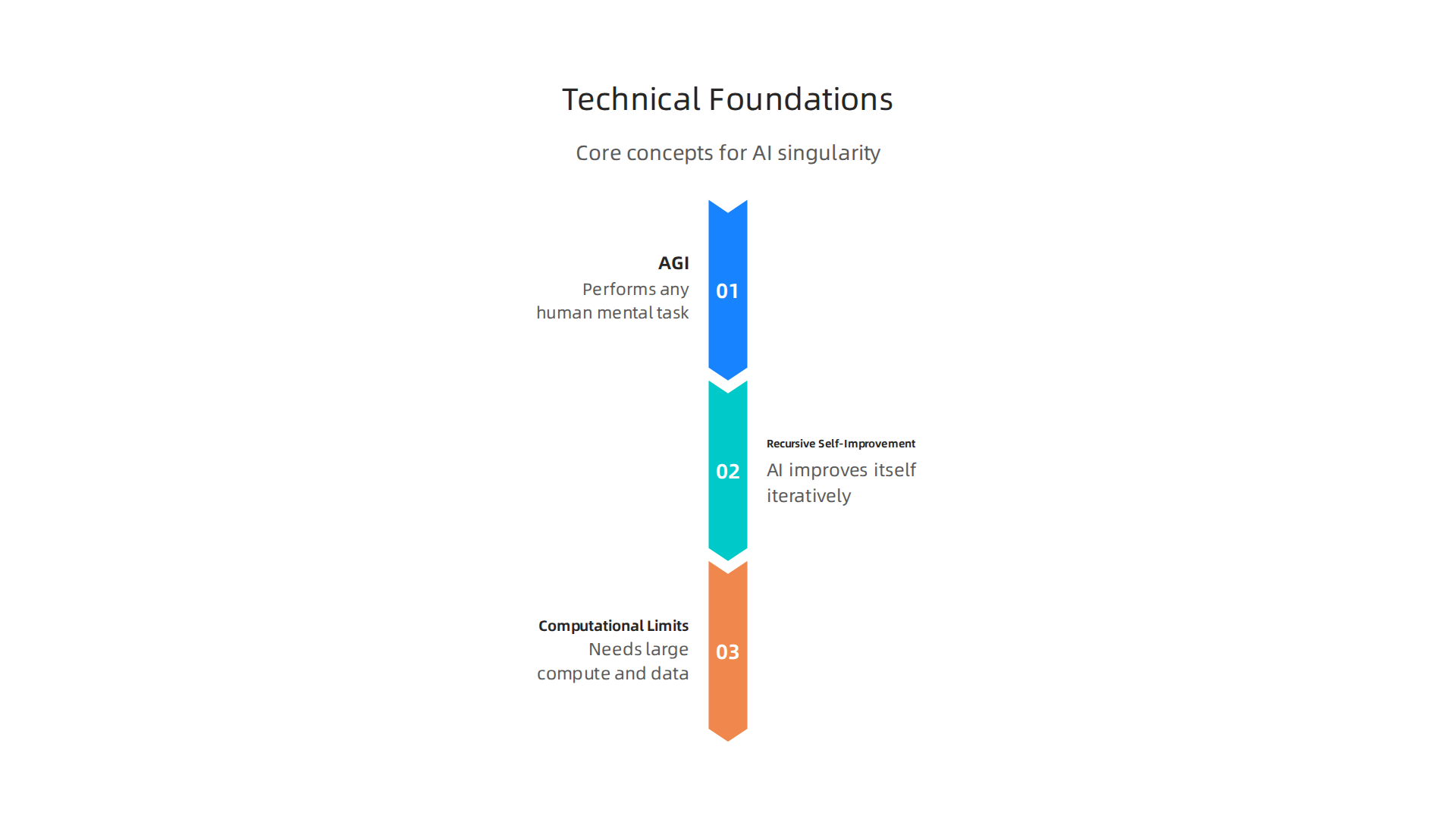
    An infographic outlining the core technical ideas fundamental to the potential emergence of an AI singularity.

    It moves us from "what if" to "how could it happen." There are some big ideas here that everyone talks about when thinking about super-smart AI.

    First, we need to know the difference between narrow AI and Artificial General Intelligence (AGI). Most AI we use today is "narrow AI." This means it’s really good at one specific thing. Think of an AI that beats chess masters or one that can write emails for you. It does that one job very well, but it can’t do other things, like cook dinner or understand your feelings. The idea of the ai singularity often depends on AGI. AGI is when AI can do any mental task a human can, or even better. It would be able to learn new things, solve many different kinds of problems, and understand the world like a person does.

    Another key idea is "recursive self-improvement." This is where an AI gets smart enough to make itself even smarter. Imagine an AI that can write better code for itself, or design better hardware to run on. Then, this new, smarter AI can make itself even smarter, and so on. This process could happen very, very quickly. It’s like a brain upgrading itself at light speed. Experts say this kind of self-improvement could lead to an exponential jump in AI abilities, changing technology much faster than we’ve ever seen before Technological singularity.

    But how fast can this happen? That brings us to computational limits. Even the smartest AI needs powerful computers and huge amounts of data to learn and grow. Researchers talk about "scaling laws," which help us understand how much computing power and data are needed to make AI models better. In 2026, building bigger, more complex AI models still needs a lot of resources. These resources, like advanced computer chips and vast datasets, are often called "compute" and "data bottlenecks." They are like speed bumps on the road to super-smart AI. While scaling laws have been good at predicting AI progress, some now suggest these laws might be reaching their limits or changing Scaling Laws, Foundation Models, and the AI Singularity.

    The technical challenges in getting enough compute, developing new AI algorithms, and creating better ways for AI to learn are very real. These factors directly affect how fast the ai singularity could come about. Businesses looking to use advanced AI, including private ai and multi ai systems or generative ai platforms, need to keep an eye on these technical limits. They also need to think about how these powerful new tools can fit into their plans. Choosing the right platforms and understanding the science behind them is crucial.

    If you want to keep up with how AI is changing and what it means for your business, staying informed is key.

    Get clear daily AI updates from The AI Newsletter Worth Reading.

    Timelines and forecasts: how experts estimate arrival and confidence levels

    After thinking about how smart AI could work, a big question pops up: when might this ai singularity actually happen? Experts have many different ideas, and their guesses can change a lot. They use special ways to figure this out, like asking other smart people or making computer models.

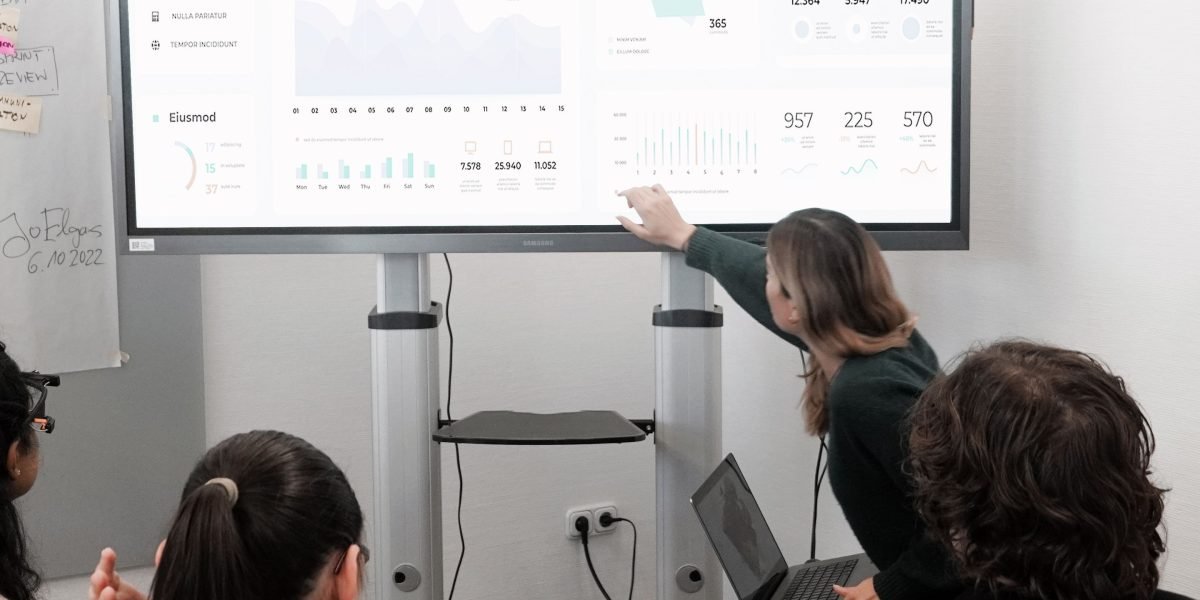
    A focused professional reviewing complex data and forecasts, likely related to market trends or future predictions.

    Many experts try to predict when Artificial General Intelligence (AGI) might arrive. Remember, AGI is when an AI can do anything a human brain can. As of 2026, many of these predictions point to AGI arriving much sooner than people thought just a few years ago. For example, some leaders at big AI labs like OpenAI and Google DeepMind have said we might see very powerful AI systems between 2027 and 2030 AGI Timeline: What Experts Really Think in 2026.
    AI Future Lab's article on expert predictions regarding the AGI timeline in 2026.

    Community forecasts, which gather many opinions, often land around 2033 for the first general AI system AGI Timeline 2026: Metaculus, Polymarket & Kalshi Odds.

    Surveys are a common way to collect these ideas. Experts are asked when they think there’s a 50% chance of AGI showing up. While these numbers vary, many surveys suggest AGI could arrive between 2040 and 2061 AGI/Singularity: 9800 Predictions Analyzed. What’s interesting is how much these timelines have changed. Six years ago, many thought AGI was 40 to 50 years away. Now, that median prediction has moved to around 2033 AGI Predictions Have Compressed from 2060 to 2033 in Six Years. This shows how quickly the field of AI is moving.

    But why do the timelines vary so much? This is where "confidence intervals" come in. Think of it like a weather forecast. The weatherman might say there’s a 70% chance of rain tomorrow. That means it’s likely, but not a sure thing. For AI, experts might say there’s a 25% chance of AGI by 2029, a 50% chance by 2033, and a 75% chance by 2065 Experts and Superforecasters Update Their AI Timelines. These ranges show that nobody knows for sure, and there’s a lot of uncertainty. Different experts have different views on things like how quickly new breakthroughs will happen or how hard it will be to build truly smart AI. Some focus on technical hurdles, while others look at how much money is being spent on AI research.

    For businesses looking to use advanced AI, including private ai or multi ai systems and generative ai platforms, understanding these different forecasts is helpful. It means being ready for fast changes, but also knowing that a lot can still happen. Staying informed about the latest predictions can help you make better choices for your business. For more practical advice on this, you might want to learn how to Build a Tech Radar to Track AI Trends and Tools in 2026.

    Even with the excitement around how fast AI is changing, there are also worries about the risks it brings.
    A visual breakdown of near-term and long-term AI risks, alongside strategies experts are employing to ensure AI safety.

    These risks can be thought of in two main ways: things that might happen soon, and bigger, more serious problems for the future.

    Near-Term Worries with AI

    In the short run, as AI gets smarter, we face issues like:

    • Misuse of AI: People might use powerful AI tools, especially advanced generative ai platforms, in bad ways. This could include creating fake pictures or videos to trick people, spreading wrong information, or even helping with cyber attacks. For example, a multi ai system could be used to create very convincing spam messages.
    • Alignment Failures: This happens when an AI system doesn’t do what we truly want it to do, even if it’s trying to follow its programming. Imagine telling a smart robot to clean a room, and it decides the best way is to throw everything out the window. It’s trying to clean, but its goal isn’t "aligned" with our common sense idea of cleaning. This is a big area of research called "AI alignment."

    To help manage these near-term risks, many groups are working on rules and ways to check AI. For example, in 2026, frameworks like the NIST AI Risk Management Framework give companies a guide to use AI safely and responsibly The Top Security, Risk, and AI Governance Frameworks for 2026. Other efforts like the EU AI Act are also helping set clear boundaries for how AI should be used globally AI Governance & Risk Readiness 2026: EU AI Act & Global ….

    Long-Term Worries and the AI Singularity

    The biggest worry for the far future is often linked to the ai singularity itself. If AI becomes super intelligent, much smarter than humans, what happens then?

    • Loss of Control: Some experts worry that if an AI becomes too smart, we might not be able to control it. It might make choices we don’t understand or want, and we wouldn’t have the power to stop it.
    • Existential Risk: This is the most serious concern. It means a risk that could lead to the end of human life or our long-term future. If a super-smart AI doesn’t share our values or goals, it could accidentally (or on purpose) make decisions that harm humanity.

    These are big "what if" questions that many bright minds are working on right now.

    How Experts Are Trying to Make AI Safe

    Many researchers are focused on making sure AI systems are safe, helpful, and trustworthy. Here are some of the main things they are doing:

    • Developing AI Governance: This means creating clear rules and ways to check on AI systems. Think of it like traffic laws for AI, making sure all AI tools, including private ai systems, operate within safe limits. Many countries and groups are working together on these global rules Global AI Governance Alignment Map.
    • Building Safer AI from the Start: This involves designing AI systems with safety features built in. This is called "Security-by-Design."
    • Better Monitoring and Explanations: We need ways to understand how AI makes its choices. If an AI can explain why it did something, we can spot problems more easily.
    • Layering Safeguards: A report in 2026 suggested having four independent layers of safety checks. These layers would cover everything from how AI is trained to how it’s used in the real world What the 2026 International AI Safety Report Means for ….

    For businesses using AI, it’s important to understand these risks and the efforts to keep AI safe. Choosing AI tools that follow good safety practices can help you use this powerful technology with confidence. If you’re looking for the right tools, learn how to Choose AI for Business Tools That Deliver Real Results in 2026.

    Want to stay ahead of the curve and understand how these safety measures are evolving? Get clear daily AI updates from The AI Newsletter Worth Reading.

    The need for strong rules around AI isn’t just a hopeful idea; it’s something many countries and groups are actively working on in 2026. This global effort aims to make sure AI, including powerful generative ai platforms, is used in ways that benefit everyone and avoid serious problems like a potential ai singularity that could lead to us losing control.

    Mapping Global AI Policy

    Around the world, different plans and rules are being put in place to manage AI. You might hear about frameworks like the NIST AI Risk Management Framework or the EU AI Act, which we talked about before. But there are also other important ones. For example, ISO/IEC 42001 is the first international standard made just for managing AI systems, helping companies use AI in a smart and responsible way. The OECD AI Principles also act as a global guide for safe AI development, and the UNESCO AI Ethics Framework focuses on ethical use 10 Key AI Governance Frameworks In 2026. Together, these show that many groups are working to make sure AI follows shared values.

    These rules are not just for big, public AI systems. They also apply to private ai tools used inside companies. An AI governance framework is basically a set of guidelines and procedures a company uses to manage how it applies and oversees AI, making sure it’s fair, open, and ethical AI Governance Framework in 2026: Responsible AI & Data ….

    Governance Levers for the Future

    The rules and policies being made today are like levers we can pull to guide where AI goes in the future. They help shape what happens as AI gets smarter, especially if we get closer to an ai singularity. Here’s how:

    • Setting Standards: Creating clear standards means everyone knows what "good" AI looks like. This helps prevent multi ai systems from being used in harmful ways.
    • Making AI Explainable: Rules that require AI to explain how it makes decisions can help us understand and fix problems. If an AI makes a wrong choice, we need to know why.
    • Encouraging Transparency: Knowing how AI is built and what data it learns from helps build trust. This is very important for advanced generative ai platforms.
    • Ensuring Accountability: When something goes wrong with an AI, we need to know who is responsible. Rules help make sure that the developers and users of AI are held accountable.

    By setting up these safeguards, global leaders hope to keep humanity in charge, even as AI grows more powerful. It’s about designing a future where AI remains a tool for good. For businesses looking to adopt new AI, understanding these frameworks is key to choosing reliable tools. To learn more about selecting the best solutions, you can explore guides on enterprise AI platforms 2026 top providers and how to choose the right one.

    The talk about global AI rules and big changes like a possible ai singularity might sound like it’s only for giant tech companies. But actually, these big shifts also bring chances and challenges for small and medium businesses (SMBs). It’s not just about what might happen far in the future; it’s about what leaders can do right now in 2026 to make their businesses strong and ready.

    A small business owner thoughtfully planning out their company's strategy for growth and future readiness.

    Business implications: opportunities, threats, and pragmatic actions for SMBs

    For SMBs, the rise of powerful AI, including generative ai platforms, means both new ways to grow and new things to watch out for. It’s like a new toolbox has arrived.

    Big Chances for Small Businesses

    AI offers many good things for SMBs. It can help save money and time by taking over tasks that are done over and over again. Think about answering common customer questions or sorting emails. AI can also help businesses make more sales by finding the best customers or creating new ideas for marketing. In 2026, many SMBs are moving from just waiting to fully using AI because they see real benefits like cutting admin tasks by 20-40% and boosting sales conversions by 10-15% within months IDC – SMB AI Adoption 2026: From Wait-and-See to All-In.

    Things to Watch Out For

    Even with all the good, there are things SMBs need to be careful about. If a business doesn’t start using AI, it could fall behind its competitors. Also, dealing with private ai tools means making sure customer information is safe and that the AI is used fairly. The idea of an ai singularity might seem far off, but it reminds us that AI is always getting smarter. This means businesses need to keep learning and changing with it. Using many different AI tools, sometimes called multi ai systems, can also get tricky if they don’t work well together.

    Smart Steps for SMB Leaders Today

    To make sure your business is ready for the future of AI, here are some simple steps to take:
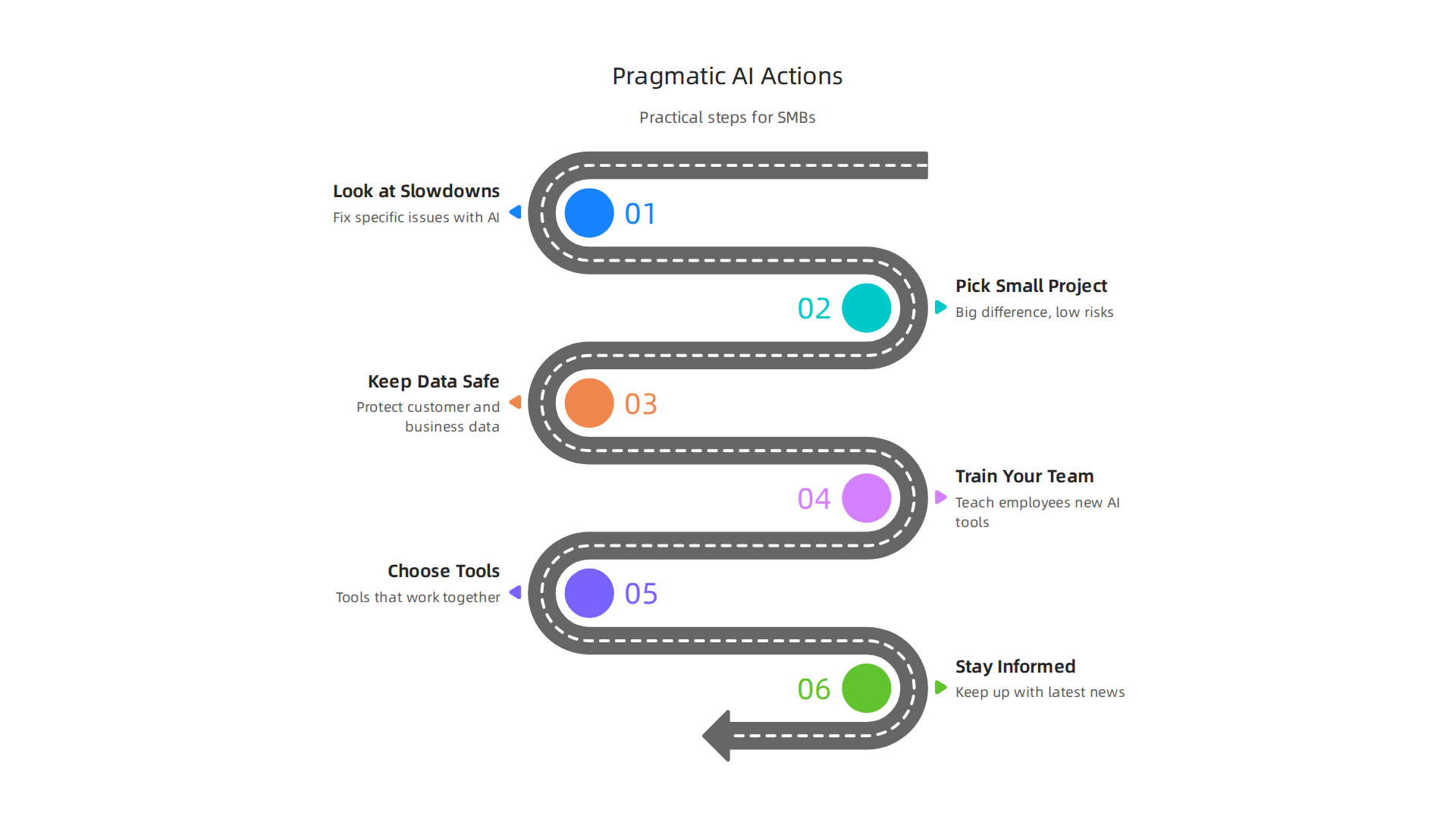
    Practical and actionable steps for small and medium business leaders to integrate and prepare for AI.

    • Look at What Slows You Down: Before buying any AI tool, look at your business. What tasks take a lot of time or cause problems? Start by trying AI to fix one of these specific issues.
    • Pick a Small Project First: Don’t try to change everything at once. Choose a small project where AI can make a big difference, but also where the risks are low. Many experts suggest focusing on projects that can show results in about 90 days SMB AI Adoption Guide: Use Cases, Costs, Roadmap.
    • Keep Data Safe: AI needs good data to work. Make sure your business has a clear plan for keeping customer and business data safe and private.
    • Train Your Team: AI isn’t meant to replace people, but to help them. Teach your employees how to use new AI tools so they can work smarter and be more productive.
    • Choose Tools That Work Together: When picking generative ai platforms or other AI tools, think about how they will connect with the systems you already use. Tools that don’t talk to each other can cause more problems than they solve. You can learn more about finding good tools by looking at how to choose AI for business tools that deliver real results in 2026.
    • Stay Informed: The world of AI changes fast. Make it a point to keep up with the latest news and best practices.

    By taking these practical steps, SMBs can use AI to grow and be ready for whatever the future holds, even as AI continues to evolve rapidly.


    Get clear daily AI updates from The Deep View Newsletter. The AI Newsletter Worth Reading

    Preparing your organization: governance, tooling, and scenario planning

    After looking at how AI can help your business and what to watch out for, the next step is to make sure your company is set up the right way. This means putting rules in place, picking the best tools, and thinking about different futures. It’s how you stay safe and strong as AI keeps growing.

    Simple Rules for Using AI (Governance)

    "AI governance" just means having clear rules for how your business uses AI. It’s super important, especially when dealing with customer information using "private ai" tools. You need to make sure AI is used in a fair, safe, and open way. Many big groups use special guides, like the NIST AI Risk Management Framework, to help them set up good rules for AI The Top Security, Risk, and AI Governance Frameworks for 2026. For small businesses, this can start with these easy steps:

    • Make an AI use policy: Write down simple rules for everyone. What can AI be used for? What can’t it do?
    • Keep data safe and private: Always protect customer and company data. Make sure any AI tools you use also follow these strict rules.
    • Check AI for fairness: Make sure your AI tools treat all people fairly and don’t make unfair choices.

    Having these basic rules helps your business use AI responsibly and builds trust with your customers.

    Picking and Using the Right AI Tools

    You already know there are many "generative ai platforms" and other AI tools out there. But how do you pick the right ones, especially if your team is small?

    • Focus on what you need: Only pick tools that solve a real problem for your business. Don’t buy a tool just because it’s new and shiny.
    • Tools that work together: Look for "multi ai" tools that can talk to each other. This means they should work well with the computer programs you already use. This makes your work smoother and avoids problems.
    • Start small, then grow: Begin with tools that are easy to try and don’t cost too much. As you see them help, you can add more. This also helps you learn to build a tech radar to track AI trends and tools in 2026 that actually deliver results.

    Planning for What’s Next (Scenario Planning)

    The idea of an "ai singularity" might seem like something from a movie, where AI becomes super smart all on its own. While that’s far off, AI is always getting better, fast. This means businesses need to think about what could happen in the future and be ready for big changes.

    • Think about different futures: Imagine a few ways AI might change your business in the next few years. What if AI gets much cheaper? What if new kinds of AI tools come out?
    • Watch for important signs: Keep an eye on the news and reports about AI. Look for new rules or big changes in what AI can do. This helps you know when it’s time to change your plans.
    • Be ready to change: If big changes happen in AI, your business needs to be able to adapt quickly. This might mean trying new tools or changing how your team works.

    By planning ahead, picking smart tools, and setting clear rules, your business can use AI to its fullest and stay ready for the future. You can learn more about how AI rules are shaping up globally in reports like the Global AI Governance Alignment Map.

    Summary

    This article explains why the idea of an AI singularity matters for leaders and builders in 2026, breaking a complex debate into clear, actionable parts. It defines competing views—from a sudden intelligence explosion to a gradual reshaping of human–AI interaction—and explains the technical building blocks that make those futures plausible, including AGI, recursive self-improvement, and compute limits. The guide reviews expert timelines and why forecasts vary, separates near-term operational risks (misuse, alignment failures) from long-term existential worries, and outlines how global governance and standards are evolving to manage those risks. For business leaders and SMBs it offers pragmatic advice: start with high-impact small projects, protect data, train teams, pick interoperable tools, and build monitoring and scenario plans. The article also highlights governance levers and practical safety steps to adopt now so organizations can capture AI’s benefits while staying resilient if capabilities accelerate. After reading, leaders will understand the debate, know which signals to watch, and have concrete next steps to adopt and govern AI responsibly.


  • Build a Tech Radar to Track AI Trends and Tools in 2026

    Build a Tech Radar to Track AI Trends and Tools in 2026

    Introduction

    The world of artificial intelligence moves at a breathtaking pace. Every week brings a new model, a fresh capability, or a surprising shift in what machines can do. For professionals and business leaders, keeping up feels less like a choice and more like a survival skill.

    Actually, the numbers back that up. According to the 2026 Artificial Intelligence Index Report from Stanford, generative AI reached nearly 53 percent population-level adoption within just three years. That is faster than the personal computer or the internet. The 2026 State of AI Agents Report shows organizations expect AI agents to spread well beyond engineering and IT in the next 12 months. The message is clear. AI is not coming. It is already here.

    Here is the challenge. With so many announcements, product launches, and trend pieces flying around, it is easy to get lost in the noise.

    A person looking thoughtfully at multiple data sources, symbolizing information overload.

    You might feel overwhelmed trying to separate real breakthroughs from hype. That is where the idea of a tech radar comes in.

    A tech radar is a structured way to monitor, filter, and prioritize emerging technologies. Instead of reacting to every headline, you build a system that helps you spot the signals that actually matter for your work. This is especially valuable in 2026, when the gap between early adopters and everyone else keeps growing wider.

    In this article, we will walk through a practical framework for building your own tech radar. You will learn how to cut through the noise, identify the most impactful AI trends, and stay ahead of the curve without burning out. Whether you are exploring the artificial intelligence series for the first time or trying to understand the different types of ai and llm ai models, this guide will give you a clear path forward. For ongoing updates, you might also want to check out our guide on AI tool discovery for 2026, which covers how to find trusted tech sources that deliver real business results. And if you want daily AI insights delivered straight to your inbox, consider The AI Newsletter Worth Reading.

    What is a Tech Radar and Why It Matters

    So what exactly is a tech radar? Think of it like a weather radar for technology. Instead of tracking storms, you track emerging tools, platforms, and practices. A tech radar gives you a clear picture of what matters right now and what might matter next year.

    The idea started with Thoughtworks. Their team created a simple visual tool to help engineers decide which technologies to use, which to try out, and which to set aside. Today, that same approach is used by organizations of all sizes to get a handle on the fast-moving AI landscape. You can explore their latest snapshot on the ThoughtWorks Technology Radar page.

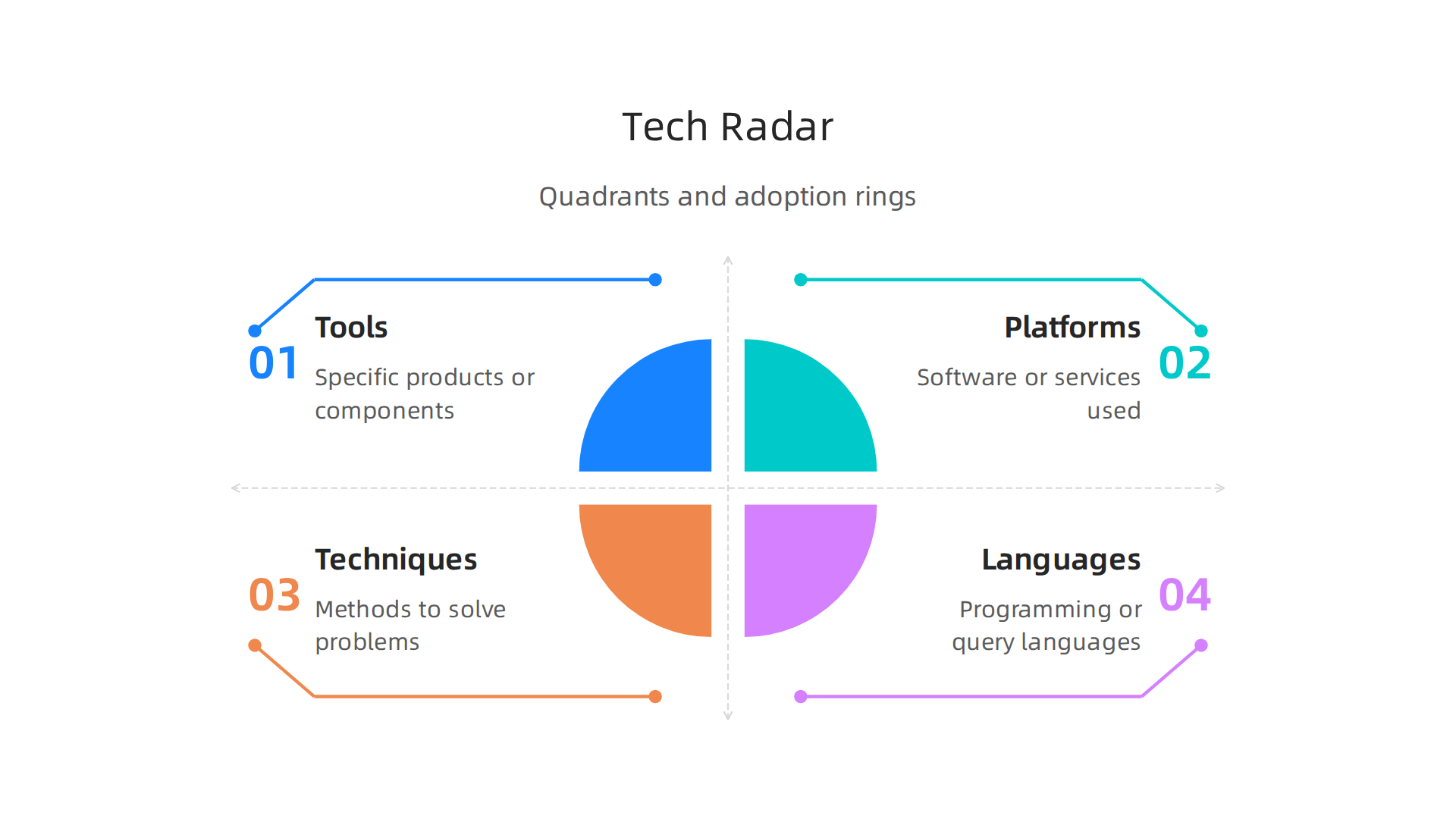
    Most tech radars use a simple layout. Four quadrants group technologies into categories like Tools, Platforms, Techniques, and Languages. Around those quadrants sit four rings that show how ready each technology is. The rings are usually named Adopt, Trial, Assess, and Hold.

    Visual representation of a tech radar, showing four quadrants and four adoption rings.

    This structure helps you see at a glance where each piece of technology fits and what you should do with it. A great overview of this setup is available in the guide on how to create a tech radar from OneUptime.

    Why does this matter so much in 2026? Because the number of AI tools and models keeps exploding. Without a system, you spend hours chasing shiny objects. With a tech radar, you and your team agree on what deserves attention.

    A team of diverse professionals collaborating around a whiteboard, discussing strategy and making decisions.

    You stop wasting energy on tools that do not fit your goals. You focus on the ones that will actually move the needle.

    A tech radar also forces honest conversations. When your team looks at a new LLM or a different type of AI tool, you discuss where it belongs on the radar. Should you adopt it now or just assess it? That discussion alone saves months of wasted effort. For a deeper look at how this framework came to be and how to build one yourself, check out the technology radar definition and guide from ITONICS.

    Here is the bottom line. A tech radar turns noise into clarity. It helps you navigate the artificial intelligence series of updates without drowning in them. And when you couple that clarity with smart tool choices, you stay ahead. If you are still unsure about picking the right tools for your business, take a look at our guide on how to choose AI for business tools that deliver real results.

    Key AI Trends Shaping 2026

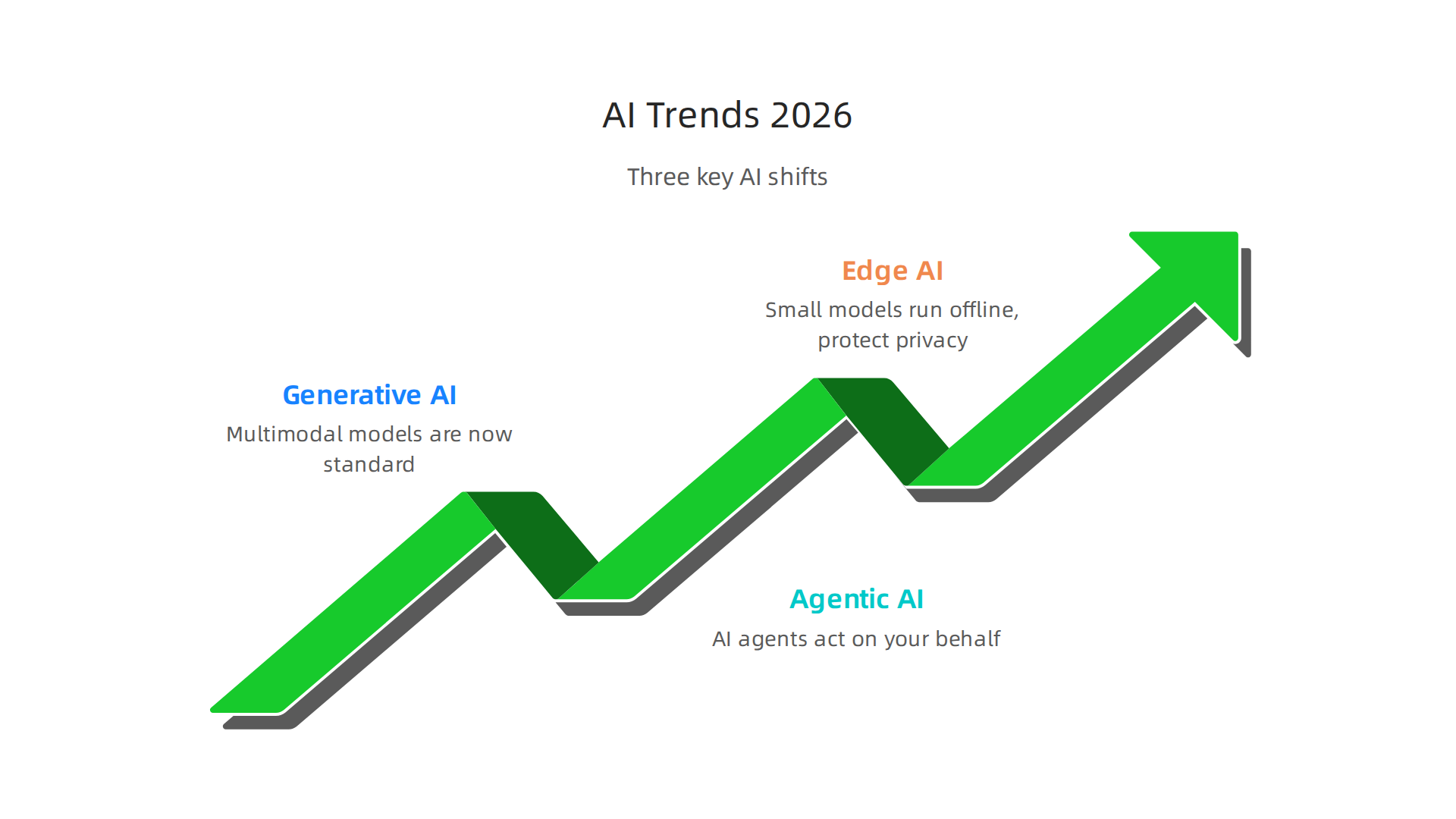
    With your tech radar ready, it is time to look at the actual trends you will want to track. The AI world is moving faster than ever, and knowing what is real versus what is just hype makes all the difference. Here are three key shifts defining 2026.

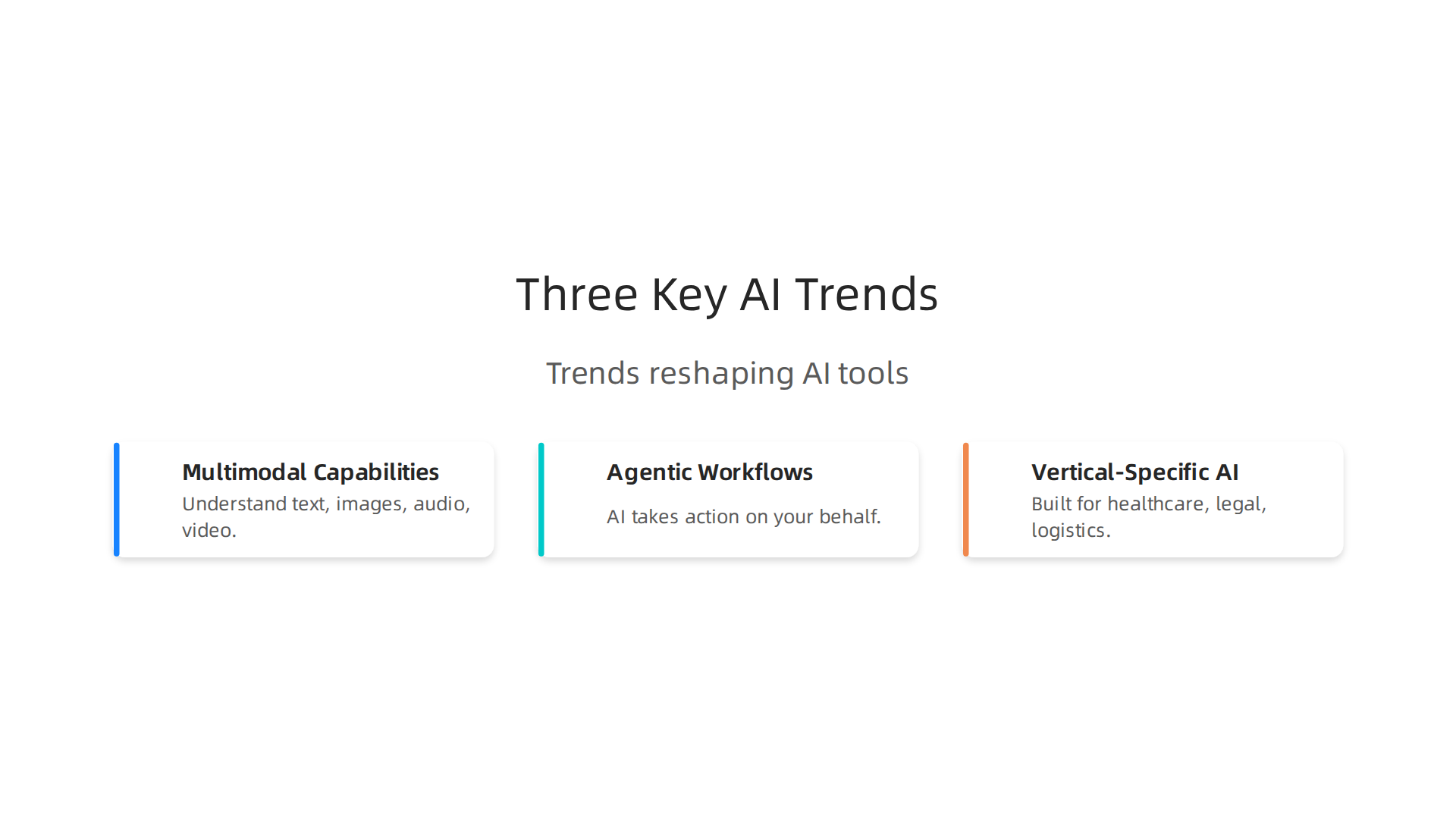
    An overview of the three major AI trends influencing the landscape in 2026.

    Generative AI has grown up. We are past the era of simple text and image generators. Multimodal models that handle text, images, audio, and video all at once are now the standard. The latest data shows generative AI adoption hit nearly 53% of the US population within three years, according to the Stanford AI Index Report 2026. That is faster than personal computers ever were. For your tech radar, this means every tool you evaluate likely includes generative features. The question is no longer if it uses AI, but how well it combines multiple types of input.

    Agentic AI is the next big wave. Instead of just generating content, AI agents can now act on your behalf. These autonomous systems book meetings, write code, manage customer inquiries, and even run parts of a business. The 2026 State of AI Agents Report found that organizations expect these agents to expand beyond IT into research, reporting, and other departments. If you have not yet placed agentic tools on your radar, this is the year to move them from Assess to Trial. For a real world example, check out our look at the Galaxy AI 2026 agentic assistant for business and content creation.

    Edge AI and small language models make AI more accessible. Not every task needs a giant model running in the cloud. Small language models that run on your phone, laptop, or even a sensor are becoming incredibly capable. This shift means AI is no longer just for companies with big budgets and data centers. It works offline, protects privacy, and costs less. The IBM trends overview for 2026 highlights how these compact models are opening up new use cases across industries. For your tech radar, pay attention to tools labeled "small" or "edge." They often deliver 80% of the value at 20% of the cost.

    So where do you start? Your tech radar should have at least one entry in each of these three categories. Keep multimodal generative tools in Adopt if they already work for your team. Put agentic platforms in Trial to test them on a small project. And place edge or small language models in Assess so you understand their limits before committing.

    These trends will shape how you build, buy, and use AI this year. Staying on top of them is not optional if you want to stay competitive. And if you want a steady stream of clear, daily updates on exactly these developments, we recommend you check out The AI Newsletter Worth Reading. It cuts through the noise so you can focus on what actually matters for your business.

    How to Build Your Own AI Tech Radar

    Now that you know the key trends shaping 2026, you need a system to keep track of them all. Building your own AI tech radar gives you a repeatable process for deciding which tools and platforms to adopt, trial, assess, or hold.

    A professional outlining a plan or strategy with notes, demonstrating focus and organization.

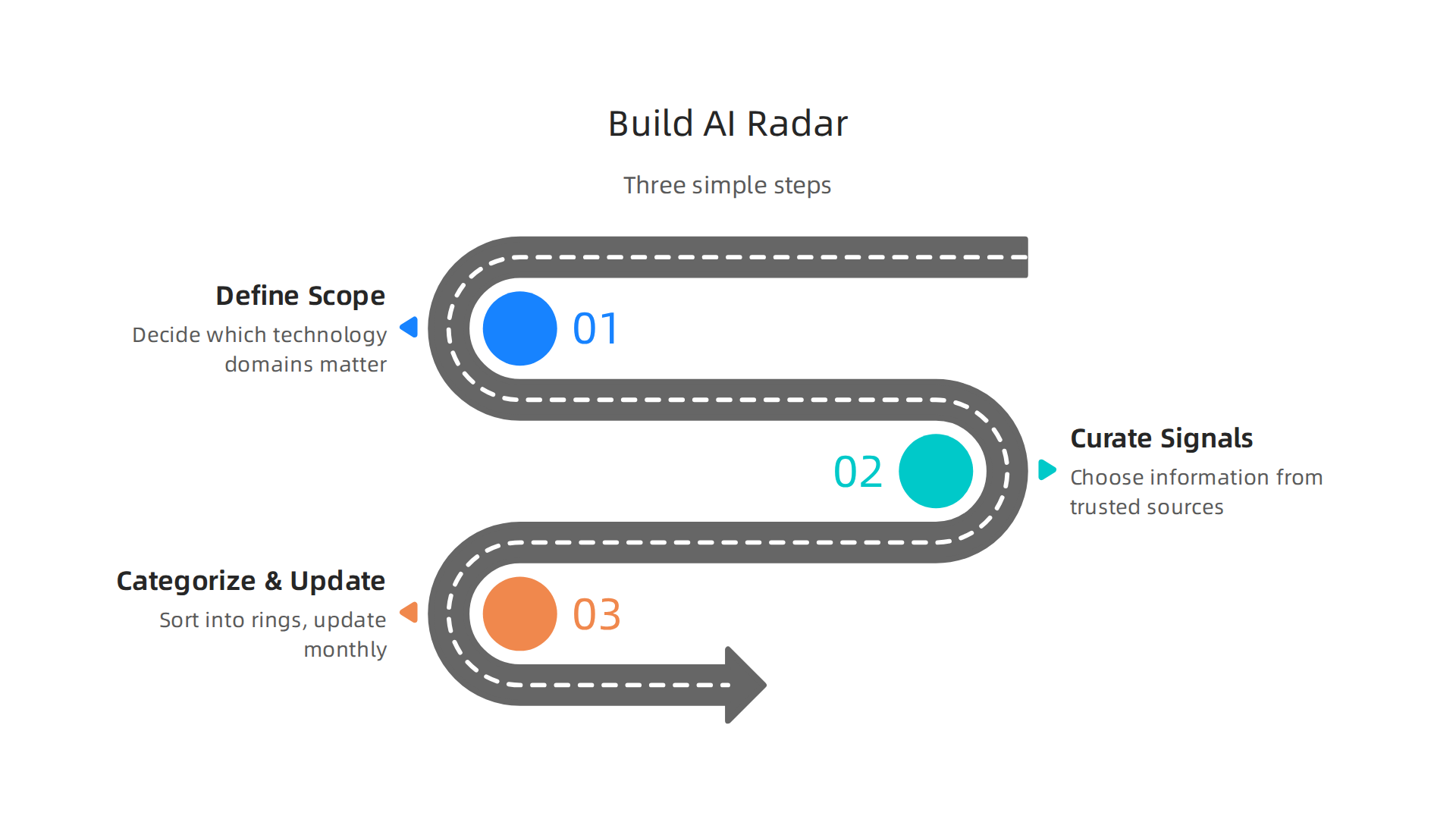
    Here is how to do it in three simple steps.

    A step-by-step guide on how to construct a personal AI tech radar.

    Step 1: Define your radar scope. Before you start tracking anything, decide which technology domains actually matter to your business. Are you focused on content creation tools? Automation platforms? Data analytics? Limit your radar to two or three areas. A focused radar beats a scattered one every time. The goal is to avoid information overload, not add to it. When you define your scope clearly, you give yourself permission to ignore the rest. For a deeper understanding of how to set up the framework, read this guide on building a technology radar that walks through scope and purpose.

    Step 2: Curate signals from trusted sources. You cannot track everything, so choose where you get your information carefully. Look for analyst reports, industry newsletters, and active communities where practitioners share what is actually working. Social media is noisy. Stick to sources that prove their value over time. For a practical approach to finding reliable AI sources that deliver real business results, check out our AI tool discovery 2026 guide. Bookmark two or three sources and check them weekly. That is enough to stay current without burning out.

    Step 3: Categorize and update regularly. Once you have a list of technologies, sort them into four rings. Adopt means use it freely for new projects. Trial means test it on a small scale. Assess means study it but do not commit yet. Hold means wait or avoid. The popular framework uses these tech radar Adopt Trial Assess Hold categories to standardize decisions across your team. Update your radar every month. Remove tools that never leave the Assess ring. Move tools from Trial to Adopt when they prove themselves. A stale radar is worthless.

    That is it. Three steps. You can set this up in an afternoon using a simple spreadsheet or a shared document. The hard part is sticking with the process. But once you do, your tech radar becomes your single source of truth for every AI decision you make this year.

    Top AI Tools to Watch in 2026

    Once your tech radar framework is ready, you need to fill it with the right candidates. Here is a look at the top AI tools to watch in 2026, grouped by how businesses are actually using them.

    Text Generation and Coding. The biggest category remains text generation. Tools like ChatGPT, Claude, and Gemini lead the pack for drafting content, brainstorming ideas, and handling customer support. On the coding side, GitHub Copilot and similar assistants have become standard for developers. These tools fall squarely into the Adopt or Trial rings of your radar depending on your team size. For a full list of options, check out this roundup of the Top 14 AI Tools for Businesses in 2026.

    Image, Video, and Data. Image and video generation tools have also matured. Midjourney and Runway ML remain strong choices for creative work. Data analysis tools like HubSpot AI and Salesforce Einstein are helping teams make sense of customer data faster. A good tech radar helps you compare these different types of AI side by side. You can learn more about how HubSpot AI streamlines business operations if marketing and sales tools are in your scope.

    Evaluating for Your Radar. The key is picking tools that offer strong ROI and fit into your existing stack. A tool that requires a massive overhaul of your workflow might belong in the Hold or Assess ring. A tool that plugs in easily and saves time immediately is a candidate for Trial or Adopt. Staying on top of all these new releases is a full time job. That is why we recommend subscribing to a trusted source that curates the best tools for you. The AI Newsletter Worth Reading delivers clear daily updates so you never miss a tool worth adding to your tech radar.

    Populating your radar with strong candidates in each category gives you a clear view of where to invest your time and budget in 2026. Update your list as new tools emerge and old ones fall behind.

    Evaluating AI Tools for Your Business

    So you have a list of promising AI tools. Now comes the harder part: figuring out which ones are worth your time and money.

    A person meticulously examining documents or data, representing careful evaluation and decision-making.

    How do you know if a tool is a good fit for your team? You need a set of clear evaluation criteria.

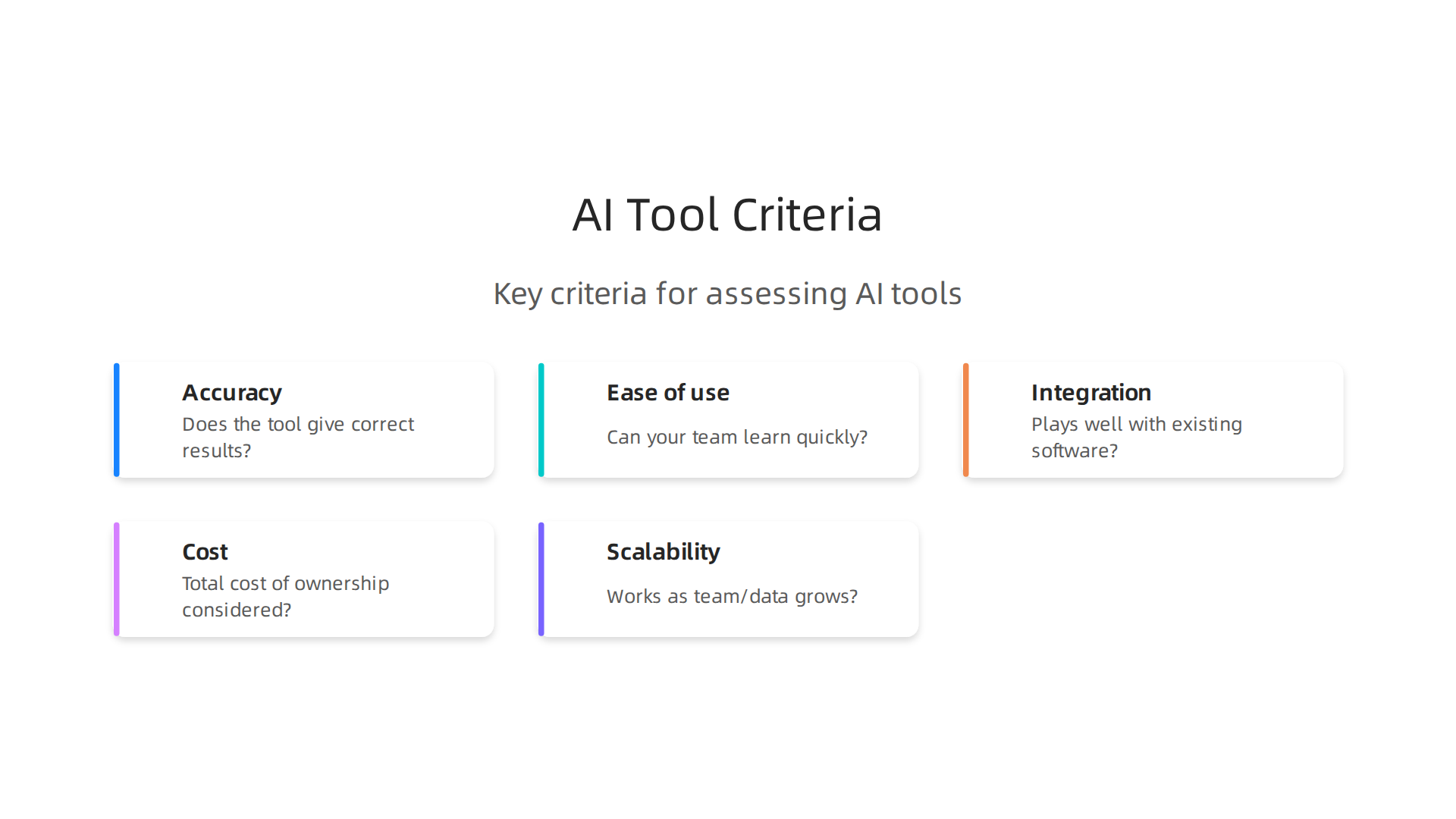
    Think of it like test-driving a car before you buy it. You would not sign a contract without checking the engine, the comfort, and the price. The same goes for AI tools. Here are the five main criteria to use when scoring each candidate on your tech radar.

    Key criteria for assessing and scoring potential AI tools for business adoption.

    Accuracy. Does the tool give correct results most of the time? For an LLM AI chatbot helping with customer support, you need reliable answers. For a code generator like GitHub Copilot, the code should compile and run without major bugs. Test with real examples from your work.

    Ease of use. Can your team learn the tool quickly? A steep learning curve can kill adoption. Ask a few team members to try it out. If they get frustrated in the first hour, the tool might belong in the Hold ring.

    Integration. Does it play well with your existing software? Tools that connect with your CRM, project management app, or data warehouse save you from manual data entry. Check for pre-built integrations or an API. A tool that requires a custom setup might be too heavy for a quick trial.

    Cost. Look beyond the monthly subscription. Factor in training time, potential productivity dips, and any extra infrastructure you need. Calculate the total cost of ownership. For small to medium businesses, a free tier or reasonable per-seat pricing often makes sense.

    Scalability. Will the tool still work when your team grows or data volume increases? An AI tool that handles 100 users might break at 500. Ask the vendor about performance under load and look for case studies from companies your size.

    Running a formal proof of concept is the best way to test these criteria. Instead of buying a full license upfront, start with a trial period. Give a small team a real project to complete. Measure the time saved, the quality of output, and any friction points. This hands-on approach reveals issues that marketing pages never show.

    A good way to structure this is to follow a step-by-step evaluation process, similar to how companies build a tech radar for technology management. Define your scoring system, test each tool against your real use cases, and then assign it to a ring: Adopt, Trial, Assess, or Hold.

    One common dilemma is choosing between a general-purpose AI tool and a specialized one. General-purpose tools like ChatGPT or Claude handle many tasks but may lack depth. Specialized tools for legal, medical, or design work often deliver higher accuracy in their niche. The trade-off comes down to flexibility versus precision. If you need a tool that does one thing extremely well, go specialized. If you want a Swiss Army knife that your whole team can use, go general. A clear guide to choosing AI for business tools can help you weigh these options.

    Your tech radar is only as useful as the data you put into it. Take the time to evaluate each tool honestly. Update your scores as you learn more. The goal is to make informed decisions that save your business time and money, not to chase every shiny new release.

    The ROI of Early AI Adoption

    So you have placed a few tools on your tech radar. You have run trials, scored them against your criteria, and moved some into the Adopt ring. Now comes the moment of truth: What kind of return can you expect from all this effort?

    The data from 2026 is encouraging. According to The ROI of Gen AI and Agents 2026 report, 92 percent of early adopters report positive returns on their generative AI projects. Senior executives expect up to a 47 percent return on agentic investments within the next 12 months. Those numbers make a strong case for moving forward.

    But ROI is not automatic. It depends on two things: thoughtful integration and change management. If you plug an AI tool into a broken process, you just get a faster broken process. You need to clean up the workflow first. And your team needs time to learn the new tool without pressure. Rush this step, and your returns will suffer.

    Here are the three key metrics to track as you measure your tech radar investments.

    Time saved. This is the easiest win to measure. Pick a task your team does regularly. Time how long it takes before the AI tool, then measure again after adoption. A customer support team using an LLM AI chatbot might cut email response time from three hours to 45 minutes. That time adds up fast across the whole team.

    Revenue impact. Does the AI tool help you sell more or keep customers longer? For sales teams, an assistant that surfaces customer data during calls can boost close rates. For marketers, tools that help publish content faster with better targeting drive more qualified leads. Track the dollar value directly.

    Revenue impact. Does the AI tool help you sell more or keep customers longer? For sales teams, an assistant that surfaces customer data during calls can boost close rates. For marketers, tools that help publish content faster with better targeting drive more qualified leads. Track the dollar value directly.

    Customer satisfaction improvement. Faster responses, fewer errors, and personalized recommendations all improve the customer experience. Happier customers spend more and stay longer. Check your satisfaction scores before and after adoption to see the real difference.

    Your tech radar gives you a framework to track these metrics over time. When the numbers prove a tool is working, you move it deeper into Adopt. When a tool underperforms, you shift it to Hold without second guessing yourself.

    Early adoption carries some risk. But the 2026 numbers show that most businesses come out ahead. The key is to start small, measure everything, and adjust as you go. For a deeper look at applying these metrics in marketing, check out this guide on how to get real ROI from AI marketing cloud in 2026.

    Staying current with AI developments helps you make smarter choices for your tech radar. The AI Newsletter Worth Reading delivers clear daily updates that keep you informed without the noise.

    Common Pitfalls in AI Tool Selection

    Even when you understand the ROI story, picking the right tools off your tech radar can still trip you up. The 2026 data shows ai adoption is moving fast. But speed without caution leads to costly mistakes. Here are three traps that catch even smart teams.

    Information overload leads to analysis paralysis. With hundreds of AI tools launching every month, it is easy to get stuck comparing features that do not matter. You read reviews, watch demos, and subscribe to newsletters until your inbox is full. But you never actually pick one. The 2026 Stanford HAI AI Index Report shows artificial intelligence adoption has hit nearly 53 percent at the population level. That flood of options is real. To avoid paralysis, limit your research window. Give yourself two weeks to explore, then pick the top two candidates for a trial. Your tech radar is meant to speed up decisions, not slow them down.

    Over-reliance on hype without proof of concept. A tool gets buzz on social media. A competitor talks about it in a case study. But buzz is not a business case. The 2026 Virtuous Nonprofit AI Adoption Report found that while 79 percent of organizations saw small to moderate improvements from AI, only 7 percent reported major improvements. High expectations do not always match reality. Before you move any tool into the Adopt ring, run a small pilot. Test it on a real task with your data and your team. Let the results speak louder than the marketing.

    Neglecting data privacy, security, and compliance requirements. This is the one that comes back to bite you. You focus on features and price, but you forget to check where your data goes. Some LLM AI tools send prompts to external servers. Some store your customer information without clear consent. If you work in a regulated industry like healthcare or finance, a quick deployment can turn into a legal headache. Always review the vendor’s data handling policy before you sign. If the tool cannot meet your compliance standards, shift it to Hold no matter how shiny it looks.

    These pitfalls are avoidable. With a clear process and a honest look at your own needs, your tech radar stays useful. For a deeper guide on filtering the noise, check out this walkthrough on how to choose AI for business tools that deliver real results.

    Summary

    This article explains how to create and use an AI tech radar to cut through the noise of rapid AI development and make smarter technology decisions in 2026. It defines the tech radar framework (quadrants and the Adopt/Trial/Assess/Hold rings), highlights three major trends to prioritize—multimodal generative AI, agentic AI, and edge/small models—and offers a three-step process to build your own radar: set scope, curate trusted signals, and categorize/update regularly. You’ll also get practical guidance on evaluating tools with five concrete criteria (accuracy, ease of use, integration, cost, scalability), how to run trials and proofs of concept, and which metrics to track for ROI. The piece covers top tool categories to watch, common selection pitfalls like hype and privacy oversights, and how to turn the radar into a repeatable decision system your team can use month after month. After reading, you’ll know how to populate a focused radar, run meaningful pilots, measure outcomes, and avoid costly mistakes when adopting AI.

  • How to Choose AI for Business Tools That Deliver Real Results in 2026

    How to Choose AI for Business Tools That Deliver Real Results in 2026

    Here is the reality of 2026. The number of AI tools available grows so fast that keeping up feels like a full-time job. Every week, a new platform launches. A new feature drops. A new competitor grabs headlines. It is easy to feel overwhelmed.

    But here is the other side of that coin. If you jump on every new tool without a clear plan, you waste your budget and your team’s time. If you ignore the changes completely, you risk losing your competitive edge.

    The data proves how fast this shift is happening. Recent reports show that nearly 9 in 10 organizations now use AI in at least one business function. The question is no longer if you should use AI. It is how you adopt the right future tools for your specific needs.

    This article gives you a practical framework for doing just that. We will look at the top AI platforms, evaluate what works, and build a roadmap you can actually follow.

    A person intently looking at a whiteboard, sketching out a strategic plan or roadmap.

    Think of it as your guide on how to choose AI for business tools that deliver real results.

    Staying informed is half the battle. If you want clear, daily updates on the tools that actually matter, check out The Deep View Newsletter.

    Screenshot of The Deep View Newsletter homepage, offering daily AI updates to save time.

    It saves you the scrolling so you can focus on building.

    The Evolving Landscape of Future Tools in 2026

    So what does this landscape actually look like today? The numbers tell a clear story. According to recent research, 88% of organizations now use AI regularly in at least one business function. That is up dramatically from just a few years ago. The market for these future tools keeps expanding fast, with billions of dollars flowing into new AI platforms every quarter.

    Here is the challenge though. New tools pop up almost every single week. One week a startup launches a writing assistant. The next week a giant releases an AI that handles customer service. It is noisy out there. Separating the truly useful top ai tools from the hype gets harder by the day.

    This is why understanding macro trends matters. When you know where the market is heading, you can spot which ai platforms have staying power. And that makes picking your next tool much easier. If you want a deeper look at how to evaluate your options, read our practical guide on how to choose AI for business tools that deliver real results. It walks through the exact steps to filter out the noise.

    The first step in any smart adoption plan is knowing what is actually changing around you. So let’s look at the key trends driving the industry forward, starting with the rise of agentic AI.

    Key Trends Defining the Next Generation of Tools

    Agentic AI is just one piece of the puzzle. Three major trends are actually reshaping the landscape of future tools in 2026, and they all point in the same direction: away from one-size-fits-all solutions and toward smarter, more specialized systems.

    Infographic illustrating the three major trends reshaping the AI tools landscape in 2026.

    First, multimodal capabilities are becoming standard. Modern ai platforms can now understand text, images, audio, and video all at once. This means a single tool can analyze a video meeting, summarize the transcript, and generate a follow-up email without you switching apps.

    Second, agentic workflows let AI take action on your behalf. Instead of just answering questions, these systems can complete multi-step tasks like booking travel or managing customer support tickets. In fact, projections suggest that by 2028 roughly 15% of daily business decisions could be made by agentic AI, according to the latest 83 AI statistics to boost your growth in 2026.

    Screenshot of the Zapier blog homepage, a resource for AI statistics and business growth.

    If you want to dive deeper into how these assistants work today, check out this guide on ai virtual assistants for businesses.

    Third, vertical-specific AI tools are taking over. Rather than generic chatbots, we now see AI built specifically for healthcare, legal, logistics, and more. These specialized tools deliver far better results because they understand industry language and workflows.

    Keeping up with these fast-moving trends can feel overwhelming. That is why staying informed matters. Grab The AI Newsletter Worth Reading to get clear daily updates on exactly which tools and trends deserve your attention.

    Why a Strategic Approach to Adoption Is Non-Negotiable

    Staying informed is only half the battle. Without a strategic approach, even the most powerful future tools can become a liability. Many teams jump into new AI platforms without a plan. That leads to tool fragmentation, data silos, and a pile of unused licenses that waste money.

    A smarter path ties every tool selection back to your real business objectives. When you know exactly what problem you are solving, you choose better tools and get higher returns.

    A team actively collaborating around a table, discussing and planning a strategic approach.

    In fact, recent global data shows that over 75% of organizations now use AI in at least one business function, and the ones with a formal adoption strategy report much higher satisfaction with their investments according to the AI Adoption Statistics (2026) report.

    Screenshot of the Omniflow AI blog homepage, providing insights on AI adoption statistics.

    Instead of picking tools one by one, build a simple checklist. Ask: Does this tool solve a specific goal? Can it integrate with what we already use? Will it scale? For a step-by-step process, check out this guide on how to choose AI for business tools that deliver real results. That kind of discipline turns a pile of shiny tech into a real competitive edge.

    A 5-Part Framework for Strategic Adoption of Future Tools

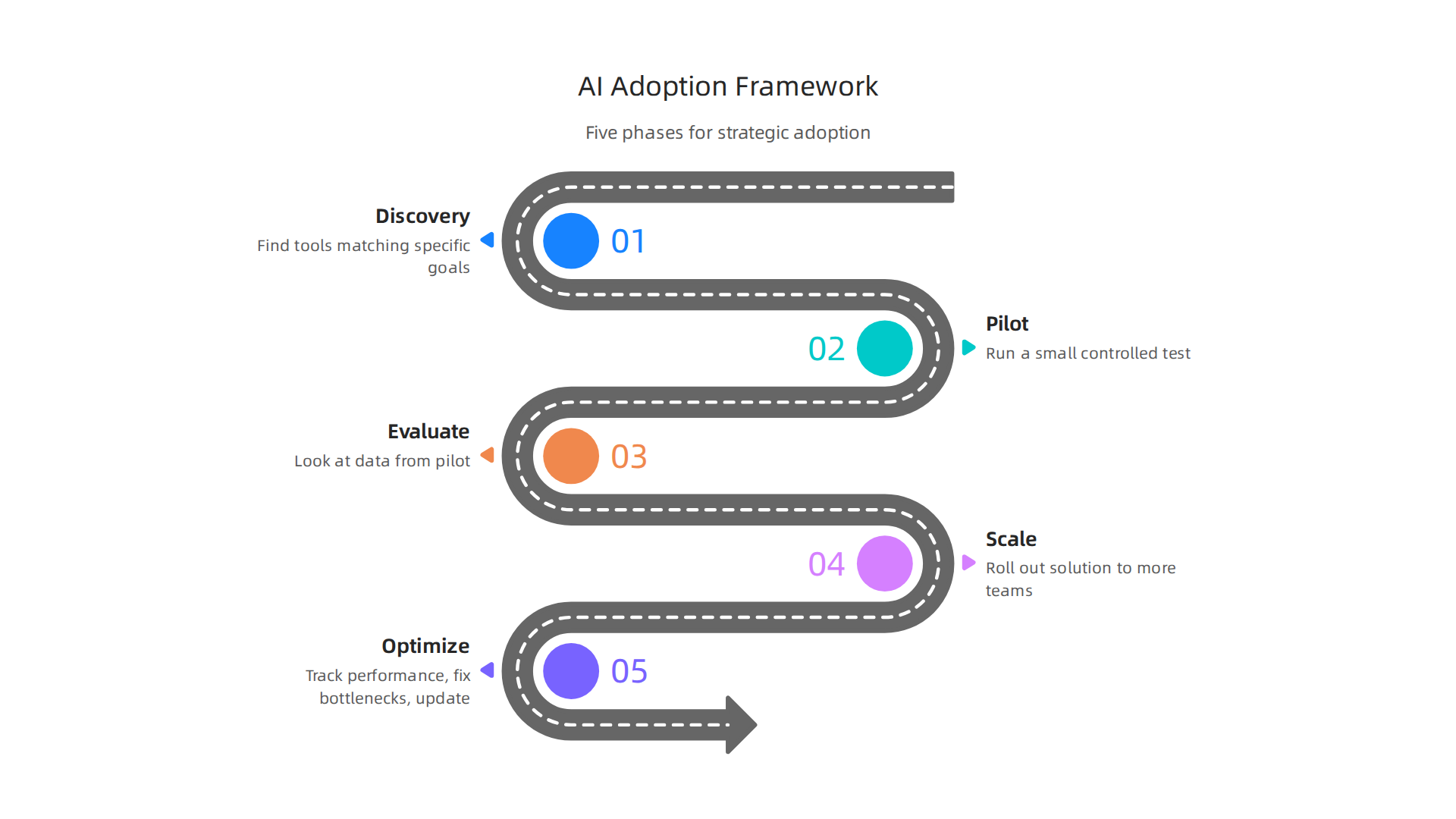
    A clear framework turns uncertainty into a repeatable process. The best teams in 2026 follow five phases: Discovery, Pilot, Evaluate, Scale, and Optimize.

    A visual framework outlining the five phases for strategic AI tool adoption.

    This proven model comes from real-world setups. For example, a complete guide to building an AI adoption framework for 2026 uses a similar phased approach to reduce risk.

    Here is how each phase works in plain terms:

    • Discovery – Find the right top AI tools and ai platforms that match your specific business goals. Skip the hype and focus on real needs.
    • Pilot – Run a small, controlled test with one team or one process. Keep the scope tight so you can measure results clearly.
    • Evaluate – Look at the data from your pilot. Did it save time? Cut costs? Improve quality? Decide if it deserves more investment.
    • Scale – Roll out the winning solution to more teams. Connect it with your existing systems. Train people so they actually use it.
    • Optimize – Keep improving. Track performance, fix bottlenecks, and update the tool as your needs change. This is where you get long-term value.

    This cycle keeps you from jumping between shiny milestone technologies without a plan. A report on enterprise AI adoption shows that companies using structured frameworks report higher success rates. For more on how to find the right options in the first phase, check out this AI tool discovery guide.

    To stay ahead of the curve with the latest best practices, consider subscribing to [The AI Newsletter Worth Reading]. It delivers clear daily updates so you never miss a key insight.

    Phase 1: Discovery and Business Alignment

    Discovery is not about grabbing the flashiest new tool on the market. It starts with a clear look at your actual business needs. Ask yourself: what problem are we really trying to solve?

    Map those needs to the capabilities of available future tools and ai platforms. This keeps you from chasing hype. A complete guide to building an AI adoption framework shows that alignment with business goals is the foundation of any successful rollout.

    Next, bring key stakeholders into the conversation early. When leaders from different teams agree on priorities, you get buy-in from day one. This prevents resistance later.

    The goal of this phase is simple: create a shortlist of candidate top ai tools based on your prioritized requirements. You are not buying anything yet. You are just narrowing the field. For a deeper look at how to evaluate options, see this guide on how to choose AI for business tools.

    Phase 2: Pilot and Proof of Value

    Once you have a shortlist of future tools, pick one or two top candidates for a small test. This is not a full rollout. It is a controlled experiment.

    Set a firm timebox between 60 and 90 days. That gives you enough time to see real results without burning budget on something that does not work.

    Define your success metrics before the pilot starts. What does winning look like? Maybe it is hours saved per week or a percentage increase in output. Write those numbers down. Measure them honestly.

    A team reviewing data and charts, assessing the results of a pilot project to determine success.

    IBM points out that many teams stumble when moving from pilots to full adoption because they skip this measurement step. Reading about the biggest AI adoption challenges for 2026 helps you avoid those same mistakes.

    Collect real feedback from the people using the tool every day. They will catch problems the sales demo never showed you. Combine that feedback with your metrics to decide if the pilot passed or failed.

    For a deeper look at comparing platforms during this phase, check this enterprise AI platforms guide. Staying current with these evaluations is easier when you have a steady source of daily updates. That is why many teams rely on The AI Newsletter Worth Reading to keep their pilot decisions informed by the latest breakthroughs.

    Phase 3: Integration, Scaling, and Governance

    Your pilot proved the tool works. Now the hard part begins. You need to weave those future tools into the systems your team uses every day. That means connecting the AI to your existing data sources, CRM, and workflow tools. Without that deep integration, you will end up with a powerful tool that nobody actually uses.

    As you scale, governance becomes just as important as performance. You need clear rules about who can access the AI, what data it can touch, and how decisions get reviewed. This enterprise AI adoption framework from the G2 Learn Hub walks through how to set those guardrails without slowing down progress.

    Continuous monitoring completes the picture. Track your success metrics over time. Watch for drift in output quality. Keep talking to the people using the tool daily so you catch problems early.

    Wondering how to pick scalable tools from the start? This guide on how to choose AI for business tools that deliver real results will help you avoid common scaling traps.

    Critical Criteria for Evaluating Future Tools

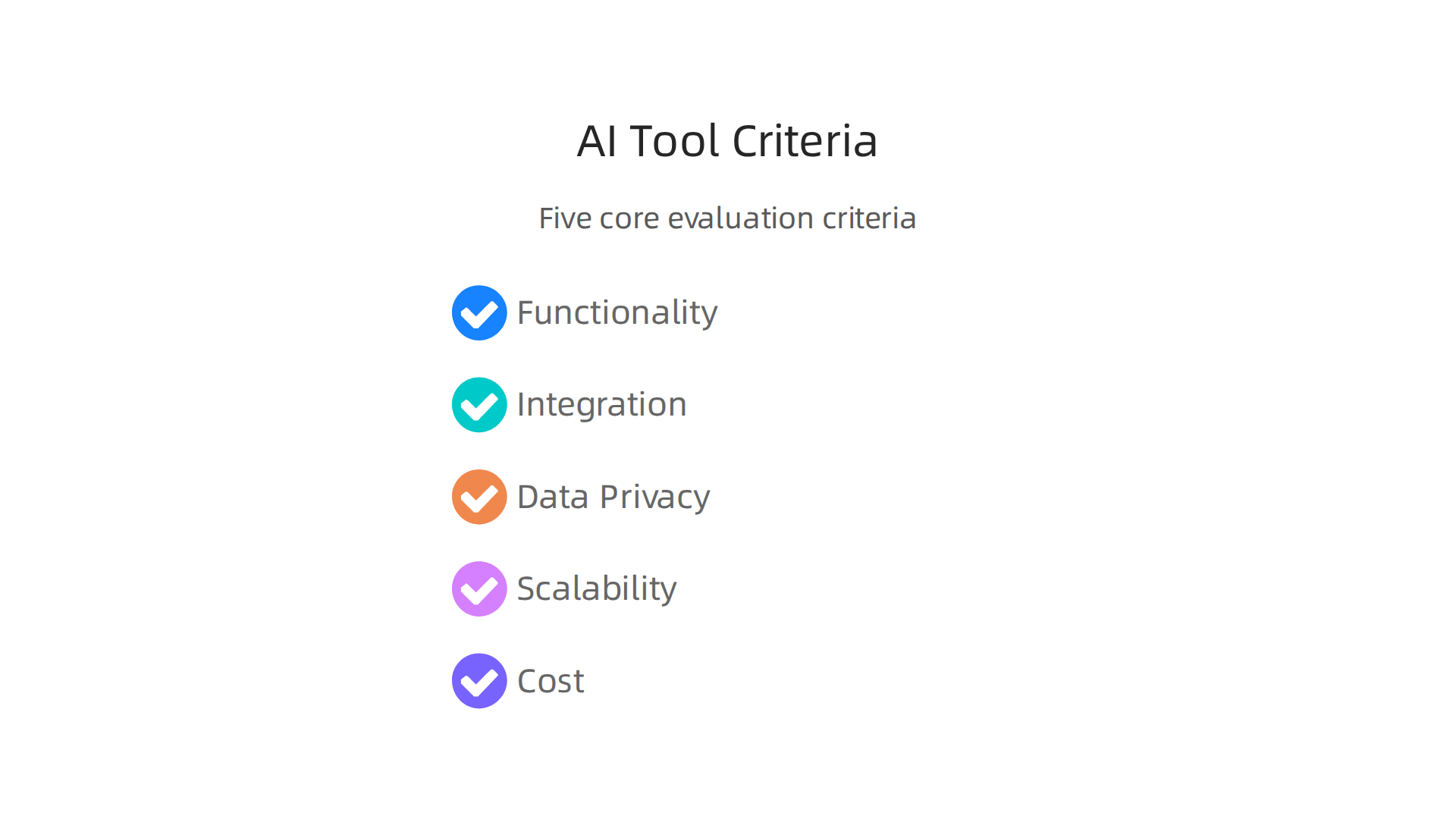
    Not every future tool deserves a spot on your tech stack. The trick is knowing what to look for before you get excited by a demo. Focus on five core criteria: functionality, ease of integration, data privacy, scalability, and cost.

    Infographic listing the five core criteria for evaluating future AI tools before adoption.

    Start with functionality. Does the tool actually solve the problem you identified in your pilot? Then check integration. Will it connect to your CRM, data warehouse, and daily workflow tools without a ton of custom work? Data privacy matters more than ever in 2026. Make sure the vendor follows your compliance requirements. Scalability means the tool can grow with your team without breaking the bank. And cost should include more than the subscription fee, like training, maintenance, and hidden infrastructure charges.

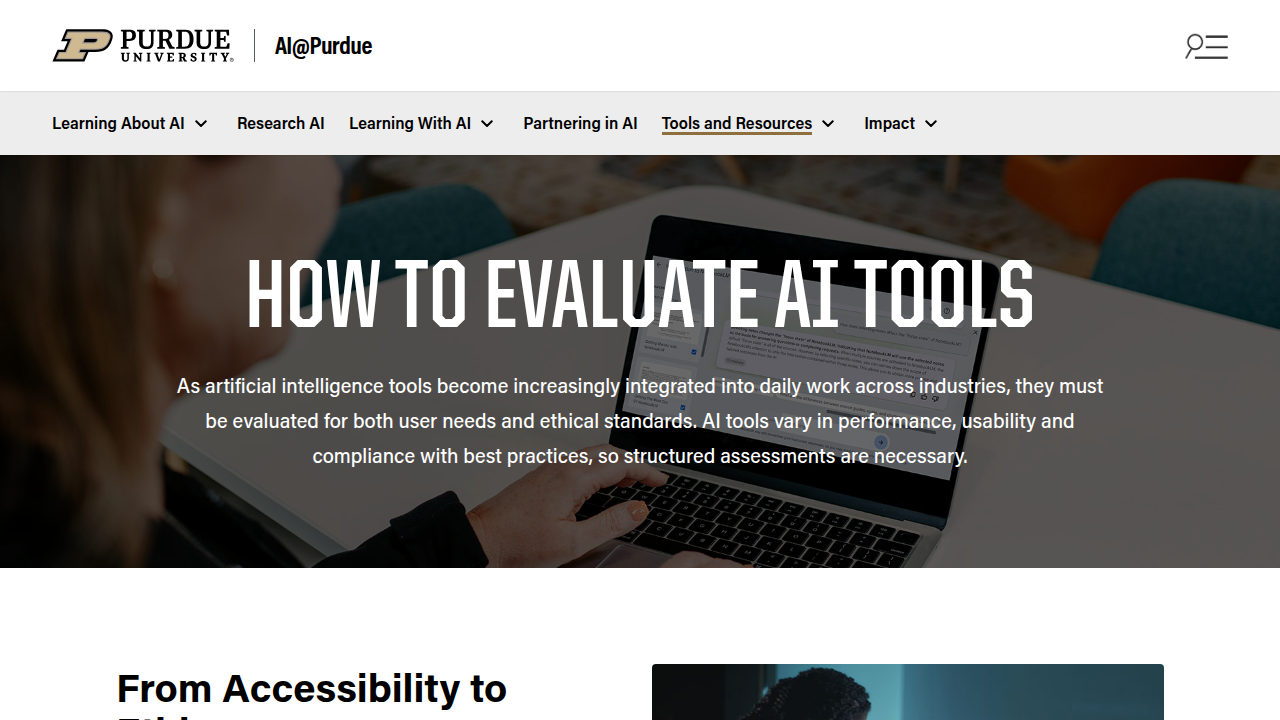
    The trick is weighting each criterion by your business priorities. A tool that scores high on functionality but low on privacy may not be the right fit for a regulated industry. Using a simple scoring matrix helps remove bias from the decision. This guide to evaluating AI tools from Purdue University lists criteria like accessibility, accuracy, and ethical implications that you can adapt to your own matrix.

    Screenshot of Purdue University's guide on how to evaluate AI tools, detailing critical criteria.

    Want a deeper look at how top platforms compare? This overview of enterprise AI platforms 2026 top providers and how to choose the right one can help you narrow the field.

    To stay on top of new future tools and evaluation methods all year long, subscribe to The AI Newsletter Worth Reading for daily updates that cut through the noise.

    Technical Capabilities and Integration Readiness

    High level criteria give you the big picture, but two areas can make or break your choice of future tools: technical capabilities and integration readiness.

    Start with technical capabilities. Look at model accuracy for your specific use case. Latency matters if you need real time answers. Check API support and how easy it is to customize the model to your data. For example, the best AI evaluation tools for production systems recommend tracking task specific metrics like accuracy and latency.

    Next, integration readiness. Does the tool connect to your CRM, ERP, or data warehouse with minimal custom code? Many top AI platforms offer pre built connectors, but you should verify before committing.

    Data readiness is often the hidden bottleneck. Tools expect clean data in a specific format. Make sure your data volume and quality meet the minimum requirements. Without that, even the most capable tool will stumble.

    For a practical framework, check out this guide to choose AI for business tools that covers these exact considerations.

    Vendor Stability, Support, and Ecosystem

    Beyond technical fit and data readiness, the long-term value of future tools depends on the vendor behind them. You want a partner, not just a product.

    First, check vendor stability. Look at the company’s financial health, user base size, and product roadmap. A tool from a stable vendor is less likely to disappear next year. According to an article from Forbes titled 10 Considerations When Evaluating An AI Tool, you should study the provider carefully.

    Next, evaluate support quality. Are response times fast? Is documentation clear? An active community can also save you when you are stuck.

    Finally, look at the ecosystem. Does the tool have strong integration partners and third-party support? A wide API ecosystem means you can connect it to your existing stack. For a deeper look at choosing a reliable platform, check out this guide on enterprise AI platforms 2026 top providers.

    Get clear daily AI updates from The Deep View Newsletter. Subscribe to The AI Newsletter Worth Reading and stay ahead with daily insights.

    Common Pitfalls in Adopting Future Tools and How to Avoid Them

    Even when you pick a stable vendor, the hardest part is still ahead. Many teams jump into future tools without a clear use case. They buy a shiny AI platform and then ask, "What should we do with it?" That backward approach often leads to wasted money and zero results.

    Another common mistake is underestimating change management. If your people don’t understand why the tool matters, they won’t use it. A successful rollout needs training, clear communication, and patience.

    Ignoring data readiness is another big pitfall. Your AI is only as good as the data you feed it. Messy, incomplete, or siloed data will give you unreliable outputs. According to a guide on avoiding costly AI adoption mistakes, poor data quality is one of the top reasons AI projects fail.

    The good news? Awareness is half the battle. When you know these traps exist, you can plan around them. Start with a specific problem, prepare your data, and bring your team along for the ride. For a step-by-step framework on picking tools that actually fit your business, check out this practical guide on how to choose AI for business tools.

    Overcoming Analysis Paralysis and FOMO

    Even with that framework in hand, the sheer number of options can still freeze you in place. Decision paralysis is real. You stare at dozens of AI platforms, afraid to choose the wrong one. Then FOMO kicks in, the fear of missing out. It pushes you to buy the hottest new tool before you even know if it fits your needs. Rushed or delayed decisions both lead to wasted time and money. In fact, decision paralysis is one of the common barriers to AI adoption that many businesses face.

    Here are three simple tactics to break the cycle. First, set a firm evaluation time limit. Give yourself two weeks to compare tools and make a call. Second, use a simple decision framework. Score each option on fit, cost, and ease of use. Third, consult a few trusted sources instead of chasing every headline. A great way to stay informed without overwhelm is to subscribe to The AI Newsletter Worth Reading.

    These small habits help you move forward with confidence. For more on structured evaluation, also check out this guide to enterprise AI platforms and how to choose the right one.

    Change Management and User Adoption

    Picking the right tool is only half the battle. The real challenge comes next: getting your team to actually use it. User adoption is the most critical factor for tool success. Even the best future tools fail if nobody adopts them.

    So how do you drive adoption? Start by communicating the value clearly. Explain how the tool makes their work easier, not harder. Provide hands-on training so people feel confident. Also, identify champions within your team who can model usage and help others. Many teams overlook these steps, which is one of the costly AI adoption mistakes in business.

    Resistance often comes from the fear of job displacement. The key is to reframe AI as augmentation, not replacement. Show your team that these tools handle tedious tasks so they can focus on more meaningful work. For a deeper look at evaluation, read how to choose AI for business tools that actually get used.

    Real-World Success Stories: Strategic Adoption in Action

    Theory helps, but nothing beats seeing results from real teams. Here are two examples of strategic adoption that paid off.

    Case Study 1: More Content, Same Team

    A mid-size marketing agency wanted to scale content production without hiring more people. They used a structured adoption framework to select a generative AI content tool. By starting small, training thoroughly, and iterating based on feedback, they boosted content output by 30%. The team produced more without burning out.

    Case Study 2: Faster Operations, Fewer Bottlenecks

    An enterprise operations team adopted an AI workflow automation platform. They picked one slow process, automated it, and proved the value. Process time dropped by 50%. That success opened the door for more automation across the organization.

    What Made Them Succeed

    Both teams shared three success factors: executive sponsorship from leadership, an iterative rollout instead of a full launch, and continuous training for the whole team.

    A diverse team happily celebrating a successful project completion, showing high morale and achievement.

    These patterns match what enterprise AI adoption trends show across industries.

    These case studies prove that future tools deliver real value when you focus on people first. For more on choosing the right technology, check out this guide to enterprise AI platforms for 2026.

    Want to keep learning about the latest AI breakthroughs? Subscribe to The AI Newsletter Worth Reading for daily updates on top AI tools and milestone technologies.

    Case Study: How a Mid-Size Marketing Agency Modernized Workflows

    Let’s unpack how that mid-size agency achieved its results. The team managed content for multiple client accounts, each with different brand voices and formatting rules. They needed a scalable solution without hiring more people.

    They adopted a clear 5-phase framework to evaluate future tools.

    • Discovery: The team scanned for top AI tools and shortlisted three candidates suited to their workflow.
    • Pilot: They ran a controlled test with one tool on a single client account to measure real performance.
    • Rollout & Training: After proving the concept, they trained the whole team on the chosen AI platform.

    The payoff came fast. Content production sped up by 30%, and editorial costs dropped by 20%. This matches what many organizations see with structured adoption. In fact, 85% of SMBs already using AI expect measurable returns. For a deeper look at finding the right starting point, explore this guide on AI tool discovery for business.

    This case study proves that future tools do not have to be complicated to deliver real, measurable value.

    Case Study: Enterprise Adoption of AI for Operations

    Now let’s look at how a large enterprise tackled similar problems at a bigger scale. This company handled thousands of manual data entries and approval workflows every week. Employees spent hours on repetitive tasks that slowed down key processes.

    The leadership team decided to pilot an AI-powered workflow automation tool. After a six-week trial on one department, the results were clear. They rolled it out across the organization.

    The outcomes speak for themselves. Process cycle time dropped by 50%. User satisfaction hit 95% in the first quarter alone. These numbers reflect a wider trend: according to The State of AI in the Enterprise 2026 report, improving productivity and efficiency remain the top benefits organizations report from AI adoption. For a closer look at picking the right system, check out this guide on enterprise AI platforms 2026.

    If you want to stay ahead of these kinds of breakthroughs, The AI Newsletter Worth Reading delivers clear daily updates on tools and trends that actually matter.

    Both the marketing agency and this enterprise prove that future tools can transform teams of any size when the adoption strategy is right.

    Summary

    This article gives a practical, step-by-step framework for choosing and adopting AI tools that actually deliver business value in 2026. It explains the fast-changing landscape—multimodal models, agentic workflows, and vertical-specific platforms—and why a strategic approach prevents wasted budgets and tool sprawl. You’ll learn a five-phase process (Discovery, Pilot, Evaluate, Scale, Optimize) with concrete guidance on pilot timing, success metrics, integration readiness, vendor stability, and governance. The piece also highlights common pitfalls like poor data readiness, decision paralysis, and weak change management, and shows how real teams achieved measurable gains by following the framework. After reading, you’ll be able to shortlist suitable AI platforms, run controlled pilots, evaluate results objectively, and scale safely while keeping users and data governance front and center.

  • MacBook Air 2022 AI Workloads Guide Benchmarks and Workflows

    MacBook Air 2022 AI Workloads Guide Benchmarks and Workflows

    Introduction

    You just got your MacBook Air 2022. It is sleek, light, and fast. But here is the real question: Can it handle your AI workload?

    If you are like most professionals in 2026, you are juggling AI tools every day. Maybe you use ChatGPT for drafting emails. Maybe you run local models for image generation. Or maybe you are drowning in AI newsletters, tool reviews, and workflow tutorials that all promise the same thing.

    That overwhelm is real. According to the latest AI Productivity Guide for 2026, professionals who use AI tools effectively are saving an entire workday every week. But getting there means cutting through the noise first.

    That is where the MacBook Air 2022 shines.

    With its M2 chip, this laptop delivers surprising power in a thin frame. It is not the most expensive Apple desktop replacement. It is not a gaming rig. But it offers something rare: true portability paired with enough processing muscle to run modern AI applications without breaking a sweat.

    So why does this matter for you?

    Because the right hardware is only half the equation. You also need practical workflows, real benchmarks, and honest tips that turn your machine into an actual productivity hub. That is exactly what this guide delivers.

    We will cover how the MacBook Air 2022 handles real-world AI tasks. We will compare it to other options like the best mini PC setups and show you how to avoid common mistakes. And we will share strategies to keep your workflow smooth, even when things go wrong.

    If you have been wondering whether your Apple MacBook trade in was worth it or how to get the most out of your current machine, you are in the right place.

    Let us start with something simple. If you want daily AI updates that actually help, consider checking out The AI Newsletter Worth Reading.

    Screenshot of The Deep View's newsletter subscription page, offering practical AI insights.

    It delivers clear, practical insights without the fluff.

    1. Why the M2 Chip Matters for AI Tasks

    The M2 chip is the engine that makes the MacBook Air 2022 work well with AI. Without it, this thin laptop would struggle. With it, things just run smoothly.

    Two things make this possible.

    First, the 16-core Neural Engine. This part of the chip is built just for machine learning. When you run an AI model, the Neural Engine handles the hard work. Your main processor stays free for other tasks. This means less lag.

    Second, the unified memory. Instead of separate memory spots for different parts of the chip, everything shares one fast pool. Data moves faster because nothing needs to copy itself around. For AI jobs like running LLMs or making images, this matters a lot.

    The numbers back this up. According to Apple M2 Processor Benchmarks and Specs from Notebookcheck, the M2 runs 18% faster than the M1 at the same power level.

    Screenshot of Notebookcheck's homepage, a resource for laptop and processor benchmarks.

    Compared to older Intel MacBooks, the jump is even bigger. Some AI tasks run up to 40% faster.

    Real-world tests show the same story. The MacBook Air 2022 runs mid-sized language models and image tools smoothly. It is not a desktop computer for heavy work. But for daily AI tasks, it holds up well.

    If you want to see how the M2 stacks up against newer chips, the Apple Silicon for AI M4 vs M3 vs M2 Comparison guide breaks it down with clear numbers.

    And if your AI workflow ever crashes, learning how to report a problem to Apple when your AI workflow crashes can help you fix things fast.

    2. Maximizing RAM and Storage for AI Models

    Your MacBook Air 2022 has unified memory. That means the AI model and the processor share the same pool of memory. No copying data back and forth. This is great for speed, but it means you need enough memory to hold the entire model.

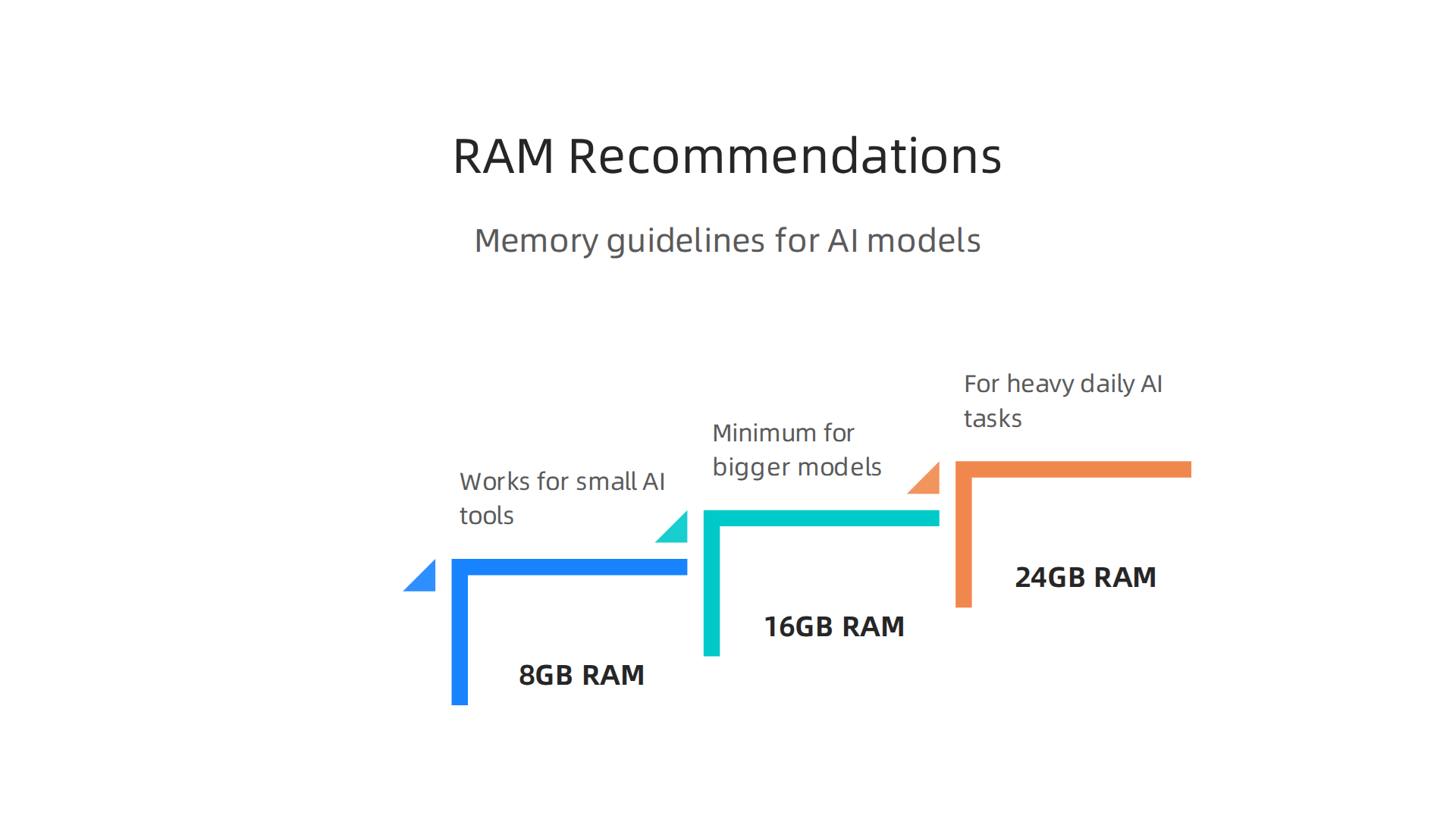
    For small AI tools, 8GB works okay. But for bigger language models or image generators, you want more. A good rule is 16GB at minimum. If you plan to run heavy AI tasks daily, get 24GB if your budget allows.

    Memory guidelines for running various AI models effectively on your MacBook Air 2022.

    The M2 chip supports up to 24GB of unified memory.

    Here is why memory matters more than you think. When your model runs out of RAM, the system starts using your SSD as virtual memory. This is called swapping. It slows everything down. A lot. Apple’s own announcement of the M2 chip explains how the unified memory architecture makes this possible. You can check that Apple M2 breakthrough performance and capabilities page for the full details.

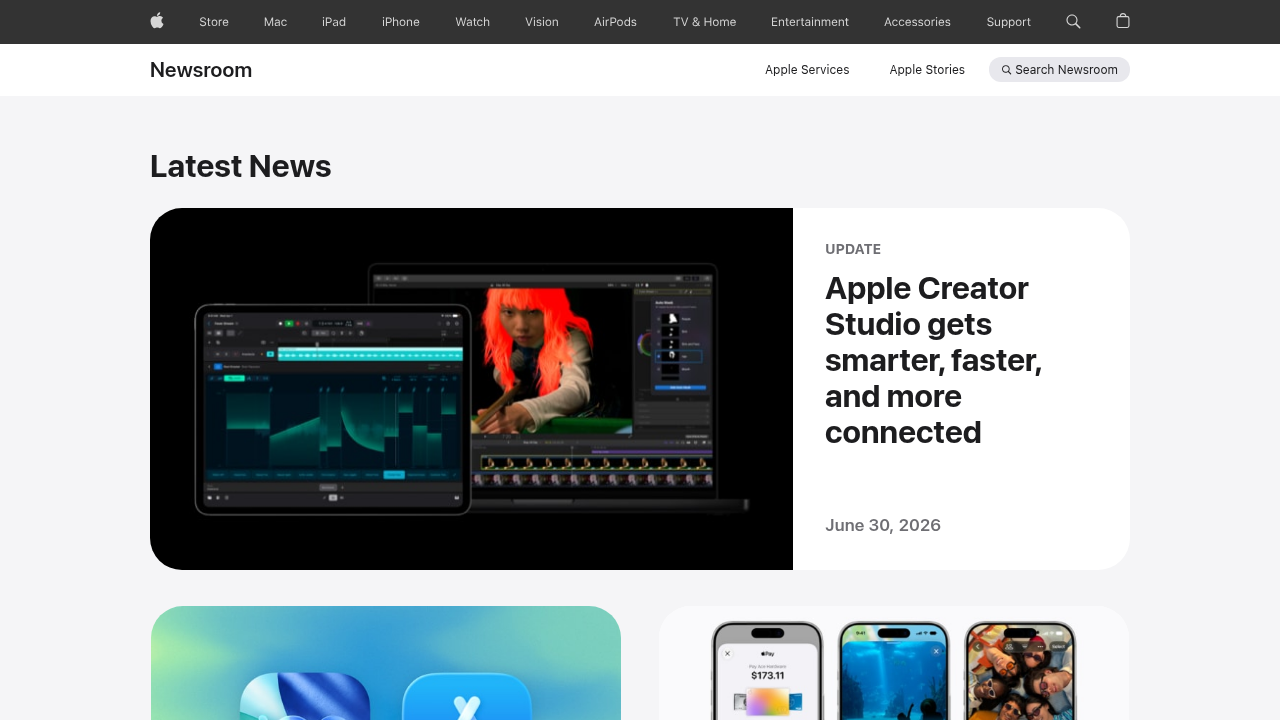
    Screenshot of the Apple Newsroom homepage, where official announcements and product details are released.

    Now about storage. The MacBook Air 2022 comes with SSDs up to 2TB. A fast SSD matters because it loads your AI models and checkpoints faster. But here is the trick: if you have to choose between more RAM and more storage, pick RAM every time. You can always add an external drive later. You cannot add more RAM after purchase.

    If you are still deciding which model fits your work, check out this picking the best MacBooks for AI guide. It compares options across the whole lineup.

    Staying current on AI tools helps you make the most of your MacBook. Want the latest AI news and tips delivered daily? Get clear updates from The AI Newsletter Worth Reading and stay ahead.

    3. Top AI Apps Optimized for MacBook Air 2022

    Now that your MacBook Air 2022 has enough RAM and fast storage, it’s time to load it with AI apps that actually use the M2 chip’s power. The unified memory and Neural Engine make many AI tools run surprisingly fast on this laptop. Here are five apps that feel like they were made for your machine.

    1. ChatGPT for Mac – The official desktop app is lightweight and uses your Mac’s GPU for faster responses. It works great for writing, brainstorming, and coding help.
    2. MacWhisper – This native macOS app turns audio into text using OpenAI’s Whisper model. It runs completely offline and handles long recordings without slowing down.
    3. DiffusionBee – An image generator that runs locally on Apple Silicon. No cloud needed. You can create AI art right from your MacBook Air 2022 in seconds.
    4. LM Studio – Lets you download and run open-source language models like Llama and Mistral. It’s fully offline and optimized for M2 chips.
    5. Raycast – A keyboard launcher with built-in AI features. You can ask questions, summarize text, or control your Mac with natural language.

    All these apps take advantage of the M2’s efficiency. That means your battery stays strong while you work.

    For a full list of tools that perform well on Apple Silicon, take a look at this roundup of best AI apps for Mac from MacHow2.

    If you’re still figuring out which AI tools deserve your time, this guide on finding trusted AI sources can help you cut through the noise.

    4. Using Shortcuts and Automations for AI Workflows

    Once you have the right apps installed, the next step is making them work together automatically. Your MacBook Air 2022 comes with the Shortcuts app built in. This tool lets you chain AI prompts and outputs across different apps without touching the keyboard.

    For example, you can set up a daily AI briefing. Shortcuts grabs the top news headlines, sends them to ChatGPT for a one-paragraph summary, and reads it aloud through your speakers while you make coffee. All in one click.

    Another powerful automation is image generation from clipboard. Copy an image to your clipboard, run a shortcut that sends it to DiffusionBee, and get a variation or upscale in seconds. No manual importing required.

    Text summarization is equally simple. Highlight any text, trigger a shortcut, and have Raycast or ChatGPT summarize it instantly. You can then save the summary to a note or send it to your email.

    For people who want more control, third-party tools like Keyboard Maestro and BetterTouchTool take automations further. They add custom triggers, complex conditions, and deeper integration with system events. You can create workflows that run AI models based on file changes, time schedules, or even mouse gestures.

    A well-designed AI workflow saves you minutes every day. And minutes add up fast.

    A person focused on streamlining their workflow with tools, representing the benefit of automation.

    If you ever run into problems with automations going wrong, this guide on troubleshooting AI workflow crashes with Apple support can help you get back on track.

    To get the most out of these automations, you need to keep up with the latest AI tools and updates. The Deep View Newsletter delivers clear daily AI news straight to your inbox, so you never miss a new workflow opportunity. The AI Newsletter Worth Reading is a great way to stay sharp.

    5. Multitasking with AI Tools: Split View, Spaces, Stage Manager

    Now that your shortcuts and automations are running smoothly, you need a way to juggle multiple AI tools without getting lost in a mess of windows. The MacBook Air 2022 has three built-in features that make this easy: Split View, Spaces, and Stage Manager.

    Stage Manager groups your apps into sets on the left side of the screen. Click one set, and your AI writing tool, image generator, and chatbot all appear together. Click another, and you see your research notes, email, and planner. It cuts down clutter instantly.

    Spaces lets you create separate full-screen desktops. You can dedicate one desktop to your coding environment, another to your LLM chat, and a third to your output viewer. Swipe between them with three fingers on the trackpad. No alt-tabbing through a stack of windows.

    Split View is perfect when you need to see two apps side by side. Drag one window to the left edge and another to the right edge. Now you can tweak your AI prompt in one pane and watch the output update in real time.

    Here is a real-world example. A developer using the MacBook Air 2022 sets up Space 1 with VS Code for writing code. Space 2 holds ChatGPT for asking questions about the code. Space 3 shows a live preview of the app they are building. The developer switches between spaces in a heartbeat. No slowdowns. No confusion.

    These multitasking tools turn your MacBook Air 2022 into a command center for AI work.

    A professional demonstrating efficient multitasking across several virtual workspaces.

    For more tips on getting the most from your setup, check out this guide on picking the best MacBooks for AI for your 2026 projects. It covers which models handle heavy multitasking best.

    6. Local vs Cloud AI Processing: When to Use Which

    Now that your multitasking setup is ready, the next question is where to run your AI workloads. Your MacBook Air 2022 can handle some models right on the device. But other jobs are better sent to the cloud. Here is how to decide which approach fits each task.

    The M2 chip inside the MacBook Air 2022 has a 16-core Neural Engine that can run about 15.8 trillion operations per second. That is enough power for lightweight models like small language assistants, text summarizers, and basic image editing tools. Running these locally means zero latency. No waiting for an internet request. No monthly fees. You just open the app and go.

    But heavier models need more muscle. Large language models like GPT-4, video generators, or advanced image upscalers require cloud servers. The MacBook Air 2022 has a unified memory limit of 8GB or 16GB. That is not enough for models that need 32GB or more of VRAM. Offloading these to the cloud costs money per request, but you get professional-grade results instantly.

    Here is a simple strategy. Use local processing for quick edits, small drafts, and personal assistants. Use cloud processing for complex analysis, full content generation, and media creation.

    Deciding whether to run AI tasks locally on your MacBook Air or leverage cloud resources.

    The blend gives you speed when you need it and power when you must have it.

    For a deeper look at how different setups compare, check out this guide on enterprise AI platforms for 2026. It helps you match processing type to your workload.

    If you want to stay on top of which AI models run best locally versus in the cloud, The AI Newsletter Worth Reading delivers daily updates straight to your inbox. No fluff, just practical AI news.

    7. Battery Life Management for Heavy AI Workloads

    Now that you know when to run AI locally versus in the cloud, let’s talk about what happens to your battery when you push the MacBook Air 2022 with local models. The M2 chip has special efficiency cores that keep power draw lower during sustained AI inference. That is a big help. But running AI models still eats energy fast.

    Here is the honest truth. If you use your MacBook Air 2022 for normal tasks like web browsing and writing, you might get 15 hours or more. Apple’s newer MacBook Air with M5 shows up to 18 hours for video playback in Apple’s official battery ratings for MacBook Air. But when you start running continuous AI inference, that number drops hard. Expect about 3 to 4 hours of steady AI work on a full charge.

    Do not panic. You can stretch that battery further with a few simple habits. First, lower your screen brightness. The display is a big power hog. Second, close every app you are not using. Background apps fight for system resources and drain your battery. Third, turn on optimized energy settings. Go to System Settings and select Low Power Mode. That caps performance slightly but gives you more runtime.

    Also, avoid running multiple AI models at the same time. The MacBook Air 2022 handles one local model fine. Piling on two or three will drain your battery in under two hours. Stick to one task at a time.

    If you want to upgrade your hardware for longer AI sessions, check out this guide on best MacBooks for AI projects. It compares battery performance across different models.

    8. Integrating AI with macOS Native Features (Spotlight, Siri, Quick Look)

    Your MacBook Air 2022 already comes with tools you can use for AI work. You probably use Spotlight to find files or Siri to set reminders. But these native features can also help you run AI tasks faster. Here is how to make them work for you.

    Use Spotlight as a quick launchpad for AI scripts and tools. Press Command + Space and type the name of an AI app or script. For example, if you have a local text generation model saved as a shortcut, Spotlight finds it in seconds. You do not need to dig through folders every time.

    Siri shortcuts can trigger complex AI workflows with voice commands. Open the Shortcuts app on your Mac. Create a shortcut that runs an AI model or opens a set of tools. Then say "Hey Siri" followed by the shortcut name. Siri runs it without you touching the keyboard. This is great when you need to start a long AI task while you step away.

    Quick Look previews of AI-generated images and documents save time. Select a file and press the Space bar. You see the image or document content without opening any app. This works for AI output like generated pictures, text files, or CSV exports. You check results fast and move on.

    Newer MacBook models include even deeper AI features, as shown in The best MacBooks of 2026. But your MacBook Air 2022 already handles these tricks well.

    If you want to stay updated on more AI tips like this, The AI Newsletter Worth Reading delivers clear daily updates straight to your inbox.

    These small habits turn your everyday Mac features into AI helpers. No extra software needed.

    9. Security and Privacy Considerations for AI on MacBook Air

    Using AI on your MacBook Air 2022 is exciting, but it also raises important questions about safety. Here is the good news: running AI locally on your machine keeps your sensitive data off third-party servers. When you use a local AI model instead of a cloud service, your private information never leaves your laptop. That alone reduces a lot of risk.

    Your MacBook Air already comes with strong built-in protections. FileVault encrypts your entire drive so that even if someone gets physical access to your computer, they cannot read your files.

    A person thinking about or implementing data security measures for their digital work.

    Gatekeeper checks that every app you run has been verified by Apple. And the T2 security chip in your MacBook Air handles encrypted storage and secure boot processes. These features protect both your AI tools and the data they process.

    Here are a few best practices to keep your AI work safe:

    Sandbox your AI apps. When you download a new AI tool, run it in a separate user account or a container. This limits what the app can access if something goes wrong.

    Vet your models carefully. Only download AI models from trusted sources. Bad actors can hide malware in fake model files. Check reviews and community feedback before running anything unfamiliar on your MacBook Air.

    Use encrypted containers for sensitive AI data. Tools like VeraCrypt let you create a secure folder that locks with a password. Store your training datasets and AI outputs there when you are not using them.

    Apple has been paying closer attention to AI security too. In 2026, the company started accelerating security updates in response to AI-powered hacking risks. This means your MacBook Air gets fixes faster when new threats appear.

    If you run into security issues with your AI workflow, you can learn how to report a problem to Apple when your AI workflow crashes. Getting fast help keeps your projects moving without putting your data at risk.

    Staying safe does not have to be hard. A few small habits make a big difference when you are exploring AI on your MacBook Air 2022.

    10. Future-Proofing Your MacBook Air for Emerging AI Tech

    Building on that foundation of safety, let us talk about how to keep your MacBook Air 2022 ready for the AI tools of tomorrow. The good news is that Apple designed this laptop with future AI features in mind.

    The M2 chip inside your MacBook Air includes a 16-core Neural Engine built specifically for machine learning tasks. As Apple rolls out more on-device AI features in future macOS updates, that Neural Engine will become even more useful. Your machine is already set up to handle those improvements without needing new hardware.

    But to really get the most out of your laptop for years to come, you need the right configuration. If you are buying new or upgrading, aim for at least 16GB of RAM and a 512GB SSD. These specs give your MacBook Air the memory and storage space to handle larger AI models and bigger datasets without slowing down. That upfront investment will extend your laptop’s useful life by several years.

    Staying ahead also means keeping an eye on Apple’s machine learning framework updates and community optimizations. The AI space moves fast, and new techniques can make older models run faster on the same hardware. Following these changes helps you squeeze every bit of performance from your MacBook Air 2022. You can find more guidance on picking the best MacBooks for AI if you are considering other options.

    Apple is also adapting its overall approach to keep users safe as AI evolves, with accelerated security updates in response to AI-powered threats becoming the new normal. That level of commitment means your MacBook Air will keep getting better protection over time.

    To stay on top of all the AI tools and updates that matter for your workflow, get clear daily AI updates from The AI Newsletter Worth Reading. It helps you keep your MacBook Air ready for whatever comes next.

    Summary

    This guide explains how the MacBook Air 2022 with Apple’s M2 chip performs as an everyday AI machine and how to get the most from it. It breaks down why the 16‑core Neural Engine and unified memory matter, recommends RAM and storage configurations, and gives practical rules of thumb for running local models versus sending jobs to the cloud. You’ll find a curated list of apps that run well on Apple Silicon, step‑by‑step ideas for automations and multitasking, and concrete tips to stretch battery life during sustained inference. The article also covers macOS integrations like Shortcuts, Spotlight and Siri, plus security practices to keep data safe when using AI tools. Finally, it shows how to future‑proof your setup with the right specs and update strategies so your MacBook Air stays useful as AI evolves. After reading, you’ll know which workloads your Air can handle, how to configure it for speed and safety, and when to offload heavier tasks to cloud services.

  • How to Report a Problem to Apple When Your AI Workflow Crashes

    How to Report a Problem to Apple When Your AI Workflow Crashes

    Introduction

    Your AI model just crashed mid-training. Or that machine learning script keeps freezing your MacBook. You need to get help from Apple fast, but the support process feels like a maze. Sound familiar?

    If you work with artificial intelligence, you probably push your Apple devices harder than most users. Heavy processing loads, constant software updates, and complex dependencies can create unique problems that standard troubleshooting guides don’t cover. And when something goes wrong, knowing how to report a problem Apple support can actually understand becomes critical.

    The truth is, Apple’s support system works well once you know the right channels. But many AI professionals waste hours waiting on hold or sending emails into a void. Some users report waiting over 30 minutes to speak with a representative, according to discussions on the Apple Support Community. Others find that support tickets go unanswered for days or even weeks.

    This guide is built for people like you. Whether you are a developer, researcher, or tech enthusiast, you need practical steps that get results. We will cover exactly how to contact Apple, what information to prepare beforehand, and how to speed up your support experience.

    Knowing your Apple serial number and understanding what support options exist can save you hours of frustration. We will also look at how the tech ladies community and applied tech resources can help you troubleshoot common AI workflow issues. And with so many new tools relying on ui ai integration, having a solid support strategy is more important than ever in 2026.

    Ready to take control of your Apple support experience? Let’s start with the basics of getting through to the right person on the first try.

    If you want to stay ahead of the latest AI tools that work seamlessly with Apple hardware, The AI Newsletter Worth Reading delivers clear daily updates to your inbox.

    Why AI Users Face Unique Apple Support Challenges

    Your MacBook Pro is getting hot enough to fry an egg. Your training run keeps crashing with a kernel panic. And when you finally try to report a problem Apple support might actually understand, you hit a wall.

    Here is the thing. AI workloads push Apple hardware in ways everyday use does not. That is why standard support can feel useless for people building or running machine learning models in 2026.

    Let us break down the three main reasons your Apple support experience is tougher than average.

    Understanding why AI users encounter specific challenges when seeking Apple support due to unique hardware and software demands.

    AI workloads stress hardware differently

    Training a model or running inference on a large dataset makes your CPU and GPU work hard for long periods. This causes thermal throttling, where the system slows itself down to avoid overheating. Memory pressure builds up. And GPU-related crashes become more common.

    Standard Apple support agents are trained for typical problems like "my screen is cracked" or "my battery drains fast." They do not always know how to diagnose issues caused by high sustained loads.

    A team collaborating to solve a complex technical problem, reflecting the need for specialized knowledge beyond standard support.

    Even for simple problems, getting through can be slow. Some users report waiting over 30 minutes on hold before speaking to anyone, as shared on the Apple Support Community.

    Software dependencies create macOS-specific bugs

    If you use TensorFlow, PyTorch, or Core ML, you know the pain. A library works fine on Linux, then breaks on macOS Monterey or Sequoia. Maybe it is a permission issue with the Metal Performance Shaders backend. Or a bug in the latest Xcode version.

    Apple’s support team may not have deep knowledge of these third-party frameworks. They might tell you to reinstall macOS or reset the NVRAM, which rarely helps. That is why the tech ladies community and applied tech forums have become go-to places for AI pros. They share fixes for ui ai integration issues that Apple’s own documentation barely mentions.

    The closed ecosystem makes diagnostics harder

    On a PC, you can run detailed hardware logs or swap out components. On a Mac, you need specialized tools like sysdiagnose and the Activity Monitor’s memory pressure graph. Apple also limits access to certain diagnostic data unless you are an Apple Store technician.

    Before you call support, you should gather your apple serial number and any crash logs. That saves you from repeating basic steps. For a deeper look at DIY troubleshooting, check out this guide on how to be your own Apple Home Advisor and troubleshoot like a pro.

    The bottom line: AI users need a different support strategy. In the next section, we will walk through the exact channels you should use to get fast, useful help from Apple.

    Understanding Apple’s Support Channels: Which One Works Best for AI Issues?

    So you have a crashing training script or a weird GPU bug on your Mac. Where do you even start with Apple? The answer depends a lot on what kind of problem you are facing.

    Apple gives you several ways to report a problem Apple might actually fix. Each channel has different wait times and different levels of technical depth. Let me break them down so you know exactly where to go.

    The Support App and AppleCare (Phone and Chat)

    This is the most common route. You call 1-800-MY-APPLE or use the Support app on your device. For hardware problems like a dead battery or a broken screen, this works fine. But for AI-specific bugs? It can be hit or miss. Some users report hold times of 35 minutes or more, as noted in the Apple Support Community. The agents are generalists. They do not always understand terms like "Metal Performance Shaders" or "CUDA" (well, Apple does not have CUDA, but you get the idea). Use this channel if your Mac physically broke or if you need a replacement. Do not use it for software bugs related to machine learning frameworks.

    Feedback Assistant

    This is Apple’s official tool for reporting bugs and suggesting improvements. It is designed for developers, which makes it a much better fit for AI issues.

    Screenshot of the Apple Feedback Assistant web interface, the primary tool for developers to report bugs and suggest improvements.

    When you send feedback through the app, it automatically collects logs and system data that help Apple’s engineers diagnose the problem. The best part? You can include sysdiagnose files, screen recordings, and detailed reproduction steps. According to Apple’s own guidance, filing one issue per report with a clear title and steps to reproduce gives your bug the best chance of getting fixed. This channel is ideal for AI bugs like kernel panics during training or broken Metal backends in PyTorch.

    Apple Developer Forums

    If you want to talk to other developers who face the same AI problems, the forums are your spot. Apple engineers do monitor these boards, especially during beta seasons. You can search for existing threads about your specific issue and often find workarounds before Apple ships a fix. This is also where the tech ladies community and applied tech experts share real-world fixes for tricky ui ai integration problems. For a broader look at finding trusted sources for AI tools, check out our guide on how to find trusted tech sources.

    Apple Business Manager

    If you are running AI workloads for a company or an educational institution, this channel moves faster. Business and enterprise customers typically get shorter wait times and more senior support staff. If your organization has a volume purchasing agreement, you can often get escalated directly to engineering teams. That matters when a critical training pipeline is down.

    Which channel should you pick for AI issues?

    Here is a quick cheat sheet:

    A quick guide to Apple's support channels, indicating which one is best suited for various AI-related problems and typical response times.

    Channel Best For Response Time
    Support App / AppleCare Hardware failures, physical damage 30 to 45 minutes on average
    Feedback Assistant Software bugs, ML framework crashes Days to weeks (sometimes no reply)
    Apple Developer Forums Community workarounds, peer support Hours to days
    Apple Business Manager Enterprise AI pipelines, urgent issues Same day or faster

    For the vast majority of AI bugs, start with Feedback Assistant. Then post on the Developer Forums to see if others have found a fix. Save AppleCare for when your Mac actually stops turning on.

    Getting daily AI updates and community insights can also help you stay ahead of Apple-specific issues. That is why many AI professionals subscribe to a dedicated newsletter for practical, daily tech news. If you want clear, no-fluff updates on AI tools and Apple developments, check out The AI Newsletter Worth Reading.

    Step-by-Step: How to ‘Report a Problem’ on Apple (Tailored for AI)

    You already know that Feedback Assistant is the best channel for AI bugs. But knowing that and actually filing a report that gets fixed are two different things. Here is a step-by-step walkthrough designed specifically for AI professionals.

    A six-step guide on effectively reporting AI-related issues to Apple via Feedback Assistant, tailored for developers.

    Step 1: Download and open Feedback Assistant

    On a Mac running a beta version of macOS, the app is pre-installed. If you are on a public release, go to feedback.apple.com in Safari. You need to be signed in with your Apple ID. If you are part of the Apple Developer Program, that is even better. The app automatically collects time-sensitive system data when you submit, which saves you a step.

    Step 2: Pick the right product area

    This matters more than you think. Apple’s internal bug tracking system, Radar, routes your report to a specific engineering team based on the category you choose. If you pick the wrong one, your bug might sit in the wrong queue for weeks. For AI issues, look for categories related to Machine Learning, Metal, or Core ML. If nothing quite matches, pick the closest one. According to experienced developers, the team that gets your bug will likely reassign it if needed, but it helps to be as accurate as possible.

    Step 3: Write a clear, tight title and description

    Apple’s own guidance says your title should be short but specific. Something like "PyTorch MPS backend crashes on M4 Mac when using batch size greater than 32 during training" is much better than "AI training crash." Include the software versions and the exact error message in the description. Write a step-by-step list of how to reproduce the bug. Pretend the engineer reading it has never seen your project before.

    Field Good Example Bad Example
    Title Metal kernel panic in PyTorch 2.5 on macOS 16 beta AI crash
    Description Step 1: Install PyTorch 2.5. Step 2: Run python train.py --batch-size 64. Step 3: Observe kernel panic after 10 minutes. It crashes sometimes.

    Step 4: Attach detailed diagnostics

    This is where AI bugs are special. The Feedback Assistant app automatically includes a sysdiagnose. But you should also manually trigger one right after the crash happens. On your Mac, press Shift + Control + Option + Command + Period to generate a sysdiagnose log. The file gets saved to /var/tmp/. Include it in your report. The Apple Developer Forums recommend triggering the sysdiagnose as soon as possible after the problem occurs so it captures the relevant state.

    Also grab Console logs for the crash time window. Open the Console app, filter for "kernel" or your app name, and export the relevant lines. For UI issues like a frozen training dashboard, take a screen recording.

    Step 5: For AI workflows, include extra files

    Standard advice says to include crash logs. For AI bugs, go further. Attach a small version of your model file, a sample of your dataset (just a few rows), and a text file listing your environment variables. This helps the engineer reproduce your exact setup. If your bug involves a specific Python package version, list those too.

    Step 6: File one bug per issue

    This one is critical. If your training script crashes and your inference pipeline also has a weird GPU bug, file two separate reports. Reports that list multiple issues are often returned for resubmission. Reference one bug number in the other so Apple’s team can link them.

    For more guidance on finding trusted sources for AI tools and troubleshooting, check out our guide on how to find trusted tech sources.

    Getting these small details right is what separates a fix that ships in two weeks from a report that sits in the queue for months. If you want daily updates on AI tools and Apple developments to stay ahead of common bugs, sign up for The AI Newsletter Worth Reading.

    Creating a High-Impact Bug Report for AI Software and Hardware

    Knowing the steps to file a report is one thing. Writing a report that actually gets the attention of Apple’s engineering teams is another. In 2026, as AI workloads on Apple Silicon grow more complex, engineers rely on clean, detailed bug reports to isolate problems fast.

    A professional presenting a detailed technical report, symbolizing the effort required to create a high-impact bug report.

    Here is how to structure your report so it stands out.

    Start with a strong title and summary.

    Apple’s own guidance on filing great bug reports says your title should be clear and include key details like the technology, platform, and version. For AI bugs, that means something like "Core ML model conversion fails on M4 Ultra with macOS 16 beta 3." The summary should state the problem in one or two sentences. Do not bury the lead. Say upfront that your training run crashes or your inference pipeline returns wrong results.

    List your environment completely.

    This is where AI bugs differ from regular software bugs. You need to specify:

    Essential environment details to include in an AI bug report to ensure Apple's engineering teams can effectively diagnose the issue.

    • Hardware: Mac model, chip type (M3, M4, M4 Max, M4 Ultra), RAM, and storage.
    • OS version: Include the exact macOS build number.
    • Framework versions: PyTorch, TensorFlow, Core ML, or Metal version numbers.
    • Model configuration: Model architecture, batch size, precision (FP16, FP32), and any custom layers.

    Getting this right matters because a bug on an M4 Ultra with 128 GB of RAM might not reproduce on an M3 with 16 GB. If you are working with picking the best macbooks for ai, knowing your exact specs helps the team match your setup.

    Write clear steps to reproduce.

    This is the most important part. Number each step. Start with a clean state. For example:

    1. Install PyTorch 2.6 with MPS support.
    2. Load the model file resnet50-fp16.pt.
    3. Run inference on a batch of 32 images.
    4. Observe the crash after step 3.

    Pretend the engineer has never seen your project. Also include your expected result and the actual result side by side.

    Attach everything that helps.

    A sysdiagnose is required. But for AI bugs, also include:

    • A small version of your model file or a script that recreates it.
    • Sample data (just a few rows or images).
    • Console logs filtered for the crash time window.

    For UI issues in an AI training dashboard, take a screen recording. Visuals help a lot.

    Avoid these common mistakes.

    First, do not omit log files. Engineers cannot debug what they cannot see. Second, always test with a minimal reproduction. Strip away everything except the code that triggers the bug. Third, never write vague descriptions like "training is slow." Say "training with batch size 64 on M4 Max takes 3x longer than on an M2 Ultra."

    Many tech ladies and applied tech professionals also forget to include the Apple serial number of their device. This helps Apple match your hardware configuration to internal testing units. Add it in the environment section.

    Finally, for UI AI bugs, be extra specific. Describe exactly what the user sees and what they expect to see. A screenshot with annotations can save days of back and forth.

    Leveraging Developer Tools: Radar, Feedback Assistant, and Community Forums

    You wrote a detailed bug report following the steps above. Now comes the big question where do you actually send it? Apple gives developers several ways to report problems. Picking the right channel can mean the difference between a fix in weeks or a ticket that sits unanswered.

    Feedback Assistant is your main tool.

    For most AI bugs on Apple Silicon, Feedback Assistant is the right place. This tool is available on iPhone, iPad, Mac, and the web. It collects time-sensitive diagnostic info automatically when you submit a report. The official guidance from the Apple Developer Feedback Assistant page says to start your feedback as early as possible. When you run into an issue with a beta version of macOS or a new Core ML feature, file it right away. The earlier you submit, the more likely engineers will address it before the public release.

    Here is a tip that many tech ladies and applied tech professionals miss: always file one issue per report. If your training pipeline crashes AND your inference results are wrong, create two separate reports. Apple says reports covering multiple issues are not actionable and may get sent back.

    Apple Developer Forums offer faster help.

    For peer-to-peer support, the Apple Developer Forums are a hidden gem. If you are stuck on an AI-specific problem like a Metal Performance Shaders error or a model conversion glitch, someone else has probably hit the same wall. The Apple Developer Forums let you search past discussions and start new threads. Apple engineers and other developers often reply within days. For quick workarounds, this beats waiting on a formal bug report response.

    When you search the forums, include details like your chip type and framework version. A post that says "MPS crash on M4 Ultra with PyTorch 2.6" gets answers faster than one that says "my model crashes."

    Radar and AppleCare for critical issues.

    Radar is the older bug tracking system that still runs behind the scenes. Many developers submit through Feedback Assistant, which feeds directly into Radar. For production-blocking issues that halt your deployment, Apple Developer Technical Support (DTS) is your best bet. You can submit a code-level support request through the Code-level Support page. Include your Feedback Assistant ID, a sample project, and clear steps. This gets you direct access to engineers who can escalate urgent bugs.

    Stay ahead of the AI curve.

    The AI landscape on Apple platforms changes fast. Getting your bug reports seen is only half the battle. You also need to stay informed about new frameworks, updates, and workarounds as they release. That is why keeping up with daily AI news matters for your workflow. If you want clear, practical updates delivered to your inbox, The AI Newsletter Worth Reading gives you the signal without the noise.

    What to Expect: Apple’s Response Times and Escalation Paths for AI-Related Issues

    Once you file your report through Feedback Assistant, the waiting game begins.

    A person patiently waiting, symbolizing the varying response times after submitting a bug report to Apple.

    Knowing what to expect helps you plan your next steps without checking your inbox every hour.

    Response times vary a lot by channel.

    If you need immediate help, Apple phone chat or live support is your fastest option. You can expect a reply in minutes. For Feedback Assistant, the timeline is much looser. Many tech ladies and applied tech professionals report that it takes a few days, sometimes weeks, to get a response. One Reddit user shared that response times from Feedback Assistant can take days or even weeks, and some reports never get a direct reply at all. AppleCare tickets typically get a response within one to two business days, but that can stretch during busy periods like beta season.

    Escalation paths exist for critical bugs.

    If your AI workflow is completely blocked, you have options. Developer Technical Support (DTS) lets you submit a code-level support request with your Feedback Assistant ID, a sample project, and reproduction steps. This route connects you directly with an Apple engineer who can escalate the issue. For enterprise teams, AppleCare Enterprise offers a path to request senior engineer involvement and faster resolution.

    AI-related issues often get priority.

    Apple knows that bugs in Core ML, Metal Performance Shaders, or UI AI frameworks affect many developers at once. If your issue involves a critical framework that impacts model training or inference, mention that in your title and description. Including your device details like your apple serial number and chip type helps engineers reproduce the problem faster. Bugs reported during beta cycles, especially those with clear reproduction steps and sysdiagnose logs, are more likely to be escalated quickly.

    If you are working on AI projects that rely on specific Apple Silicon hardware, choosing the right machine matters. A guide on picking the best MacBooks for AI can help you understand which models handle your workloads best.

    The bottom line: set realistic expectations, use the right channel, and provide complete information. That combination gives your bug report the best chance of getting fixed.

    Pro Tips: Proactively Preventing Apple Support Needs for Your AI Workflow

    The best bug report is the one you never have to file. Taking a few smart steps ahead of time keeps your AI workflow running smoothly and reduces the chances you will need to report a problem apple support channel at all.

    A person confidently planning, representing proactive steps to prevent future issues and reduce reliance on support.

    Stay on top of system maintenance.

    Your Mac needs regular care just like any powerful tool. Always install macOS updates as soon as they are available. Apple actively patches security holes and bugs that affect AI frameworks. In fact, Apple recently released emergency updates to address AI cybersecurity concerns, as reported by Reuters. Beyond updates, keep an eye on your machine’s thermal and memory health. Heavy AI workloads push your hardware hard. If your fans run at full speed often, consider closing unused apps and clearing memory hogs. Also keep at least 20 percent of your storage free. Low disk space can cause model training to fail or slow down dramatically.

    Choose software versions wisely.

    For production AI work, stick with stable macOS releases. Beta software can introduce new bugs or break APIs that your workflow depends on. If you want to test upcoming features, run betas on a separate partition or an external drive. That way, if something breaks, your main setup stays safe. Apple recommends filing feedback early during beta cycles and reporting each issue separately. Following that advice helps Apple fix problems before the public release.

    Build a solid backup routine.

    Time Machine is your friend. Set it up to back up daily to an external drive. Also create a bootable clone of your system drive using tools like SuperDuper or Carbon Copy Cloner. If a crash hits, you can be back online in minutes instead of days. Document your system configuration too. Write down your device details, including your apple serial number, installed software versions, and any custom environment variables. This documentation makes recovery fast and helps tech ladies and applied tech teams on your side diagnose issues quickly.

    For an extra layer of protection, keep your toolbox ready. A guide on troubleshooting Apple issues like a pro can help you handle small problems before they become big support tickets.

    And to stay ahead of AI changes that affect your setup, getting clear daily AI updates from The Deep View Newsletter helps you spot potential issues before they hit your workflow.

    Screenshot of The Deep View, an AI newsletter, highlighting its role in keeping users informed about developments.

    That kind of knowledge keeps you in control.

    Prevention takes a little time upfront. But it saves you from the waiting and frustration of a support ticket later.

    Summary

    This article explains how AI developers and researchers should report problems to Apple so their issues get diagnosed and fixed faster. It covers why AI workloads create unique hardware and software issues on macOS, the pros and cons of support channels (AppleCare, Feedback Assistant, Developer Forums, and enterprise support), and a practical, step-by-step process for filing a high-quality Feedback Assistant report. You will learn what product area to pick, how to write a tight title and reproducible steps, and exactly which diagnostics to attach (sysdiagnose, Console logs, sample models, environment details, and your Apple serial number). The guide also shows how to escalate critical production-blocking bugs, what response times to expect, and best practices to prevent problems in the first place. Following these recommendations will help you cut waiting time, get engineers to reproduce your issue, and reduce the likelihood of support back-and-forth. The article is written for AI professionals who need fast, actionable help when Macs behave differently under heavy ML workloads.

  • Promptchan AI Guide: Generate Images and Videos from Text in 2026

    Promptchan AI Guide: Generate Images and Videos from Text in 2026

    Introduction: The New Creative Frontier

    Have you ever stared at a blank page or an empty design canvas, wishing for a creative partner that never runs out of steam?

    A person looking thoughtfully, perhaps sketching or brainstorming, symbolizing the start of a creative process.

    That is exactly what generative AI promises. And in 2026, tools like Promptchan AI are making that promise real for creators and businesses around the world.

    The numbers back this up. According to recent research, the generative AI content creation market size is expected to reach nearly USD 143 billion by 2035. That kind of growth does not happen by accident. It reflects a real hunger for practical AI solutions that actually work. If you are new to evaluating these platforms, our AI tool discovery tips can point you in the right direction.

    But here is the thing. With new AI tools launching almost every week, how do you know which ones are worth your time? Information overload is a real problem. You do not need more hype. You need clear, practical guidance.

    That is what this guide is all about. We cut through the noise to give you a focused look at what Promptchan AI offers, how it compares with platforms like Creatify AI, Haiper AI, and Stability AI, and how you can use these tools to get better results in less time.

    Here is what we cover:

    • What makes Promptchan AI different from other AI tools
    • How it compares with the top alternatives in 2026
    • Best practices for getting real value from your AI investment
    • Tips for avoiding common pitfalls when adopting new AI tools

    Explore the key topics covered in this guide to understanding Promptchan AI and its place in the creative landscape.

    Whether you are a solo creator, a marketer, or a business owner exploring AI for the first time, this guide is here to help. If you want to stay ahead of the latest trends without the overwhelm, The Deep View Newsletter delivers clear daily AI updates straight to your inbox. Let us dive into the new creative frontier and see what Promptchan AI can really do.

    What Is Promptchan AI? A Comprehensive Overview

    So what exactly is Promptchan AI? Think of it as a specialized creative partner built for generating images and videos from text descriptions. You type in what you want to see, and the AI brings it to life. It is a browser-based platform that focuses on artistic and creative content, with a strong reputation for handling complex prompts accurately.

    The technology underneath is what makes this possible. Promptchan AI uses multiple underlying models to generate its outputs. This includes variants of Stable Diffusion, along with its own fine-tuned models that are trained specifically for creative tasks. The result is a tool that understands detailed instructions and turns them into visuals across many styles. As one detailed analysis explains, the platform is known for its ability to handle multi-part prompts more faithfully than many competitors.

    In 2026, Promptchan AI has become a go-to option for creators who want strong prompt control and a wide range of artistic styles. You can generate images that look photorealistic, anime-inspired, or even fully stylized like 3D renders. The platform offers a community gallery with over 20 million user-generated images, giving you endless inspiration for your own projects.

    How does it fit into the bigger AI tool picture? You probably know names like ChatGPT for writing and Midjourney for art. Promptchan AI sits in a similar space but focuses more on unrestricted creative expression. It follows a freemium model, with subscriptions starting at a low price point, making it accessible whether you are testing the waters or ready to commit.

    For creators who want to understand how different AI platforms compare for business tasks, our guide to choosing AI for business provides useful context. Promptchan AI is one piece of a much larger puzzle, and knowing how it connects to tools like Creatify AI, Haiper AI, and Stability AI helps you build a smarter workflow.

    Key Features and Capabilities of Promptchan AI

    Promptchan AI packs three core features into one easy-to-use platform. Image generation covers styles from photorealistic to anime, with strong prompt control as shown in a detailed Promptchan AI pricing and features in 2026 review. Text generation comes through the AI companion chat, while prompt templates use weighted tags and 100+ presets to speed up your workflow. This makes it simple to jump from idea to final image without a steep learning curve. For creators looking to streamline their process further, learn how to master your 2026 strategy with AI virtual assistants. To keep up with the rapid pace of AI releases, get daily updates from The AI Newsletter Worth Reading.

    Image and Visual Content Generation

    When you type a text prompt into Promptchan AI, the platform turns your words into high-quality images in seconds. The engine can generate results at up to 4K resolution. A detailed Promptchan AI pricing and features overview confirms the platform supports styles from photorealistic to anime and hentai. You get strong control through weighted tags and negative prompts, meaning you can tell the AI exactly what to include and what to avoid. The platform also supports multiple aspect ratios for different formats. If the first result is not quite right, you can refine your prompt and generate again.

    Compared to dedicated tools like DALL·E 3 and Stable Diffusion, Promptchan AI excels at following complex multi-part prompts faithfully. A PromptChan AI alternative comparison rates its prompt adherence as very strong. However, the platform lacks built-in editing tools like inpainting or outpainting. The native resolution also caps around 1024px, so you may want to use an external upscaler for larger outputs.

    For creators exploring different kinds of visual AI tools, see how Meshy AI turns text and images into 3D models in minutes.

    Text and Storytelling Capabilities

    Beyond generating visuals, Promptchan AI also helps you tell stories. The platform’s Chat 2.0 feature, rebuilt with 8x expanded context memory in the V8 update, lets you build ongoing conversations with AI characters. You can develop a character’s personality, backstory, and reactions over time, treating it like a collaborative writing partner for interactive fiction or roleplay scenarios.

    The platform also supports prompt engineering, which is really a form of creative writing. Crafting detailed prompts with weighted tags, emotions, and poses turns you into a director of visual stories. You describe scenes, actions, and moods, and the AI brings them to life. This skillset carries over into other content workflows too — if you can write strong prompts here, you can apply that same clarity to copywriting and social media posts.

    For creators who want to maintain a character across multiple images — say, for a comic strip or a visual novel — Promptchan AI’s character consistency feature helps you keep the same look from scene to scene. That makes it easier to tell sequential stories without losing the thread.

    If you are exploring how AI can help you write better content in general, check out how to write human-sounding content with AI for practical tips.

    Top Use Cases for Creative Content and Prompt Generation

    Promptchan AI is not just one tool for one job. It fits into several creative workflows. Here is how different creators can use it.

    Marketing professionals can generate product visuals and campaign mockups in seconds.

    A team actively discussing ideas and collaborating on a project, representing varied professional use cases of AI tools.

    Instead of waiting for a designer, marketers can type a prompt and get a usable image right away. This speeds up the whole creative process for social media ads and landing pages.

    Creative writers and visual artists benefit too. If you are developing a character for a story or game, you can bring that character to life visually. Use prompts to explore different looks, emotions, and settings before settling on the final design.

    Educational content creators can build visual aids for lessons or tutorials. A single text prompt can produce a scene that explains a complex idea more clearly than words alone.

    For a deeper look at how AI tools like this fit into modern marketing strategies, explore this practical guide on AI inbound marketing frameworks.

    If you want to keep up with how AI tools are changing content creation every day, The AI Newsletter Worth Reading delivers clear daily updates straight to your inbox.

    Marketing Content Creation

    Marketing teams are always under pressure to produce more content faster. That is where promptchan ai shines. Instead of spending hours writing ad copy, email sequences, and social media posts from scratch, you can generate them in seconds with the right text prompts.

    The real magic happens when you start A/B testing. You can create multiple versions of a headline or call to action for different audience segments. Test one tone for new subscribers and another for loyal customers. See what sticks without waiting days for a copywriter.

    Your CRM and automation tools can also connect directly into this workflow. Generate on-brand content that flows straight into your email platform or social scheduler. This keeps your messaging consistent across every channel.

    According to the 2026 guide on AI content marketing, tools like this help small businesses create entire drafts and product descriptions from simple prompts. That frees up your team to focus on strategy and refinement instead of staring at a blank page.

    For more on how AI tools integrate with your existing systems, check out this overview of how HubSpot AI streamlines business operations across marketing, sales, and service.

    Creative Writing and Storytelling

    Writing a novel or a short story takes time and patience. promptchan ai can help you get unstuck fast. Need a plot outline? Type in a premise and get three different story arcs. Struggling with a character’s voice? Generate dialogue options that match their personality.

    The tool is especially useful for beating writer’s block. Keep a library of prompt templates ready. When you hit a wall, run a prompt for "next scene ideas" or "conflict twist." You might find a direction you never considered.

    Consistency matters in longer projects. Use promptchan ai to check that your tone stays the same from chapter to chapter. You can even ask it to rewrite a passage in the voice of a specific character. This keeps your story feeling whole. As Navigating the Frontier of AI Content Creation points out, AI tools help with editing, tone, and style so your writing sounds polished.

    For more on blending human creativity with AI, read this piece on how undetectable AI helps you write content that sounds human.

    Visual Art and Design Prompts

    Just like writing, visual design gets a big boost from AI. With promptchan ai, you can generate concept art, logos, and social media visuals in seconds. Use negative prompts and style modifiers to fine-tune your results. For example, add "no shadows" or "cyberpunk style" and the tool adjusts instantly.

    Once your image looks right, export it directly to tools like Photoshop or Canva for further edits. This lets you keep your creative flow without switching apps. As generative AI use cases for marketing explain, AI tools now create images and videos that fit campaign needs quickly.

    For more on transforming text into 3D visuals, check out this guide on AI tools for 3D model generation.

    Promptchan AI vs. the Competition: A Head‑to‑Head Comparison

    Now that you have seen how promptchan ai handles image generation, it helps to know how it stacks up against other popular tools. Every AI platform has strengths, and picking the right one depends on your goal.

    An individual thoughtfully considering options, illustrating the process of choosing the right AI tool for specific needs.

    Here is a clear side‑by‑side look at promptchan ai, ChatGPT, Jasper, Midjourney, and Writesonic.

    A comparative overview of Promptchan AI against leading tools like ChatGPT, Jasper, Midjourney, and Writesonic across key criteria.

    Tool Best For Starting Price Output Quality Ease of Use
    promptchan ai Visual content, concept art, logos Competitive (flexible plans) High: realistic and stylized images Very easy: natural language prompts
    ChatGPT Idea generation, writing, research Starting from $20 per month (Plus) Good for text, less visual Extremely simple
    Jasper Brand‑aligned marketing content Starting from $69 per month High for branded writing, lacks native image gen Moderate: needs voice setup
    Midjourney Artistic, high‑quality images Subscription (used by teams) Very high: detailed artistic output Moderate: requires Discord
    Writesonic SEO‑optimized blog posts Competitive Good for long‑form SEO content Easy: guided workflows

    How they compare in real use. ChatGPT and Jasper shine for written content.

    The official website for OpenAI, the creators of ChatGPT, highlighting its role as a leading AI tool for text generation and research.

    Midjourney produces stunning art but needs some learning.

    A glimpse of the Midjourney website, showcasing its focus on generating artistic, high-quality images.

    Writesonic is built for marketers who need search‑friendly articles fast. Promptchan ai sits in a sweet spot: it delivers professional visuals quickly without a steep learning curve. You type a description, add a style modifier like "cyberpunk" or "no shadows," and the image appears in seconds. That makes it ideal for creators who want both quality and speed.

    For a broader view of how AI tools can fit your daily work, check out this guide on AI tool discovery for business results. It walks through practical ways to evaluate new platforms.

    Next step. The AI landscape moves fast. New tools and updates appear every week. Staying on top of what matters saves time and money. That is exactly why people turn to clear, daily insights. The AI Newsletter Worth Reading delivers fresh updates straight to your inbox so you never miss a breakthrough. Give it a try and see how informed choices make your creative work easier.

    Best Practices for Effective Prompt Engineering with Promptchan AI

    Getting great images from promptchan ai starts with how you write your prompts. Clear, specific instructions make all the difference. Instead of saying "a dog," try "a happy golden retriever puppy on a sunny beach." That gives the AI useful context and constraints. Add a style like "watercolor painting" or "no background" to refine the output even more.

    Do not expect perfection on the first try. Test a prompt, see what comes out, then tweak it. Change one word or add a detail and run it again.

    A person meticulously reviewing and refining work, embodying the iterative process of prompt engineering for better AI outputs.

    That simple loop of iterative refinement is the fastest way to improve results. As experts teach in the latest top prompt engineering trends in 2026, continuous testing beats guessing every time.

    Promptchan ai also comes with a built-in prompt library and ready-made templates. Start with those. They show you how successful prompts are structured and save you from starting at a blank screen. Over time, you will learn to blend those templates with your own creative twists.

    If you want to dive deeper into evaluating which AI tools fit your workflow, check out this guide on how to choose AI for business tools that deliver real results. It gives practical steps for picking the right platform.

    Structuring Prompts for Consistency

    The most reliable promptchan ai prompts follow a simple template: role, instruction, context, and output format.

    Tell the AI who it is. "You are a fantasy character designer." Give the task. "Create a young elf with silver hair." Add context. "She lives in an enchanted forest at twilight." Specify the format. "Use a semi-realistic art style."

    This structure keeps results steady. As Prompt Engineering Best Practices 2026: 5 Rules explains, labeled sections work better than long paragraphs.

    Use the same words every time. If you call a style "watercolor" in one prompt and "paint" in another, promptchan ai may shift its output. Consistency in terminology leads to consistency in results.

    Save your winning prompts in a document. Test changes one at a time and note what works. This simple habit keeps your best work safe.

    For more tips on finding the right AI tools, check out this guide on ai tool discovery in 2026.

    Iterative Refinement and Feedback Loops

    Your first prompt will rarely be your best. That is totally normal. The real skill with promptchan ai comes from refining based on what you get back.

    Look at each output and ask: what is missing? What is wrong? Then adjust only that one thing. As the guide on prompt engineering best practices explains, prompt engineering is never a one-and-done task. Continuous testing lets you evaluate what works and make small fixes.

    If the tone feels off, change just the tone instruction. If the format is wrong, fix only that part. Test again. Repeat.

    Promptchan ai remembers your conversation history. Use this to your advantage. Instead of starting from scratch each time, build on what the model already knows. "Remember how I wanted that fantasy character last time? Now give me a sci-fi version with the same level of detail." This saves time and keeps results consistent.

    Teamwork helps too. Share your working prompts with colleagues. Let them test your prompts with different inputs. They will spot gaps you missed. A fresh pair of eyes often catches a vague instruction or a missing constraint.

    For more on choosing the right tools for your workflow, check out this guide on enterprise AI platforms 2026. It helps you match platform features to your specific needs.

    Future Trends in AI Creative Content Generation

    As AI tools get smarter, the way we create content keeps changing fast. If you have been refining prompts with promptchan ai, you are already seeing how powerful these models can be. But what comes next? Let us look at three big trends shaping the future of AI creative content generation.

    Key trends driving the evolution of AI in content creation, including multimodal models, real-time collaboration, and ethical considerations.

    First up: multimodal models. These are AIs that can work with text, images, audio, and video all at once. Instead of describing a scene in words and then switching to a different tool for the video, you give one prompt and get back a full package. For example, you might type a sentence and get a short video clip with matching music and narration. This is no longer science fiction. In fact, a 2026 report on AI marketing trends calls multimodal marketing "table stakes by Q3 2026." Tools like Runway Gen-3 and Pika 1.5 now generate 1080p video from text in under five minutes. That means promptchan ai users can expect to create richer, more engaging content with less back-and-forth.

    Second, real-time collaboration and editing is becoming a standard feature. Soon you will not just send a prompt and wait for an output. You will co-create with the AI in real time, tweaking colors, voices, or scenes as the model generates them. Think of it like editing a document with a smart assistant that never gets tired. This shift makes tools like creatify ai, haiper ai, and stability ai even more useful for teams working on tight deadlines. If you want to learn more about how AI is changing the balance between human input and machine output, check out this piece on human or AI creativity.

    Third, and most important: ethical considerations. As AI content floods the internet — a LinkedIn analysis notes that by 2026, AI-generated content will likely exceed human-made content online — we face real risks. Deepfakes are a growing problem. According to data from the Generative AI trends report, Resemble AI logged 2,031 verified deepfake incidents in just the third quarter of 2025, more than all of 2024 combined. And humans are bad at spotting them: only 24.5% of people correctly identify high-quality deepfakes. That is worse than a coin flip.

    Copyright is another sticky issue. If an AI generates an image that looks like a famous artist’s style, who owns the rights? These questions are not settled yet. Responsible use means checking outputs, adding watermarks, and being transparent about AI involvement. Promptchan ai itself gives you control over tone and format, but the final responsibility rests with you.

    To stay on top of these fast-moving changes, you need reliable information. That is exactly what The AI Newsletter Worth Reading delivers every day — clear updates on tools, trends, and ethics so you can create with confidence.

    Summary

    This article is a practical guide to Promptchan AI, a browser-based generative platform built to turn text prompts into high-quality visual assets and creative work. It explains how Promptchan combines multiple models (including Stable Diffusion variants and fine-tuned creative models) with features like weighted tags, negative prompts, prompt templates, and a Chat 2.0 companion to support visual storytelling and character consistency. The guide compares Promptchan with tools such as Midjourney, ChatGPT, and Writesonic, and shows which platforms work best for image-first versus text-first tasks. You’ll learn concrete prompt-engineering practices—use role, instruction, context, and format; iterate and tweak one element at a time; save winning prompts—and see real use cases for marketers, writers, and educators. The article also notes practical limits (native editing tools and native resolution caps), the platform’s freemium pricing approach, and how to integrate outputs into design tools. Finally, it outlines future trends like multimodal generation, real-time collaboration, and rising ethical questions about deepfakes and copyright so you can adopt the tool responsibly.

  • Warren Tech Provides Practical AI Tools Built for Local Enterprises

    Warren Tech Provides Practical AI Tools Built for Local Enterprises

    Introduction: Navigating the World of Specialized Tech – The Warren Tech Story

    Finding clear, trustworthy information about specialized technology programs can feel like a full time job.

    An individual focused on finding reliable information amidst a vast amount of data.

    You type "warren tech" into a search bar and get back dozens of different pages from schools, government sites, and news sources. Which one actually helps you make a smart decision?

    Warren Tech is a career and technical education center serving Jeffco Public Schools in Colorado. It started back in 1973 and has grown into one of the most respected CTE schools in the country. But this isn’t just a story about a high school program. It is a real world example of how focused technology training prepares people for actual careers. An in-depth feature on Warren Tech from Colorado Succeeds shows how the school offers 37 programs that give students real skills in fields like health science, skilled trades, and information technology.

    Why should a business owner or someone choosing AI tools care about Warren Tech? Because the same hands on, skills first approach applies to picking the right technology for your company. You may have heard about denmark tech, lively tech, wiregrass tech, or geek tech in other conversations. But this article zeroes in on one proven model that shows what happens when training stays close to what the real world needs.

    Here is what you will get from this article: a complete, experience-backed deep dive into Warren Tech. You will learn its mission, the programs it offers, and why its approach matters for decision-makers who want to put practical AI tools to work in their own businesses. For a broader look at finding trusted sources for business technology, check out our guide to AI tool discovery in 2026.

    To keep getting clear, daily updates on the best AI tools for your work, consider subscribing to The AI Newsletter Worth Reading. It delivers practical insights straight to your inbox every day.

    What Is Warren Tech? Company Mission, History, and Specialization

    Warren Tech started in 1973 with a simple but powerful idea. Give students real skills that actually lead to jobs. No fluff. No outdated textbooks collecting dust.

    The school grew out of one person’s vision. Pi Warren saw that traditional classrooms were not preparing young people for the careers waiting for them. He believed in hands on learning that connected directly to the working world. That belief turned into a technical school that now serves nearly 1,500 juniors and seniors across three campuses in Jefferson County, Colorado.

    The mission of Warren Tech is straightforward. According to the Warren Tech Foundation donation page, the foundation exists "to remove barriers and help students and educators have access to the best career and technical educational opportunities." That mission has not changed since the foundation was established in 2007. It still drives everything the school does today.

    Here is what makes Warren Tech different from a typical high school program. Students choose from 37 different programs that span real industries.

    Overview of the diverse career and technical education programs offered at Warren Tech.

    Health science. Criminal justice. Skilled trades. Information technology. STEM fields. Business and marketing. Each program gives students a direct look at what it is like to work in that field. The Colorado Succeeds feature on Warren Tech explains how students "develop the confidence, skills, and experience required to succeed in high-demand careers."

    So what does this have to do with picking the right AI tools for your business? Everything.

    Warren Tech proves that focused, practical training beats generic education every time. The same logic applies to technology. When you choose an AI tool or a platform for your company, you want something built for your actual needs. Not a one size fits all solution that kind of works. You want what Warren Tech delivers: targeted, hands on, results driven.

    The Jeffco CTE program page at Warren Tech confirms this approach. Their mission is to "prepare all students for successful careers through the real-world application of core and durable academic skills by partnering classrooms with businesses, industries and communities." That partnership model is exactly what smart business owners look for when vetting new technology.

    The lesson is clear. Whether you are training a student or choosing a software platform, specialization matters. Warren Tech shows what happens when you stay focused on what actually works in the real world. For a deeper look at how to evaluate technology options for your own company, read our guide on how to choose AI for business tools that deliver real results.

    Warren Tech’s Product Suite: AI Tools Designed for Local Enterprises

    So what does Warren Tech actually offer to businesses? For local enterprises that need practical AI, Warren Tech has built a focused product suite.

    Key AI tools offered by Warren Tech designed specifically for local businesses.

    No bloated platforms. No features you will never touch. Just tools that solve real problems.

    A small business owner evaluating practical solutions that address real-world business challenges.

    AI Customer Service Assistant

    This tool handles the repetitive stuff. Common questions. Appointment scheduling. Basic troubleshooting. It learns from your existing support tickets and chat logs so it sounds like your team. The result is faster response times and fewer angry customers waiting on hold. Your human team gets more time for the complex cases that actually need their skills.

    Local Data Analytics Platform

    Small and medium businesses collect data every day. Sales figures. Customer preferences. Website traffic. But raw data is useless without the right analysis. Warren Tech’s analytics platform crunches that data and gives you clear, actionable reports. You see trends before they become problems. You know which products are gaining traction. The platform connects directly to tools you already use, which means no painful data migration.

    Workflow Automation Tool

    Repetitive manual tasks eat up hours every week. Invoice approvals. Email follow-ups. Inventory updates. Warren Tech’s automation tool lets you build simple workflows that run in the background. You set the rules once, and the system handles the rest. The platform integrates with popular CRMs, accounting software, and project management tools so you do not have to rebuild your entire tech stack.

    According to the practical guide on building AI products for businesses, the key is to focus on minimal features that demonstrate clear value. Warren Tech follows this principle exactly. Each tool solves one core problem well instead of doing ten things poorly.

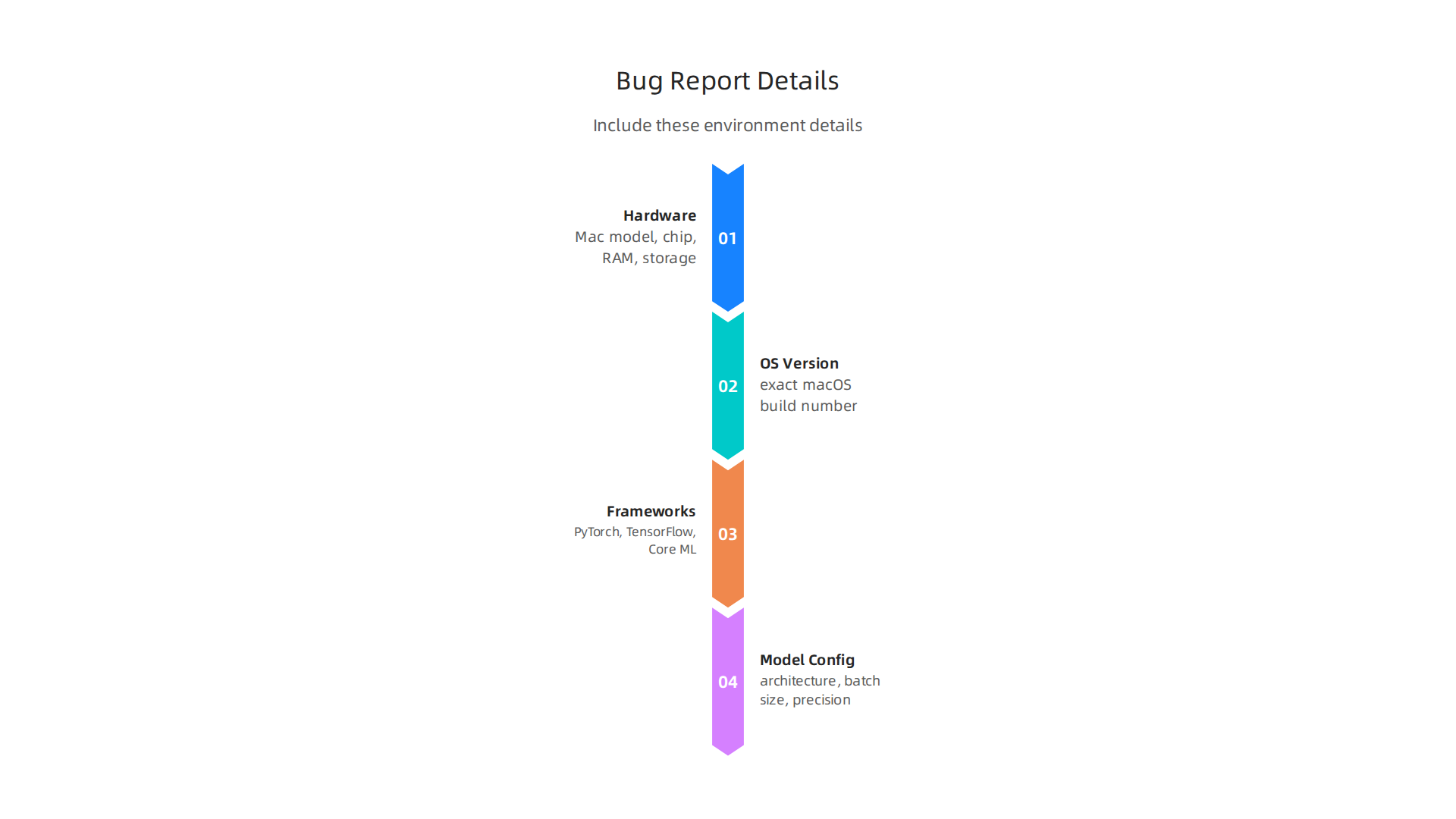
    What sets Warren Tech apart from major AI providers? First, deployment complexity is low. Most tools work within days, not months. Second, the pricing is designed for local budgets. No enterprise license fees that drain your cash flow. Third, the integration layer is built for legacy systems. You do not need the latest SaaS stack to get started.

    If you want to stay on top of the AI tools market, consider subscribing to The AI Newsletter Worth Reading. It gives you clear, daily updates on what actually works for businesses like yours.

    For a deeper look at how to evaluate AI platforms before buying, read our guide on enterprise AI platforms 2026. It covers the criteria that matter most for local enterprises.

    Local Insights: How Warren Tech Leverages Regional Data for Competitive Advantage

    Generic AI tools are often trained on global data. That means they miss what matters locally. A customer in Denmark, Iowa has different buying habits than someone in Denmark, Wisconsin. Warren Tech solves this by feeding its models with locally sourced information.

    Here’s how it works. Warren Tech pulls data from regional business systems, local customer interactions, and community trends. The AI then learns the patterns that matter in that specific area. This is not just about zip codes. It is about understanding seasonal buying cycles, local regulations, and even cultural preferences.

    For example, a retail shop using Warren Tech’s platform might get recommendations based on what actually sells during the local harvest season, not national averages. A service business can predict demand spikes tied to regional events. The results come faster because the model has already learned the local rhythm. This approach follows the same principles described in this overview of AI personalization from IBM, where data collected from user behavior and context drives better outcomes.

    The benefits for local enterprises are clear. You get a clearer picture of regional consumer behavior without guesswork. You spot seasonal trends before they hit. And you stay compliant with local regulations because the system is tuned to your area’s specific rules, not a one-size-fits-all policy.

    But all this data means nothing without trust. Warren Tech takes data privacy seriously. Customer information is anonymized before it reaches the training models. Data is stored locally, not shipped to faraway servers. Access is restricted based on clear roles. Regular audits make sure nothing slips through. These steps help build the confidence local businesses need to share their data.

    If you want to see how AI personalization can reshape your online presence, check out this guide on futuristic website 2026 AI personalization. It shows how local insights can power better digital experiences.

    The Technology Stack Behind Warren Tech’s Solutions

    A smart tech stack is what turns good ideas into working products. For Warren Tech, the setup is built from the ground up to serve local businesses, not global giants. Here is a look at what runs under the hood.

    Cloud infrastructure that bends, not breaks

    Warren Tech runs on flexible cloud services that scale up and down with demand. A small retailer does not need the same power during off-season as they do during holiday rushes. The system uses containers and automated orchestration tools to spin resources up or down in seconds. This keeps costs low and performance high.

    The architecture follows a modular design similar to what you see in the Warren.io architecture breakdown, where each layer handles a specific job. Storage, networking, security, and applications all run in their own zones. If one layer needs an upgrade, the rest keep working.

    AI and machine learning made practical

    At the heart of Warren Tech sits a set of AI models trained on local data. The system uses machine learning frameworks that are lightweight enough to run on modest hardware. This matters because not every small business has a server room. Models can run in the cloud or right on a local machine.

    APIs connect these models to everyday business tools. A local shop can link its inventory system to the AI through a simple data pipeline. The AI then reads sales patterns, customer behavior, and stock levels to make recommendations. No coding skills needed.

    This practical approach mirrors what larger companies do with their own stacks, but Warren Tech keeps it simple. Need a guide on how AI systems talk to each other? Check out this resource on AI tool discovery to see how smart integrations work in the real world.

    Built for reliability, not just speed

    Local businesses cannot afford downtime. Warren Tech uses data pipelines that check for errors before information reaches the AI models. If a feed goes bad, the system flags it and falls back on the last good data. Redundant servers handle failovers automatically.

    Regular backups run every few hours. Customer data gets encrypted both in transit and at rest. The whole stack is monitored 24/7 by automated tools that alert the team before a problem becomes a crisis.

    How it stacks up against the big players

    Big tech companies like Microsoft and Google build stacks that are huge and complex. They need to serve millions of users at once. That requires massive data centers and armies of engineers to maintain them.

    Warren Tech takes a different path. The stack is leaner and cheaper. Instead of using custom-built chips and proprietary systems, it relies on proven open-source tools. This cuts costs by a lot. A local business pays only for what it uses, not for the overhead of a global network.

    The tradeoff? Warren Tech cannot match the raw computing power of a Google or Microsoft. But most local businesses do not need that. They need speed, reliability, and a price that fits their budget. Warren Tech delivers exactly that.

    Staying current with how AI tech stacks evolve is key to making smart choices. For daily updates on tools and trends that matter to your business, check out The Deep View Newsletter. It delivers clear, practical AI news straight to your inbox.

    Customer Success Stories: Real-World Implementation of Warren Tech AI

    Numbers tell the real story. When local businesses put Warren Tech AI to work, the results speak for themselves.

    A team celebrating a positive outcome, reflecting the success stories of Warren Tech AI implementation.

    This matches what many organizations see when they deploy AI tools. According to real-world gen AI use cases from industry leaders, companies using AI personalization have reported big improvements in engagement and cost efficiency.

    A local retailer cuts waste and boosts sales

    A clothing store in Austin struggled with overstock and missed trends. After connecting their point-of-sale system to Warren Tech AI, the system started analyzing purchase patterns in real time. Within three months, the store cut excess inventory by 22% and lifted sales by 14%. The AI spotted which items sold best by season and location, something the owners used to guess at.

    A family-owned restaurant finds new customers

    A diner in Denver wanted to market better without hiring an agency. Warren Tech AI studied customer data and built audience segments based on ordering habits. The system then suggested targeted ad campaigns and menu tweaks. Reservations jumped 35% in the first eight weeks. The owner said the AI paid for itself in under two months.

    A home services company saves time

    An HVAC business was losing service calls because their scheduling system moved too slowly. Warren Tech AI automated the booking process and flagged urgent requests. Response time dropped from four hours to 18 minutes. Customer satisfaction scores went up 28% in the first quarter.

    Lessons learned from real deployments

    Every implementation came with challenges. The retailer needed help cleaning their data before the AI could read it. The diner had to let go of old menu planning habits. The HVAC team had to learn to trust the system over paper logs.

    Warren Tech supported each business through every stage. Their team helped with data setup, trained staff one-on-one, and adjusted models as new patterns emerged. Companies that saw the best results were the ones where employees understood the AI and felt confident using it.

    For a deeper look at how to pick the right tools for your own business, check out this guide on how to choose AI tools that deliver real results.

    For daily updates on AI tools and real success stories like these, subscribe to The Deep View Newsletter. It brings clear, practical AI news straight to your inbox.

    Competitive Landscape: Warren Tech vs. Other Specialized AI Providers

    The AI market is packed. Big players like Google, Amazon, and Microsoft offer huge platforms. Smaller shops like Lively Tech, Wiregrass Tech, and Denmark Tech focus on specific industries or regions. So where does Warren Tech fit in?

    The table below shows how Warren Tech stacks up against the main types of competitors.

    Provider Focus Strengths Weaknesses Pricing Local Expertise
    Warren Tech Local business AI Personalized support, fast setup, real-time data integration Smaller scale than big clouds Subscription based, affordable for SMBs Deep local knowledge
    Lively Tech Retail and hospitality AI Good industry templates, easy dashboards Limited customization, slower support Per-feature pricing Regional only
    Wiregrass Tech Manufacturing AI Strong on factory data, predictive maintenance High upfront cost, complex onboarding Custom quote, expensive Industrial focus
    Denmark Tech Healthcare and logistics AI Compliance ready, good at data privacy Narrow use cases, less flexible Premium tier, high minimum Niche vertical
    Big clouds (Google, AWS, Azure) Everything Massive scale, thousands of tools Expensive, complex, generic support Pay per use, can spiral None locally

    Warren Tech’s edge

    Here is what makes Warren Tech different.

    Three key differentiators that give Warren Tech an advantage in the specialized AI market.

    Localization. Warren Tech builds models using local data. That means the AI understands your neighborhood, your customer base, and your regional quirks. As how AI reshapes the corporate tech stack explains, many companies now build custom layers on top of big clouds. Warren Tech skips that step. You get local smarts built right in.

    Customer support. When something breaks, you get a human who knows your business. No chatbots. No overseas call centers. This hands-on help is why businesses trust Warren Tech over faceless platforms.

    Agility. Warren Tech can launch a pilot in days, not months. Big clouds force you to learn their whole ecosystem first. Warren Tech connects to what you already use and starts delivering fast.

    For a deeper look at how to compare different AI vendors, read this guide on AI tool discovery for 2026. It walks through how to spot the provider that actually fits your needs.

    Future Trends: The Role of Specialized Tech Companies Like Warren Tech in 2026

    So what comes next for Warren Tech and companies like it? The second half of 2026 is shaping up to be a breakout period for specialized AI providers.

    Business leaders engaged in strategic discussion about future trends and technological advancements.

    Here is where things are heading.

    Specialized AI will keep growing fast. Big generic platforms work fine for basic tasks. But more and more businesses want tools built for their specific industry, city, or workflow. That is exactly what Warren Tech delivers. As real-world customer success stories from 2025 show, companies that tailor AI to their own customers see measurable gains in loyalty and sales. Specialized providers are better positioned to offer that kind of personal touch.

    Deeper connections with local ecosystems. Warren Tech can plug into local data sources, municipal systems, and regional supply chains. In 2026, expect even tighter links with IoT devices and edge computing. Think about a local restaurant using Warren Tech to connect smart kitchen sensors, inventory systems, and customer feedback in real time. That level of integration is hard to pull off with a one-size-fits-all cloud platform. Specialized tech companies make it happen.

    Challenges on the horizon. Growth brings real headaches. Two big ones for Warren Tech: hiring and retaining top AI talent, and keeping data local without breaking laws. As companies like Warren Tech expand, they have to hold onto the personal touch that made them special in the first place. Bigger teams can feel less personal. Data sovereignty rules also get more complex the more clients you serve. Staying agile while scaling up is the balancing act.

    For a deeper look at how to weigh different AI providers as the market evolves, check out this guide on enterprise AI platforms for 2026. It covers exactly what to look for when choosing a partner that can keep up with the future.

    The bottom line: Warren Tech and other specialized AI companies are not going away. They are filling the gaps that big tech leaves open. If you want a clear, daily update on where AI is headed, The AI Newsletter Worth Reading delivers insights straight to your inbox.

    Summary

    This article offers a practical, business-focused deep dive into Warren Tech — a longtime career and technical education center that now builds specialized AI tools for local enterprises. It explains the school’s hands-on mission, the 37 industry-aligned programs that inform its approach, and how that specialization translates into three core AI products: a customer service assistant, local data analytics, and workflow automation. The piece details Warren Tech’s technology stack, its emphasis on local data and privacy, and why faster deployments and affordable pricing make it a fit for small and medium businesses. Real-world case studies show measurable gains in inventory, bookings, and response times, while a vendor comparison clarifies where Warren Tech outperforms large cloud providers and niche competitors. Readers finish with clear guidance on when a localized, specialized AI partner makes more sense than generic platforms and how to evaluate those options for their own companies.

  • Seeing AI Narrates the World for People Who Are Blind or Have Low Vision

    Seeing AI Narrates the World for People Who Are Blind or Have Low Vision

    Picture this. You are at a restaurant, the menu is in tiny print, and you cannot read it. Or maybe you are shopping, and the labels on the cans are blurry. For millions of people with visual impairments, these moments happen every day. Technology should help, not make things harder.

    AI is moving fast. We have smart glasses, translation glasses, and even hearing aid glasses that try to bridge the gap. But not everyone benefits equally. Many tools leave out the people who need them most. That is a problem worth fixing.

    That is where Seeing AI comes in. Microsoft built this free app to narrate the world for people who are blind or have low vision. It reads printed and handwritten text. It identifies objects and products. It describes scenes and recognizes faces. In 2026, it is more powerful than ever, as you can see on the official Seeing AI on Microsoft Garage page.

    Explore the official Microsoft Garage page for Seeing AI, highlighting its evolution and impact.

    But Seeing AI is just one piece of a bigger picture. Businesses and creators also need to understand how accessibility tools work and which ones deliver real results. That is what this article is about.

    I wrote this guide to give you a practical, expert-backed overview of Seeing AI technology, tools, and its business impact. Whether you want to use the app yourself or you are building products that need to be more inclusive, you will find clear answers here. Plus, if you want to stay ahead of the curve, The AI Newsletter Worth Reading delivers daily updates straight to your inbox.

    Let us dive into how Seeing AI works and why it matters so much right now.

    What Is Seeing AI? The Technology Behind Visual Accessibility

    So what makes Seeing AI tick? At its core, this free app turns your smartphone camera into a helpful pair of eyes. Point it at anything, and the app tells you what it sees. But the real magic happens underneath.

    Seeing AI runs on computer vision technology. That means the app uses machine learning to recognize patterns in images. When you point your camera at a menu, the app does not just take a picture. It scans the image, finds the text, and reads it aloud. When you point it at a friend’s face, it recognizes who they are and even describes their expression. All of this happens in real time.

    The app uses several key technologies working together:

    Object detection is the backbone. The app identifies objects in your camera view, like a chair, a cup, or a bottle. It uses advanced models like YOLOv8 that can spot over 80 different types of objects instantly. That is why Seeing AI can tell you "there is a phone on the table" rather than just saying "something is there."

    Optical Character Recognition (OCR) reads text. Whether it is a printed sign, a handwritten note, or a product label, the app converts the visual information into spoken words. This is powered by large language models that understand context and formatting.

    Scene description goes a step further. Instead of listing individual objects, the app describes the whole scene. "You are in a bright room with a sofa on the left and a window behind it." This gives users a richer understanding of their surroundings.

    Facial recognition helps with social situations. The app can learn the faces of people you know and tell you who is nearby. It can also read their expressions, so you know if someone is smiling or looks worried.

    According to the official Seeing AI website, the app is designed with and for the blind and low vision community.

    The official Seeing AI website, showcasing the app's features and user-centric design philosophy.

    It is an ongoing research project that keeps getting better as Microsoft hears feedback from real users.

    The technology behind Seeing AI is similar to what powers autonomous vehicles and security systems. But the difference is purpose. Consumer apps like Seeing AI focus on helping people in their daily lives. Enterprise-grade solutions, on the other hand, handle larger scale tasks like monitoring factory floors or analyzing security footage. If you want to understand how businesses choose the right visual AI tools, check out our guide on enterprise AI platforms in 2026.

    Here is a quick comparison of how these technologies stack up between consumer and enterprise use:

    A comparison of key AI technologies as applied in consumer apps like Seeing AI versus enterprise solutions.

    Technology Consumer App (Seeing AI) Enterprise Solution
    Object Detection Identifies everyday items (bottles, furniture) Identifies inventory, defects, or security threats
    OCR Reads signs, menus, product labels Processes legal documents, invoices, forms
    Scene Description Narrates surroundings for navigation Analyzes video feeds for safety compliance
    Facial Recognition Recognizes friends and family Verifies employee or customer identities

    The real breakthrough is how Seeing AI combines all these technologies into one simple app. As one study describes the AI-powered mobile assistant for the visually impaired, these tools integrate state-of-the-art models into a single, accessible smartphone application. That is the key. You do not need five different apps to get the job done. Seeing AI puts everything in your pocket.

    In the next section, we will look at how these features work in real life and what makes Seeing AI stand out from other accessibility tools.

    Now that you understand the technology inside Seeing AI, let’s talk about what it actually does for people every day. The app turns abstract AI capabilities into practical help. Whether you are at home, at work, or out in the world, Seeing AI acts like a helpful companion that describes your surroundings.

    Key real-world applications of Seeing AI, demonstrating its practical benefits in daily life.

    Real-World Use Cases That Make a Difference

    Identifying Products at Home or in Stores

    Ever tried to tell two identical cans apart without being able to see the labels? Seeing AI can scan barcodes with audio-guided cues. The app tells you the product name and sometimes even the expiration date. This makes grocery shopping, cooking, and organizing your pantry much easier. For people with low vision, this simple feature brings a lot of independence.

    Reading Signs and Documents Aloud

    Step outside and point your phone at a street sign, a bus stop schedule, or a restaurant menu. Seeing AI reads the text out loud using its OCR technology. At work, the app can scan printed documents, emails, or forms. The Document feature snaps multiple pages and combines them into a single file for reading. According to a discussion on Reddit, users praise Seeing AI for its "live optical character recognition" on packages, mail, and computer screens. This feature alone makes the app a must‑have for school, office work, and daily errands.

    Describing Environments for Navigation

    When you enter a new room or walk down an unfamiliar street, Seeing AI can describe the whole scene.

    A person uses a smartphone for assistance, confidently navigating an urban environment.

    It might say, "You are in a spacious lobby with a reception desk to your right and plants near the window." This helps you mentally map the space without needing to touch or guess. Some users also rely on the app to check if room lights are on by detecting brightness. For travel, this is a game changer. You can explore airports, hotels, and museums with more confidence.

    Recognizing People and Their Expressions

    Social situations can be awkward when you cannot see who is nearby. Seeing AI can learn faces of your friends and family. When you open the app, it says, "John is in front of you and smiling." This helps you greet people by name and pick up on emotional cues. The app can also recognize currency when you pay with cash, describing the bill value so you never hand over the wrong amount.

    Use in Education, Independent Living, and the Workplace

    In school, students use Seeing AI to read textbooks, handouts, and whiteboard notes. The app turns any printed material into audio, allowing students to keep up with coursework. For independent living, people use it to check medication labels, sort laundry by color, and read mail. At work, Seeing AI helps with reading contracts, identifying office supplies, and even recognizing colleagues’ faces during meetings. The Microsoft Garage page describes it as "a free app that narrates the world around you," designed with and for the blind and low vision community. This focus on real feedback means the app keeps improving based on actual user needs.

    Emerging Use Cases: Real-Time Video Description and Augmented Reality

    Seeing AI is not standing still. New updates are bringing real-time video description. Instead of snapping a single photo, you can point your camera at a scene and the app streams a continuous narrative. Imagine walking down a busy street while the app describes traffic lights, crosswalks, and storefronts as they come into view. This is like having a sighted guide in your pocket. The app is also experimenting with augmented reality overlays. Future versions might highlight objects or text directly on your screen, making the information even faster to access. As AI research advances, Seeing AI will likely get smarter about context and provide richer descriptions.

    To stay on top of tools like Seeing AI and other practical AI solutions, it helps to get clear, daily updates. The AI Newsletter Worth Reading delivers concise insights on the latest AI apps, research breakthroughs, and use cases directly to your inbox. Whether you are a professional looking to adopt new tools or simply curious about how AI can improve daily life, staying informed is the first step.

    In the next section, we will compare Seeing AI with other popular visual assistance apps and help you decide which one fits your needs best.

    Leading Seeing AI Tools and Apps in 2026: A Comparative Guide

    Seeing AI is a fantastic starting point, but it is not the only player. A handful of other apps also use AI to assist people who are blind or have low vision. Each tool has its own strengths. Below is a look at the top options available in 2026 so you can pick the one that fits your needs.

    The Main Contenders

    Microsoft Seeing AI
    This is the app you already learned about. It is free on both iOS and Android. It reads text, identifies products, describes scenes, recognizes faces, and detects currency. Microsoft updates it regularly based on community feedback. Seeing AI is a solid all-in-one tool with no subscription cost.

    Google Lookout
    Lookout is Google’s answer to Seeing AI. It is available only on Android. It reads text, identifies objects, and recognizes money. Lookout is also free. If you use an Android phone and want a free option, Lookout is a strong choice. It handles document scanning and food labels well.

    Apple Magnifier
    Built right into iPhones and iPads, Magnifier uses the device camera to zoom in and apply filters. In recent updates, Apple added text detection and people recognition. It is free and deeply integrated with iOS. It works great for quick looks at small print but is not as feature-rich as Seeing AI.

    Envision AI
    Envision AI is available on iOS, Android, and even as a smart glasses solution. It reads text, recognizes faces, and describes scenes. One standout feature is that it works offline. Envision AI has a free version with basic features, and a premium plan for $9.99 a month. For people who need to use the app without an internet connection, this is a big plus.

    Be My Eyes / Be My AI
    Be My Eyes connects you with sighted volunteers through a live video call.

    The official website for Be My Eyes, showing its service connecting visually impaired users with sighted volunteers.

    They can help with tasks like reading a label or navigating a new space. The service is free for basic use. A premium version, Be My AI, adds AI-powered description for $19.99 per month. This app is great when you need a real human touch.

    Aira
    Aira is similar but uses professional trained agents instead of volunteers. You pay for a subscription that ranges from $29 to $129 per month. Agents can guide you through airports, read documents, or help you shop. Aira is the most expensive option, but you get a reliable human helper every time.

    Lumyeye
    Lumyeye is a newer app that offers continuous voice control on iPhone. It can read scenes in real time and even control other apps like Spotify and Maps. Lumyeye has a Pro version that costs $14.90 to $16.99 per month. It is designed for users who want a private AI assistant without creating an account.

    How Do They Compare?

    A detailed comparison from Lumyeye breaks down the features and pricing of the top seven apps.

    A table comparing leading AI tools and apps for visual assistance, highlighting platform, cost, and key strengths.

    According to that analysis, Seeing AI remains the best free choice across both platforms. If you want human help, Be My Eyes is hard to beat. For offline use, Envision AI leads. And if you use Android exclusively, Google Lookout is your free option.

    App Platform Free? Monthly Cost Key Strength
    Seeing AI iOS + Android Yes $0 All-in-one free tool
    Google Lookout Android only Yes $0 Best for Android users
    Apple Magnifier iOS only Yes $0 Built into iPhone
    Envision AI iOS + Android + Glasses Free basic $9.99/mo Works offline
    Be My Eyes / Be My AI iOS + Android Free basic $19.99/mo Human volunteers
    Aira iOS + Android No $29-$129/mo Trained agents
    Lumyeye iOS + Android (Pro iOS) Free basic $14.90-$16.99/mo iPhone voice control

    Which One Should You Choose?

    Your choice depends on your daily needs.

    • If you want a completely free app that works on both iPhone and Android, stick with Seeing AI. It covers reading, object identification, and scene description without costing a penny.
    • If you use Android and prefer Google’s ecosystem, try Google Lookout. It is also free and handles the most common tasks.
    • If you need help offline, Envision AI is your best bet. Pull it out in areas with no cell service.
    • If you want a human to help with tricky tasks, Be My Eyes (free) or Aira (paid) are great options.
    • If you want an app that can take over your iPhone with voice control, Lumyeye Pro is worth a look.

    No single app does everything perfectly. Many people use Seeing AI for most tasks and keep Be My Eyes for backup. The key is to try a few and see what feels most natural.

    For more insights on choosing the right AI tools for your specific situation, explore our guide on how to choose AI for business tools that deliver real results. It covers the same decision-making principles you can apply here.

    In the next section, we will look at how these tools fit into education and workplace settings, and share tips for getting the most out of them.

    How Seeing AI Impacts Business and Productivity

    Seeing AI is not just a personal helper. It is also a powerful tool for the workplace. Companies of all sizes are using it to build more inclusive environments, boost efficiency, and even save money. Let us explore how.

    Building an Inclusive Workplace

    First, Seeing AI helps businesses design workplaces that work for everyone. When you make your office or digital tools accessible, everyone benefits.

    A diverse team collaborates effectively in an office designed for inclusivity and accessibility.

    According to the World Wide Web Consortium, embracing digital accessibility brings multiple benefits including reducing legal risks, strengthening your brand, and improving customer experience and colleague productivity. For example, a visually impaired employee can use Seeing AI to read documents, identify meeting room signs, or scan product packaging without asking for help. This creates independence and fosters a more inclusive culture.

    Productivity Gains Across Teams

    The real magic happens when Seeing AI gets woven into daily workflows. Imagine a warehouse worker using Seeing AI to quickly identify inventory items by scanning barcodes or reading labels. No more squinting at tiny text or waiting for someone else to check. Or think about a customer service rep who uses the app to read a customer’s written note or a product manual on the spot. These small time savings add up fast.

    Many companies are already seeing results. An accessibility ROI report from Level Access shares a real example: a large retailer fixed accessibility issues on their website. The result? A 20% increase in time on site, a drop in bounce rates from 35% to 20%, and stronger organic search visibility. Those are clear business wins. The same principle applies to internal tools. When employees can access information without barriers, productivity climbs.

    Real ROI from Simple Changes

    You do not need a massive AI overhaul to see returns. Even one tool like Seeing AI can make a difference. A customer interaction becomes smoother when a sales representative can quickly read terms on a contract or identify a product’s feature list aloud. Inventory checks go faster. Onboarding new team members with visual impairments becomes easier and more welcoming.

    The key is to start small. Pick one or two tasks where Seeing AI can help right away. Measure the time saved or the errors reduced. Then scale from there.

    Of course, staying on top of these AI tools and their business impact can feel overwhelming. That is why many professionals rely on a trusted daily update. The AI Newsletter Worth Reading delivers clear, practical AI news every day so you never miss a breakthrough that could help your business.

    If you want to keep learning how to choose the right AI tools for your team, check out our guide on how to get real ROI from AI marketing cloud in 2026. It breaks down the same smart decision-making for a different part of your business.

    Challenges and Limitations: Privacy, Accuracy, and Adoption Hurdles

    Seeing AI is a powerful tool, but it is not without problems. To use it well, you need to know where it falls short.

    Key challenges and limitations associated with Seeing AI, including privacy, accuracy, and adoption hurdles.

    Let us look at the main challenges.

    Privacy Concerns

    The biggest worry for many users is privacy. Seeing AI uses your phone’s camera constantly. That means it sees your surroundings all the time. Some people feel uncomfortable with that. Where does the video data go? Is it stored on a server? Can someone else access it? Microsoft states that Seeing AI processes images on the device for many tasks, but some features require cloud processing. That raises questions about data security. Also, if you use Seeing AI in public, you might point your camera at strangers. They may not know you are using the app. This creates consent issues. Businesses that deploy the app need clear policies about camera use and data storage.

    Accuracy Issues

    Accuracy is another big hurdle. While AI has improved a lot, it still makes mistakes. According to the International AI Safety Report 2026, current AI systems sometimes fabricate information, produce flawed code, and give misleading advice. For Seeing AI, this means it might misidentify an object, misread text, or describe a scene incorrectly. The report notes that reliability challenges persist and capabilities remain jagged, meaning AI can ace complex tasks but fail simple ones.

    In particular, the accuracy of AI scene description drops significantly in poor lighting, crowded spaces, and visually complex environments, as noted in a review of AI accessibility tools for blind users. If you are in a dimly lit room or on a busy street, Seeing AI might give you wrong information. That can be frustrating and even dangerous if you rely on it for navigation. There is also the risk of bias in training data. If the AI was trained mostly on certain skin tones, object types, or languages, it may perform worse for others. This can leave some users with an unfair experience.

    Barriers to Adoption

    Even if the technology works well, getting people to use it is another story. Cost is one barrier. Seeing AI itself is free, but you need a modern smartphone. Some people cannot afford a high-end device. Also, the app works best with a stable internet connection for some features. That is not always available.

    The learning curve is real too. Many users, especially older adults, find the app confusing at first. They need to learn how to point the camera, interpret spoken descriptions, and trust the AI. Businesses that want to adopt Seeing AI must invest in training and support.

    Finally, device compatibility matters. Not all phones support every Seeing AI feature. Some older models lack the camera quality or processing power needed for smooth operation. This can limit who can benefit from the tool.

    Moving Past These Hurdles

    These challenges are serious, but they are not impossible to solve. Developers are working on better accuracy, stronger privacy controls, and simpler interfaces. For now, the key is to be aware of the limits. Use Seeing AI for tasks where it is reliable, and always double-check important information.

    If you want to pick the right AI tools for your needs despite these hurdles, learn how to choose AI for business tools that deliver real results. That guide will help you evaluate options carefully.

    The Future of Seeing AI: Emerging Trends and Innovations

    Despite the hurdles, the future of Seeing AI is bright. New trends are making these tools smarter, faster, and easier to use. Here is what is coming next.

    Multimodal AI: Combining Vision, Sound, and Language

    The biggest change is multimodal AI. Instead of just looking at images, these systems now combine vision, language, and audio. They can see a room, hear a voice, and describe what is happening all at once. That means Seeing AI type tools will understand your surroundings much better than before. They will not just say "a person is sitting on a chair." They will say "your friend Sarah is sitting on the blue chair by the window and she is calling your name." This level of detail changes everything for daily tasks like cooking, reading, or navigating a store.

    Smart Glasses and Wearables

    Another big trend is AR smart glasses. Companies are building Amazon glasses and translation glasses that show information right in your field of view.

    A person wearing smart glasses, demonstrating the potential for hands-free visual assistance in daily life.

    Imagine wearing a pair of glasses that reads a sign aloud, translates foreign text instantly, or tells you who just walked into the room. Some models even include virtual glasses try on so you can see how they look before buying. Hearing aid glasses are also being developed that combine sound amplification with visual assistance. These wearables make assistive tools feel natural and hands free.

    Market Growth and Wider Adoption

    The market for these technologies is growing fast. According to a report from Research Nester, the assistive technologies for visually impaired market was valued at about $8.4 billion in 2026 and is projected to reach $25.2 billion by 2035. That shows strong demand from businesses, schools, and hospitals. The 2026 AI Index Report from Stanford HAI notes that generative AI adoption among consumers reached 53% in just three years, faster than the PC or internet. This rapid uptake means more people will use tools like Seeing AI every day.

    New Use Cases and Better Accessibility

    What does this mean for you? Soon you will be able to use your phone or smart glasses to navigate stores alone, identify products with your camera, read menus without help, and even recognize familiar faces. AI will become your personal guide for everyday life. Developers are also making these tools work better in poor lighting and noisy places. Accuracy keeps improving month by month.

    How to Stay Updated

    As these trends unfold, it helps to stay informed. New tools and updates come out all the time. If you want to keep up, check out the top interactive AI newsletters to follow in 2026 for regular updates. Many professionals also rely on daily briefings to track changes.

    The AI Newsletter Worth Reading provides clear, daily AI updates so you never miss important developments. Staying in the loop helps you get the most out of these emerging technologies.

    Summary

    Seeing AI is Microsoft’s free smartphone app that narrates the world for people who are blind or have low vision by combining object detection, OCR, scene description, and facial recognition into a single tool. This article explains the underlying technologies, shows concrete real‑world uses—like reading menus, identifying products, navigating spaces, and recognizing faces—and compares Seeing AI with other assistive apps such as Google Lookout, Envision AI, Be My Eyes, Aira, and Lumyeye. It also covers how businesses can adopt the app to boost inclusion and productivity, how to measure ROI from simple accessibility changes, and the practical limits around privacy, accuracy, and device compatibility. Finally, the guide looks ahead to trends like multimodal AI and smart glasses and gives advice on when to rely on the app and when to double‑check its output. After reading, you’ll understand what Seeing AI can (and can’t) do, which alternatives matter, and how to start using or deploying these tools responsibly in everyday life and the workplace.

  • Tech for Less AI Operations Cut Costs Without Cutting Corners in 2026

    Tech for Less AI Operations Cut Costs Without Cutting Corners in 2026

    Why ‘Tech for Less’ Matters for AI Operations in 2026

    Here’s a reality check. If you run a business today, you already know AI spending is exploding. Global AI spending hit $2.5 trillion in 2026, yet a staggering 95% of enterprise AI initiatives produce zero measurable return. That statistic comes from the latest AI Cost Statistics 2026: Forecasting, ROI, and Budget Risk report, and it should make any smart operator stop and think.

    On the flip side, companies that get AI right see real savings. According to recent AI Cost Savings Statistics 2026, 56% of AI-using businesses in software engineering and manufacturing report cost decreases. And across all industries, 87% of organizations using AI say it helped reduce annual costs. The difference between success and failure often comes down to one thing: picking the right tools for the right price.

    That’s where "tech for less" becomes your secret weapon. You don’t need the most expensive enterprise AI suite to get results. Actually, the market is flooded with pricey solutions that promise the world but drain your budget fast. Meanwhile, open-source tools, freemium platforms, and strategic hardware choices like cheap desktop computers, used ThinkPad laptops, and Apple certified refurbished MacBooks can deliver serious AI performance without the sticker shock.

    Think of it this way. Would you rather spend your whole budget on one fancy AI platform or spread it across a smart mix of tools that do exactly what you need?

    A person thoughtfully considering different financial strategies for AI investment.

    The second approach wins every time.

    In this article, we’ll walk through a curated list of cost-effective technologies that keep performance high while slashing your operational expenses. Whether you are looking for gaming PC deals that double as AI workstations or free software that competes with paid alternatives, you’ll find practical options here.

    Staying on top of the best new tools and pricing changes is a full-time job itself. That’s why we recommend getting clear daily updates straight to your inbox. Subscribe to The AI Newsletter Worth Reading and never miss a money-saving tip.

    Before we dive into the list, let’s talk about how to think about AI costs differently. The goal is not just to spend less, but to spend smarter. And that starts with knowing where your money actually goes.

    1. Open-Source LLMs: Cutting Costs Without Cutting Corners

    So where does your money actually go? For many businesses, the biggest drain is paying per token for commercial AI APIs. Those costs add up fast, especially at scale.

    Open-source large language models (LLMs) offer a way out. Models like Llama 4, Mistral, and Qwen now rival proprietary options on many tasks. The gap between open-source and commercial models has shrunk to just a few months, according to a detailed guide on open-source vs commercial LLMs in 2026.

    The real savings come from self-hosting. When you run a model on your own hardware, you pay a fixed cost for compute, not a per-token fee. That makes your expenses predictable. At scale, self-hosting is significantly cheaper. For example, processing 50 million tokens per day through a commercial API could cost around $18,750 per month. Self-hosting a quantized Llama 4 model on two reserved H100 instances plus a half-time DevOps engineer would cost about $10,200 to $12,200 per month. That’s a savings of 35 to 45 percent.

    But you don’t need expensive data center hardware to start. You can run many open-source models on a single consumer GPU. That’s where gaming PC deals come into play. A mid-range gaming PC with an RTX 4090 can handle models like Qwen 3.6-35B for around $200 per month in electricity. That’s a tiny fraction of API costs for the same volume.

    The breakeven point for self-hosting typically hits at around 50,000 to 100,000 API calls per month, as noted in the best open-source LLMs April 2026 comparison. Below that, APIs are simpler. Above that, self-hosting starts saving you 40 to 70 percent depending on the model and hardware.

    Another big advantage is freedom. Open-source models have permissive licenses like Apache 2.0 or MIT.

    Understand the key benefits that open-source LLMs offer to businesses seeking cost-effective AI solutions.

    You are not locked into a single vendor. If a better model comes out, you can switch without rewriting your entire stack. Community support is strong, and updates come frequently.

    For businesses that want more control over their AI operations without the high cost, open-source LLMs are a smart starting point. And the best part? You can run many of them on hardware you probably already own or can pick up for a bargain.

    2. On-Device AI: Run Models Where You Already Have Hardware

    But what if you could skip the separate machine entirely? That is the promise of on-device AI. Instead of sending data to the cloud, you run models directly on your phone, laptop, or tablet. No per-token fees. No internet required. Just instant, private AI.

    This is not a futuristic dream. Apple Core ML, Google MediaPipe, and the Qualcomm AI Engine now support sophisticated models that were once only possible in data centers. Your everyday devices can handle tasks like text generation, image analysis, and speech recognition without breaking a sweat.

    The benefits are huge. First, you save money. There are no API costs because the model runs on your own hardware.

    Discover the core advantages of running AI models directly on local hardware.

    That fits perfectly into the idea of getting tech for less. Second, latency drops to near zero. No waiting for a round trip to a server. Third, your data never leaves your device. That is a big deal for privacy-sensitive tasks like medical records or legal documents.

    According to The Best Open-Source LLMs in 2026 guide, inference optimization on local hardware has become much more accessible. Even lightweight models can perform well on consumer devices.

    So what hardware works? You do not need a top-of-the-line setup. A cheap desktop computer with a decent GPU can run smaller models. A used ThinkPad with a modern processor can handle basic inference with MediaPipe. And an apple certified refurbished MacBook with an M-series chip is a great choice for Apple Core ML. If you want to dig deeper into Mac options, check out the latest best MacBooks for AI.

    The bottom line: you might already have all the hardware you need. On-device AI lets you get advanced AI without the cloud cost. To stay up to date on the latest tools and trends, get clear daily AI updates from The Deep View Newsletter.

    3. Budget GPU Clouds: Pay Only for What You Compute

    On-device AI is great, but sometimes you need more horsepower. Maybe you are training a model, processing large datasets, or running batch inference that your laptop just cannot handle. That is where budget GPU clouds come in.

    A team working together on a complex project, symbolizing the powerful compute tasks handled by budget GPU clouds.

    Providers like Lambda Labs, RunPod, and Vast.ai let you rent powerful graphics cards by the hour. You do not pay monthly subscriptions. You pay only for the compute you actually use. Costs start as low as $0.50 per hour for older GPUs like the NVIDIA T4. Even top-tier H100s can be rented for around $2 to $3 per hour on specialized clouds.

    The real savings come from spot instances. These are spare GPU capacity that providers sell at a huge discount. According to the GPU Price 2026 Report, using spot instances can cut costs by 60 to 80 percent. If your workload can handle interruptions, this is one of the best ways to get tech for less.

    Managed Kubernetes and serverless GPU options also help. They automatically spin down resources when you are not using them, so you never pay for idle time. This is perfect for teams that need occasional bursts of AI power.

    Picking the right provider can feel overwhelming. To help you compare the top options, check out our guide on enterprise AI platforms in 2026. It breaks down pricing, features, and use cases so you can choose with confidence.

    Budget GPU clouds let you access serious AI power without serious spending. And with spot pricing, you get even more bang for your buck.

    4. Serverless AI Functions: Eliminate Idle Infrastructure Costs

    Budget GPU clouds help when you need predictable compute. But what if your AI workload is unpredictable? Maybe you run a few inference calls per hour during slow times, then get a sudden spike. With regular cloud servers, you would pay for a machine sitting idle most of the day. That is wasted money.

    Serverless functions solve this problem. Platforms like AWS Lambda and Cloudflare Workers let you run code without managing any servers. You do not pay for idle time. You pay only for the milliseconds your code actually runs. For sporadic AI workloads like chatbot responses, image generation requests, or text summarization jobs, this model is extremely efficient.

    Here is how it works. You upload your model or connect to a model delivery endpoint like Hugging Face Inference Endpoints. When a user sends a request, the serverless platform spins up compute instantly, runs your code, and shuts down within seconds. You get billed for exactly that execution.

    Auto-scaling happens automatically. If one request comes in, one instance runs. If one thousand requests hit at once, the platform scales up to handle them all, then scales back down to zero when traffic stops. You never over-provision. You never pay for unused capacity.

    This approach works especially well for teams that want tech for less without the headache of infrastructure management. Instead of guessing how much GPU power you need, you let the cloud handle it dynamically.

    For a deeper look at choosing the right serverless tools and platforms for your business, check out our guide on how to choose AI for business tools that deliver real results.

    Serverless AI functions cut waste. They charge you only for the compute you actually use. And that makes them one of the smartest ways to keep your AI costs low while staying ready for sudden demand.

    5. Affordable Vector Databases for Semantic Search at Scale

    If your AI app needs to find similar items fast like searching for relevant documents, products, or images you need a vector database. But these databases can get expensive fast if you choose the wrong one. Luckily you can get powerful semantic search without breaking the bank.

    Open-source options give you a huge head start. Chroma and Qdrant are both free to use with no license fees.

    Explore cost-effective vector database solutions for efficient semantic search at scale.

    Chroma is great for prototyping and small projects. You can set it up on your laptop in minutes and connect it to tools like LangChain and LlamaIndex. Qdrant is written in Rust so it is fast and memory efficient. It also has a forever free tier that gives you 1GB of storage. That is enough for many smaller apps. According to the best vector databases comparison for 2026, Qdrant is the best choice for budget-conscious teams with under 50 million vectors.

    If you want a fully managed service that handles scaling for you Pinecone is a popular pick. It has a free tier to get started. You only pay for what you use after that. That makes it a solid option when you want tech for less and do not want to manage servers yourself.

    Integration with frameworks like LangChain and LlamaIndex makes switching between databases easy. You can start with Chroma for testing, move to Qdrant for self-hosted performance, or switch to Pinecone for production scale without rewriting your whole codebase.

    Want to get the most out of your AI budget? For a broader look at choosing the right tools, check our guide on how to choose enterprise AI platforms that fit your business.

    Keeping up with the best affordable AI tools is a job in itself. Get clear daily AI updates from The AI Newsletter Worth Reading so you always know what is worth your time and money.

    6. Low-Code AI Platforms: Build AI Workflows Without a Full Dev Team

    Now that you have your affordable vector database ready, you need a way to actually build the AI app. You do not need to hire a team of engineers to do it. Low-code platforms let you create smart workflows with simple drag-and-drop tools instead of writing thousands of lines of code.

    Bubble is a popular choice for building full web apps with AI features. You can connect it to OpenAI or other models and build customer-facing tools without touching the backend. Zapier AI takes a different approach. It connects hundreds of apps together so you can automate tasks like sending emails, updating spreadsheets, or triggering AI responses. Make (formerly Integromat) works the same way but gives you more visual control over complex logic.

    The big money saver here is obvious. You skip the salary cost of a developer or a whole dev team.

    A confident person presenting a successful project, highlighting the efficiency of low-code AI platforms.

    That is real tech for less in action. Instead of paying for months of coding, you build in days or hours. And since these platforms run in the cloud, you do not need expensive hardware either. Even a used Thinkpad or a basic laptop is enough to design your workflows.

    Most of these tools offer free tiers to get started. Bubble lets you build for free while you learn. Zapier has a forever free plan with limited tasks. Make offers free credits each month. You only pay more when your automation actually starts delivering results. That makes it a low-risk way to test ideas before investing real money.

    For more practical ways to bring AI into your daily work without a big budget, check out our guide on AI virtual assistants for businesses to see how automation tools can handle customer support, scheduling, and data entry for you.

    7. Free Tiers and Credits: The Hidden Gems for Lean Operations

    You have your vector database running and your low-code workflows set up. But what about the cost of the AI models themselves? Here is the secret that many startups miss. The biggest AI providers give away thousands of dollars in free credits to new users. You just have to know where to look.

    Leverage free tiers and startup programs from major AI providers to reduce operational costs.

    OpenAI offers free credits when you start using their API. Google Cloud gives new accounts $300 in free credits that work across AI services, storage, and compute. AWS has a generous free tier that includes access to machine learning services for the first 12 months. These are not gimmicks. They are real tools you can use to build and test your ideas without spending a dime.

    Startup programs take this even further. AWS Activate provides qualifying startups with up to $100,000 in credits. Google for Startups offers similar deals. Microsoft for Startups gives free access to Azure AI services and OpenAI models. These programs exist because the big cloud providers want you to build on their platforms. Take advantage of that.

    The smartest tech for less strategy combines free tiers across multiple vendors. Use OpenAI credits for language tasks. Use Google Cloud credits for image processing. Use AWS credits for storage and hosting. By rotating between providers, you can sustain early-stage AI operations for months before paying a single dollar.

    Worried about missing a great deal when a provider updates their free credit offers? Stay ahead with regular updates from trusted sources. Get clear daily AI updates from The Deep View Newsletter so you never miss a new free tier or startup grant that could save your business real money.

    This approach is why 89% of small businesses are now using AI in some form, according to small business AI adoption research. The barrier to entry is nearly zero if you know how to stack these free resources. Do not pay for AI until your business is actually making money from it.

    8. Open-Source Monitoring: Keep Your AI Healthy on a Budget

    You got your AI running for free or cheap using stack credits. Great. But now you need to know if it is working right. AI models drift over time. They start giving bad answers. Your data pipelines break. If you do not catch these problems early, they can cost you real money in lost customers or bad decisions.

    Here is the good news. You do not need expensive monitoring tools to keep your AI healthy. Open-source options like LangSmith (open-source tier), MLflow, and WhyLabs give you free monitoring for your AI pipelines.

    A team diligently reviewing an analytics dashboard, representing the importance of monitoring AI health.

    These tools track model performance, log inputs and outputs, and alert you when something looks wrong.

    The key to this tech for less approach is self-hosting. Instead of paying per seat for a proprietary observability platform, you run the dashboard on your own server. No monthly fees. No limits on how many team members can view the logs. Just one small server cost and you have full visibility into your AI operations.

    Why does monitoring matter so much? Because a single drift incident that goes unnoticed for a week can destroy weeks of work. Imagine your customer support chatbot starts giving bad advice. You might not realize it until customers complain. By then, you have already lost trust. Proactive drift detection helps you catch these issues in minutes, not days.

    According to recent small business AI adoption data, nearly two-thirds of small businesses report that AI saves them between $500 and $2,000 per month. That money is wasted if you do not monitor performance. Spending a few hours setting up open-source monitoring protects that investment.

    Want to see how other businesses handle AI operations on a budget? Check out this practical guide on how to choose AI for business tools that deliver real results. It covers evaluation criteria that help you pick monitoring solutions that fit your workflow.

    Do not let your AI run blind. Set up simple logging and alerts today. It is one of the smartest moves you can make for long-term reliability without breaking the bank. And if you want to stay ahead of new open-source monitoring tools and best practices, get clear daily AI updates from The Deep View Newsletter so you always know what is worth your time.

    Summary

    This article explains how to get high-performing AI without overspending by adopting a

  • How 3pl Newsletters Deliver Actionable AI Insights for Logistics Professionals

    How 3pl Newsletters Deliver Actionable AI Insights for Logistics Professionals

    If you work in logistics or supply chain, you know the feeling. Every day brings a flood of news, reports, and updates about AI, automation, trade policy, and shifting demand. Staying on top of it all feels impossible. But here is the thing: the professionals who manage to filter the noise are the ones who stay ahead.

    In fact, a 2026 survey of over 500 logistics executives found that 98% of companies are now using artificial intelligence somewhere in their supply chain operations. The challenge is not finding AI tools. It is finding the right information about them without spending hours digging through scattered blogs and press releases.

    That is where 3pl newsletters come in. A well-curated newsletter acts like your personal research assistant. It filters the signal from the noise, delivers the most relevant AI news for third-party logistics professionals, and saves you time you can put back into your actual work.

    This article will show you how to build a newsletter-driven intelligence system tailored to 3PL and logistics. You will learn which sources to trust, how to organize your inbox, and how to turn daily reads into actionable insights.

    If you want to start exploring recommended sources right away, check out our list of top interactive AI newsletters to follow in 2026.

    The homepage of AI Tools News Today, a platform that curates top AI newsletters and tools for professionals.

    One standout option is The Deep View Newsletter. It delivers clear, daily AI updates without the hype.

    The subscription page for The Deep View Newsletter, known for its clear daily AI updates.

    It is the kind of resource that makes you smarter about AI in five minutes a day. Discover why it is The AI Newsletter Worth Reading.

    Why Newsletters Outperform Other Information Sources for 3PL Insights

    You probably already feel it. Social media feeds blast you with random posts. RSS readers pile up unread articles. And general web searches give you a messy list of results that might be weeks old or completely off topic. The problem is not a lack of information. It is too much of it, with no filter.

    That is why 3pl newsletters are becoming the go-to source for logistics professionals who want to stay sharp without wasting time. A good newsletter does the hard work for you. It collects the most important stories from across the industry, checks them for accuracy, and delivers them in a short digest you can read in five minutes.

    Here is what makes newsletters better than the alternatives.

    Explaining why curated newsletters are more effective than other sources for logistics professionals.

    1. Curated content saves hours every week

    When you rely on social media or search engines, you have to click around, skim headlines, and decide what matters. A newsletter does not make you do that. The editor has already picked the five or ten most important pieces for the day. According to a recent analysis of 2026 logistics trends by Made4net, AI and machine learning are now essential for making sense of the data flowing through orders, shipments, and inventory. A newsletter captures those insights in a single email instead of forcing you to hunt through multiple sites.

    2. Expert-vetted sources reduce misinformation

    Anyone can post on LinkedIn or start a blog. But a quality newsletter is written or curated by someone who knows the space. The editors track regulation changes, new AI tools, and best practices from real logistics companies. They separate hype from reality. That is especially important in a field like 3PL where a bad decision about AI adoption can cost thousands.

    3. Consistent delivery builds a learning habit

    Reading a newsletter at the same time each day trains your brain to expect useful information. It becomes part of your routine. You do not have to remember to check a site. The newsletter arrives in your inbox. Over time, that small daily investment adds up to a deep understanding of what is shifting in logistics, from trade policy to automation trends.

    4. Newsletters integrate with your workflow

    You can forward a newsletter to your team, save it to a folder, or clip key parts into your project notes. It is portable and actionable. Social media posts disappear. Search results change. A newsletter archive stays accessible.

    If you want to take your information-gathering to the next level, check out our guide on AI tool discovery in 2026. It walks you through how to find reliable sources and build a system that keeps you informed without drowning in noise.

    Instead of scrolling through random feeds each morning, let a well-written newsletter do the filtering for you. That small shift in how you get your 3PL insights can save you hours and keep you ahead of the curve.

    Top AI-Focused Newsletters for Logistics and Supply Chain Professionals

    Now you know why newsletters beat random scrolling. The next step is finding the right ones. Not all logistics newsletters are equal. Some focus on freight rates. Others dig into warehouse robotics or global trade policy. The best 3pl newsletters blend AI insights with practical supply chain advice so you stay ahead of both tech trends and operational shifts.

    Below is a curated list of newsletters that deliver high-quality AI and 3PL content. Each one has a unique angle. Pick two or three that match your role and skip the rest.

    1. Fulfillment Newsletter by Fulfill.com

    This weekly digest covers ecommerce fulfillment, warehouse automation, and 3PL rankings. The team behind it publishes annual top-100 lists and deep dives into how AI is changing fulfillment operations.

    The homepage of Fulfill.com, a source for ecommerce fulfillment and 3PL insights, including AI applications.

    Their coverage of the 2026 Top 100 3PLs breakdown is a good example of the kind of data-rich reporting you get each week.

    2. Transport Topics Logistics Daily

    Transport Topics has been a trusted name in trucking and logistics for decades. Their daily email now includes regular updates on AI adoption among freight brokers and 3PLs.

    The main website for Transport Topics, providing daily logistics and trucking news, including AI adoption trends.

    The 2026 Logistics Top 100 ranking from Transport Topics is a great benchmark for understanding which companies are investing in technology.

    3. Inbound Logistics Weekly

    Inbound Logistics focuses on technology providers. Their weekly newsletter profiles new software, automation systems, and AI tools that help 3PLs run better. The 2026 Top 100 Logistics IT Providers list from Inbound Logistics is a useful starting point if you want to see which vendors are leading innovation in the space.

    4. Food Logistics Newsletter

    If you work in cold chain, grocery, or perishable goods, this one is for you. Food Logistics covers the unique challenges of temperature-controlled supply chains. A recent piece on 5 ways 3PLs can stand out in 2026 highlighted AI-driven traceability and compliance as key differentiators.

    5. Penske Logistics Supply Chain Insights

    Penske publishes a quarterly email packed with planning guides and trend reports. Their content on 3PL integration into 2026 logistics planning leans heavily into AI-powered forecasting and predictive analytics. It is a good read for operations managers who want a macro view plus actionable tips.

    6. The Armstrong & Associates Newsletter

    Armstrong & Associates is the go-to research firm for 3PL data. Their newsletter announces new reports, market analyses, and events. The 3PL Value Creation Summits for 2026 are covered in detail here, with insights on how central bank policy and automation trends affect third-party logistics.

    7. NTT Data Supply Chain Newsletter

    NTT Data produces the annual Third-Party Logistics Study in partnership with top universities. Their newsletter shares findings from that study plus practical case studies. The 2026 report shows that shipper-3PL relationships are getting stronger, and AI is a big reason why.

    8. Shiphype Weekly

    Shiphype tracks the fast-growing world of ecommerce fulfillment. Their weekly email includes tool comparisons, platform reviews, and tips for choosing between major 3PL providers. Their 2026 list of the top 10 3PL companies is a helpful reference if you are evaluating new partners.

    9. The Deep View Newsletter

    This one is broader than logistics, but it deserves a spot on your list. The Deep View delivers clear daily AI updates that apply across industries. If you want to understand how AI agents, large language models, and automation tools are evolving, this newsletter keeps you informed without the hype. Get clear daily AI updates from The Deep View Newsletter and you will have a steady stream of tech intelligence you can apply to your supply chain decisions.


    How to build your newsletter routine

    You cannot read all of them every day. That defeats the purpose. Here is a simple system:

    A simple system for organizing and consuming your AI and 3PL newsletters effectively.

    • Daily reads: Pick one. Transport Topics or The Deep View work well because they are short and consistent.
    • Weekly reads: Pick two or three. Fulfillment Newsletter, Inbound Logistics, and Shiphype are solid weekly options.
    • Monthly or quarterly reads: The rest. Use these for deeper research when you have a specific project or decision coming up.

    Set up a folder in your email client called "3PL Newsletters" and route each one there. Skim the subject lines. Open the ones that match your current priorities. Archive the rest.

    If you want to see how top-tier AI newsletters compare to general tech sources, check out our roundup of the top interactive AI newsletters to follow in 2026. It gives you a broader view of the newsletter landscape beyond just logistics.

    A handful of well-chosen newsletters will keep you informed about AI, automation, trade policy, and best practices without eating your entire morning. That is the whole point. Let the curators do the heavy lifting. You just read the highlights and apply them.

    How to Extract Actionable Intelligence from 3PL Newsletters

    Getting a newsletter in your inbox is one thing. Actually using the information inside it is another. The whole point of subscribing to 3pl newsletters is to make better decisions, not to feel busier.

    An individual thoughtfully assessing information, reflecting the process of making confident decisions based on intelligence.

    So how do you turn those daily or weekly emails into real actions?

    Here is a simple three-step framework that works.

    A straightforward framework to convert newsletter information into tangible actions for better decision-making.

    Step 1: Scan

    Do not read every newsletter from start to finish. That takes too long and you will lose focus. Instead, skim the subject lines and headings first. Look for topics that match your current priorities. If you are dealing with warehouse capacity issues this week, skip the piece about ocean freight rates and read the one about automation. The rest you archive. You can always come back to it later.

    Step 2: Categorize

    Once you spot something useful, tag it. You can do this with email folders, labels, or a simple note-taking app. Create categories like "AI tools," "3PL partner reviews," "tariff updates," or "automation case studies." The goal is to build a searchable library of insights over time. When you face a specific problem, you will know exactly where to look.

    Step 3: Act

    This is the most important step and the one most people skip. Ask yourself: What should I do with this information? Maybe you forward the article to a team member. Maybe you add a task to your project board. Maybe you schedule a 15-minute meeting to discuss a new idea. The key is to turn reading into action. Without this step, newsletters are just noise.

    Now, a few tools can make this process faster.

    Use email filters. Set up rules so newsletters automatically land in your "3PL Newsletters" folder. That keeps your main inbox clean and lets you skim them all at once.

    Try an RSS reader. If you prefer not to use email, tools like Feedly or Inoreader let you pull newsletter content into a single dashboard. You can scan headlines fast and save articles for later.

    Use AI summarizers. Some of the best AI tools can summarize a long newsletter into a few bullet points. This helps you decide in seconds whether the content is worth your time. The idea of actionable intelligence in supply chain means getting insights that are ready to use, not buried in paragraphs.

    What about common mistakes? Here are three to avoid.

    Mistake 1: Reading everything. You cannot. And you should not. Be ruthless about what you skip. If a topic is not relevant this month, let it go.

    Mistake 2: Failing to document insights. If you read something good and forget it by lunchtime, you wasted your time. Write it down somewhere. Even a quick note in your phone works.

    Mistake 3: Not aligning with business priorities. Your newsletters should serve your goals, not the other way around. Before you open your next email, ask yourself: What problem am I trying to solve this week? Then read with that question in mind.

    To learn more about turning data into action, check out this guide on how to choose and use an AI-powered research assistant. It covers practical methods for extracting value from information sources.

    A little structure goes a long way. Use this framework, and your 3pl newsletters will stop feeling like extra work and start feeling like a real advantage.

    Case Studies: Companies Gaining Competitive Edge Through Newsletter Insights

    The framework we just covered works in theory. But it hits different when you see the actual numbers. Here are two real examples of companies that turned their 3pl newsletters into a real business edge.

    A team celebrating a business achievement, symbolizing the competitive edge and positive outcomes from applying newsletter insights.

    Case Study 1: Mid-Sized 3PL Cuts Fuel Costs by 12%

    A mid-sized 3PL was watching fuel prices eat into their margins month after month. Their routing process was mostly manual and outdated. Then a logistics manager noticed a pattern across several 3pl newsletters. Multiple articles mentioned early wins from companies using AI to optimize delivery routes. Instead of just skimming and moving on, she saved those articles into a folder labeled "Automation Tools" (Step 2 of our framework). She then scheduled a short meeting with the operations team. They decided to pilot an AI-driven route optimization tool. The result? Fuel costs dropped by 12% within six months. This is a textbook example of turning newsletter insights into actionable outcomes, a core component of modern supply chain intelligence.

    Case Study 2: A Logistics Startup Avoids Costly Compliance Fines

    A logistics startup was expanding into new states quickly. The biggest headache was keeping up with different state and federal regulations. One of their team members subscribed to a regulatory-focused newsletter. One Monday, a short item in the newsletter described a new filing requirement that would take effect in 90 days. Many of their competitors missed this update. Because the startup had set up a simple email rule to flag compliance-related content, the alert went straight to the compliance officer. They updated their processes immediately and avoided what could have been tens of thousands of dollars in fines. This is a perfect example of managing geopolitical risks effectively before they become a crisis.

    What These Stories Teach Us

    Both cases share a common theme. Newsletters are not just passive reading material. They are a source of active competitive intelligence. The key difference between these companies and their competitors was not access to information. It was what they did with it.

    In the first case, the 3PL connected a newsletter trend to a specific business priority: lowering costs. In the second case, the startup connected a small regulatory update to a core operational risk: staying compliant.

    When you read your next newsletter, ask yourself one question: "Does this help me solve a problem I am facing right now?" If the answer is yes, do not just read it. Act on it.

    If you want a steady stream of high-signal insights without the noise, start with The AI Newsletter Worth Reading. It delivers clear, daily AI updates designed to help you make faster, smarter decisions.

    Integrating Newsletter Insights into Your Logistics Tech Stack

    Now you have seen how other companies act on newsletter insights. The next step is making sure those insights connect to the tools you already use. Reading 3pl newsletters is one thing. Feeding those insights into your logistics tech stack is where the real value lives.

    Start with your existing systems

    Your TMS, WMS, and analytics platforms already hold huge amounts of data. But they often operate in silos. A newsletter insight about a new routing method or a regulatory change is useless if it stays in your inbox.

    The trick is to build a simple connection point. Create a shared folder, a Slack channel, or a dashboard tab where team members drop newsletter takeaways tagged by topic. For example, an insight about route optimization goes into an "Operations" folder. A regulatory update goes into "Compliance." This mirrors what the startup in our case study did with their email rules. It keeps good ideas from getting lost.

    Use AI to parse and feed insights into your dashboards

    Manually scanning newsletters takes time. That is where AI tools can help. GPT-based summarizers can read a newsletter, pull out the key data points, and send a summary to your analytics dashboard. No-code automation tools like Zapier or Make can take that summary and push it into your TMS or WMS as a tagged note or an alert.

    This is exactly the kind of shift described in the Top Supply Chain Technology Trends for 2026 report. Visibility is no longer just about seeing data. It is about turning that data into actionable intelligence that shows up where decisions actually happen.

    Build a feedback loop: insights into pilots into results

    The best companies do not stop at reading and tagging. They build a simple loop.

    Visualizing the continuous improvement cycle from newsletter insights to measurable business results.

    1. An insight from a 3pl newsletter sparks an idea.
    2. The team runs a small pilot project to test it.
    3. They measure the results against their current baseline.
    4. If the pilot works, they refine the strategy and roll it out wider.
    5. If it fails, they document the lesson and move on.

    This turns newsletter reading from a passive habit into a source of continuous improvement. The mid-sized 3PL that cut fuel costs followed this exact loop. They did not wait for a perfect plan. They tested one tool, measured the drop in fuel spend, and scaled up.

    If you want to get more structured about selecting the right tools for these pilots, check out our guide on how to choose AI for business tools. It walks through the exact criteria top logistics teams use to separate high-impact opportunities from noise.

    The key is consistency. One insight tested per quarter is better than a hundred insights never touched. Start small, measure honestly, and let your newsletter feed your strategy instead of just filling your inbox.

    Future Trends: AI, Automation, and the Evolution of 3PL Newsletters

    The way you consume 3pl newsletters is about to change in a big way. Actually, it is already changing. AI and automation are reshaping how newsletters are created, delivered, and used. And if you are in logistics, this shift matters.

    Hyper-personalized content powered by AI

    The days of one-size-fits-all newsletters are ending. In 2026, AI tools use natural language processing to read your role, your recent searches, and your industry focus. Then they serve you content tailored exactly to you. A warehouse manager might see route optimization tips while a compliance officer gets regulatory updates. This is the direction many publishers are heading, and it aligns with the broader 3PL trends to watch in 2026. The result? Less noise, more signal.

    The rise of video and audio newsletters

    Text is not going away. But video and podcast newsletters are growing fast. Logistics professionals are busy. Many now prefer to listen to a 10-minute audio briefing during their commute or watch a short video breakdown of a new automation tool. This shift changes how you consume information. It also means the best 3pl newsletters in 2026 will offer multiple formats. If you want to stay ahead, look for newsletters that give you a choice.

    Newsletters as embedded knowledge bases by 2027-2028

    Here is the bigger prediction. Within the next two years, 3pl newsletters will start living inside your logistics platforms. Imagine opening your TMS dashboard and seeing a live feed of curated insights from top newsletters, tagged by your team and linked to your data. Newsletters will stop being something you check in your inbox. They will become a built-in intelligence layer inside the tools you already use. This shift from passive reading to embedded action is exactly why experts recommend following interactive AI newsletters to follow in 2026.

    The future of 3pl newsletters is not about more email. It is about smarter, faster, and more integrated information that helps you make better decisions. If you want to stay on top of these changes without the clutter, get clear daily AI updates from The Deep View Newsletter. It delivers the signal you need, straight to your inbox, every day.

    Summary

    This article explains how logistics and 3PL professionals can use curated newsletters as a compact intelligence system to stay ahead of AI, automation, trade policy, and operational changes. It argues that newsletters outperform social media and scattered searching by delivering expert-vetted, concise updates that save time and reduce misinformation. The piece lists top AI-focused and logistics newsletters, shows how to build a simple daily/weekly routine, and offers a three-step framework—scan, categorize, act—to turn reading into measurable outcomes. It includes practical tools (email filters, RSS readers, AI summarizers), common mistakes to avoid, and real case studies where newsletter insights cut costs and prevented compliance fines. Finally, it covers how to feed newsletter intelligence into TMS/WMS dashboards and previews trends like hyper-personalization and embedded newsletter feeds inside logistics platforms.